Memo Templates
Internal communications — staff memos, policy memos, decision memos.
Instant downloads • Fully editable • Export to Word, Excel or PDF
5 templates
Includes Policy Memo, Employee Newsletter, Memo and 2 more.
At a glance
What it is
Memo templates give businesses a consistent, professional format for communicating decisions, policy changes, financial adjustments, and messages across teams. Whether you need to notify staff of a new procedure, document a phone message, or issue a credit or debit adjustment, a memo template ensures nothing essential is left out.
When you need one
Reach for a memo template whenever you need a concise written record of an internal communication — a policy directive, an accounting adjustment, or a time-sensitive message. Memos formalize the exchange so both sender and recipient have a shared reference point.
Popular Memo Templates
Which template fits your situation?
The right memo template depends on the nature of your communication — whether you're broadcasting a policy, recording a financial transaction, or logging a phone message. Use the scenarios below to find the closest match.
How to write a memo
A well-written memo delivers one clear message, assigns responsibility, and takes no more time to read than the reader can spare.
Choose the right memo type
Identify whether your communication is internal and general, policy-related, financial, or a phone message — then select the matching template.
Fill in the header fields
Complete TO, FROM, DATE, and SUBJECT before writing any body copy so the memo is immediately identifiable.
State your purpose in the first sentence
Open with the decision, change, or message — don't bury it; recipients should know why they're reading within five words.
Provide necessary context
Add one short paragraph of background only if the recipient needs it to act; omit context that is already widely known.
Specify the required action and deadline
Tell the recipient exactly what to do, by what date, and who to contact if they have questions.
Attach supporting documents if needed
Reference any policy text, invoice, or report in the body and attach it — don't paste long documents into the memo itself.
Obtain the appropriate signature
For policy and financial memos, have the authorizing manager sign or approve before the memo is distributed.
Glossary
- memo
- A short internal written communication — usually one page — used to share decisions, directives, or messages within an organization.
- policy memo
- A memo that announces, explains, or summarizes a change to an organizational rule or procedure and specifies its effective date and scope.
- credit memo
- A financial document that reduces the balance owed by a customer, typically issued to correct an overcharge or acknowledge a returned item.
- debit memo
- A financial document that increases the balance owed by a customer or records an additional charge not captured on the original invoice.
- phone memo
- A structured form used to record the details of a telephone message taken on behalf of a colleague who was unavailable.
- TO/FROM header
- The opening fields of a memo that identify the intended recipient and the sender, making routing and filing straightforward.
- action item
- A specific task assigned in a memo that names what must be done, by whom, and by what deadline.
- effective date
- The date on which a policy or directive stated in a memo comes into force.
- authorization line
- A signature or approval field at the foot of a memo confirming that a manager has reviewed and sanctioned the communication.
- audit trail
- The chain of dated, signed documents — including financial memos — that allows an organization to reconstruct what was communicated and when.
Memo Templates by department
Browse other document types
Frequently asked questions
What memo templates are available?
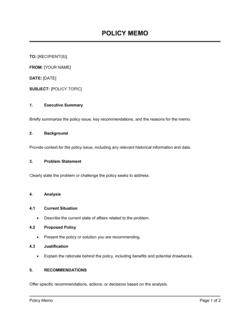
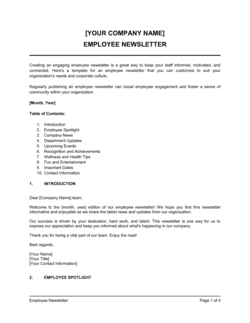
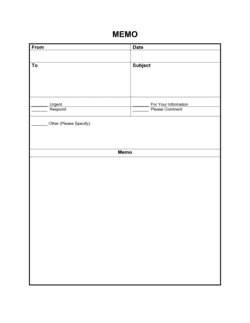
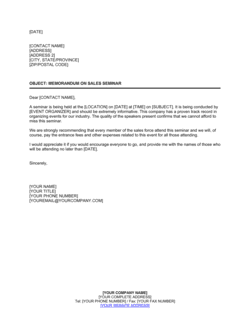
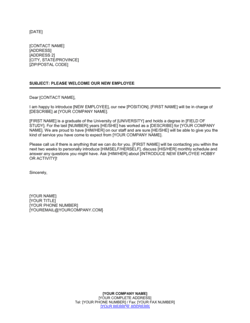
5 memo templates, including Policy Memo, Employee Newsletter, Memo, Memorandum On Sales Seminar, Please Welcome New Employee.
What is a business memo used for?
A business memo is used to communicate decisions, policy changes, financial adjustments, or messages within an organization. It provides a written record that both sender and recipient can reference later. Unlike email, a memo follows a fixed format that makes key information — who sent it, when, and what action is required — immediately visible. Common uses include announcing a policy update, issuing a credit or debit adjustment, or logging a phone message on someone's behalf.
What is the difference between a memo and an email?
Both a memo and an email are internal communication tools, but a memo follows a fixed formal structure (TO, FROM, DATE, SUBJECT, body) that makes it easier to archive, reference, and distribute as an official document. Emails are conversational and thread-based; memos are standalone records. For formal policy directives or financial adjustments that need to be filed, a memo is the more appropriate format.
When should I use a policy memo instead of a general memo?
Use a Policy Memo when the communication establishes or changes a rule, procedure, or standard that staff must follow. The Policy Memo template includes fields for the effective date, the scope of the policy, and responsible parties — detail that a general memo does not prompt you to include. For routine informational messages that don't involve a standing rule, the general Memo template is sufficient.
What is a credit memo and when do I issue one?
A credit memo is a financial document that records a reduction in the amount a customer owes, typically issued to correct an overcharge, acknowledge a return, or apply a discount after invoicing. Issue a credit memo whenever you need to reduce a previously recorded receivable; it ties back to the original invoice and keeps your accounting records accurate. Business in a Box offers both a Word and an Excel version of the Credit Memo template.
What is a debit memo?
A debit memo records an increase in the amount owed — either by a customer or between internal departments — when a charge was understated or an additional cost must be added after the original invoice. It documents the reason for the adjustment and the amount, so both parties have a clear audit trail.
Can I use these memo templates in Word and Excel?
Yes. Most memo templates in this collection are available as editable Word documents that you can download, customize, and print or email. The Credit Memo - Excel template is formatted as a spreadsheet, making it easy to integrate into an existing Excel-based billing or bookkeeping workflow.
How long should a memo be?
Most memos should fit on a single page — typically three to five short paragraphs. Policy memos may run slightly longer if the policy itself requires explanation, but anything that needs more than two pages is likely better served as a formal report or policy document with the memo acting as a cover communication.
Do memos need a signature?
Not all memos require a formal signature, but policy memos and financial memos (credit and debit) typically include an authorization or approval line to confirm the communication has been reviewed by the appropriate manager before distribution. A general informational memo may simply carry the sender's name in the FROM field.
One document. A more organized business.
Your documents are part of how your business operates. Business in a Box brings the work, people and information around them into one workspace.
Start with the template you need. Bring the rest of your business together when you're ready.
How our templates are made
Every template is written by the Business in a Box editorial team and published by Bruno Goulet, CEO & Editor-in-Chief. Business in a Box has published business and legal templates for more than 20 years. Each document page explains what the template covers and how to fill it in; for legal documents, have a qualified professional review the final version when the stakes warrant it.