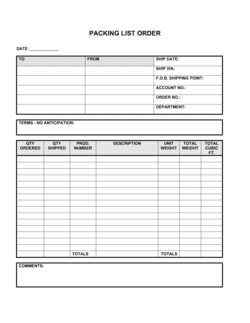
Delivery Note Template

Free Word download β€’ Edit online β€’ Save & share with Drive β€’ Export to PDF

1 pageβ€’15–25 min to fillβ€’Difficulty: Standard
Learn more ↓
FreeDelivery Note Template

At a glance

What it is
A Delivery Note is a document that travels with a shipment and lists every item, quantity, and unit description included in the delivery, along with sender and recipient details. This free Word download lets you fill in your shipment details, print or export as PDF, and include it with any outgoing goods in minutes.
When you need it
Use it every time you ship physical goods to a customer, client, or warehouse β€” it confirms exactly what left your premises and what the recipient should expect to find in the package or pallet.
What's inside
Sender and recipient details, delivery date, order reference number, itemized list of goods with quantities and descriptions, condition notes, and a recipient signature block for proof of delivery.

What is a Delivery Note?

A Delivery Note is a document that accompanies a shipment of physical goods and lists every item dispatched, the quantity of each, and the details of both the sender and the recipient. When the recipient signs and returns a copy, it becomes proof of delivery β€” a formal record that the correct goods arrived at the right address on a specific date. Unlike an invoice, a delivery note carries no pricing information; its sole purpose is to confirm the physical transfer of goods from one party to another.

Why You Need This Document

Without a delivery note, you have no documented record of what left your premises or what the recipient agreed to accept. When a customer claims a parcel arrived short, or that an item was never delivered, an unsigned or absent delivery note leaves you with no evidence to the contrary β€” making credits, replacements, or collections much harder to contest. A signed delivery note also gives your accounts payable team the paper trail they need to match shipments to purchase orders and approve invoices for payment without delay. This template gives you a clean, professional starting point that takes two minutes to complete per shipment and protects every delivery you make.

Which variant fits your situation?

If your situation is…Use this template
Delivering goods as part of a confirmed sales orderDelivery Note (Sales Order Reference)
Shipping goods across international borders requiring customs paperworkCommercial Invoice (International)
Sending goods to a warehouse or third-party fulfillment centerGoods Receipt Note
Confirming return of goods from a customer back to the supplierReturn Merchandise Authorization Form
Requesting payment after delivery has been confirmedInvoice
Providing a proof-of-purchase record once payment is receivedReceipt
Authorizing a supplier to ship goods before the invoice is issuedPurchase Order

Common mistakes to avoid

❌ No delivery note number

Why it matters: Without a unique identifier, matching the delivery to the correct invoice and purchase order requires manual searching through records, slowing payment and creating reconciliation errors.

Fix: Adopt a sequential numbering format (DN-YYYY-NNNN) and assign a number to every delivery before dispatch β€” no exceptions.

❌ Omitting the order reference

Why it matters: Accounts payable teams at larger buyers cannot approve payment without linking the delivery note to an authorized purchase order β€” the invoice sits unpaid until the match is found.

Fix: Always include the buyer's PO number on every delivery note, even for long-standing customers who informally place orders by phone or email.

❌ Leaving the signature block unsigned

Why it matters: An unsigned delivery note is not proof of delivery β€” if a customer later claims goods were never received, you have no documentary evidence to counter the claim.

Fix: Require a physical or digital signature from the recipient before the delivery driver or courier leaves the premises, and file the signed copy immediately.

❌ Not recording damage at the point of delivery

Why it matters: If damage is not noted on the delivery note at the time of receipt, the recipient loses their strongest evidence for a carrier or supplier claim, and you may face an undocumented dispute.

Fix: Train receiving staff to inspect goods before signing and to write a brief damage description in the condition field rather than signing the note as clear when damage is visible.

The 9 key fields, explained

Sender details

Recipient details

Delivery note number

Delivery date and order reference

Itemized goods list

Unit of measure

Backorder or short-shipped items

Condition and special handling notes

Recipient signature and date

How to fill it out

  1. 1

    Enter sender and recipient details

    Fill in your full business name, address, and contact details in the sender block. Enter the consignee's legal name or business name, the physical delivery address, and the name of the receiving contact.

    πŸ’‘ Confirm the delivery address directly with the recipient before dispatch β€” billing and shipping addresses differ more often than expected.

  2. 2

    Assign a delivery note number and date

    Use a sequential numbering format such as DN-YYYY-NNNN and enter the dispatch date. This number is your primary reference for reconciling the delivery against the invoice.

    πŸ’‘ Store a master log of delivery note numbers in a simple spreadsheet so you can instantly locate any shipment by number.

  3. 3

    Add the order reference

    Enter the purchase order or sales order number this shipment fulfills. If the delivery covers a partial order, note that clearly alongside the reference number.

    πŸ’‘ Ask each regular customer for their preferred PO reference format once β€” many corporate buyers reject documents that don't match their system's expected format.

  4. 4

    List each item with SKU, description, and quantities

    Add one row per product, filling in the SKU or product code, a clear item description, the quantity ordered, and the quantity actually being dispatched in this shipment.

    πŸ’‘ Use the same product descriptions your invoice uses β€” matching language across both documents cuts the buyer's processing time and reduces queries.

  5. 5

    Note any backordered or short-shipped items

    If any ordered item is missing from this delivery, include it on the list with the quantity dispatched as zero, a reason, and an expected dispatch date.

    πŸ’‘ A proactive backorder note prevents a support call and sets clear expectations β€” recipients appreciate the transparency.

  6. 6

    Record condition and special handling requirements

    Note the condition of the goods at dispatch and any handling instructions such as fragile, refrigerate, or keep dry. Leave space for the recipient to note any damage observed at delivery.

    πŸ’‘ Pre-print your standard handling icons on the template header if you ship fragile or temperature-controlled goods regularly.

  7. 7

    Print and include with the shipment; collect a signature

    Print the completed delivery note and place it inside or attached to the shipment. Ask the recipient or their representative to sign, print their name, and record the time of receipt.

    πŸ’‘ Keep a scanned or photographed copy of the signed delivery note on file β€” it is your only proof of delivery if a dispute arises weeks later.

Frequently asked questions

What is a delivery note?

A delivery note is a document sent with a shipment that lists the goods included, their quantities, and the details of both the sender and recipient. It travels with the goods and is signed by the recipient on arrival as confirmation of what was received. It is distinct from an invoice β€” it confirms delivery, not payment.

What is the difference between a delivery note and an invoice?

A delivery note confirms what physical goods were shipped and received β€” it is a logistics document. An invoice is a financial document requesting payment for those goods. They reference the same order but serve different purposes: the delivery note closes the shipping step; the invoice triggers the payment step. Both should be on file for any completed transaction.

What is the difference between a delivery note and a packing slip?

The terms are often used interchangeably, but a packing slip typically lists the contents of a specific package and focuses on the packing process. A delivery note is a more formal document that includes order references, recipient details, and a signature block for proof of delivery. For most businesses, a delivery note serves both purposes.

Does a delivery note need to be signed?

There is no universal legal requirement for a signature, but obtaining one is strongly recommended. A signed delivery note is your primary proof of delivery β€” it documents that the named recipient received the listed goods on a specific date. Without it, disputes about non-receipt or incorrect quantities are much harder to resolve in your favor.

Should I include prices on a delivery note?

Prices are not typically included on a delivery note β€” that information belongs on the invoice. Keeping them separate means your delivery note can be handed to a warehouse receiving team or a third party without disclosing pricing. Reference the invoice number on the delivery note so the two documents can be linked when needed.

How long should I keep delivery notes on file?

Most accountants recommend retaining delivery notes for the same period as related invoices and purchase orders β€” typically 5–7 years depending on your jurisdiction's tax record-keeping rules. Signed delivery notes are primary evidence in dispute resolution and audits, so store scanned copies in a cloud folder linked to the relevant invoice.

Can a delivery note be used as a goods receipt note?

A delivery note issued by the supplier and a goods receipt note (GRN) created by the buyer confirm the same physical event from opposite directions. Many businesses use the signed delivery note as their de facto GRN, especially for smaller operations without a formal warehouse management system. Larger organizations typically create an internal GRN to record the receipt in their own system and attach the supplier's delivery note as supporting documentation.

How this compares to alternatives

vs Invoice

An invoice is a financial document requesting payment for goods or services. A delivery note is a logistics document confirming what was physically shipped and received. The two work together β€” the delivery note confirms delivery; the invoice triggers payment β€” and should reference each other by number. Prices belong on the invoice, not the delivery note.

vs Purchase Order

A purchase order is issued by the buyer before delivery to authorize a purchase. A delivery note is issued by the seller at the point of dispatch to confirm what was sent. They should reference each other: the delivery note lists the PO number, and the PO sets the quantities and specifications the delivery note is checked against on receipt.

vs Receipt

A receipt confirms that payment has been received. A delivery note confirms that goods have been received. The two documents sit at different points in the transaction lifecycle β€” delivery comes first, payment confirmation follows. Both should be retained as part of a complete transaction record.

vs Bill of Lading

A bill of lading is a formal legal shipping contract between a shipper and a carrier, used primarily for freight and international shipments. A delivery note is a simpler internal document confirming what was included in a shipment and serving as a receipt for the recipient. For domestic courier or own-vehicle deliveries, a delivery note is sufficient; for freight or cross-border shipments, a bill of lading is typically required in addition.

Industry-specific considerations

Retail and wholesale

High shipment volumes require sequential numbering and order-reference matching to keep delivery notes aligned with purchase orders across multiple suppliers.

Manufacturing

Delivery notes for raw materials and components often include batch numbers and quality certificates, which are appended or referenced to support traceability.

Construction and trades

Site deliveries require the note to name a specific site address and a designated site manager to sign, since materials may arrive when the primary buyer is off-site.

Food and beverage

Temperature-sensitive deliveries require condition and temperature readings recorded at dispatch and receipt, making the condition field on the delivery note critical for compliance.

Template vs pro β€” what fits your needs?

PathBest forCostTime
Use the templateAny business shipping physical goods that needs a consistent, professional delivery recordFree2–5 minutes per delivery
Template + professional reviewBusinesses with high shipment volumes that want to customize fields for their specific products or integrate with an order management system$50–$200 (design or admin customization)1–2 hours
Custom draftedEnterprises integrating delivery documentation into ERP or warehouse management systems with automated data population$500–$2,000+ (developer or system integration)1–4 weeks

Glossary

Delivery Note
A document accompanying a shipment that lists the goods delivered, quantities, and recipient details β€” used to confirm what was received.
Consignee
The person or business named as the recipient of a shipment.
Consignor
The person or business sending the goods β€” the shipper or supplier.
Order Reference Number
A unique identifier linking the delivery note to the original purchase order or sales order it fulfills.
SKU (Stock Keeping Unit)
A unique alphanumeric code assigned to a product for inventory tracking and order management.
Packing Slip
A document similar to a delivery note that lists package contents β€” used interchangeably in many industries but typically lacks a signature block.
Proof of Delivery (POD)
Documented confirmation β€” usually a signed delivery note or digital acknowledgment β€” that goods reached the intended recipient in the stated condition.
Backorder
An item included on the original order that is not shipped with the current delivery because it is temporarily out of stock.
Goods in Transit
Products that have left the sender's premises but have not yet been received and signed for by the consignee.
Discrepancy Note
A written record added to a delivery note when the quantity or condition of received goods differs from what was listed.

Part of your Business Operating System

This document is one of 3,000+ business & legal templates included in Business in a Box.

  • Fill-in-the-blanks β€” ready in minutes
  • 100% customizable Word document
  • Compatible with all office suites
  • Export to PDF and share electronically

Create your document in 3 simple steps.

From template to signed document β€” all inside one Business Operating System.
1
Download or open template

Access over 3,000+ business and legal templates for any business task, project or initiative.

2
Edit and fill in the blanks with AI

Customize your ready-made business document template and save it in the cloud.

3
Save, Share, Send, Sign

Share your files and folders with your team. Create a space of seamless collaboration.

Save time, save money, and create top-quality documents.

β˜…β˜…β˜…β˜…β˜…

"Fantastic value! I'm not sure how I'd do without it. It's worth its weight in gold and paid back for itself many times."

Managing Director Β· Mall Farm
Robert Whalley
Managing Director, Mall Farm Proprietary Limited
β˜…β˜…β˜…β˜…β˜…

"I have been using Business in a Box for years. It has been the most useful source of templates I have encountered. I recommend it to anyone."

Business Owner Β· 4+ years
Dr Michael John Freestone
Business Owner
β˜…β˜…β˜…β˜…β˜…

"It has been a life saver so many times I have lost count. Business in a Box has saved me so much time and as you know, time is money."

Owner Β· Upstate Web
David G. Moore Jr.
Owner, Upstate Web

Run your business with a system β€” not scattered tools

Stop downloading documents. Start operating with clarity. Business in a Box gives you the Business Operating System used by over 250,000 companies worldwide to structure, run, and grow their business.

Free Forever PlanΒ Β·Β No credit card required