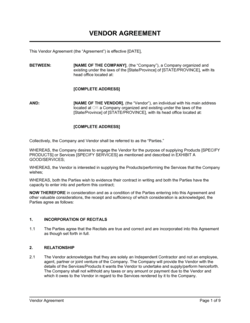
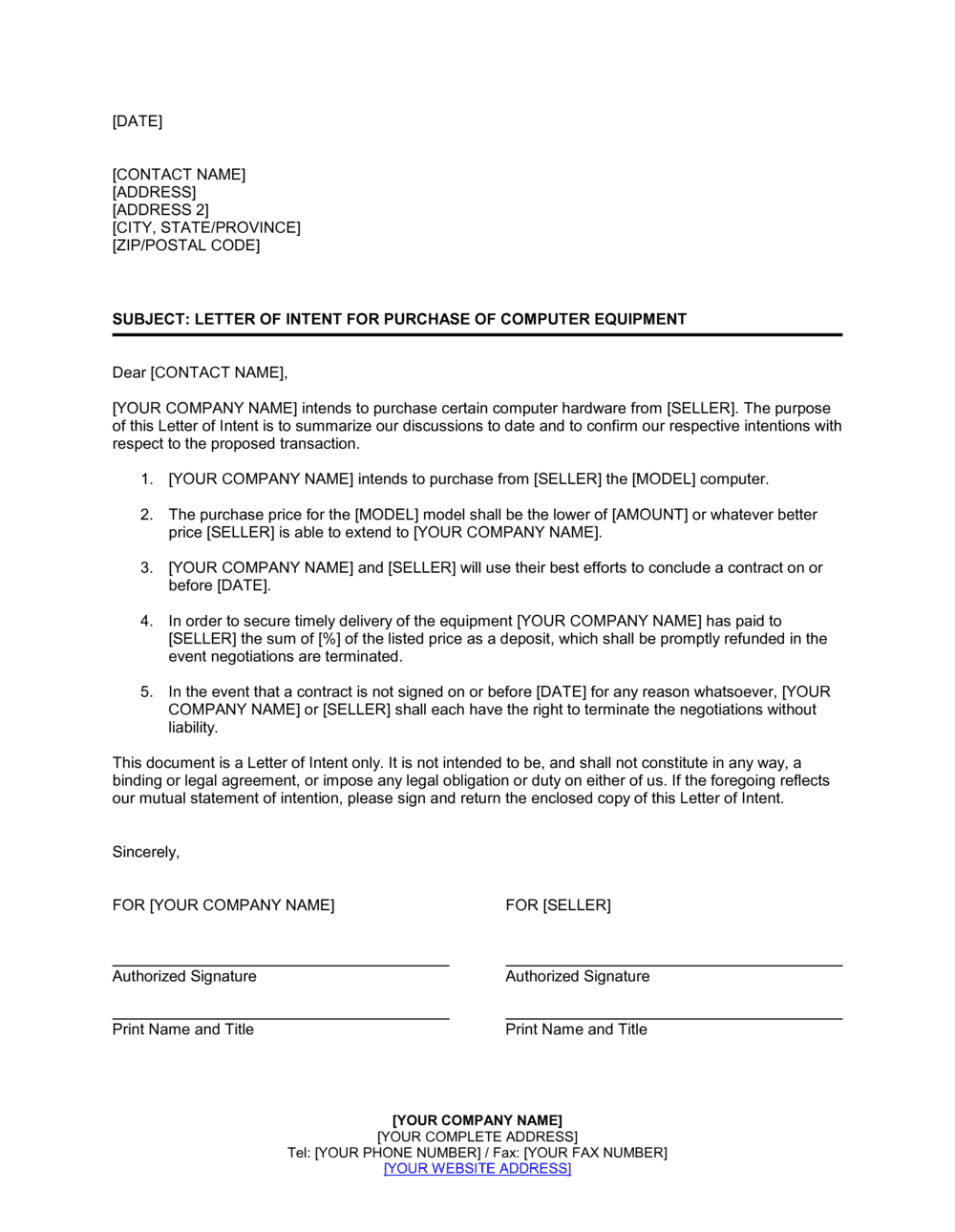
Letter of Intent for Purchase of Computer Equipment Template

Free Word download β€’ Edit online β€’ Save & share with Drive β€’ Export to PDF

1 pageβ€’15–25 min to fillβ€’Difficulty: Standard
Learn more ↓
FreeLetter of Intent for Purchase of Computer Equipment Template

At a glance

What it is
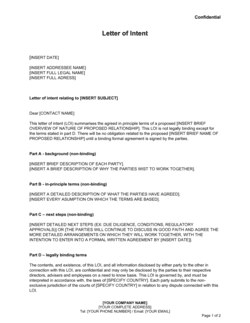
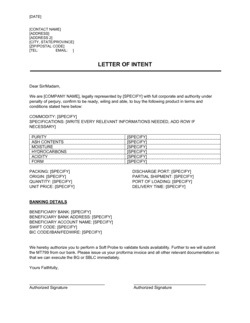
A Letter of Intent for Purchase of Computer Equipment is a formal written communication from a buyer to a vendor confirming the buyer's intention to purchase specified hardware β€” including model numbers, configuration, indicative price, and expected delivery timeline. This free Word download gives you a ready-to-edit letter you can complete in minutes and send before issuing a binding purchase order.
When you need it
Use it when you need to lock in a quoted configuration and price with a vendor while procurement, budget approval, or IT sign-off is still in progress. It signals commitment without creating a binding payment obligation.
What's inside
Buyer and vendor identification, a detailed equipment specification table, indicative pricing and payment terms, expected delivery date, next-steps instruction, and a non-binding acknowledgment paragraph.

What is a Letter of Intent for Purchase of Computer Equipment?

A Letter of Intent for Purchase of Computer Equipment is a formal written communication from a buyer to a hardware vendor that confirms the buyer's intention to purchase a specified set of computer equipment β€” identified by make, model, SKU, and full configuration β€” at an indicative price and within an expected delivery window. It is typically non-binding, meaning it creates no legal obligation to pay until a signed purchase order is issued. The letter functions as a bridge between vendor selection and PO authorization, giving the vendor enough written confirmation to hold inventory and pricing while the buyer finalizes internal approvals.

Why You Need This Document

Proceeding with a verbal commitment or an informal email chain when purchasing computer equipment leaves you exposed to price changes, configuration substitutions, and delivery disputes. Hardware vendors frequently revise pricing when component availability shifts, and without a written record specifying the exact SKU and quoted amount, you have no basis to hold them to the original figure. A letter of intent creates a clear, dated paper trail that confirms both parties are aligned on specifications, price, and timeline before procurement is authorized β€” reducing the chance of a misunderstanding that delays a new-hire start date, an office opening, or a project launch. This template gives you a professionally structured letter you can complete in under 15 minutes, send the same day, and file with your procurement records as documented evidence of the agreed terms.

Which variant fits your situation?

If your situation is…Use this template
Purchasing off-the-shelf hardware from a reseller at a quoted priceLetter of Intent for Purchase of Computer Equipment
Placing a binding order after LOI and approvals are completePurchase Order
Procuring custom-configured servers or enterprise hardware with a negotiated contractEquipment Purchase Agreement
Leasing rather than buying computer equipmentEquipment Lease Agreement
Returning or exchanging equipment after deliveryReturn Merchandise Authorization Letter
Requesting a formal vendor quote before issuing any commitment letterRequest for Quotation (RFQ)
Engaging a vendor for ongoing IT equipment supply under a master agreementVendor Agreement

Common mistakes to avoid

❌ Omitting the equipment SKU and full configuration

Why it matters: Vague descriptions allow the vendor to substitute a different model or spec at the same price point, and you have no written basis to object at delivery.

Fix: Copy the exact model number, SKU, and full specification string from the vendor's quote into the equipment table β€” field by field.

❌ No non-binding acknowledgment clause

Why it matters: Without explicit non-binding language, a vendor who places a manufacturer order in reliance on the letter may have grounds to claim breach if you withdraw.

Fix: Include a dedicated paragraph stating that no contractual obligation arises until a signed purchase order is issued by an authorized buyer representative.

❌ Leaving the quote expiry date blank

Why it matters: Hardware prices fluctuate weekly with component availability; an LOI without a price-hold date gives the vendor no obligation to honor the quoted amount.

Fix: State the quote's expiry date and explicitly request that the vendor hold pricing until that date or until PO issuance.

❌ Signing from a role without procurement authority

Why it matters: If the signatory cannot authorize the subsequent PO, the vendor may delay processing, request a countersignature, or question whether the commitment is genuine.

Fix: Route the letter through the team member whose name will also appear on the purchase order before sending.

The 9 key clauses, explained

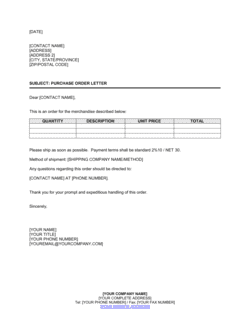
Date, addressee, and subject line

In plain language: Opens the letter with the date, the vendor's name and address, and a subject line that identifies the specific equipment and order reference.

Sample language
[DATE] | [VENDOR COMPANY NAME] | [VENDOR ADDRESS] | Re: Letter of Intent β€” Purchase of [EQUIPMENT DESCRIPTION], Quote Ref [VENDOR QUOTE NUMBER]

Common mistake: Omitting the vendor's quote reference number β€” without it, the vendor cannot match the letter to the correct configuration and pricing record, causing delays.

Buyer identification and purpose statement

In plain language: Identifies the purchasing organization and states clearly that this letter expresses intent to purchase, not a binding commitment.

Sample language
[BUYER COMPANY NAME] ('Buyer') is pleased to confirm its intention to purchase the computer equipment described below from [VENDOR COMPANY NAME] ('Vendor'), subject to final purchase order issuance.

Common mistake: Phrasing the purpose statement so firmly ('Buyer hereby agrees to purchase') that it reads as a binding contract rather than a non-binding LOI.

Equipment specification table

In plain language: Lists each item being purchased with make, model, SKU, configuration details, quantity, and unit price.

Sample language
Item 1: [MANUFACTURER] [MODEL NAME], SKU [XXXXXXXX] | Processor: [SPEC] | RAM: [SPEC] | Storage: [SPEC] | OS: [SPEC] | Qty: [X] | Unit Price: $[X] | Line Total: $[X]

Common mistake: Describing equipment in generic terms ('laptops β€” 10 units') without model and configuration detail β€” leaving the vendor free to substitute a different specification.

Indicative total and pricing validity

In plain language: States the total estimated purchase amount and confirms the price is based on the vendor's quote, valid until a specified date.

Sample language
The indicative total for the above equipment is $[TOTAL AMOUNT], based on Vendor's quote dated [QUOTE DATE], valid through [EXPIRY DATE]. Buyer requests that this pricing be held pending purchase order issuance.

Common mistake: Not stating the quote expiry date β€” vendors routinely reprice hardware when component costs change, and an undated LOI gives no protection against price increases.

Expected delivery date and location

In plain language: Specifies the required delivery date and the ship-to address, and requests confirmation that the vendor can meet the timeline.

Sample language
Buyer requires delivery of all items to [DELIVERY ADDRESS] no later than [DELIVERY DATE]. Please confirm availability and lead time by [RESPONSE DATE].

Common mistake: Stating a delivery date without asking the vendor to confirm availability β€” a one-sided deadline provides no assurance the equipment will actually arrive on time.

Payment terms reference

In plain language: States the expected payment terms (e.g., Net 30 from invoice date) so both parties are aligned before the PO is issued.

Sample language
Buyer anticipates payment terms of Net [30] days from date of invoice. Any deviation from these terms must be agreed in writing prior to purchase order issuance.

Common mistake: Leaving payment terms blank or vague β€” when the PO arrives with different terms than the vendor assumed, it creates renegotiation friction and can delay shipment.

Next steps and authorization to proceed

In plain language: Instructs the vendor on what to do next β€” typically to countersign or acknowledge the LOI and hold the configuration pending PO issuance within a stated timeframe.

Sample language
Please acknowledge receipt of this letter by [ACKNOWLEDGMENT DATE]. Buyer intends to issue a formal Purchase Order within [X] business days, subject to internal approval. Upon receipt of the PO, Vendor is authorized to proceed with order processing.

Common mistake: Not specifying a timeframe for PO issuance β€” without a deadline, vendors have no basis to hold inventory or pricing, and the LOI loses practical value.

Non-binding acknowledgment

In plain language: States explicitly that the letter does not constitute a binding purchase commitment and that no obligation arises until a signed PO is issued.

Sample language
This letter is a statement of intent only and does not constitute a binding purchase order or contractual commitment. No legal obligation to purchase shall arise until Buyer issues a formal Purchase Order signed by an authorized representative.

Common mistake: Omitting this clause entirely β€” without it, the letter could be construed as an enforceable agreement, particularly if the vendor relies on it to place a manufacturer order.

Authorized signatory block

In plain language: Closes the letter with the buyer's name, title, company, and signature line to confirm the letter is issued by someone with authority.

Sample language
Sincerely, [AUTHORIZED SIGNATORY NAME] | [TITLE] | [BUYER COMPANY NAME] | [EMAIL] | [PHONE]

Common mistake: Signing with a job title that does not carry procurement authority β€” if the signatory cannot actually authorize the subsequent PO, the vendor may question the letter's credibility.

How to fill it out

  1. 1

    Enter the date and vendor's address block

    Fill in today's date, the vendor's legal company name, mailing address, and the attention line for their sales or account representative.

    πŸ’‘ Use the vendor's official company name as it appears on their quote β€” not a brand name or abbreviation β€” to avoid any matching issues on their end.

  2. 2

    Add the vendor's quote reference number to the subject line

    Pull the quote number directly from the vendor's written quotation and include it in the Re: line so the vendor can immediately locate the matching record.

    πŸ’‘ If the vendor has not provided a quote number, request one before sending β€” a reference number is your only proof of which configuration and price you are committing to.

  3. 3

    Identify the buyer and state the LOI's purpose

    Enter your company's full legal name in the opening paragraph and confirm that this letter expresses intent, not a binding order.

    πŸ’‘ If your company has a separate legal entity for purchasing, use that entity's name β€” not the parent brand β€” to match your PO later.

  4. 4

    Complete the equipment specification table

    List every item with manufacturer name, model, SKU, full configuration details, quantity, unit price, and line total. Copy these details directly from the vendor's quote to prevent specification drift.

    πŸ’‘ Include the operating system and any pre-installed software as a line item β€” these are frequently omitted and can generate a surprise invoice at delivery.

  5. 5

    State the indicative total and quote validity date

    Sum all line totals to get the indicative purchase amount and note the date the vendor's quote expires. Request the vendor hold pricing until that date or until PO issuance, whichever comes first.

    πŸ’‘ If your internal approval process could push past the quote expiry, contact the vendor before sending the LOI to request a validity extension.

  6. 6

    Specify the delivery date, location, and response deadline

    Enter the required delivery date, the full ship-to address including suite or floor number, and ask the vendor to confirm availability by a specific date.

    πŸ’‘ Build at least five business days of buffer between the vendor's lead time and your actual need date β€” hardware shipments frequently encounter carrier delays.

  7. 7

    Confirm payment terms and next steps

    Enter the expected payment terms and specify how many business days after the vendor's acknowledgment you intend to issue the PO.

    πŸ’‘ Align the PO issuance timeline with your internal approval cycle β€” committing to a three-day turnaround when your approval takes two weeks creates unnecessary friction.

  8. 8

    Sign and send from an authorized signatory

    Have the letter signed by the person who is also authorized to sign the purchase order β€” consistency of signatory avoids vendor questions about authority.

    πŸ’‘ Send as a PDF attachment to email with a short cover note; retain the original Word file for your procurement records.

Frequently asked questions

What is a letter of intent for purchase of computer equipment?

It is a formal written letter from a buyer to a hardware vendor confirming the buyer's intention to purchase a specified set of computer equipment β€” including exact models, configurations, indicative pricing, and expected delivery date β€” before a binding purchase order is issued. It gives the vendor enough signal to hold inventory and pricing while the buyer completes internal approvals.

Is a letter of intent for equipment purchase legally binding?

Generally, no β€” provided the letter includes an explicit non-binding acknowledgment clause stating that no obligation arises until a signed purchase order is issued. Without that clause, a vendor who acts in reliance on the letter (for example, by placing a manufacturer order) may have grounds to claim damages if you withdraw. Always include clear non-binding language.

What is the difference between a letter of intent and a purchase order?

A letter of intent expresses an intention to buy and is typically non-binding β€” it allows the buyer to confirm a configuration and hold a price while internal approvals are finalized. A purchase order is a binding commercial document that authorizes the vendor to fulfill and invoice the order. The LOI typically precedes the PO by days or weeks.

When should I send a letter of intent instead of just a purchase order?

Send an LOI when you need to lock in a quoted price or reserve inventory before your internal budget approval, IT sign-off, or legal review is complete. It is also useful when lead times are tight and the vendor needs written confirmation to begin procurement from their own supplier without you being contractually committed.

What details should the equipment specification include?

At minimum: manufacturer name, model name, vendor SKU, processor type and speed, RAM, storage capacity and type, operating system, any pre-installed software, warranty tier, and quantity. Including the vendor's quote line number for each item makes the document easy to match against their internal records and eliminates substitution disputes.

Do I need a signature on a letter of intent?

A signature is not legally required for a non-binding LOI, but it is strongly recommended. A signed letter confirms the communication is official and issued by someone with authority, and it provides a clear record for audit and procurement documentation purposes.

Can the vendor change the price after receiving a letter of intent?

Yes, unless the letter explicitly requests that the vendor hold the quoted price until a specific date or until PO issuance, and the vendor acknowledges this request in writing. Hardware prices can change rapidly with component availability β€” always state a price-hold deadline in the LOI and get written vendor acknowledgment.

How quickly should I issue the purchase order after sending the LOI?

Specify the exact number of business days in the letter β€” typically 3 to 10 business days depending on your approval cycle. The shorter the window you state, the more likely the vendor is to hold inventory and pricing. If your approval is delayed, notify the vendor in writing before the stated deadline passes.

Can I use this letter for software or cloud subscriptions as well?

This template is designed specifically for physical computer hardware purchases. For software licenses or SaaS subscriptions, a different letter of intent or vendor agreement format is more appropriate, as the delivery terms, configuration details, and payment structures differ significantly from hardware procurement.

How this compares to alternatives

vs Purchase Order

A purchase order is a binding commercial document that legally commits the buyer to pay for specified goods and authorizes the vendor to fulfill and invoice the order. A letter of intent precedes the PO, is non-binding, and is used to hold a price and configuration while internal approvals are finalized. Once approvals are in place, the PO replaces the LOI as the governing document.

vs Request for Quotation (RFQ)

An RFQ is sent before vendor selection to solicit competitive pricing from multiple suppliers. A letter of intent comes after vendor selection β€” it communicates that you have chosen a specific vendor and intend to purchase, pending final authorization. The RFQ initiates the procurement process; the LOI closes it ahead of the PO.

vs Equipment Lease Agreement

An equipment lease agreement is a binding contract under which the buyer pays periodic fees to use hardware owned by the lessor, with no transfer of title unless a buyout clause is exercised. A letter of intent for purchase leads to outright ownership. Use a lease when preserving capital or when the equipment will be replaced within three to four years.

vs Vendor Agreement

A vendor agreement is a master contract governing an ongoing supply relationship β€” covering terms, pricing tiers, service levels, and renewal conditions over multiple orders. A letter of intent is a one-time, transaction-specific communication for a single equipment purchase. If you expect to buy hardware from the same vendor repeatedly, a master vendor agreement provides better long-term protection.

Industry-specific considerations

Technology / SaaS

Bulk laptop and workstation procurement for new engineering hires, often timed to a funding close or headcount plan approval.

Professional Services

Standardized hardware refresh cycles for consultant fleets, where procurement must coordinate with partner approval and client billing schedules.

Education

Term-start equipment orders for labs and classrooms, where budget release and delivery must align with an academic calendar deadline.

Healthcare

Regulated procurement environments where capital equipment purchases require department-head sign-off, IT security review, and biomedical clearance before a PO can be issued.

Template vs pro β€” what fits your needs?

PathBest forCostTime
Use the templateAny business purchasing standard off-the-shelf computer hardware from a known vendor at a quoted priceFree10–15 minutes
Template + professional reviewLarge orders above $50,000, government or regulated-sector procurement, or purchases with custom configuration and extended warranty negotiations$100–$300 for a procurement advisor or legal review1–2 business days
Custom draftedEnterprise hardware contracts with SLA commitments, multi-year supply arrangements, or international vendors requiring trade compliance review$500–$1,500+3–7 business days

Glossary

Letter of Intent (LOI)
A written document expressing one party's intention to enter into a transaction, typically non-binding unless explicitly stated otherwise.
Purchase Order (PO)
A binding commercial document issued by a buyer to a vendor authorizing the purchase of specified goods at an agreed price.
Indicative Price
A price quoted by a vendor subject to final confirmation β€” not yet contractually fixed until a PO or contract is signed.
Configuration
The specific combination of hardware specifications β€” processor, RAM, storage, operating system, and peripherals β€” for a given equipment order.
Lead Time
The time between a vendor receiving a confirmed order and the equipment being delivered to the buyer's location.
Non-Binding Acknowledgment
A clause clarifying that the letter creates no contractual obligation to purchase, preserving the buyer's right to withdraw before a PO is issued.
Capital Expenditure (Capex)
Spending on physical assets β€” such as computer hardware β€” that are recorded on the balance sheet and depreciated over their useful life.
SKU (Stock Keeping Unit)
A vendor's unique alphanumeric identifier for a specific product model or configuration, used to ensure both parties are quoting the same item.
Delivery Terms
The agreed conditions governing when and where title and risk of loss transfer from the vendor to the buyer β€” commonly expressed as FOB Destination or FOB Origin.
Quote Validity Period
The time window during which a vendor's stated price and availability remain guaranteed, after which the quote may be revised.

Part of your Business Operating System

This document is one of 3,000+ business & legal templates included in Business in a Box.

  • Fill-in-the-blanks β€” ready in minutes
  • 100% customizable Word document
  • Compatible with all office suites
  • Export to PDF and share electronically

Create your document in 3 simple steps.

From template to signed document β€” all inside one Business Operating System.
1
Download or open template

Access over 3,000+ business and legal templates for any business task, project or initiative.

2
Edit and fill in the blanks with AI

Customize your ready-made business document template and save it in the cloud.

3
Save, Share, Send, Sign

Share your files and folders with your team. Create a space of seamless collaboration.

Save time, save money, and create top-quality documents.

β˜…β˜…β˜…β˜…β˜…

"Fantastic value! I'm not sure how I'd do without it. It's worth its weight in gold and paid back for itself many times."

Managing Director Β· Mall Farm
Robert Whalley
Managing Director, Mall Farm Proprietary Limited
β˜…β˜…β˜…β˜…β˜…

"I have been using Business in a Box for years. It has been the most useful source of templates I have encountered. I recommend it to anyone."

Business Owner Β· 4+ years
Dr Michael John Freestone
Business Owner
β˜…β˜…β˜…β˜…β˜…

"It has been a life saver so many times I have lost count. Business in a Box has saved me so much time and as you know, time is money."

Owner Β· Upstate Web
David G. Moore Jr.
Owner, Upstate Web

Run your business with a system β€” not scattered tools

Stop downloading documents. Start operating with clarity. Business in a Box gives you the Business Operating System used by over 250,000 companies worldwide to structure, run, and grow their business.

Free Forever PlanΒ Β·Β No credit card required