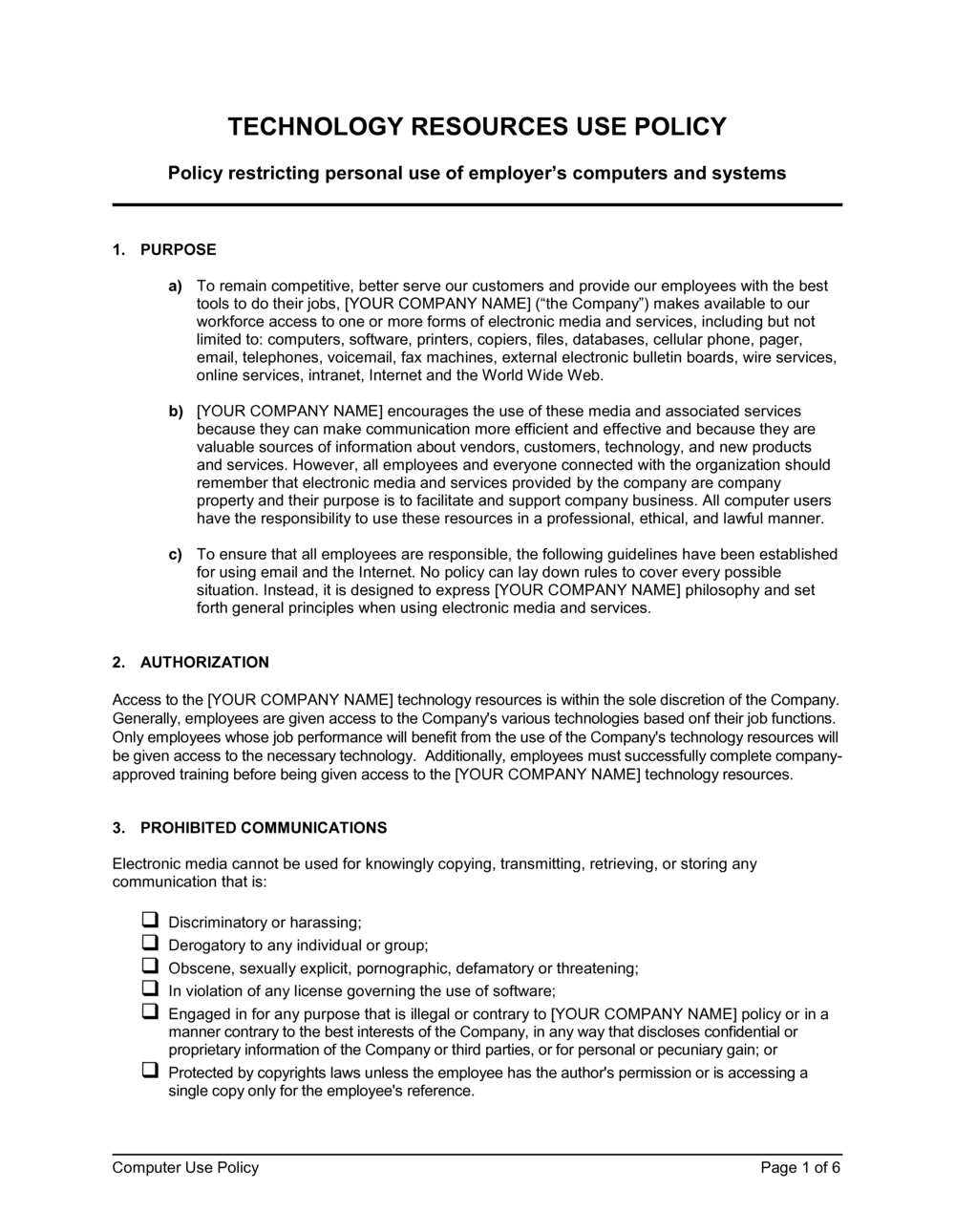
Computer Use Policy Template

Free Word download β€’ Edit online β€’ Save & share with Drive β€’ Export to PDF

6 pagesβ€’25–30 min to fillβ€’Difficulty: Complex
Learn more ↓
FreeComputer Use Policy Template

At a glance

What it is
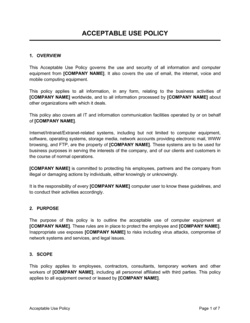
A Computer Use Policy is an internal business document that defines how employees may use company-owned computers, networks, software, and internet access β€” and what is expressly prohibited. This free Word download gives you a ready-to-edit policy you can tailor to your organization's systems and risk tolerance, then distribute to staff and store in your employee handbook.
When you need it
Use it when onboarding new employees, updating an outdated IT policy, or after a security incident that revealed gaps in acceptable-use guidance. Any organization issuing devices or network access to staff needs a documented policy before problems arise, not after.
What's inside
Purpose and scope, definitions of covered systems and users, acceptable and prohibited use rules, internet and email guidelines, data security requirements, monitoring and privacy disclosures, BYOD provisions, and disciplinary consequences for violations.

What is a Computer Use Policy?

A Computer Use Policy is an internal organizational document that sets the rules governing how employees, contractors, and other authorized users may use company-owned computers, networks, internet access, software, and data. It defines acceptable activities, lists prohibited behaviors in specific terms, establishes baseline security requirements, discloses the organization's right to monitor system activity, and states the disciplinary consequences of violations. Unlike a technical IT security policy β€” which governs the controls the organization configures β€” a computer use policy governs human behavior at the keyboard.

Why You Need This Document

Operating without a documented computer use policy means there is no enforceable standard to apply when an employee installs unauthorized software that introduces malware, forwards confidential files to a personal Gmail account, or uses a company laptop to access illegal content. Without written rules that employees have acknowledged, disciplinary proceedings become credibility contests rather than policy-enforcement actions. Auditors conducting ISO 27001, SOC 2, or HIPAA reviews specifically request this document β€” a missing or outdated policy is one of the most common findings and can stall certification. This template gives you a complete, immediately editable foundation that takes under two hours to tailor, covering every material risk from password standards to remote-wipe rights, so your organization has documented rules in place before an incident makes them urgent.

Which variant fits your situation?

If your situation is…Use this template
Employees using personal devices to access company systemsBYOD Policy
Remote or hybrid team needing home-office technology rulesRemote Work Policy
Covering employee use of social media on company time or devicesSocial Media Policy
Governing how staff handle sensitive customer or employee dataData Protection Policy
Addressing employee email use, retention, and monitoringEmail Use Policy
Regulating access to and use of cloud-based SaaS toolsIT Security Policy
Setting rules for software installation and licensing complianceSoftware Use Policy

Common mistakes to avoid

❌ Scope limited to full-time employees only

Why it matters: Contractors, vendors, and interns who access company systems under an incomplete policy represent the same data-breach risk as permanent staff β€” without the same accountability framework.

Fix: Expand the scope clause to cover all individuals who are granted access to company systems, regardless of employment classification.

❌ No monitoring disclosure or a buried one

Why it matters: In several jurisdictions, monitoring employees without adequate prior notice creates legal exposure. A disclosure that appears only in an appendix may not meet the 'clear notice' standard courts apply.

Fix: Place the monitoring and privacy section in the first third of the policy and require employees to initial or specifically acknowledge it at signing.

❌ Password standards below current guidance

Why it matters: Specifying an 8-character password minimum β€” common in older policies β€” contradicts NIST SP 800-63B updated guidance and signals to auditors that the policy has not been reviewed recently.

Fix: Update the password section to require at least 15 characters and prohibit re-use of the last five passwords, consistent with current NIST recommendations.

❌ No BYOD or remote access provisions

Why it matters: If employees are accessing company email or files from personal phones and the policy is silent on this, the organization has no documented basis to enforce data security requirements on those devices or respond to a lost-device incident.

Fix: Add a BYOD section that covers MDM enrollment requirements, VPN use, and the company's remote-wipe right β€” even if current practice is to discourage BYOD, document the rule explicitly.

❌ Rigid progressive-discipline sequence for all violations

Why it matters: Committing to 'warning β†’ suspension β†’ termination' for all violations means HR cannot skip to termination for a serious first offence like downloading malware or exfiltrating customer data.

Fix: Use 'up to and including termination' language and reserve the right to bypass progressive steps for violations involving illegal activity, data breaches, or wilful misconduct.

❌ No scheduled policy review date

Why it matters: A computer use policy that hasn't been updated since 2018 won't mention cloud storage, SaaS tools, AI assistants, or remote work β€” gaps that leave real behaviors ungoverned and signal poor IT governance to auditors.

Fix: Name a policy owner and set an annual review date in the policy itself. Treat the review date as a compliance deadline, not a suggestion.

The 10 key sections, explained

Purpose and scope

Definitions

Acceptable use

Prohibited activities

Internet and email use

Data security requirements

Monitoring and privacy

BYOD and remote access

Violations and disciplinary consequences

Policy review and updates

How to fill it out

  1. 1

    Define scope and covered systems

    List every category of technology resource the policy governs β€” laptops, desktops, mobile devices, cloud accounts, VPN, and any specialized equipment. Confirm whether contractors and vendors are included.

    πŸ’‘ A scope that is too narrow is more dangerous than one that is too broad β€” when in doubt, include the resource category and carve out exceptions later.

  2. 2

    Identify your acceptable-use position on personal use

    Decide whether to prohibit all personal use, allow limited personal use during non-work hours, or allow reasonable personal use at any time. Document the chosen position clearly in the acceptable-use section.

    πŸ’‘ A blanket ban is rarely enforced and creates a credibility problem. 'Limited personal use that does not interfere with work or consume excessive bandwidth' is a defensible and practical standard.

  3. 3

    Draft the prohibited activities list with specifics

    List prohibited behaviors by name β€” downloading pirated software, accessing adult content, sharing passwords, using company email for personal business schemes. General catch-all language is insufficient for discipline.

    πŸ’‘ Review your last three IT incidents and add a specific prohibition for each behavior that caused them β€” this turns your history into prevention.

  4. 4

    Set minimum data security standards

    Specify password length and complexity requirements, screen-lock timeout period, mandatory software update compliance window, and encryption requirements for portable media and email attachments containing sensitive data.

    πŸ’‘ Align your password standards with NIST SP 800-63B (15+ characters for new policies) so your policy doesn't immediately contradict current security guidance.

  5. 5

    Write the monitoring and privacy disclosure

    State clearly that the company may monitor all activity on company systems, that employees have no expectation of privacy, and that monitoring may occur without prior notice. Place this section early in the document.

    πŸ’‘ Have employees sign an acknowledgment that specifically references the monitoring disclosure β€” not just 'I have read the policy' β€” to create a stronger record.

  6. 6

    Address BYOD and remote access if applicable

    If employees access company data on personal devices or from home, add provisions covering MDM enrollment, VPN requirements, and the company's right to remote-wipe company data from personal devices.

    πŸ’‘ If your organization does not currently support BYOD but employees are doing it informally, this section should prohibit it explicitly rather than leaving it unaddressed.

  7. 7

    Set the disciplinary consequence range

    State that violations may result in discipline up to and including termination, and that illegal activity will be referred to law enforcement. Avoid a rigid step-by-step sequence that removes HR discretion in serious cases.

    πŸ’‘ Cross-reference your employee handbook's general disciplinary policy to ensure consistency β€” contradictions between the two documents create problems in termination proceedings.

  8. 8

    Schedule annual review and get acknowledgments

    Set a named owner and an annual review date. Distribute the policy to all employees, collect signed acknowledgments, and store them in each employee's personnel file.

    πŸ’‘ Re-collect acknowledgments every time the policy is materially updated β€” a signature on a 2021 version is not evidence of notice of a 2025 change.

Frequently asked questions

What is a computer use policy?

A computer use policy is an internal document that defines the rules governing how employees may use an organization's computers, networks, internet access, and software. It sets out acceptable and prohibited activities, data security requirements, monitoring rights, and the consequences of violations. It applies to all individuals who access company technology resources, including contractors and remote workers.

Why does a business need a computer use policy?

Without a documented policy, the organization has no enforceable standard to apply when an employee misuses technology, downloads malware, or leaks data. The policy creates the legal and procedural foundation for disciplinary action, supports insurance and audit requirements, and notifies employees of monitoring practices before they occur β€” reducing both security risk and legal exposure.

What is the difference between a computer use policy and an acceptable use policy?

The terms are used interchangeably in most organizations. A computer use policy typically focuses on physical hardware and network access, while an acceptable use policy (AUP) may cover a broader range of technology resources including cloud services, SaaS platforms, and personal devices. In practice, a well-drafted computer use policy covers everything an AUP would and the distinction is largely cosmetic.

Should employees sign the computer use policy?

Yes. Requiring each employee to sign and date an acknowledgment that they have read and understood the policy creates a documented record that is essential for disciplinary proceedings and audits. Collect re-acknowledgments every time the policy is materially updated β€” a signature on an older version does not confirm awareness of a new restriction.

Can an employer monitor employee computer use?

In most jurisdictions employers can monitor activity on company-owned systems provided employees have been given clear prior notice. The computer use policy is the primary vehicle for delivering that notice. Monitoring without adequate disclosure creates legal exposure in several US states, the EU under GDPR, and in Canada. Consider consulting employment counsel to confirm monitoring practices comply with applicable law in your jurisdiction.

Does a computer use policy cover personal devices?

A standard computer use policy covers company-owned equipment. If employees access company data on personal devices β€” smartphones, home laptops, tablets β€” the policy should include a BYOD section that extends relevant rules to those devices, specifies MDM enrollment requirements, and discloses the company's right to remotely wipe company data from a lost or departed employee's personal device.

How often should a computer use policy be updated?

At minimum, review the policy annually. Technology environments change quickly β€” new SaaS tools, AI assistants, remote-work arrangements, and evolving security threats can all create unaddressed gaps within 12 months. Trigger an immediate review after any significant security incident, major system change, or new regulatory requirement that affects data handling.

What should the disciplinary consequences section say?

State that violations may result in disciplinary action up to and including immediate termination of employment, and that violations involving illegal activity will be referred to law enforcement. Avoid committing to a rigid progressive-discipline sequence β€” 'warning, then suspension, then termination' β€” because it removes HR's discretion to terminate immediately for serious first offences such as data exfiltration or accessing illegal content.

Is a computer use policy required for ISO 27001 or SOC 2 compliance?

Yes. Both ISO 27001 (Annex A.6.2, A.8.1) and SOC 2 (Common Criteria CC6.1, CC6.2) require documented acceptable-use controls as part of a broader information security management program. Auditors will ask to see the policy, evidence of distribution, and signed employee acknowledgments. A missing or outdated policy is a common finding in both frameworks.

How this compares to alternatives

vs IT Security Policy

An IT security policy governs the technical controls the organization implements to protect its infrastructure β€” firewalls, patch management, access controls, and incident response procedures. A computer use policy governs employee behavior on those systems. The two documents are complementary: the IT security policy defines what the organization does to protect systems; the computer use policy defines what employees must and must not do when using them.

vs Remote Work Policy

A remote work policy addresses the full range of home-office working arrangements β€” ergonomics, availability expectations, expense reimbursement, and communication standards. A computer use policy focuses specifically on how technology resources are used, regardless of location. Organizations with remote teams need both: the remote work policy sets the employment framework; the computer use policy sets the technology rules that apply wherever the employee is working.

vs Social Media Policy

A social media policy governs how employees use social platforms β€” both on company time and in their personal capacity when representing the organization. A computer use policy sets broader rules for all internet and system use, of which social media is one component. If social media use is a significant concern, a standalone policy provides the additional detail that a computer use policy's internet-use section cannot cover adequately.

vs Employee Handbook

An employee handbook is a comprehensive reference document covering all employment policies β€” conduct, compensation, leave, benefits, and more. A computer use policy is a standalone operational document focused solely on technology use. The computer use policy is typically incorporated by reference into the employee handbook rather than reproduced in full, keeping both documents at a manageable length.

Industry-specific considerations

Technology / SaaS

Covers use of production system access, source code repositories, cloud infrastructure credentials, and AI coding tools by engineering and product teams.

Financial Services

Addresses regulatory requirements for data handling, prohibition on use of personal email for client communications, and enhanced monitoring obligations under FINRA and SEC rules.

Healthcare

Incorporates HIPAA requirements by reference, prohibits access to patient data on unsecured networks, and mandates automatic screen-lock timeouts on all devices in clinical areas.

Professional Services

Governs use of client-matter files on portable devices, rules for working from client sites on external networks, and confidentiality obligations for documents accessed remotely.

Retail / E-commerce

Addresses POS terminal use rules, prohibition on connecting personal devices to payment networks, and rules for employees accessing customer payment data on shared workstations.

Education

Covers staff and student use of institutional networks, filtering requirements for minors, and FERPA obligations when accessing student records on school-issued devices.

Template vs pro β€” what fits your needs?

PathBest forCostTime
Use the templateSmall and mid-size businesses setting up or refreshing computer use rules for a domestic workforceFree1–2 hours
Template + professional reviewOrganizations with remote workers across multiple states, BYOD programs, or compliance requirements under ISO 27001, SOC 2, or HIPAA$300–$800 (HR consultant or employment attorney review)2–5 days
Custom draftedEnterprises in regulated industries, organizations with significant monitoring programs, or businesses operating across multiple countries with differing employee-privacy laws$1,500–$4,000+1–3 weeks

Glossary

Acceptable Use
The range of activities an employee is permitted to perform using company-owned technology resources, as defined by the organization's policy.
Company Systems
All hardware, software, networks, and data storage resources owned, leased, or managed by the organization β€” including laptops, servers, and cloud accounts.
BYOD (Bring Your Own Device)
A workplace arrangement in which employees use personal smartphones, laptops, or tablets to access company data or systems.
Monitoring
The organization's right to inspect, log, or review activity on company-owned systems and networks β€” including emails, browsing history, and file access.
Privileged Access
Elevated system permissions granted to IT administrators or specific roles that allow access to sensitive systems beyond standard user rights.
Data Classification
A framework that labels data by sensitivity level β€” such as public, internal, confidential, or restricted β€” to determine handling and sharing rules.
Incident
Any event that violates the computer use policy or threatens the security, integrity, or availability of company systems and data.
Remote Access
The ability to connect to company systems from outside the office, typically via VPN or a secure cloud application.
Software License
A legal agreement that grants the right to use a specific software product under defined conditions, including the number of permitted users or devices.
VPN (Virtual Private Network)
An encrypted connection that routes internet traffic through a secure server, used to protect data when employees access company systems remotely.

Part of your Business Operating System

This document is one of 3,000+ business & legal templates included in Business in a Box.

  • Fill-in-the-blanks β€” ready in minutes
  • 100% customizable Word document
  • Compatible with all office suites
  • Export to PDF and share electronically

Create your document in 3 simple steps.

From template to signed document β€” all inside one Business Operating System.
1
Download or open template

Access over 3,000+ business and legal templates for any business task, project or initiative.

2
Edit and fill in the blanks with AI

Customize your ready-made business document template and save it in the cloud.

3
Save, Share, Send, Sign

Share your files and folders with your team. Create a space of seamless collaboration.

Save time, save money, and create top-quality documents.

β˜…β˜…β˜…β˜…β˜…

"Fantastic value! I'm not sure how I'd do without it. It's worth its weight in gold and paid back for itself many times."

Managing Director Β· Mall Farm
Robert Whalley
Managing Director, Mall Farm Proprietary Limited
β˜…β˜…β˜…β˜…β˜…

"I have been using Business in a Box for years. It has been the most useful source of templates I have encountered. I recommend it to anyone."

Business Owner Β· 4+ years
Dr Michael John Freestone
Business Owner
β˜…β˜…β˜…β˜…β˜…

"It has been a life saver so many times I have lost count. Business in a Box has saved me so much time and as you know, time is money."

Owner Β· Upstate Web
David G. Moore Jr.
Owner, Upstate Web

Run your business with a system β€” not scattered tools

Stop downloading documents. Start operating with clarity. Business in a Box gives you the Business Operating System used by over 250,000 companies worldwide to structure, run, and grow their business.

Start freeΒ Β·Β No credit card required