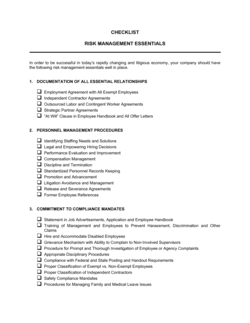
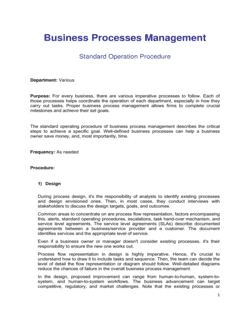
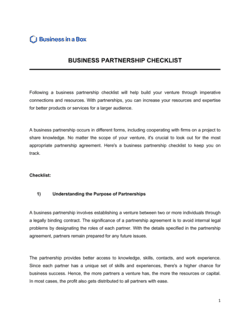
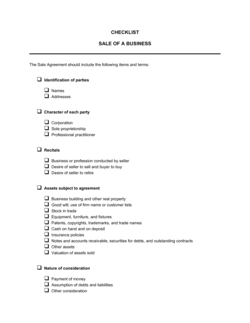
Business Management Checklist

Free download β€’ Use as a template β€’ Print or share

6 pagesβ€’20–30 min to useβ€’Difficulty: Standard
Learn more ↓
FreeBusiness Management Checklist Template

At a glance

What it is
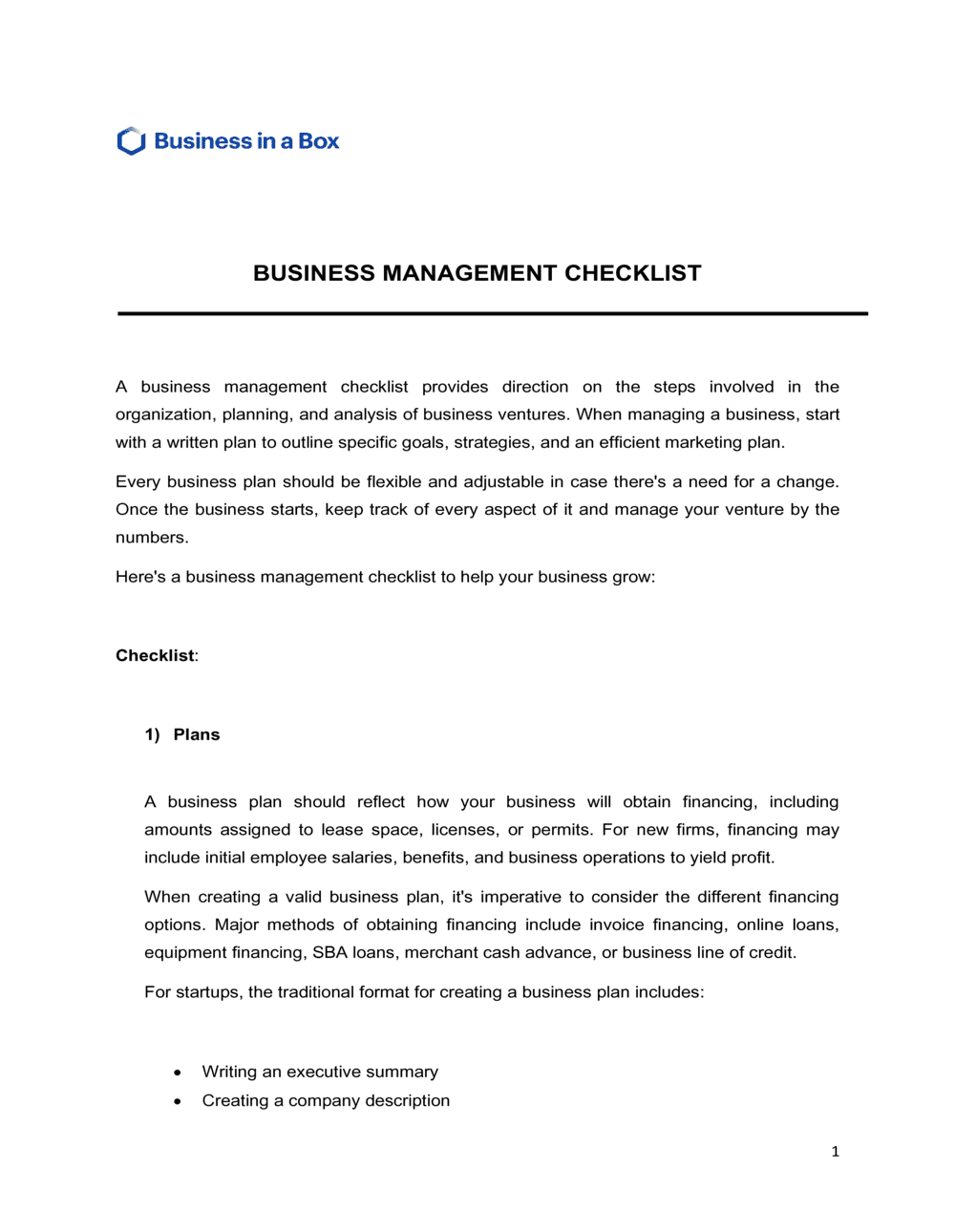
A Business Management Checklist is a structured form that organizes the recurring tasks, operational checkpoints, and performance areas a manager needs to monitor on a daily, weekly, or monthly basis. This free Word download gives you a ready-to-use template you can edit online and export as PDF to share with your team or file with operational records.
When you need it
Use it when launching a new business, onboarding a manager, standardizing recurring operational reviews, or ensuring nothing critical falls through the cracks during periods of rapid growth or transition.
What's inside
Operational task categories covering finance, HR, sales, marketing, compliance, and customer service β€” each with a status column, owner field, due date, and notes section β€” organized so a manager can complete a full review in a single sitting.

What is a Business Management Checklist?

A Business Management Checklist is a structured operational form that organizes the recurring tasks, performance checkpoints, and compliance obligations a manager needs to review on a consistent schedule β€” typically daily, weekly, or monthly. It covers the core functions of a business in one place: finance, HR, sales, marketing, customer service, and compliance. Rather than relying on memory or ad hoc reminders, the checklist gives managers a repeatable framework that ensures every critical area of the business is examined on the right cadence, with findings recorded and action items assigned before anything falls through the cracks.

Why You Need This Document

Businesses that run without a structured management review process consistently miss the same categories of problem: invoices that age past 60 days before anyone follows up, compliance deadlines that slip until they become fines, and staff issues that go unaddressed until they become turnover. The cost is not just operational β€” it is financial and reputational. A weekly 30-minute checklist review catches these issues when they are small. Without it, minor gaps in finance, HR, or customer service compound quietly until they surface as a cash shortfall, a regulatory notice, or a customer escalation. This template gives you a ready-to-use format with the right categories already mapped out, so you spend your review time on the business β€” not on figuring out what to look at.

Which variant fits your situation?

If your situation is…Use this template
Tracking daily opening and closing tasks in a retail or service locationDaily Operations Checklist
Reviewing financial health and cash flow on a monthly basisMonthly Financial Review Checklist
Onboarding a new employee into a management roleEmployee Onboarding Checklist
Auditing HR practices and compliance obligationsHR Audit Checklist
Preparing a business for an external audit or inspectionBusiness Compliance Checklist
Planning and tracking a business launch step by stepBusiness Startup Checklist
Managing a specific project with tasks, owners, and deadlinesProject Management Checklist

Common mistakes to avoid

❌ Skipping sections during busy periods

Why it matters: The sections most likely to be skipped β€” compliance, HR, customer service β€” are often where the most consequential issues accumulate quietly.

Fix: Treat the checklist as a non-negotiable commitment, not an optional review. A full review takes 20–30 minutes; skipping one section to save 5 minutes is rarely worth the risk.

❌ Checking boxes without recording supporting figures

Why it matters: A checklist full of checkmarks with no numbers provides no basis for trend detection, forecasting, or post-mortem analysis.

Fix: Require at least one quantitative data point per major category β€” cash balance, revenue variance, open ticket count β€” even if the number is simply 'no change.'

❌ Logging action items without an assigned owner

Why it matters: Unassigned action items are effectively wishlist entries. Without a named person, no one is accountable and the item reappears indefinitely.

Fix: Every action item must name one person responsible. If you are unsure who to assign, that decision itself is the first action item.

❌ Not reviewing prior action items before starting the current checklist

Why it matters: Treating each checklist as a fresh start means recurring issues are never resolved β€” they are simply re-documented cycle after cycle.

Fix: Begin every review by reading through the previous checklist's action log and updating the status of each open item before completing new sections.

The 10 key fields, explained

Review period and date

Reviewer name and role

Finance and cash flow checkpoints

HR and staffing checkpoints

Sales and revenue checkpoints

Marketing and customer acquisition checkpoints

Customer service and satisfaction checkpoints

Compliance and legal checkpoints

Action items and follow-up log

Notes and escalation flags

How to fill it out

  1. 1

    Set the review cadence before first use

    Decide whether this checklist will be completed daily, weekly, or monthly based on the pace of your business. Write the cadence at the top of the template so every reviewer uses the same cycle.

    πŸ’‘ Most small businesses get the best results from a weekly review completed on the same day each week β€” Friday afternoon or Monday morning are the most common choices.

  2. 2

    Fill in the review period and reviewer details

    Enter the specific period covered, the completion date, and your full name and role. This creates an auditable log when you file completed checklists over time.

    πŸ’‘ Store completed checklists in a shared folder with a consistent naming convention β€” e.g., BizMgmt-Checklist-2026-W18 β€” so any review period can be retrieved in seconds.

  3. 3

    Work through each category in order

    Complete every section in sequence rather than jumping to areas you know well. Skipping sections creates gaps that compound across review cycles.

    πŸ’‘ Allocate no more than 5 minutes per category on a routine week β€” if a section takes longer, it signals an issue that needs an action item, not more time on the checklist itself.

  4. 4

    Record actual figures, not just status

    For finance and sales items, write the actual number next to the checkbox β€” cash balance, revenue versus target, open tickets β€” rather than just marking complete.

    πŸ’‘ Actual figures turn your completed checklists into a lightweight performance log you can review quarterly without pulling separate reports.

  5. 5

    Log every action item with an owner and due date

    Any issue identified during the review that requires follow-up must become a named action item. Write the description, assign it to one person, and set a specific due date.

    πŸ’‘ If an action item reappears on three consecutive checklists without being completed, escalate it β€” repeated incompletion is a signal of a resourcing or accountability gap, not just a scheduling issue.

  6. 6

    Review open action items from the prior period first

    Before starting the current review, check the action items from the previous checklist and update their status. Close completed items and re-log any that are still open.

    πŸ’‘ Opening each review by closing prior actions takes under 5 minutes and dramatically improves follow-through compared to treating each checklist as a standalone document.

  7. 7

    File the completed checklist and share if needed

    Save the completed checklist to your records folder and share it with any stakeholders β€” a co-founder, board member, or department head β€” who need visibility into the review.

    πŸ’‘ A brief 3-sentence summary email with the checklist attached is enough to keep stakeholders informed without scheduling a meeting.

Frequently asked questions

What is a business management checklist?

A business management checklist is a structured form that organizes the recurring tasks and operational checkpoints a manager needs to review on a regular cadence β€” typically daily, weekly, or monthly. It covers core business functions such as finance, HR, sales, customer service, and compliance, giving managers a consistent framework to confirm nothing critical has been missed during each review period.

Who should use a business management checklist?

Small business owners, operations managers, general managers, startup founders, and franchise operators all benefit from a structured management checklist. It is particularly useful for businesses without dedicated management software, multi-function owners who oversee several departments, or any organization looking to standardize how operational reviews are conducted across locations or teams.

How often should a business management checklist be completed?

The right cadence depends on the pace of the business. Most small businesses benefit most from a weekly review, completed on the same day each week. Financial and compliance items may warrant a monthly checkpoint, while high-traffic retail or service operations may use a daily opening and closing version. The key is consistency β€” an imperfect weekly review beats a comprehensive review done sporadically.

What is the difference between a business management checklist and a business plan?

A business plan is a strategic document created when launching or raising capital β€” it covers market analysis, financial projections, and long-term goals. A business management checklist is an operational tool used on a recurring basis to ensure day-to-day and week-to-week tasks are completed and business functions are healthy. The plan sets the direction; the checklist ensures execution stays on track.

Does a business management checklist need to be signed?

No signature is required for a business management checklist to be effective. However, including the reviewer's full name and role creates a clear accountability trail that is valuable if questions arise later about whether a particular review was conducted or what was noted at the time. Some businesses add a sign-off line for the reviewer's manager as part of a formal review process.

How do I customize this checklist for my business?

Start by removing any category that does not apply to your business model β€” a solo consultant may not need an HR section, for example β€” and adding any function-specific items your industry requires. Adjust the review cadence field to match your operating rhythm. Once customized, save a master copy and create a new working copy for each review period rather than overwriting the master.

Can I use this checklist for multiple locations or departments?

Yes. The most effective approach is to maintain one master template and create location- or department-specific versions by adding an identifier at the top β€” location name, department, or store number β€” and adjusting the task categories to reflect each unit's specific responsibilities. Completed checklists from all locations can then be reviewed centrally to identify patterns or recurring issues across the organization.

What should I do if a checklist item is repeatedly not completed?

A task that is marked incomplete on three or more consecutive checklists is typically a signal of one of three problems: the task is assigned to the wrong person, the person lacks the time or resources to complete it, or the task is unclear. Treat the pattern as a management issue, not a checklist issue β€” address the underlying cause rather than simply re-logging the item each cycle.

How this compares to alternatives

vs Business Startup Checklist

A startup checklist is a one-time document used when launching a new business β€” covering registration, licensing, banking, and initial setup tasks. A business management checklist is a recurring operational tool used after launch to track ongoing performance and ensure nothing is missed week to week. The startup checklist gets you open; the management checklist keeps you running.

vs Strategic Plan

A strategic plan defines a company's 3–5 year goals, initiatives, and resource allocation. A business management checklist translates those goals into the recurring operational tasks that must be executed week by week. The strategic plan sets direction; the checklist tracks execution at the ground level.

vs Project Management Checklist

A project management checklist is scoped to a specific deliverable with a defined start and end date. A business management checklist covers the full range of ongoing business functions on a repeating cadence with no end date. Use the project checklist for discrete initiatives and the management checklist for the standing operational review.

vs Employee Performance Review

An employee performance review evaluates an individual's contribution over a defined period and is typically conducted once or twice a year. A business management checklist reviews operational functions across the whole business every week or month, with HR items as one category among many. They serve different purposes and should both be used rather than substituted for each other.

Industry-specific considerations

Retail

Daily open and close routines, inventory spot-checks, staff scheduling confirmation, and cash reconciliation make retail one of the highest-frequency use cases for operational checklists.

Professional Services

Client billing cycles, utilization rate monitoring, proposal pipeline review, and professional license renewal tracking are the most critical recurring items for service firm managers.

Food & Beverage

Health and safety compliance, food cost as a percentage of sales, staff attendance, and supplier invoice reconciliation are priority checkpoint categories for restaurant and cafΓ© operators.

Construction

Active job site status, subcontractor scheduling, permit expiry monitoring, and equipment maintenance logs are the operational items construction managers review most frequently.

Template vs pro β€” what fits your needs?

PathBest forCostTime
Use the templateSmall business owners, startup founders, and operations managers who need a structured recurring review with no software overheadFree20–30 minutes per review cycle
Template + professional reviewBusinesses wanting a consultant or operations advisor to tailor categories and cadence to their specific industry and size$200–$500 (one-time setup session with a business advisor)1–2 days
Custom draftedMulti-location operators or franchisors who need a standardized checklist system integrated into training materials and management reporting$1,000–$3,000 (operations consultant or management systems specialist)1–3 weeks

Glossary

Operational Review
A scheduled examination of a business's core functions β€” finance, HR, sales, and operations β€” to confirm each area is performing within acceptable parameters.
Task Owner
The individual assigned responsibility for completing a specific checklist item, accountable for its status and timely completion.
Due Date
The specific calendar date by which a checklist item must be completed or reviewed.
Status Field
A column or cell indicating where a task stands β€” typically: Not Started, In Progress, Complete, or Blocked.
KPI (Key Performance Indicator)
A quantifiable metric used to evaluate progress toward a specific business objective, such as monthly revenue, customer churn rate, or employee turnover.
Compliance Checkpoint
A checklist item confirming that a legal, regulatory, or policy obligation β€” such as a license renewal or tax filing β€” has been met.
Action Item
A specific, assignable task arising from a review that requires follow-up by a named person before the next review cycle.
Review Cadence
The scheduled frequency at which a checklist is completed β€” daily, weekly, monthly, or quarterly β€” matched to the urgency and nature of the tasks covered.
Escalation Flag
A marker applied to a checklist item that has missed its due date or surfaced an issue requiring management attention above the current reviewer's authority.

Part of your Business Operating System

This document is one of 3,000+ business & legal templates included in Business in a Box.

  • Fill-in-the-blanks β€” ready in minutes
  • 100% customizable Word document
  • Compatible with all office suites
  • Export to PDF and share electronically

Create your document in 3 simple steps.

From template to signed document β€” all inside one Business Operating System.
1
Download or open template

Access over 3,000+ business and legal templates for any business task, project or initiative.

2
Edit and fill in the blanks with AI

Customize your ready-made business document template and save it in the cloud.

3
Save, Share, Send, Sign

Share your files and folders with your team. Create a space of seamless collaboration.

Save time, save money, and create top-quality documents.

β˜…β˜…β˜…β˜…β˜…

"Fantastic value! I'm not sure how I'd do without it. It's worth its weight in gold and paid back for itself many times."

Managing Director Β· Mall Farm
Robert Whalley
Managing Director, Mall Farm Proprietary Limited
β˜…β˜…β˜…β˜…β˜…

"I have been using Business in a Box for years. It has been the most useful source of templates I have encountered. I recommend it to anyone."

Business Owner Β· 4+ years
Dr Michael John Freestone
Business Owner
β˜…β˜…β˜…β˜…β˜…

"It has been a life saver so many times I have lost count. Business in a Box has saved me so much time and as you know, time is money."

Owner Β· Upstate Web
David G. Moore Jr.
Owner, Upstate Web

Run your business with a system β€” not scattered tools

Stop downloading documents. Start operating with clarity. Business in a Box gives you the Business Operating System used by over 250,000 companies worldwide to structure, run, and grow their business.

Start freeΒ Β·Β No credit card required