Checklist Compliance

Free download β€’ Use as a template β€’ Print or share

3 pagesβ€’20–25 min to useβ€’Difficulty: Standard
Learn more ↓
FreeChecklist Compliance Template

At a glance

What it is
A Compliance Checklist is a structured form that documents every regulatory, policy, or operational requirement a business must satisfy β€” along with the responsible party, due date, and current status for each item. This free Word download gives you an editable, audit-ready starting point you can tailor to your industry or department and export as PDF in minutes.
When you need it
Use it when preparing for an internal audit, regulatory inspection, or certification renewal β€” or as an ongoing operational control to ensure nothing falls through the cracks across teams.
What's inside
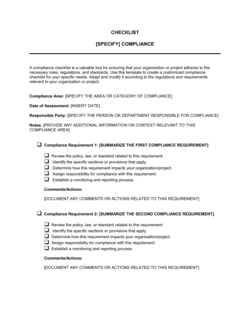
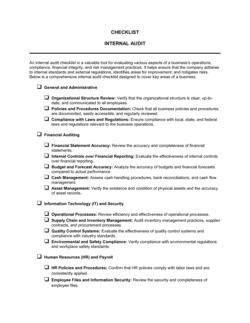
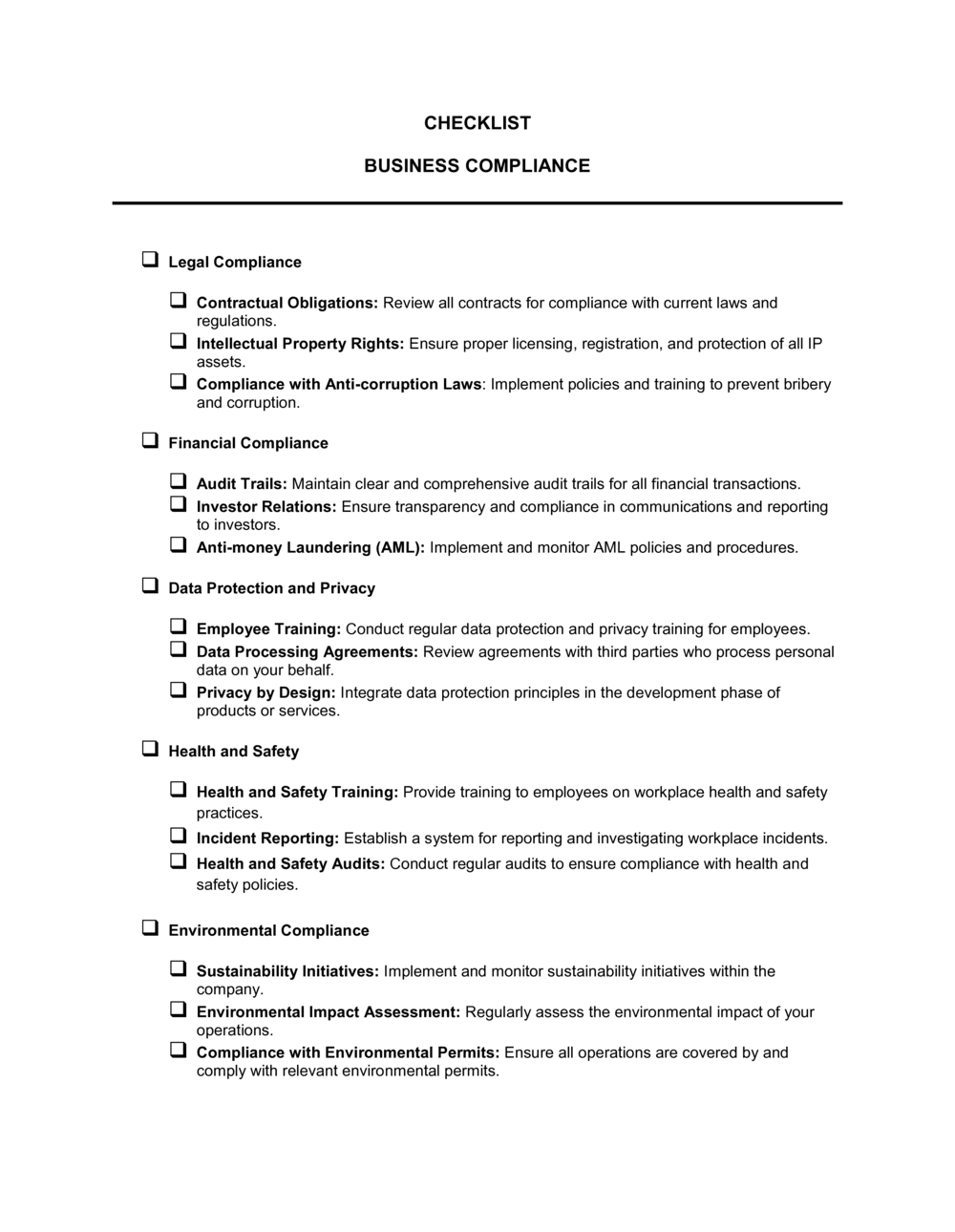
Checklist header with scope and review period, itemized compliance requirements with status indicators, responsible-party and due-date columns, evidence or documentation reference fields, and a sign-off block for the reviewing manager.

What is a Compliance Checklist?

A Compliance Checklist is a structured form that itemizes every regulatory, policy, or operational requirement a business must satisfy within a defined review period β€” recording the status, responsible party, due date, and supporting evidence for each item in a single auditable document. It converts abstract compliance obligations into concrete, trackable actions and gives managers a real-time view of where the organization stands before an audit, inspection, or certification renewal arrives.

Why You Need This Document

Operating without a compliance checklist means relying on institutional memory and informal follow-up to manage obligations that carry real penalties when missed β€” fines, license suspensions, failed audits, or data breach liability. Requirements spread across email threads and spreadsheets get overlooked; ownership disputes delay resolution; and when a regulator or auditor asks for evidence, there is no organized record to produce. A completed, signed compliance checklist creates an accountability chain from individual requirement to named owner to documented evidence, turning what is typically a last-minute scramble into a repeatable process. This template gives you a ready-to-use structure that takes under 30 minutes to configure for any compliance domain.

Which variant fits your situation?

If your situation is…Use this template
Verifying compliance with a specific regulation such as OSHA or GDPRRegulatory Compliance Checklist
Preparing for a formal internal or external auditInternal Audit Checklist
Onboarding a new employee and confirming all requirements are completedEmployee Onboarding Checklist
Tracking corrective actions after a failed inspection or audit findingCorrective Action Plan
Assessing IT systems against a cybersecurity frameworkIT Security Compliance Checklist
Confirming health and safety controls are in place at a facilityWorkplace Health and Safety Checklist
Reviewing vendor or supplier compliance with contract obligationsVendor Compliance Checklist

Common mistakes to avoid

❌ Assigning requirements to departments instead of individuals

Why it matters: When a team is responsible, no single person feels accountable. Non-compliant items remain open because everyone assumes a colleague is handling them.

Fix: Name a specific person for every requirement. If ownership genuinely rotates, note the current assignee by name at the start of each review period.

❌ Leaving status blank instead of marking N/A

Why it matters: A blank row is indistinguishable from an unchecked item during an audit, creating apparent gaps that trigger unnecessary findings.

Fix: Mark every row β€” including items that do not apply β€” with an explicit N/A and a brief reason so the record is complete.

❌ Recording non-conformances without corrective actions

Why it matters: A documented gap with no owner or deadline signals to auditors and regulators that the organization identified a problem and did nothing about it.

Fix: Require a corrective action entry β€” owner name, action description, and target date β€” before the checklist can be signed off.

❌ Vague evidence references such as 'on file' or 'available on request'

Why it matters: When auditors or regulators request evidence, vague pointers lead to hours of searching or an inability to produce the record at all.

Fix: Enter the exact document name, folder path, or system record ID so anyone on the team can retrieve the evidence in under two minutes.

The 9 key fields, explained

Checklist header β€” scope and review period

Requirement ID and description

Status indicator

Responsible party

Due date

Evidence or documentation reference

Notes and observations

Corrective action and target date

Sign-off block

How to fill it out

  1. 1

    Define the scope and review period

    Complete the header by naming the regulation, policy, or process being reviewed and the exact dates the checklist covers. Assign a preparer name and date.

    πŸ’‘ Use a specific regulation or internal policy name β€” 'OSHA 1910 General Industry Standards, Q2 2026' β€” rather than a generic label like 'safety checklist'.

  2. 2

    List all applicable requirements

    Enter each obligation as a numbered, actionable item with a source reference. Translate regulatory language into plain, checkable statements β€” 'Fire extinguishers inspected monthly' not 'per 29 CFR 1910.157(e)(1)'.

    πŸ’‘ Group requirements by category (e.g., documentation, physical controls, training) to make the checklist easier to divide among reviewers.

  3. 3

    Assign a responsible party and due date to each item

    Name a specific individual β€” not a department β€” for each requirement, and enter the date by which it must be completed or re-verified.

    πŸ’‘ For recurring items, note the frequency (monthly, quarterly, annual) so the next reviewer knows when it next comes due.

  4. 4

    Mark the status of each requirement

    After reviewing evidence, mark each item Compliant, Non-Compliant, In Progress, or N/A. Do not leave any row blank β€” a blank is indistinguishable from a missed item in an audit.

    πŸ’‘ Complete the status column from easiest to hardest β€” resolving quick wins first keeps momentum and surfaces complex gaps early enough to address.

  5. 5

    Record evidence references for compliant items

    For each item marked Compliant, enter the specific document name, file path, or system record that proves fulfillment. Be precise enough that someone unfamiliar with your systems can locate it.

    πŸ’‘ Store physical evidence in a named folder that mirrors your checklist structure β€” auditors spend less time searching and more time reviewing.

  6. 6

    Log corrective actions for non-compliant items

    For every Non-Compliant status, write a specific corrective action, assign an owner, and set a target completion date. Do not close the checklist with open gaps and no resolution plan.

    πŸ’‘ Flag high-risk non-conformances to your compliance officer before the checklist is finalized β€” some gaps require escalation before the review period closes.

  7. 7

    Complete the sign-off block

    Have the reviewing manager or compliance officer review the completed checklist, confirm all items have been assessed, and sign and date the sign-off block.

    πŸ’‘ File the signed checklist in a location accessible to auditors β€” a shared drive folder named by review period works well and takes seconds to set up.

Frequently asked questions

What is a compliance checklist?

A compliance checklist is a structured form that lists every regulatory, policy, or operational requirement a business must satisfy, along with the status, responsible party, due date, and supporting evidence for each item. It gives compliance officers and managers a single, auditable record that requirements have been reviewed and either met or escalated.

When should I use a compliance checklist?

Use one before any internal or external audit, during regulatory inspections, at the start of a new compliance cycle, or as a recurring operational control for high-risk processes. It is also useful when onboarding a new compliance officer who needs to understand the current state of all obligations quickly.

What is the difference between a compliance checklist and an audit checklist?

A compliance checklist tracks whether ongoing obligations are being met across a defined period β€” it is a living operational tool. An audit checklist is used by an auditor during a point-in-time review to assess whether evidence of compliance exists. In practice, a well-maintained compliance checklist becomes the primary input to an audit checklist.

How often should a compliance checklist be reviewed?

Review frequency depends on the regulatory environment. High-risk areas such as data privacy, workplace safety, and financial controls typically require monthly or quarterly reviews. Lower-risk administrative requirements may be reviewed annually. Build the frequency into each checklist item so reviewers know when each obligation next comes due.

Does a compliance checklist need to be signed?

A signature is not legally required in most jurisdictions, but it is strongly recommended. A signed checklist creates an accountability chain β€” someone attests that all items were reviewed β€” which carries significant weight in regulatory inspections, internal audits, and any dispute about whether a control was active.

Can I use one checklist for all compliance areas?

A single checklist works well for small businesses with limited obligations. Larger organizations typically maintain separate checklists by domain β€” HR, IT security, health and safety, financial controls β€” because different teams own different requirements and combined checklists become unmanageable. Link them to a master compliance calendar that tracks due dates across all domains.

What should I do when a compliance item is non-compliant?

Mark the item Non-Compliant, document the gap in the notes field, assign a corrective action to a named individual with a target completion date, and escalate to your compliance officer if the gap creates material regulatory risk. Do not close or sign off the checklist until every non-compliant item has an active resolution plan documented.

How do I store completed compliance checklists?

Store signed checklists in a secure, version-controlled location accessible to auditors β€” a shared drive folder organized by period and domain is the minimum. Regulated industries such as healthcare, finance, and food manufacturing often have specific record-retention requirements ranging from 3 to 10 years; confirm the applicable period for your industry before setting a retention policy.

How this compares to alternatives

vs Internal Audit Report

A compliance checklist is a working tool used during a review to track item-by-item status. An internal audit report is the formal output document that summarizes findings, rates risk, and makes recommendations. The checklist feeds the report β€” they are sequential, not interchangeable.

vs Corrective Action Plan

A compliance checklist identifies gaps across a full set of requirements. A corrective action plan is focused entirely on resolving a specific non-conformance or audit finding. Use the checklist to discover gaps, then generate a corrective action plan for each one that requires a structured remediation track.

vs Risk Assessment

A risk assessment identifies and scores potential threats before they occur. A compliance checklist verifies that the controls designed to address those threats are actually in place and functioning. Both are necessary: the assessment tells you what to control; the checklist confirms you are controlling it.

vs Standard Operating Procedure (SOP)

An SOP describes how a process must be performed. A compliance checklist verifies that the process was performed correctly and that all associated requirements were met. SOPs and compliance checklists work together β€” the SOP is the instruction; the checklist is the verification record.

Industry-specific considerations

Healthcare

HIPAA privacy and security rule requirements, patient data access logs, staff training certifications, and facility inspection readiness.

Financial Services

Anti-money laundering controls, KYC documentation, transaction monitoring procedures, and regulatory reporting deadlines.

Manufacturing

OSHA safety controls, equipment inspection schedules, ISO 9001 quality procedures, and environmental permit compliance.

Technology / SaaS

SOC 2 control verification, GDPR data processing records, access control reviews, and vendor security assessments.

Template vs pro β€” what fits your needs?

PathBest forCostTime
Use the templateSmall businesses, single-department compliance tracking, and low-to-medium regulatory risk environmentsFree15–30 minutes to set up; ongoing per review cycle
Template + professional reviewOrganizations preparing for a formal audit or operating in a regulated industry$200–$800 for a compliance consultant review1–3 days
Custom draftedEnterprises with multi-framework obligations (SOC 2, ISO 27001, HIPAA) or those under active regulatory scrutiny$2,000–$10,000+ for a compliance program design engagement2–6 weeks

Glossary

Compliance Requirement
A specific obligation β€” legal, regulatory, or internal policy β€” that a business must satisfy to operate lawfully or meet a standard.
Control
A process, procedure, or safeguard put in place to reduce the risk of a compliance failure or policy violation.
Audit Trail
A chronological record of actions, approvals, and evidence that demonstrates compliance activity took place.
Responsible Party
The named individual or role accountable for completing or verifying a specific compliance item.
Due Date
The deadline by which a compliance requirement must be fulfilled or a control must be confirmed as active.
Non-Conformance
A documented instance where a requirement has not been met, triggering a corrective action or escalation process.
Evidence Reference
A pointer to the document, record, or system entry that proves a compliance item has been completed β€” such as a policy sign-off, certificate, or log file.
Review Period
The defined timeframe the checklist covers β€” monthly, quarterly, or annual β€” used to scope which requirements are due for verification.
Sign-Off
The formal approval by a manager or compliance officer confirming that all listed items have been reviewed and any gaps addressed.
Corrective Action
A documented step taken to resolve a non-conformance or compliance gap, including who is responsible and the target completion date.

Part of your Business Operating System

This document is one of 3,000+ business & legal templates included in Business in a Box.

  • Fill-in-the-blanks β€” ready in minutes
  • 100% customizable Word document
  • Compatible with all office suites
  • Export to PDF and share electronically

Create your document in 3 simple steps.

From template to signed document β€” all inside one Business Operating System.
1
Download or open template

Access over 3,000+ business and legal templates for any business task, project or initiative.

2
Edit and fill in the blanks with AI

Customize your ready-made business document template and save it in the cloud.

3
Save, Share, Send, Sign

Share your files and folders with your team. Create a space of seamless collaboration.

Save time, save money, and create top-quality documents.

β˜…β˜…β˜…β˜…β˜…

"Fantastic value! I'm not sure how I'd do without it. It's worth its weight in gold and paid back for itself many times."

Managing Director Β· Mall Farm
Robert Whalley
Managing Director, Mall Farm Proprietary Limited
β˜…β˜…β˜…β˜…β˜…

"I have been using Business in a Box for years. It has been the most useful source of templates I have encountered. I recommend it to anyone."

Business Owner Β· 4+ years
Dr Michael John Freestone
Business Owner
β˜…β˜…β˜…β˜…β˜…

"It has been a life saver so many times I have lost count. Business in a Box has saved me so much time and as you know, time is money."

Owner Β· Upstate Web
David G. Moore Jr.
Owner, Upstate Web

Run your business with a system β€” not scattered tools

Stop downloading documents. Start operating with clarity. Business in a Box gives you the Business Operating System used by over 250,000 companies worldwide to structure, run, and grow their business.

Free Forever PlanΒ Β·Β No credit card required