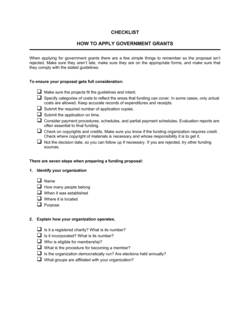
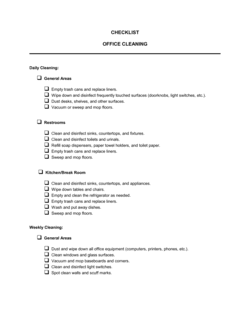
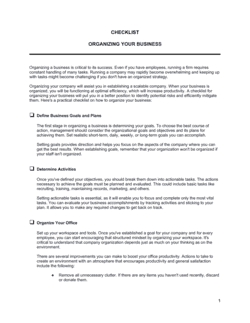
What should a business checklist template include?
A business checklist template should include a title and purpose statement, numbered action items, a responsible party field for each item, a completion checkbox or date field, a notes or comments column, and a version date. For compliance or HR processes, add a supervisor sign-off line. The key is specificity — generic items like "review documents" are less useful than "confirm I-9 is completed and filed."
How is a checklist different from a to-do list?
A to-do list is personal, informal, and typically disposable — it captures what one person needs to accomplish today. A business checklist is a reusable, process-level document designed for a team, tied to a specific repeatable workflow, and often retained as an audit record. Checklists enforce consistency across people and time; to-do lists manage individual priorities.
Are checklist templates useful for small businesses?
Yes — small businesses benefit most from checklists because they usually lack dedicated compliance, HR, or operations staff. A well-designed checklist lets a founder or office manager run a hiring process, a website launch, or a tax-preparation cycle to the same standard a larger company achieves with a full department.
How often should business checklists be reviewed and updated?
Review checklists whenever the underlying process, regulation, or technology changes. As a baseline, review compliance and HR checklists at least once a year. Operational checklists should be reviewed after any incident where a step was missed or a new issue emerged. Add a review-date field to every checklist to make this easy to track.
Can I use a checklist as evidence of compliance?
A completed and signed checklist can serve as supporting evidence that a process was followed — for example, demonstrating that pre-employment screening steps were taken or that an internal audit was conducted. While a checklist alone is rarely sufficient as legal proof, it strengthens documentation and shows good-faith compliance effort. For regulated industries, confirm with legal counsel what records must be retained and for how long.
What's the right level of detail for each checklist item?
Each item should be specific enough that the person completing it knows exactly what to do without asking for clarification, but short enough to scan quickly. Avoid items that combine multiple actions. If an item requires more than one checkbox to verify, split it. Link to a supporting document or SOP in the notes column if more detail is needed.
Should every department use its own checklists?
Yes. HR, finance, operations, IT, and marketing each have distinct recurring processes that benefit from dedicated checklists. A single master checklist trying to cover everything becomes unwieldy and stops being used. Start with the highest-risk or most error-prone process in each department, build a checklist for that, and expand from there.
How do checklist templates save time compared to building from scratch?
A template gives you a structurally sound starting point with the key items for a given process already mapped out. For standard processes like hiring, compliance review, or website setup, a template typically covers 80–90% of what you need. Customization — adding company-specific steps, removing irrelevant items, adding responsible parties — takes minutes rather than hours.
Business Checklist vs. related documents
Business Checklist vs. Standard operating procedure (SOP)
A checklist confirms that steps were completed; an SOP explains how each step should be performed. SOPs are longer, more detailed documents that describe the reasoning and method behind a process. In practice, teams often use both together: the SOP as the reference document and the checklist as the daily execution tool.
Business Checklist vs. Process flowchart
A flowchart maps decision branches and conditional paths visually; a checklist is a linear list of tasks to complete in sequence. Flowcharts are better for complex processes with multiple outcomes, while checklists are faster to use and better suited to routine, repeatable tasks where the path doesn't change.
Business Checklist vs. Project plan or task tracker
A project plan includes timelines, owners, dependencies, and milestones across a unique, time-bound initiative. A checklist is a simpler, reusable tool for recurring processes. Use a project plan for one-time initiatives like a product launch; use a checklist for every hiring cycle, every compliance review, or every website deployment.
Business Checklist vs. Audit report
An audit report documents findings and conclusions after a review is complete. A checklist is the tool used during the review to ensure nothing is missed. The checklist comes first; the report follows. Many internal audit checklists double as evidence that a review was conducted.
Key clauses every Business Checklist contains
Well-designed business checklists share common structural elements that make them reliable, auditable, and easy to hand off.
Scope and purpose statement. A one- or two-sentence header that tells the user what process this checklist covers and when to use it.
Task or item numbering. Sequential numbering ensures nothing is skipped and makes it easy to reference a specific step during review.
Responsible party field. Each item should indicate who owns completion — a role, department, or named individual.
Completion checkbox or date field. A checkbox or date stamp creates an audit trail confirming the step was done and when.
Notes or comments column. Space for observations, exceptions, or follow-up actions keeps context attached to the checklist itself.
Review frequency or trigger. States how often the checklist should be used — daily, per hire, per audit cycle — or what event triggers its use.
Version or review date. A dated version note ensures teams are always using the most current checklist rather than an outdated copy.
Approver signature or sign-off. For compliance and HR checklists, a supervisor sign-off line confirms the process was completed to standard.
How to write a business checklist
A useful checklist is specific, sequenced, and takes under a minute per item to evaluate. Here's how to build one that gets used.
1
Define the process and its trigger
Name the exact process the checklist covers and state the event that kicks it off — a new hire, an audit cycle, a product launch.
2
List every required action or verification point
Brain-dump every task, document, approval, or check involved; include the steps people skip because they 'know' them.
3
Sequence the items in the order they must occur
Reorder tasks so dependencies are respected — you can't verify employment eligibility before receiving the application.
4
Assign a responsible role to each item
Specify who completes each step by role or department, not by name, so the checklist survives staff changes.
5
Add a completion field and a notes column
A checkbox or date field creates accountability; a notes column captures exceptions without requiring a separate document.
6
Include a version date and review schedule
Note when the checklist was last reviewed and set a reminder to update it when the process, regulation, or team changes.
7
Test it on a real cycle before finalizing
Run the checklist through one actual process cycle with the team that will use it, then remove redundant steps and fill gaps.
8
Store it where teams can find and retrieve it instantly
A checklist no one can locate offers no protection; keep it in the system your team already uses for daily work.
At a glance
What it is
A business checklist template is a structured list of tasks, items, or criteria that ensures a repeatable process is completed correctly every time. Checklists reduce errors, enforce accountability, and let teams delegate confidently by making the expected steps explicit.
When you need one
Any time a process involves multiple steps that must be completed in order or without omission — onboarding a hire, preparing for an audit, launching a website, or reviewing risk — a checklist prevents costly oversights.
Evaluating a candidate before extending an employment offer
Covers verification, screening, and documentation steps before a hire is confirmed.
Checklist Pre-Employment
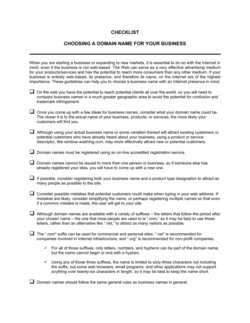
Launching a business website and need to track every setup task
Step-by-step task list from domain selection through go-live requirements.
Checklist For Establishing a Website
Glossary
Process checklist
A checklist tied to a specific, repeatable business process — such as hiring or onboarding — used the same way every time it is triggered.
Compliance checklist
A checklist that maps required regulatory, legal, or policy obligations to verifiable action items.
Pre-employment checklist
A structured list of screening, verification, and documentation steps completed before a job offer is finalized.
Internal audit checklist
A list of control points, documents, and process verifications reviewed during an internal examination of business operations.
Pretermination checklist
A list of HR and legal steps to complete before formally ending an employee's contract, reducing the risk of wrongful termination claims.
Due diligence checklist
A structured list of financial, legal, and operational items to verify when evaluating an investment, acquisition, or partnership.
Onboarding checklist
A task list covering every step required to bring a new customer, employee, or vendor into active working status.
Sign-off field
A designated space on a checklist where a supervisor or authorized person confirms the process was completed to standard.
Audit trail
The documented record — including completed checklists — showing that a process was followed correctly and on time.
Version date
A date stamp on a checklist indicating when it was last reviewed or updated, ensuring teams always use the current version.
Responsible party
The role or individual assigned to complete a specific checklist item, making accountability explicit.
Trigger event
The specific action or condition — such as receiving a job application or reaching a fiscal quarter end — that initiates use of a checklist.
What is a business checklist?
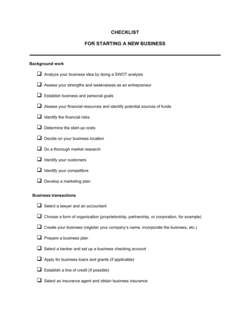
A business checklist is a structured document that lists every task,
verification point, or item required to complete a business process correctly
and consistently. Unlike informal to-do lists, business checklists are
designed to be reused across people and time — enforcing the same standard
whether a process is being run by an experienced manager or a first-week
employee. They serve as both an operational tool and a documentary record
that the process was followed.
Checklists appear across every business function. In HR, they guide hiring
managers through pre-employment screening, employment agreement review, and
termination procedures. In finance, they track record-keeping obligations,
deduction reviews, and financial health indicators. In compliance, they map
regulatory requirements to verifiable steps so nothing is overlooked before
an audit. In operations, they keep managers accountable to recurring duties
and help leadership teams assess whether a new partnership or business license
application is complete.
The value of a checklist isn't just task management — it's risk reduction.
A missed step in a hiring checklist can expose a business to discrimination
claims. A gap in a compliance checklist can result in regulatory penalties.
A skipped item in a website-launch checklist can create a data privacy
liability. Well-designed checklists close those gaps before they become problems.
When do you need a business checklist?
Any time a business process involves multiple steps that must all be completed
— in order, without omission, and often by more than one person — a checklist
is the right tool. The higher the cost of missing a step, the more critical it
becomes to have one in writing.
Common triggers:
Hiring a new employee and needing to confirm every screening, legal, and
onboarding requirement is met
Conducting an internal audit and needing a verifiable record of every
control point reviewed
Launching a website and tracking domain, privacy policy, legal, and
technical requirements simultaneously
Starting a new business and working through licensing, insurance,
banking, and registration requirements
Reviewing business finances at quarter-end to confirm records, deductions,
and cash flow indicators are in order
Terminating an employee and ensuring every HR, legal, and systems step is
documented before the last day
Evaluating a potential business partnership and confirming due diligence
items are collected and reviewed
Managing routine managerial duties across a team where accountability and
consistency need to be maintained
Without a written checklist, recurring processes depend on individual memory
and institutional knowledge that leaves with the person who has it. With one,
even a first-time manager or a small team operating without dedicated HR or
compliance support can execute complex processes to a reliable standard. The
templates in this folder cover the most common business processes where a
missed step carries real operational, legal, or financial consequences.
Award-winning platform
Great Place to Work 2025
BIG Award — Product of the Year 2025
Smartest Companies 2025
Global 100 Excellence 2026
Best of the Best 2025
How our templates are made
Every template is written by the Business in a Box editorial team and reviewed by Bruno Goulet, CEO & Editor-in-Chief. Business in a Box has published business and legal templates for more than 20 years. Each document page explains what the template covers and how to fill it in; for legal documents, have a qualified professional review the final version when the stakes warrant it.
Create your document in 3 simple steps.
From template to signed document — all inside one Business Operating System.
1
Download or open template
Access over 3,000+ business and legal templates for any business task, project or initiative.
2
Edit and fill in the blanks with AI
Customize your ready-made business document template and save it in the cloud.
3
Share with your team
Share your files and folders with your team. Create a space of seamless collaboration.
Save time, save money, and create top-quality documents.
★★★★★
"Fantastic value! I'm not sure how I'd do without it. It's worth its weight in gold and paid back for itself many times."
Managing Director · Mall Farm
RW
Robert Whalley
Managing Director, Mall Farm Proprietary Limited
★★★★★
"I have been using Business in a Box for years. It has been the most useful source of templates I have encountered. I recommend it to anyone."
Business Owner · 4+ years
MF
Dr Michael John Freestone
Business Owner
★★★★★
"It has been a life saver so many times I have lost count. Business in a Box has saved me so much time and as you know, time is money."
Owner · Upstate Web
DM
David G. Moore Jr.
Owner, Upstate Web
Run your business with a system — not scattered tools
Stop downloading documents. Start operating with clarity. Business in a Box gives you the Business Operating System used by over 250,000 companies worldwide to structure, run, and grow their business.