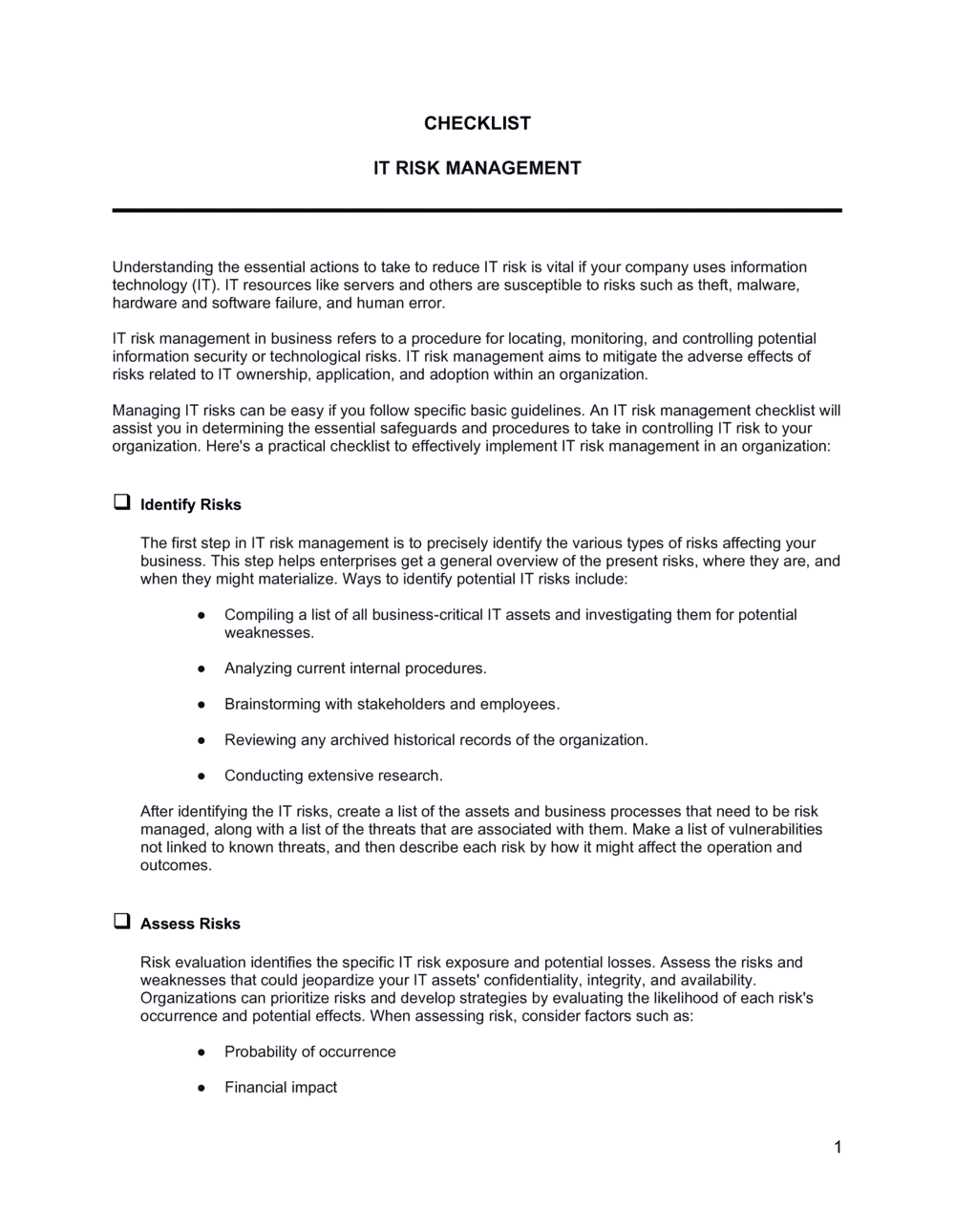
IT Risk Management Checklist

Free download β€’ Use as a template β€’ Print or share

2 pagesβ€’20–30 min to useβ€’Difficulty: Standard
Learn more ↓
FreeIT Risk Management Checklist Template

At a glance

What it is
An IT Risk Management Checklist is a structured form that helps organizations identify, evaluate, prioritize, and track technology-related risks across systems, networks, data, and vendors. This free Word download gives IT managers and business owners a repeatable framework they can edit online and export as PDF for audits, leadership reviews, or compliance purposes.
When you need it
Use it during annual IT audits, after a security incident, when onboarding a new vendor, or whenever you need a documented record of your current technology risk posture for stakeholders or regulators.
What's inside
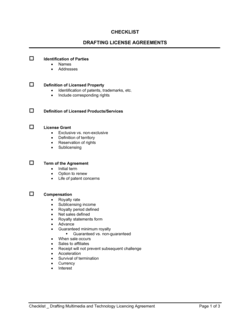
Risk identification fields, likelihood and impact ratings, risk owner assignments, current control descriptions, remediation action items with due dates, and a residual risk score β€” all in a single structured form you can complete in under two hours.

What is an IT Risk Management Checklist?

An IT Risk Management Checklist is a structured form that guides organizations through the systematic identification, rating, and tracking of technology-related risks across their systems, data assets, vendors, and operational processes. Each entry captures the risk description, threat source, likelihood and impact scores, existing controls, residual risk calculation, named owner, and remediation actions β€” producing a snapshot of the organization's actual IT risk exposure at a point in time. It is used as both a self-assessment tool and as documented evidence of due diligence for audits, compliance certifications, and executive reporting.

Why You Need This Document

Without a completed IT risk checklist, technology risks accumulate invisibly until they materialize as incidents β€” a ransomware attack on an unpatched server, a data breach traced to an unsecured vendor API, or a compliance finding from an auditor who asked for a risk assessment you cannot produce. The cost of that gap is concrete: the average cost of a small business data breach exceeded $150,000 in 2024, and regulators under HIPAA, GDPR, and SOC 2 frameworks treat the absence of a documented risk assessment as evidence of systemic non-compliance. This template gives IT managers, business owners, and consultants a repeatable structure to surface risks before they become incidents, assign accountability to named individuals, and demonstrate to clients, auditors, and leadership that technology risk is being managed β€” not ignored.

Which variant fits your situation?

If your situation is…Use this template
Assessing risks specific to cloud infrastructure and SaaS platformsCloud Security Risk Assessment
Evaluating third-party vendor security before onboardingVendor Risk Assessment Checklist
Documenting all identified risks in a living register with ownershipIT Risk Register
Responding to and documenting a specific security incidentIncident Response Plan
Conducting a broad organizational risk review beyond ITBusiness Risk Assessment
Ensuring compliance with data protection and privacy requirementsData Privacy Compliance Checklist
Planning and testing business continuity after an IT failureBusiness Continuity Plan

Common mistakes to avoid

❌ Treating the checklist as a one-time exercise

Why it matters: IT risks change every time a system is updated, a vendor is added, or a new threat emerges. A checklist completed once and never revisited gives a false picture of current risk exposure.

Fix: Set a fixed review cadence at completion β€” quarterly for high-risk environments, annually at minimum β€” and assign a named owner to drive each cycle.
❌ Assigning risk ownership to a department instead of a person

Why it matters: When ownership belongs to 'the IT team,' no individual feels accountable. Remediation deadlines pass and risks remain open indefinitely.

Fix: Name a specific individual as risk owner for every entry, with a backup owner in case of absence. Include this as a required field before the checklist can be marked complete.

❌ Listing untested controls as active mitigations

Why it matters: Counting a control that has never been verified inflates your sense of security and produces an artificially low residual risk score that misleads decision-makers.

Fix: Add a 'Last Tested' date field next to each control. Any control untested in the past 12 months should be scored as partially effective at best.

❌ Using likelihood and impact ratings without a defined scale

Why it matters: Without a shared definition of what a score of 3 means, two reviewers rating the same risk will produce different scores β€” making trend comparisons and aggregated reporting meaningless.

Fix: Define each level of the 1–5 scale in a legend at the top of the checklist before distributing it to reviewers. Keep the definitions consistent across review cycles.

❌ Omitting vendor and third-party risks

Why it matters: A significant share of data breaches originate with third-party vendors who have access to internal systems. Checklists focused only on internal assets miss this exposure entirely.

Fix: Add a dedicated section for each vendor or third party with access to your systems, data, or network β€” even if their access seems limited.

❌ Recording remediation actions without due dates

Why it matters: An action item with no deadline is an intention, not a commitment. Open-ended items accumulate across review cycles and high-priority risks remain unresolved.

Fix: Require a specific calendar date for every remediation action before the checklist entry is considered complete. Flag overdue items in red at the start of each review meeting.

The 10 key fields, explained

Risk ID and Category

Risk Description

Threat Source and Vector

Likelihood Rating (1–5)

Impact Rating (1–5)

Current Controls in Place

Residual Risk Score

Risk Owner

Remediation Actions and Due Date

Review Date and Sign-Off

How to fill it out

  1. 1

    List all IT systems, data assets, and processes in scope

    Before rating any risk, document the systems, data stores, vendors, and processes the checklist covers. Scope boundaries prevent gaps and stop the exercise from expanding indefinitely.

    πŸ’‘ Use your asset inventory or network diagram as a starting point β€” risks you cannot attach to an asset tend to be vague and unactionable.

  2. 2

    Identify risks for each asset or process

    For each in-scope item, brainstorm at least one threat that could cause harm β€” unauthorized access, data loss, service outage, or compliance failure. Write a specific risk description, not a category label.

    πŸ’‘ Run a quick review of recent CVEs and industry threat reports relevant to your sector to catch risks your team may not have considered.

  3. 3

    Assign likelihood and impact ratings with justifications

    Score each risk on the 1–5 scale for both likelihood and impact. Write a one-sentence justification for each score based on actual evidence β€” recent incidents, audit findings, or threat intelligence.

    πŸ’‘ Calibrate your scale before scoring: define what a '3' means for both likelihood and impact so ratings are consistent across team members.

  4. 4

    Document existing controls for each risk

    List every technical, procedural, or administrative control currently in place. Note whether each control has been tested in the past 12 months and confirm it is actually operational.

    πŸ’‘ If you cannot confirm a control is active and tested, treat it as non-existent when calculating residual risk.

  5. 5

    Calculate residual risk scores and flag escalations

    Multiply post-control likelihood by post-control impact to get the residual risk score. Flag any risk scoring 15 or above for senior management review and immediate remediation planning.

    πŸ’‘ Sort the completed checklist by residual risk score descending so the most critical items appear at the top for stakeholder reporting.

  6. 6

    Assign a named owner and set remediation deadlines

    Attach a specific individual's name β€” not a team β€” to each risk entry. For any risk above your acceptable threshold, write at least one remediation action with a specific due date and status field.

    πŸ’‘ Set a calendar reminder for each due date at the time of completion β€” action items without external triggers are routinely missed.

  7. 7

    Set the next review date and obtain sign-off

    Record the review date and the name of the approving manager or officer. Set the next review date based on the risk severity β€” high-severity items warrant quarterly review; lower items can be reviewed annually.

    πŸ’‘ Store the signed-off checklist in a version-controlled folder with the date in the filename. Auditors expect to see a revision history, not a single undated file.

Frequently asked questions

What is an IT risk management checklist?

An IT risk management checklist is a structured form used to identify, rate, and track technology-related risks across an organization's systems, data, vendors, and processes. It captures each risk's description, likelihood, impact, existing controls, residual score, owner, and remediation plan in a single document. The completed checklist serves as evidence of due diligence for audits, compliance reviews, and leadership reporting.

What risks should an IT risk management checklist cover?

A complete checklist covers five major categories: data security and privacy (unauthorized access, data loss, breaches), system availability and business continuity (outages, disasters, backups), access control (credential management, privilege escalation, identity), third-party and vendor risk (supply chain exposure, vendor access), and compliance risk (regulatory requirements such as GDPR, HIPAA, SOC 2, or ISO 27001). Each category should include risks specific to the organization's actual technology stack.

How often should an IT risk checklist be completed?

High-risk environments β€” those handling sensitive customer data, operating in regulated industries, or running critical infrastructure β€” should review the checklist quarterly. Most organizations conduct a full annual review aligned to their fiscal or compliance calendar, with targeted updates after any material system change, security incident, or new vendor onboarding. A checklist that is more than 12 months old without revision is not a reliable picture of current risk.

What is the difference between an IT risk checklist and an IT risk register?

An IT risk checklist is used to actively identify and assess risks during a review exercise β€” it guides the process. An IT risk register is the living log where all identified risks are recorded, tracked, and updated over time. The checklist feeds the register: risks identified through the checklist exercise are entered into the register for ongoing monitoring. Small organizations sometimes combine both into a single document.

Does an IT risk management checklist satisfy compliance requirements?

A completed and regularly reviewed IT risk checklist contributes to compliance with frameworks such as SOC 2, ISO 27001, HIPAA, and NIST CSF by demonstrating that risks have been identified, assessed, and assigned owners. However, most frameworks require additional artifacts β€” policies, procedures, audit logs, and evidence of control testing β€” alongside the checklist. Consider the checklist one component of a broader compliance program rather than a standalone solution.

Who should be involved in completing an IT risk management checklist?

The IT manager or CISO typically leads the process, but input from department heads, the finance team, and key vendors is valuable β€” especially for impact ratings and business continuity risks. Compliance officers and legal counsel should review entries that carry regulatory exposure. For smaller organizations, a single IT-responsible person with input from the business owner can complete the checklist effectively using this template.

How do I calculate residual risk on the checklist?

Residual risk is calculated by multiplying the post-control likelihood score by the post-control impact score: Residual Risk = Likelihood (1–5) Γ— Impact (1–5). This produces a score between 1 and 25. Scores of 1–8 are typically low risk, 9–14 are medium, and 15–25 are high and require escalation or immediate remediation. Always base both scores on the situation after existing controls are applied, not on the raw inherent risk.

Can a small business use this checklist without an IT department?

Yes. The template is designed to be completed by anyone responsible for IT decisions, including a business owner, operations manager, or outsourced IT provider. The structure walks you through each risk category step by step. For small businesses without dedicated IT staff, focus first on the highest-impact areas β€” data backups, access controls, and email security β€” before working through the full checklist.

What should I do with high-scoring residual risks?

Any residual risk scoring 15 or above should be escalated to senior leadership or the board for awareness and resource allocation. Assign a named remediation owner, set a specific deadline, and schedule a follow-up review within 30–60 days. If immediate remediation is not feasible, document the formal risk acceptance decision β€” including who approved it and when β€” so the organization has a clear record of conscious exposure rather than oversight.

How this compares to alternatives

vs IT Risk Register

An IT risk register is a living log that tracks all identified risks continuously over time, including status updates and remediation history. This checklist is the structured review tool used to feed and refresh the register. Use the checklist to conduct each review cycle, then post confirmed risks to the register for ongoing tracking.

vs Business Continuity Plan

A business continuity plan defines how the organization will maintain operations and recover after a major IT disruption. This checklist identifies and rates the risks that could trigger a continuity event. Complete the risk checklist first to identify your highest-impact scenarios, then build the continuity plan around those findings.

vs Cybersecurity Policy

A cybersecurity policy sets the rules and standards for how IT systems and data must be protected across the organization. This checklist assesses how well those rules are working in practice by evaluating current controls against real risks. The policy defines what should be done; the checklist measures whether it is being done.

vs Vendor Risk Assessment

A vendor risk assessment focuses specifically on the security and reliability posture of third-party suppliers with access to your systems or data. This IT risk management checklist covers the organization's full internal risk landscape, including vendor risk as one category. Use both together when onboarding a new vendor with significant system access.

Industry-specific considerations

Financial Services

Regulatory requirements from bodies such as the SEC, FINRA, and PCI DSS make documented IT risk assessments a compliance baseline, with particular focus on data encryption, access logging, and third-party payment processor risk.

Healthcare

HIPAA Security Rule mandates a formal risk analysis covering electronic protected health information (ePHI), making this checklist a required starting point for covered entities and business associates.

SaaS / Technology

SOC 2 Type II audits require evidence of ongoing risk identification and remediation; enterprise customer due diligence frequently requests a completed IT risk assessment as a vendor qualification step.

Professional Services

Law firms, accounting practices, and consultancies handling confidential client data face reputational and liability exposure from IT breaches, driving demand for regular documented risk reviews even without regulatory mandates.

Template vs pro β€” what fits your needs?

PathBest forCostTime
Use the templateSmall businesses, IT managers, and consultants conducting standard annual or quarterly risk reviewsFree1–3 hours per review cycle
Template + professional reviewOrganizations preparing for SOC 2, ISO 27001, or HIPAA audits who need a consultant to validate ratings and controls$500–$2,500 for an IT security consultant review3–5 business days
Custom draftedEnterprises in regulated industries requiring a bespoke risk framework aligned to NIST CSF, COBIT, or internal governance standards$5,000–$20,000+ for a managed risk assessment engagement3–8 weeks

Glossary

Risk Likelihood
A rating β€” typically on a 1–5 scale β€” estimating how probable it is that a specific IT risk event will occur within a defined period.
Risk Impact
A rating estimating the severity of harm to the organization if a risk event occurs, covering financial, operational, and reputational dimensions.
Inherent Risk
The level of risk that exists before any controls or mitigating actions are applied.
Residual Risk
The level of risk that remains after existing controls have been applied β€” the exposure the organization is actually carrying.
Risk Owner
The individual accountable for monitoring a specific risk, implementing controls, and reporting on its status.
Control
A technical, procedural, or administrative measure put in place to reduce the likelihood or impact of a risk event.
Risk Appetite
The amount and type of IT risk an organization is willing to accept in pursuit of its business objectives.
Threat Vector
The path or method by which a threat actor could exploit a vulnerability β€” such as phishing email, unpatched software, or unsecured API.
Vulnerability
A weakness in a system, process, or control that a threat could exploit to cause harm.
Risk Register
A living log of all identified risks, their ratings, owners, controls, and remediation status β€” the checklist feeds directly into this document.

Part of your Business Operating System

This document is one of 3,000+ business & legal templates included in Business in a Box.

  • Fill-in-the-blanks β€” ready in minutes
  • 100% customizable Word document
  • Compatible with all office suites
  • Export to PDF and share electronically

Create your document in 3 simple steps.

From template to signed document β€” all inside one Business Operating System.
1
Download or open template

Access over 3,000+ business and legal templates for any business task, project or initiative.

2
Edit and fill in the blanks with AI

Customize your ready-made business document template and save it in the cloud.

3
Save, Share, Send, Sign

Share your files and folders with your team. Create a space of seamless collaboration.

Save time, save money, and create top-quality documents.

β˜…β˜…β˜…β˜…β˜…

"Fantastic value! I'm not sure how I'd do without it. It's worth its weight in gold and paid back for itself many times."

Managing Director Β· Mall Farm
Robert Whalley
Managing Director, Mall Farm Proprietary Limited
β˜…β˜…β˜…β˜…β˜…

"I have been using Business in a Box for years. It has been the most useful source of templates I have encountered. I recommend it to anyone."

Business Owner Β· 4+ years
Dr Michael John Freestone
Business Owner
β˜…β˜…β˜…β˜…β˜…

"It has been a life saver so many times I have lost count. Business in a Box has saved me so much time and as you know, time is money."

Owner Β· Upstate Web
David G. Moore Jr.
Owner, Upstate Web

Run your business with a system β€” not scattered tools

Stop downloading documents. Start operating with clarity. Business in a Box gives you the Business Operating System used by over 250,000 companies worldwide to structure, run, and grow their business.

Start freeΒ Β·Β No credit card required