Checklist New Employee Onboarding

Free download β€’ Use as a template β€’ Print or share

4 pagesβ€’20–25 min to useβ€’Difficulty: Standard
Learn more ↓
FreeChecklist New Employee Onboarding Template

At a glance

What it is
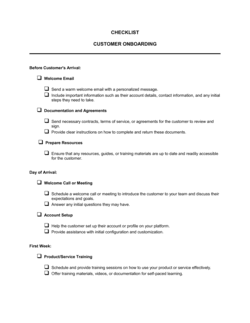
A New Employee Onboarding Checklist is a structured form that guides HR managers and hiring teams through every task required to integrate a new hire β€” from pre-start paperwork to 30-day performance check-ins. This free Word download gives you a ready-to-use checklist you can edit online, assign task owners, and export as PDF to attach to any employee file.
When you need it
Use it the moment an offer is accepted β€” before the employee's first day β€” and work through it sequentially during the first 30 days of employment. It is equally useful for a company's first hire and for standardizing a process that previously lived only in a manager's memory.
What's inside
Pre-start administrative tasks, day-one orientation steps, IT and system access setup, benefits enrollment, policy acknowledgments, role-specific training milestones, and a 30-day check-in prompt β€” all organized into timed phases with a checkbox, owner field, and due date for each item.

What is a New Employee Onboarding Checklist?

A New Employee Onboarding Checklist is a structured form that guides HR managers and direct managers through every task required to integrate a new hire into the organization β€” from pre-start paperwork and equipment orders to system access provisioning, benefits enrollment, policy acknowledgments, and 30-day check-ins. Each item includes a checkbox, an owner field, and a due date so responsibility is clear and nothing is discovered missing after the window to act has closed. The template is a free Word download you can customize for any role or department and export as PDF to attach directly to the employee's HR file.

Why You Need This Document

Without a written checklist, onboarding lives in individual managers' heads β€” and the result is inconsistent: one new hire gets a full orientation and working equipment on day one; another waits three days for a laptop and discovers their benefits enrollment window closed while they were waiting for someone to explain it. The cost is concrete: early-tenure turnover spikes when new hires feel disorganized or unsupported in their first 30 days, and replacing a salaried employee typically costs 50–200% of their annual salary. A signed policy acknowledgment section also creates the written record that protects the company in disciplinary proceedings or regulatory audits. This template closes the gap between an accepted offer and a fully productive, properly documented employee β€” for any team, at any headcount.

Which variant fits your situation?

If your situation is…Use this template
Onboarding a remote or fully distributed employeeRemote Employee Onboarding Checklist
Bringing on a temporary or contract workerContractor Onboarding Checklist
Onboarding an executive or senior leadership hireExecutive Onboarding Plan
Tracking 30-60-90 day goals alongside onboarding tasks30-60-90 Day Plan
Formalizing all HR policies the employee must acknowledgeEmployee Handbook
Documenting the employee's compensation and role before day oneEmployment Contract

Common mistakes to avoid

❌ Starting onboarding on day one instead of before it

Why it matters: Equipment delays, missing system access, and unprocessed payroll on the first day create a poor first impression and reduce early productivity by days or weeks.

Fix: Begin the checklist the moment the offer is accepted. Pre-start tasks should be complete 24–48 hours before the start date, not scrambled on the morning of.

❌ No assigned owner for each checklist item

Why it matters: When every task is 'someone's responsibility,' missed items are discovered only when the new hire raises them β€” often after the window to act has closed.

Fix: Add an owner name and due date to every checklist item. Tasks without owners default to nobody completing them.

❌ Collecting policy acknowledgments verbally

Why it matters: Without a written record, the company cannot demonstrate that the employee received a policy during a dispute, disciplinary proceeding, or regulatory audit.

Fix: Require a signature or initials on a policy acknowledgment sheet for every policy discussed during orientation, and file the signed copy before the employee leaves on day one.

❌ Treating the 30-day check-in as the only check-in

Why it matters: Small misalignments in role expectations or team culture that surface at day 30 have already had time to become entrenched β€” early-tenure turnover is strongly correlated with infrequent manager contact in week one.

Fix: Schedule at least three structured check-ins during the first month: day 7, day 14, and day 30. Log notes from each in the checklist.

The 9 key fields, explained

Employee and role information

Pre-start administrative tasks

Day-one orientation tasks

IT and system access setup

Payroll and benefits enrollment

Policy acknowledgments

Role-specific training milestones

Manager check-in schedule

Completion sign-off

How to fill it out

  1. 1

    Fill in the employee and role header

    Enter the new hire's full name, title, department, start date, manager, and work location at the top of the checklist. This block identifies ownership for every task that follows.

    πŸ’‘ Create a saved copy of the blank checklist for each hire rather than editing the master template β€” this preserves a clean version for future use.

  2. 2

    Assign owners and due dates to pre-start tasks

    For each pre-start item β€” equipment order, payroll setup, buddy assignment β€” write the owner's name and a specific due date, not just 'before start date.'

    πŸ’‘ Set equipment orders at least 10 business days before the start date to account for shipping delays β€” 5 days is rarely enough.

  3. 3

    Schedule day-one orientation blocks in advance

    Book the HR orientation, team intro meeting, and manager welcome session on the new hire's calendar before they start so their first day has structure from the moment they log in.

    πŸ’‘ Send the new hire the schedule the day before they start β€” it reduces first-day anxiety significantly.

  4. 4

    Submit IT provisioning requests at least two days early

    Complete the system access section and submit all IT tickets no later than two business days before the start date so accounts are live on day one.

    πŸ’‘ Create a recurring IT request template for new hires to reduce the time spent submitting the same tickets for every hire.

  5. 5

    Confirm benefits enrollment deadline and document elections

    Calculate the enrollment window end date from the start date and enter it prominently in the benefits section. Once the employee makes elections, file a copy with their HR record.

    πŸ’‘ Send a calendar reminder to the employee at day 20 of employment β€” two weeks into the window β€” so they do not miss the deadline.

  6. 6

    Collect and file all policy acknowledgments

    Walk the employee through each policy during orientation, collect signatures or initials, and file the signed copies in their employee record before end of day one.

    πŸ’‘ Use a single acknowledgment sheet that lists every policy by name and has one signature line β€” it is faster to process and easier to audit than separate forms for each policy.

  7. 7

    Complete the sign-off block after the 30-day check-in

    After the day-30 check-in, both the HR manager and direct manager should confirm all items are complete and sign off. Document any outstanding items and assign new due dates.

    πŸ’‘ File the completed checklist in the employee's HR record immediately after sign-off β€” do not leave it in a shared folder where it can be overwritten or deleted.

Frequently asked questions

What is a new employee onboarding checklist?

A new employee onboarding checklist is a structured form that lists every task required to integrate a new hire into the organization β€” from pre-start paperwork and IT setup to policy acknowledgments and 30-day check-ins. It assigns an owner and due date to each item so nothing falls through the cracks between the offer acceptance and the end of the first month.

When should onboarding begin?

Onboarding should begin the moment a new hire accepts their offer β€” not on their first day. Pre-boarding tasks like equipment orders, payroll setup, and system access provisioning take days to complete. Starting these at least one week before the start date ensures the employee can be productive from hour one rather than waiting on logistics.

What should an employee onboarding checklist include?

At minimum: employee and role details, pre-start administrative tasks, day-one orientation activities, IT and system access setup, payroll and benefits enrollment, policy acknowledgments, role-specific training milestones, a manager check-in schedule, and a final sign-off block. Checklists that skip any of these categories typically generate the most new-hire complaints.

How long should onboarding take?

The administrative portion β€” paperwork, system access, benefits enrollment β€” should be complete within the first week. Role-specific training typically spans 30 days. Full productivity for most roles takes 60–90 days. A structured 30-day checklist covers the highest-risk window; a 30-60-90 day plan extends the framework through the full ramp period.

Does an onboarding checklist need to be signed?

The checklist itself does not require signatures, but the policy acknowledgment section within it should be signed by the employee and filed in their HR record. A manager sign-off block at the end of the checklist is also best practice β€” it creates a closed-loop confirmation that all required steps were completed.

Can I use the same checklist for remote and in-office employees?

The core structure works for both, but remote onboarding requires additional items: equipment shipping tracking, virtual office tour, video-call-specific orientation sessions, and explicit communication about how to reach IT support and HR remotely. Consider adding a remote addendum section rather than creating a separate template from scratch.

How does an onboarding checklist reduce turnover?

Studies consistently show that structured onboarding improves new-hire retention at the 90-day mark by 25–30% compared to ad hoc processes. A checklist reduces the disorientation and unmet expectations that drive early departure by ensuring the employee has the tools, context, and manager contact they need in their first 30 days.

What is the difference between an onboarding checklist and an employee handbook?

An onboarding checklist is a task-tracking tool β€” it lists what needs to be done, by whom, and by when. An employee handbook is a reference document that describes company policies, culture, and expectations in detail. The checklist prompts the manager to share the handbook and collect an acknowledgment signature; the two documents work together rather than replacing each other.

How this compares to alternatives

vs Employee Handbook

An employee handbook is a reference document describing company policies, culture, and expectations. An onboarding checklist is a task-tracking tool that prompts the manager to share the handbook and collect a signed acknowledgment. The checklist drives the process; the handbook supplies the content.

vs 30-60-90 Day Plan

A 30-60-90 day plan is a goal-setting document that defines what the new hire should accomplish in their first three months. An onboarding checklist covers the administrative and orientation tasks that make those goals achievable β€” system access, training, policy sign-offs. Use both together: the checklist ensures operational readiness; the plan defines performance expectations.

vs Job Offer Letter

An offer letter confirms the role and compensation to secure the candidate's acceptance. An onboarding checklist takes over the moment that letter is signed β€” it is the operational tool that converts an accepted offer into a fully integrated employee. The two documents are sequential, not interchangeable.

vs Employment Contract

An employment contract is a legally binding document that governs the terms of the working relationship β€” duties, compensation, IP, and termination. An onboarding checklist is an operational form that ensures those terms are communicated, acknowledged, and set up in practice. The contract creates the obligation; the checklist fulfills it.

Industry-specific considerations

Technology / SaaS

System access provisioning is more complex β€” covering dev environments, cloud platforms, and security tools β€” and must be completed before a technical hire can contribute on day one.

Healthcare

Credentialing verification, HIPAA training completion, and EMR system access are mandatory checklist items with strict regulatory deadlines before patient-facing work can begin.

Retail / Hospitality

High turnover means checklists must be completable in a single shift; POS training, cash-handling policy acknowledgment, and uniform issuance are standard day-one items.

Professional Services

Client confidentiality training, billable-time tracking setup, and conflict-of-interest disclosure must be completed before the new hire is staffed on any client account.

Template vs pro β€” what fits your needs?

PathBest forCostTime
Use the templateSmall businesses, startups, and any team standardizing onboarding without an HRIS platformFree15 minutes to customize per hire
Template + professional reviewCompanies adding industry-specific compliance steps or integrating with an existing HRIS workflow$100–$500 (HR consultant review)1–3 days
Custom draftedEnterprises with complex multi-department onboarding, regulated industries, or automated HRIS provisioning requirements$1,000–$5,000 (HR systems consultant or HRIS implementation)2–6 weeks

Glossary

Onboarding
The structured process of integrating a new employee into the organization β€” covering paperwork, orientation, access setup, and initial training.
Pre-boarding
Tasks completed between the offer acceptance and the employee's first day, such as sending welcome emails, ordering equipment, and submitting payroll setup.
I-9 Verification
A US federal form (Employment Eligibility Verification) that employers must complete within 3 business days of a new hire's start date to confirm work authorization.
Benefits Enrollment Window
The defined period β€” typically 30 days from the start date β€” during which a new employee must elect health, dental, vision, and retirement plan options.
Role-Specific Training
Job-function training that goes beyond general orientation, covering the tools, processes, and responsibilities specific to the employee's position.
System Access Provisioning
The IT process of creating accounts, setting permissions, and granting access to the software, networks, and data a new employee needs to perform their role.
Policy Acknowledgment
A signed or initialed confirmation that the employee has received and read a specific policy β€” such as the code of conduct, data security policy, or PTO policy.
30-Day Check-In
A structured conversation between the manager and new hire at the end of the first month to assess fit, surface blockers, and confirm role expectations are aligned.
Buddy System
An informal peer-pairing program where an experienced employee is assigned to help a new hire navigate the culture, answer questions, and make introductions during their first weeks.
Org Chart
A visual diagram of the company's reporting structure β€” typically shared during orientation so the new hire understands team hierarchy and cross-functional relationships.

Part of your Business Operating System

This document is one of 3,000+ business & legal templates included in Business in a Box.

  • Fill-in-the-blanks β€” ready in minutes
  • 100% customizable Word document
  • Compatible with all office suites
  • Export to PDF and share electronically

Create your document in 3 simple steps.

From template to signed document β€” all inside one Business Operating System.
1
Download or open template

Access over 3,000+ business and legal templates for any business task, project or initiative.

2
Edit and fill in the blanks with AI

Customize your ready-made business document template and save it in the cloud.

3
Save, Share, Send, Sign

Share your files and folders with your team. Create a space of seamless collaboration.

Save time, save money, and create top-quality documents.

β˜…β˜…β˜…β˜…β˜…

"Fantastic value! I'm not sure how I'd do without it. It's worth its weight in gold and paid back for itself many times."

Managing Director Β· Mall Farm
Robert Whalley
Managing Director, Mall Farm Proprietary Limited
β˜…β˜…β˜…β˜…β˜…

"I have been using Business in a Box for years. It has been the most useful source of templates I have encountered. I recommend it to anyone."

Business Owner Β· 4+ years
Dr Michael John Freestone
Business Owner
β˜…β˜…β˜…β˜…β˜…

"It has been a life saver so many times I have lost count. Business in a Box has saved me so much time and as you know, time is money."

Owner Β· Upstate Web
David G. Moore Jr.
Owner, Upstate Web

Run your business with a system β€” not scattered tools

Stop downloading documents. Start operating with clarity. Business in a Box gives you the Business Operating System used by over 250,000 companies worldwide to structure, run, and grow their business.

Start freeΒ Β·Β No credit card required