Project Management Templates

4.7from 280+ reviews Trusted by 20M+ businesses

Plan, track, and close projects on time with ready-to-use templates for every stage of the project lifecycle.

WordEditable onlinePDF13+ project management templates

Other Administration categories

250K+Clients
20M+Free users
20+Years
190+Countries
10,000+Law firms
50M+Downloads

Trusted across review platforms

  • Capterra★★★★☆4.649 reviews
  • G2★★★★☆4.713 reviews
  • GetApp★★★★☆4.649 reviews
  • Google Play★★★★☆4.6179 ratings
  • Google Reviews★★★★☆4.567 reviews

Related categories

Frequently asked questions

What should a project management template include?
At minimum, a project management template should include a scope statement, deliverables list, milestone schedule, resource plan, risk register, and change control process. More detailed templates also include a stakeholder communications plan, budget tracker, and formal closure criteria. The level of detail should match the complexity and risk of the project.
How is a project management plan different from a project charter?
A project charter is a short document that formally authorizes a project and names the project manager. It is typically one to two pages and is issued by a sponsor or executive. A project management plan is the full working document that details how the project will be executed — it builds on the charter and is maintained throughout delivery.
Can I use one template for every type of project?
A general project management plan template covers most scenarios, but specialized projects benefit from tailored templates. IT and software projects need sections for testing phases, system dependencies, and release management. Construction projects need permits and inspection checkpoints. Using the right variant reduces the editing needed and ensures critical domain-specific sections aren't missed.
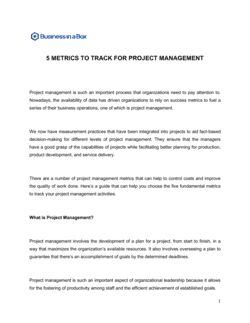
How do I track project performance against the plan?
Track at least five metrics: schedule variance (planned vs. actual completion), budget variance (planned vs. actual spend), scope change count, risk materialization rate, and stakeholder satisfaction score. Review these at a fixed cadence — weekly for active phases, bi-weekly for steadier periods — and document the results in your project status report.
What is a project risk management plan?
A project risk management plan is a standalone section or document that identifies potential threats to a project's scope, schedule, or budget before they occur. It rates each risk by likelihood and impact, assigns an owner, and records the agreed mitigation or contingency response. Teams revisit the risk register at each status review and add new risks as the project evolves.
When does a project need a transition plan?
A project transition plan is needed whenever project outputs are handed from the delivery team to an operational owner — for example, when a software deployment transitions to the IT support team, or when a new process is handed from the project team to line management. Without a formal transition plan, critical knowledge, outstanding issues, and ongoing responsibilities are routinely lost.
Do small projects need a formal project management plan?
Even small projects benefit from a one-page scope statement, a task list with owners and due dates, and a brief risk note. The effort of creating a lightweight plan typically takes one to two hours and prevents the most common causes of project failure: unclear scope, missed deadlines, and undefined accountabilities. Scale the level of detail to the size and risk of the project — not to zero.
What is the difference between a project coordinator and a project manager?
A project manager owns the project plan, the budget, and the stakeholder relationship, and is accountable for delivery outcomes. A project coordinator supports the project manager by tracking tasks, scheduling meetings, maintaining documentation, and chasing action items. On small projects, one person may do both; on larger projects, the coordinator role frees the manager to focus on decisions and stakeholder management.

Project Management vs. related documents

Project Management vs. Project plan

A project management plan is the governing document that defines how a project will be executed, monitored, and closed across all dimensions — scope, schedule, resources, risk, and communications. A project plan typically refers to the schedule component only: tasks, owners, and deadlines. For a single-phase initiative, a project plan may be sufficient; for a multi-team, multi-phase delivery, you need the full project management plan.

Project Management vs. Project proposal

A project proposal is written before a project is approved — its purpose is to persuade a sponsor, client, or executive to greenlight the work. A project management plan comes after approval and details exactly how the approved work will be executed. You need both, but in sequence: proposal first, plan second.

Project Management vs. Product management

Product management is an ongoing function focused on the long-term strategy, roadmap, and commercial success of a product. Project management is time-bounded: it starts, delivers a defined output, and ends. A single product may require many projects over its lifetime. The two roles overlap at handoffs between roadmap decisions and delivery execution.

Project Management vs. Program management

A program is a coordinated group of related projects managed together for strategic benefit — for example, a digital transformation program comprising five individual projects. Program management sets shared governance, resolves cross-project dependencies, and tracks combined benefits. Project management executes one project within that program.

Key clauses every Project Management contains

Most project management plans and agreements are built from the same core sections, regardless of industry or project type.

  • Scope statement. Defines exactly what work is included and, critically, what is out of scope to prevent scope creep.
  • Deliverables list. Names every tangible output the project must produce, with acceptance criteria for each.
  • Milestones and schedule. Maps key delivery dates and decision points against a calendar so progress can be measured.
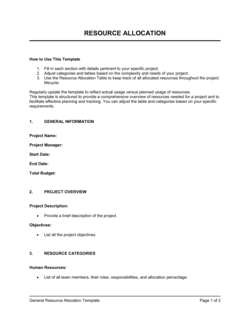
  • Resource plan. Identifies the team members, tools, budget, and external dependencies required to execute the work.
  • Risk register. Lists identified risks, rates their likelihood and impact, and records the planned mitigation or response.
  • Change control process. Describes how scope, schedule, or budget changes are requested, reviewed, and approved during execution.
  • Stakeholder and communications plan. Specifies who receives project updates, at what frequency, and in what format.
  • Closure criteria. Defines the conditions that must be met before the project is formally signed off as complete.

How to write a project management plan

A project management plan works best when it is built collaboratively with the team before execution begins — not assembled retroactively.

  1. 1

    Define the project objective

    Write a single sentence stating what the project will produce and why it matters to the organization.

  2. 2

    Document the scope and deliverables

    List every output the project must produce and explicitly name what is out of scope to prevent scope creep.

  3. 3

    Identify stakeholders and assign roles

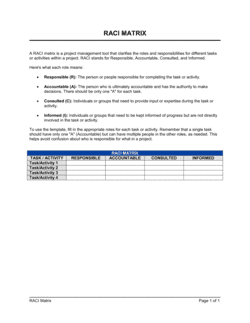
    Map every person or group with a stake in the outcome and clarify who is responsible, accountable, consulted, and informed (RACI).

  4. 4

    Build the schedule and milestones

    Break the work into tasks, estimate durations, assign owners, and set milestone dates on a timeline.

  5. 5

    Estimate resources and budget

    Calculate the people, tools, and funding required, then get formal approval before committing resources.

  6. 6

    Assess risks and plan responses

    Identify at least five plausible threats, rate each by likelihood and impact, and document a mitigation or contingency action.

  7. 7

    Define the change control process

    Agree upfront how scope, schedule, or budget changes will be requested, evaluated, and approved during execution.

  8. 8

    Set closure criteria and review cadence

    State the conditions for formal project completion and schedule regular status reviews so issues surface early.

At a glance

What it is
A project management template is a pre-structured document that captures the scope, schedule, resources, risks, and responsibilities of a project in a consistent, repeatable format. Teams use these templates to start projects faster and keep stakeholders aligned throughout execution.
When you need one
Any time you're launching a new project, onboarding a project manager, or presenting work to a sponsor or client, a template ensures nothing critical is left undocumented.

Which Project Management do I need?

The right template depends on where you are in the project lifecycle and what artifact you need to produce — from pitching stakeholders to tracking delivery to closing out formally.

Your situation
Recommended template

Pitching a new initiative to a sponsor or client for approval

Frames scope, objectives, timeline, and budget before work begins.

Defining scope, schedule, and resources for an approved project

Single source of truth covering all planning dimensions for a project.

Building a visual week-by-week delivery schedule

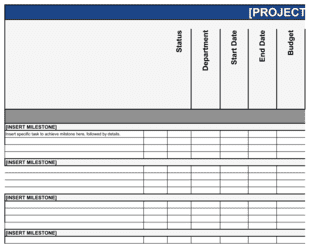
Maps milestones and tasks against calendar dates for easy tracking.

Documenting risks before project execution starts

Identifies threats, likelihood, impact, and mitigation actions early.

Managing a software development or IT implementation project

Includes technical milestones, system dependencies, and testing phases.

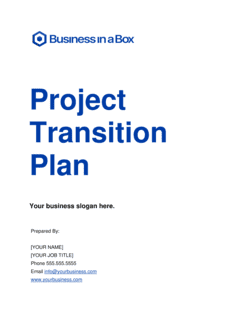
Handing a project off to a new team or operational owner

Documents handover steps, contacts, outstanding issues, and timelines.

Reviewing whether a completed project met its goals

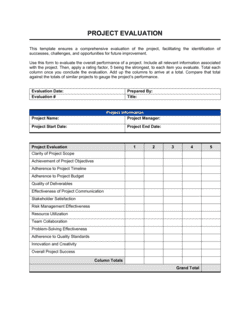
Compares outcomes against objectives and captures lessons learned.

Tracking day-to-day tasks across team members

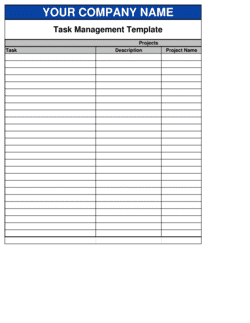
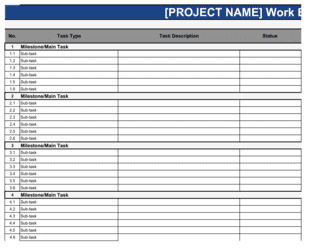
Breaks work into assignable tasks with owners, due dates, and status.

Glossary

Project scope
The defined boundaries of a project — what work is included and what is explicitly excluded.
Milestone
A significant checkpoint in a project schedule that marks the completion of a major phase or deliverable.
Deliverable
A tangible output the project must produce, such as a report, system, process, or physical asset.
RACI matrix
A responsibility chart that maps tasks to who is Responsible, Accountable, Consulted, and Informed.
Scope creep
The gradual expansion of project scope beyond what was originally agreed, usually without corresponding increases in time or budget.
Risk register
A log of identified project risks, their likelihood, impact rating, owner, and planned response.
Change control
The formal process by which any proposed change to scope, schedule, or budget is reviewed and approved before being implemented.
Baseline
The approved version of the project plan — scope, schedule, and budget — against which actual performance is measured.
Stakeholder
Any individual or group that has an interest in the project's outcome or is affected by its execution.
Lessons learned
A structured review conducted at project closure that captures what went well, what went wrong, and what the team would do differently.
Critical path
The longest sequence of dependent tasks in the project schedule; any delay on the critical path delays the entire project.
Project sponsor
The senior individual who authorizes and champions the project, approves the budget, and resolves issues beyond the project manager's authority.

What is a project management template?

A project management template is a pre-structured document that gives a project team a consistent, repeatable format for defining, planning, tracking, and closing a project. Rather than building planning documents from scratch each time, teams start from a template that already contains the right sections — scope, schedule, resources, risks, stakeholder plan — and adapt it to the specifics of their initiative. This consistency reduces setup time, lowers the chance of critical information being omitted, and makes it easier for stakeholders and auditors to navigate project documentation.

Project management templates span the full lifecycle. At the front end, a project proposal template helps secure approval by presenting the business case, objectives, and high-level plan in a format sponsors expect. During planning, a project management plan template captures every dimension of how the work will be executed. During execution, timeline and task management templates keep the team aligned. At the back end, evaluation and transition templates ensure that outcomes are measured and knowledge is transferred rather than lost when the team disbands.

When you need a project management template

Any time a piece of work has a defined start, an end point, and a measurable outcome, it benefits from project management documentation. The more people involved, the higher the stakes, and the longer the timeline — the more important consistent documentation becomes.

Common triggers:

  • Launching a new product, service, or internal initiative that involves more than one team
  • Presenting a project concept to an executive, board, or client for budget approval
  • Onboarding a new project manager or coordinator to an active engagement
  • Transitioning completed project work to an operations, support, or business owner team
  • Running an IT or software implementation with multiple technical dependencies
  • Conducting a post-project review to capture what worked and what should change
  • Establishing formal change control when scope or budget requests start arriving mid-project

Skipping project management documentation is one of the most reliable ways to produce the two most common project failures: scope creep and missed deadlines. Without a written plan, verbal agreements fill the gap — and verbal agreements shift with every new conversation. A one-page plan created before work begins takes less time than the first scope dispute it prevents.

Award-winning platform

  • Great Place to Work 2025
  • BIG Award — Product of the Year 2025
  • Smartest Companies 2025
  • Global 100 Excellence 2026
  • Best of the Best 2025

Create your document in 3 simple steps.

From template to signed document — all inside one Business Operating System.
1
Download or open template

Access over 3,000+ business and legal templates for any business task, project or initiative.

2
Edit and fill in the blanks with AI

Customize your ready-made business document template and save it in the cloud.

3
Save, Share, Send, Sign

Share your files and folders with your team. Create a space of seamless collaboration.

Save time, save money, and create top-quality documents.

★★★★★

"Fantastic value! I'm not sure how I'd do without it. It's worth its weight in gold and paid back for itself many times."

Managing Director · Mall Farm
Robert Whalley
Managing Director, Mall Farm Proprietary Limited
★★★★★

"I have been using Business in a Box for years. It has been the most useful source of templates I have encountered. I recommend it to anyone."

Business Owner · 4+ years
Dr Michael John Freestone
Business Owner
★★★★★

"It has been a life saver so many times I have lost count. Business in a Box has saved me so much time and as you know, time is money."

Owner · Upstate Web
David G. Moore Jr.
Owner, Upstate Web

Run your business with a system — not scattered tools

Stop downloading documents. Start operating with clarity. Business in a Box gives you the Business Operating System used by over 250,000 companies worldwide to structure, run, and grow their business.

Free Forever Plan · No credit card required