What documents does an office administrator typically manage?
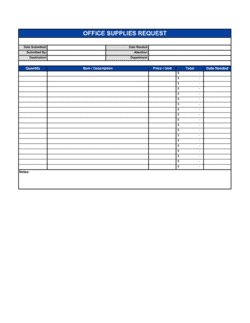
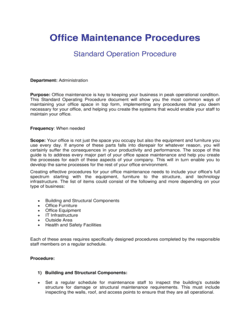
Office administrators typically manage workplace policies, supply requisitions, space allocation records, staff job descriptions, vendor service agreements, cleaning and maintenance checklists, and correspondence such as office move notices. The exact mix depends on company size; smaller offices often consolidate these into fewer, broader documents.
Do I need a lawyer to create office administration documents?
For most internal operational documents — checklists, job descriptions, cleaning rotas, office policies — a well-drafted template is sufficient. Administrative services agreements and any document that creates binding financial or legal obligations between parties should be reviewed by counsel, particularly if the contract value is significant or the relationship is long-term.
How often should office policies be reviewed?
Most office policies should be reviewed at least once a year, or whenever there is a significant change — a new location, a shift to hybrid work, a change in headcount, or an update to relevant legislation. Build the review date into the document itself so accountability is clear.
What's the difference between an office policy and a company policy?
An office policy governs the physical workplace environment and day-to-day administrative operations — space use, supplies, visitors, cleaning. A company policy covers broader organizational behavior — code of conduct, anti-bribery, data protection. Both types are available in this folder; the distinction mainly determines which manager owns and enforces the document.
Can these templates be used for remote or hybrid offices?
Yes, with minor adjustments. Replace physical-space references with virtual equivalents — for example, a remote work policy can adapt the office space allocation template by substituting desk assignments for home-office equipment allocations or video-conferencing etiquette rules.
How do I handle an office relocation administratively?
A well-managed office move involves at least four documents: a board resolution approving the change of registered address, a press release or client notice announcing the new location, an internal announcement to staff, and updated vendor service agreements reflecting the new address. All four starting points are in this folder.
What should an administrative services agreement include?
It should cover the scope of services, fees and payment terms, the term and termination rights, confidentiality obligations, liability limitations, and the governing law. Without a written agreement, disputes over what was included in the service and what was extra are difficult to resolve.
How do I create a job description for an office manager?
Start with the core responsibilities specific to your organization, then add qualifications, reporting lines, and compensation range. The Office Manager Job Description template in this folder provides a complete structure; customize the bullet points to reflect your actual operations before posting or sharing with candidates.
Office Administration vs. related documents
Office Policy vs. Employee Handbook
An office policy is a focused, standalone document governing one specific area of workplace operations — space use, supplies, visitor access, etc. An employee handbook is a comprehensive reference document that bundles many policies together for onboarding purposes. Start with individual office policy templates; compile them into a handbook once you have enough coverage to justify the combined document.
Administrative Services Agreement vs. Independent Contractor Agreement
An administrative services agreement governs an ongoing, multi-function relationship with a firm or individual providing broad admin support — think virtual office services or outsourced back-office operations. An independent contractor agreement governs a single project or task-based engagement. If the scope is recurring and covers multiple service lines, use the administrative services agreement; if it's a one-off deliverable, use a contractor agreement.
Job description vs. Interview guide
A job description defines the role — responsibilities, qualifications, and reporting lines — for recruitment advertising and offer letters. An interview guide provides structured questions and scoring criteria used during the candidate evaluation process. Both are needed when hiring; the job description comes first, then the interview guide shapes the assessment. Business in a Box provides both for key admin roles.
Office policy vs. Procedures manual
A policy states what the rules are and why they exist — it sets expectations and standards. A procedures manual explains step-by-step how to carry out a specific task. Policies are typically shorter and signed-off at a senior level; procedures manuals are longer operational documents owned by team leads. Use the office policy templates here to establish the rules, then build task-level procedures internally.
Key clauses every Office Administration contains
Administrative documents share a common set of structural elements regardless of their specific purpose — understanding these makes customization faster.
Scope and purpose. Defines which people, locations, or activities the document covers and the reason it exists.
Roles and responsibilities. Names who is responsible for implementing, maintaining, and complying with the document.
Procedures and steps. Outlines the specific actions or processes required to meet the document's objectives.
Compliance and enforcement. Explains what happens when the policy or procedure is not followed, including escalation paths.
Review and revision schedule. States how often the document is reviewed and who has authority to update it.
Effective date. Records when the document took effect, which matters for audit trails and disputes.
Sign-off and acknowledgment. Captures evidence that relevant parties have read and accepted the document's terms.
Definitions. Clarifies key terms to prevent ambiguity — especially important in policy and agreement documents.
How to write an office administration document
Whether you're drafting a policy, a job description, or an operational checklist, the same disciplined approach produces a document people actually use.
1
Identify the operational gap
Start with a specific problem — inconsistent supply ordering, unclear space rules, slow contractor onboarding — rather than writing a document for its own sake.
2
Choose the right document type
Match the problem to a format: a policy for rules and expectations, a checklist for repeatable tasks, a job description for hiring, an agreement for third-party services.
3
Define the scope and audience
State clearly who the document applies to — all staff, a specific department, external vendors — so there's no ambiguity about obligations.
4
Draft the core content in plain language
Write in short sentences and direct statements; office administration documents fail when they are too vague to act on.
5
Assign ownership and accountability
Name the role responsible for maintaining and enforcing the document — typically the office manager or department head.
6
Get appropriate sign-off
Have the document reviewed by a senior manager or relevant stakeholder before distribution; for agreements, obtain signatures from all parties.
7
Distribute and store in an accessible location
Save the executed document in a shared drive or intranet where staff can find it, and confirm that all affected people have acknowledged it.
8
Schedule a review date
Set a calendar reminder to review the document annually or when a significant organizational change occurs.
At a glance
What it is
Office administration templates are pre-built documents that standardize the day-to-day operations of a workplace — covering everything from supply ordering and space allocation to hiring staff and outsourcing support services. They give office managers and administrators a consistent, repeatable framework instead of drafting each document from scratch.
When you need one
Any time you're setting up, scaling, or auditing your office operations — onboarding a new admin hire, formalizing a workplace policy, or contracting an outside service provider — the right template saves hours and reduces errors.
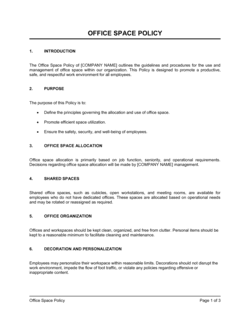
Allocating desks, meeting rooms, and shared spaces fairly
Establishes clear rules for who uses which spaces and under what conditions.
Office Space Allocation and Usage Policy
Interviewing candidates for an administrative assistant position
Provides structured questions that surface relevant skills and experience.
Interview Guide Administrative Assistant
Maintaining office cleanliness and hygiene standards
Gives cleaning staff or facilities teams a repeatable task checklist.
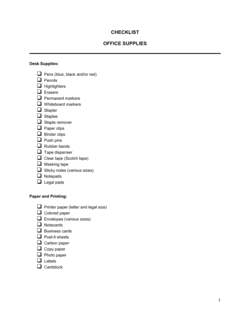
Checklist Office Cleaning
Announcing a move to a new or larger office to clients and contacts
Ready-to-send notification letter covering new address and transition details.
We Have Moved to a Bigger Office
Glossary
Office policy
A documented set of rules governing how a workplace operates, covering areas such as space use, supplies, and visitor access.
Administrative services agreement
A contract between a company and a service provider for the ongoing delivery of administrative or back-office functions.
Job description
A written summary of a role's responsibilities, required qualifications, and reporting structure used in recruitment and performance management.
Interview guide
A structured list of questions and scoring criteria used to evaluate candidates consistently during a hiring process.
Office space allocation
The process of assigning desks, meeting rooms, and shared areas to individuals or teams within a workplace.
Procurement policy
A document that sets the rules for how a company purchases goods and services, including approval thresholds and preferred vendor requirements.
Facilities management
The function responsible for maintaining the physical workplace, including cleaning, repairs, and equipment upkeep.
Scope of services
The section of a service agreement that defines exactly what tasks or deliverables the provider is responsible for.
Board resolution
A formal decision made by a company's board of directors, often required to authorize significant administrative changes such as a registered address update.
Effective date
The date on which a policy, agreement, or job description officially comes into force.
Outsourcing
Contracting an external organization to perform business functions — such as administrative support — that were previously handled in-house.
What is office administration?
Office administration is the set of processes, documents, and systems that keep a workplace running — from managing supplies and allocating space to hiring administrative staff and contracting outside service providers. Office administration templates give managers and administrators a consistent, pre-built starting point for each of these tasks, replacing the time-consuming work of drafting from a blank page. They cover the full operational lifecycle of an office: setting it up, staffing it, maintaining it, and — when the time comes — moving it.
The category spans several document types. Policies establish the rules of the workplace. Checklists make repeatable tasks reliable and auditable. Job descriptions and interview guides support hiring. Service agreements formalize relationships with external providers. And notices handle the administrative communication that surrounds significant changes, such as an office relocation or the opening of a new branch. Together, these documents form the operational backbone of any organized workplace.
When you need an office administration template
Office administration needs arise constantly — whenever a process is inconsistent, a policy is absent, or a role needs to be filled. If your team is spending time resolving questions that a written policy or checklist would have answered in seconds, that's the most common signal that a template is overdue.
Common triggers:
A new office is opening and no standard operating policies are in place yet
An office manager or administrative assistant position needs to be filled
Supply ordering is ad hoc and stockouts are causing disruption
Desk and meeting-room allocation is creating friction among staff
A cleaning or maintenance routine needs to be delegated and tracked
An outside firm is being engaged to handle back-office or admin support
The company is relocating and clients, vendors, and the corporate registry need to be notified
A compliance audit requires evidence that workplace policies exist and are enforced
The cost of running an office without documented administration is accumulated inefficiency — duplicated effort, inconsistent standards, and disputes that escalate because no written rule addressed them. A library of well-drafted templates turns administrative work from reactive firefighting into a predictable, manageable routine.
Award-winning platform
Great Place to Work 2025
BIG Award — Product of the Year 2025
Smartest Companies 2025
Global 100 Excellence 2026
Best of the Best 2025
Create your document in 3 simple steps.
From template to signed document — all inside one Business Operating System.
1
Download or open template
Access over 3,000+ business and legal templates for any business task, project or initiative.
2
Edit and fill in the blanks with AI
Customize your ready-made business document template and save it in the cloud.
3
Share with your team
Share your files and folders with your team. Create a space of seamless collaboration.
Save time, save money, and create top-quality documents.
★★★★★
"Fantastic value! I'm not sure how I'd do without it. It's worth its weight in gold and paid back for itself many times."
Managing Director · Mall Farm
RW
Robert Whalley
Managing Director, Mall Farm Proprietary Limited
★★★★★
"I have been using Business in a Box for years. It has been the most useful source of templates I have encountered. I recommend it to anyone."
Business Owner · 4+ years
MF
Dr Michael John Freestone
Business Owner
★★★★★
"It has been a life saver so many times I have lost count. Business in a Box has saved me so much time and as you know, time is money."
Owner · Upstate Web
DM
David G. Moore Jr.
Owner, Upstate Web
Run your business with a system — not scattered tools
Stop downloading documents. Start operating with clarity. Business in a Box gives you the Business Operating System used by over 250,000 companies worldwide to structure, run, and grow their business.