Workplace Security and Access Control Policy Template

Free Word download β€’ Edit online β€’ Save & share with Drive β€’ Export to PDF

3 pagesβ€’20–25 min to fillβ€’Difficulty: Standard
Learn more ↓
FreeWorkplace Security and Access Control Policy Template

At a glance

What it is
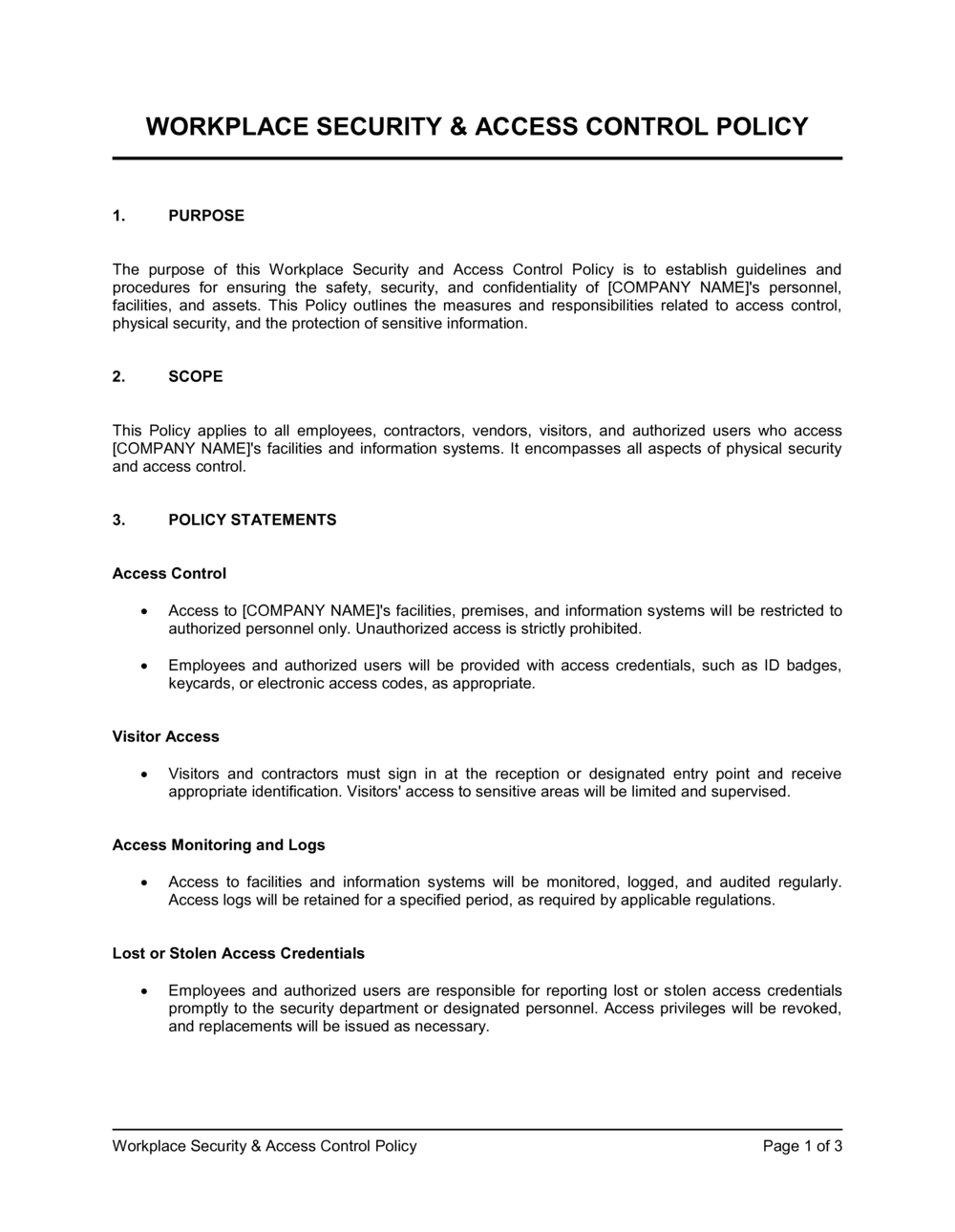
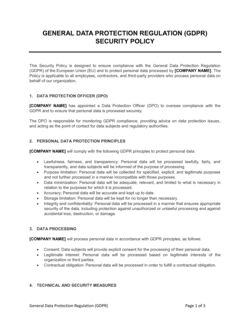
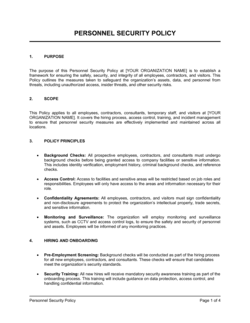
A Workplace Security and Access Control Policy is an internal operational document that defines who may enter company facilities, under what conditions, and how access is granted, tracked, and revoked. This free Word download gives you a structured, editable template covering badge issuance, visitor management, restricted zones, key-holder responsibilities, and security incident response β€” ready to export as PDF and distribute to staff.
When you need it
Use it when opening a new office or facility, after a security incident, during an employee onboarding or offboarding review, or when preparing for an ISO 27001 or SOC 2 audit that requires documented physical security controls.
What's inside
Policy scope and objectives, access tier definitions, credential issuance and revocation procedures, visitor and contractor protocols, restricted area rules, surveillance and monitoring guidelines, security incident reporting, and employee responsibilities and disciplinary consequences.

What is a Workplace Security and Access Control Policy?

A Workplace Security and Access Control Policy is an internal operational document that defines who is permitted to enter company facilities, which areas each person may access, how access credentials are issued and revoked, and how security incidents are reported and investigated. It establishes a tiered permission structure covering employees, contractors, and visitors, and sets the rules for restricted zones, surveillance, and visitor management. Rather than relying on informal arrangements or institutional memory, the policy creates a written, enforceable framework that every stakeholder β€” from reception staff to the IT team to the C-suite β€” can reference and follow consistently.

Why You Need This Document

Without a written access control policy, credential management becomes informal and inconsistent: departed employees retain active badge access, visitors wander unescorted, and restricted areas are protected in name only. The consequences range from theft and data exposure to failed compliance audits β€” ISO 27001, SOC 2, and HIPAA all require documented physical security controls as a certification prerequisite. A security incident investigated without a visitor log, a revocation record, or a defined escalation path is nearly impossible to resolve conclusively, and difficult to support in an insurance claim or legal proceeding. This template gives you a structured, audit-ready policy you can complete in a single working session, adapt to your facility's specific zones and systems, and distribute to staff with an acknowledgment record β€” closing the most common physical security gaps before they become incidents.

Which variant fits your situation?

If your situation is…Use this template
Policy focused on digital systems and network access onlyIT Security Policy
Policy for remote or hybrid workers with no fixed officeRemote Work Policy
Covering data classification and information handling alongside accessData Security Policy
Comprehensive health, safety, and security framework for a large facilityWorkplace Health and Safety Policy
Temporary access rules for a construction or renovation projectContractor Access Agreement
Visitor-only protocol for a reception or front-desk procedureVisitor Management Policy
Emergency evacuation and lockdown procedures as a standalone documentEmergency Response Plan

Common mistakes to avoid

❌ No credential revocation deadline

Why it matters: Without a specific timeline, departed employees may retain active badge access for days or weeks after leaving β€” this is the most common physical security breach vector in small businesses.

Fix: State a specific revocation window (2 hours for sensitive environments, end of business day for standard offices) and name the individual responsible for executing it.

❌ Visitor log captures name only

Why it matters: A sign-in sheet with just a name provides no audit trail β€” if a security incident occurs, you cannot establish who the visitor met with, what area they accessed, or when they left.

Fix: Require at minimum: visitor full name, photo ID type and number, host employee name, purpose of visit, arrival time, and departure time.

❌ Access tiers not reviewed after role changes

Why it matters: Employees who move to a new department or are promoted often accumulate access from previous roles β€” a phenomenon called privilege creep β€” giving them access to areas they no longer need.

Fix: Include an access review step in every role-change workflow and schedule a full access audit at least once per year.

❌ Policy distributed but never acknowledged

Why it matters: A policy employees have not formally acknowledged is nearly impossible to enforce through disciplinary action β€” HR and legal will not support consequences without documented notice.

Fix: Collect a signed or digitally confirmed acknowledgment from every employee at distribution and again at each major policy update.

❌ Restricted zone rules rely on honor system

Why it matters: Posting a sign on a server room door without an electronic lock or access log means any employee can enter without detection β€” the restriction exists on paper only.

Fix: Align physical access hardware (electronic locks, PIN pads, key-card readers) with the zones described in the policy before publishing it.

❌ Surveillance section omits footage access controls

Why it matters: Unrestricted access to CCTV footage creates privacy liability and can expose the company to employee relations disputes or regulatory complaints.

Fix: Name the specific roles authorized to request and review footage, require written justification for each review, and log all access to the surveillance system.

The 9 key sections, explained

Policy scope and objectives

Access tier definitions

Credential issuance procedure

Credential revocation and offboarding

Visitor and contractor management

Restricted area rules

Surveillance and monitoring

Security incident reporting

Employee responsibilities and consequences

How to fill it out

  1. 1

    Define the scope and list all covered locations

    Enter every facility address covered by the policy. If different sites have different rules, note that site-specific addenda apply and reference them by name.

    πŸ’‘ A policy that lists addresses precisely is far easier to enforce and audit than one that says 'all company locations.'

  2. 2

    Design your access tiers based on actual roles

    Map your existing roles to two to four access tiers. Assign each tier to the specific areas it covers. Avoid creating more tiers than your access management system can enforce.

    πŸ’‘ Start with the most restricted zones and work outward β€” it is easier to grant additional access than to retroactively restrict it.

  3. 3

    Document the credential issuance and approval workflow

    Name the system, form, or process used to request and approve credentials. Specify who approves each tier level β€” typically a direct manager for general access and IT or security for restricted access.

    πŸ’‘ Integrate the credential request step directly into your onboarding checklist so it never falls through the cracks.

  4. 4

    Set specific revocation timelines for offboarding

    Define the exact window for credential deactivation after an employee's departure β€” 2 hours is the industry benchmark for high-security environments, same business day for standard offices.

    πŸ’‘ Automate deactivation by connecting your HR system to your access control platform wherever possible β€” manual processes routinely fail at offboarding.

  5. 5

    Write the visitor and contractor protocol step by step

    Detail each stage: pre-registration, sign-in at reception, badge issuance, escort requirements, and sign-out. Confirm who is responsible for each step.

    πŸ’‘ Pre-registration requirements for contractor visits (24-hour advance notice, background check confirmation) significantly reduce day-of security exposure.

  6. 6

    Specify CCTV locations, retention period, and access to footage

    List where cameras are installed, how long footage is retained, and who is authorized to review it. Include a reference to posted signage to satisfy employee notice requirements.

    πŸ’‘ Retain footage for at least 30 days β€” most internal investigations and insurance claims surface within that window.

  7. 7

    State consequences for each category of violation

    Pair each employee obligation with a tiered consequence: first offense, repeated offense, and severe breach (e.g., intentional credential sharing). Review these consequences with HR before publishing.

    πŸ’‘ Consequences that escalate from coaching to termination are more consistently enforced than blanket 'disciplinary action' language.

  8. 8

    Obtain acknowledgment signatures and set a review date

    Distribute the policy to all staff, collect signed acknowledgment forms, and record them in each employee's HR file. Set an annual review date and assign an owner responsible for updating it.

    πŸ’‘ A policy with no review date tends to stay in place unchanged for years β€” even after the access systems or facility layout it describes have changed.

Frequently asked questions

What is a workplace security and access control policy?

A workplace security and access control policy is an internal document that defines who is permitted to enter company premises, under what conditions, and how access credentials are issued, monitored, and revoked. It covers employees, contractors, and visitors, and typically includes rules for restricted zones, visitor management, surveillance use, and security incident reporting. The policy serves as both an operational guide and a compliance record.

Who needs a workplace security and access control policy?

Any organization with a physical office, facility, or restricted work area benefits from a written access control policy. It is particularly important for businesses handling sensitive data, regulated industries such as healthcare and financial services, organizations pursuing ISO 27001 or SOC 2 certification, and companies with high employee turnover where offboarding access revocation is a recurring risk.

What is the difference between physical access control and IT access control?

Physical access control governs who can enter buildings, rooms, and facilities using credentials such as keycards, PIN codes, or biometrics. IT access control governs who can log into systems, networks, and applications. The two are closely related β€” many security frameworks require both to be documented and aligned β€” but they are typically managed by different teams and covered in separate policies.

How often should an access control policy be reviewed?

An annual review is the standard minimum. You should also trigger an out-of-cycle review after any security incident, after a significant change to the facility layout or access hardware, after a major organizational restructuring, or when preparing for a compliance audit. Policies that are not reviewed regularly become misaligned with the actual systems and rules in use, which creates enforcement gaps.

What should a visitor management procedure include?

At minimum: a pre-registration or arrival notification requirement, sign-in at reception with government photo ID, issuance of a dated temporary badge, assignment of a named employee host, escort requirements outside designated visitor areas, and a sign-out procedure that records departure time. The visitor log should be retained for a defined period β€” typically 90 days to one year β€” for incident investigation purposes.

What is tailgating and why is it a security risk?

Tailgating occurs when an unauthorized person follows an authorized employee through a controlled entry point without presenting their own credential β€” often by simply walking in behind someone who holds the door open. It is one of the most common physical security breaches because it requires no technical skill and exploits normal social politeness. An access control policy should explicitly define tailgating as a violation and require employees to challenge or report it.

Does a small business need a formal access control policy?

Yes, even a 10-person office benefits from a written policy. Without one, there is no defined process for revoking credentials when an employee leaves, no standard for how visitors are handled, and no documentation trail for insurance claims or legal disputes following a security incident. A simple, well-implemented policy is significantly more effective than informal ad-hoc rules that rely on employee memory.

What compliance frameworks require a physical access control policy?

ISO 27001 (Annex A.11), SOC 2 (Physical and Environmental Security criteria), HIPAA (Physical Safeguards β€” 45 CFR Β§164.310), and PCI DSS (Requirement 9) all require documented physical access controls as part of their certification or audit requirements. A written and regularly reviewed access control policy is typically the first evidence auditors request when assessing physical security.

How should credential revocation be handled at offboarding?

Credential revocation should be treated as a mandatory offboarding task with a specific time deadline β€” not a best-effort action. Best practice is to deactivate all physical and digital credentials within two hours of an employee's departure for sensitive roles, or by end of business day for standard roles. The task should be assigned to a named individual (typically IT or HR), confirmed in writing, and logged. Physical badges or keys should be collected at the exit interview.

How this compares to alternatives

vs IT Security Policy

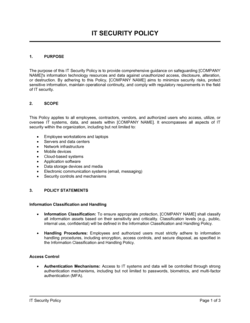
An IT security policy governs logical access β€” who can log into systems, networks, and applications. A workplace security and access control policy governs physical access β€” who can enter buildings and restricted rooms. ISO 27001 and SOC 2 require both to be documented separately. For organizations with both digital and physical security needs, the two policies should be cross-referenced and reviewed together.

vs Workplace Health and Safety Policy

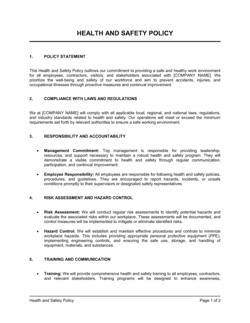
A health and safety policy addresses injury prevention, hazard management, and emergency evacuation. An access control policy addresses unauthorized entry, credential management, and physical security incidents. The two overlap at emergency lockdown and evacuation procedures, which should be consistent across both documents. Most organizations maintain both and reference each from the other.

vs Remote Work Policy

A remote work policy governs where and how employees work outside the office β€” equipment, connectivity, and productivity expectations. An access control policy applies to the physical workplace. Organizations with hybrid workforces need both: the remote work policy covers off-site security expectations, while the access control policy governs on-site entry and credential management.

vs Emergency Response Plan

An emergency response plan defines procedures for evacuations, lockdowns, and crisis scenarios. An access control policy defines day-to-day entry permissions and credential management. During an emergency, access control systems (electronic locks, alarms) must integrate with the response plan β€” the two documents should be reviewed together to ensure lockdown and mustering procedures are aligned.

Industry-specific considerations

Financial Services

Separate access tiers for trading floors, client data rooms, and vault areas, with access logs retained to satisfy financial regulator audit requirements.

Healthcare

HIPAA physical safeguard obligations require controlled access to areas where patient records are stored or processed, with documented revocation and visitor escort procedures.

Technology / SaaS

Server room and data center access governed by strict tiered credentials, CCTV coverage, and real-time access logs to support SOC 2 Type II physical security criteria.

Manufacturing

Zoned access separating production floor, chemical storage, quality labs, and administrative areas β€” with contractor management procedures for maintenance and inspection visits.

Professional Services

Client confidentiality requirements drive restricted access to document storage areas and meeting rooms used for sensitive engagements, with visitor log retention for legal compliance.

Retail / Hospitality

Back-of-house access controls separating stockrooms, cash-handling areas, and staff zones from customer-facing spaces, with shift-based credential activation for part-time staff.

Template vs pro β€” what fits your needs?

PathBest forCostTime
Use the templateSmall to mid-size businesses establishing a written access control policy for the first timeFree2–4 hours to complete and distribute
Template + professional reviewOrganizations pursuing ISO 27001, SOC 2, or HIPAA certification where the policy will be reviewed by auditors$300–$800 for a security consultant or compliance advisor review3–5 business days
Custom draftedLarge enterprises, regulated industries with complex multi-site facilities, or organizations that have experienced a recent security breach$1,500–$5,000+ for a professional security policy engagement2–4 weeks

Glossary

Access Control
The set of rules, credentials, and physical mechanisms that determine who is permitted to enter a facility, zone, or system.
Access Tier
A defined level of entry permission β€” such as general, restricted, or confidential β€” assigned to employees based on role and need-to-know.
Badge / Credential
A physical or digital token β€” keycard, fob, PIN, or biometric β€” used to authenticate an individual's identity and authorize entry.
Tailgating
When an unauthorized person follows an authorized employee through a controlled entry point without presenting their own credential.
Restricted Zone
A designated area within a facility β€” such as a server room, executive floor, or laboratory β€” that requires elevated access permission to enter.
Visitor Log
A record documenting each non-employee who enters the facility, including name, purpose of visit, escort, arrival time, and departure time.
Key-Holder
An employee formally designated as responsible for a physical key, master fob, or alarm code, with accountability for its use and safekeeping.
Credential Revocation
The immediate deactivation of an employee's or contractor's access rights upon termination, resignation, or role change.
CCTV Retention Policy
The defined period β€” typically 30 to 90 days β€” for which surveillance footage is stored before being overwritten or deleted.
Principle of Least Privilege
A security design rule that grants each person the minimum level of access required to perform their job β€” no more.

Part of your Business Operating System

This document is one of 3,000+ business & legal templates included in Business in a Box.

  • Fill-in-the-blanks β€” ready in minutes
  • 100% customizable Word document
  • Compatible with all office suites
  • Export to PDF and share electronically

Create your document in 3 simple steps.

From template to signed document β€” all inside one Business Operating System.
1
Download or open template

Access over 3,000+ business and legal templates for any business task, project or initiative.

2
Edit and fill in the blanks with AI

Customize your ready-made business document template and save it in the cloud.

3
Save, Share, Send, Sign

Share your files and folders with your team. Create a space of seamless collaboration.

Save time, save money, and create top-quality documents.

β˜…β˜…β˜…β˜…β˜…

"Fantastic value! I'm not sure how I'd do without it. It's worth its weight in gold and paid back for itself many times."

Managing Director Β· Mall Farm
Robert Whalley
Managing Director, Mall Farm Proprietary Limited
β˜…β˜…β˜…β˜…β˜…

"I have been using Business in a Box for years. It has been the most useful source of templates I have encountered. I recommend it to anyone."

Business Owner Β· 4+ years
Dr Michael John Freestone
Business Owner
β˜…β˜…β˜…β˜…β˜…

"It has been a life saver so many times I have lost count. Business in a Box has saved me so much time and as you know, time is money."

Owner Β· Upstate Web
David G. Moore Jr.
Owner, Upstate Web

Run your business with a system β€” not scattered tools

Stop downloading documents. Start operating with clarity. Business in a Box gives you the Business Operating System used by over 250,000 companies worldwide to structure, run, and grow their business.

Start freeΒ Β·Β No credit card required