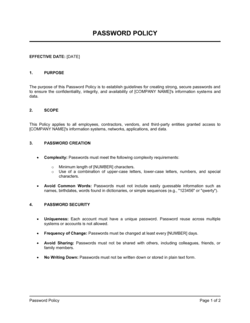
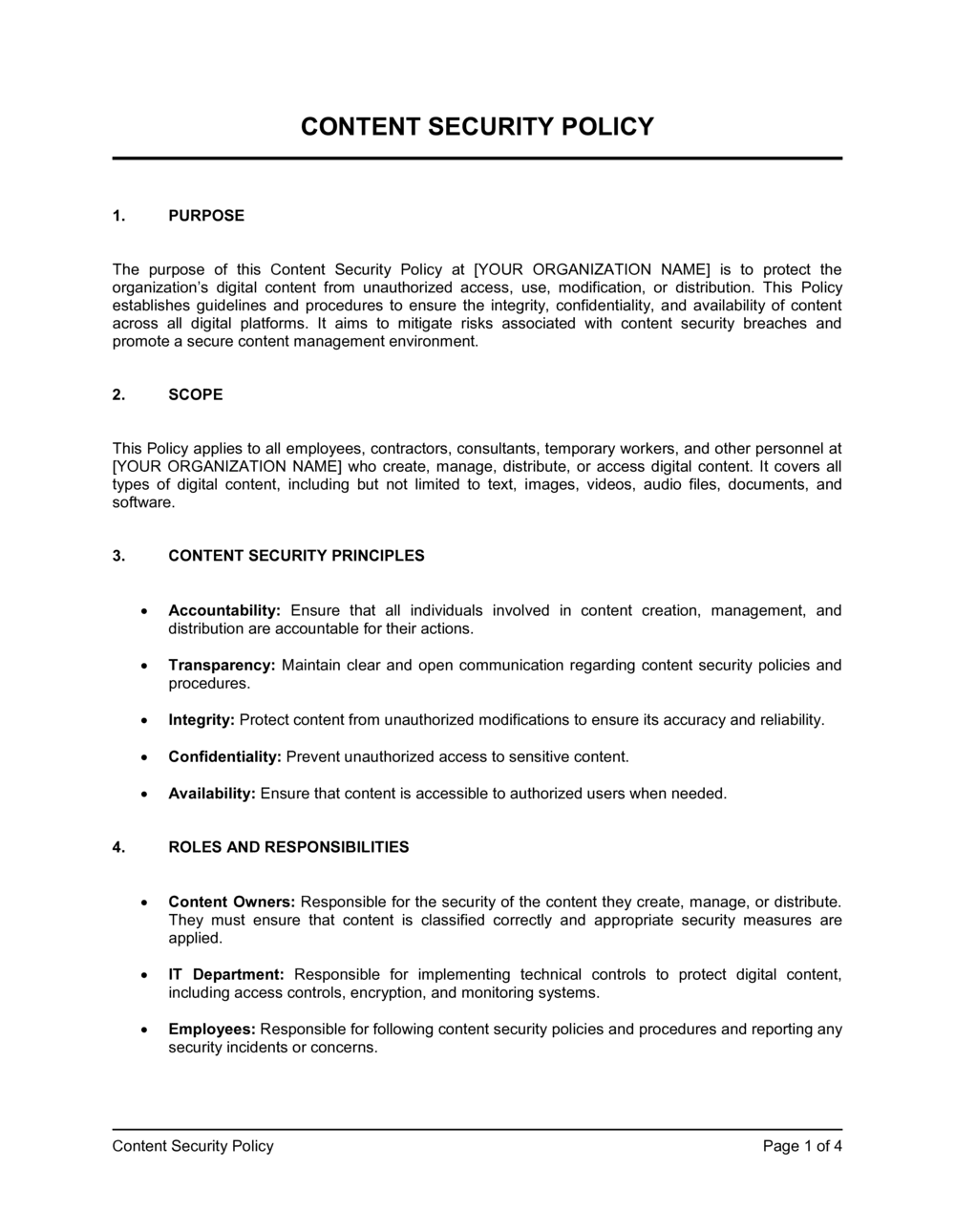
Content Security Policy Template

Free Word download β€’ Edit online β€’ Save & share with Drive β€’ Export to PDF

4 pagesβ€’20–30 min to fillβ€’Difficulty: Standard
Learn more ↓
FreeContent Security Policy Template

At a glance

What it is
A Content Security Policy (CSP) is a formal organizational document that defines the rules governing which external resources β€” scripts, stylesheets, images, fonts, and frames β€” a website or web application is permitted to load and execute. This free Word download gives you a structured template you can edit online and export as PDF to share with your development, security, and operations teams.
When you need it
Use it when launching a new web application, hardening an existing site against cross-site scripting (XSS) and data injection attacks, or meeting a security audit, compliance review, or cyber insurance requirement that mandates documented browser-level controls.
What's inside
Policy scope and objectives, approved content source definitions, directive configurations for scripts and styles, reporting and monitoring procedures, enforcement levels, exception handling, and review cadence. Together these sections give your team a single authoritative reference for implementing and maintaining browser-enforced security controls.

What is a Content Security Policy?

A Content Security Policy (CSP) is a formal organizational document that defines the rules governing which external resources a web application or website is permitted to load and execute in a user's browser. It specifies approved sources for scripts, stylesheets, images, fonts, frames, and API connections β€” and establishes the processes for implementing, monitoring, and updating those controls. In technical terms, these rules are delivered to the browser via an HTTP response header; the CSP policy document is the governance artifact that defines what that header should contain, who can change it, and how violations are tracked and reviewed. Without a documented policy, teams implement CSP headers inconsistently, exceptions accumulate without oversight, and the live configuration drifts from any defensible security baseline.

Why You Need This Document

A web application running without a documented content security policy is exposed to cross-site scripting (XSS) and content injection attacks that remain among the most exploited vulnerability classes in practice. Beyond the technical risk, the absence of a documented policy creates immediate operational and compliance problems: PCI DSS v4.0 requires explicit script controls on payment pages, SOC 2 auditors expect evidence of browser-level security controls, and cyber insurers increasingly ask for proof that web application protections are formally governed. Without a written policy, your development team has no authoritative source for which sources are approved, your security team has no baseline to audit against, and your compliance team has no artifact to produce during reviews. This template gives you a structured, audit-ready starting point that covers directives, nonce management, violation reporting, exception handling, and annual review cadence β€” everything needed to move from an informal CSP header to a governed, maintainable security control.

Which variant fits your situation?

If your situation is…Use this template
Defining security controls for a public-facing marketing websiteContent Security Policy (Web)
Documenting security rules for an internal web application or intranetIT Security Policy
Setting out data handling rules for web-based SaaS productsData Security Policy
Establishing acceptable use of company IT systems broadlyAcceptable Use Policy
Responding to a detected XSS or injection incidentIncident Response Plan
Meeting PCI DSS requirements for e-commerce script controlsPCI DSS Compliance Policy
Creating a full information security management frameworkInformation Security Policy

Common mistakes to avoid

❌ Using 'unsafe-inline' to fix breakages quickly

Why it matters: Adding 'unsafe-inline' to script-src or style-src disables the primary XSS protection for that directive and creates a false sense of security β€” the CSP header is present but ineffective.

Fix: Identify the specific inline code causing the breakage and replace it with a nonce or hash. If the code is from a third-party tool, check whether the vendor supports nonce-based loading or an external script URL.

❌ Deploying directly to enforcement mode without report-only testing

Why it matters: A missing approved source will block legitimate content for every user the moment enforcement is active, causing visible site breakage that may take hours to diagnose and roll back.

Fix: Always run report-only mode for a minimum of five business days across representative traffic before activating enforcement, and resolve all non-extension violations first.

❌ No designated owner for the reporting endpoint

Why it matters: Violation reports accumulate unread, masking both configuration drift and real injection attempts. By the time someone investigates, months of signal have been lost.

Fix: Assign a named role β€” not a team β€” as the daily reviewer of violation reports and integrate alerts into the team's existing incident or operations channel.

❌ No exception or change management process

Why it matters: Without a formal process, developers add approved sources ad hoc to unblock themselves, and within six months the live CSP header no longer matches the documented policy.

Fix: Require all source additions to go through a ticket with a business justification, a named approver, and a maximum duration for temporary exemptions. Review all exemptions at each annual policy review.

❌ Scoping the policy to vague properties instead of specific domains

Why it matters: A policy that says 'all company websites' with no domain list cannot be implemented, audited, or enforced consistently β€” different teams interpret the scope differently.

Fix: List every domain and subdomain explicitly in the scope section, and note any properties intentionally excluded with the reason.

❌ Static or predictable nonces

Why it matters: A nonce that does not change per request can be predicted or cached by an attacker, defeating the entire purpose of using a nonce instead of 'unsafe-inline'.

Fix: Generate a cryptographically random 128-bit nonce server-side on every request and confirm it is injected into both the CSP header and the matching script or style tag at the same time.

The 10 key sections, explained

Purpose and scope

Approved content sources (source whitelist)

Directive configuration

Nonce and hash management

Report-only mode and testing procedure

Violation reporting and monitoring

Enforcement levels and escalation

Exception and exemption process

Roles and responsibilities

Review cadence and change management

How to fill it out

  1. 1

    Define scope and list all covered properties

    Enter the company name and enumerate every domain and subdomain the policy will govern. If different applications run different policies, note each separately in the scope section.

    πŸ’‘ Include staging and development environments in scope with a note that their policies may differ β€” omitting them is how misconfigurations reach production undetected.

  2. 2

    Audit all current content sources

    Run a CSP evaluation tool (such as the browser developer console or a tool like Report URI) against each covered property to generate a list of every resource currently loading. Use this as the basis for your source whitelist.

    πŸ’‘ Run the audit on a fully authenticated, fully loaded version of each page β€” unauthenticated views often miss third-party scripts loaded only for logged-in users.

  3. 3

    Draft the directive configuration

    Map each content type to its approved sources. Start with default-src 'none' and explicitly add only what is required for each directive. Document the business reason for each approved source next to the entry.

    πŸ’‘ Aim for the narrowest possible scope per directive β€” if only one page needs a particular third-party script, consider a page-specific policy rather than adding it globally.

  4. 4

    Configure nonce or hash handling for inline code

    If any inline scripts or styles are unavoidable, document the nonce generation method or hash values in the nonce and hash management section. Update your server-side code to inject the nonce per request.

    πŸ’‘ Avoid 'unsafe-inline' entirely if possible β€” even one instance negates XSS protection for that directive across every page using the policy.

  5. 5

    Set up the reporting endpoint and monitoring

    Deploy a reporting endpoint β€” either a third-party service or an internal collector β€” and enter the URL in the violation reporting section. Confirm the endpoint is receiving and storing reports before proceeding.

    πŸ’‘ Test the endpoint by intentionally loading a blocked resource in a staging environment and confirming the violation report appears in your monitoring tool within 60 seconds.

  6. 6

    Deploy in report-only mode and review violations

    Activate the policy in Content-Security-Policy-Report-Only mode across all covered properties. Monitor violations daily for the number of days specified in the testing procedure section and resolve all legitimate breakages before enforcement.

    πŸ’‘ Ignore violation reports from browser extensions during the testing period β€” they generate noise but do not reflect real policy issues on your pages.

  7. 7

    Assign roles and document the exception process

    Fill in specific job titles for each ownership and escalation responsibility. Document the step-by-step process for requesting a new source exemption, including who approves it and the maximum exemption duration.

    πŸ’‘ Route exception requests through your existing ticketing system rather than email β€” it creates a searchable audit trail with no additional tooling required.

  8. 8

    Publish, version, and schedule the first review

    Store the completed policy in your document repository with a version number, approval date, and next review date. Communicate the effective date and any developer impact to all engineering and operations teams.

    πŸ’‘ Set a calendar reminder for the annual review at the same time as the initial publication β€” policies that have no scheduled review date are typically never reviewed.

Frequently asked questions

What is a content security policy?

A content security policy is a browser-enforced security mechanism that specifies which external resources β€” scripts, styles, images, fonts, and frames β€” a web page is allowed to load and execute. It is implemented via an HTTP response header or a meta tag and is the primary defense against cross-site scripting (XSS) and content injection attacks. A CSP document is the internal organizational policy that defines, governs, and maintains the rules applied in that header.

What is the difference between a CSP header and a CSP policy document?

The CSP header is the technical implementation β€” a string of directives sent by the web server to the browser on every request. The CSP policy document is the organizational governance artifact that defines what the header should contain, who approves changes, how violations are monitored, and how exceptions are handled. The header is what protects users; the policy document is what ensures the header stays accurate, reviewed, and aligned with business needs over time.

Do I need a content security policy for my website?

Any website that loads third-party scripts β€” analytics, advertising, chat widgets, payment processors β€” benefits from a CSP. For e-commerce sites processing payments, PCI DSS v4.0 (effective March 2025) requires documented controls over scripts running on payment pages, making a CSP policy both a security best practice and a compliance requirement. For SaaS applications, a CSP is typically expected as part of SOC 2 and ISO 27001 security reviews.

What is report-only mode and when should I use it?

Report-only mode activates the CSP header as Content-Security-Policy-Report-Only, which sends violation reports to a designated endpoint but does not block any content. Use it whenever you are deploying a new policy or modifying an existing one β€” it lets you observe the real-world impact of the policy against production traffic without risking user-facing breakage. Promote to enforcement only after all legitimate violations have been resolved.

What is a nonce in a content security policy?

A nonce is a randomly generated, single-use cryptographic token that allows a specific inline script or style to execute while blocking all other inline code. The server generates a new nonce on every request, includes it in both the CSP header and the matching script tag, and the browser only executes inline code where the nonces match. This approach eliminates the need for 'unsafe-inline' while still supporting legitimate inline code that cannot be moved to an external file.

What should I include in my source whitelist?

Include only the specific domains and subdomains your application actually loads content from β€” no wildcards, no unused entries. For each content type (script, style, image, font, connect), list only the approved hosts. Common entries include your own domain ('self'), CDN subdomains, analytics providers (e.g., googletagmanager.com), font services (e.g., fonts.googleapis.com), and payment scripts. Document the business reason for each entry so reviewers can assess whether it is still needed at each policy review.

How often should a content security policy be reviewed?

At minimum, review it annually and within a set number of days β€” typically 10 to 30 β€” after any significant platform change, new third-party integration, or security incident. In practice, most organizations find that quarterly reviews better reflect the pace of web application changes. Every review should compare the documented policy against the live CSP header in production to confirm they match.

Can a content security policy stop all XSS attacks?

A well-configured CSP significantly reduces the impact of XSS attacks by blocking the execution of injected scripts, but it is not a complete defense on its own. Bypasses exist β€” particularly if 'unsafe-inline' or overly broad source wildcards are used. CSP should be layered with input validation, output encoding, and secure coding practices. It is most accurately described as a last line of defense that limits damage when other controls fail, not a replacement for them.

What happens when a CSP violation occurs?

When a resource load is blocked under an enforced CSP, the browser silently blocks the content and, if a reporting endpoint is configured, sends a JSON violation report to that endpoint. The report includes the blocked URL, the violated directive, the document URL, and the referrer. Your monitoring system should collect these reports, alert on unusual volume spikes, and route persistent or novel violations to the security team for investigation as potential active attack attempts.

How this compares to alternatives

vs Information Security Policy

An information security policy is a broad organizational document covering the entire scope of data protection, access control, and security governance across all systems and personnel. A content security policy is a narrow, technical document focused specifically on browser-enforced content loading rules for web applications. The CSP policy is typically one component that sits under the broader information security framework.

vs Acceptable Use Policy

An acceptable use policy governs how employees and users are permitted to use company IT systems, networks, and internet access. A content security policy governs what content a web application is permitted to load in a user's browser. The acceptable use policy addresses user behavior; the content security policy addresses application-level technical controls.

vs Incident Response Plan

An incident response plan describes the step-by-step process for detecting, containing, and recovering from a security incident after it occurs. A content security policy is a preventive control designed to stop certain attack classes before they cause harm. Both documents are necessary β€” the CSP reduces incident frequency; the incident response plan handles the incidents that still occur.

vs Data Security Policy

A data security policy covers how sensitive data is classified, stored, transmitted, and disposed of across the organization. A content security policy addresses a specific web-layer control β€” restricting what external code runs in a browser when a user loads a page. They protect different surfaces: the data security policy covers data at rest and in transit broadly, while the CSP protects data in the browser at the point of rendering.

Industry-specific considerations

E-commerce and retail

PCI DSS v4.0 requires documented script controls on all payment pages, making a formal CSP policy both a compliance requirement and an audit artifact for card-brand assessments.

SaaS and technology

SOC 2 and ISO 27001 auditors expect documented browser-level security controls, and a CSP policy is the standard evidence artifact for web application security sub-controls.

Healthcare and health tech

Patient-facing portals and telehealth applications require CSP controls to prevent unauthorized script execution that could expose protected health information to third parties.

Financial services and fintech

Regulatory guidance from the FCA, FFIEC, and similar bodies increasingly references browser security controls; CSP documentation supports both cyber insurance applications and regulatory examinations.

Template vs pro β€” what fits your needs?

PathBest forCostTime
Use the templateSmall to mid-size web teams implementing or documenting a CSP for the first timeFree3–6 hours to complete and deploy in report-only mode
Template + professional reviewTeams preparing for a SOC 2, ISO 27001, or PCI DSS audit requiring documented security controls$500–$2,000 for a security consultant review1–5 days including review and revisions
Custom draftedLarge enterprises with complex multi-application environments or regulated industries requiring external verification$3,000–$10,000+ for a full application security engagement2–6 weeks

Glossary

Content Security Policy (CSP)
A browser security mechanism that restricts which content sources a web page is allowed to load, reducing exposure to XSS and injection attacks.
Directive
A specific CSP instruction β€” such as script-src or img-src β€” that controls which sources are permitted for a particular content type.
Source Whitelist
An explicit list of approved domains, protocols, or hashes from which a browser may load a given content type under the policy.
Cross-Site Scripting (XSS)
An attack in which malicious scripts are injected into a trusted web page and executed in the victim's browser, typically to steal data or hijack sessions.
Report-Only Mode
A CSP enforcement level that sends violation reports to a designated endpoint without blocking any content, used for testing policy changes before full enforcement.
Nonce
A single-use cryptographic token embedded in a CSP header and matching script or style tag, allowing specific inline code to execute while blocking all other inline code.
Hash
A cryptographic fingerprint of an approved inline script or style that the browser checks against the CSP header before executing the code.
'unsafe-inline'
A CSP keyword that permits inline scripts and styles β€” strongly discouraged because it bypasses one of the policy's primary XSS protections.
Content Injection Attack
An attack that inserts unauthorized content β€” scripts, iframes, or markup β€” into a page to manipulate its behavior or steal information from users.
CSP Violation Report
A JSON payload sent automatically by the browser to a designated reporting endpoint whenever a resource load is blocked by the active content security policy.
default-src
The fallback CSP directive that applies to all content types not covered by a more specific directive in the policy header.
Frame Ancestors
A CSP directive that controls which domains may embed the page in an iframe, replacing the older X-Frame-Options header.

Part of your Business Operating System

This document is one of 3,000+ business & legal templates included in Business in a Box.

  • Fill-in-the-blanks β€” ready in minutes
  • 100% customizable Word document
  • Compatible with all office suites
  • Export to PDF and share electronically

Create your document in 3 simple steps.

From template to signed document β€” all inside one Business Operating System.
1
Download or open template

Access over 3,000+ business and legal templates for any business task, project or initiative.

2
Edit and fill in the blanks with AI

Customize your ready-made business document template and save it in the cloud.

3
Save, Share, Send, Sign

Share your files and folders with your team. Create a space of seamless collaboration.

Save time, save money, and create top-quality documents.

β˜…β˜…β˜…β˜…β˜…

"Fantastic value! I'm not sure how I'd do without it. It's worth its weight in gold and paid back for itself many times."

Managing Director Β· Mall Farm
Robert Whalley
Managing Director, Mall Farm Proprietary Limited
β˜…β˜…β˜…β˜…β˜…

"I have been using Business in a Box for years. It has been the most useful source of templates I have encountered. I recommend it to anyone."

Business Owner Β· 4+ years
Dr Michael John Freestone
Business Owner
β˜…β˜…β˜…β˜…β˜…

"It has been a life saver so many times I have lost count. Business in a Box has saved me so much time and as you know, time is money."

Owner Β· Upstate Web
David G. Moore Jr.
Owner, Upstate Web

Run your business with a system β€” not scattered tools

Stop downloading documents. Start operating with clarity. Business in a Box gives you the Business Operating System used by over 250,000 companies worldwide to structure, run, and grow their business.

Start freeΒ Β·Β No credit card required