- Ergonomics
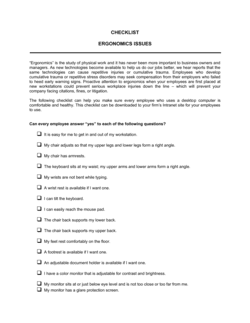
- The science of designing work environments, tools, and tasks to fit the physical and cognitive capabilities of the people who use them.
- Musculoskeletal Disorder (MSD)
- An injury or disorder affecting muscles, tendons, ligaments, nerves, or joints — commonly caused by repetitive motion, awkward posture, or sustained static loading.
- Workstation Assessment
- A structured evaluation of an employee's desk, chair, monitor, keyboard, and surrounding environment to identify ergonomic risk factors.
- Risk Factor
- A workplace condition — such as repetitive keystrokes, extended reaches, or prolonged sitting — that increases the likelihood of a musculoskeletal disorder.
- Administrative Control
- A non-engineering measure to reduce ergonomic risk, such as job rotation, micro-break schedules, or limiting continuous typing time.
- Engineering Control
- A physical modification to the workplace or equipment — such as an adjustable-height desk, monitor arm, or anti-fatigue mat — that reduces ergonomic risk at the source.
- Neutral Posture
- A body position in which joints are aligned and muscles are neither over-contracted nor over-stretched, minimizing mechanical stress on tissues.
- Return-to-Work Plan
- A documented accommodation plan that outlines modified duties, equipment, or schedules for an employee recovering from a work-related injury.
- Ergo Champion
- A trained employee designated to conduct initial workstation assessments, distribute equipment, and act as a first point of contact for ergonomic concerns in their team or location.
- Repetitive Strain Injury (RSI)
- A category of musculoskeletal disorder caused by repeated movements or sustained awkward postures, commonly affecting hands, wrists, forearms, and shoulders.