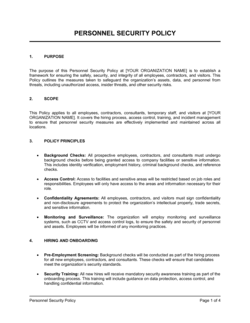
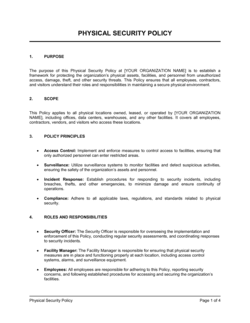
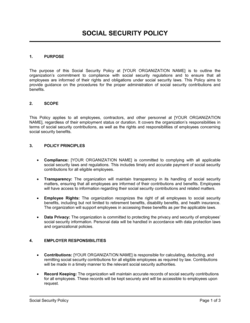
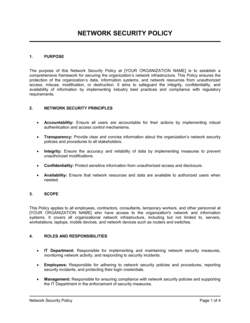
Data Security Policy Template

Free Word download β€’ Edit online β€’ Save & share with Drive β€’ Export to PDF

5 pagesβ€’25–30 min to fillβ€’Difficulty: Standard
Learn more ↓
FreeData Security Policy Template

At a glance

What it is
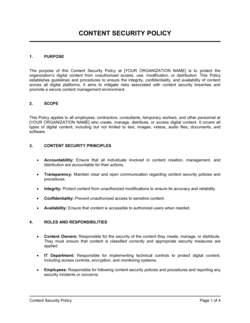
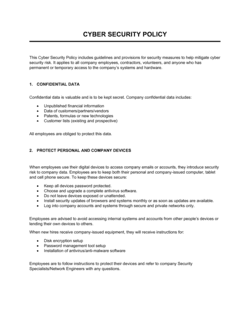
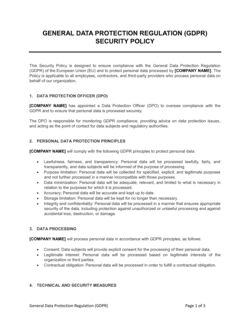
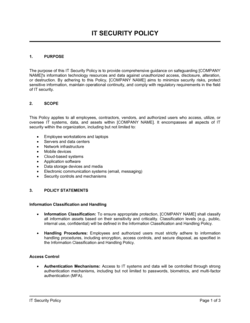
A Data Security Policy is an internal governance document that establishes how an organization protects its data assets β€” defining classification levels, access controls, acceptable use rules, incident response procedures, and employee responsibilities. This free Word download gives you a structured, editable starting point you can tailor to your systems and teams, then export as PDF for distribution and acknowledgment.
When you need it
Use it when onboarding new employees who need a clear security baseline, when a client or vendor requests evidence of your data protection practices, or when preparing for compliance audits under frameworks such as SOC 2, ISO 27001, HIPAA, or GDPR.
What's inside
Data classification tiers, access control rules, acceptable use guidelines, password and authentication standards, incident response procedures, third-party data handling requirements, and employee training obligations.

What is a Data Security Policy?

A Data Security Policy is an internal governance document that defines how an organization classifies its data, controls who can access it, and establishes the rules employees and vendors must follow to protect it from unauthorized access, loss, or breach. It sets concrete standards for password and authentication requirements, encryption in storage and transit, acceptable use of company systems, incident reporting procedures, and the secure disposal of data at the end of its retention period. Unlike a privacy policy β€” which is a public disclosure document aimed at customers β€” a data security policy is an operational instrument directed at the people inside your organization who touch sensitive data every day.

Why You Need This Document

Without a written data security policy, your organization has no enforceable baseline for how employees handle sensitive information β€” meaning one person stores customer records on a personal Dropbox account while another emails unencrypted contracts to vendors, and neither is technically violating any rule. The consequences are concrete: a single misconfigured access permission or unencrypted file transfer can trigger a reportable breach, exposing you to regulatory fines under GDPR, HIPAA, or state privacy laws, as well as reputational damage and client contract terminations. Enterprise customers and compliance auditors β€” including SOC 2 and ISO 27001 assessors β€” routinely request your data security policy as one of the first pieces of evidence they review; arriving at that conversation without one signals an immature security posture and can cost you deals. This template gives you a structured, immediately editable starting point that covers every core control area, so you can build a credible, enforceable security baseline in hours rather than weeks.

Which variant fits your situation?

If your situation is…Use this template
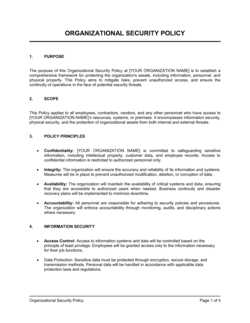
Covering all aspects of information security including physical and personnelInformation Security Policy
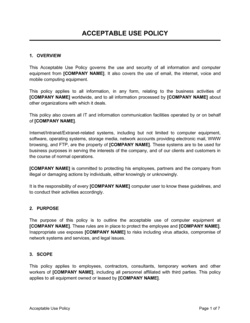
Focusing specifically on employee device and network acceptable useAcceptable Use Policy
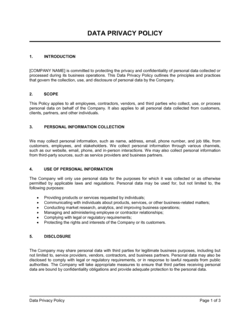
Defining how personal data is collected, stored, and usedPrivacy Policy
Documenting procedures for responding to a confirmed security breachIncident Response Plan
Meeting HIPAA requirements for healthcare data protectionHIPAA Data Security Policy
Governing how third-party vendors access company dataVendor Data Processing Agreement
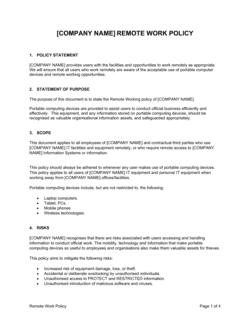
Setting rules for employee remote work and home-network securityRemote Work Policy

Common mistakes to avoid

❌ Copying a policy from another company without adapting it

Why it matters: Generic policies reference systems, roles, and compliance requirements that don't match your environment. Auditors and employees quickly identify policies that don't reflect reality, undermining the document's credibility.

Fix: Replace every [PLACEHOLDER] with your actual systems, contact names, data types, and retention periods before distributing. Conduct a line-by-line review against your current technology stack.

❌ No named policy owner or review date

Why it matters: Policies without an owner are never updated. A data security policy that is 18–24 months out of date is a liability during an audit and fails to address current threat vectors or system changes.

Fix: Assign a specific role (e.g., IT Manager or CISO) as policy owner and set a calendar reminder for annual review. Record the version number and effective date on the document cover.

❌ Distributing the policy without collecting acknowledgments

Why it matters: SOC 2, ISO 27001, HIPAA, and GDPR all require demonstrable evidence that employees have been informed of security obligations. A policy email with no acknowledgment trail provides no audit evidence.

Fix: Create a Policy Acknowledgment Form and collect a signed copy from every employee and contractor within five business days of policy issuance or update.

❌ Setting data retention periods without specifying disposal methods

Why it matters: Without an approved disposal method, data accumulates beyond its retention period because no one knows how to compliantly delete it β€” increasing breach exposure and regulatory risk.

Fix: For each data tier, name the specific disposal method: secure erase tools for digital files, cross-cut shredding for paper, and certified destruction services for physical media.

❌ Omitting vendor and third-party security requirements

Why it matters: A significant proportion of data breaches originate through third-party vendors. A policy that only governs internal employees leaves a major attack vector completely unaddressed.

Fix: Add a vendor section requiring minimum security certifications, a signed Data Processing Agreement, and a defined notification timeline for incidents affecting your data.

❌ Writing incident response procedures in full inside the policy

Why it matters: Detailed response runbooks embedded in the policy create version-control problems β€” when the Incident Response Plan is updated, the policy body becomes contradictory.

Fix: Reference the standalone Incident Response Plan by name in the policy, covering only the reporting trigger (who contacts whom, within how many hours) and nothing further.

The 10 key sections, explained

Purpose and scope

Data classification tiers

Access control and authorization

Password and authentication standards

Acceptable use of company data and systems

Data encryption and transmission

Incident detection and response

Third-party and vendor data handling

Data retention and secure disposal

Employee training and policy acknowledgment

How to fill it out

  1. 1

    Define the scope and bound the policy

    Name the company, list all systems, locations, and personnel the policy covers, and clarify whether it extends to contractors and third-party vendors. A clearly bounded scope prevents disputes about who is obligated.

    πŸ’‘ State explicitly that the policy applies regardless of device type or work location β€” this closes the remote-work gap that many policies leave open.

  2. 2

    Set your data classification tiers

    Decide on three or four tiers (e.g., Public, Internal, Confidential, Restricted) and write two to three concrete examples for each. Map each tier to a handling rule β€” who can access it, how it must be stored, and how it must be transmitted.

    πŸ’‘ Fewer tiers with clear examples are applied more consistently than five or six tiers employees cannot distinguish in practice.

  3. 3

    Define access control rules per tier

    For each classification level, specify who can grant access, the approval process, how often access is reviewed, and how quickly it is revoked on termination or role change.

    πŸ’‘ Set a maximum access review cycle of 90 days for Confidential and Restricted data β€” annual reviews are too infrequent to catch role drift.

  4. 4

    Set authentication and password standards

    Enter minimum password length and complexity requirements, MFA applicability by system or data tier, and the prohibition on shared credentials. Reference your password manager or SSO platform if applicable.

    πŸ’‘ Requiring MFA on all systems accessing Confidential or Restricted data is the single most impactful control you can add β€” prioritize it over complex password rules.

  5. 5

    Draft acceptable use rules with approved alternatives

    List prohibited behaviors (personal cloud storage, unencrypted email for Restricted data, use of public Wi-Fi without VPN) and pair each prohibition with the approved alternative so employees have a clear path forward.

    πŸ’‘ Prohibition without an alternative is a compliance gap waiting to happen β€” employees need a sanctioned tool, not just a list of banned ones.

  6. 6

    Complete the incident reporting section

    Name the security contact or team, set the reporting deadline in hours, and define the severity tiers that trigger escalation. Reference your Incident Response Plan for detailed procedures rather than duplicating them.

    πŸ’‘ A 2-hour reporting window is realistic for confirmed incidents; consider a 24-hour window for suspected but unconfirmed events to reduce false-alarm fatigue.

  7. 7

    Add vendor and third-party requirements

    List the minimum security certifications required of vendors, the contractual instrument (Data Processing Agreement or security addendum), and the frequency of vendor security reviews.

    πŸ’‘ Require vendors to notify you within 48 hours of any incident affecting your data β€” align this with your own breach notification obligations.

  8. 8

    Set a review cycle and assign an owner

    Name the role responsible for maintaining the policy, set an annual review date, and document the version number and effective date on the cover page. Policies without a named owner become outdated within 12 months.

    πŸ’‘ Trigger an out-of-cycle review whenever a significant system change, acquisition, or regulatory update affects your data environment β€” don't wait for the annual date.

Frequently asked questions

What is a data security policy?

A data security policy is an internal governance document that defines how an organization classifies, protects, and handles its data assets. It sets rules for access control, acceptable use, encryption, incident reporting, and employee training β€” creating a documented security baseline that applies to all staff, contractors, and vendors handling company data.

Who needs a data security policy?

Any organization that collects, stores, or processes sensitive data needs a data security policy. This includes small businesses handling customer payment or personal information, SaaS companies subject to enterprise customer security questionnaires, healthcare organizations subject to HIPAA, and any company pursuing SOC 2 or ISO 27001 certification. The policy is typically one of the first documents auditors request.

What is the difference between a data security policy and a privacy policy?

A data security policy governs internal practices β€” how employees and systems protect data from unauthorized access, breach, or loss. A privacy policy is an external-facing document that tells customers and users what personal data you collect, why you collect it, and how you use or share it. Both are needed; they serve different audiences and answer different questions.

What compliance frameworks require a data security policy?

SOC 2 Type II, ISO 27001, HIPAA, PCI DSS, and GDPR all require documented security policies as a foundational control. SOC 2 auditors typically review the policy as evidence of the Security Trust Service Criterion. ISO 27001 requires it as part of the Information Security Management System documentation set. HIPAA mandates written policies for covered entities and business associates.

How often should a data security policy be updated?

Review and update the policy at least annually, and trigger an out-of-cycle review after any significant system change, acquisition, data breach, or new regulatory requirement. A policy more than 18 months old without a documented review is typically flagged as a gap during SOC 2 and ISO 27001 audits.

Does a data security policy need to be signed by employees?

Yes β€” for the policy to serve as audit evidence and to be enforceable as an employment condition, employees and contractors should sign a Policy Acknowledgment Form confirming they have read and understood it. Collect acknowledgments at onboarding and each time the policy is materially updated. Store signed copies in personnel files or your HR system.

What is data classification and why does it matter?

Data classification assigns a sensitivity tier β€” typically Public, Internal, Confidential, and Restricted β€” to each category of data, then maps handling rules to each tier. Without classification, employees have no way to determine whether a file needs encryption, restricted sharing, or special disposal. Classification is the foundation on which every other control in the policy rests.

Can a small business use this template without an IT department?

Yes. The template is designed to be practical for organizations without dedicated security staff. Focus on the sections most relevant to your environment β€” data classification, access control, acceptable use, and incident reporting β€” and assign ownership to a specific role even if that person wears multiple hats. A basic but actively enforced policy is far more effective than a comprehensive one that no one reads.

What is the difference between a data security policy and an incident response plan?

A data security policy establishes the ongoing rules and controls that prevent security incidents from occurring. An incident response plan details the step-by-step procedures for containing, investigating, and reporting an incident after it has been detected. The two documents are complementary β€” the security policy should reference the incident response plan rather than duplicate its procedures.

How this compares to alternatives

vs Acceptable Use Policy

An Acceptable Use Policy focuses narrowly on what employees may and may not do with company systems, devices, and networks. A Data Security Policy is broader β€” it covers data classification, access control, encryption, vendor requirements, and incident response in addition to acceptable use. Most organizations need both; the AUP is often distributed as a standalone acknowledgment document at onboarding.

vs Privacy Policy

A Privacy Policy is an external-facing document that discloses to customers and users how personal data is collected, used, and shared. A Data Security Policy is an internal governance document for employees and vendors. The two serve different audiences and fulfill different obligations β€” one is a public disclosure, the other is an operational control.

vs Incident Response Plan

An Incident Response Plan contains the step-by-step runbook for containing and investigating a security breach after it occurs. A Data Security Policy establishes the preventive controls and reporting triggers that feed into that plan. The policy defines who reports what and when; the incident response plan defines what happens next. The two documents should cross-reference each other.

vs Information Security Policy

An Information Security Policy is a higher-level governance document covering the full scope of an organization's security program β€” including physical security, personnel security, and business continuity β€” often used as the umbrella document for ISO 27001. A Data Security Policy is more specific, focused on data assets, classification, and handling. For small to mid-size organizations, a Data Security Policy is often sufficient; larger organizations may need both.

Industry-specific considerations

SaaS / Technology

SOC 2 Type II evidence requirement, multi-tenant data segregation controls, and cloud infrastructure access management across engineering and DevOps teams.

Healthcare

HIPAA Security Rule compliance, PHI classification and minimum necessary access rules, and Business Associate Agreement requirements for vendors.

Financial Services

PCI DSS cardholder data environment controls, SOX IT general controls documentation, and strict data retention and destruction schedules for financial records.

Professional Services

Client data confidentiality obligations, matter-level access controls in document management systems, and secure disposal of client files at matter close.

Retail / E-commerce

PCI DSS compliance for payment card data, customer PII handling under state privacy laws, and third-party vendor access controls for fulfillment and marketing platforms.

Manufacturing

Protection of trade secrets and product specifications, OT/IT network segmentation policies, and supply chain vendor data access management.

Template vs pro β€” what fits your needs?

PathBest forCostTime
Use the templateSmall businesses, startups, and teams building a security baseline for the first timeFree2–4 hours
Template + professional reviewCompanies pursuing SOC 2, ISO 27001, or HIPAA compliance who need a policy gap analysis$500–$2,000 for a security consultant or vCISO review3–5 business days
Custom draftedEnterprises, regulated industries, or organizations with complex multi-cloud environments requiring bespoke controls$3,000–$15,000 for a full security policy program4–8 weeks

Glossary

Data Classification
A system for labeling data by sensitivity level β€” typically Public, Internal, Confidential, and Restricted β€” to determine appropriate handling and access rules.
Access Control
Rules and technical mechanisms that limit who can view, edit, or transmit specific data based on their role and authorization level.
Principle of Least Privilege
Granting each user or system only the minimum data access required to perform their job, reducing the blast radius of a compromised account.
Multi-Factor Authentication (MFA)
A login requirement combining two or more verification methods β€” such as a password plus a one-time code β€” to confirm a user's identity.
Data Breach
An incident in which unauthorized parties access, copy, or exfiltrate data the organization is responsible for protecting.
Encryption at Rest
The process of encoding stored data so it cannot be read without a decryption key, protecting it if physical storage media is lost or stolen.
Encryption in Transit
The encoding of data as it moves across a network β€” typically via TLS β€” so it cannot be intercepted and read in transit.
Data Retention Schedule
A policy specifying how long each category of data must be kept and the approved method for secure disposal at the end of that period.
Acceptable Use Policy (AUP)
A companion document defining permitted and prohibited uses of company systems, networks, and data by employees and contractors.
SOC 2
A US auditing standard for service organizations that evaluates controls around security, availability, processing integrity, confidentiality, and privacy.
Data Controller
The organization that determines the purposes and means of processing personal data, bearing primary legal responsibility for compliance under GDPR and similar laws.

Part of your Business Operating System

This document is one of 3,000+ business & legal templates included in Business in a Box.

  • Fill-in-the-blanks β€” ready in minutes
  • 100% customizable Word document
  • Compatible with all office suites
  • Export to PDF and share electronically

Create your document in 3 simple steps.

From template to signed document β€” all inside one Business Operating System.
1
Download or open template

Access over 3,000+ business and legal templates for any business task, project or initiative.

2
Edit and fill in the blanks with AI

Customize your ready-made business document template and save it in the cloud.

3
Save, Share, Send, Sign

Share your files and folders with your team. Create a space of seamless collaboration.

Save time, save money, and create top-quality documents.

β˜…β˜…β˜…β˜…β˜…

"Fantastic value! I'm not sure how I'd do without it. It's worth its weight in gold and paid back for itself many times."

Managing Director Β· Mall Farm
Robert Whalley
Managing Director, Mall Farm Proprietary Limited
β˜…β˜…β˜…β˜…β˜…

"I have been using Business in a Box for years. It has been the most useful source of templates I have encountered. I recommend it to anyone."

Business Owner Β· 4+ years
Dr Michael John Freestone
Business Owner
β˜…β˜…β˜…β˜…β˜…

"It has been a life saver so many times I have lost count. Business in a Box has saved me so much time and as you know, time is money."

Owner Β· Upstate Web
David G. Moore Jr.
Owner, Upstate Web

Run your business with a system β€” not scattered tools

Stop downloading documents. Start operating with clarity. Business in a Box gives you the Business Operating System used by over 250,000 companies worldwide to structure, run, and grow their business.

Free Forever PlanΒ Β·Β No credit card required