1
Define the scope and list all covered systems
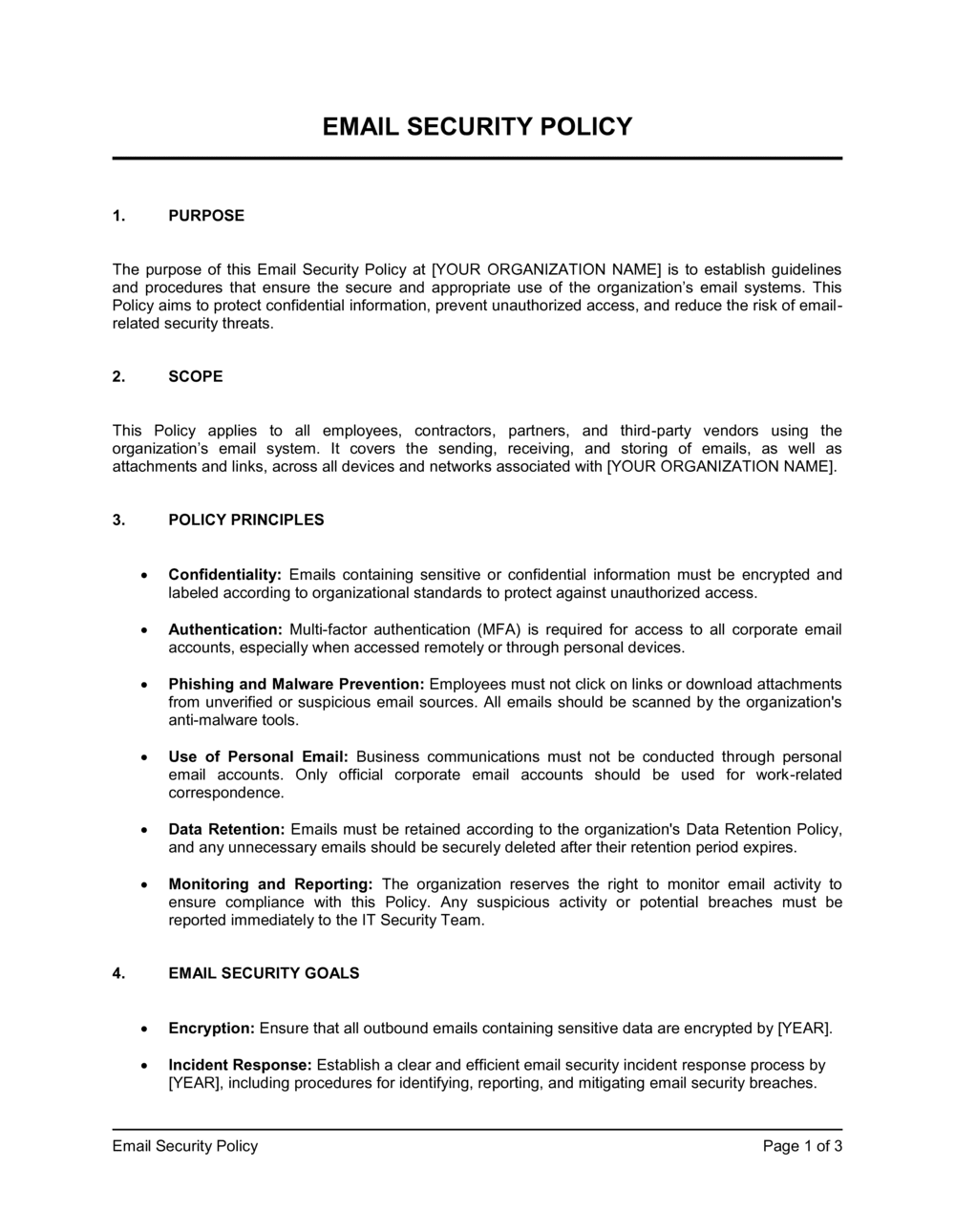
Fill in the company name, the email platforms in use (Microsoft 365, Google Workspace, or on-premise mail server), and all user categories the policy covers — employees, part-time staff, contractors, and third-party vendors with access.
💡 List specific email domains (e.g., @company.com, @subsidiary.com) in the scope section so there is no ambiguity about which accounts are governed.
2
Set explicit acceptable-use boundaries
Define what 'limited personal use' means in hours or activity type, and enumerate the specific prohibited uses relevant to your industry. For regulated industries, add prohibitions specific to your compliance framework.
💡 A short, specific list of prohibited uses is easier to enforce than a long aspirational list — focus on the five to eight behaviors that create the most risk for your organization.
3
Specify authentication requirements with exact parameters
Enter the minimum password length, complexity rules, MFA method (authenticator app, SMS, hardware key), and the account-lockout threshold. Coordinate with IT before publishing to confirm these settings are technically enforced.
💡 If your organization uses SSO, note that SSO credentials are governed by the same MFA requirement — employees sometimes assume SSO bypasses the rule.
4
Link to your data classification framework
Reference the data classification tiers defined in your Information Security Policy and map each tier to its permitted email transmission method. If no classification framework exists yet, define the tiers directly in this section.
💡 Concrete examples work better than tier names alone — add a parenthetical after each tier: 'Restricted (e.g., SSNs, payment card numbers, health records)'.
5
Set retention periods by email category
Research the retention requirements imposed by your applicable regulations (SOX, HIPAA, GDPR, SEC Rule 17a-4) and enter specific periods for each email category. Name the archiving tool or system where retained email is stored.
💡 If you are unsure of the applicable retention period, default to 7 years for financial and legal email — this satisfies most US and EU regulatory minimums.
6
Address BYOD and remote access
Decide whether personal-device email access is permitted, then fill in the MDM platform name, required device configurations, and the remote-wipe consent language. If BYOD is not permitted, state that explicitly.
💡 Requiring remote-wipe consent in the policy text — rather than in a separate BYOD form — ensures it is acknowledged at onboarding without an additional signature step.
7
State monitoring rights and enforcement process
Confirm with legal or HR whether applicable employment law in your jurisdiction permits email monitoring without additional consent. Add the specific disciplinary steps — warning, suspension, termination — and name the team responsible for enforcement.
💡 Reference your Employee Handbook's general disciplinary procedure rather than duplicating it here, so the two documents stay consistent when procedures change.
8
Distribute, obtain acknowledgment, and schedule review
Publish the final policy to your intranet or HR system and collect a signed (or click-to-acknowledge) confirmation from each covered user. Set a calendar reminder for annual review — email threats evolve faster than most operational policies.
💡 Timestamped digital acknowledgments from each employee create an audit trail that demonstrates policy distribution — critical evidence in a regulatory investigation or employee dispute.