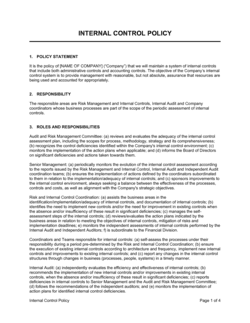
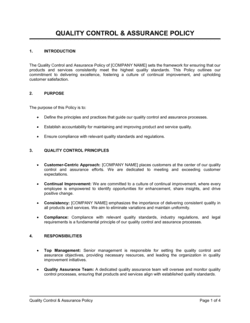
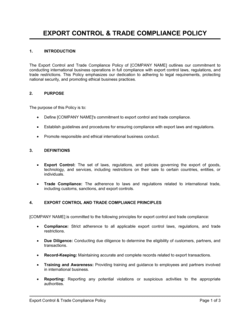
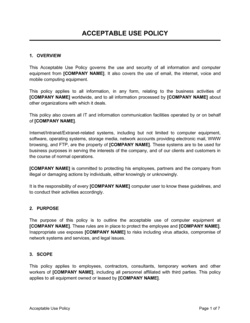
Access Control Policy Template

Free Word download β€’ Edit online β€’ Save & share with Drive β€’ Export to PDF

3 pagesβ€’20–25 min to fillβ€’Difficulty: Standard
Learn more ↓
FreeAccess Control Policy Template

At a glance

What it is
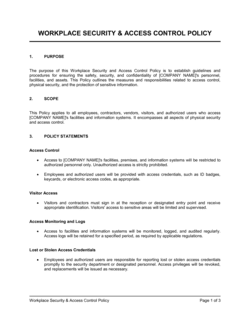
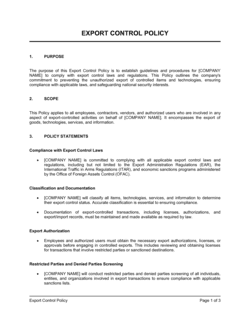
An Access Control Policy is a formal operational document that defines who is permitted to access which systems, data, and physical or digital resources within an organization β€” and under what conditions. This free Word download gives you a structured, audit-ready starting point you can edit online and export as PDF for distribution to staff, IT teams, and compliance reviewers.
When you need it
Use it when onboarding employees to regulated systems, preparing for a SOC 2, ISO 27001, or HIPAA audit, responding to a security incident that exposed over-privileged accounts, or formalizing ad-hoc permission practices that have grown without governance.
What's inside
Purpose and scope, roles and responsibilities, access request and approval workflow, role-based access control (RBAC) definitions, privileged access rules, password and authentication requirements, access review cadence, and policy violation consequences.

What is an Access Control Policy?

An Access Control Policy is a formal operational document that defines the rules, roles, and procedures governing who may access an organization's systems, applications, and data β€” and under what conditions. It establishes how access is requested, approved, provisioned, reviewed, and revoked across every environment the organization operates, from cloud platforms and SaaS tools to on-premise servers and physical facilities. Rather than leaving permission decisions to individual managers or IT staff, an access control policy creates a documented, auditable framework that applies consistently to employees, contractors, and third-party vendors alike.

Why You Need This Document

Without a written access control policy, permission decisions accumulate informally β€” new hires receive access copied from a colleague's profile, contractors retain credentials long after a project ends, and administrator accounts multiply without oversight. The consequences are concrete: a single over-privileged account is the entry point in a majority of data breaches, and auditors from SOC 2, ISO 27001, HIPAA, and PCI-DSS frameworks will issue a finding the moment they find no documented access governance. Enterprise customers increasingly require a copy during vendor due diligence, making the absence of this policy a direct blocker to closing deals. This template gives you a structured, compliance-aligned starting point you can adapt to your actual systems and team in a few hours β€” turning ad-hoc permission habits into a defensible, auditable program.

Which variant fits your situation?

If your situation is…Use this template
Governing all information security controls, not just accessInformation Security Policy
Managing how employees use company IT systems and devicesAcceptable Use Policy
Controlling physical access to offices, server rooms, or facilitiesPhysical Security Policy
Defining rules for remote access via VPN or cloud systemsRemote Access Policy
Handling privileged accounts, admin rights, and service accountsPrivileged Access Management Policy
Revoking access and recovering assets when an employee leavesEmployee Offboarding Checklist
Documenting data classification to support access tieringData Classification Policy

Common mistakes to avoid

❌ Excluding contractors and third-party vendors from scope

Why it matters: Vendors with system access that fall outside the policy create undocumented access paths that auditors flag and attackers exploit. Third-party breaches account for a significant share of reported data incidents.

Fix: Explicitly include all contractors, managed service providers, and third-party vendors in the scope section and require them to acknowledge the policy before access is provisioned.
❌ No formal offboarding trigger from HR to IT

Why it matters: Without a mandatory notification step in the HRIS or offboarding checklist, IT often learns about departures after the fact β€” leaving active credentials for former employees that can persist for weeks.

Fix: Build an automated alert from your HRIS to your IT ticketing system on any employment termination, and set a hard 4-hour SLA for access revocation.

❌ Running access reviews only once a year

Why it matters: Annual reviews miss months of role changes, departmental transfers, and project-based access that was never revoked β€” creating a large inventory of stale, over-privileged accounts.

Fix: Move privileged and sensitive-data accounts to quarterly reviews. Standard user accounts can remain semi-annual, but document the rationale for any review frequency longer than 6 months.

❌ Allowing shared administrator credentials

Why it matters: Shared admin accounts make individual attribution impossible during an incident and are a direct violation of SOC 2 CC6.1, ISO 27001 A.9.2.3, and HIPAA access control requirements.

Fix: Issue uniquely identified privileged accounts to each admin and rotate any shared credentials immediately. Use a Privileged Access Management (PAM) tool if the volume of admin accounts warrants it.

The 9 key sections, explained

Purpose and scope

Roles and responsibilities

Access request and approval workflow

Role-based access control (RBAC) definitions

Privileged access rules

Authentication and password requirements

Access review and recertification

Onboarding and offboarding procedures

Policy violations and enforcement

How to fill it out

  1. 1

    Define the policy scope and covered systems

    List every system, application, and data environment the policy governs β€” cloud platforms, on-premise servers, SaaS tools, and physical facilities. Be explicit about whether contractors and third parties are included.

    πŸ’‘ Pull the list directly from your IT asset inventory or CMDB. A policy that covers unnamed systems will have gaps that auditors find immediately.

  2. 2

    Assign roles and accountability

    Name the specific job titles responsible for access requests, approvals, provisioning, and periodic reviews. Avoid assigning ownership to teams or departments β€” name the role.

    πŸ’‘ If no one currently owns access reviews, assign them to the IT Security Manager and document a target hire date if the role is vacant.

  3. 3

    Map your RBAC tiers to actual systems

    List each access tier or role, the systems it applies to, and the data it can reach. Cross-reference your existing system permissions to confirm the policy reflects reality.

    πŸ’‘ Start from your identity provider (e.g., Okta, Azure AD) to export current group memberships β€” then rationalize them into the tiers defined in the policy.

  4. 4

    Document the access request and approval workflow

    Write out every step from initial request to provisioning: who submits, who approves, how IT is notified, and the target turnaround time. Reference any ticketing system or form used.

    πŸ’‘ If you use Jira, ServiceNow, or a similar tool, include the ticket template link or Appendix reference so the process is self-contained.

  5. 5

    Set authentication and MFA requirements

    Define the minimum password standard for each access tier and specify which systems and roles require MFA. Align requirements to NIST SP 800-63B or your applicable compliance framework.

    πŸ’‘ Enforce MFA through your IdP configuration at the same time you publish the policy β€” a documented requirement that isn't technically enforced provides no security value.

  6. 6

    Establish the access review schedule

    Set a review frequency for each tier β€” quarterly for privileged accounts and sensitive data, semi-annually for standard user accounts β€” and name the owner responsible for completing each review.

    πŸ’‘ Block recurring calendar events for all data owners and managers at the same time you publish the policy so the first review cycle is already scheduled.

  7. 7

    Finalize offboarding and violation procedures

    Write the exact offboarding timeline (e.g., revoke within 4 hours of termination), the notification path from HR to IT, and the graduated consequences for policy violations.

    πŸ’‘ Pilot the offboarding procedure with a test account before publishing. Most gaps β€” missed SaaS tools, shared credentials β€” surface in a dry run rather than a real incident.

Frequently asked questions

What is an access control policy?

An access control policy is a formal document that defines who is permitted to access an organization's systems, data, and resources β€” and under what conditions. It establishes the rules for requesting, approving, provisioning, and revoking access, and assigns accountability to specific roles. It is a foundational information security control required by most compliance frameworks including SOC 2, ISO 27001, HIPAA, and PCI-DSS.

Who needs an access control policy?

Any organization that manages employee access to digital systems or sensitive data needs one. It is mandatory for companies pursuing SOC 2 Type II certification, ISO 27001 accreditation, HIPAA compliance, or PCI-DSS certification. Small businesses also benefit before their first enterprise customer security review β€” most Fortune 500 procurement teams request a copy as part of vendor due diligence.

What is the difference between an access control policy and an acceptable use policy?

An access control policy governs who can access which systems and data β€” it is focused on permissions, provisioning, and authentication controls. An acceptable use policy governs how employees may use the systems they already have access to β€” covering browsing, email, device use, and prohibited activities. Both documents are typically required by SOC 2 and ISO 27001; they complement but do not replace each other.

What is role-based access control (RBAC) and should my policy use it?

Role-based access control assigns permissions to job roles rather than to individual users. When an employee changes roles, their access profile updates by changing their role assignment rather than individually editing dozens of permissions. RBAC is the most widely adopted access model for organizations above 10–15 employees and is the default approach recommended by SOC 2, ISO 27001, and NIST SP 800-53. Attribute-based access control (ABAC) offers more granular control for complex environments but requires more administrative overhead.

How often should access reviews be conducted?

Privileged and administrator accounts should be reviewed at least quarterly. Standard user accounts are typically reviewed semi-annually. SOC 2 auditors commonly request evidence of at least two completed review cycles per year. ISO 27001 does not mandate a specific frequency but requires that reviews occur at regular, documented intervals. Any review cycle longer than 12 months is generally considered insufficient by auditors across all major frameworks.

Does an access control policy need to be signed by employees?

Requiring employees to acknowledge the policy in writing β€” typically via an annual signature or digital acknowledgment β€” strengthens enforceability and provides documented evidence for audits. SOC 2 and ISO 27001 auditors commonly ask for proof that employees have read and agreed to security policies. While a signature is not strictly required for the policy itself to be valid, it closes a key evidence gap and supports disciplinary action if a violation occurs.

How does an access control policy support SOC 2 compliance?

SOC 2 Trust Services Criteria CC6.1 through CC6.8 cover logical and physical access controls. A documented access control policy directly satisfies several criteria, including implementing access based on least privilege (CC6.3), restricting access to authorized users (CC6.1), reviewing user access (CC6.2), and removing access upon termination (CC6.2). Without this policy, auditors will issue a finding, and Type II certification will be withheld until the gap is closed.

What should happen to system access when an employee is terminated?

All system access should be revoked within the timeframe defined in the policy β€” typically within 4 hours for privileged accounts and by end of business on the last day for standard accounts. The process requires a formal notification from HR to IT before or on the effective date, followed by deprovisioning from every system β€” including cloud applications, email, VPN, physical access cards, and any shared credentials the employee knew. Documenting the revocation timestamp for each system is necessary to demonstrate compliance to auditors.

Can a small business use this template without a dedicated IT security team?

Yes. The template is written for organizations of all sizes and can be adapted by an IT manager, operations lead, or even the business owner. For companies without a dedicated security function, the key is to assign every accountability item to a named person rather than a team, and to keep the scope realistic β€” covering the systems you actually use rather than aspirational controls you cannot yet enforce. A simple, consistently followed policy provides more audit and security value than a complex policy that is ignored in practice.

How this compares to alternatives

vs Information Security Policy

An information security policy is the parent document that covers the full scope of an organization's security posture β€” risk management, incident response, asset management, and access control. An access control policy is a subordinate document that covers only the access management domain in operational detail. Organizations need both: the parent policy sets the framework, the access control policy provides the procedural specifics.

vs Acceptable Use Policy

An acceptable use policy governs how employees may use systems they already have access to β€” covering permitted activities, prohibited behavior, and device use rules. An access control policy governs who gets access to which systems and under what controls. They operate on different questions: one controls the door, the other controls behavior inside the room.

vs Data Classification Policy

A data classification policy categorizes data by sensitivity level β€” public, internal, confidential, restricted β€” and sets handling requirements for each tier. An access control policy uses those classifications to determine which roles may access which data tier. The two documents work together: you cannot implement meaningful RBAC without a data classification scheme to map permissions against.

vs Employee Offboarding Checklist

An employee offboarding checklist is a task-by-task operational checklist for HR and IT to execute when an employee departs β€” covering equipment return, payroll, and access revocation. An access control policy defines the rules and timelines that checklist must meet. The policy is the governance document; the checklist is the execution tool. Both are needed to ensure access revocation is complete and documented.

Industry-specific considerations

SaaS / Technology

Customer data environments, production versus staging separation, and developer access to source code repositories require tightly scoped RBAC tiers and mandatory quarterly reviews for privileged accounts.

Healthcare

HIPAA Security Rule Β§164.312(a)(1) mandates access controls for electronic protected health information (ePHI); policies must address emergency access procedures, automatic log-off, and encryption in addition to standard RBAC.

Financial Services

PCI-DSS Requirement 7 requires restricting access to cardholder data on a need-to-know basis; SOX compliance requires segregation of duties controls that prevent a single user from both initiating and approving financial transactions.

Professional Services

Client data confidentiality obligations and frequent contractor engagement require project-scoped access provisioning, strict deprovisioning on engagement end, and client-specific data segmentation in shared environments.

Template vs pro β€” what fits your needs?

PathBest forCostTime
Use the templateSmall and mid-size businesses establishing documented access controls for the first time or preparing for a first compliance auditFree2–4 hours to customize and distribute
Template + professional reviewCompanies actively pursuing SOC 2 Type II, ISO 27001, HIPAA, or PCI-DSS certification who need a policy reviewed against the specific control requirements$500–$2,000 for an IT security consultant or vCISO review3–5 business days
Custom draftedEnterprises with complex multi-cloud environments, privileged access management programs, or regulatory obligations across multiple jurisdictions$3,000–$10,000+ for a full security policy program engagement2–6 weeks

Glossary

Role-Based Access Control (RBAC)
A method of restricting system access so that users are granted permissions based on their job role rather than as individuals.
Least Privilege Principle
A security standard that grants each user or system the minimum level of access needed to perform their job β€” nothing more.
Privileged Account
A user account with elevated permissions β€” such as system administrator or root access β€” that can modify settings, install software, or access all data.
Access Provisioning
The process of creating, assigning, and activating a user's access rights to systems and data when they join or change roles.
Access Deprovisioning
The process of revoking or disabling a user's access rights when they leave the organization or change to a role that no longer requires that access.
Multi-Factor Authentication (MFA)
A login method requiring users to verify their identity using two or more independent factors β€” typically a password plus a one-time code or biometric.
Access Review
A scheduled audit in which managers or IT confirm that each user's current permissions are still appropriate for their role.
Need-to-Know Basis
A principle that restricts access to sensitive information to only those individuals whose job duties explicitly require it.
Single Sign-On (SSO)
An authentication method that allows a user to log in once and gain access to multiple systems without re-entering credentials for each.
Segregation of Duties (SoD)
A control that divides critical tasks among multiple users so that no single person can complete a high-risk action β€” such as approving and processing a payment β€” without a second party.

Part of your Business Operating System

This document is one of 3,000+ business & legal templates included in Business in a Box.

  • Fill-in-the-blanks β€” ready in minutes
  • 100% customizable Word document
  • Compatible with all office suites
  • Export to PDF and share electronically

Create your document in 3 simple steps.

From template to signed document β€” all inside one Business Operating System.
1
Download or open template

Access over 3,000+ business and legal templates for any business task, project or initiative.

2
Edit and fill in the blanks with AI

Customize your ready-made business document template and save it in the cloud.

3
Save, Share, Send, Sign

Share your files and folders with your team. Create a space of seamless collaboration.

Save time, save money, and create top-quality documents.

β˜…β˜…β˜…β˜…β˜…

"Fantastic value! I'm not sure how I'd do without it. It's worth its weight in gold and paid back for itself many times."

Managing Director Β· Mall Farm
Robert Whalley
Managing Director, Mall Farm Proprietary Limited
β˜…β˜…β˜…β˜…β˜…

"I have been using Business in a Box for years. It has been the most useful source of templates I have encountered. I recommend it to anyone."

Business Owner Β· 4+ years
Dr Michael John Freestone
Business Owner
β˜…β˜…β˜…β˜…β˜…

"It has been a life saver so many times I have lost count. Business in a Box has saved me so much time and as you know, time is money."

Owner Β· Upstate Web
David G. Moore Jr.
Owner, Upstate Web

Run your business with a system β€” not scattered tools

Stop downloading documents. Start operating with clarity. Business in a Box gives you the Business Operating System used by over 250,000 companies worldwide to structure, run, and grow their business.

Free Forever PlanΒ Β·Β No credit card required