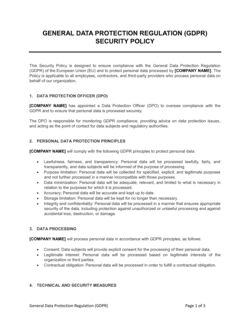
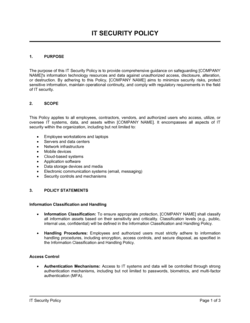
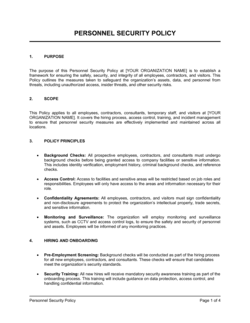
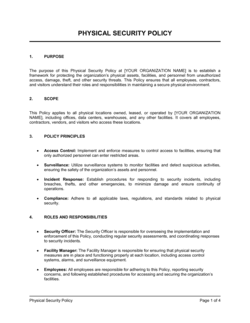
Cyber Security Policy Template

Free Word download β€’ Edit online β€’ Save & share with Drive β€’ Export to PDF

4 pagesβ€’20–30 min to fillβ€’Difficulty: Standard
Learn more ↓
FreeCyber Security Policy Template

At a glance

What it is
A Cyber Security Policy is a formal operational document that defines how an organization protects its information systems, data, and network infrastructure from unauthorized access, misuse, and breaches. This free Word download gives you a structured, editable template covering every major security domain β€” from access control and password standards to incident response and employee responsibilities β€” ready to customize and distribute to your team.
When you need it
Use it when onboarding employees who need clear rules on acceptable technology use, when a client or partner requires evidence of a documented security posture, or when preparing for a compliance audit under frameworks such as ISO 27001, SOC 2, or HIPAA. Any business handling sensitive customer, employee, or financial data needs this policy in place before a breach occurs β€” not after.
What's inside
The template includes sections on policy scope and objectives, asset classification, access control and password requirements, acceptable use of systems and devices, data protection and encryption standards, incident response procedures, employee training obligations, and policy review cadence. Together, these sections give every employee a clear set of rules and give the organization a defensible record of its security program.

What is a Cyber Security Policy?

A Cyber Security Policy is a formal operational document that establishes an organization's rules, standards, and accountability structure for protecting its information systems, data, networks, and devices from unauthorized access, misuse, and security incidents. It defines who is subject to the policy, how data is classified by sensitivity, what authentication methods are required, how incidents must be reported, and what consequences apply when rules are violated. Unlike a technical configuration document, a cyber security policy is written for all employees β€” not just IT staff β€” and serves as the authoritative reference that makes security expectations enforceable across the organization.

Why You Need This Document

Operating without a documented cyber security policy exposes your business on four fronts simultaneously. First, employees without written rules make their own security decisions β€” choosing weak passwords, sharing credentials, or storing sensitive files in personal cloud accounts β€” creating vulnerabilities that no technical control fully compensates for. Second, cyber insurance carriers increasingly require a documented policy as a condition of coverage; a claim filed without one can be denied outright. Third, enterprise clients and government contracts routinely request your security policy during vendor due diligence β€” the absence of one ends procurement conversations before they begin. Fourth, compliance frameworks including SOC 2, ISO 27001, HIPAA, and PCI DSS treat a written policy as a mandatory control, meaning no policy means no certification. This template gives you a structured, customizable starting point that covers every major security domain β€” so you can establish a defensible security posture in hours rather than weeks.

Which variant fits your situation?

If your situation is…Use this template
General company-wide security rules for all employeesCyber Security Policy
Governing how employees use company devices and internet accessAcceptable Use Policy
Detailing how personal data is collected, stored, and processedData Privacy Policy
Defining steps to take when a breach or security incident occursIncident Response Plan
Controlling how employees handle and classify sensitive informationInformation Classification Policy
Setting rules for employees accessing systems remotelyRemote Access Policy
Documenting vendor and third-party security requirementsVendor Security Assessment

Common mistakes to avoid

❌ Writing the policy for IT staff only

Why it matters: Most security incidents involve non-technical employees β€” phishing clicks, weak passwords, and accidental data sharing. A policy that doesn't reach them in plain language provides no behavioral protection.

Fix: Write every section at an eighth-grade reading level and test it with one non-technical employee before finalizing. If they cannot explain the rule back to you, rewrite it.

❌ No named policy owner or review date

Why it matters: Policies without owners are never updated. A two-year-old policy that doesn't mention cloud storage or remote work is a liability, not a control.

Fix: Assign a specific job title as policy owner and set a calendar reminder for annual review at the time of initial publication.

❌ Omitting employee acknowledgment collection

Why it matters: Without a signed or digitally confirmed acknowledgment, you cannot enforce the policy against an employee who claims they never saw it β€” and you have no evidence for a compliance auditor.

Fix: Route the policy through your HR system or Business in a Box eSign to collect a timestamped acknowledgment from every employee before their first day using company systems.

❌ Referencing controls that are not yet implemented

Why it matters: Stating that MFA is required on all systems when it is only active on two of twelve creates a documented gap that auditors flag as a material finding.

Fix: Audit your current controls before finalizing the policy. Where a control is planned but not yet live, note the target implementation date rather than writing it as current practice.

❌ Applying one blanket policy to every vendor

Why it matters: Over-engineering requirements for low-risk vendors slows procurement; under-engineering requirements for high-risk vendors holding customer data creates real exposure.

Fix: Tier vendors by access level and data sensitivity. Apply full contractual and audit requirements only to vendors handling Confidential or Restricted data.

❌ Setting password rotation without minimum length or complexity requirements

Why it matters: Employees forced to rotate passwords every 90 days without a complexity floor default to incremental patterns β€” 'Summer2025!' becomes 'Fall2025!' β€” which are trivially cracked.

Fix: Follow NIST SP 800-63B: require a minimum of 12 characters and MFA rather than frequent rotation. Remove mandatory rotation unless a credential is known or suspected to be compromised.

The 10 key sections, explained

Policy scope and objectives

Information asset classification

Access control and authentication

Password and credential standards

Acceptable use of systems and devices

Data protection and encryption

Incident detection and response

Employee training and awareness

Third-party and vendor security

Policy review and enforcement

How to fill it out

  1. 1

    Define the scope and identify your information assets

    List every system, application, database, and device type used in your business. Then confirm which employee categories β€” full-time, part-time, contractors, third parties β€” are subject to the policy.

    πŸ’‘ Start from your software and hardware inventory, not from memory. Asset lists completed from memory routinely miss shadow IT and employee-owned devices.

  2. 2

    Classify your data into tiers

    Assign each data type you identified β€” customer records, employee files, financial data, intellectual property β€” to a classification tier. Write at least two concrete examples per tier so employees recognize what they are handling.

    πŸ’‘ Map your tiers directly to any regulatory framework you are subject to (HIPAA, PCI DSS, GDPR) so classification doubles as a compliance control.

  3. 3

    Set access control rules and name system owners

    For each major system, define who can access it and at what permission level. Assign a named system owner responsible for approving access requests and conducting periodic reviews.

    πŸ’‘ Document access rights in a register separate from the policy itself β€” this makes quarterly reviews a 30-minute task rather than a full audit.

  4. 4

    Specify password and authentication standards

    Enter your minimum password length, complexity rules, rotation schedule, and the specific MFA method required for each system tier. Reference your approved password manager by name.

    πŸ’‘ Align your standards with NIST SP 800-63B: prioritize length and MFA over frequent rotation without complexity β€” the latter generates weak, predictable passwords.

  5. 5

    Draft the acceptable use section for your environment

    List the specific platforms, devices, and behaviors that are in scope. Include explicit monitoring-and-consent language if your jurisdiction requires it before monitoring employee devices or communications.

    πŸ’‘ Have legal or HR review the acceptable-use section β€” monitoring language that is valid in one country may require additional notice requirements in others.

  6. 6

    Complete the incident response contact information

    Insert the name, email, and phone number of the IT security contact employees should notify. Reference your incident response plan by title and confirm it is a separate, accessible document.

    πŸ’‘ Publish the incident reporting contact as a standalone card in your company intranet so employees can find it without opening the full policy document.

  7. 7

    Assign a policy owner and set the review date

    Name the individual (by title, not just team) responsible for annual reviews and updates. Enter the current version number, approval date, and the next scheduled review date.

    πŸ’‘ Add the review date to the assigned owner's calendar at the time of signing β€” policy reviews that live only in the document are skipped 80% of the time.

  8. 8

    Distribute the policy and record acknowledgment

    Send the signed policy to all in-scope employees and collect a signed or digitally confirmed acknowledgment that they have read and understood it. Store acknowledgments in your HR system.

    πŸ’‘ Require re-acknowledgment every time a material revision is made β€” not just at annual review β€” so you can prove employees were notified of specific changes.

Frequently asked questions

What is a cyber security policy?

A cyber security policy is a formal document that defines an organization's rules, standards, and responsibilities for protecting its information systems, networks, and data. It covers who is subject to the policy, how data is classified and handled, what constitutes acceptable use of company technology, how incidents are reported, and what consequences apply for violations. It functions as the authoritative reference for all security-related behavior across the organization.

Why does a small business need a cyber security policy?

Small businesses are targeted in over 40% of cyberattacks precisely because attackers expect weaker controls. Beyond the attack risk, many cyber insurance carriers now require a documented policy before issuing a policy or paying a claim. Enterprise clients routinely include a security policy requirement in vendor contracts. Having a documented policy in place before an incident significantly reduces legal and financial exposure compared to having no policy at all.

What is the difference between a cyber security policy and an IT security policy?

The terms are used interchangeably in most organizations. "IT security policy" tends to emphasize technical controls β€” firewalls, patch management, network segmentation. "Cyber security policy" has a broader scope that typically includes human factors such as phishing awareness, acceptable use, and employee training obligations. In practice, a well- drafted document under either name covers both technical and behavioral controls.

How often should a cyber security policy be reviewed?

At minimum, annually. The policy should also be reviewed immediately following any material security incident, after a significant change to the technology environment (new cloud platform, remote-work rollout, major acquisition), or when a new compliance obligation is introduced. A policy that is more than 18 months old without revision is likely missing controls relevant to current threats.

What compliance frameworks reference a cyber security policy?

ISO 27001 requires a documented information security policy as a mandatory control (clause 5.2). SOC 2 Type II audits evaluate whether security policies are documented, enforced, and reviewed. HIPAA requires covered entities and business associates to document security policies and procedures under the Security Rule. PCI DSS requires a formal security policy covering all relevant DSS requirements. NIST CSF identifies policy as a foundational element of the Identify function.

Do employees need to sign the cyber security policy?

Employees do not need a wet signature, but you do need documented acknowledgment β€” a dated record confirming each employee received and read the policy. A digital acknowledgment through your HR system, an eSign workflow, or a confirmed email works equally well. Without this record, you cannot enforce the policy against an employee who claims they were unaware of it, and compliance auditors will flag the gap.

Should a cyber security policy include a bring-your-own-device section?

Yes, if any employees use personal devices to access company email, systems, or data. A BYOD section defines which personal devices are permitted, what security software must be installed, what company data may be stored on personal devices, and what happens to company data on a device if an employee leaves. Omitting BYOD coverage in a hybrid or remote work environment leaves a significant unaddressed risk.

Can I use a template for a cyber security policy or do I need a consultant?

A high-quality template covers the structural and policy content needed for most small and mid-size organizations. Engage an IT security consultant or CISO-as-a-service when preparing for a formal SOC 2 or ISO 27001 audit, when operating in a regulated industry such as healthcare or financial services, or when your environment includes complex multi-cloud infrastructure or sensitive personal data at scale. For most businesses, a well-completed template plus an internal review by your IT lead is sufficient to satisfy insurance and client requirements.

What is the principle of least privilege and why does it matter?

The principle of least privilege means every user and system process should have only the minimum access required to perform its specific function β€” nothing more. It matters because compromised accounts and insider threats cause significantly more damage when the affected account has broad system access. Implementing least privilege limits the blast radius of any single credential being stolen or misused.

How this compares to alternatives

vs Data Privacy Policy

A data privacy policy governs how personal data is collected, used, stored, and shared with third parties β€” primarily a consumer-facing or regulatory disclosure. A cyber security policy governs the internal technical and behavioral controls that protect all organizational data, including but not limited to personal data. Organizations typically need both: the privacy policy for external transparency, the security policy for internal governance.

vs Acceptable Use Policy

An acceptable use policy is a narrower document focused exclusively on permitted and prohibited uses of company technology by employees. A cyber security policy is broader β€” it includes acceptable use as one section but also covers access control, encryption, incident response, vendor requirements, and compliance. For most organizations, the acceptable use policy exists as either a standalone document or an embedded section of the full cyber security policy.

vs Incident Response Plan

An incident response plan is an operational playbook that details the step-by-step actions to take when a security breach occurs β€” roles, communication trees, containment steps, and post-incident review. A cyber security policy establishes the rules and standards that the incident response plan enforces. The policy defines what a reportable incident is; the plan defines exactly what to do when one happens.

vs Remote Work Policy

A remote work policy governs the operational and HR aspects of working outside the office β€” eligibility, equipment, working hours, and communication norms. A cyber security policy governs the security controls that apply to remote work specifically β€” VPN requirements, home network standards, device encryption, and BYOD rules. In most organizations, the remote work policy references the cyber security policy rather than duplicating its technical requirements.

Industry-specific considerations

Technology / SaaS

SaaS companies face enterprise customer security questionnaires at every deal stage; a documented policy is typically required before a contract is signed.

Healthcare

HIPAA's Security Rule requires covered entities and business associates to maintain written security policies and procedures as a mandatory administrative safeguard.

Financial Services

PCI DSS and SOX compliance both require formal documentation of security policies governing cardholder data environments and financial system access.

Professional Services

Law firms, accounting firms, and consultancies hold highly sensitive client data and face increasing client-side security audits and cyber insurance requirements.

Retail / E-commerce

PCI DSS mandates a formal security policy for any merchant storing, processing, or transmitting payment card data, regardless of transaction volume.

Education

FERPA and state student-data-privacy laws require documented policies governing access to student records and the security of educational technology platforms.

Template vs pro β€” what fits your needs?

PathBest forCostTime
Use the templateSmall and mid-size businesses establishing a first security policy for staff, clients, or cyber insurance requirementsFree2–4 hours to customize and distribute
Template + professional reviewCompanies preparing for a SOC 2 audit, ISO 27001 certification, or a regulated-industry compliance review$500–$2,500 for an IT security consultant or vCISO review1–2 weeks
Custom draftedEnterprise organizations with complex multi-cloud environments, high-volume personal data processing, or mandatory regulatory certification$5,000–$25,000+ for a full security program assessment and policy suite4–12 weeks

Glossary

Information Security
The practice of protecting digital and physical data from unauthorized access, disclosure, alteration, or destruction.
Access Control
Rules and mechanisms that restrict which users can view or modify specific systems, files, or data based on their role or clearance level.
Multi-Factor Authentication (MFA)
A login method requiring users to verify their identity with two or more factors β€” typically a password plus a code sent to a device or app.
Encryption
The process of encoding data so that only authorized parties with the correct decryption key can read it.
Incident Response
The structured process for detecting, containing, investigating, and recovering from a security breach or cyberattack.
Phishing
A social-engineering attack in which an attacker impersonates a trusted entity to trick employees into revealing credentials or installing malware.
Principle of Least Privilege
A security design rule that gives users and systems only the minimum level of access required to perform their specific function.
Patch Management
The process of regularly applying software updates and security fixes to operating systems and applications to close known vulnerabilities.
Data Classification
A system for labeling data by sensitivity level β€” such as public, internal, confidential, and restricted β€” to determine appropriate handling and protection requirements.
Business Continuity
The capability of an organization to continue delivering products or services at acceptable levels following a disruptive incident, including a cyberattack.
BYOD (Bring Your Own Device)
A workplace policy that permits employees to use personally owned devices for work purposes, subject to defined security controls.

Part of your Business Operating System

This document is one of 3,000+ business & legal templates included in Business in a Box.

  • Fill-in-the-blanks β€” ready in minutes
  • 100% customizable Word document
  • Compatible with all office suites
  • Export to PDF and share electronically

Create your document in 3 simple steps.

From template to signed document β€” all inside one Business Operating System.
1
Download or open template

Access over 3,000+ business and legal templates for any business task, project or initiative.

2
Edit and fill in the blanks with AI

Customize your ready-made business document template and save it in the cloud.

3
Save, Share, Send, Sign

Share your files and folders with your team. Create a space of seamless collaboration.

Save time, save money, and create top-quality documents.

β˜…β˜…β˜…β˜…β˜…

"Fantastic value! I'm not sure how I'd do without it. It's worth its weight in gold and paid back for itself many times."

Managing Director Β· Mall Farm
Robert Whalley
Managing Director, Mall Farm Proprietary Limited
β˜…β˜…β˜…β˜…β˜…

"I have been using Business in a Box for years. It has been the most useful source of templates I have encountered. I recommend it to anyone."

Business Owner Β· 4+ years
Dr Michael John Freestone
Business Owner
β˜…β˜…β˜…β˜…β˜…

"It has been a life saver so many times I have lost count. Business in a Box has saved me so much time and as you know, time is money."

Owner Β· Upstate Web
David G. Moore Jr.
Owner, Upstate Web

Run your business with a system β€” not scattered tools

Stop downloading documents. Start operating with clarity. Business in a Box gives you the Business Operating System used by over 250,000 companies worldwide to structure, run, and grow their business.

Start freeΒ Β·Β No credit card required