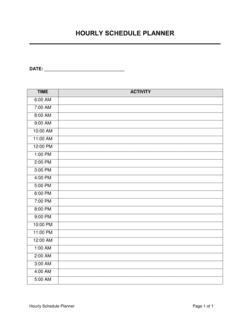
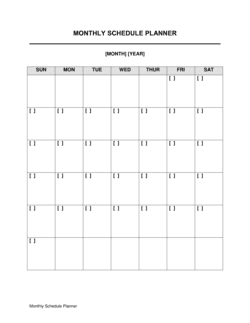
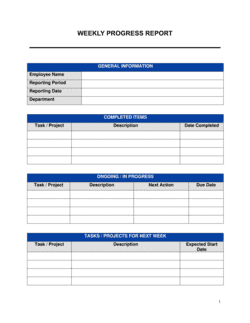
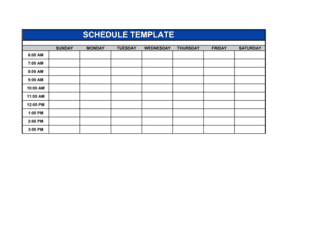
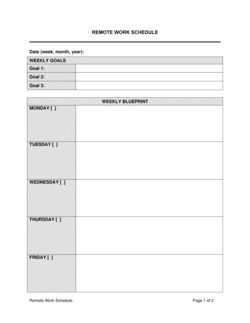
Weekly Schedule Planner Template

Free download β€’ Use as a template β€’ Print or share

2 pagesβ€’20–30 min to useβ€’Difficulty: Standardβ€’Signature requiredβ€’Legal review recommended
Learn more ↓
FreeWeekly Schedule Planner Template

At a glance

What it is
A Weekly Schedule Planner is a structured planning document that maps tasks, appointments, shift assignments, deadlines, and priorities across a seven-day work week for an individual, team, or organization. This free Word download gives you a ready-to-use framework you can edit online, customize to your workflows, and export as PDF for distribution or filing.
When you need it
Use it at the start of each week to allocate time blocks, assign staff shifts, set task priorities, and coordinate across departments or client engagements. It is equally useful for a solo professional managing competing deadlines or a team leader coordinating multiple direct reports.
What's inside
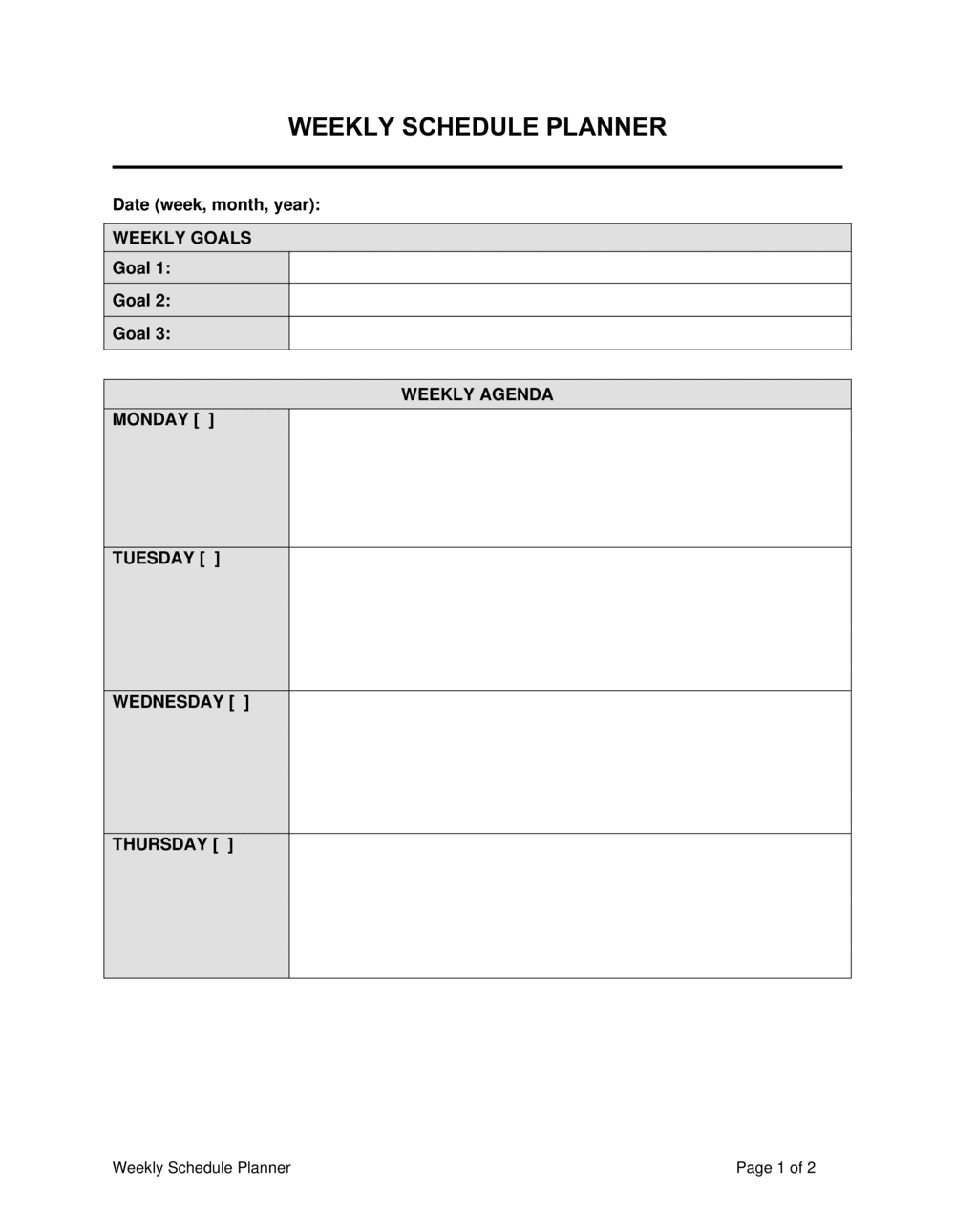
Day-by-day time blocks for tasks and appointments, priority ranking fields, assigned-to designations, status tracking columns, notes sections for context or dependencies, and a weekly goals or objectives header that anchors every entry to a measurable outcome.

What is a Weekly Schedule Planner?

A Weekly Schedule Planner is a structured planning document that organizes tasks, meetings, shift assignments, deadlines, and priorities across a seven-day work week for an individual, team, or organization. It goes beyond a simple to-do list by assigning each activity to a specific time block on a specific day, designating a named accountability owner, flagging task dependencies, and tracking completion status β€” turning intentions into an executable, reviewable plan. When used to assign employee shifts or team workloads, a signed weekly schedule planner also functions as a documented record of agreed hours with practical and compliance value.

Why You Need This Document

Without a structured weekly planner, task prioritization defaults to urgency rather than importance, capacity is routinely overestimated, and accountability for unfinished work becomes ambiguous. The cost of unstructured weekly planning is measurable: missed deadlines, duplicated effort across team members, and reactive firefighting that crowds out higher-value work. For employers in jurisdictions with predictive scheduling laws β€” including California, New York, Ontario, and the EU β€” an undocumented schedule creates compliance exposure when employees dispute hours, rest periods, or last-minute changes. This template gives individuals and teams a repeatable weekly rhythm, a clear ownership model for every task, and a Friday review structure that feeds directly into the following week's plan β€” compounding the value of each week's planning effort rather than starting from scratch every Monday.

Which variant fits your situation?

If your situation is…Use this template
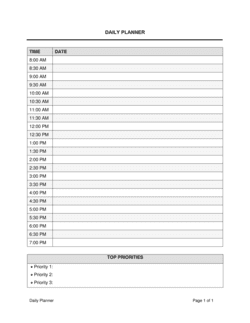
Planning individual daily tasks and personal prioritiesDaily Schedule Planner
Scheduling employee shifts across a retail or service locationEmployee Shift Schedule
Tracking project milestones and deliverables across multiple weeksProject Plan
Coordinating recurring team meetings and stand-upsMeeting Agenda Template
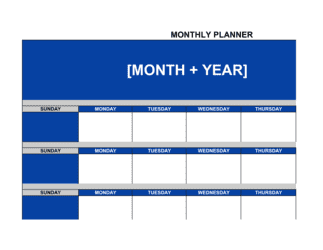
Planning a full month of activities or campaignsMonthly Planner
Assigning and tracking tasks for an individual contributorTask List Template
Scheduling work hours against a formal employment agreementEmployment Contract

Common mistakes to avoid

❌ Scheduling at 100% capacity

Why it matters: A planner with no slack has zero tolerance for the interruptions, overruns, and unexpected requests that occur in every real work week. The first disruption breaks the entire schedule.

Fix: Cap scheduled tasks at 70–75% of available hours. Reserve the remaining 25–30% as buffer for reactive work and overruns before the week begins.

❌ Using vague task descriptions

Why it matters: Entries like 'follow up on project' require a separate decision about what to actually do when the time block arrives, increasing the likelihood the task is skipped or started late.

Fix: Write each task entry as a specific, actionable deliverable β€” name the project, the output, and the recipient if applicable β€” so execution can begin without additional planning.

❌ Assigning tasks to groups rather than named individuals

Why it matters: When a task is owned by 'the team' or 'marketing,' every member assumes someone else is handling it. Unowned tasks are the most reliably incomplete items on any weekly planner.

Fix: Every task entry in a shared planner must include a single named accountability owner. If multiple people are involved, one is the owner; others are listed as contributors.

❌ Skipping the weekly review and carryover step

Why it matters: Without a structured review, incomplete items are re-estimated at the same duration next week without accounting for what caused the miss β€” leading to the same shortfall on the same tasks, week after week.

Fix: Spend 15 minutes on Friday completing the review section: final status for every task, a carryover list, and one sentence on the primary cause of variance. Use this to set next week's estimates.

The 10 key clauses, explained

Weekly objectives header

In plain language: States the two to five measurable goals the individual or team is working toward during the specific week, anchoring all daily entries to a defined outcome.

Sample language
Week of [DATE RANGE] | Objectives: 1. [OBJECTIVE 1] 2. [OBJECTIVE 2] 3. [OBJECTIVE 3] | Prepared by: [NAME / ROLE]

Common mistake: Leaving the objectives header blank and filling in only the task grid β€” without weekly goals, there is no basis for deciding which tasks to cut when capacity runs short.

Day columns and date headers

In plain language: Labels each of the seven columns (or five, for a work-week-only format) with the specific calendar date so entries are unambiguous when the planner is reviewed later.

Sample language
Monday [DATE] | Tuesday [DATE] | Wednesday [DATE] | Thursday [DATE] | Friday [DATE]

Common mistake: Using day names without dates β€” a planner labeled 'Monday' with no date becomes impossible to reference when reviewing completed weeks or resolving a schedule dispute.

Time block rows

In plain language: Divides each day into defined intervals β€” typically 30-minute or 1-hour slots β€” so tasks are allocated to specific times rather than floating without placement.

Sample language
08:00–09:00: [TASK / MEETING] | 09:00–10:00: [TASK / MEETING] | 10:00–11:00: [BUFFER / ADMIN]

Common mistake: Scheduling tasks back-to-back with no buffer time, leaving the planner with no capacity to absorb overruns β€” a single delayed task then cascades through the entire day.

Task description and deliverable field

In plain language: Names the specific work to be done in each time block, with enough detail to act on it without referring to another document.

Sample language
[TASK NAME] β€” [BRIEF DESCRIPTION OF DELIVERABLE] β€” Est. duration: [X] hrs β€” Related to: [PROJECT / CLIENT NAME]

Common mistake: Writing entries like 'work on report' instead of 'draft sections 2 and 3 of Q2 client report for [CLIENT NAME]' β€” vague entries are skipped when time pressure hits because the cognitive cost of starting them is too high.

Priority designation

In plain language: Assigns a priority level β€” High, Medium, or Low β€” to each task so that when capacity shrinks, the owner knows what to protect and what to defer.

Sample language
Priority: HIGH | Must complete by: [DATE/TIME] | Consequence of delay: [BRIEF NOTE]

Common mistake: Marking every task as High priority β€” this defeats the purpose of the field and forces the owner to re-evaluate urgency under pressure, wasting time the planner was designed to save.

Accountability owner and assigned-to field

In plain language: Names the person responsible for each task so that in a shared team planner, every item has a single accountable owner rather than a group assignment.

Sample language
Assigned to: [FULL NAME / ROLE] | Backup if unavailable: [NAME]

Common mistake: Assigning tasks to a team or department rather than a named individual β€” shared ownership is functionally no ownership, and tasks without a named owner are the ones that fall through.

Status tracking column

In plain language: Records the current state of each task β€” Not Started, In Progress, Completed, or Blocked β€” so the planner doubles as a real-time progress dashboard.

Sample language
Status: [NOT STARTED / IN PROGRESS / COMPLETED / BLOCKED] | Blocker (if applicable): [DESCRIPTION]

Common mistake: Filling in status only at the end of the week rather than updating in real time β€” end-of-week batch updates make it impossible to identify and clear blockers before they delay multiple tasks.

Notes and dependencies field

In plain language: Captures context, prerequisites, or handoff requirements that affect when or how a task can be completed β€” preventing silent blockers from appearing only when the task is due.

Sample language
Notes: Requires [INPUT] from [NAME] by [DATE/TIME]. Dependent on: [PRECEDING TASK]. Handoff to: [NEXT OWNER] upon completion.

Common mistake: Using the notes field only for optional commentary rather than flagging hard dependencies β€” an unlisted dependency discovered on the due date is the leading cause of weekly schedule failure.

Weekly review and carryover section

In plain language: A closing section completed at the end of the week that records what was finished, what carries forward, and what caused variance β€” feeding directly into the next week's planner.

Sample language
Completed this week: [LIST] | Carried forward to [NEXT WEEK DATE]: [LIST] | Primary variance cause: [REASON] | Adjustment for next week: [ACTION]

Common mistake: Skipping the weekly review and simply opening a blank planner the following Monday β€” without a structured carryover review, the same items get re-estimated optimistically and missed again.

Sign-off or acknowledgment block

In plain language: For team or employee-facing schedule planners, a signature or acknowledgment field confirms the assigned individual has reviewed and accepted the week's schedule β€” relevant for shift-based or contractual work arrangements.

Sample language
Schedule reviewed and accepted by: [EMPLOYEE NAME] | Signature: ____________ | Date: [DATE] | Supervisor: [NAME]

Common mistake: Omitting the acknowledgment block on shift-based planners β€” without documented acceptance, disputes about assigned hours, missed shifts, or overtime are harder to resolve and can create labor compliance exposure.

How to fill it out

  1. 1

    Set the week dates and objectives header

    Enter the Monday-to-Friday (or Monday-to-Sunday) date range at the top of the planner. Write two to five specific, measurable objectives for the week β€” not task descriptions, but outcomes.

    πŸ’‘ Phrase objectives as completed outcomes: 'Deliver client proposal draft to [CLIENT] by Thursday' rather than 'work on proposal.'

  2. 2

    Enter fixed commitments first

    Block all recurring meetings, standing calls, and non-negotiable appointments in their time slots before adding any discretionary tasks. This reveals your actual available capacity before you over-commit.

    πŸ’‘ Color-code or label fixed commitments distinctly from flexible tasks so available capacity is visually obvious at a glance.

  3. 3

    List all tasks for the week and estimate durations

    Outside the planner grid, write every task you intend to complete this week. Assign a realistic time estimate to each β€” not best-case, but likely-case. Total them and compare against your available hours.

    πŸ’‘ If your task list exceeds 80% of available hours, remove or defer the lowest-priority items before placing them in the grid β€” do not rely on catching up.

  4. 4

    Assign tasks to specific time blocks by priority

    Place High-priority tasks in your peak-energy hours β€” typically late morning for most people. Assign Medium and Low tasks to lower-energy slots. Write a specific deliverable description in each block, not just a topic.

    πŸ’‘ Group similar task types (writing, calls, deep analysis) in consecutive blocks to reduce context-switching cost.

  5. 5

    Assign owners and note dependencies

    For every task in a shared team planner, name a single accountable owner. Document any task that cannot start until another is completed, and note the person who must provide that input.

    πŸ’‘ Flag dependencies with the expected handoff date and the name of the handoff owner β€” passive notes like 'waiting on finance' are not actionable.

  6. 6

    Build in buffer blocks

    Reserve at least 60–90 minutes across the week in unlabeled buffer blocks β€” one per day in a busy week, or a 90-minute block on Friday. Do not pre-fill them with tasks.

    πŸ’‘ Buffer blocks placed on Wednesday and Friday absorb mid-week overruns and give you a recovery window before the week closes.

  7. 7

    Collect sign-off for shift-based or assigned schedules

    If the planner is used to assign employee shifts or team workloads, share it before the week begins and collect signed acknowledgments or documented confirmations from each person assigned.

    πŸ’‘ Distribute the schedule at least 48–72 hours before the week starts β€” last-minute schedule changes increase no-shows and reduce coverage reliability.

  8. 8

    Complete the weekly review on Friday

    At the end of the week, mark each task's final status, list what carries forward, and note the single biggest cause of any variance from the plan. Use this to adjust next week's time estimates.

    πŸ’‘ A 15-minute Friday review that feeds directly into the next week's planner is worth more than any amount of Monday-morning catch-up planning.

Frequently asked questions

What is a weekly schedule planner?

A weekly schedule planner is a structured document that maps tasks, meetings, shift assignments, and priorities across a seven-day period for an individual, team, or department. It assigns specific time blocks to each activity, designates accountability owners, and tracks completion status β€” giving both the planner and their team a single reference point for what needs to happen, by when, and by whom.

Who should use a weekly schedule planner?

Anyone managing competing demands across a work week benefits from a weekly planner β€” from solo freelancers juggling multiple clients to operations managers coordinating shift coverage across a location. It is particularly valuable for team leads who need to distribute work across direct reports, for project managers tracking sprint tasks, and for administrative professionals maintaining executive schedules.

What is the difference between a weekly schedule planner and a to-do list?

A to-do list is an unstructured inventory of tasks with no assigned time, owner, or sequence. A weekly schedule planner places each task in a specific time block on a specific day, assigns an accountability owner, notes dependencies, and tracks status β€” turning a list of intentions into an actionable plan. The planner also forces a capacity check: if your tasks exceed your available hours, the planner reveals that conflict before the week begins rather than midway through it.

How far in advance should I fill in a weekly schedule planner?

For individual use, filling in the planner on Friday afternoon or Sunday evening for the coming week gives you the best balance of advance planning and up-to-date information. For team or employee shift schedules, distribute the completed planner at least 48–72 hours before the week begins so team members can flag conflicts, arrange coverage, and prepare for their assignments.

How detailed should each task entry be?

Each task entry should be specific enough that a person unfamiliar with the project could understand what needs to be done and what 'done' looks like. Include the task name, a brief deliverable description, an estimated duration, the accountability owner, and any known dependencies. A single sentence per entry is usually sufficient β€” more detail belongs in a project brief or task management tool, not the planner itself.

Can a weekly schedule planner be used for employee shift scheduling?

Yes. When used for shift-based work, the planner should include a sign-off or acknowledgment block where each assigned employee confirms their scheduled hours. This creates a documented record of agreed shifts β€” useful for resolving attendance disputes, demonstrating compliance with scheduling notice requirements, and supporting overtime calculations. For complex multi-location shift scheduling, a dedicated work schedule template may offer more structure.

How much buffer time should I include in a weekly schedule?

Reserve at least 25–30% of your available hours as unscheduled buffer across the week. For a standard 40-hour work week, that means no more than 28–30 hours of pre-assigned tasks. Distribute buffer in blocks of 30–60 minutes rather than leaving a single large gap β€” mid-morning and mid-afternoon buffers on Tuesday, Wednesday, and Friday absorb the highest proportion of real-world schedule disruptions.

What should the weekly review section include?

The weekly review section should capture four things: a final status for every task (completed, carried forward, or dropped), the carryover list for next week, the primary cause of any variance from the original plan, and one specific adjustment to make to next week's estimates or approach. A 15-minute structured review on Friday afternoon is the highest-return planning activity most professionals consistently skip.

Does a weekly schedule planner need to be signed?

For personal planning use, no signature is needed. For team or employee-facing planners that assign shifts, workloads, or scheduled coverage commitments, a documented acknowledgment from each assigned individual is advisable. Signed or confirmed schedules reduce ambiguity about agreed hours, support overtime and attendance record-keeping, and provide a reference point if scheduling disputes arise.

How this compares to alternatives

vs Employee shift schedule

An employee shift schedule focuses exclusively on who works which hours at which location, with columns for shift start, end, and role coverage. A weekly schedule planner is broader β€” it covers tasks, priorities, dependencies, and objectives alongside time blocks, making it suitable for knowledge workers and managers as well as hourly staff. Use the shift schedule for pure coverage planning; use the weekly planner when task and project coordination matter alongside attendance.

vs Project plan

A project plan maps milestones, deliverables, and dependencies across a multi-week or multi-month timeline. A weekly schedule planner operates at daily granularity within a single week, translating project tasks into specific time-allocated actions. The two documents work together: the project plan sets the milestones; the weekly planner executes against them.

vs Daily schedule planner

A daily schedule planner breaks a single day into 15- or 30-minute time blocks with high granularity. A weekly schedule planner operates at a higher level β€” it allocates tasks across five to seven days, manages weekly capacity, and tracks status at the task level rather than the hour level. Use a daily planner for intensive single-day execution; use the weekly planner for cross-day prioritization and team coordination.

vs To-do list

A to-do list is an unstructured inventory of tasks with no time allocation, priority sequencing, or accountability owner. A weekly schedule planner places every task in a time block, assigns an owner, flags dependencies, and tracks status β€” making it a planning and coordination tool rather than a memory aid. When a to-do list consistently fails to get tasks done, the missing element is usually time allocation and capacity planning.

Industry-specific considerations

Healthcare and clinical services

Shift-based staff scheduling requires documented acknowledgment of assigned hours to meet regulatory staffing ratios and support safe-handover protocols.

Retail and hospitality

Variable weekly shift patterns, split shifts, and high staff turnover make a signed weekly schedule essential for resolving attendance disputes and managing overtime.

Professional services

Billable-hour tracking and client deadline management require time-blocked weekly planners tied to specific client engagements and deliverable due dates.

Construction and trades

Site crew assignments, equipment scheduling, and subcontractor coordination across multiple concurrent projects require day-level task and attendance planning with named accountability owners.

Jurisdictional notes

United States

Several US states and cities β€” including California, New York, Oregon, and Chicago β€” have Predictive Scheduling or Fair Work Week laws that require employers to provide work schedules a set number of days in advance (typically 7–14 days) and pay a premium for last-minute changes. A signed weekly schedule creates a documented record of compliance with advance-notice requirements. FLSA overtime rules apply to non-exempt employees; the weekly planner's hours data should align with payroll records.

Canada

Provincial Employment Standards Acts across Canada (notably Ontario, British Columbia, and Alberta) set minimum rules for scheduling notice, rest periods between shifts, and overtime thresholds. Employers using a weekly schedule as an official record of assigned hours should ensure it aligns with these minimums. Quebec's Act Respecting Labour Standards adds specific rules on split shifts and scheduling notice. Signed schedule acknowledgments support compliance documentation in the event of an ESA audit or complaint.

United Kingdom

The Working Time Regulations 1998 limit the average working week to 48 hours (subject to individual opt-out) and mandate minimum daily and weekly rest periods. For zero-hours or casual workers, documented weekly schedules help employers demonstrate compliance with rest-period requirements and support National Living Wage calculations. Workers have the right to request flexible working arrangements; a weekly planner provides a concrete basis for evaluating those requests against operational needs.

European Union

The EU Working Time Directive sets a 48-hour average working week, 11 hours of daily rest, and a minimum 24-hour weekly rest period across member states. Several member states β€” including France, Germany, and the Netherlands β€” impose stricter rules or sector-specific scheduling requirements. For employers subject to GDPR, weekly schedules that include employee names and working hours constitute personal data and must be stored, shared, and retained in accordance with applicable data protection obligations.

Template vs lawyer β€” what fits your deal?

PathBest forCostTime
Use the templateIndividuals, small teams, and managers using the planner for internal task coordination and personal time managementFree15–30 minutes per week
Template + legal reviewEmployers using the planner to assign and document employee shifts where scheduling notice laws, overtime rules, or labor agreements apply$150–$400 for an HR or employment law review1–2 days
Custom draftedOrganizations in regulated industries (healthcare, transport, construction) where staffing schedules must comply with specific statutory frameworks or collective agreements$500–$2,000+ depending on jurisdiction and complexity1–2 weeks

Glossary

Time Block
A reserved period within a day dedicated to a specific task, meeting, or activity, with a defined start and end time.
Priority Ranking
A designation β€” such as High, Medium, or Low β€” that indicates the relative urgency and importance of a task within the week.
Shift Assignment
A designation specifying which employee or team member is responsible for coverage during a defined time window.
Dependency
A task or milestone that must be completed before another task can begin, noted in the planner to prevent scheduling conflicts.
Capacity
The total available working hours a person or team has in a given week after accounting for fixed commitments such as meetings and recurring duties.
Rolling Schedule
A planner updated each week on a continuous basis, carrying forward incomplete items from the prior week into the new one.
Status Tracking
A field or column used to record whether a task is not started, in progress, completed, or blocked.
Weekly Objectives
The two to five measurable outcomes a person or team intends to achieve by the end of the week, used to anchor daily task prioritization.
Buffer Time
Intentionally unscheduled time blocks built into the week to absorb overruns, unexpected requests, or transitions between tasks.
Accountability Owner
The named individual responsible for ensuring a task is completed on time, distinct from anyone who may assist with the work.

Part of your Business Operating System

This document is one of 3,000+ business & legal templates included in Business in a Box.

  • Fill-in-the-blanks β€” ready in minutes
  • 100% customizable Word document
  • Compatible with all office suites
  • Export to PDF and share electronically

Create your document in 3 simple steps.

From template to signed document β€” all inside one Business Operating System.
1
Download or open template

Access over 3,000+ business and legal templates for any business task, project or initiative.

2
Edit and fill in the blanks with AI

Customize your ready-made business document template and save it in the cloud.

3
Save, Share, Send, Sign

Share your files and folders with your team. Create a space of seamless collaboration.

Save time, save money, and create top-quality documents.

β˜…β˜…β˜…β˜…β˜…

"Fantastic value! I'm not sure how I'd do without it. It's worth its weight in gold and paid back for itself many times."

Managing Director Β· Mall Farm
Robert Whalley
Managing Director, Mall Farm Proprietary Limited
β˜…β˜…β˜…β˜…β˜…

"I have been using Business in a Box for years. It has been the most useful source of templates I have encountered. I recommend it to anyone."

Business Owner Β· 4+ years
Dr Michael John Freestone
Business Owner
β˜…β˜…β˜…β˜…β˜…

"It has been a life saver so many times I have lost count. Business in a Box has saved me so much time and as you know, time is money."

Owner Β· Upstate Web
David G. Moore Jr.
Owner, Upstate Web

Run your business with a system β€” not scattered tools

Stop downloading documents. Start operating with clarity. Business in a Box gives you the Business Operating System used by over 250,000 companies worldwide to structure, run, and grow their business.

Free Forever PlanΒ Β·Β No credit card required