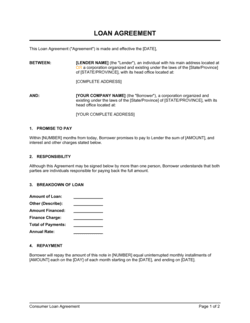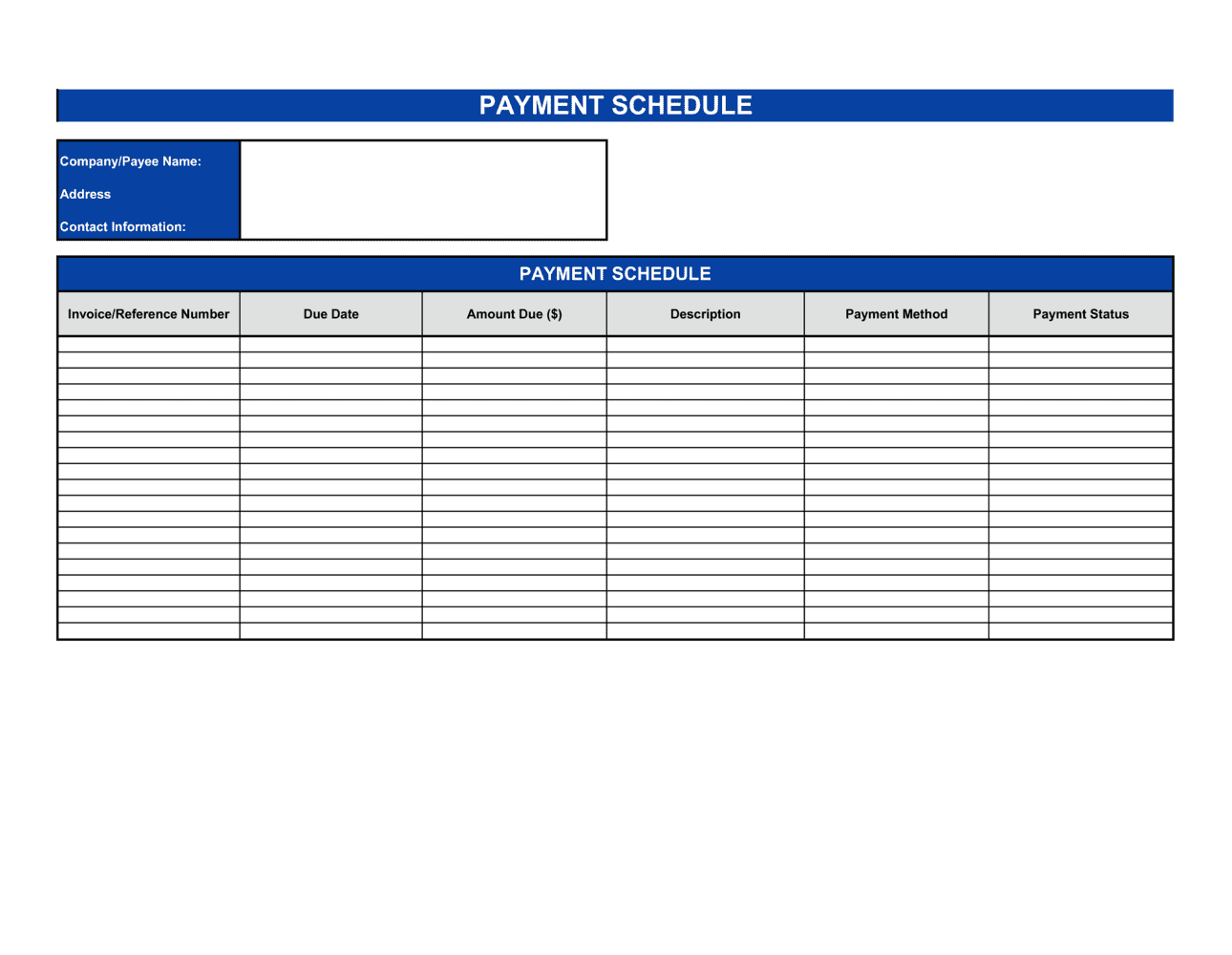
Payment Schedule Template

Free Excel download β€’ Edit online β€’ Save & share with Drive β€’ Export to PDF

1 pageβ€’15–25 min to fillβ€’Difficulty: Standard
Learn more ↓
FreeXLSPayment Schedule Template

At a glance

What it is
A Payment Schedule is a structured table listing every scheduled payment under a contract or financing arrangement β€” including due date, total payment amount, principal and interest components, and the remaining balance after each installment. This free Word download attaches as an exhibit to credit agreements, installment sales contracts, and milestone-based services agreements.
When you need it
Use it whenever a contract involves payments spread over time β€” seller financing, business loans, installment sales, or service contracts with milestone billing β€” and both parties need a single, unambiguous record of what is owed and when.
What's inside
Party and agreement references, a row-by-row payment table with dates and amounts, a principal/interest split for financing arrangements, a running outstanding balance column, and a totals summary row confirming the full obligation.

What is a Payment Schedule?

A Payment Schedule is a structured table β€” typically attached as an exhibit to a loan, installment sale, or services contract β€” that lists every payment in a repayment series with its due date, total amount, principal component, interest component, and the running outstanding balance after each installment. It converts the high-level repayment terms stated in the parent agreement into a row-by-row record both parties can track against. For financing arrangements, it also shows the amortization of the debt, confirming how the interest and principal split shifts over time until the balance reaches zero at the maturity date.

Why You Need This Document

Without a payment schedule, both parties must re-derive repayment dates and amounts from the contract terms every time a payment approaches β€” creating room for arithmetic disagreements, missed due dates, and disputes over how much principal remains. Lenders who extend credit without an attached schedule have no clean audit trail when a borrower claims a payment was applied incorrectly. Service providers billing in milestones need a signed exhibit to enforce a specific date and amount, not just a clause referencing "installment payments." A completed payment schedule eliminates all of this ambiguity before the first payment is due, gives each party a reference they can check in under 30 seconds, and provides the paper trail needed to calculate default and late fees accurately if a payment is missed. This template gives you a ready-to-attach exhibit in under 30 minutes.

Which variant fits your situation?

If your situation is…Use this template
Fixed monthly payments on a business or personal loanLoan Amortization Schedule
Seller-financed property or asset saleInstallment Sale Agreement
Milestone-based billing for a services projectService Agreement with Payment Schedule
Recurring billing under a subscription or retainerRecurring Invoice
Structured settlement or debt repayment planDebt Settlement Agreement
Construction project with draw scheduleConstruction Payment Schedule

Common mistakes to avoid

❌ Using relative due dates instead of specific calendar dates

Why it matters: Terms like 'due on the 1st of each month' create disputes when months start on weekends or holidays, and make it impossible to calculate the exact default date.

Fix: List every due date as a specific MM/DD/YYYY entry in the table so both parties have a single, unambiguous record.
❌ Calculating interest on the original balance rather than the declining balance

Why it matters: This overstates interest charges in later periods, causes the schedule to not fully amortize, and may constitute a usury violation in some jurisdictions.

Fix: Recalculate each row's interest as the prior period's outstanding balance multiplied by the periodic rate, or use a standard amortization spreadsheet formula.

❌ Final balance does not reach zero

Why it matters: A non-zero ending balance means the schedule does not match the contracted loan amount β€” either the parties disagree on the total owed or arithmetic errors exist.

Fix: Adjust the final payment amount to absorb any rounding difference and confirm the totals row principal matches the original loan principal exactly.

❌ Omitting the exhibit reference to the parent agreement

Why it matters: A standalone schedule with no link to the governing contract is difficult to enforce because the late fee terms, default remedies, and governing law are all in the parent agreement.

Fix: Include the parent agreement's name, date, and parties in the schedule header and confirm the exhibit label matches the reference in the contract body.

The 9 key fields, explained

Agreement reference and parties

Payment number

Due date

Payment amount

Principal component

Interest component

Outstanding balance

Totals summary row

Late fee and default notice

How to fill it out

  1. 1

    Reference the parent agreement

    Enter the full name and date of the underlying contract this schedule will be attached to, and confirm the exhibit label (e.g., Exhibit A) matches what the contract references.

    πŸ’‘ Check the parent agreement's exhibit list before you assign a letter β€” duplicate exhibit labels are a common source of confusion during execution.

  2. 2

    Enter the loan or contract amount and interest rate

    Record the total principal amount, the annual interest rate (if any), and the start date from which interest begins to accrue.

    πŸ’‘ For zero-interest installment contracts, leave the interest column at $0.00 and note 'interest-free' in the header to prevent ambiguity.

  3. 3

    Set the payment frequency and populate due dates

    Choose monthly, quarterly, or milestone-based frequency and list every specific calendar due date in the due-date column β€” do not use relative terms.

    πŸ’‘ If a due date falls on a weekend or public holiday, decide in advance whether to move it to the prior Friday or next Monday, and note the rule in the schedule footer.

  4. 4

    Calculate the principal and interest split for each row

    For amortizing loans, use the standard amortization formula or a spreadsheet PMT function to derive each row's principal and interest components. For milestone contracts, set the payment amount per milestone and leave the interest column blank.

    πŸ’‘ Build the schedule in a spreadsheet first so formulas auto-calculate, then paste the final values into the Word template to eliminate formula errors in the distributed document.

  5. 5

    Populate the running balance column

    Each row's balance equals the prior row's balance minus the current row's principal component. Verify the final row equals $0.00.

    πŸ’‘ If the final balance is not zero, adjust the last payment amount rather than changing the interest rate β€” this keeps the schedule consistent with the contract terms.

  6. 6

    Add the totals summary row and late fee notice

    Sum the payment, principal, and interest columns in the totals row. Add a footer referencing the late fee rate and grace period from the parent agreement.

    πŸ’‘ Cross-check total principal in the summary row against the original loan amount β€” they must match to confirm the schedule fully amortizes the debt.

  7. 7

    Attach as an exhibit and cross-reference

    Append the completed schedule to the parent agreement as the specified exhibit and confirm the body of the contract references it by the correct exhibit label and date.

    πŸ’‘ Both parties should initial the payment schedule exhibit separately at signing so there is no dispute that they reviewed and accepted the specific figures.

Frequently asked questions

What is a payment schedule?

A payment schedule is a structured table attached to a loan, installment sale, or services contract that lists every payment due date, the total amount owed on each date, the principal and interest breakdown, and the running outstanding balance. It gives both parties a single, unambiguous record of the full repayment obligation and is typically included as an exhibit to the governing agreement.

When should I use a payment schedule instead of just stating terms in the contract?

Use a separate payment schedule whenever a contract involves more than two or three installments, an amortizing loan with changing principal/interest splits, or milestone-based billing tied to specific deliverable dates. Embedding a multi-row table in contract body text is hard to read and harder to update β€” a standalone exhibit is cleaner and easier to reference in a dispute.

What is the difference between a payment schedule and an amortization schedule?

An amortization schedule is a specific type of payment schedule used for interest-bearing loans, where each row shows how the payment splits between principal reduction and interest. A payment schedule is the broader term β€” it covers amortizing loans, interest-free installments, and milestone payments alike. Every amortization schedule is a payment schedule, but not every payment schedule involves amortization.

Does a payment schedule need to be signed?

The payment schedule itself typically does not require a separate signature β€” it is executed as an exhibit to the parent agreement. However, both parties should initial each page of the schedule at signing to confirm they reviewed and accepted the specific figures, particularly for large loans or long repayment terms.

What happens if a payment date falls on a weekend or holiday?

The schedule should include a rule β€” either in the footer or in the parent agreement β€” specifying whether the payment moves to the prior business day or the next. Without this rule, the parties may disagree on whether a payment made on the following Monday is on time or late. State the rule explicitly and apply it consistently to all dates in the table.

Can I modify a payment schedule after it has been signed?

Yes, but any modification should be documented as a written amendment signed by both parties, replacing or supplementing the original exhibit. Verbally agreeing to change a due date or amount without amending the schedule creates conflicting records and complicates enforcement if the borrower later disputes the modified terms.

Do I need a lawyer to create a payment schedule?

For straightforward installment sales and private loans, a template is sufficient. Consider a lawyer review when the loan amount exceeds $50,000, the schedule involves variable interest rates or balloon payments, or the transaction crosses state or national borders where usury and consumer credit laws vary. A one-hour review typically costs $150–$400 and is worthwhile for any arrangement where default remedies may need to be enforced.

How do I handle a balloon payment in the schedule?

List all regular installment rows with their normal payment amounts, then add a final row labeled 'Balloon Payment' showing the full remaining principal as the payment amount. The interest component on that row should reflect only the final period's interest, and the balance after that row should be $0.00. Note 'Balloon Payment Due' prominently in that row to ensure the debtor is not surprised at maturity.

How this compares to alternatives

vs Invoice

An invoice is a one-time billing document requesting payment for goods or services already delivered. A payment schedule is a forward-looking table of all installments due under a contract β€” it is attached to the agreement at signing, before any payments are made. Use an invoice to bill; use a payment schedule to document a multi-payment obligation upfront.

vs Promissory Note

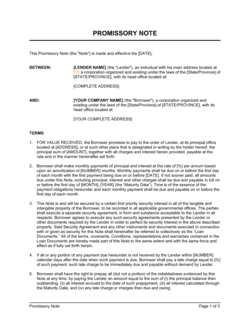
A promissory note is the legally binding instrument in which the borrower promises to repay a sum β€” it states the interest rate, term, and default consequences. A payment schedule is typically attached as an exhibit to the note and shows the exact repayment rows in table form. The note creates the obligation; the schedule operationalizes it.

vs Debt Settlement Agreement

A debt settlement agreement resolves an existing debt dispute by accepting a reduced lump sum or restructured repayment. A payment schedule documents the agreed installment terms within that settlement. The settlement agreement governs the legal terms; the payment schedule shows the specific payment rows both parties have agreed to.

vs Service Agreement

A service agreement governs the scope, deliverables, and terms of a professional engagement. A payment schedule is an exhibit attached to the service agreement when fees are paid in installments rather than on a single invoice. The agreement sets the rules; the payment schedule sets the dates and amounts.

Industry-specific considerations

Financial Services

Loan amortization schedules with precise principal/interest splits and balloon payment rows for private credit and bridge financing arrangements.

Real Estate

Seller-financed property transactions and land contracts where a payment schedule exhibit documents the installment terms and balloon maturity date.

Construction

Draw schedules tied to project milestones β€” foundation, framing, substantial completion β€” where each payment row links to a defined deliverable rather than a calendar date.

Professional Services

Milestone-based billing schedules for consulting, legal, or IT projects where payments are triggered by deliverable acceptance rather than fixed dates.

Template vs pro β€” what fits your needs?

PathBest forCostTime
Use the templatePrivate loans, installment sales, and services contracts with straightforward fixed payment termsFree15–30 minutes
Template + professional reviewLoans above $50,000, variable-rate or balloon structures, or cross-border financing arrangements$150–$400 (accountant or attorney review)1–2 days
Custom draftedComplex structured financing, regulated consumer credit products, or multi-party syndicated arrangements$500–$2,000+3–7 days

Glossary

Amortization
The process of paying off a debt through regular scheduled payments that cover both principal reduction and interest charges.
Principal
The original loan or credit amount, or the portion of each payment that reduces the outstanding balance rather than paying interest.
Installment
One individual payment in a series of scheduled payments made under a loan or deferred-payment agreement.
Outstanding Balance
The remaining amount owed on a debt after each payment has been applied, also called the running balance.
Due Date
The specific calendar date by which a scheduled payment must be received to avoid late fees or default.
Interest Component
The portion of each installment payment that compensates the lender for extending credit, calculated on the outstanding principal balance.
Balloon Payment
A single large payment due at the end of a loan term that pays off the remaining principal in full, common in short-term seller financing.
Grace Period
A defined number of days after a due date during which a payment may be made without triggering a late fee or default.
Maturity Date
The final scheduled date on which all remaining principal and interest must be paid in full.
Default
Failure to make a scheduled payment by the due date or end of any applicable grace period, triggering remedies defined in the underlying agreement.

Part of your Business Operating System

This document is one of 3,000+ business & legal templates included in Business in a Box.

  • Fill-in-the-blanks β€” ready in minutes
  • 100% customizable Word document
  • Compatible with all office suites
  • Export to PDF and share electronically

Create your document in 3 simple steps.

From template to signed document β€” all inside one Business Operating System.
1
Download or open template

Access over 3,000+ business and legal templates for any business task, project or initiative.

2
Edit and fill in the blanks with AI

Customize your ready-made business document template and save it in the cloud.

3
Save, Share, Send, Sign

Share your files and folders with your team. Create a space of seamless collaboration.

Save time, save money, and create top-quality documents.

β˜…β˜…β˜…β˜…β˜…

"Fantastic value! I'm not sure how I'd do without it. It's worth its weight in gold and paid back for itself many times."

Managing Director Β· Mall Farm
Robert Whalley
Managing Director, Mall Farm Proprietary Limited
β˜…β˜…β˜…β˜…β˜…

"I have been using Business in a Box for years. It has been the most useful source of templates I have encountered. I recommend it to anyone."

Business Owner Β· 4+ years
Dr Michael John Freestone
Business Owner
β˜…β˜…β˜…β˜…β˜…

"It has been a life saver so many times I have lost count. Business in a Box has saved me so much time and as you know, time is money."

Owner Β· Upstate Web
David G. Moore Jr.
Owner, Upstate Web

Run your business with a system β€” not scattered tools

Stop downloading documents. Start operating with clarity. Business in a Box gives you the Business Operating System used by over 250,000 companies worldwide to structure, run, and grow their business.

Start freeΒ Β·Β No credit card required