Hourly Schedule Planner Template

Free download β€’ Use as a template β€’ Print or share

1 pageβ€’20–30 min to useβ€’Difficulty: Standardβ€’Signature requiredβ€’Legal review recommended
Learn more ↓
FreeHourly Schedule Planner Template

At a glance

What it is
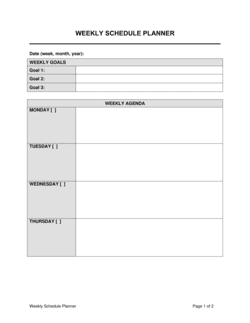
An Hourly Schedule Planner is a structured document that allocates specific time blocks across a day or week to individuals, teams, or tasks β€” creating a documented, binding record of work commitments, shift assignments, and operational timelines. This free Word download gives you a ready-to-use framework you can edit online, customize to your workforce or project requirements, and export as PDF for distribution or record-keeping.
When you need it
Use it when managing shift-based staff, allocating contractor hours under a service agreement, coordinating multi-person projects with fixed deadlines, or documenting agreed working hours for compliance or payroll purposes. It is especially critical any time hourly commitments form the basis of billing, overtime calculations, or employment law compliance.
What's inside
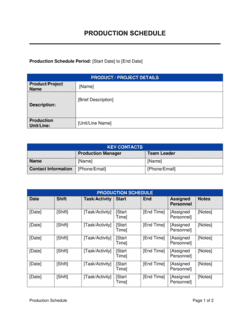
Named participant or role fields, date and time-block grid, task or shift descriptions, break and rest-period allocations, total hours summary, supervisor or manager sign-off block, and an acknowledgment section for worker or contractor confirmation.

What is an Hourly Schedule Planner?

An Hourly Schedule Planner is a structured document that allocates specific time blocks β€” typically in 30- or 60-minute increments β€” across a workday or week to named individuals, roles, or teams, creating a documented and signed record of agreed working hours, shift assignments, task allocations, and rest periods. Unlike a high-level shift roster, an hourly planner operates at a granular level: every block of the day is accounted for, every break is recorded, and the total hours are summed before the schedule is distributed. When signed by both a supervisor and the worker, it functions as a binding operational record that underpins payroll calculations, overtime compliance, and dispute resolution.

Why You Need This Document

Operating without a formal, signed hourly schedule exposes your business on multiple fronts simultaneously. Without documented scheduled hours, workers can dispute the hours they were assigned, overtime calculations become a matter of assertion rather than record, and wage-and-hour auditors have no baseline against which to verify compliance. Missed or undocumented rest breaks generate per-instance penalty claims in California, the UK, and across the EU β€” claims that are effectively undefendable when no schedule record exists. In jurisdictions with predictive scheduling ordinances, failing to issue and retain a formal advance schedule triggers premium pay obligations regardless of whether hours were actually worked. A completed, signed Hourly Schedule Planner closes all of these gaps: it documents what was planned, who agreed to it, and when they were notified β€” giving you the evidentiary foundation that every wage-and-hour dispute ultimately turns on.

Which variant fits your situation?

If your situation is…Use this template
Scheduling a team of shift workers across a full weekWeekly Employee Schedule
Allocating personal tasks and appointments throughout a single workdayDaily Planner
Tracking actual hours worked against a planned scheduleTimesheet Template
Documenting agreed hours as part of a contractor engagementIndependent Contractor Agreement
Managing rotating on-call shifts for a service teamOn-Call Schedule
Planning project tasks and milestones over multiple weeksProject Schedule Template
Recording part-time or casual worker availability and assignmentsPart-Time Work Schedule

Common mistakes to avoid

❌ Leaving time blocks blank instead of marking them 'Off'

Why it matters: Blank blocks are ambiguous β€” in a wage-and-hour dispute, a worker can argue they were available and on-call during unmarked periods, potentially triggering pay obligations.

Fix: Explicitly label every block in the grid, even if the designation is simply 'Off' or 'Unavailable,' so the schedule leaves no interpretive gaps.

❌ Failing to document mandatory rest and meal breaks

Why it matters: In most US states, Canadian provinces, and EU member states, employers are legally required to provide breaks at specified intervals. An undocumented break that was not provided exposes the employer to per-instance penalty claims.

Fix: Build break allocations into the schedule grid before it is published and confirm compliance with the applicable jurisdiction's wage-and-hour rules before distribution.

❌ Distributing the schedule without worker acknowledgment

Why it matters: Without a documented receipt, a worker can plausibly deny receiving the schedule β€” eliminating your evidentiary position in any subsequent dispute over hours, absence, or schedule changes.

Fix: Require a signed or digitally acknowledged receipt from every worker within 24 hours of schedule distribution and retain it on file for the duration of the applicable record-keeping period.

❌ Not accounting for cancellation-pay obligations when modifying shifts

Why it matters: Several jurisdictions β€” including Ontario, British Columbia, New York City, Seattle, and San Francisco β€” mandate minimum reporting pay for shifts cancelled below a statutory notice threshold, regardless of what the schedule document says.

Fix: Include an explicit schedule-modification clause that mirrors the applicable statutory minimum, and confirm cancellation-pay rules for every jurisdiction where workers are deployed before publishing the schedule.

❌ Using a single generic schedule template for workers in multiple jurisdictions

Why it matters: Overtime thresholds, rest-break requirements, and cancellation-pay rules differ materially between US states, Canadian provinces, and EU member states. One-size-fits-all schedules routinely produce non-compliant hour allocations.

Fix: Maintain a jurisdiction-specific schedule template for each location or consult an employment lawyer to identify the most restrictive applicable standard and build the schedule to that floor.

❌ Treating the schedule as an informal communication rather than a formal record

Why it matters: Wage-and-hour audits, employment tribunal hearings, and payroll disputes all rely on schedule records as primary evidence. Informal WhatsApp rosters or unsigned spreadsheets carry little evidentiary weight.

Fix: Issue schedules as formal signed documents, retain signed copies for the legally required record-keeping period (3 years under FLSA, varying by jurisdiction elsewhere), and treat schedule amendments as formal written modifications.

The 10 key clauses, explained

Participant and role identification

In plain language: Identifies each person or role covered by the schedule β€” name, job title or role description, and the organizational unit or project they belong to.

Sample language
Employee / Contractor Name: [FULL NAME] | Role: [JOB TITLE / ROLE DESCRIPTION] | Department / Project: [NAME] | Schedule Period: [START DATE] to [END DATE]

Common mistake: Using only a first name or a generic role label like 'Staff.' When schedule records are used in a wage dispute or audit, the individual must be unambiguously identifiable by their full legal name.

Schedule period and effective dates

In plain language: States the calendar dates the schedule covers β€” whether a single day, a work week, or a multi-week pay period β€” and when it takes effect.

Sample language
This schedule is effective for the period commencing [START DATE] and ending [END DATE]. Any changes to this schedule require [X hours'] advance written notice to the affected worker.

Common mistake: Omitting an effective end date and treating the schedule as open-ended. Without a defined period, modifications and disputes about 'the current schedule' become difficult to resolve.

Daily time-block grid

In plain language: The core of the planner β€” a row-by-row or column-by-column grid mapping each hour of the workday to a specific task, shift assignment, or activity.

Sample language
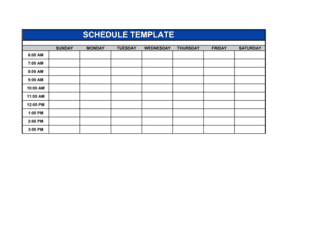
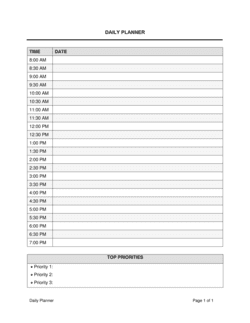
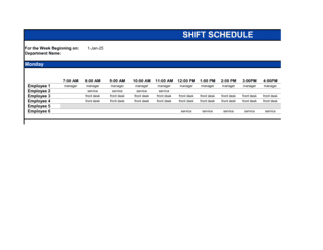
08:00–09:00: [TASK / SHIFT DESCRIPTION] | 09:00–10:00: [TASK / SHIFT DESCRIPTION] | ... | 17:00–18:00: [TASK / SHIFT DESCRIPTION]

Common mistake: Leaving time blocks blank rather than explicitly marking them as unscheduled or unavailable. Blank blocks are ambiguous in disputes over whether a worker was on the clock during that period.

Break and rest-period allocation

In plain language: Specifies the timing and duration of all required breaks β€” including unpaid meal breaks and paid rest periods β€” within each shift or workday block.

Sample language
Unpaid meal break: [30 / 60] minutes commencing at approximately [TIME]. Paid rest breaks: [2 Γ— 10-minute] breaks at mid-morning and mid-afternoon. Total paid hours: [X.XX].

Common mistake: Excluding break times from the schedule and relying on verbal instruction. In most jurisdictions, failure to document and provide mandated rest periods creates direct wage-and-hour liability.

Total scheduled hours summary

In plain language: A running tally of daily and weekly scheduled hours for each worker, used to identify overtime exposure before the schedule is published.

Sample language
Total scheduled hours β€” Monday: [X.XX] | Tuesday: [X.XX] | ... | Weekly Total: [XX.XX] | Overtime Hours (>40/week): [X.XX]

Common mistake: Calculating totals only at the end of the week rather than building them as each day is entered. By the time overtime appears in a week-end total, changing the schedule may require last-minute cancellations.

Location or remote-work designation

In plain language: Records where each shift or time block is to be performed β€” on-site at a named location, at a client site, or remotely β€” which affects travel allowances, health-and-safety obligations, and insurance.

Sample language
Work Location: [ON-SITE β€” ADDRESS] / [REMOTE β€” HOME OFFICE] / [CLIENT SITE β€” ADDRESS]. Workers assigned to a client site must [SAFETY REQUIREMENT OR CHECK-IN PROCEDURE].

Common mistake: Omitting location details for hybrid or multi-site workers. Location affects which jurisdiction's employment law applies to that shift, particularly for workers who travel between states or provinces.

Schedule modification and cancellation terms

In plain language: States the rules for changing a published schedule β€” minimum notice required, who has authority to approve changes, and whether cancelled shifts trigger any pay obligation.

Sample language
Scheduled shifts may be modified by [AUTHORIZED TITLE] with a minimum of [X hours / days'] written notice. Shifts cancelled with less than [X hours'] notice shall be compensated at [X hours' / full shift] pay per applicable law.

Common mistake: No cancellation-pay provision at all. Many jurisdictions β€” including Ontario, British Columbia, and several US cities β€” mandate minimum reporting pay for shifts cancelled on short notice.

Supervisor approval and sign-off

In plain language: A block for the scheduling manager or supervisor to confirm the schedule is complete, compliant, and authorized before distribution.

Sample language
Prepared by: [SCHEDULER NAME], [TITLE] | Date Prepared: [DATE] | Approved by: [SUPERVISOR NAME], [TITLE] | Approval Date: [DATE] | Signature: _______________

Common mistake: Distributing the schedule before supervisor sign-off and treating approval as a formality. Unsigned schedules create ambiguity about whether the hour allocations were formally authorized, which matters in overtime and misclassification audits.

Worker acknowledgment and receipt

In plain language: A signature block where the worker or contractor confirms they have received, reviewed, and understood the schedule β€” creating a documented record of notice.

Sample language
I, [WORKER NAME], acknowledge receipt of the schedule for the period [START DATE] to [END DATE] and confirm my understanding of the hours and locations assigned. Signature: _______________ Date: [DATE]

Common mistake: Treating the acknowledgment as optional or collecting it days after the schedule has started. A delayed or missing acknowledgment undermines the evidentiary value of the schedule in any subsequent dispute.

Notes and special instructions

In plain language: A free-text field capturing one-off instructions β€” training requirements during a specific block, dress code for a site visit, equipment pick-up times, or payroll coding notes.

Sample language
Special Instructions for [DATE / SHIFT]: [INSTRUCTION]. Payroll Code: [CODE]. Contact for queries: [NAME], [PHONE / EMAIL].

Common mistake: Using this field to override the main schedule grid informally. Any substantive changes to hours or tasks should be reflected in the grid itself, not buried in a notes field that workers may overlook.

How to fill it out

  1. 1

    Identify all participants and their roles

    Enter each worker's full legal name, job title or contractor role, and the department or project they are being scheduled for. Confirm spelling matches payroll or contract records.

    πŸ’‘ Create one schedule file per department or team rather than combining all workers in a single document β€” it keeps the grid readable and limits access to sensitive staffing information.

  2. 2

    Set the schedule period and effective dates

    Enter a clear start and end date for the planning period β€” typically one week or one pay period. Confirm these dates align with your payroll cycle to avoid partial-week overtime calculation errors.

    πŸ’‘ If your pay week starts on Saturday, your schedule period should too β€” misalignment between the schedule period and the payroll period is a common source of overtime miscalculation.

  3. 3

    Fill in the time-block grid day by day

    Assign each hour or 30-minute block to a specific task, shift role, or activity. Mark unscheduled blocks explicitly as 'Off' or 'Unavailable' rather than leaving them blank.

    πŸ’‘ Build from confirmed commitments outward β€” anchor fixed meetings or mandatory shifts first, then fill surrounding blocks with flexible tasks.

  4. 4

    Allocate all required breaks

    Insert mandatory meal breaks and paid rest periods into the grid at the positions required by applicable law or company policy. Calculate paid hours net of unpaid breaks for each day.

    πŸ’‘ Check your jurisdiction's break requirements before publishing β€” California mandates a 30-minute unpaid meal break after 5 hours of work and a paid 10-minute rest break for every 4 hours, with missed-break premiums if not provided.

  5. 5

    Calculate and review total hours for overtime

    Sum daily and weekly totals for each worker. Flag any week exceeding 40 hours (or 44 hours in some Canadian provinces) and confirm whether the overtime is budgeted and authorized.

    πŸ’‘ Run the total-hours check before supervisor approval, not after β€” changing the schedule post-approval is disruptive and may trigger cancellation-pay obligations.

  6. 6

    Record work location for each shift

    Specify on-site, remote, or client-site for every time block. For multi-site workers, include the specific address or location code.

    πŸ’‘ For workers crossing state or provincial lines within a single week, flag the shift for an HR review β€” multi-jurisdiction wage-and-hour rules may apply simultaneously.

  7. 7

    Obtain supervisor sign-off before distribution

    Route the completed schedule to the authorized supervisor for review and signature. Confirm all overtime, location assignments, and special instructions have been reviewed.

    πŸ’‘ Store the signed supervisor copy separately from the distributed worker copy β€” you need the original signature on file, not a forwarded PDF.

  8. 8

    Collect worker acknowledgments promptly

    Distribute the schedule to all affected workers and request signed acknowledgment within 24 hours of receipt. File the signed acknowledgment with the schedule record for the period.

    πŸ’‘ Use a digital signature tool so timestamps are automatic β€” a worker who claims they never received the schedule is much easier to address when you have a time-stamped delivery and acknowledgment record.

Frequently asked questions

What is an hourly schedule planner?

An hourly schedule planner is a structured document that maps specific time blocks across a day or week to individual workers, teams, or tasks β€” recording who is working, when, where, and on what. It serves as both an operational tool for managing workforce capacity and a compliance record for wage-and-hour law, overtime calculations, and payroll processing. In business contexts, a signed schedule planner functions as the primary evidence of agreed working hours between an employer and an employee or contractor.

Is an hourly schedule planner a legally binding document?

When signed by both a supervisor and the worker, an hourly schedule planner is generally treated as a binding record of agreed hours in most jurisdictions. It may not constitute a standalone employment contract, but it creates documented obligations around hours, breaks, and locations that courts, tribunals, and labor authorities rely on in wage disputes and compliance audits. The evidentiary weight increases significantly when it is properly signed, dated, and retained for the applicable record-keeping period.

How far in advance must I provide employees with their schedule?

Advance notice requirements vary by jurisdiction. In the US, several cities and states with predictive scheduling laws β€” including San Francisco, Seattle, Chicago, and New York City β€” require 14 days' advance notice for retail, food service, and hospitality workers. In the UK, no statutory minimum applies, but employment contracts or collective agreements often specify notice periods. In Canada, requirements vary by province, with most setting a minimum of 96 hours to one week. Always confirm the applicable local rule before setting your standard notice period.

What breaks must be included in a schedule?

Mandatory break requirements differ by jurisdiction and shift length. Under US federal law (FLSA), rest breaks of 20 minutes or less must be paid; meal breaks of 30 minutes or more may be unpaid if the worker is completely relieved of duties. California requires a 30-minute unpaid meal break after 5 hours and a 10-minute paid rest break per 4 hours worked. In the EU, workers are entitled to at least an 11-hour daily rest period and a 20-minute break for shifts exceeding 6 hours. Build break allocations into the schedule grid to demonstrate compliance.

What records do I need to keep and for how long?

Under the US Fair Labor Standards Act, employers must retain payroll records β€” including schedules β€” for at least 3 years. Most Canadian provincial employment standards require 3–5 years. In the UK, working time records must be kept for 2 years under the Working Time Regulations. EU member states vary between 2 and 5 years. Retaining signed schedule documents for the full applicable period is critical for defending any wage-and-hour claim filed after the fact.

Can I change a published schedule without the worker's consent?

In most jurisdictions, employers can modify schedules with reasonable notice, but some changes may trigger minimum reporting pay or premium pay obligations. Predictive scheduling laws in cities like San Francisco and Chicago require premium pay β€” often 1 additional hour at the minimum wage β€” for any schedule changes made below the advance-notice threshold. Employment contracts, collective agreements, or custom in a workplace may also create implied notice obligations. Always check applicable law and document any modification in writing with a new worker acknowledgment.

What is the difference between a schedule planner and a timesheet?

A schedule planner documents intended hours in advance β€” when a worker is expected to start, stop, and take breaks. A timesheet records actual hours worked after the fact, typically used for payroll processing and client billing. Both documents should be retained together: the schedule demonstrates what was planned and agreed; the timesheet shows what was actually performed. Discrepancies between the two are a common trigger for wage-and-hour audits.

Do independent contractors need to be included on a schedule planner?

If a contractor's hours are specified in their service agreement, a schedule planner that documents those hours helps both parties track compliance with the contracted scope. However, be cautious: scheduling a contractor's hours with the same level of control as an employee β€” dictating exactly when and where they work each hour β€” is one of the behavioral factors labor authorities use to assess worker misclassification. Include contractors on schedules when the contract requires specific hour allocation, but ensure the underlying engagement agreement supports independent contractor status.

Can I use the same schedule planner template for remote workers?

Yes, with adjustments. Add a work-location field to each time block designating the worker's assigned workspace β€” home office, client site, or a specific address. For cross-border remote workers, flag shifts where the worker is physically located in a different jurisdiction from the employer, as this can create multi-jurisdiction employment obligations including local wage-and-hour rules, payroll tax registration, and mandatory benefits. A legal review is advisable when remote workers are located in a different state, province, or country from the employer.

How this compares to alternatives

vs Employee Timesheet

A timesheet records actual hours worked after the fact and drives payroll calculations. An hourly schedule planner documents intended hours in advance and creates the agreed framework workers are expected to follow. Both documents should be retained together β€” the schedule shows what was planned; the timesheet shows what was delivered. Discrepancies between them are a primary audit trigger.

vs Work Schedule Template

A work schedule template typically organizes staff across days and shifts at a high level, showing who covers which shift. An hourly schedule planner drills down to individual time blocks within each day, assigning specific tasks or activities per hour. Use a work schedule for shift-coverage planning; use the hourly planner when hour-by-hour task allocation or compliance documentation is required.

vs Project Plan

A project plan maps tasks, dependencies, and milestones across a multi-week or multi-month timeline, typically at a daily or weekly granularity. An hourly schedule planner operates at a much finer resolution β€” hour by hour within a single day or week β€” and focuses on individual capacity allocation rather than project-level sequencing. Use both together: the project plan defines what needs to happen and when; the hourly schedule assigns who executes each piece and during which specific hours.

vs Independent Contractor Agreement

An independent contractor agreement defines the legal relationship, deliverables, compensation, IP ownership, and termination terms for a contractor engagement. An hourly schedule planner documents the specific hours a contractor is expected to work within that engagement. The agreement governs the relationship; the schedule operationalizes it. Both are needed when a contractor's hours are billed to a client or form the basis of any compliance record.

Industry-specific considerations

Retail and Hospitality

Variable daily footfall means shift density changes hour to hour; predictive scheduling laws in several jurisdictions impose premium pay for late schedule changes.

Healthcare

Mandatory minimum staffing ratios and fatigue-management regulations require documented shift allocations; missed rest periods in clinical settings create both patient-safety and legal liability exposure.

Construction

Multi-trade coordination, site-access windows, and contractor hour tracking under fixed-price contracts make a documented hourly schedule essential for both billing and safety compliance.

Professional Services

Billable-hour allocations must reconcile with client invoices; schedule records support dispute resolution when clients contest the hours billed under a service agreement.

Manufacturing

Three-shift production lines require precise handover documentation; overtime exposure accumulates quickly when shift swaps are undocumented.

Education

Adjunct faculty, teaching assistants, and support staff working variable hours need documented schedules to confirm compliance with maximum-hours rules and to calculate benefits eligibility thresholds.

Jurisdictional notes

United States

Federal FLSA requires overtime pay at 1.5Γ— the regular rate for hours over 40 per week for non-exempt workers and mandates retention of payroll and schedule records for at least 3 years. Several states β€” California, Oregon, and Nevada β€” apply daily overtime thresholds (over 8 hours per day) in addition to the federal weekly threshold. Cities including San Francisco, Seattle, Chicago, and New York City impose predictive scheduling laws requiring 14 days' advance notice and premium pay for late schedule changes in retail, hospitality, and food-service sectors.

Canada

Employment standards are set at the provincial level. Ontario requires overtime pay after 44 hours per week; British Columbia after 40 hours per week and 8 hours per day. Most provinces require 24–96 hours' advance notice of scheduled shifts and impose minimum reporting pay (typically 2–4 hours) for shifts cancelled below the notice threshold. Quebec requires schedules to be provided in French for provincially regulated employers and sets additional restrictions on split shifts.

United Kingdom

The Working Time Regulations 1998 entitle workers to an 11-hour daily rest period, a 24-hour weekly rest period, and a 20-minute break for shifts exceeding 6 hours. There is no statutory requirement to provide schedules a set number of days in advance, but employment contracts and collective agreements typically specify notice periods. Schedule records must be retained for 2 years. Zero-hours contract workers have additional protections under the Employment Rights Act 1996 and cannot be penalised for refusing unconfirmed hours.

European Union

The EU Working Time Directive sets a 48-hour maximum average working week (measured over a reference period), an 11-hour daily rest, and a minimum 20-minute break for shifts over 6 hours. The EU Transparent and Predictable Working Conditions Directive (2019/1152) requires employers to inform workers of their schedule as far in advance as reasonably possible and to provide predictable working-pattern information at the start of employment. Individual member states β€” notably France, Germany, and Spain β€” impose additional requirements including mandatory written schedules and minimum scheduling notice periods.

Template vs lawyer β€” what fits your deal?

PathBest forCostTime
Use the templateSmall businesses and managers scheduling domestic employees in a single jurisdiction with standard wage-and-hour rulesFree15–30 minutes per schedule period
Template + legal reviewEmployers scheduling workers across multiple jurisdictions, or any location covered by a predictive scheduling ordinance$150–$400 for an employment law spot-check1–2 days
Custom draftedMulti-site employers in heavily regulated sectors (healthcare, hospitality, manufacturing) with union agreements or complex overtime structures$500–$2,000+ for a compliance-reviewed scheduling policy and template package1–2 weeks

Glossary

Time Block
A defined segment of time β€” typically 30 or 60 minutes β€” assigned to a specific task, shift, or activity in a schedule.
Shift
A designated period during which an employee or team is scheduled to work, with a defined start time, end time, and total duration.
Overtime
Hours worked beyond the standard threshold β€” typically 8 hours per day or 40 hours per week β€” which may attract a higher pay rate under applicable employment law.
Rest Period
A mandatory break from work, either paid or unpaid, required by law or policy at specified intervals during a shift.
Rostering
The process of assigning individual workers to specific shifts or time blocks, typically covering a week or pay period at a time.
Split Shift
A work schedule in which an employee's required hours are divided into two or more non-consecutive segments within a single calendar day.
Scheduled Hours
The total number of hours formally allocated to an individual in a planning period, before any actual time-tracking or variation.
Acknowledgment
A signed confirmation by the worker, contractor, or supervisor that the schedule has been received, reviewed, and accepted as documented.
Availability Window
The range of hours during which a worker has indicated they are available to be scheduled, often captured as a standing record separate from the schedule itself.
Pay Period
The recurring interval β€” weekly, bi-weekly, or semi-monthly β€” over which hours are totaled and used to calculate wages or invoiced amounts.
Compliance Record
Documentation maintained by an employer to demonstrate adherence to applicable wage-and-hour laws, including scheduled hours, rest breaks, and overtime thresholds.

Part of your Business Operating System

This document is one of 3,000+ business & legal templates included in Business in a Box.

  • Fill-in-the-blanks β€” ready in minutes
  • 100% customizable Word document
  • Compatible with all office suites
  • Export to PDF and share electronically

Create your document in 3 simple steps.

From template to signed document β€” all inside one Business Operating System.
1
Download or open template

Access over 3,000+ business and legal templates for any business task, project or initiative.

2
Edit and fill in the blanks with AI

Customize your ready-made business document template and save it in the cloud.

3
Save, Share, Send, Sign

Share your files and folders with your team. Create a space of seamless collaboration.

Save time, save money, and create top-quality documents.

β˜…β˜…β˜…β˜…β˜…

"Fantastic value! I'm not sure how I'd do without it. It's worth its weight in gold and paid back for itself many times."

Managing Director Β· Mall Farm
Robert Whalley
Managing Director, Mall Farm Proprietary Limited
β˜…β˜…β˜…β˜…β˜…

"I have been using Business in a Box for years. It has been the most useful source of templates I have encountered. I recommend it to anyone."

Business Owner Β· 4+ years
Dr Michael John Freestone
Business Owner
β˜…β˜…β˜…β˜…β˜…

"It has been a life saver so many times I have lost count. Business in a Box has saved me so much time and as you know, time is money."

Owner Β· Upstate Web
David G. Moore Jr.
Owner, Upstate Web

Run your business with a system β€” not scattered tools

Stop downloading documents. Start operating with clarity. Business in a Box gives you the Business Operating System used by over 250,000 companies worldwide to structure, run, and grow their business.

Free Forever PlanΒ Β·Β No credit card required