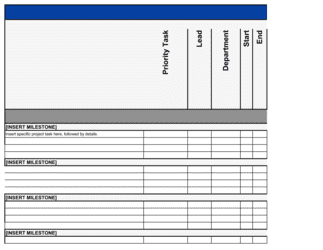
Project Plan Template

Free Excel download β€’ Edit online β€’ Save & share with Drive β€’ Export to PDF

6 pagesβ€’25–30 min to fillβ€’Difficulty: Complex
Learn more ↓
FreeXLSProject Plan Template

At a glance

What it is
A Project Plan is a structured document that defines a project's scope, deliverables, timeline, milestones, resource requirements, budget, and risk management approach in a single reference document. This free Word download gives teams a ready-to-edit starting point they can tailor to any initiative β€” from a product launch to an office relocation β€” and export as PDF to share with stakeholders, sponsors, or clients.
When you need it
Use it at the start of any initiative that involves multiple people, a defined budget, a deadline, or interdependent tasks. It is particularly critical when work spans departments or involves external vendors where misaligned expectations have financial or reputational consequences.
What's inside
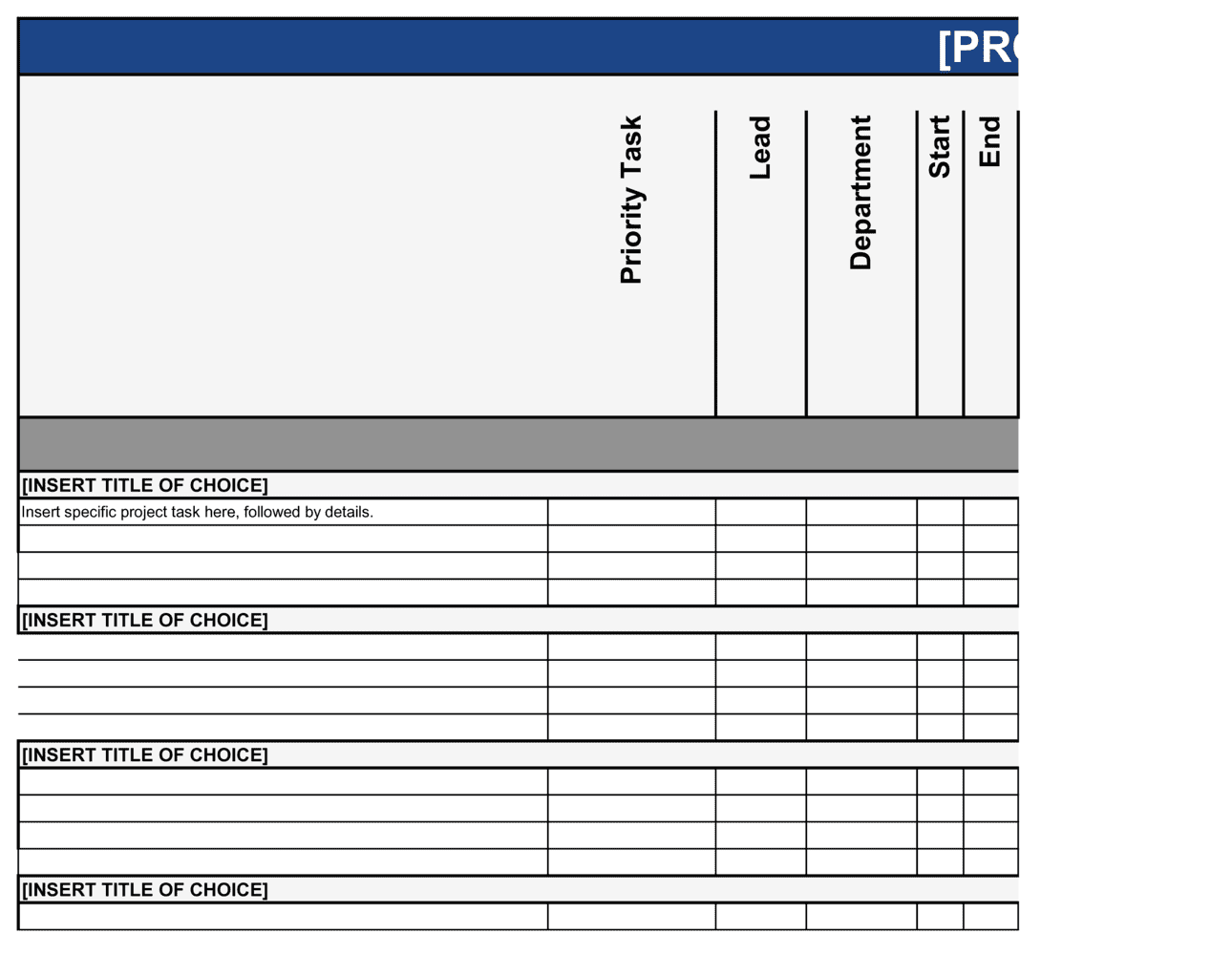
Project overview and objectives, scope statement, work breakdown structure, milestone schedule, resource and budget plan, risk register, communication plan, and success metrics. Each section is pre-formatted with instructional prompts to guide completion.

What is a Project Plan?

A Project Plan is a structured operational document that defines a project's objectives, scope, schedule, resource requirements, budget, risks, and communication approach before execution begins. It establishes the baseline against which actual progress is measured throughout the project lifecycle β€” giving every team member, stakeholder, and sponsor a shared, written reference for what will be delivered, by whom, and by when. Unlike a high-level strategy document or a simple task list, a project plan integrates all the moving parts of an initiative into one governing document that drives coordination, accountability, and change control from kickoff to close.

Why You Need This Document

Projects without a written plan run over budget, miss deadlines, and accumulate scope changes that no one formally approved β€” because there is no baseline to measure against and no agreed process for handling new requests. The absence of an explicit scope statement turns every stakeholder assumption into a potential commitment, and the absence of a risk register means foreseeable problems go unmitigated until they become crises. Teams that skip the plan spend more time managing escalations and rework than doing the actual work. A completed, sponsor-approved project plan eliminates ambiguity at the start β€” where fixing it costs an afternoon β€” rather than mid-project, where it costs weeks and budget overruns. This template gives you the structure to move from approval to execution in hours, not days.

Which variant fits your situation?

If your situation is…Use this template
Managing a software development or product buildSoftware Development Project Plan
Planning and executing a construction or facility projectConstruction Project Plan
Running a marketing campaign with defined deliverablesMarketing Campaign Plan
Tracking ongoing work at the task level across a sprintAction Plan
Presenting a high-level initiative roadmap to a board or executive sponsorStrategic Plan
Planning a business event, conference, or product launch eventEvent Planning Checklist
Scoping and pricing work for a client before the project startsProject Proposal

Common mistakes to avoid

❌ Starting work before the scope is baselined

Why it matters: Without an agreed scope baseline, every new request appears to be part of the original plan β€” and the team has no documented grounds to push back.

Fix: Require sponsor sign-off on the scope statement before any work begins. Treat the signed plan as the change-control baseline from day one.

❌ No explicit out-of-scope section

Why it matters: Items that are not explicitly excluded are treated as included by stakeholders and vendors, leading to budget overruns and team resentment.

Fix: Write at least three to five specific exclusions in the scope statement β€” name the adjacent work that will not be done in this project.

❌ Treating the risk register as a one-time kickoff exercise

Why it matters: Risks change as the project progresses. A risk log reviewed only at kickoff becomes stale within weeks and provides no early-warning value.

Fix: Schedule a 10-minute risk review as a standing agenda item at every weekly status meeting and update the register in real time.

❌ Listing resources without stated allocation percentages

Why it matters: Team members assigned to multiple projects without clear allocations will deprioritize work based on whoever escalates most loudly, not project criticality.

Fix: State a percentage allocation for every team member per phase and cross-check against their other project commitments before finalizing the plan.

❌ Setting milestones with no completion criteria

Why it matters: Without a written definition of done, milestone completion becomes subjective β€” different stakeholders will disagree on whether the gate has been passed.

Fix: For each milestone, write one sentence describing exactly what must be true for a third party to verify it as complete.

❌ Omitting the contingency budget

Why it matters: Every project encounters at least one assumption that proves wrong. A plan with no contingency goes over budget the moment any estimate is off, forcing unplanned escalations.

Fix: Add a contingency line of 10–15% of total project cost and document the assumptions that would trigger its use.

The 9 key sections, explained

Project overview and objectives

Scope statement

Work breakdown structure

Milestone schedule

Resource and staffing plan

Budget plan

Risk register

Communication plan

Success metrics and acceptance criteria

How to fill it out

  1. 1

    Define the project objective before touching any other section

    Write one to three outcome-based objectives using the format: deliver [deliverable] by [date] to achieve [measurable business result]. Confirm these with the project sponsor before proceeding.

    πŸ’‘ If you cannot write the objective in one sentence, the project scope is not yet agreed. Resolve that before starting the plan.

  2. 2

    Write the scope statement with explicit exclusions

    List what the project will deliver, then write a separate 'out of scope' section with at least three items that could reasonably be assumed to be included. Get both sections signed off by the sponsor.

    πŸ’‘ The most common scope creep triggers are adjacent features or departments that were never explicitly excluded. Naming them preempts the conversation.

  3. 3

    Build the work breakdown structure from deliverables down

    Start with the end deliverables and decompose each into phases, then tasks, then sub-tasks. Each task should take no more than 5 business days β€” if it takes longer, break it down further.

    πŸ’‘ Use the WBS to identify task dependencies before building the schedule. Dependencies are the most common source of schedule errors.

  4. 4

    Set milestones with written completion criteria

    For each milestone, write a one-sentence definition of done that would allow a third party to verify completion independently. Assign a single owner to each.

    πŸ’‘ No milestone should have two owners β€” shared ownership means no ownership.

  5. 5

    Assign resources with percentage allocations

    List every team member and vendor, their allocation percentage per phase, and the specific tasks they own. Flag any allocation conflicts with other active projects.

    πŸ’‘ Any team member allocated above 80% across all projects will become a bottleneck. Flag this to the sponsor at kickoff, not mid-project.

  6. 6

    Build the budget from the WBS up

    Estimate labor cost per task using rate Γ— hours, then add tool, software, and vendor costs. Add a 10–15% contingency line at the bottom. Tie each cost to a project phase so spend can be tracked against progress.

    πŸ’‘ Get vendor quotes in writing before finalizing the budget. Verbal estimates regularly run 20–40% below final invoice amounts.

  7. 7

    Complete the risk register at kickoff and schedule reviews

    Identify at least five project risks, rate each by probability and impact, and assign a mitigation action and owner. Add a standing risk-review agenda item to every status meeting.

    πŸ’‘ The two risks most teams forget: a key team member leaving mid-project, and a dependency on a third party who does not know they are a dependency.

  8. 8

    Distribute the plan and confirm stakeholder sign-off

    Share the completed plan with all stakeholders and ask for explicit written confirmation that scope, timeline, and budget are agreed. Store the signed-off version as the baseline.

    πŸ’‘ A plan that has not been confirmed by the sponsor is a draft. Do not begin execution until baseline sign-off is documented.

Frequently asked questions

What is a project plan?

A project plan is a document that defines a project's objectives, scope, schedule, resources, budget, risks, and communication approach before work begins. It serves as the baseline against which actual progress is measured and is the primary tool for aligning stakeholders, sponsors, and team members on what will be delivered, by whom, and by when.

What sections should a project plan include?

A complete project plan includes a project overview and objectives, a scope statement with explicit exclusions, a work breakdown structure, a milestone schedule, a resource and staffing plan, a budget breakdown, a risk register, a communication plan, and defined success metrics with acceptance criteria. The depth of each section scales with project complexity and stakeholder expectations.

What is the difference between a project plan and a project proposal?

A project proposal is written before a project is approved β€” it makes the business case for why the project should be done and requests authorization and budget. A project plan is written after approval β€” it defines how the approved project will be executed. The proposal gets you the green light; the plan gets you to the finish line.

How detailed should a project plan be?

The right level of detail depends on project complexity, team size, and stakeholder expectations. As a rule of thumb, no task in the work breakdown structure should exceed 5 business days β€” if it does, it needs to be broken into sub-tasks. For projects under 4 weeks with a team of fewer than 5 people, a simplified one-page action plan may be sufficient.

Who should sign off on a project plan?

At minimum, the project sponsor β€” the executive or leader who owns the business case and budget β€” should provide documented approval of the scope, timeline, and budget before work starts. For cross-functional projects, department heads whose resources are committed should also confirm their team's allocation. Undocumented verbal approvals routinely lead to disputes when priorities shift.

How is a project plan different from a Gantt chart?

A Gantt chart is one visual component of a project plan β€” it shows tasks plotted against a timeline with dependencies. A project plan is the full governing document that includes scope, resources, budget, risk, communication, and success metrics in addition to the schedule. Relying on a Gantt chart alone leaves the team without agreed objectives, risk mitigation actions, or a change-control baseline.

How often should a project plan be updated?

The baseline plan should remain fixed as the reference point. A running 'current plan' version should be updated weekly to reflect actual progress, revised estimates, new risks, and any approved scope changes. Approved changes are logged via change requests so the deviation from baseline is always visible. A plan that is silently edited without change control loses its value as an accountability tool.

Can a project plan be used for small internal projects?

Yes β€” a scaled-down version covering objectives, scope, key tasks, owner, budget, and deadline is appropriate for any project where missed deliverables would have a meaningful impact on the business or a client. Skipping the plan for 'small' projects is one of the most common reasons small projects expand, miss deadlines, and consume disproportionate management time.

What is scope creep and how does a project plan prevent it?

Scope creep is the gradual addition of requirements, features, or tasks beyond the original agreement β€” usually without a corresponding increase in timeline or budget. A project plan prevents it by establishing a written, signed-off scope statement with explicit exclusions and a formal change-request process. When a new request arrives, the plan provides the documented basis to evaluate its impact before committing to it.

How this compares to alternatives

vs Project Proposal

A project proposal makes the business case for a project and requests approval and budget before work begins. A project plan is the execution document created after approval β€” defining scope, schedule, resources, and risk in operational detail. You need the proposal to get authorization; you need the plan to deliver results.

vs Action Plan

An action plan is a flat task list with owners and due dates β€” useful for short, simple initiatives. A project plan adds scope control, a WBS, budget tracking, a risk register, and a communication structure. Use an action plan for tasks that can be completed in under two weeks; use a project plan for anything with multiple workstreams, a real budget, or external stakeholders.

vs Strategic Plan

A strategic plan defines a multi-year organizational direction β€” goals, priorities, and resource allocation at the company level. A project plan operationalizes one specific initiative within that strategy. The strategic plan tells you where to go; the project plan maps exactly how to get there for a bounded piece of work.

vs Project Proposal

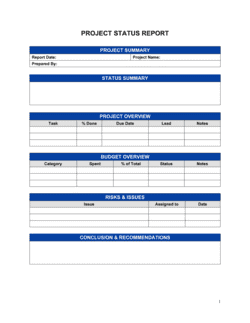
A project status report is a recurring communication document β€” typically weekly or bi-weekly β€” that updates stakeholders on progress, risks, and blockers against the baseline plan. The project plan is the baseline itself. Status reports measure variance from the plan; they do not replace it.

Industry-specific considerations

Technology / SaaS

Sprint-based WBS aligned to agile ceremonies, feature-level acceptance criteria, and go/no-go deployment milestones tied to release readiness checklists.

Construction and engineering

Phase gates tied to permits and inspections, subcontractor resource plans, materials procurement schedules, and weather-contingency buffers built into the timeline.

Marketing and agencies

Campaign milestone dates tied to media buying deadlines, creative review cycles, client approval gates, and post-launch performance metric targets.

Professional services

Billable-hours tracking integrated into the resource plan, client sign-off milestones that gate invoice issuance, and risk flags for scope change requests from the client.

Template vs pro β€” what fits your needs?

PathBest forCostTime
Use the templateProject managers, team leads, and business owners running single-team or cross-functional projectsFree2–4 hours to complete
Template + professional reviewComplex projects with external stakeholders, significant budgets, or regulatory deliverables$200–$800 for a PMO or project management consultant review1–2 days
Custom draftedLarge capital programs, government contracts, or multi-vendor engagements requiring PMI/PRINCE2-compliant documentation$2,000–$10,000+1–3 weeks

Glossary

Scope Statement
A written description of what the project will and will not deliver, used to prevent uncontrolled growth of requirements over time.
Work Breakdown Structure (WBS)
A hierarchical decomposition of the total project work into smaller, manageable components β€” tasks and sub-tasks β€” each with an owner and an estimate.
Milestone
A significant, measurable checkpoint in the project schedule β€” such as 'prototype approved' or 'go-live complete' β€” with a fixed target date.
Critical Path
The longest sequence of dependent tasks in the schedule; any delay on the critical path delays the entire project end date.
RAID Log
A structured list of project Risks, Assumptions, Issues, and Dependencies tracked throughout the project lifecycle.
Stakeholder
Any individual or group with an interest in the project outcome β€” including sponsors, end users, vendors, and affected departments.
Deliverable
A tangible output or result the project must produce by a defined date β€” for example, a completed report, a deployed application, or a trained team.
Resource Plan
An itemized list of the people, equipment, and budget required for each phase of the project, mapped against the timeline.
Change Request
A formal document submitted when a stakeholder wants to modify the agreed scope, timeline, or budget after the project has started.
Project Sponsor
The senior leader or executive who owns the business case, provides funding, and has final decision-making authority on scope and priority changes.
Baseline
The approved, fixed version of the project scope, schedule, and budget used as the reference for measuring actual progress and variance.

Part of your Business Operating System

This document is one of 3,000+ business & legal templates included in Business in a Box.

  • Fill-in-the-blanks β€” ready in minutes
  • 100% customizable Word document
  • Compatible with all office suites
  • Export to PDF and share electronically

Create your document in 3 simple steps.

From template to signed document β€” all inside one Business Operating System.
1
Download or open template

Access over 3,000+ business and legal templates for any business task, project or initiative.

2
Edit and fill in the blanks with AI

Customize your ready-made business document template and save it in the cloud.

3
Save, Share, Send, Sign

Share your files and folders with your team. Create a space of seamless collaboration.

Save time, save money, and create top-quality documents.

β˜…β˜…β˜…β˜…β˜…

"Fantastic value! I'm not sure how I'd do without it. It's worth its weight in gold and paid back for itself many times."

Managing Director Β· Mall Farm
Robert Whalley
Managing Director, Mall Farm Proprietary Limited
β˜…β˜…β˜…β˜…β˜…

"I have been using Business in a Box for years. It has been the most useful source of templates I have encountered. I recommend it to anyone."

Business Owner Β· 4+ years
Dr Michael John Freestone
Business Owner
β˜…β˜…β˜…β˜…β˜…

"It has been a life saver so many times I have lost count. Business in a Box has saved me so much time and as you know, time is money."

Owner Β· Upstate Web
David G. Moore Jr.
Owner, Upstate Web

Run your business with a system β€” not scattered tools

Stop downloading documents. Start operating with clarity. Business in a Box gives you the Business Operating System used by over 250,000 companies worldwide to structure, run, and grow their business.

Start freeΒ Β·Β No credit card required