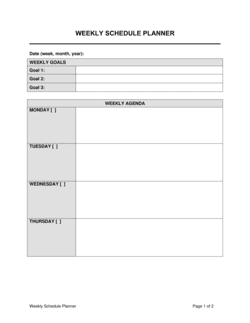
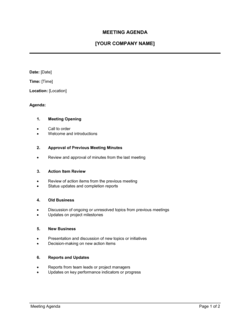
Daily To-do List Template

Free download β€’ Use as a template β€’ Print or share

1 pageβ€’20–30 min to useβ€’Difficulty: Standard
Learn more ↓
FreeDaily To-do List Template

At a glance

What it is
A Daily To Do List is a structured planning document used to capture, prioritize, and track every task that needs to be completed within a single workday. This free Word download gives you a ready-to-use layout you can edit online, print, or export as PDF in under five minutes.
When you need it
Use it every morning to set a clear agenda before the day's distractions take hold, or the evening before to walk in with a plan already in place. It is equally useful for individuals managing their own workload and for managers delegating tasks across a team.
What's inside
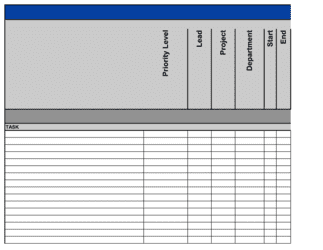
Date header, prioritized task rows with space for deadlines and owners, status checkboxes, a notes column for context or blockers, and a carry-forward section for incomplete items. The layout guides you from the most critical tasks of the day down to lower-priority follow-ups.

What is a Daily To Do List?

A Daily To Do List is a structured planning document that captures every task, action item, and follow-up a person or team needs to complete within a single workday, organized by priority, deadline, and owner. Unlike a general task backlog, a daily list is deliberately scoped to what is achievable in one day β€” it forces the user to make explicit decisions about what matters today versus what can wait. The template provides a consistent format for that decision-making process: a priority block for must-do items, task rows with status indicators and time estimates, a notes column for context, and a carry-forward section for anything that does not get done.

Why You Need This Document

Without a written daily plan, the workday fills itself β€” with the most recent email, the loudest request, or the easiest task available β€” rather than the work that actually moves things forward. The cost is invisible in the moment and obvious in retrospect: deadlines slip by a few hours, then a day; clients wait longer than they should; high-priority projects stall because lower-priority busywork consumed the morning. A completed daily to do list takes five to ten minutes to prepare and eliminates that drift entirely by making your priorities visible before the day's distractions can override them. This template gives you a format that works from day one β€” no setup, no learning curve β€” so the only thing between you and a structured, productive workday is filling it in.

Which variant fits your situation?

If your situation is…Use this template
Planning tasks for an entire week at onceWeekly To Do List
Tracking tasks assigned across a project teamProject Task List
Managing recurring daily operational checklistsDaily Checklist
Prioritizing tasks using a formal priority matrixAction Priority Matrix
Logging time spent against each task during the dayDaily Timesheet
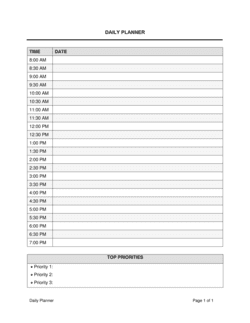
Planning the full workday including calendar blocks and goalsDaily Planner
Tracking tasks with dependencies across multiple team membersAction Plan Template

Common mistakes to avoid

❌ Listing more tasks than one person can complete in a day

Why it matters: An overloaded list sets up daily failure by design. Consistently incomplete lists erode motivation and make it impossible to identify whether you are actually productive.

Fix: Cap the list at a realistic number of tasks β€” typically six to nine β€” that fits within your actual available hours after meetings and buffer time.

❌ Using vague, noun-only task descriptions

Why it matters: Tasks written as single nouns β€” 'Email,' 'Report,' 'Meeting' β€” require mental reconstruction every time you read them, increasing cognitive load and the likelihood of skipping the task.

Fix: Write every task as an action verb plus a specific object and recipient: 'Email revised contract to [CLIENT NAME] by 3 PM.'

❌ Skipping the priority field and treating all tasks as equal

Why it matters: Without explicit priority levels, humans naturally default to easy or enjoyable tasks rather than the most important ones, leaving high-stakes items until end of day when energy is lowest.

Fix: Mark every task High, Medium, or Low before starting work. Complete all High-priority tasks before moving to Medium.

❌ Never reviewing carry-forward patterns

Why it matters: A task that has been carried forward three or more days is a signal β€” either it is not genuinely important, it is blocked by something unresolved, or it needs to be broken into smaller steps.

Fix: At the weekly level, scan all carry-forward items and make a deliberate decision: complete it, delegate it, break it down, or remove it.

The 10 key clauses, explained

Date and Day Header

In plain language: Records the specific date the list covers so completed lists serve as an accurate daily activity log.

Sample language
Date: [DAY OF WEEK], [MONTH] [DD], [YYYY]

Common mistake: Skipping the date entirely when printing multiple blank copies β€” undated lists cannot be referenced later to reconstruct what was done on a specific day.

Top Priorities (Must-Do) Section

In plain language: A dedicated block for the two to three tasks that must be completed today regardless of other interruptions.

Sample language
TOP PRIORITIES: 1. [TASK DESCRIPTION] β€” Due by [TIME] | Owner: [NAME] 2. [TASK DESCRIPTION] β€” Due by [TIME] | Owner: [NAME]

Common mistake: Filling the top-priority section with five or more items. When everything is a top priority, nothing is β€” the section loses its function as a forcing mechanism.

Task Description Column

In plain language: A clear, specific description of each task written as an action verb plus object so the next action is unambiguous.

Sample language
Task: [VERB] [OBJECT/DELIVERABLE] β€” e.g., 'Draft Q2 budget summary for CFO review' or 'Call [CLIENT NAME] to confirm Thursday delivery'

Common mistake: Writing vague task labels like 'Budget' or 'Client' with no verb or context β€” these require mental reconstruction every time you look at them, slowing you down.

Priority and Deadline Fields

In plain language: Columns for each task's priority level (High / Medium / Low) and its due time or deadline within the day.

Sample language
Priority: [HIGH / MEDIUM / LOW] | Due: [HH:MM AM/PM] or [EOD]

Common mistake: Leaving priority and deadline fields blank for non-urgent tasks. Without them, all tasks look equal and you default to working on whatever feels easiest rather than what matters most.

Task Owner Field

In plain language: Names the individual responsible for completing each task β€” critical when the list is shared across a team.

Sample language
Owner: [FIRST NAME / INITIALS] or [DEPARTMENT]

Common mistake: Omitting the owner field on shared team lists. Unassigned tasks are nobody's responsibility and routinely slip past end-of-day without anyone noticing.

Status Checkbox or Indicator

In plain language: A simple checkbox or status label next to each task that is marked when the task is completed, in progress, or blocked.

Sample language
Status: [ ] To Do [ ] In Progress [ ] Done [ ] Blocked β€” Reason: [NOTE]

Common mistake: Using only a binary done/not-done checkbox with no 'blocked' or 'in progress' state. Tasks that are blocked look identical to tasks not yet started, masking the real reason for non-completion.

Notes and Context Column

In plain language: Space beside each task for brief context, relevant links, or blocking information that affects how or when the task can be completed.

Sample language
Notes: [CONTEXT, LINK, OR BLOCKER β€” e.g., 'Waiting on approval from [NAME] before proceeding']

Common mistake: Leaving notes blank to save time while setting up the list. A task with no context forces you to reconstruct background information mid-task, breaking focus.

Estimated Time per Task

In plain language: A time estimate for each task that helps you reality-check whether the full list is achievable in one workday.

Sample language
Est. Time: [X] min / [X] hr

Common mistake: Not estimating time at all. A list of twelve tasks that would take fourteen hours is not a daily plan β€” it is a backlog that guarantees end-of-day disappointment.

Carry-Forward Section

In plain language: A dedicated area at the bottom of the list where incomplete tasks are noted with a reason and flagged for transfer to tomorrow's list.

Sample language
CARRY FORWARD: Task: [DESCRIPTION] | Reason not completed: [REASON] | Moved to: [DATE]

Common mistake: Carrying tasks forward indefinitely without reviewing why they keep being skipped. Recurring carry-forwards signal either the task is not truly important or it is blocked by something that needs to be resolved.

End-of-Day Review Row

In plain language: A brief summary at the foot of the list capturing how many tasks were completed, key wins, and anything that needs immediate follow-up tomorrow.

Sample language
EOD Review: Tasks completed: [X] of [X] | Key win today: [NOTE] | Immediate follow-up tomorrow: [ITEM]

Common mistake: Skipping the end-of-day review entirely. Without it, patterns in productivity and recurring blockers go unnoticed and the list never improves over time.

How to fill it out

  1. 1

    Enter the date and set the context

    Fill in today's date at the top of the template. If you are completing it the evening before, note that so the list serves as an accurate historical record.

    πŸ’‘ Adding the day of the week alongside the date makes it easier to scan past lists when reconstructing what happened during a specific week.

  2. 2

    Identify your two or three must-do tasks

    Before listing everything on your mind, pick the two or three tasks that must be done today β€” tasks where failure to complete them has a concrete cost or blocks someone else.

    πŸ’‘ Ask: 'If I could only finish two things today, which two would make the most difference?' Put only those in the top-priority block.

  3. 3

    List all remaining tasks with specific action verbs

    Write out every other task for the day using an action verb and a specific object β€” 'Send revised proposal to [CLIENT]' not 'Proposal.' Include the task owner if the list is shared.

    πŸ’‘ If writing a task takes more than one line to make it specific, it is probably two tasks β€” split it.

  4. 4

    Assign priority levels and due times

    Mark each task High, Medium, or Low and add a due time or EOD deadline. Cross-reference your calendar to avoid scheduling tasks during blocked time.

    πŸ’‘ Batch Medium-priority tasks of similar type β€” calls, emails, reviews β€” into a single time block to reduce context switching.

  5. 5

    Estimate time for each task and total the day

    Add a time estimate to each task, then add up the total. If the total exceeds your available working hours, remove or defer lower-priority tasks before the day starts.

    πŸ’‘ Build in a 20% buffer for unplanned interruptions β€” a six-hour task day should only fill five hours of planned work.

  6. 6

    Add notes and context for complex tasks

    For any task that has dependencies, relevant links, or requires specific background, add a brief note in the context column so you can start immediately without hunting for information.

    πŸ’‘ Paste the direct URL or file path into the notes field β€” not a folder name. Finding the file should not be part of the task.

  7. 7

    Complete the end-of-day review

    At the end of the day, mark all statuses final, note incomplete tasks in the carry-forward section with a reason, and write one line capturing the key win of the day.

    πŸ’‘ Reviewing your list at 4:30 rather than 5:00 gives you 30 minutes to act on anything you missed before the workday ends.

Frequently asked questions

What is a daily to do list?

A daily to do list is a structured document that captures every task you need to complete within a single workday, organized by priority and deadline. It functions as both a planning tool before the day begins and a record of what was accomplished by the end of it. Unlike a general task backlog, a daily list is scoped to what is realistically achievable in one day.

How many tasks should be on a daily to do list?

Most productivity research suggests six to nine tasks as the upper limit for a realistic single-day list, assuming a standard eight-hour workday with meetings and interruptions. Of those, two to three should be designated as must-complete priorities. A list longer than nine tasks typically means you are treating your daily list as a backlog, which leads to consistent non-completion and planning fatigue.

What is the best way to prioritize tasks on a daily list?

Assign each task a priority level β€” High, Medium, or Low β€” before the workday starts. High-priority tasks are those where delay has an immediate cost: a deadline passes, a colleague is blocked, or a client is waiting. Medium tasks are important but have flexibility. Low tasks can be deferred without meaningful consequence. Complete all High tasks before starting on Medium, and schedule Low tasks only if time permits.

Should a daily to do list include time estimates?

Yes. Time estimates serve as a reality check on the total list before the day starts. If your tasks add up to twelve hours and you have six hours available, you need to cut the list before you begin β€” not at 5 PM when you have already failed to complete half of it. Even rough estimates of 15, 30, or 60 minutes per task are enough to make the total visible.

What is the difference between a daily to do list and a project task list?

A daily to do list covers everything a single person needs to do today, across all projects and responsibilities. A project task list covers all tasks required to complete a specific project, often spanning weeks or months and assigned across multiple people. The daily list is a personal planning tool; the project task list is a team coordination tool. Most professionals maintain both simultaneously.

How do I handle tasks that don't get completed?

Move incomplete tasks to the next day's list in the carry-forward section and note why they were not completed β€” ran out of time, blocked by a dependency, or lower priority than expected. Review carry-forwards at the end of each week. If the same task has been carried forward three or more times, make a deliberate decision: break it into smaller steps, delegate it, schedule dedicated time for it, or remove it from the list entirely.

Can a daily to do list be used for team task management?

A daily to do list can be adapted for team use by adding an owner column to each task row, which turns it into a lightweight daily assignment sheet. For teams with more than four or five people or tasks that span multiple days, a dedicated project task list or action plan template provides better visibility into dependencies and overall progress than a single-day list.

Is a printed or digital daily to do list more effective?

Both formats work β€” the most effective format is whichever one you will actually use consistently. Printed lists work well for people who prefer tactile planning and want a clean separation from screen-based work. Digital lists are easier to search, share with teammates, and carry forward to the next day without retyping. The Business in a Box Word template works in both modes: fill it on screen and print, or keep it open digitally throughout the day.

How early in the day should I create my daily to do list?

Creating the list the evening before gives you the strongest start β€” you walk in with a plan already formed and can begin executing immediately. If you prefer morning planning, complete the list before opening email or attending the first meeting, so reactive inputs do not displace your actual priorities before you have written them down.

How this compares to alternatives

vs Weekly To Do List

A weekly to do list captures all tasks for a full seven-day period and is better suited for planning at the goal level. A daily list is scoped to a single workday and is the execution-level tool. Most professionals use both together β€” the weekly list feeds the daily list each morning. Use the daily list when you need focus within a single day; use the weekly list when you need to balance priorities across multiple days.

vs Project Task List

A project task list covers every task required to complete a specific project, often spanning weeks and multiple contributors. A daily to do list covers one person's full workday across all projects and responsibilities. The project task list is a coordination tool; the daily list is a personal productivity tool. Professionals working on active projects typically pull their project-specific tasks into their daily list each morning.

vs Action Plan Template

An action plan maps tasks, owners, deadlines, and dependencies for achieving a specific goal or completing a defined initiative. It is a planning and accountability document, not a day-level execution tool. A daily to do list translates action plan tasks into today's concrete work. Use the action plan to define what needs to happen over weeks; use the daily list to decide what happens today.

vs Daily Timesheet

A daily timesheet records the actual hours spent on tasks after the fact, primarily for payroll, billing, or labor tracking purposes. A daily to do list is a forward-looking planning document that sets the day's agenda before work begins. The two documents are complementary: use the to do list to plan, and the timesheet to record. Organizations that bill clients by the hour typically require both.

Industry-specific considerations

Professional Services

Consultants and lawyers use daily task lists to track billable activities, client follow-ups, and filing deadlines across multiple engagements simultaneously.

Healthcare

Clinical and administrative staff use daily lists to manage patient scheduling, documentation requirements, and compliance tasks within tightly regulated shift structures.

Construction and Trades

Site supervisors use daily task lists to assign crew responsibilities, track material deliveries, and ensure safety checks are completed before work begins each morning.

Retail and E-commerce

Store managers and operations staff use daily lists to coordinate inventory counts, customer service tasks, opening and closing procedures, and promotional execution.

Jurisdictional notes

United States

A daily to do list has no legally binding status in the United States but may serve as contemporaneous evidence of work performed in billing disputes, workers' compensation claims, or FLSA overtime investigations. In regulated industries such as healthcare and financial services, daily task records may be subject to recordkeeping requirements under HIPAA or FINRA.

Canada

In Canada, daily task records can support Employment Standards Act compliance by documenting hours worked and tasks assigned, particularly for employees whose overtime eligibility is under review. Quebec employers should ensure any shared team task lists used in the workplace are available in French under the Charter of the French Language.

United Kingdom

In the UK, daily task records may be relevant to Working Time Regulations compliance, which requires employers to ensure workers do not exceed 48 hours per week on average. Task lists used in regulated sectors β€” financial services, healthcare, legal β€” may form part of an audit trail under FCA, CQC, or SRA oversight requirements.

European Union

EU member states implementing the Working Time Directive require employers to maintain records of daily working hours; a daily task list can supplement but does not replace formal time-recording obligations. If task lists contain personal data about employees or clients, GDPR rules on data minimization, storage limitation, and access rights apply to how the records are stored and retained.

Template vs lawyer β€” what fits your deal?

PathBest forCostTime
Use the templateIndividuals, small teams, and any professional who needs a structured daily planning tool without custom requirementsFree5 minutes to set up; 5–10 minutes each morning to complete
Template + legal reviewManagers who want to adapt the template into a team-wide daily reporting format with custom fields$0–$100 (operations consultant or admin hour)1–2 hours
Custom draftedOrganizations integrating daily task tracking into a formal operations system or compliance framework with audit requirements$200–$1,000+ (system configuration or process design)1–5 days

Glossary

Priority Level
A ranking assigned to each task β€” typically High, Medium, or Low β€” indicating the order in which it should be addressed.
Due Time
The specific time within the workday by which a task must be completed or handed off, as opposed to an end-of-day deadline.
Task Owner
The person responsible for completing a specific task, named explicitly to avoid ambiguity in shared or team lists.
Status Indicator
A checkbox, color code, or label β€” such as To Do, In Progress, or Done β€” that shows where a task stands at any point in the day.
Carry-Forward
An incomplete task moved from today's list to the next day's list, flagged so it receives attention before new items are added.
Time Block
A dedicated period on the calendar reserved for working on a specific task without interruption.
Dependency
A condition where one task cannot begin or be completed until another task is finished first.
Action Item
A specific, discrete piece of work with a clear output, as opposed to a vague goal or ongoing responsibility.
Cognitive Load
The mental effort required to hold multiple tasks and obligations in working memory simultaneously β€” reduced by writing them down.
Daily Standup
A brief team meeting, typically 10–15 minutes, where members share what they completed yesterday, what they plan to do today, and any blockers.

Part of your Business Operating System

This document is one of 3,000+ business & legal templates included in Business in a Box.

  • Fill-in-the-blanks β€” ready in minutes
  • 100% customizable Word document
  • Compatible with all office suites
  • Export to PDF and share electronically

Create your document in 3 simple steps.

From template to signed document β€” all inside one Business Operating System.
1
Download or open template

Access over 3,000+ business and legal templates for any business task, project or initiative.

2
Edit and fill in the blanks with AI

Customize your ready-made business document template and save it in the cloud.

3
Save, Share, Send, Sign

Share your files and folders with your team. Create a space of seamless collaboration.

Save time, save money, and create top-quality documents.

β˜…β˜…β˜…β˜…β˜…

"Fantastic value! I'm not sure how I'd do without it. It's worth its weight in gold and paid back for itself many times."

Managing Director Β· Mall Farm
Robert Whalley
Managing Director, Mall Farm Proprietary Limited
β˜…β˜…β˜…β˜…β˜…

"I have been using Business in a Box for years. It has been the most useful source of templates I have encountered. I recommend it to anyone."

Business Owner Β· 4+ years
Dr Michael John Freestone
Business Owner
β˜…β˜…β˜…β˜…β˜…

"It has been a life saver so many times I have lost count. Business in a Box has saved me so much time and as you know, time is money."

Owner Β· Upstate Web
David G. Moore Jr.
Owner, Upstate Web

Run your business with a system β€” not scattered tools

Stop downloading documents. Start operating with clarity. Business in a Box gives you the Business Operating System used by over 250,000 companies worldwide to structure, run, and grow their business.

Start freeΒ Β·Β No credit card required