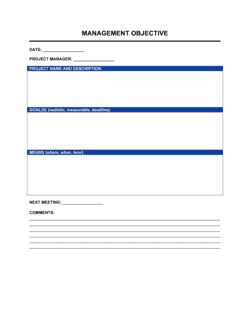
Meeting Agenda Template

Free Word download β€’ Edit online β€’ Save & share with Drive β€’ Export to PDF

2 pagesβ€’15–25 min to fillβ€’Difficulty: Standard
Learn more ↓
FreeMeeting Agenda Template

At a glance

What it is
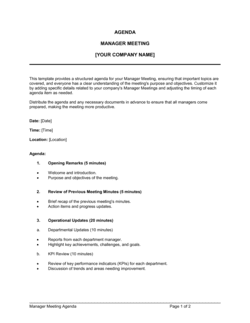
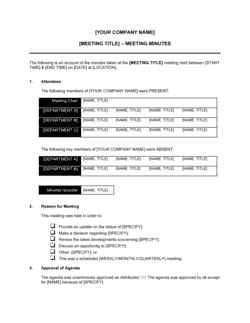
A Meeting Agenda is a structured planning document that lists every topic to be covered in a meeting, assigns time allocations and owners to each item, and identifies the decisions or outcomes expected. This free Word download gives you a reusable template you can fill in before any meeting and share with attendees in advance.
When you need it
Use it before any scheduled meeting where multiple topics, presenters, or decisions are involved β€” from a weekly team standup to a quarterly board review. Sending it at least 24 hours ahead gives participants time to prepare and arrive ready to contribute.
What's inside
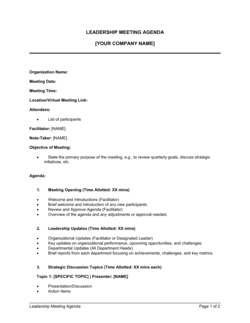
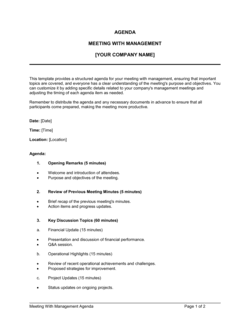
Meeting details (date, time, location, facilitator), list of attendees, meeting objectives, agenda items with time allocations and owners, pre-read materials, decision points, parking lot for off-agenda items, and space for next steps to feed directly into meeting minutes.

What is a Meeting Agenda?

A Meeting Agenda is a structured planning document prepared before a meeting that lists every topic to be covered, assigns a named owner and time allocation to each item, identifies the decisions the group must reach, and specifies any pre-read materials participants should review in advance. It transforms a calendar event into a purposeful working session by aligning everyone on what needs to happen before the first person speaks.

Why You Need This Document

Meetings without a written agenda cost real money β€” a one-hour meeting with eight people at an average loaded cost of $75/hour spends $600 before a single decision is made, and unfocused meetings routinely end without one. Without an agenda distributed in advance, attendees arrive unprepared, discussions drift into topics that could have been handled by email, and decisions get deferred because the right people were not ready to decide. A completed agenda sent 24–48 hours ahead reduces meeting time, improves decision quality, and produces a ready-made framework for writing minutes immediately after the meeting closes. This template gives you a consistent, reusable format that takes under ten minutes to fill in and immediately signals to every participant that their time will be respected.

Which variant fits your situation?

If your situation is…Use this template
Weekly team standup or status check-inWeekly Meeting Agenda
Board of directors quarterly or annual meetingBoard Meeting Agenda
Documenting what was discussed and decided during the meetingMeeting Minutes
One-on-one manager and direct report check-inOne-on-One Meeting Agenda
Project kickoff meeting with stakeholders and teamProject Kickoff Meeting Agenda
Annual or semi-annual performance review discussionPerformance Review Meeting Agenda
Remote or hybrid team meeting with distributed participantsVirtual Meeting Agenda

Common mistakes to avoid

❌ No stated end time

Why it matters: Meetings without a defined end time expand to fill whatever time is available, making it impossible to plan the rest of the day around them.

Fix: Set and publish a hard end time in the agenda and the calendar invite. Treat it as a commitment, not a suggestion.
❌ Vague objectives like 'discuss Q2 results'

Why it matters: Without a specific outcome, there is no shared measure of whether the meeting succeeded β€” so it often ends without a clear next step.

Fix: Reframe every objective as a decision, alignment, or deliverable: 'Approve Q2 results report for distribution to the board.'

❌ Agenda items without named owners

Why it matters: When no one is explicitly responsible for leading a topic, it either gets skipped or the facilitator carries the entire meeting alone.

Fix: Assign a named owner to every agenda item β€” even if the facilitator is presenting, put their name next to that item.

❌ Distributing the agenda the morning of the meeting

Why it matters: Attendees who see the agenda for the first time at the meeting cannot review pre-reads, prepare positions, or consult colleagues β€” turning the meeting into an impromptu session.

Fix: Send the agenda with all pre-reads at least 24 hours in advance, and 48 hours for meetings requiring substantive preparation or formal decisions.

The 8 key fields, explained

Meeting details

Attendees

Meeting objectives

Agenda items with time allocations

Pre-read materials

Decision points

Parking lot

Next steps and owners

How to fill it out

  1. 1

    Fill in the meeting details and logistics

    Enter the meeting title, date, start and end time, location or video link, and the facilitator's name. Set a hard end time before building the rest of the agenda.

    πŸ’‘ Block the end time in calendar invites β€” participants who know a meeting ends at 11:00 AM engage differently than those facing an open-ended slot.

  2. 2

    List required and optional attendees

    Separate required participants (decision-makers, presenters) from optional ones (observers, for awareness). Include each person's role so the purpose of their attendance is clear.

    πŸ’‘ If you cannot articulate why someone is on the invite, they probably do not need to be there β€” fewer participants typically means faster decisions.

  3. 3

    Write specific, outcome-based objectives

    State one to three outcomes the meeting must produce. Frame each as a decision reached, a plan confirmed, or information delivered β€” not as a topic to discuss.

    πŸ’‘ Read each objective aloud and ask: 'Will I know at the end of the meeting whether we achieved this?' If not, rewrite it.

  4. 4

    Build the agenda item list with owners and time boxes

    List topics in priority order β€” highest-stakes items first, in case time runs short. Assign a named owner and a specific number of minutes to each item.

    πŸ’‘ Add up all time allocations before sending. If they exceed the available meeting time, cut or shorten items rather than letting the meeting overrun.

  5. 5

    Attach pre-reads with clear instructions

    Link to any documents attendees need to review in advance. For each, specify what action is needed β€” read, comment, or approve β€” and by when.

    πŸ’‘ Send the agenda with pre-reads at least 24 hours before the meeting; 48 hours is better for anything requiring substantive preparation.

  6. 6

    Flag decision points explicitly

    Identify every agenda item that requires a formal decision and list it in the decision points section. Note who has authority to approve.

    πŸ’‘ Sending decision points in advance lets decision-makers consult stakeholders or review data before the meeting, cutting deliberation time significantly.

  7. 7

    Share the agenda and confirm attendance

    Distribute the completed agenda to all invitees, request confirmation from required participants, and follow up with anyone whose attendance is critical.

    πŸ’‘ If a required decision-maker cannot attend, reschedule rather than running the meeting and revisiting the decision β€” two meetings cost more than one rescheduled one.

Frequently asked questions

What is a meeting agenda?

A meeting agenda is a structured document that lists the topics to be covered in a meeting, assigns a time allocation and owner to each item, and identifies the decisions or outcomes the meeting is designed to produce. Sharing it in advance allows participants to prepare, keeps the facilitator on track during the meeting, and provides the framework for writing meeting minutes afterward.

What should a meeting agenda include?

At minimum: meeting title, date, time (start and end), location or video link, facilitator, list of attendees, specific objectives, agenda items with owners and time allocations, pre-read materials, and decision points. A parking lot section and a next-steps table are also valuable for keeping discussions focused and capturing action items in real time.

How far in advance should I send a meeting agenda?

Send the agenda at least 24 hours before the meeting for routine check-ins and status meetings. For meetings that require attendees to review documents, make decisions, or prepare presentations, 48 hours is the practical minimum. For board meetings or formal governance sessions, distributing materials 5–7 business days in advance is standard practice.

How long should a meeting agenda be?

The agenda itself should fit on one page for most business meetings. The time allocated to each item should add up to no more than 80% of the scheduled meeting duration β€” leaving a buffer for overruns and transition time between topics. Pre-read materials and supporting documents are attached separately, not embedded in the agenda body.

What is the difference between a meeting agenda and meeting minutes?

A meeting agenda is prepared before the meeting and outlines what will be covered. Meeting minutes are written after the meeting and document what was actually discussed, decided, and assigned. The agenda is the plan; the minutes are the record. A well-structured agenda makes minutes faster to write because the topics and decision points are already organized.

How do I handle topics that run over time?

Use a parking lot section to capture topics that arise or overrun without derailing the rest of the agenda. The facilitator notes the item, the person who raised it, and the proposed resolution date, then moves the meeting forward. Address parked items at the end if time permits, or schedule a separate follow-up.

Do I need a meeting agenda for small or informal meetings?

Even a brief written agenda β€” three bullet points and a stated objective β€” improves the outcome of small meetings by aligning participants on purpose before anyone speaks. For recurring one-on-ones and team standups, a lightweight template with consistent sections reduces prep time and ensures nothing important is skipped week to week.

What makes a meeting agenda effective?

An effective agenda has specific outcome-based objectives (not just topics), realistic time allocations that sum to less than the total meeting time, a named owner for every item, and pre-reads distributed far enough in advance for participants to actually read them. Decision points called out explicitly before the meeting β€” rather than revealed during it β€” are the single biggest driver of faster, cleaner decisions.

How this compares to alternatives

vs Meeting Minutes

A meeting agenda is prepared before the meeting and sets the plan β€” topics, owners, time allocations, and decision points. Meeting minutes are written after the meeting and record what was actually discussed, decided, and assigned. The agenda is the input; the minutes are the output. Both documents should be retained together as the complete record of the meeting.

vs Board Meeting Agenda

A board meeting agenda follows formal governance conventions β€” call to order, approval of prior minutes, committee reports, resolutions, and adjournment β€” and is typically distributed 5–7 days in advance with a full board package. A standard meeting agenda is a lighter operational tool suited to team, project, and management meetings without statutory requirements.

vs Project Status Report

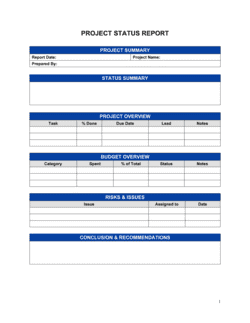
A project status report communicates progress, risks, and blockers in writing and does not require a meeting to be useful. A meeting agenda structures a live discussion around those same topics. For routine updates, a well-written status report can replace a meeting entirely; when decisions or alignment are needed, the agenda drives the meeting that the status report informs.

vs Action Item Tracker

An action item tracker manages tasks and owners across multiple meetings over time. A meeting agenda captures next steps at the end of a single meeting. The agenda's next-steps section is the source of entries for the action tracker β€” the two documents work in sequence, not as substitutes for each other.

Industry-specific considerations

Technology / SaaS

Sprint reviews, product roadmap prioritization, and incident post-mortems each follow a distinct agenda format with decision points tied to release gates or OKR cycles.

Professional Services

Client status meetings, internal resourcing reviews, and practice-area leadership calls use agendas to manage billable time and document commitments made to clients.

Nonprofit / Governance

Board and committee meetings require formal agendas distributed days in advance, with motions and decision points identified to satisfy governance documentation requirements.

Construction and Trades

Site progress meetings, subcontractor coordination calls, and safety briefings use agendas to sequence topics by trade, track RFI status, and document safety decisions.

Template vs pro β€” what fits your needs?

PathBest forCostTime
Use the templateAny team running recurring or ad-hoc meetings that need structure and consistent documentationFree5–10 minutes per meeting
Template + professional reviewOrganizations standardizing meeting formats across departments or training facilitators$0–$200 (internal ops or EA review)1–2 hours to adapt and roll out
Custom draftedEnterprise teams integrating agendas into meeting management software or governance workflows$500–$2,000 (operations consultant or workflow specialist)1–2 weeks

Glossary

Agenda Item
A single discrete topic or activity scheduled for discussion or action during the meeting.
Facilitator
The person responsible for guiding the meeting through the agenda, managing time, and keeping discussion on track.
Time Box
A fixed maximum duration assigned to a specific agenda item, after which discussion moves on regardless of completion.
Action Item
A specific task that emerges from a meeting discussion, assigned to a named owner with a due date.
Decision Point
A pre-identified agenda item that requires the group to reach a formal decision or approval during the meeting.
Pre-Read
A document, report, or data set distributed to attendees before the meeting so they arrive informed and discussion time is not spent on background.
Parking Lot
A designated section of the agenda for capturing important topics that arise during the meeting but fall outside the current scope, to be addressed later.
Meeting Minutes
The official written record of what was discussed, decided, and assigned during a meeting, prepared after the meeting concludes.
Quorum
The minimum number of attendees required to be present for a meeting to officially proceed and for decisions to be binding β€” most relevant for board and committee meetings.

Part of your Business Operating System

This document is one of 3,000+ business & legal templates included in Business in a Box.

  • Fill-in-the-blanks β€” ready in minutes
  • 100% customizable Word document
  • Compatible with all office suites
  • Export to PDF and share electronically

Create your document in 3 simple steps.

From template to signed document β€” all inside one Business Operating System.
1
Download or open template

Access over 3,000+ business and legal templates for any business task, project or initiative.

2
Edit and fill in the blanks with AI

Customize your ready-made business document template and save it in the cloud.

3
Save, Share, Send, Sign

Share your files and folders with your team. Create a space of seamless collaboration.

Save time, save money, and create top-quality documents.

β˜…β˜…β˜…β˜…β˜…

"Fantastic value! I'm not sure how I'd do without it. It's worth its weight in gold and paid back for itself many times."

Managing Director Β· Mall Farm
Robert Whalley
Managing Director, Mall Farm Proprietary Limited
β˜…β˜…β˜…β˜…β˜…

"I have been using Business in a Box for years. It has been the most useful source of templates I have encountered. I recommend it to anyone."

Business Owner Β· 4+ years
Dr Michael John Freestone
Business Owner
β˜…β˜…β˜…β˜…β˜…

"It has been a life saver so many times I have lost count. Business in a Box has saved me so much time and as you know, time is money."

Owner Β· Upstate Web
David G. Moore Jr.
Owner, Upstate Web

Run your business with a system β€” not scattered tools

Stop downloading documents. Start operating with clarity. Business in a Box gives you the Business Operating System used by over 250,000 companies worldwide to structure, run, and grow their business.

Start freeΒ Β·Β No credit card required