Monthly Planner Template

Free Excel download β€’ Use online β€’ Print or share

12 pagesβ€’25–35 min to useβ€’Difficulty: Complex
Learn more ↓
FreeXLSMonthly Planner Template

At a glance

What it is
A Monthly Planner is a structured scheduling document that organizes tasks, goals, deadlines, and priorities across a single calendar month. This free Word download gives you a ready-to-edit layout you can customize for individual use, team coordination, or project tracking β€” then export as PDF and distribute or print in minutes.
When you need it
Use it at the start of each month to map deliverables, set weekly priorities, track recurring commitments, and align personal or team workloads against deadlines. It is especially useful when juggling multiple projects, managing a team's schedule, or preparing for a high-demand period such as a product launch or financial close.
What's inside
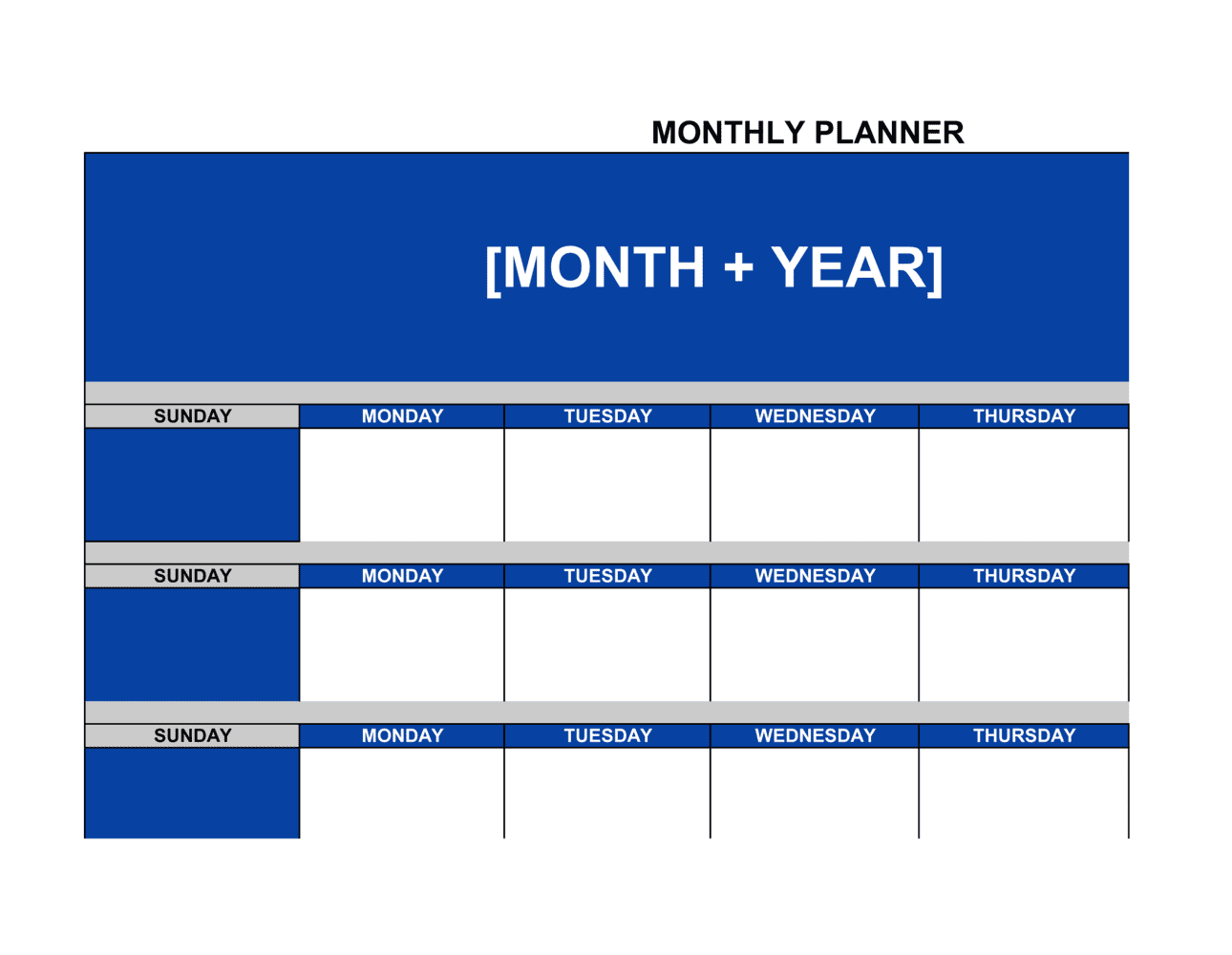
A month-at-a-glance calendar grid, weekly priority blocks, daily task lists, goal-setting sections, key deadline markers, and a notes area for carry-over items and reflections. The template is fully editable so you can add team member columns, project codes, or custom categories to match your workflow.

What is a Monthly Planner?

A Monthly Planner is a structured scheduling document that organizes tasks, goals, deadlines, and commitments across a single calendar month in a format designed for both individual and team use. It combines a month-at-a-glance calendar grid with dedicated sections for goal setting, weekly priorities, key deadline tracking, recurring commitments, and a month-end review β€” giving every planning period a documented start point and a measured close. Unlike a simple to-do list or a project plan scoped to a single initiative, a monthly planner coordinates all work streams, obligations, and goals that a person or team is responsible for within the same 30-day window.

Why You Need This Document

Without a monthly planner, competing deadlines, recurring obligations, and carry-over tasks exist in separate lists, inboxes, and memories β€” and the most urgent item in front of you at any moment crowds out the most important one. The practical cost is concrete: client deliverables arrive late because a prior commitment was invisible, recurring tasks like payroll or reporting are missed because they were never written down, and monthly goals drift because no one reviewed progress until the last week. A structured monthly planner prevents all three failure modes by forcing you to map constraints before committing to goals, and to review outcomes before repeating the same plan. This template gives you a ready-to-use layout that takes under 30 minutes to set up and establishes a repeatable planning cadence from the first month you use it.

Which variant fits your situation?

If your situation is…Use this template
Planning an individual's personal and professional workloadMonthly Planner (Personal)
Coordinating tasks and deadlines across a teamTeam Action Plan
Tracking a project's milestones and deliverables over several monthsProject Plan
Breaking monthly goals into weekly to-do listsWeekly Planner
Setting and reviewing annual business objectivesAnnual Business Plan
Scheduling recurring tasks for a team or departmentWork Schedule
Tracking completion of daily operational tasksDaily Task List

Common mistakes to avoid

❌ Over-scheduling every available hour

Why it matters: A planner with no slack has no resilience. A single unexpected meeting or task delay cascades into missed deadlines for the rest of the month.

Fix: Cap planned tasks at 80% of available working time and designate explicit buffer blocks for the remaining 20%.
❌ Setting goals without measurable key results

Why it matters: Unmeasurable goals cannot be evaluated at month-end, making it impossible to determine whether planning was effective or where it broke down.

Fix: Attach a specific number, date, or binary outcome to every goal before finalizing the planner β€” rewrite any goal that cannot be objectively scored.

❌ Skipping the carry-over review when starting a new month

Why it matters: Incomplete tasks from the prior month reappear as surprises mid-cycle, displacing planned work and creating a backlog that compounds over time.

Fix: Make carry-over review the first step when opening a new planner β€” list every incomplete item before adding a single new task.

❌ Omitting task owners from shared planners

Why it matters: In team planners, tasks without a named owner are treated as someone else's responsibility by everyone and completed by no one.

Fix: Every task in a shared planner must have a single named owner and a due date before the planner is distributed to the team.

❌ Printing the planner before entering recurring commitments

Why it matters: Recurring obligations filled in by hand after printing fragment the layout, clutter the grid, and frequently get missed when the planner is scanned quickly.

Fix: Populate the full recurring commitments log digitally before exporting or printing β€” treat the printed copy as a read-only reference, not a working document.

❌ Never completing the month-end review block

Why it matters: Without a documented review, the same over-commitment patterns, missing buffers, and unclear ownerships repeat indefinitely with no data to diagnose or fix them.

Fix: Schedule the month-end review as a recurring calendar event 30 minutes before the last working day ends β€” and treat it as a non-negotiable close-out step.

The 8 key clauses, explained

Month and year header

In plain language: Identifies the specific month and year the planner covers, anchoring all dates and deadlines to the correct calendar period.

Sample language
Monthly Planner β€” [MONTH] [YEAR] | Prepared by: [NAME / TEAM] | Department: [DEPARTMENT]

Common mistake: Leaving the header blank or using a generic template filename. Without a clear month and owner, printed or shared copies become impossible to attribute or file correctly.

Month-at-a-glance calendar grid

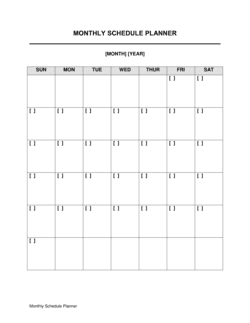
In plain language: A full-page grid of all days in the month, used to mark deadlines, events, meetings, and public holidays at a single glance.

Sample language
Week of [DATE]: [EVENT / DEADLINE 1], [EVENT / DEADLINE 2] | Public holiday: [HOLIDAY NAME] on [DATE]

Common mistake: Filling every day with tasks until the grid is illegible. Reserve the calendar grid for high-level milestones and deadlines only β€” move daily tasks to the weekly section.

Monthly goals section

In plain language: A dedicated block listing two to five measurable outcomes the planner owner intends to achieve by month-end.

Sample language
Goal 1: [SPECIFIC OUTCOME] by [DATE]. Key result: [MEASURABLE METRIC]. Goal 2: [SPECIFIC OUTCOME] by [DATE]. Key result: [MEASURABLE METRIC].

Common mistake: Writing aspirational statements instead of measurable goals. 'Improve client communication' cannot be evaluated at month-end; 'respond to all client emails within 24 hours for all of [MONTH]' can.

Weekly priority blocks

In plain language: Four or five subsections β€” one per week β€” each listing the top three to five tasks that must be completed in that week to stay on track for monthly goals.

Sample language
Week [X] priorities: 1. [TASK] β€” due [DATE], owner [NAME]. 2. [TASK] β€” due [DATE], owner [NAME]. 3. [TASK] β€” due [DATE], owner [NAME].

Common mistake: Listing more than five priorities per week. A list of ten 'top priorities' is not a priority list β€” it is a task dump that makes the week feel unmanageable before it begins.

Key deadlines and milestones tracker

In plain language: A table listing every hard deadline in the month β€” submissions, payments, reviews, launches β€” with the responsible owner and current status.

Sample language
Deadline: [DELIVERABLE NAME] | Due: [DATE] | Owner: [NAME] | Status: [NOT STARTED / IN PROGRESS / COMPLETE]

Common mistake: Omitting the owner column. A deadline without a named owner is a shared assumption that nobody will meet.

Recurring commitments log

In plain language: A list of fixed weekly or monthly obligations β€” standing meetings, payroll runs, reporting submissions β€” so they are never inadvertently dropped from the schedule.

Sample language
Every [DAY]: [MEETING / TASK], [TIME], [ATTENDEES / OWNER]. Monthly on [DATE]: [SUBMISSION / PAYMENT], owner [NAME].

Common mistake: Treating recurring tasks as memorized and leaving them off the planner entirely. When workload peaks, undocumented recurring tasks are the first to be missed.

Notes and carry-over section

In plain language: A free-text area at the end of the planner for capturing incomplete tasks from the prior month, mid-month observations, and items to revisit in the next planning cycle.

Sample language
Carry-over from [PREVIOUS MONTH]: [TASK 1], [TASK 2]. Notes for [NEXT MONTH]: [OBSERVATION / REMINDER].

Common mistake: Skipping the carry-over review when starting a new month's planner. Unreviewed carry-over items accumulate across months until a deadline is missed or a commitment is forgotten entirely.

Month-end review block

In plain language: A structured reflection section completed at the close of the month, capturing goals achieved, goals missed, root causes, and one or two process improvements for the next cycle.

Sample language
Goals achieved: [LIST]. Goals missed: [LIST]. Root cause: [REASON]. Improvement for [NEXT MONTH]: [SPECIFIC CHANGE].

Common mistake: Treating the month-end review as optional. Without a documented review, the same scheduling errors β€” over-commitment, missing buffers, unclear ownership β€” repeat every month.

How to fill it out

  1. 1

    Set the header and confirm the calendar dates

    Enter the month, year, your name or team name, and department. Verify the day-of-week alignment for the calendar grid against the actual calendar before filling in any dates.

    πŸ’‘ Set up the header in a master template file so you only need to change the month and year for each new cycle β€” saves five minutes of reformatting every month.

  2. 2

    Enter all hard deadlines and public holidays first

    Before writing a single task, mark every fixed external deadline β€” client submission dates, tax due dates, payroll runs, and public holidays β€” on the calendar grid. These are immovable constraints that every other plan must work around.

    πŸ’‘ Use a different color or bold formatting for external deadlines versus internally set milestones so priority is immediately visible when scanning the grid.

  3. 3

    Write monthly goals as measurable outcomes

    List two to five goals for the month. Each goal must have a specific, measurable key result so you can evaluate at month-end whether it was achieved. Avoid adjectives; use numbers, percentages, or binary yes/no outcomes.

    πŸ’‘ If you cannot define a key result for a goal, the goal is not specific enough to plan around. Rewrite it until it passes the 'can I evaluate this on the last day of the month?' test.

  4. 4

    Populate weekly priority blocks from your goals

    For each week, identify the three to five tasks that directly advance your monthly goals. Write each task with a specific due date and a named owner. If a task has no clear owner, assign one before publishing the planner.

    πŸ’‘ Work backward from month-end deadlines to Week 1 β€” this ensures early weeks build the foundation for late-month deliverables rather than front-loading low-priority busywork.

  5. 5

    Log all recurring commitments

    List every standing meeting, weekly report, recurring payment, and scheduled review in the recurring commitments section. Include the day, time, and responsible person for each.

    πŸ’‘ Cross-reference last month's planner and your calendar to make sure no recurring item has been accidentally dropped.

  6. 6

    Build in buffer days

    Identify at least one half-day per week and one full buffer day in the month where no deliverables are due and no tasks are scheduled. Mark these explicitly on the calendar grid.

    πŸ’‘ Buffer days feel wasteful when planning and essential when a crisis hits. Teams that plan without buffers consistently miss deadlines in months with unexpected disruptions.

  7. 7

    Complete the month-end review before starting the next planner

    At month-end, fill in the review block: which goals were achieved, which were missed, why, and what one or two process changes will improve next month. Transfer all incomplete tasks to the next planner's carry-over section.

    πŸ’‘ Block 30 minutes on the last working day of the month specifically for this review. Ad-hoc end-of-month reviews are consistently skipped; a scheduled event is not.

Frequently asked questions

What is a monthly planner?

A monthly planner is a structured scheduling document that maps tasks, goals, deadlines, and commitments across a single calendar month. It provides a month-at-a-glance calendar grid, weekly priority blocks, a key deadlines tracker, and space for notes and end-of-month review. Individuals and teams use it to stay organized, avoid over-commitment, and track progress against monthly goals in a single document.

What should a monthly planner include?

A complete monthly planner includes a month-and-year header, a full calendar grid with deadlines and holidays marked, a monthly goals section with measurable key results, weekly priority blocks, a key deadlines and milestones tracker with named owners, a recurring commitments log, buffer days, and a month-end review block. Missing any of these sections typically results in over-commitment or undocumented carry-over tasks.

How is a monthly planner different from a weekly planner?

A monthly planner provides the 30,000-foot view of an entire calendar month β€” goals, milestones, and major deadlines. A weekly planner zooms in on the seven-day period, listing specific daily tasks and hourly time blocks. Most productive workflows use both: the monthly planner sets direction and constraints, and the weekly planner executes within them.

Can I use a monthly planner for team scheduling?

Yes. A monthly planner is effective for team use when each task includes a named owner and due date, and when the planner is distributed before the month begins rather than after it has started. Add a column for team member names or color-code tasks by owner to make accountability visible at a glance. For larger teams, pair the monthly planner with a project plan or Gantt chart for dependency tracking.

How many goals should I set in a monthly planner?

Two to five goals per month is the practical range for most individuals and small teams. Fewer than two suggests the month is being under-utilized; more than five typically means the goals are too granular and should be treated as tasks nested under fewer, broader goals. Each goal should have at least one measurable key result so progress can be objectively evaluated at month-end.

How do I handle tasks that carry over from the previous month?

At the start of each new planner, review the prior month's incomplete tasks before adding any new items. List each carry-over task explicitly in the notes and carry-over section, assign it a due date in the new month, and integrate it into the relevant weekly priority block. Treating carry-over tasks as invisible until they resurface as missed deadlines is the single most common cause of compounding backlogs.

Should I use a digital or printed monthly planner?

Both formats work; the choice depends on your workflow. A digital Word or PDF planner is easier to share with a team, update in real time, and archive. A printed planner is better for people who retain information better from handwriting or who want a physical reference on their desk. Many professionals maintain a digital master and print a working copy for daily use, treating the digital version as the record of truth.

How often should I update my monthly planner during the month?

Update the status column on your key deadlines tracker at least weekly β€” ideally at the start of each week when you set weekly priorities. The calendar grid and goals section should remain stable once set; frequent changes to those signal that the initial planning was insufficiently grounded in real constraints. Save substantive changes β€” new priorities, shifted deadlines β€” for the weekly review rather than making ad-hoc edits throughout the day.

What is the best way to start using a monthly planner for the first time?

Begin with the constraints: enter all hard external deadlines and public holidays on the calendar grid before writing a single task. Then set your monthly goals, work backward to identify what must happen each week to achieve them, and populate weekly priority blocks accordingly. Most first-time planners over-schedule Week 1 and under-schedule Week 4 β€” distribute workload deliberately across all four weeks from the start.

How this compares to alternatives

vs Weekly Planner

A weekly planner covers seven days with daily task lists and hourly blocks β€” it is an execution tool. A monthly planner sets the strategic frame: goals, milestones, and deadline constraints for the full month. Use the monthly planner to decide what matters, and the weekly planner to decide when to do it.

vs Project Plan

A project plan tracks a single project's tasks, dependencies, resources, and timeline across multiple months or phases. A monthly planner coordinates all work β€” across multiple projects and recurring obligations β€” within a single calendar month. Most professionals need both: a project plan per initiative and a monthly planner to sequence work across all active initiatives.

vs Annual Business Plan

An annual business plan defines yearly strategy, financial targets, and major initiatives at a high level. A monthly planner translates annual targets into the specific tasks and deadlines that must be executed each month. The annual plan sets direction; the monthly planner executes it 30 days at a time.

vs Work Schedule

A work schedule assigns people to shifts, hours, and tasks within a week or pay period β€” it is a resource allocation tool. A monthly planner is a goal and deadline management tool that tracks priorities and milestones rather than shift coverage. Teams in shift-based industries typically use both documents in parallel.

Industry-specific considerations

Professional Services

Monthly billing cycles, client reporting deadlines, and utilization rate tracking make a structured monthly planner essential for consultants and agencies managing multiple engagements simultaneously.

Retail and E-commerce

Promotional campaign calendars, inventory reorder dates, and seasonal staffing peaks require month-level visibility that a daily task list cannot provide.

Construction and Trades

Subcontractor scheduling, materials delivery windows, and permit inspection dates must be coordinated across a rolling monthly horizon to prevent costly delays.

Healthcare and Wellness

Compliance reporting deadlines, staff certification renewals, and patient appointment volume targets are tracked most effectively at the monthly level with named owners for each obligation.

Jurisdictional notes

United States

No US federal or state law governs monthly planners as standalone documents. However, planners used to document task assignments, performance expectations, or project commitments in a regulated context β€” such as healthcare scheduling or government contracting β€” may need to align with applicable recordkeeping requirements. FLSA-compliant work schedules are a separate requirement from planning documents.

Canada

Monthly planners are unregulated planning tools in Canada. When used to schedule employee shifts or assign workloads, planners should be consistent with provincial Employment Standards Act requirements on scheduling notice and rest periods. Quebec employers distributing planning documents to employees should ensure French-language versions are available under the Charter of the French Language.

United Kingdom

Monthly planners have no specific legal status in the UK. When used in a workplace context to assign tasks and track performance against targets, they may be referenced in disciplinary or performance management processes β€” in which case they should be retained in line with the employer's document retention policy and UK GDPR requirements for employee records.

European Union

Monthly planners are administrative documents with no binding legal status under EU law. Where planners record personal data β€” employee names, task assignments, performance metrics β€” they are subject to GDPR data minimization and retention principles. Organizations should confirm that shared digital planners storing employee information align with their organization's data protection impact assessment and retention schedule.

Template vs lawyer β€” what fits your deal?

PathBest forCostTime
Use the templateIndividuals, small teams, and businesses managing standard monthly scheduling and task coordinationFree20–40 minutes to set up each month
Template + legal reviewTeams using the planner as part of a documented management system or performance review process$0–$100 (operations advisor or manager review)1–2 hours
Custom draftedEnterprises needing a planner integrated with project management software, custom approval workflows, or compliance tracking systems$500–$3,000 (operations consultant or systems integrator)1–3 weeks

Glossary

Priority Block
A dedicated section of the planner where you list the three to five most important tasks or outcomes for a given week or month.
Carry-Over Task
A task that was not completed in the previous period and is moved forward into the current month's plan.
Milestone
A specific, dated checkpoint that marks the completion of a significant phase, deliverable, or goal within the planning period.
Recurring Commitment
A task, meeting, or deadline that repeats on a fixed schedule β€” weekly team standups, monthly invoice runs, or quarterly reviews.
Time Block
A reserved slot of focused work time on the calendar assigned to a specific task or project, protecting it from interruption.
Key Result
A measurable outcome tied to a broader goal, used to determine whether the goal was achieved by month-end.
Capacity Planning
The process of mapping available working hours against planned tasks to identify over-commitment or slack before the month begins.
Deadline Marker
A visual or textual flag on the calendar grid indicating the due date for a deliverable, submission, or payment.
Action Item
A specific, assigned task with a clear owner and due date that moves a project or goal forward.
Buffer Day
An intentionally unscheduled day or half-day built into the monthly plan to absorb unexpected tasks, delays, or overruns.

Part of your Business Operating System

This document is one of 3,000+ business & legal templates included in Business in a Box.

  • Fill-in-the-blanks β€” ready in minutes
  • 100% customizable Word document
  • Compatible with all office suites
  • Export to PDF and share electronically

Create your document in 3 simple steps.

From template to signed document β€” all inside one Business Operating System.
1
Download or open template

Access over 3,000+ business and legal templates for any business task, project or initiative.

2
Edit and fill in the blanks with AI

Customize your ready-made business document template and save it in the cloud.

3
Save, Share, Send, Sign

Share your files and folders with your team. Create a space of seamless collaboration.

Save time, save money, and create top-quality documents.

β˜…β˜…β˜…β˜…β˜…

"Fantastic value! I'm not sure how I'd do without it. It's worth its weight in gold and paid back for itself many times."

Managing Director Β· Mall Farm
Robert Whalley
Managing Director, Mall Farm Proprietary Limited
β˜…β˜…β˜…β˜…β˜…

"I have been using Business in a Box for years. It has been the most useful source of templates I have encountered. I recommend it to anyone."

Business Owner Β· 4+ years
Dr Michael John Freestone
Business Owner
β˜…β˜…β˜…β˜…β˜…

"It has been a life saver so many times I have lost count. Business in a Box has saved me so much time and as you know, time is money."

Owner Β· Upstate Web
David G. Moore Jr.
Owner, Upstate Web

Run your business with a system β€” not scattered tools

Stop downloading documents. Start operating with clarity. Business in a Box gives you the Business Operating System used by over 250,000 companies worldwide to structure, run, and grow their business.

Start freeΒ Β·Β No credit card required