Operational Plan Template

Free Word download β€’ Edit online β€’ Save & share with Drive β€’ Export to PDF

9 pagesβ€’1h 10m – 1h 35m to fillβ€’Difficulty: Expert
Learn more ↓
FreeOperational Plan Template

At a glance

What it is
An Operational Plan is a structured document that translates high-level strategic goals into specific activities, assigned responsibilities, resource budgets, and measurable performance targets for a defined period β€” typically one fiscal year. This free Word download gives you a ready-to-edit framework you can tailor to your team or department and export as PDF for leadership review or board presentation.
When you need it
Use it at the start of a new fiscal year, when launching a department initiative, or when a strategic plan needs to be broken down into executable quarterly and monthly actions with clear owners and deadlines.
What's inside
Executive summary, strategic alignment, operational objectives, process and workflow documentation, resource and budget allocation, staffing plan, risk assessment, key performance indicators, and implementation timeline β€” all in a single cohesive document.

What is an Operational Plan?

An Operational Plan is a structured business document that converts high-level strategic goals into concrete activities, assigned responsibilities, resource budgets, and measurable performance targets for a defined period β€” most commonly one fiscal year or one quarter. Where a strategic plan describes where the organization is going, an operational plan describes exactly how it will get there: which processes need to run, who owns them, what they cost, what milestones mark progress, and which metrics will confirm that the work is on track. It functions as the primary management tool for department heads and operations managers responsible for day-to-day execution.

Why You Need This Document

Without a written operational plan, strategic goals remain aspirational β€” teams work hard on competing priorities, budgets are spent without clear links to outcomes, and at year-end there is no objective record of what was supposed to happen versus what actually did. The cost of skipping it is concrete: misallocated headcount, duplicated effort across departments, and no early-warning system when a critical process falls behind. For businesses seeking a bank loan, investor funding, or board approval for a major initiative, the absence of an operational plan signals that execution has not been thought through. This template gives you a structured starting point β€” section by section β€” so you can move from strategic intent to a working execution document in a single session rather than starting from a blank page.

Which variant fits your situation?

If your situation is…Use this template
Planning operations for a full fiscal year across the entire companyAnnual Operational Plan
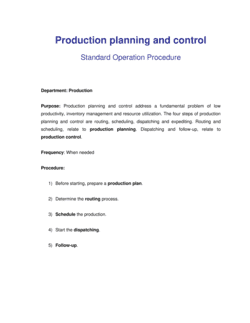
Documenting step-by-step procedures for a repeatable business processStandard Operating Procedure (SOP)
Launching a specific project with a defined scope and end dateProject Plan
Aligning the company around a 3–5 year strategic directionStrategic Plan
Planning production output, capacity, and inventory levelsProduction Plan
Mapping department-level goals to company-wide OKRsAction Plan
Documenting continuity procedures when normal operations are disruptedBusiness Continuity Plan

Common mistakes to avoid

❌ Setting activity-based objectives instead of outcome-based ones

Why it matters: Activities like 'hold weekly standups' can be completed perfectly while the actual business result never improves. Leadership evaluates outcomes, not effort.

Fix: Rewrite each objective as a measurable result: 'reduce customer onboarding time from 14 days to 7 days by Q3' rather than 'improve the onboarding process.'

❌ No single accountable owner per objective

Why it matters: Shared ownership means no one takes the initiative to unblock problems or escalate delays β€” objectives with multiple owners consistently underperform single-owner ones.

Fix: Assign one named individual as accountable for each objective, even when a team contributes. Others can be responsible for tasks, but one person owns the outcome.

❌ Skipping the risk assessment section

Why it matters: Plans that ignore foreseeable risks β€” key person dependencies, supplier delays, budget freezes β€” get derailed in the first quarter with no pre-thought mitigation available.

Fix: List the five most likely risks before distributing the plan, assign a mitigation action and owner to each, and review the register at every monthly check-in.

❌ Building the timeline without buffer between dependent milestones

Why it matters: A single delayed deliverable cascades through every downstream task, compressing timelines in Q3 and Q4 and forcing rushed or skipped work.

Fix: Add at least one week of buffer between any two milestones where the second cannot start until the first is complete, and flag critical-path dependencies explicitly.

❌ Treating the plan as a static document after distribution

Why it matters: Business conditions change within weeks of a plan being approved β€” teams that don't revisit the plan operate against outdated priorities and miss the chance to reallocate resources.

Fix: Schedule a formal quarterly review in every calendar at the time the plan is published, with an explicit process for updating objectives and reforecasting KPIs.

❌ Including too many KPIs without linking them to objectives

Why it matters: A dashboard with fifteen unlinked metrics creates reporting overhead without insight β€” teams spend time collecting data instead of acting on it.

Fix: Limit KPIs to four to eight total, grouped by objective, so every metric has a clear owner and a decision it informs.

The 10 key sections, explained

Executive summary

Strategic alignment

Operational objectives

Process and workflow documentation

Resource and budget allocation

Staffing and responsibilities

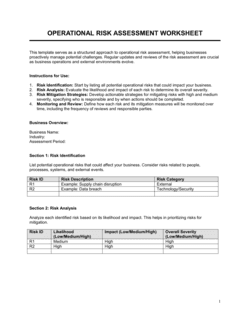
Risk assessment

Key performance indicators

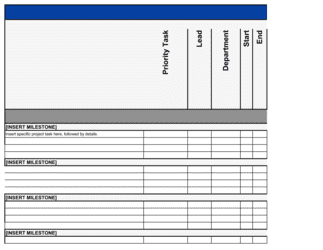
Implementation timeline

Review and reporting cadence

How to fill it out

  1. 1

    Define the plan period and scope

    State the exact start and end dates, the business unit or department the plan covers, and the strategic goals it is designed to execute. This anchors every section that follows.

    πŸ’‘ A one-year plan is the most common cadence, but quarter-level plans work better for fast-moving teams β€” pick the horizon that matches your review cycle.

  2. 2

    List your operational objectives

    Write three to eight outcome-based objectives using measurable targets and deadlines. Each objective should answer: what will change, by how much, and by when.

    πŸ’‘ If you can't measure the objective with a number, a date, or a binary yes/no, rewrite it until you can.

  3. 3

    Map each objective to a strategic goal

    For every operational objective, write the corresponding corporate or divisional goal it supports. If an objective doesn't map to any strategic goal, question whether it belongs in the plan.

    πŸ’‘ Use your company's official strategic plan or annual priorities memo as the source β€” don't rely on memory.

  4. 4

    Document the key processes

    Describe how the work actually flows for each major objective β€” steps, owners, tools, and expected cycle times. Focus on the two or three highest-impact processes, not every task.

    πŸ’‘ Walk through the process with the person who does it daily before you write it down β€” documented processes that don't match reality are worse than no documentation.

  5. 5

    Allocate resources and budget by objective

    Assign headcount, budget, and tools to each objective. Flag any resources shared with other departments and confirm availability with the relevant managers before finalizing the plan.

    πŸ’‘ Total your resource allocations and compare to your actual budget ceiling before distributing the plan β€” overcommitted plans erode credibility with leadership.

  6. 6

    Build the KPI dashboard

    Select four to eight metrics that directly measure progress on your objectives. Record the current baseline, the target value, how often you'll measure it, and where the data comes from.

    πŸ’‘ If the data source doesn't already exist or requires manual extraction each month, budget the time to build or automate it before the plan period starts.

  7. 7

    Create the implementation timeline

    Lay out milestones quarter by quarter, assigning each to a named owner with a due date. Add at least one week of buffer between dependent milestones to absorb normal delays.

    πŸ’‘ Share the draft timeline with every milestone owner before finalizing β€” people commit more reliably to dates they've agreed to than dates assigned to them.

  8. 8

    Set the review and reporting cadence

    Define monthly and quarterly review meetings, the format of progress updates, and the threshold variance that triggers a formal plan revision. Assign a single person to own reporting.

    πŸ’‘ Put all review dates on the calendar on day one β€” reviews that aren't scheduled don't happen.

Frequently asked questions

What is an operational plan?

An operational plan is a document that translates a company's or department's strategic goals into specific tasks, timelines, budgets, and performance metrics for a defined period β€” typically one fiscal year or one quarter. It tells a team exactly what to do, who is responsible, what resources are available, and how success will be measured. Unlike a strategic plan, which sets long-term direction, an operational plan focuses on near-term execution.

What is the difference between an operational plan and a strategic plan?

A strategic plan defines where the organization wants to go over the next 3–5 years β€” mission, vision, major goals, and competitive positioning. An operational plan defines how the organization gets there in the next 12 months or less β€” specific activities, owners, budgets, and KPIs. Strategic plans are typically written by leadership; operational plans are written by department heads and managers responsible for execution. Both documents should be read together β€” the operational plan loses meaning without the strategic context it is executing against.

How long should an operational plan be?

For a single department or business unit, 10–20 pages is typical β€” long enough to cover objectives, process documentation, budgets, and timelines with sufficient detail, short enough that managers actually use it. Company-wide operational plans covering multiple departments often run 30–50 pages plus appendices. A one-page summary is useful for executive presentations but not a substitute for the full document.

How often should an operational plan be updated?

The full plan should be reviewed quarterly and formally updated at least once mid-year to reflect actual performance against KPIs and any changes in resources or priorities. Monthly check-ins against the KPI dashboard are standard practice. A plan that hasn't been touched since it was written is effectively obsolete by Q2 of most years.

What makes a good operational objective?

A good operational objective is specific, measurable, time-bound, and directly linked to a strategic goal. It describes an outcome rather than an activity β€” 'reduce average invoice processing time from 5 days to 2 days by September 30' rather than 'improve invoicing process.' Each objective should have a single named owner, a defined budget, and at least one KPI that tracks progress toward it.

Who is responsible for writing the operational plan?

Typically the department head or operations manager owns the plan for their area, with input from team leads and direct reports who own specific processes. The COO or CEO reviews and approves the consolidated company-level plan. For smaller businesses with no dedicated operations role, the business owner usually writes it with input from each functional area. The plan should be written by the people who will execute it β€” not imposed top-down without their input.

What is the difference between an operational plan and a project plan?

A project plan governs a single, time-limited initiative with a defined scope, start date, and end date β€” such as launching a new product or implementing a software system. An operational plan governs ongoing business operations across multiple processes and workstreams over a recurring annual cycle. Many operational plans spawn individual project plans for major initiatives within them.

Do I need specialist software to create an operational plan?

No. A well-structured Word or Google Docs template handles the narrative sections, objectives, and KPI tables for most teams. Larger organizations sometimes use project management platforms like Asana, Monday.com, or Smartsheet to track task-level execution, but the plan itself is almost always a document. What matters is that the plan is written, distributed, reviewed on a schedule, and updated when conditions change β€” not the tool used to write it.

What KPIs should an operational plan include?

KPIs should be chosen based on the specific objectives in the plan, not copied from a generic list. Common operational KPIs include throughput (units processed per day), cycle time (days from order to delivery), error or defect rate, cost per unit, employee utilization rate, and customer satisfaction score. Limit the total to four to eight KPIs that are directly measurable, tied to a named objective, and reviewed at a defined frequency.

How this compares to alternatives

vs Strategic plan

A strategic plan sets the 3–5 year direction β€” mission, vision, competitive positioning, and major goals. An operational plan translates that direction into specific activities, budgets, and KPIs for the next 12 months or less. Strategic plans are directional; operational plans are executable. Most organizations need both, and the operational plan should be written after the strategic plan is approved.

vs Project plan

A project plan governs a single initiative with a fixed scope, start date, and end date. An operational plan governs ongoing business functions across multiple workstreams on a recurring cycle. A large operational objective β€” such as implementing a new ERP system β€” will typically spawn its own project plan, but the two documents serve different purposes and audiences.

vs Standard operating procedure (SOP)

An SOP documents the step-by-step instructions for executing one specific repeatable process β€” it is a reference document, not a planning document. An operational plan sets the objectives and timelines that SOPs help fulfill. Operational plans answer 'what are we trying to achieve this year and how will we resource it'; SOPs answer 'how exactly do we perform this task every time.'

vs Action plan

An action plan is a shorter, focused document listing the tasks, owners, and deadlines required to achieve a single objective or resolve a specific problem. An operational plan is broader β€” it covers multiple objectives, a full department or business unit, a resource budget, and a KPI framework. Use an action plan for a targeted initiative; use an operational plan when you need to manage an entire function's performance over a year.

Industry-specific considerations

Manufacturing

Production output targets, machine utilization rates, quality defect thresholds, shift staffing plans, and supplier lead-time commitments are the core of a manufacturing operational plan.

Retail and e-commerce

Inventory turnover, fulfillment cycle time, stockout rates, seasonal staffing ramps, and returns processing capacity define the operational priorities for retail businesses.

Professional services

Billable utilization targets, project delivery timelines, staff allocation across engagements, and client satisfaction scores are the primary operational metrics for service firms.

Healthcare

Patient throughput, appointment scheduling efficiency, compliance audit schedules, staffing-to-patient ratios, and equipment maintenance cycles all require formal operational planning to meet regulatory standards.

Template vs pro β€” what fits your needs?

PathBest forCostTime
Use the templateDepartment heads, operations managers, and small business owners building a one-year operational plan for their own teamFree4–8 hours
Template + professional reviewCompanies preparing operational plans for board presentation, investor due diligence, or multi-department alignment$500–$2,000 for a business consultant or operations advisor review1–2 weeks
Custom draftedLarge organizations requiring integrated cross-department operational plans with complex resource modeling or regulated-industry compliance requirements$3,000–$10,000+ for a management consulting engagement3–6 weeks

Glossary

Operational Plan
A short-term, action-oriented document that converts strategic goals into specific tasks, assigned owners, budgets, and timelines.
KPI (Key Performance Indicator)
A quantifiable metric used to evaluate whether an operational objective is being achieved β€” for example, order fulfillment time under 24 hours.
OKR (Objectives and Key Results)
A goal-setting framework pairing a qualitative objective with 2–5 measurable key results that define what success looks like.
Resource Allocation
The process of assigning available budget, staff hours, equipment, and tools to specific activities in the plan.
Milestone
A specific, date-bound checkpoint that marks the completion of a key phase or deliverable within the operational timeline.
Capacity Planning
Determining how much work β€” in units, hours, or transactions β€” the current team and infrastructure can handle in a given period.
RACI Matrix
A chart mapping each task to who is Responsible, Accountable, Consulted, and Informed β€” clarifying ownership and decision rights.
Bottleneck
A step in a process where throughput is constrained, slowing downstream activities and reducing overall output.
Variance
The difference between a planned metric (budget, output, timeline) and the actual result β€” used to assess performance and adjust the plan.
Risk Register
A log of identified operational risks, their likelihood, potential impact, and the mitigation action assigned to a specific owner.

Part of your Business Operating System

This document is one of 3,000+ business & legal templates included in Business in a Box.

  • Fill-in-the-blanks β€” ready in minutes
  • 100% customizable Word document
  • Compatible with all office suites
  • Export to PDF and share electronically

Create your document in 3 simple steps.

From template to signed document β€” all inside one Business Operating System.
1
Download or open template

Access over 3,000+ business and legal templates for any business task, project or initiative.

2
Edit and fill in the blanks with AI

Customize your ready-made business document template and save it in the cloud.

3
Save, Share, Send, Sign

Share your files and folders with your team. Create a space of seamless collaboration.

Save time, save money, and create top-quality documents.

β˜…β˜…β˜…β˜…β˜…

"Fantastic value! I'm not sure how I'd do without it. It's worth its weight in gold and paid back for itself many times."

Managing Director Β· Mall Farm
Robert Whalley
Managing Director, Mall Farm Proprietary Limited
β˜…β˜…β˜…β˜…β˜…

"I have been using Business in a Box for years. It has been the most useful source of templates I have encountered. I recommend it to anyone."

Business Owner Β· 4+ years
Dr Michael John Freestone
Business Owner
β˜…β˜…β˜…β˜…β˜…

"It has been a life saver so many times I have lost count. Business in a Box has saved me so much time and as you know, time is money."

Owner Β· Upstate Web
David G. Moore Jr.
Owner, Upstate Web

Run your business with a system β€” not scattered tools

Stop downloading documents. Start operating with clarity. Business in a Box gives you the Business Operating System used by over 250,000 companies worldwide to structure, run, and grow their business.

Free Forever PlanΒ Β·Β No credit card required