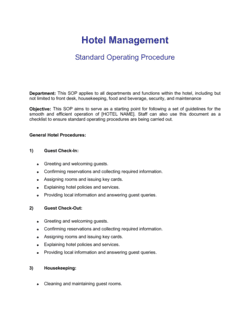
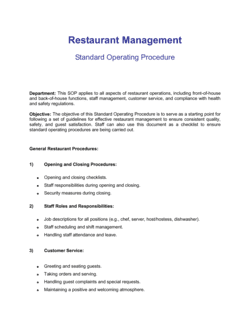
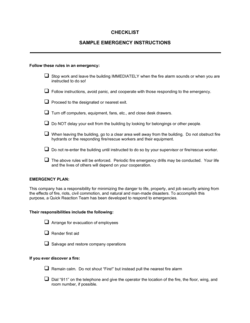
Standard Operating Procedures

Free Word download • Edit online • Save & share with Drive • Export to PDF

106 pages1h – 1h 20m to fillDifficulty: Expert
Learn more ↓
FreeStandard Operating Procedures Template

At a glance

What it is
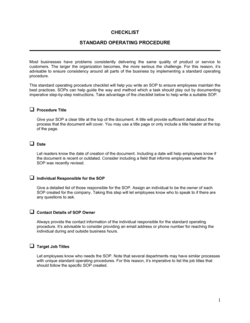
A Standard Operating Procedure (SOP) is a structured, step-by-step document that tells employees exactly how to execute a routine task — consistently, every time. This free Word template is editable online and exportable to PDF, giving you a compliance-ready format covering purpose, scope, roles, numbered steps, and revision history.
When you need it
Use an SOP whenever a process must produce identical results regardless of who performs it — onboarding, quality checks, safety procedures, or compliance audits.
What's inside
Purpose, scope, roles and responsibilities, required materials or tools, numbered procedural steps, decision points, and a revision history log.

What is a Standard Operating Procedure?

A Standard Operating Procedure (SOP) is a written document that prescribes exactly how a specific routine task must be carried out — step by step, role by role — so the process produces a consistent, correct result regardless of who performs it. SOPs are the foundation of quality management systems, compliance programs, and scalable operations. A complete SOP defines the purpose, scope, responsible roles, required materials, numbered procedural steps, measurable acceptance criteria, and a revision history that keeps the document controlled over time.

Why You Need This Document

Without documented SOPs, institutional knowledge lives in people's heads — and walks out the door when they leave. Auditors for ISO 9001, FDA, and SOC 2 cite missing or outdated procedures as one of the top three findings in every cycle. Beyond compliance, the operational cost is concrete: onboarding a new employee takes 40–60% longer when procedures are verbal, rework rates climb when steps vary by performer, and quality defects become difficult to trace. A complete, version-controlled SOP eliminates all three problems simultaneously, turning a one-time process design effort into a reusable operational asset.

Which variant fits your situation?

If your situation is…Use this template
Documenting a manufacturing or production line processManufacturing SOP Template
Defining how a customer support ticket is handled end-to-endCustomer Service SOP Template
Capturing IT incident response or deployment stepsIT Runbook / Incident Response SOP
Onboarding a new employee into a specific roleEmployee Onboarding Checklist
Documenting a food safety or HACCP procedureFood Safety SOP Template
Mapping a multi-department process with decision branchesProcess Flow / Workflow Diagram Template

Common mistakes to avoid

❌ No version control or document ID

Why it matters: Employees reference outdated versions without knowing it, producing inconsistent results and failing compliance audits.

Fix: Assign a document ID and version number in the header and update the revision history every time a change is made.

❌ Steps written in passive voice

Why it matters: Passive voice obscures who is responsible for each action, so steps get skipped or passed to the wrong person.

Fix: Begin every step with an action verb and the role performing it: 'Quality inspector verifies that batch weight is 500g ± 2g.'

❌ Scope left open-ended

Why it matters: Teams apply the SOP to processes it was not designed for, producing incorrect outputs and wasting time troubleshooting.

Fix: Add an explicit 'Out of Scope' line listing at least two to three processes or conditions the SOP does not cover.

❌ Acceptance criteria missing or subjective

Why it matters: Without measurable pass/fail conditions, every employee applies their own judgment and the procedure loses its value.

Fix: Replace qualitative language ('looks good,' 'seems correct') with specific tolerances, counts, or system-confirmed statuses.

❌ SOP written in isolation by one person

Why it matters: A procedure written without input from the people who perform it routinely misses steps, edge cases, and common failure modes.

Fix: Have at least one subject-matter expert and one regular performer review a draft before it is finalized and published.

❌ SOP never reviewed after publication

Why it matters: Processes change faster than documents. A 2-year-old SOP referencing deprecated systems or former employees erodes trust in all documentation.

Fix: Set a mandatory review date — 6 or 12 months after effective date — and assign a named process owner responsible for triggering that review.

The 8 key sections, explained

Header and Document Metadata

Purpose

Scope

Roles and Responsibilities

Materials, Tools, and Prerequisites

Step-by-Step Procedure

Quality Checks and Acceptance Criteria

Revision History

How to fill it out

  1. 1

    Fill in the document metadata

    Assign a unique document ID using your organization's numbering convention (e.g., SOP-OPS-001), set the version to 1.0, enter today's effective date, and name the process owner.

    💡 If you have no numbering convention yet, use SOP-[DEPT ABBREVIATION]-[THREE-DIGIT NUMBER]. Consistency matters more than the format itself.

  2. 2

    Write the purpose and scope

    State in two to three sentences what the procedure achieves and what failure it prevents. Then define explicitly what is in scope and — just as importantly — what is out of scope.

    💡 Test your purpose statement: if it could apply to any SOP in your company, it is too vague. Make it specific to this process.

  3. 3

    Assign roles using a RACI

    List every role that touches the process. For each step in the procedure, note who is Responsible (does the work), Accountable (owns the outcome), Consulted (provides input), and Informed (receives output).

    💡 Limit accountability to one role per step. Two accountable owners usually means neither acts when something fails.

  4. 4

    List materials and prerequisites

    Before writing the steps, compile everything the performer needs: system access, physical tools, prior completed steps, and any forms. List these in the Materials section, not inside the steps.

    💡 Walk through the process yourself and note every tool you reach for. If you need it, so will the next person.

  5. 5

    Write numbered procedural steps

    Start each step with an action verb and name the role performing it. Add decision branches (If A, go to Step X; if B, escalate to Role Y) wherever the path varies.

    💡 Aim for steps that take 30 seconds to 5 minutes each. Steps shorter than 30 seconds can be combined; steps longer than 5 minutes usually need to be broken down.

  6. 6

    Define acceptance criteria and add revision history

    For each critical checkpoint, write a measurable pass/fail condition. Then complete the revision history table with version 1.0, today's date, 'Initial release,' and your name.

    💡 Schedule a review date — 6 or 12 months out — in your calendar now. SOPs that are never reviewed become inaccurate and eventually ignored.

Frequently asked questions

What is a Standard Operating Procedure (SOP)?

A Standard Operating Procedure is a written document that prescribes exactly how a specific routine task must be performed — step by step — to produce a consistent, correct result every time. SOPs capture the who, what, when, and how of a process so any qualified employee can execute it without relying on institutional memory or verbal instructions.

What sections should an SOP include?

A complete SOP includes: a header with document ID, version, and effective date; a purpose statement; a defined scope; roles and responsibilities (ideally as a RACI); required materials and prerequisites; numbered procedural steps with decision branches; measurable acceptance criteria; and a revision history log. Skipping any of these sections is the most common reason SOPs fail compliance audits.

Who should write an SOP?

The process owner — the person accountable for the outcome — should draft it, but the people who perform the task daily should contribute to and review it. A draft written by management alone routinely misses steps and edge cases that practitioners handle automatically. Have at least one performer walk through the draft before it is finalized.

How long should an SOP be?

Long enough to cover the process completely, short enough that someone will actually read it. Simple tasks can be covered in 1–2 pages; complex multi-department processes may run 6–10 pages. This 6-page template handles the majority of operational SOPs. If your SOP exceeds 10 pages, consider splitting it into a parent SOP and supporting work instructions.

How often should SOPs be reviewed and updated?

Review SOPs at a fixed interval — every 6 or 12 months — and whenever the underlying process, system, regulation, or team structure changes. Assign a named process owner responsible for triggering reviews. SOPs with no review date are routinely flagged as uncontrolled documents during ISO 9001, FDA, and SOC 2 audits.

What is the difference between an SOP and a work instruction?

An SOP describes a complete process at a mid-level — what to do and who does it. A work instruction drills into one specific step of an SOP, providing granular detail for a complex or high-risk task. Think of the SOP as a recipe and the work instruction as a technique note for one step, like 'how to temper chocolate' embedded in a broader confectionery procedure.

Are SOPs legally or regulatorily required?

In some industries they are mandatory. FDA 21 CFR Part 211 requires documented SOPs for pharmaceutical manufacturing. ISO 9001 certification requires documented process controls. SOC 2 audits require evidence of operational procedures. Outside regulated industries, SOPs are not legally required but are strongly recommended — they are frequently referenced in litigation as evidence of whether a company followed its own standards.

How this compares to alternatives

vs Work Instruction

A work instruction covers one specific technical step in granular detail — tolerances, tool settings, exact inputs. An SOP covers the full process at a higher level, referencing work instructions where a step is too complex to describe inline.

vs Process Map / Flowchart

A process map visualizes flow, decision points, and handoffs in a diagram. An SOP is a written procedure with numbered steps, roles, and acceptance criteria. Complex processes benefit from both: a flowchart for at-a-glance understanding and an SOP for executable instructions.

vs Employee Checklist

A checklist is a verification tool — it confirms that steps were completed. An SOP is instructional — it tells the employee how to complete those steps. Checklists are often derived from SOPs and used alongside them during execution.

vs Policy Document

A policy states what must or must not happen and why — it sets rules. An SOP states how to execute a task that complies with those rules. Policies set direction; SOPs operationalize it. Both are required for a functioning quality management system.

Industry-specific considerations

Manufacturing

Production line steps, machine setup, batch records, ISO 9001 and FDA 21 CFR Part 211 compliance.

Healthcare

Clinical protocols, infection control, HIPAA-compliant data handling, and Joint Commission documentation requirements.

Food and Beverage

HACCP procedures, allergen controls, sanitation schedules, and FDA food safety modernization act compliance.

Information Technology

Incident response runbooks, change management procedures, deployment checklists, and SOC 2 audit evidence.

Logistics and Warehousing

Receiving, picking, packing, and shipping procedures tied to inventory accuracy targets and carrier SLAs.

Financial Services

Transaction processing controls, KYC/AML procedures, audit trail requirements, and FINRA or SEC recordkeeping rules.

Template vs pro — what fits your needs?

PathBest forCostTime
Use the templateTeams documenting internal operational or administrative processesFree30–90 minutes per SOP
Template + professional reviewRegulated industries (FDA, ISO, SOC 2) where an external consultant reviews for compliance gaps$150–$500 per SOP2–5 days
Custom draftedEnterprise quality management systems requiring full document control integration and regulatory submission$1,000–$5,000+ per SOP set2–6 weeks

Glossary

SOP (Standard Operating Procedure)
A written document prescribing exactly how a specific routine task must be performed to achieve a consistent outcome.
Purpose Statement
One to three sentences explaining why the SOP exists and what problem it solves.
Scope
The boundaries of the SOP — which processes, teams, locations, or products it covers and what it explicitly excludes.
Process Owner
The individual or role accountable for keeping the SOP current and ensuring it is followed.
RACI
A responsibility matrix listing who is Responsible, Accountable, Consulted, and Informed for each procedural step.
Revision History
A log of every change made to the SOP, recording date, version number, description of change, and author.
Work Instruction
A lower-level document that drills into one specific step of an SOP, providing granular detail for complex tasks.
ISO 9001
An international quality management standard that requires organizations to document and follow controlled procedures.
Controlled Document
A document managed under a formal version-control system so only the current approved version is in use.
Decision Point
A step in the procedure where the outcome determines which of two or more paths to follow next, often shown as a flowchart diamond.
SOC 2
A US auditing standard for service organizations requiring documented operational controls around security, availability, and confidentiality.
Effective Date
The date on which a specific version of the SOP becomes the official, enforceable procedure replacing any prior version.

Part of your Business Operating System

This document is one of 3,000+ business & legal templates included in Business in a Box.

  • Fill-in-the-blanks — ready in minutes
  • 100% customizable Word document
  • Compatible with all office suites
  • Export to PDF and share electronically

Create your document in 3 simple steps.

From template to signed document — all inside one Business Operating System.
1
Download or open template

Access over 3,000+ business and legal templates for any business task, project or initiative.

2
Edit and fill in the blanks with AI

Customize your ready-made business document template and save it in the cloud.

3
Save, Share, Send, Sign

Share your files and folders with your team. Create a space of seamless collaboration.

Save time, save money, and create top-quality documents.

★★★★★

"Fantastic value! I'm not sure how I'd do without it. It's worth its weight in gold and paid back for itself many times."

Managing Director · Mall Farm
Robert Whalley
Managing Director, Mall Farm Proprietary Limited
★★★★★

"I have been using Business in a Box for years. It has been the most useful source of templates I have encountered. I recommend it to anyone."

Business Owner · 4+ years
Dr Michael John Freestone
Business Owner
★★★★★

"It has been a life saver so many times I have lost count. Business in a Box has saved me so much time and as you know, time is money."

Owner · Upstate Web
David G. Moore Jr.
Owner, Upstate Web

Run your business with a system — not scattered tools

Stop downloading documents. Start operating with clarity. Business in a Box gives you the Business Operating System used by over 250,000 companies worldwide to structure, run, and grow their business.

Start free · No credit card required