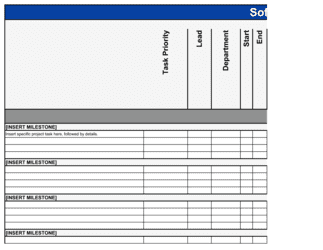
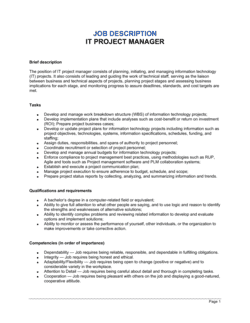
It Project Plan Template

Free Excel download β€’ Edit online β€’ Save & share with Drive β€’ Export to PDF

1 pageβ€’20–25 min to fillβ€’Difficulty: Standard
Learn more ↓
FreeXLSIt Project Plan Template

At a glance

What it is
An IT Project Plan is a structured document that defines the scope, schedule, resources, risk mitigation strategy, and success criteria for a technology initiative β€” from a system migration or software rollout to a network infrastructure upgrade. This free Word download gives you a ready-to-edit framework you can tailor to any IT project and export as PDF to share with stakeholders, sponsors, and vendors.
When you need it
Use it at the start of any IT initiative where multiple teams, vendors, or budget lines are involved β€” before development, procurement, or configuration work begins. It is equally applicable for internal IT departments managing infrastructure projects and project managers overseeing client-facing technology deployments.
What's inside
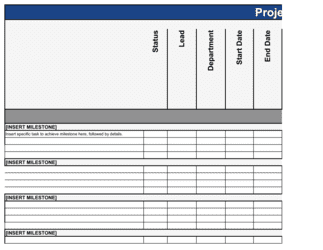
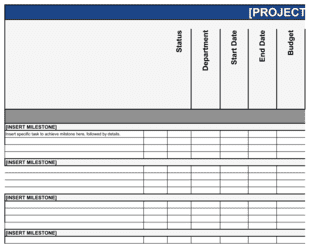
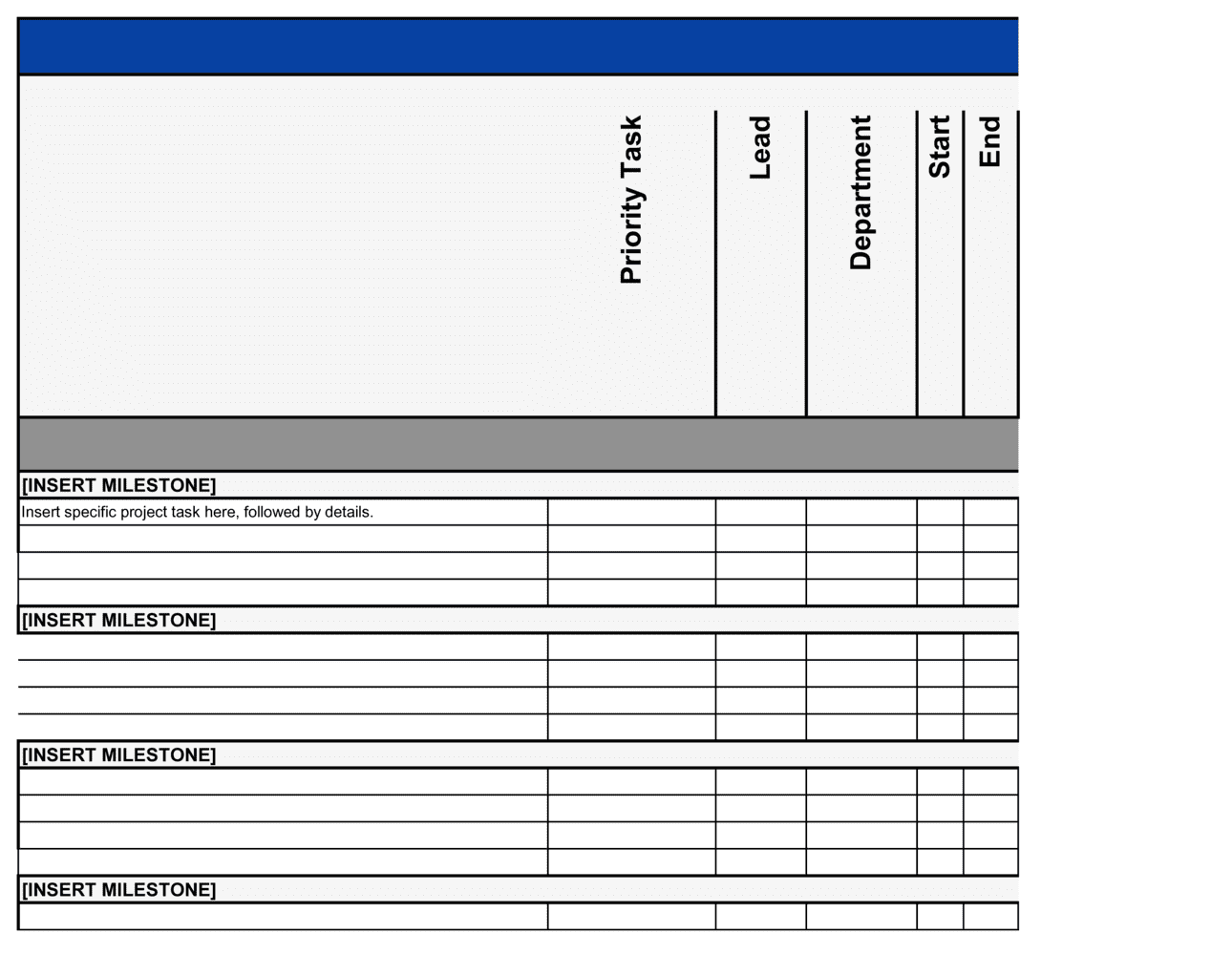
Project overview and objectives, scope and deliverables, work breakdown structure, project schedule with milestones, resource and team assignments, budget summary, risk register, communication plan, and quality and acceptance criteria β€” all in a single, structured document.

What is an IT Project Plan?

An IT Project Plan is a structured operational document that defines the full scope, schedule, resource assignments, budget, risks, and acceptance criteria for a technology initiative β€” covering everything from a cloud migration or ERP rollout to a network infrastructure upgrade or cybersecurity implementation. It translates a high-level project objective into a concrete, executable roadmap that the project team, business sponsors, and vendors can all work from. Unlike a project charter, which grants authorization, the IT project plan contains the operational detail β€” work breakdown, milestone dates, risk register, and communication cadence β€” needed to manage delivery day to day.

Why You Need This Document

Technology projects without a formal plan routinely exceed their budgets, miss go-live dates, and deliver systems that do not meet business requirements β€” not because the technology is difficult, but because scope, ownership, and risk were never written down. A documented IT project plan creates a single source of truth that eliminates the verbal agreements and assumption gaps that cause rework. It gives sponsors a clear picture of what they approved, gives the project team unambiguous task ownership, and gives stakeholders a structured communication cadence so no one is surprised by a delay. When scope changes arrive β€” and they always do β€” the plan provides the baseline against which every change request is evaluated, keeping the project accountable to its original objectives rather than drifting toward whatever the most vocal stakeholder requested last week.

Which variant fits your situation?

If your situation is…Use this template
Planning a migration from on-premises infrastructure to cloudCloud Migration Project Plan
Rolling out a new ERP or CRM system across the organizationSoftware Implementation Plan
Managing a custom software development project end to endSoftware Development Plan
Tracking sprint-based delivery for an agile development teamAgile Sprint Plan
Planning a network infrastructure upgrade or data center moveIT Infrastructure Project Plan
Coordinating a cybersecurity program or compliance initiativeIT Security Plan
Documenting disaster recovery and business continuity proceduresDisaster Recovery Plan

Common mistakes to avoid

❌ Starting work before the scope is signed off

Why it matters: Work begun under an unsigned scope statement is almost always reworked. Stakeholders who did not formally approve the scope feel entitled to redirect work mid-flight without a change request.

Fix: Make scope sign-off a mandatory gate before any technical work, procurement, or vendor engagement begins. Document the sign-off with a dated email or digital approval.

❌ No out-of-scope list in the scope statement

Why it matters: Stakeholders assume that anything not explicitly excluded is included. Without a written exclusion list, every adjacent request arrives as a delivery obligation rather than a change request.

Fix: Add a dedicated 'out of scope' section listing at least five items that sponsors or users are likely to assume are covered. Circulate it for acknowledgment before kickoff.

❌ Setting milestones without defined acceptance criteria

Why it matters: A milestone labeled 'development complete' means different things to the developer, the tester, and the business sponsor β€” leading to false-complete reporting and downstream rework.

Fix: Attach at least one specific, measurable acceptance condition to every milestone. 'Development complete' becomes 'all unit tests passing at 95% coverage and code reviewed by [LEAD]'.

❌ Building the schedule without task dependencies

Why it matters: A schedule without predecessor relationships cannot model the ripple effect of delays. A two-day slip in environment setup looks isolated but may push go-live by two weeks if the dependency chain is not visible.

Fix: Link every task to at least one predecessor in the schedule. Run a critical path calculation after each weekly status update to identify which delays require re-planning.

❌ Omitting the change control process

Why it matters: Without a documented change process, scope additions arrive informally and are absorbed as courtesy β€” accumulating until the project is months late with no documented reason why.

Fix: Include a one-page change control process with a threshold for sponsor approval. Enforce it from day one: log every request, even ones you decline, so the scope history is auditable.

❌ Rating all risks as medium to avoid escalation

Why it matters: A risk register where every item is 'medium probability, medium impact' provides no prioritization signal and gives leadership false confidence that no serious threats exist.

Fix: Force the team to rate at least one or two risks as high probability or high impact. If none qualify, the project is either trivially simple or the team is not being honest about what could go wrong.

The 10 key sections, explained

Project overview and objectives

Scope and deliverables

Work breakdown structure (WBS)

Project schedule and milestones

Resource and team assignments

Budget summary

Risk register

Communication plan

Quality and acceptance criteria

Change control process

How to fill it out

  1. 1

    Define the project objectives with measurable outcomes

    Open the project overview section and write one sentence for each objective, each ending in a quantified result β€” system uptime target, user migration count, or cost reduction percentage.

    πŸ’‘ If you cannot attach a number to an objective, it is a strategy statement, not a project objective. Push stakeholders to quantify before planning begins.

  2. 2

    Draft the scope statement with explicit exclusions

    List every deliverable the project will produce, then write a separate 'out of scope' list covering adjacent items that sponsors or users might assume are included.

    πŸ’‘ Circulate the out-of-scope list to stakeholders for sign-off before the kickoff meeting β€” disputes caught here cost nothing; disputes caught during UAT cost weeks.

  3. 3

    Build the work breakdown structure by phase

    Decompose all in-scope work into tasks of 4–16 hours each, grouped by project phase. Assign an owner and effort estimate to every task before moving to scheduling.

    πŸ’‘ Tasks over 16 hours almost always contain hidden sub-tasks. Break them down until each is small enough for a single person to own and complete without further decomposition.

  4. 4

    Map tasks to dates and identify the critical path

    Enter start and end dates for every task, then connect dependent tasks with predecessor relationships. The longest chain of dependent tasks is your critical path β€” protect it.

    πŸ’‘ Add a 10–15% schedule buffer as a named task at the end of each phase rather than padding individual task durations. This preserves visibility into where float actually sits.

  5. 5

    Assign resources with explicit allocation percentages

    For every WBS task, name the person or vendor responsible and the percentage of their available time the task consumes. Cross-check allocations against each person's total availability.

    πŸ’‘ Anyone allocated above 80% across multiple projects will miss deadlines. Flag over-allocations in the resource section and resolve them before baselining the schedule.

  6. 6

    Complete the budget breakdown by category

    Enter estimated costs for labor, licenses, hardware, vendor fees, and training, then add a contingency line of 10–20% of the total depending on project complexity.

    πŸ’‘ Get vendor quotes in writing before entering them in the budget β€” verbal estimates routinely come in 15–25% higher when the SOW is finalized.

  7. 7

    Populate the risk register before kickoff

    Identify at least six risks with the project team, rate each by probability and impact, assign an owner, and write a specific mitigation action for every risk rated high on either dimension.

    πŸ’‘ Run a pre-mortem: ask the team to imagine the project has failed and list the causes. The answers populate your risk register faster than any formal framework.

  8. 8

    Baseline the plan and distribute to stakeholders

    Once all sections are reviewed and approved, freeze the scope, schedule, and budget as the project baseline. Send the final plan to all stakeholders listed in the communication plan.

    πŸ’‘ Store the baselined plan in a version-controlled location. Every subsequent change request should be tracked as a delta against this baseline, not a replacement of it.

Frequently asked questions

What is an IT project plan?

An IT project plan is a structured document that defines the full scope, schedule, resources, budget, risks, and acceptance criteria for a technology initiative. It serves as the governing reference for the project team, sponsors, and vendors throughout the project lifecycle β€” from kickoff through go-live and handover. Unlike a project charter, which establishes authority, the project plan contains the operational detail needed to execute.

What sections should an IT project plan include?

A complete IT project plan covers ten areas: project objectives, scope and deliverables, work breakdown structure, project schedule with milestones, resource and team assignments, budget summary, risk register, communication plan, quality and acceptance criteria, and a change control process. The depth of each section scales with project complexity β€” a two-week server upgrade needs less detail than a six-month ERP implementation.

How is an IT project plan different from a project charter?

A project charter is a short authorization document β€” typically one to two pages β€” that formally launches the project, names the sponsor, and grants the project manager authority to use resources. An IT project plan is the full operational document that follows: it contains the detailed schedule, WBS, budget, risk register, and communication plan. The charter opens the project; the plan tells the team exactly how to execute it.

What is scope creep and how does an IT project plan prevent it?

Scope creep is the gradual addition of unplanned work that expands the project beyond its original boundaries, usually without a corresponding budget or schedule adjustment. An IT project plan prevents it by documenting an explicit scope statement with an out-of-scope list, and by including a formal change control process that requires sponsor approval for any addition. Projects with documented scope and change control spend significantly less time on rework than those managed informally.

How detailed should the work breakdown structure be?

Each task in the WBS should be small enough to estimate accurately and complete without further decomposition β€” typically 4 to 16 hours of effort. Tasks larger than 16 hours almost always conceal sub-tasks and estimation uncertainty. For a typical IT project, a WBS has between 40 and 150 tasks depending on complexity. The goal is enough granularity to track weekly progress without micromanaging every hour.

What should a risk register include for an IT project?

Each risk entry should include a plain-language description of the risk, a probability rating (high, medium, or low), an impact rating on the same scale, the name of the person who owns the risk, a specific mitigation action to reduce the probability, and a contingency plan if the risk materializes despite mitigation. Risks without owners and without specific actions are observations, not managed risks.

How often should an IT project plan be updated?

The schedule and resource sections should be updated at every weekly status meeting to reflect actual progress. The risk register should be reviewed at least bi-weekly and after any significant project event β€” a missed milestone, a vendor delay, or a technology decision. The baselined scope and budget should never be changed except through the formal change control process, with all changes logged against the original baseline.

Can I use an IT project plan template for agile projects?

Yes, with adaptation. Agile projects still need defined scope boundaries, a budget, a risk register, and a communication plan β€” the sections that do not change regardless of methodology. Replace the fixed-date schedule and WBS with a release roadmap and sprint-level backlog references. The project plan then covers governance and resourcing while the sprint plans cover week-to-week delivery detail.

Who should approve an IT project plan before work begins?

At minimum, the project sponsor β€” the executive accountable for the business outcome β€” must approve the scope, budget, and schedule before work begins. For projects touching multiple departments, department heads affected by the change should also acknowledge the scope and communication plan. For vendor-delivered projects, the lead vendor or systems integrator should co-sign the scope statement to align contractual obligations with internal expectations.

How this compares to alternatives

vs Project charter

A project charter is a one-to-two-page authorization document that names the sponsor, states the high-level objective, and grants the project manager authority to proceed. An IT project plan is the full operational document β€” schedule, WBS, budget, risk register β€” that follows charter approval. Write the charter first to get authorization; build the plan to execute.

vs Software development plan

A software development plan focuses specifically on the build lifecycle β€” architecture decisions, development methodology, code standards, testing strategy, and release management. An IT project plan covers the full initiative including procurement, infrastructure, change management, vendor coordination, and training β€” not just the development workstream.

vs IT security plan

An IT security plan defines the ongoing policies, controls, and response procedures that govern an organization's security posture. An IT project plan governs a specific, time-bounded initiative. A security plan is an operational policy document; an IT project plan is a delivery management tool β€” though a security initiative will have both.

vs Disaster recovery plan

A disaster recovery plan documents procedures for restoring systems and data after an unplanned outage or incident. An IT project plan governs the planned execution of a technology initiative. The two serve entirely different purposes: one is a response playbook, the other is a delivery roadmap β€” though a DR implementation is itself managed using an IT project plan.

Industry-specific considerations

Financial Services

Regulatory compliance checkpoints, data residency requirements, and change advisory board (CAB) approval gates are standard additions to the schedule and change control sections.

Healthcare

HIPAA security rule compliance tasks, EHR integration testing protocols, and downtime procedure documentation are embedded as mandatory deliverables in the WBS.

Manufacturing

OT/IT convergence risks, production downtime windows for go-live, and vendor-managed hardware lead times dominate the risk register and schedule sections.

Retail / E-commerce

Blackout periods around peak trading seasons (Black Friday, Q4) constrain the go-live window and require contingency rollback plans documented in the risk register.

Template vs pro β€” what fits your needs?

PathBest forCostTime
Use the templateIT managers and project leads running internal technology initiatives with a defined team and budgetFree4–8 hours to complete
Template + professional reviewComplex multi-vendor deployments, ERP or cloud migrations, or projects with regulatory compliance requirements$500–$2,000 for a PMO review or external project management consultant1–3 days
Custom draftedEnterprise-scale programs managed under a formal PMO, government IT contracts, or projects requiring PMBOK or PRINCE2 certification artifacts$3,000–$15,000 for a certified project management consultant2–4 weeks

Glossary

Scope Statement
A written boundary definition that specifies what is β€” and is not β€” included in the project, used to prevent unauthorized feature or work additions.
Work Breakdown Structure (WBS)
A hierarchical decomposition of all project deliverables and tasks into manageable components, each assigned an owner and effort estimate.
Milestone
A specific, measurable checkpoint in the project schedule that marks the completion of a significant phase or deliverable, with no duration of its own.
Critical Path
The longest sequence of dependent tasks that determines the earliest possible project completion date β€” any delay on the critical path delays the whole project.
Risk Register
A log of identified project risks, each rated by probability and impact, with an assigned owner and a documented mitigation or contingency action.
Change Control
A formal process for requesting, evaluating, approving, and documenting any modification to the project's scope, schedule, or budget after the plan is baselined.
RACI Matrix
A responsibility assignment chart mapping each task to roles: Responsible, Accountable, Consulted, and Informed.
Acceptance Criteria
Specific, measurable conditions a deliverable must satisfy before the project sponsor or client formally signs off on completion.
Baseline
The approved, frozen version of the project plan β€” scope, schedule, and budget β€” against which actual progress and variances are measured.
Go-Live
The point at which a new system, application, or infrastructure configuration is activated in the production environment and handed over to end users.
Stakeholder Register
A document listing all individuals and groups affected by or influencing the project, their level of interest, and their preferred communication channel and frequency.

Part of your Business Operating System

This document is one of 3,000+ business & legal templates included in Business in a Box.

  • Fill-in-the-blanks β€” ready in minutes
  • 100% customizable Word document
  • Compatible with all office suites
  • Export to PDF and share electronically

Create your document in 3 simple steps.

From template to signed document β€” all inside one Business Operating System.
1
Download or open template

Access over 3,000+ business and legal templates for any business task, project or initiative.

2
Edit and fill in the blanks with AI

Customize your ready-made business document template and save it in the cloud.

3
Save, Share, Send, Sign

Share your files and folders with your team. Create a space of seamless collaboration.

Save time, save money, and create top-quality documents.

β˜…β˜…β˜…β˜…β˜…

"Fantastic value! I'm not sure how I'd do without it. It's worth its weight in gold and paid back for itself many times."

Managing Director Β· Mall Farm
Robert Whalley
Managing Director, Mall Farm Proprietary Limited
β˜…β˜…β˜…β˜…β˜…

"I have been using Business in a Box for years. It has been the most useful source of templates I have encountered. I recommend it to anyone."

Business Owner Β· 4+ years
Dr Michael John Freestone
Business Owner
β˜…β˜…β˜…β˜…β˜…

"It has been a life saver so many times I have lost count. Business in a Box has saved me so much time and as you know, time is money."

Owner Β· Upstate Web
David G. Moore Jr.
Owner, Upstate Web

Run your business with a system β€” not scattered tools

Stop downloading documents. Start operating with clarity. Business in a Box gives you the Business Operating System used by over 250,000 companies worldwide to structure, run, and grow their business.

Start freeΒ Β·Β No credit card required