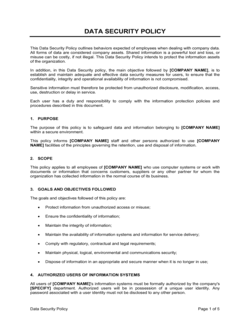
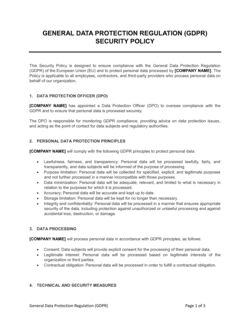
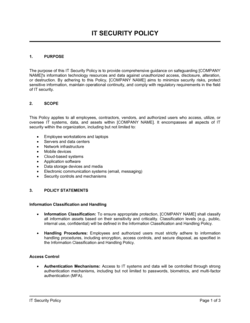
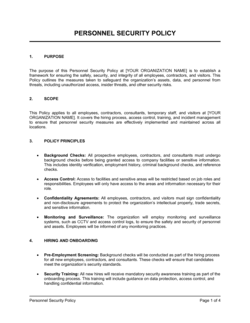
Security Response Plan Policy Template

Free Word download β€’ Edit online β€’ Save & share with Drive β€’ Export to PDF

Learn more ↓
FreeSecurity Response Plan Policy Template

At a glance

What it is
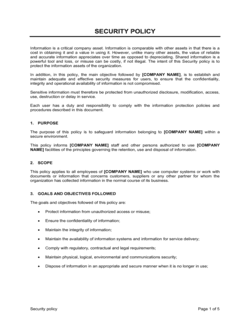
A Security Response Plan Policy is an operational document that defines how an organization detects, classifies, contains, investigates, and recovers from security incidents β€” including data breaches, ransomware attacks, unauthorized access, and physical security events. This free Word download gives you a structured, editable framework you can customize to your organization's size, systems, and risk profile, then export as PDF for distribution and sign-off.
When you need it
Use it when establishing or formalizing your organization's incident response posture for the first time, when preparing for a compliance audit (SOC 2, ISO 27001, HIPAA, or PCI-DSS), or after a security event exposes gaps in your current response procedures.
What's inside
Purpose and scope, incident classification tiers, roles and responsibilities for the response team, step-by-step detection and triage procedures, containment and eradication protocols, recovery and post-incident review processes, and communication and notification requirements for stakeholders and regulators.

What is a Security Response Plan Policy?

A Security Response Plan Policy is a formal operational document that defines how an organization detects, classifies, contains, investigates, and recovers from security incidents β€” including cyberattacks, data breaches, unauthorized system access, ransomware events, and physical security compromises. It assigns specific responsibilities to named roles, prescribes step-by-step procedures for each phase of incident handling, and establishes communication protocols for internal stakeholders, affected customers, and regulatory bodies. Unlike a general information security policy that sets preventive rules, a security response plan is a reactive framework that activates when those preventive controls fail.

Why You Need This Document

Without a documented security response plan, your team improvises under pressure β€” and improvised responses to security incidents consistently result in slower containment, destroyed forensic evidence, missed regulatory notification deadlines, and broader data exposure than the original attack caused. Regulatory frameworks including HIPAA, PCI-DSS, SOC 2, and ISO 27001 all require documented incident response procedures as a baseline compliance requirement; auditors will ask for this document by name. Beyond compliance, the practical cost of an undocumented response is measurable: organizations without a tested incident response plan take an average of three times longer to contain a breach than those with one, according to industry benchmarks. This template gives you a structured, auditable starting point that you can tailor to your systems, team, and regulatory obligations β€” turning a high-stress, ad hoc scramble into a repeatable, defensible process.

Which variant fits your situation?

If your situation is…Use this template
Responding specifically to ransomware or malware encryption eventsRansomware Response Plan
Addressing a confirmed data breach involving personal informationData Breach Response Plan
Maintaining operations during a prolonged security disruptionBusiness Continuity Plan
Restoring systems and data after an incident causes outageDisaster Recovery Plan
Establishing preventive security rules before incidents occurInformation Security Policy
Documenting security risks across the organizationIT Risk Assessment
Providing employees with security awareness and reporting guidelinesAcceptable Use Policy

Common mistakes to avoid

❌ Scoping out cloud and SaaS environments

Why it matters: Most modern breaches involve cloud services, third-party SaaS, or OAuth token abuse β€” none of which a policy scoped only to 'company servers' addresses. Gaps in scope become gaps in response.

Fix: Explicitly list every cloud platform, SaaS application, and third-party integration in the scope section. If a vendor can access your data, it belongs in scope.

❌ Assigning incident response roles by employee name

Why it matters: Staff turnover means the named person may no longer work there when an incident occurs, leaving the team without a clear lead at the worst possible moment.

Fix: Assign roles by job title in the policy body and maintain a separate, regularly updated contact sheet with current names and backup contacts for each role.

❌ Skipping forensic evidence capture before eradication

Why it matters: Reformatting a compromised system or deleting logs destroys the evidence needed to determine how the attacker got in, what they accessed, and whether the threat is fully removed.

Fix: Add an explicit evidence preservation step before any eradication action. Specify which logs, disk images, and memory captures must be retained and where they are stored.

❌ Omitting regulatory notification timelines

Why it matters: Missing a mandatory notification window β€” 72 hours under GDPR, 60 days under HIPAA, or a state-specific deadline β€” can turn a contained breach into a significant regulatory fine.

Fix: List every applicable regulation and its notification deadline in the communication section. Map these deadlines directly to your incident classification tiers so the trigger is automatic.

❌ Treating the post-incident review as optional

Why it matters: Without a structured debrief, the same vulnerabilities and process failures recur. Organizations that skip PIRs typically experience repeat incidents within 12 months.

Fix: Mandate a PIR for every Level 2 or higher incident with a fixed deadline (e.g., within 10 business days of closure) and a named owner who is accountable for producing the report.

❌ Publishing the policy without testing it

Why it matters: A plan that has never been exercised will fail under the stress of a real incident β€” unclear steps, missing contacts, and untested tools all surface at the worst time.

Fix: Run a tabletop exercise simulating a Level 3 incident within 60 days of policy publication. Document gaps discovered during the exercise and update the policy before the next test.

The 10 key sections, explained

Purpose, scope, and objectives

Incident classification framework

Roles and responsibilities

Detection and reporting procedures

Triage and initial assessment

Containment and eradication

Communication and notification requirements

Recovery and system restoration

Post-incident review and lessons learned

Policy review and maintenance

How to fill it out

  1. 1

    Define the scope and applicable systems

    List every system, data type, and environment covered by the policy β€” on-premise servers, cloud platforms, SaaS tools, and any third-party systems that access your data. Be explicit about what is included and excluded.

    πŸ’‘ Use your asset inventory or a simple network diagram to ensure you haven't missed a critical system. Cloud services and contractor-managed systems are the most frequently overlooked.

  2. 2

    Build your incident classification tiers

    Define three to four severity levels with clear, objective criteria β€” data exposure volume, system availability impact, regulatory trigger thresholds, and reputational risk. Map each level to a specific response timeline and escalation path.

    πŸ’‘ Align your Level 3 and Level 4 thresholds to your regulatory notification obligations (e.g., GDPR 72-hour window, HIPAA 60-day window) so the classification itself triggers the right compliance actions.

  3. 3

    Assign roles by title, not by name

    Populate the Incident Response Team using job titles as the primary identifier. Record the current holder's name separately in an appendix or contact sheet that can be updated without amending the main policy.

    πŸ’‘ Include a backup contact for every role β€” incidents don't wait for primary contacts to be available.

  4. 4

    Document detection sources and reporting channels

    List every tool and mechanism used to detect incidents β€” SIEM alerts, endpoint detection, employee reports, third-party notifications β€” and specify the single reporting channel employees should use for suspected events.

    πŸ’‘ Test the reporting channel before finalizing the policy. Send a test report and measure how long it takes for a human to acknowledge it.

  5. 5

    Write out containment and eradication steps by incident type

    Create a playbook entry for each of your three to five most likely incident types (phishing, ransomware, unauthorized access, insider threat, physical breach). For each, specify the containment action, the tools used, and the criteria for moving to eradication.

    πŸ’‘ Keep playbook entries to one page each β€” responders under pressure need checklists, not paragraphs.

  6. 6

    Set communication timelines and draft notification templates

    Map every required notification β€” internal leadership, customers, regulators, law enforcement β€” to a specific timeline and a draft template. Store templates in an appendix so they are ready to use under pressure.

    πŸ’‘ Have legal review notification templates before an incident occurs, not during one. Regulatory notices sent incorrectly can compound the original compliance problem.

  7. 7

    Define recovery criteria and post-restoration monitoring

    Write the specific technical and procedural checkpoints that must be met before any affected system returns to production. Include a minimum monitoring period post-restoration with defined alert thresholds.

    πŸ’‘ Pair recovery criteria with a sign-off requirement from at least two named roles β€” the person who did the technical work should not be the only one who declares the system clean.

  8. 8

    Schedule the annual review and assign a named owner

    Enter the first review date, set a recurring calendar reminder, and record the name and title of the person responsible for initiating the review. Document that the review was completed in a change log at the back of the policy.

    πŸ’‘ Tie the annual review to a recurring event that already happens β€” such as a quarterly security meeting or the start of the fiscal year β€” so it never gets orphaned.

Frequently asked questions

What is a security response plan policy?

A security response plan policy is a formal organizational document that defines how a business detects, classifies, contains, investigates, and recovers from security incidents. It specifies who is responsible for each response action, what steps must be followed in what order, and how the organization communicates with internal stakeholders, customers, and regulators during and after an incident. It differs from a general security policy in that it focuses specifically on reactive procedures rather than preventive controls.

What types of incidents should the plan cover?

A complete security response plan addresses cybersecurity incidents (malware, ransomware, phishing, unauthorized access, DDoS), data breaches involving personal or confidential information, insider threats, third-party or supply chain compromises, and physical security events such as device theft or unauthorized facility access. The plan should also address incidents originating from cloud services and SaaS applications, which are increasingly the entry point for attacks.

Is a security response plan required by law?

No single law universally mandates a named 'security response plan,' but several frameworks and regulations require equivalent documented procedures. HIPAA requires covered entities to have incident response procedures as part of their Security Rule compliance. PCI-DSS Requirement 12.10 mandates a written incident response plan. SOC 2 Type II audits assess whether incident response procedures are documented and followed. ISO 27001 Annex A.16 requires an information security incident management process.

How is a security response plan different from a disaster recovery plan?

A security response plan focuses on detecting and responding to security incidents β€” breaches, attacks, and unauthorized access β€” and includes investigative, forensic, and notification components. A disaster recovery plan focuses on restoring systems and operations after any disruptive event, including natural disasters, hardware failures, and power outages. The two plans are complementary: a security incident may trigger the disaster recovery plan if systems are taken offline during containment.

How often should a security response plan be updated?

At minimum, review the plan annually and update it after every Level 3 or Level 4 incident, a significant change to your technology infrastructure or cloud environment, staff turnover in key incident response roles, or a material change to applicable regulatory requirements. Plans that are more than 18 months old without a documented review are typically flagged as deficient in SOC 2 and ISO 27001 audits.

Who should be on the incident response team?

Core members typically include an Incident Response Lead (often the IT manager or CISO), at least one IT security analyst, a representative from legal or compliance, a communications or PR contact for external messaging, and an executive sponsor who can authorize emergency spending or business decisions. For smaller organizations, one person may fill multiple roles β€” but each function must be explicitly assigned to avoid gaps during a live incident.

What is a tabletop exercise and why does it matter?

A tabletop exercise is a structured simulation where the incident response team walks through a hypothetical security scenario β€” such as a ransomware attack or data breach β€” following the documented plan. The goal is to identify gaps in procedures, test communication channels, and build team familiarity with their roles before a real incident occurs. Organizations that run annual tabletop exercises consistently report shorter mean time to respond during actual incidents and fewer process failures under pressure.

Can a small business use this template without a dedicated security team?

Yes. The template is designed to scale from a two-person IT function to a full enterprise security operations team. Small businesses should focus on the core elements β€” classification tiers, clear reporting channels, basic containment steps, and notification timelines β€” and keep playbooks simple enough that a generalist IT person can follow them without specialized training. The diy_vs_pro section below outlines when additional expert support is advisable.

What should a post-incident review include?

A post-incident review should document the full timeline of the incident from first indicator to closure, a root cause analysis identifying how the incident originated and why existing controls failed to prevent or detect it sooner, an assessment of the response team's effectiveness against the plan, and at least three specific remediation actions with named owners and due dates. The review report should be stored alongside the incident record and referenced in the next annual policy review.

How this compares to alternatives

vs Information Security Policy

An information security policy establishes the preventive rules and controls that govern how an organization protects its data and systems on an ongoing basis β€” access controls, password standards, acceptable use. A security response plan policy is reactive, defining what the organization does after a control fails and an incident occurs. Both are required for a complete security program; the response plan is meaningless without the preventive policy that precedes it.

vs Disaster Recovery Plan

A disaster recovery plan focuses on restoring systems and business operations after any disruptive event, including natural disasters and hardware failures. A security response plan focuses specifically on security incidents, adding forensic investigation, evidence preservation, and regulatory notification components that a standard DRP does not address. Large organizations typically maintain both as separate but linked documents.

vs Business Continuity Plan

A business continuity plan covers how the organization maintains critical operations during any extended disruption β€” not just security events. A security response plan is narrower in focus but deeper in incident-specific procedure, covering containment, eradication, and post-incident review steps that a BCP does not include. A major security incident may activate both plans simultaneously.

vs Data Breach Response Plan

A data breach response plan is a specialized subset of security incident response focused specifically on breaches involving personal or regulated data β€” with detailed regulatory notification timelines, affected-individual notification procedures, and evidence documentation requirements. A security response plan covers the full spectrum of security incidents, many of which do not involve personal data. Organizations handling significant volumes of personal data should have both.

Industry-specific considerations

Financial Services

Regulatory notification obligations under GLBA and state financial regulators require sub-24-hour escalation protocols and mandatory board-level notification for material cyber events.

Healthcare

HIPAA Breach Notification Rule mandates specific documentation, patient notification within 60 days, and HHS reporting β€” all of which must be mapped directly into the incident classification and communication sections.

SaaS / Technology

Customer data breach provisions, SLA breach triggers, and cloud provider shared-responsibility boundaries must be reflected in both the scope and the third-party notification procedures.

Retail / E-commerce

PCI-DSS Requirement 12.10 mandates a written incident response plan specifically covering payment card data breaches, with defined forensic investigation and card brand notification steps.

Manufacturing

Operational technology (OT) and industrial control system (ICS) environments require containment procedures that account for safety-critical systems where isolating a compromised host may disrupt production or create physical hazards.

Professional Services

Client confidentiality obligations and professional liability exposure mean that the communication section must include protocols for notifying affected clients and engaging professional indemnity insurers promptly.

Template vs pro β€” what fits your needs?

PathBest forCostTime
Use the templateSmall to mid-sized businesses establishing a formal incident response process for the first time or preparing for a basic compliance auditFree4–8 hours to customize and review
Template + professional reviewOrganizations undergoing SOC 2 Type II, ISO 27001, HIPAA, or PCI-DSS certification where the plan will be evaluated by auditors$500–$2,500 for a security consultant review1–2 weeks
Custom draftedEnterprise organizations with complex OT/IT environments, multi-jurisdiction regulatory obligations, or a recent material breach requiring a rebuilt response framework$5,000–$25,000+ for a specialized information security firm engagement4–10 weeks

Glossary

Security Incident
Any event that compromises β€” or has the potential to compromise β€” the confidentiality, integrity, or availability of an organization's information or systems.
Incident Classification
A tiered rating system (e.g., Low, Medium, High, Critical) that determines the severity of an incident and dictates the speed and level of the required response.
Incident Response Team (IRT)
The designated group of individuals responsible for executing the security response plan, typically including IT, security, legal, communications, and leadership representatives.
Triage
The initial assessment step where a reported event is evaluated to determine whether it qualifies as a real security incident and what classification it warrants.
Containment
Actions taken to limit the spread or impact of an active incident β€” such as isolating affected systems, revoking credentials, or blocking network segments.
Eradication
The process of identifying and removing the root cause of an incident from affected systems, including malware removal, patching vulnerabilities, and closing access vectors.
Chain of Custody
A documented record of who collected, handled, and transferred evidence from an incident β€” required if the matter may involve law enforcement or litigation.
Mean Time to Detect (MTTD)
The average time elapsed between a security incident occurring and the organization becoming aware of it β€” a key metric for evaluating detection capability.
Mean Time to Respond (MTTR)
The average time from incident detection to full containment and resolution β€” used to measure and benchmark the effectiveness of the response plan.
Post-Incident Review (PIR)
A structured debrief conducted after an incident is closed to identify what worked, what failed, and what process or technical changes should be made to prevent recurrence.
Indicators of Compromise (IOCs)
Observable artifacts β€” such as unusual IP addresses, file hashes, or login anomalies β€” that indicate a system may have been breached or is under attack.

Part of your Business Operating System

This document is one of 3,000+ business & legal templates included in Business in a Box.

  • Fill-in-the-blanks β€” ready in minutes
  • 100% customizable Word document
  • Compatible with all office suites
  • Export to PDF and share electronically

Create your document in 3 simple steps.

From template to signed document β€” all inside one Business Operating System.
1
Download or open template

Access over 3,000+ business and legal templates for any business task, project or initiative.

2
Edit and fill in the blanks with AI

Customize your ready-made business document template and save it in the cloud.

3
Save, Share, Send, Sign

Share your files and folders with your team. Create a space of seamless collaboration.

Save time, save money, and create top-quality documents.

β˜…β˜…β˜…β˜…β˜…

"Fantastic value! I'm not sure how I'd do without it. It's worth its weight in gold and paid back for itself many times."

Managing Director Β· Mall Farm
Robert Whalley
Managing Director, Mall Farm Proprietary Limited
β˜…β˜…β˜…β˜…β˜…

"I have been using Business in a Box for years. It has been the most useful source of templates I have encountered. I recommend it to anyone."

Business Owner Β· 4+ years
Dr Michael John Freestone
Business Owner
β˜…β˜…β˜…β˜…β˜…

"It has been a life saver so many times I have lost count. Business in a Box has saved me so much time and as you know, time is money."

Owner Β· Upstate Web
David G. Moore Jr.
Owner, Upstate Web

Run your business with a system β€” not scattered tools

Stop downloading documents. Start operating with clarity. Business in a Box gives you the Business Operating System used by over 250,000 companies worldwide to structure, run, and grow their business.

Free Forever PlanΒ Β·Β No credit card required