Business Continuity Plan Template

Free Word download β€’ Edit online β€’ Save & share with Drive β€’ Export to PDF

13 pagesβ€’30–40 min to fillβ€’Difficulty: Complex
Learn more ↓
FreeBusiness Continuity Plan Template

At a glance

What it is
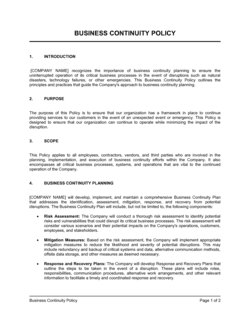
A Business Continuity Plan (BCP) is a structured operational document that defines how an organization will maintain or rapidly restore critical functions during and after a disruptive event β€” such as a cyberattack, natural disaster, key-person loss, or supply chain failure. This free Word download gives you a complete, editable framework you can customize to your operations and export as PDF for executive sign-off, insurer review, or regulatory compliance.
When you need it
Use it when formalizing your organization's resilience strategy, satisfying an insurer or enterprise customer's vendor due-diligence requirements, or following any incident that exposed a gap in your operational readiness.
What's inside
A program overview and scope statement, business impact analysis, risk assessment matrix, recovery time objectives, continuity strategies for critical functions, IT and data recovery procedures, crisis communication protocols, roles and responsibilities, testing and maintenance schedule, and supporting appendices.

What is a Business Continuity Plan?

A Business Continuity Plan (BCP) is a structured operational document that defines how an organization will sustain or restore its critical functions during and after a disruptive event β€” whether that event is a ransomware attack, a natural disaster, a critical supplier failure, or the sudden loss of a key employee. It works by identifying which functions are essential, setting measurable recovery time objectives for each, assigning explicit responsibilities to named individuals, and providing step-by-step recovery procedures specific enough to execute under pressure. Unlike a general emergency checklist, a BCP is a living operational program that is tested, maintained, and updated as the organization changes.

Why You Need This Document

Organizations without a documented continuity plan consistently take longer to recover from disruptions, incur higher financial losses, and face greater reputational damage than those with tested plans in place β€” not because the disruption was more severe, but because response was improvised. The direct costs are concrete: a 48-hour outage in a financial services firm can trigger regulatory penalties; a single-location manufacturer whose only supplier fails without a documented alternate loses production time it cannot recover; a professional services firm that cannot communicate with clients during a cyberattack loses contracts. Beyond operational exposure, enterprise customers, insurers, and regulators increasingly require evidence of a formal BCP as a condition of doing business. This template gives you the structure to build a credible, executable plan without starting from a blank page β€” covering every section from risk assessment and business impact analysis through communication protocols and testing schedules.

Which variant fits your situation?

If your situation is…Use this template
Focused specifically on restoring IT systems and data after a cyberattack or outageIT Disaster Recovery Plan
Planning the immediate response to a crisis before recovery beginsCrisis Management Plan
Documenting continuity for a single department or business unitDepartmental Continuity Plan
Addressing pandemic or public health disruptions to workforce and operationsPandemic Business Continuity Plan
Meeting ISO 22301 Business Continuity Management System requirementsISO 22301 BCP Framework
Documenting supplier and vendor failure contingenciesSupply Chain Risk Management Plan
Quick internal risk checklist without full BCP structureRisk Assessment Matrix

Common mistakes to avoid

❌ Writing recovery strategies too vaguely to execute

Why it matters: Steps like 'restore operations' or 'contact the vendor' provide no actionable guidance under pressure. Staff waste critical time figuring out what to do rather than doing it.

Fix: Write each recovery step at the level of a numbered checklist β€” specific actions, named systems, and identified contacts. Test the instructions by asking someone unfamiliar with the process to follow them.

❌ Never testing the plan after completion

Why it matters: Contact information goes stale, recovery steps become outdated after system changes, and staff who have never rehearsed their roles perform poorly under the stress of a real incident.

Fix: Run a tabletop exercise within 60 days of finishing the plan and at least annually thereafter. Document every gap and close it before the next test.

❌ Storing the only copy of the BCP on an internal server

Why it matters: The most common disruption scenarios β€” ransomware, server failure, and physical disasters β€” also take down your internal file servers. The plan becomes inaccessible precisely when you need it most.

Fix: Store the current version in a cloud service accessible from any device, distribute printed copies to key personnel, and keep a copy at each alternate work site.

❌ Assigning all BCP roles to senior leaders with no alternates named

Why it matters: A disruption that forces leadership to travel, causes illness, or directly affects key individuals leaves the plan with no one authorized or trained to execute it.

Fix: Name a primary and a backup for every BCP role. Ensure both individuals have read and rehearsed the plan before any activation is needed.

❌ Completing the BIA once and never updating it

Why it matters: Adding a product line, changing a key supplier, or restructuring a department can shift which functions are critical and what their RTOs should be β€” an outdated BIA produces the wrong recovery priorities.

Fix: Review and update the BIA as part of the annual plan review and immediately after any significant operational change.

❌ Treating IT disaster recovery and business continuity as the same document

Why it matters: IT recovery covers systems and data; business continuity covers people, processes, facilities, suppliers, and communications. A plan that focuses only on IT will leave non-technical functions without recovery procedures.

Fix: Keep IT disaster recovery as a separate technical appendix referenced by the BCP, ensuring each document covers its own scope completely.

The 8 key sections, explained

Program overview and scope

Business impact analysis (BIA)

Risk assessment

Recovery strategies

IT and data recovery procedures

Crisis communication plan

Roles, responsibilities, and contact directory

Testing and maintenance schedule

How to fill it out

  1. 1

    Define the scope and activation criteria

    Identify which locations, business units, and functions the plan covers. Write a clear, unambiguous activation trigger β€” for example, 'the plan is activated when a disruption is expected to exceed 4 hours or affect more than 20% of staff.'

    πŸ’‘ Narrow the initial scope to your top five critical functions and expand in later versions β€” a focused plan executed well beats a comprehensive plan that no one follows.

  2. 2

    Complete the business impact analysis

    Interview department heads to identify each critical function's maximum tolerable downtime, key dependencies, and the financial or operational consequence of failure. Rank functions by MTD from shortest to longest.

    πŸ’‘ Focus on functions with an MTD under 24 hours first β€” these are the scenarios most likely to require rapid activation and the most costly to get wrong.

  3. 3

    Build the risk assessment matrix

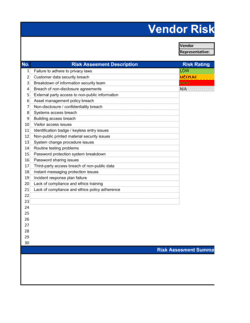
    List the ten most plausible threats to your operations. Rate each on a 1–5 scale for likelihood and impact, then multiply for a risk score. Focus recovery planning on threats scoring 12 or above.

    πŸ’‘ Pull your top three claims from your business insurance policy β€” those incidents have already been validated as real risks for your industry.

  4. 4

    Document recovery strategies for each critical function

    For each function ranked in the BIA, write step-by-step recovery actions specific enough for a staff member to execute without additional guidance. Include manual workarounds for scenarios where IT systems are unavailable.

    πŸ’‘ Print and laminate a one-page quick-reference card for each recovery strategy and store copies at alternate work sites and in a shared cloud folder.

  5. 5

    Complete the IT and data recovery section

    Document your backup schedule, offsite storage or cloud provider, system restoration sequence, and vendor contact details. Confirm that backup restoration has been tested within the last 90 days.

    πŸ’‘ An untested backup is not a backup β€” schedule a quarterly restoration test and log the results in the plan's appendix.

  6. 6

    Prepare communication templates

    Pre-draft message templates for each likely disruption scenario β€” one version for employees, one for customers, and one for media if applicable. Store them in the communication appendix so they can be issued within the first hour of activation.

    πŸ’‘ Have your legal counsel review any customer-facing templates that involve data breach or service outage disclosures before you need them.

  7. 7

    Assign roles and build the contact directory

    Name a BCP coordinator, an IT recovery lead, and a communications lead. For every named role, identify a backup. Collect mobile numbers, not just office numbers, and verify them quarterly.

    πŸ’‘ Store the contact directory separately from the main plan document β€” in a shared drive, a password manager, and a printed copy held off-site β€” so it is accessible when systems are down.

  8. 8

    Schedule and document testing

    Book a tabletop exercise within 60 days of completing the plan. Document the scenario used, gaps identified, and corrective actions assigned. Set a calendar reminder for the annual plan review.

    πŸ’‘ Run the first tabletop against your highest-scored risk from the matrix β€” starting with a realistic scenario surfaces the most important gaps immediately.

Frequently asked questions

What is a business continuity plan?

A business continuity plan is a documented framework that defines how an organization will maintain or restore critical operations during and after a disruptive event β€” such as a cyberattack, natural disaster, power outage, or key-person loss. It identifies which functions are critical, sets recovery time targets, assigns responsibilities, and provides step-by-step procedures staff can execute without additional guidance. Unlike a general emergency plan, a BCP is specifically designed to keep the business running, not just respond to the immediate crisis.

What is the difference between a business continuity plan and a disaster recovery plan?

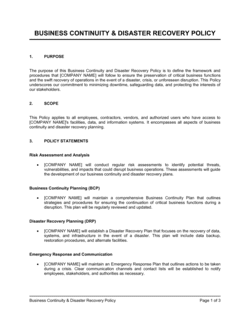
A disaster recovery plan (DRP) focuses specifically on restoring IT systems, data, and infrastructure after a technical failure or cyberattack. A business continuity plan is broader β€” it covers people, processes, facilities, suppliers, communications, and systems across the entire organization. In practice, the DRP is typically a technical appendix within or alongside the BCP. Both documents are needed; they address different dimensions of the same disruption.

Who is responsible for creating and maintaining a business continuity plan?

Ownership typically sits with an operations manager, risk officer, or a designated BCP coordinator. In smaller organizations, the CEO or COO owns it directly. Creating the plan requires input from every department head β€” each function's recovery strategies and RTOs must be validated by the people who run those functions. Maintenance responsibility should be written into a specific role's job description, not left as a shared organizational obligation.

How often should a business continuity plan be updated?

At minimum, review and update the plan annually and after any material operational change β€” a new location, a key system migration, a significant new supplier, or a major staffing change. The contact directory should be verified quarterly. Most organizations also update the plan after any activation or test exercise that surfaces gaps. A plan that has not been reviewed in more than 18 months is likely out of date in ways that will matter during an actual disruption.

What is a business impact analysis and why does it matter?

A business impact analysis (BIA) is the structured assessment at the core of every BCP β€” it ranks each critical function by how long the organization can survive without it (maximum tolerable downtime), what resources it depends on, and what the financial and operational consequences of failure would be. Without a BIA, recovery resources get allocated to the wrong functions first. The BIA determines the priority order in which you restore operations, which directly affects whether you survive the disruption intact.

Does a small business need a business continuity plan?

Yes β€” small businesses are often more exposed to disruptions than large enterprises because they have fewer redundancies and less operational slack. A single-location business hit by a flood, a solo IT administrator who becomes unavailable, or a sole-source supplier failure can each be existential events without a continuity plan in place. Many business insurers, enterprise customers, and government contractors now require evidence of a formal BCP as a condition of doing business.

What is a tabletop exercise and how often should we run one?

A tabletop exercise is a facilitated discussion in which key staff walk through their BCP responses to a hypothetical scenario β€” a ransomware attack, a building evacuation, or a critical supplier failure β€” without activating real systems. It surfaces gaps in the plan, clarifies roles, and builds team familiarity with recovery procedures before a real incident occurs. Most continuity frameworks recommend running a tabletop at least semi-annually, with a full simulation test annually.

What is a recovery time objective and how do I set one?

A recovery time objective (RTO) is the maximum time a specific function can be down before the business consequences become unacceptable β€” measured in hours or days. Set it by working backward from the consequence, not forward from your current capability: ask how long a customer can wait, how long a regulatory obligation can go unmet, or how long a revenue-generating process can stop before causing irreversible damage. Then design your recovery strategy to meet that target, and document honestly whether your current resources can actually achieve it.

Is a business continuity plan required by law?

No single universal law mandates a BCP, but sector-specific regulations effectively require one in many industries. Financial services firms in the US, UK, and EU face explicit continuity requirements from regulators including the SEC, FCA, and EBA. Healthcare organizations must address continuity under HIPAA. ISO 22301 is the internationally recognized standard for continuity management, and many enterprise procurement processes treat certification or documented compliance as a vendor requirement.

How this compares to alternatives

vs IT Disaster Recovery Plan

An IT disaster recovery plan focuses specifically on restoring technology systems, data, and infrastructure after a technical failure. A business continuity plan is broader, covering people, processes, suppliers, facilities, and communications across the whole organization. The IT DRP is typically maintained as a technical appendix to the BCP, not as a standalone replacement for it.

vs Crisis Management Plan

A crisis management plan governs the immediate response to a disruptive event β€” the first hours of command, communication, and stabilization. A business continuity plan picks up where crisis management ends, focusing on how the organization sustains and restores operations over days or weeks. Both documents are needed and should reference each other's activation triggers explicitly.

vs Risk Assessment

A risk assessment identifies and rates threats by likelihood and impact β€” it is an input to the BCP, not a substitute for it. The risk assessment tells you what could go wrong and how severely; the business continuity plan tells you exactly what to do when it does. Organizations often complete a risk assessment first, then use the findings to prioritize BCP development.

vs Emergency Response Plan

An emergency response plan addresses immediate life-safety actions β€” evacuation routes, first-aid procedures, and emergency services contact. A business continuity plan assumes immediate safety is secured and addresses how operations will continue or recover. The two documents serve different timeframes of the same event and should be cross-referenced.

Industry-specific considerations

Financial Services

Regulatory mandates from the SEC, FCA, and banking regulators require documented RTOs for trading, settlement, and customer-facing systems, often with same-day recovery requirements.

Healthcare

HIPAA requires covered entities to maintain contingency plans for data backup, disaster recovery, and emergency operations, with tested procedures and documented roles.

Manufacturing

Supply chain single points of failure β€” a sole-source component supplier or a single production facility β€” require documented alternate sourcing strategies and production rerouting procedures.

SaaS / Technology

Enterprise customer contracts typically include uptime SLAs and audit rights over BCP documentation, making a credible, tested plan a direct sales enabler and contract requirement.

Template vs pro β€” what fits your needs?

PathBest forCostTime
Use the templateSmall to mid-sized businesses building a BCP for the first time or satisfying a standard insurer or client requirementFree1–3 weeks (20–40 hours including BIA interviews)
Template + professional reviewRegulated industries, businesses with complex supply chains, or organizations seeking ISO 22301 alignment$1,000–$5,000 for a risk consultant or business continuity specialist review3–6 weeks
Custom draftedEnterprises with multi-site operations, regulatory audit exposure, or enterprise customer contractual requirements for certified continuity programs$10,000–$50,000+ for a full BCP program engagement2–6 months

Glossary

Recovery Time Objective (RTO)
The maximum acceptable duration of downtime for a specific function β€” the deadline by which it must be restored after a disruption.
Recovery Point Objective (RPO)
The maximum acceptable amount of data loss measured in time β€” how far back in time a system can be restored from backup before the loss becomes unacceptable.
Business Impact Analysis (BIA)
A systematic assessment of how a disruption to each business function would affect revenue, operations, customers, and compliance obligations.
Critical Function
A process, system, or service whose failure would cause unacceptable operational, financial, or reputational harm within the defined RTO window.
Maximum Tolerable Downtime (MTD)
The longest period an organization can survive without a specific function before the consequences become irreversible.
Incident Response Team (IRT)
The designated group of individuals responsible for activating the BCP, coordinating recovery efforts, and communicating with stakeholders during a disruption.
Alternate Work Site
A pre-arranged secondary location β€” a hot site, warm site, or cloud-hosted environment β€” where operations can continue when the primary site is unavailable.
Tabletop Exercise
A facilitated discussion-based rehearsal in which team members walk through their BCP responses to a hypothetical scenario without activating actual systems.
Single Point of Failure (SPOF)
Any component, person, system, or supplier whose loss alone would halt a critical function β€” a primary target for redundancy planning.
ISO 22301
The international standard for Business Continuity Management Systems, specifying requirements for planning, implementing, monitoring, and improving an organization's continuity program.

Part of your Business Operating System

This document is one of 3,000+ business & legal templates included in Business in a Box.

  • Fill-in-the-blanks β€” ready in minutes
  • 100% customizable Word document
  • Compatible with all office suites
  • Export to PDF and share electronically

Create your document in 3 simple steps.

From template to signed document β€” all inside one Business Operating System.
1
Download or open template

Access over 3,000+ business and legal templates for any business task, project or initiative.

2
Edit and fill in the blanks with AI

Customize your ready-made business document template and save it in the cloud.

3
Save, Share, Send, Sign

Share your files and folders with your team. Create a space of seamless collaboration.

Save time, save money, and create top-quality documents.

β˜…β˜…β˜…β˜…β˜…

"Fantastic value! I'm not sure how I'd do without it. It's worth its weight in gold and paid back for itself many times."

Managing Director Β· Mall Farm
Robert Whalley
Managing Director, Mall Farm Proprietary Limited
β˜…β˜…β˜…β˜…β˜…

"I have been using Business in a Box for years. It has been the most useful source of templates I have encountered. I recommend it to anyone."

Business Owner Β· 4+ years
Dr Michael John Freestone
Business Owner
β˜…β˜…β˜…β˜…β˜…

"It has been a life saver so many times I have lost count. Business in a Box has saved me so much time and as you know, time is money."

Owner Β· Upstate Web
David G. Moore Jr.
Owner, Upstate Web

Run your business with a system β€” not scattered tools

Stop downloading documents. Start operating with clarity. Business in a Box gives you the Business Operating System used by over 250,000 companies worldwide to structure, run, and grow their business.

Start freeΒ Β·Β No credit card required