- Attack Surface
- The total set of points — network ports, APIs, user accounts, physical access — through which an attacker could attempt to enter or extract data from a system.
- Vulnerability
- A weakness in hardware, software, configuration, or process that could be exploited to compromise confidentiality, integrity, or availability.
- CVE (Common Vulnerabilities and Exposures)
- A standardized identifier assigned to a publicly known security flaw, used to reference findings consistently across tools and reports.
- CVSS Score
- Common Vulnerability Scoring System — a 0–10 numeric rating of a vulnerability's severity based on exploitability, impact, and environmental factors.
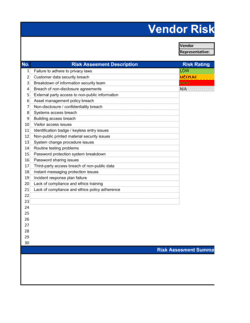
- Risk Rating
- A combined measure of the likelihood that a vulnerability will be exploited and the potential business impact if it is, typically expressed as Critical, High, Medium, or Low.
- Remediation
- The actions taken to fix, mitigate, or accept a identified vulnerability — including patching, configuration changes, or compensating controls.
- Compensating Control
- An alternative security measure that reduces the risk of a vulnerability when the primary fix cannot be implemented immediately.
- Scope
- The defined boundary of the assessment — which systems, networks, applications, and data stores are included and excluded.
- Threat Actor
- An individual, group, or automated system capable of carrying out an attack against the systems in scope.
- Zero-Day
- A vulnerability that is publicly unknown or unpatched at the time of discovery, leaving no available vendor fix to apply.
- Penetration Testing
- A controlled, authorized attempt to exploit vulnerabilities in a system to determine which weaknesses are actually reachable and exploitable by an attacker.
- Security Posture
- An organization's overall readiness to prevent, detect, and respond to cyber threats, based on the strength of its controls relative to its risk profile.