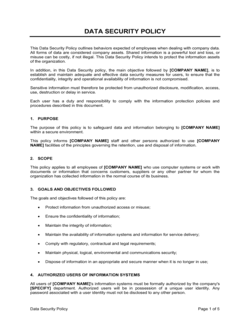
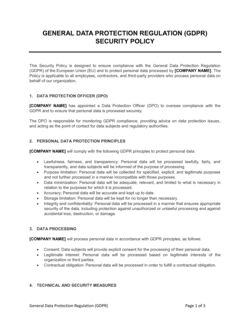
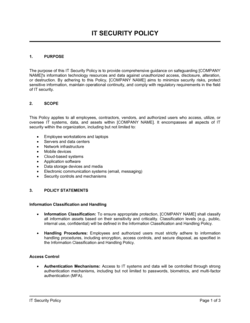
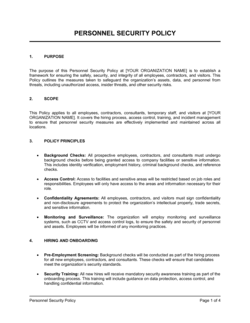
Information Security Policy Template

Free Word download β€’ Edit online β€’ Save & share with Drive β€’ Export to PDF

3 pagesβ€’20–30 min to fillβ€’Difficulty: Standard
Learn more ↓
FreeInformation Security Policy Template

At a glance

What it is
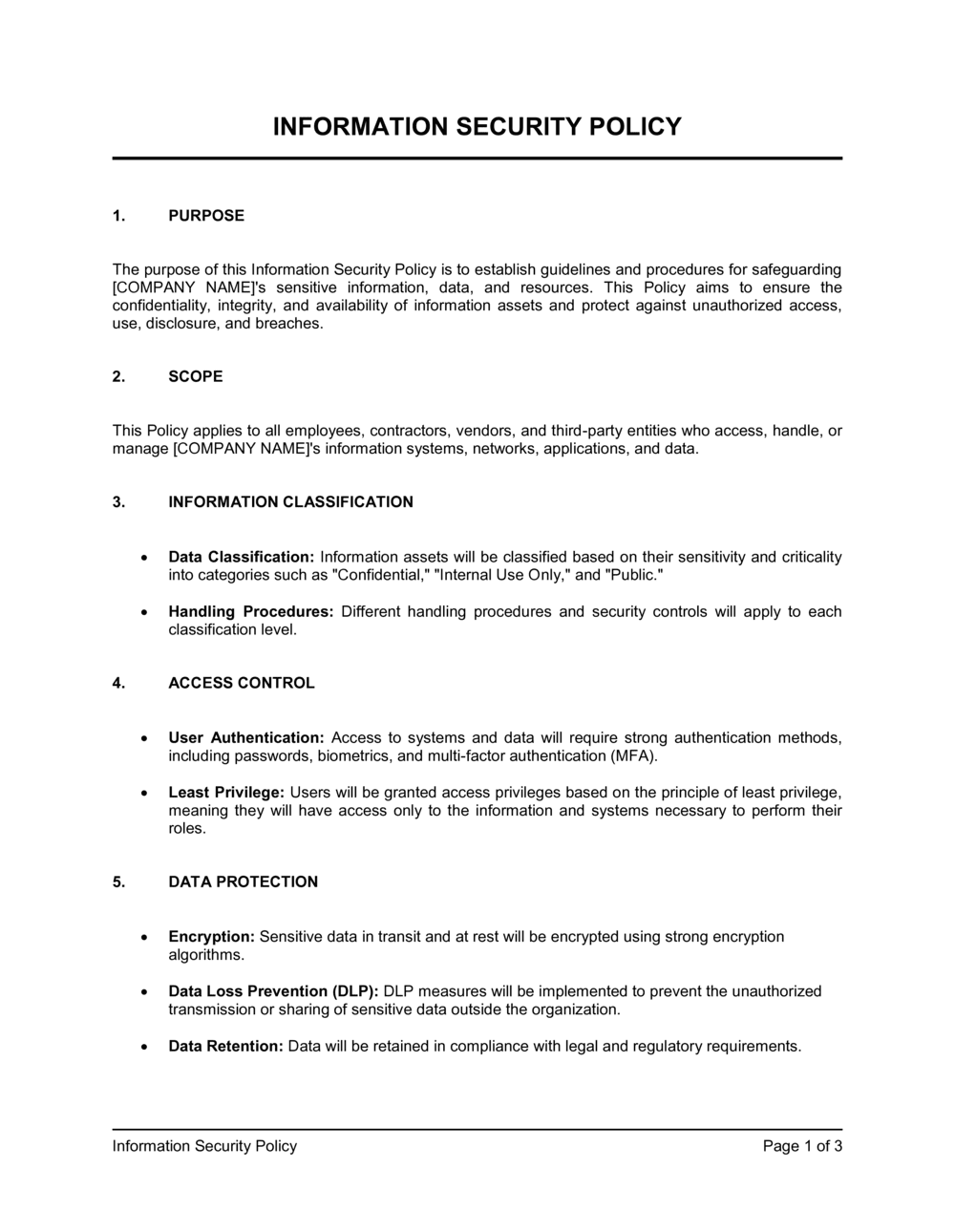
An Information Security Policy is a formal governing document that defines how an organization protects its data, systems, and networks from unauthorized access, misuse, or loss. This free Word download gives you a structured, ready-to-customize template covering data classification, access control, acceptable use, incident response, and compliance β€” which you can edit online and export as PDF to distribute to staff or present to auditors.
When you need it
Use it when onboarding employees who handle sensitive data, preparing for a security audit or compliance certification (SOC 2, ISO 27001, HIPAA, or PCI-DSS), responding to a client's vendor security questionnaire, or establishing baseline security standards as your organization scales.
What's inside
Purpose and scope, data classification framework, access control rules, acceptable use standards, device and network security requirements, incident response procedures, third-party and vendor security expectations, and employee training and enforcement provisions.

What is an Information Security Policy?

An Information Security Policy is a formal governance document that defines how an organization identifies, protects, and manages its information assets β€” including data, systems, devices, and networks β€” against unauthorized access, misuse, disclosure, or loss. It establishes the classification framework for sensitive data, the access controls employees and vendors must follow, the standards for device and network security, and the procedures for reporting and responding to security incidents. Rather than a technical manual, it is a policy-layer document: it sets the rules and assigns accountability, then points to specific procedures and technical standards for implementation detail.

Why You Need This Document

Operating without a written information security policy leaves your organization exposed on multiple fronts simultaneously. Cyber insurers treat the absence of a documented policy as a material control failure β€” raising premiums or reducing coverage limits. Enterprise clients and government contractors routinely include a security policy request in vendor onboarding questionnaires, and a missing document stalls or kills the relationship. Compliance frameworks including SOC 2, ISO 27001, HIPAA, and PCI-DSS treat a written policy as a baseline requirement, not an optional enhancement. Internally, employees who have never been given clear rules around data handling, device use, and incident reporting make predictable mistakes β€” forwarding sensitive files to personal email, connecting to public Wi-Fi without a VPN, or waiting days before reporting a suspicious login. A clearly written, actively enforced information security policy closes those gaps at a fraction of the cost of a single data breach.

Which variant fits your situation?

If your situation is…Use this template
Defining rules for how employees use company devices and the internetAcceptable Use Policy
Responding to a confirmed data breach or security incidentIncident Response Plan
Controlling which employees can access which systems and dataAccess Control Policy
Protecting sensitive data shared with third-party vendorsNon-Disclosure Agreement
Meeting HIPAA security rule requirements for protected health informationHIPAA Security Policy
Outlining how the business continues operations after a cyberattackBusiness Continuity Plan
Documenting data retention and deletion schedulesData Retention Policy

Common mistakes to avoid

❌ Scoping the policy to IT staff only

Why it matters: Employees in finance, HR, sales, and operations regularly handle sensitive data. Excluding them creates a documented gap that auditors highlight and that leaves the organization exposed to insider-driven incidents.

Fix: Apply the policy to all employees, contractors, and third parties who access company systems or data. Add role-specific appendices if certain teams need tailored rules.

❌ No defined patch window

Why it matters: Stating that systems must be 'kept current' without a specific timeframe gives IT no enforceable standard. Unpatched systems are the entry point in the majority of ransomware attacks.

Fix: Set a specific patch window β€” industry standard is 14 days for critical patches and 30 days for high-severity patches β€” and name the team responsible for compliance.

❌ Outdated roles and contact information

Why it matters: A policy that names a role that no longer exists or a phone number that routes to the wrong person fails at the exact moment it's needed β€” during an active incident.

Fix: Review and update the roles, contact details, and escalation paths every time the policy is renewed, and whenever a named individual leaves the organization.

❌ No formal exception process

Why it matters: Without a sanctioned exception path, business units work around the policy unofficially β€” creating unsanctioned risk that is invisible to IT and impossible to audit.

Fix: Include a one-paragraph exception process: written request to the policy owner, documented business justification, a time-limited approval (90 days maximum), and a named reviewer.

❌ Treating the policy as a one-time document

Why it matters: A policy written in 2023 that hasn't been reviewed doesn't reflect current threat landscapes, new SaaS tools, or updated compliance requirements β€” and auditors will note the staleness.

Fix: Schedule an annual review on the same date each year, assign a named owner to initiate it, and record the review date and version number in the document header.

❌ No employee acknowledgment process

Why it matters: A policy employees have never signed or acknowledged is difficult to enforce and provides limited legal cover in disciplinary proceedings.

Fix: Require all employees to sign an acknowledgment confirming they have read and understood the policy at hire and at each annual renewal. Store signed acknowledgments in personnel files.

The 10 key sections, explained

Purpose, scope, and objectives

Roles and responsibilities

Data classification framework

Access control and authentication

Acceptable use of systems and devices

Network and endpoint security

Incident response and reporting

Third-party and vendor security

Employee training and awareness

Policy enforcement, review, and exceptions

How to fill it out

  1. 1

    Define the scope and identify your information assets

    Start by listing every system, database, application, and category of data your organization handles. Confirm which employees, contractors, and third parties interact with those assets β€” this determines who the policy covers.

    πŸ’‘ An asset inventory doesn't have to be exhaustive on day one. A spreadsheet with system name, data type, owner, and sensitivity tier is enough to anchor the scope section.

  2. 2

    Assign roles and policy ownership

    Name the individual or role responsible for maintaining the policy (typically the CISO, IT Manager, or a senior operations leader), the enforcement owner, and the executive sponsor. Use current job titles, not org-chart aspirations.

    πŸ’‘ If you don't have a CISO, assign the policy to a named individual β€” not 'IT' β€” to create a real accountability point.

  3. 3

    Build your data classification tiers

    Define three to four sensitivity tiers with clear examples for each. For each tier, specify the required handling rules: can it be emailed? stored in the cloud? shared with vendors? The more concrete the examples, the more likely employees will apply the classification correctly.

    πŸ’‘ Align your tier labels to any framework your auditor or regulator already uses β€” if you're pursuing SOC 2, mirror the Trust Services Criteria language.

  4. 4

    Set access control and authentication standards

    Specify minimum password length and complexity, MFA requirements by data tier, the access review cadence, and the off-boarding revocation window. List the systems these requirements apply to by name.

    πŸ’‘ A 24-hour revocation window for terminated employees is the industry standard minimum β€” anything longer is a material control gap under most frameworks.

  5. 5

    Complete the acceptable use and device sections

    Define what employees can and cannot do on company devices and networks. Include a BYOD provision β€” even if it's 'not permitted' β€” so the policy is unambiguous. Add the VPN and patch-window requirements.

    πŸ’‘ Have your IT lead review this section for technical accuracy before distribution. Acceptable use rules that contradict how systems actually work erode credibility across the whole document.

  6. 6

    Write the incident response procedure

    Map the reporting chain from the first employee who spots something unusual all the way to executive notification and (if required) regulatory disclosure. Include contact details, severity definitions, and the 72-hour personal data notification window if your organization is subject to GDPR or state privacy laws.

    πŸ’‘ Keep this section short enough to be actionable under stress. Link to a separate, detailed Incident Response Plan for the full playbook.

  7. 7

    Add the review schedule and get sign-off

    Set an annual review date and name the owner who will initiate it. Have the document reviewed and approved by the executive sponsor before distribution, and record the approval date and version number in the document header.

    πŸ’‘ Version-control from day one β€” 'v1.0 approved 2026-05-02' is far easier to manage during an audit than an undated document with tracked changes still visible.

Frequently asked questions

What is an information security policy?

An information security policy is a formal document that defines how an organization protects its data, systems, and networks from unauthorized access, misuse, or loss. It sets the rules employees, contractors, and vendors must follow when handling sensitive information, and establishes the controls, responsibilities, and enforcement mechanisms the organization uses to manage security risk.

Who needs an information security policy?

Any organization that stores, processes, or transmits sensitive data needs a written information security policy β€” which in practice means virtually every business. It is a mandatory requirement for SOC 2, ISO 27001, HIPAA, and PCI-DSS compliance. Even companies not subject to formal compliance frameworks benefit from one, since cyber insurers, enterprise clients, and government contractors routinely request it as part of vendor due diligence.

What should an information security policy include?

At minimum: purpose and scope, roles and responsibilities, a data classification framework, access control and authentication standards, acceptable use rules, network and endpoint security requirements, an incident response and reporting procedure, third-party security requirements, employee training obligations, and an enforcement and review schedule. Policies that omit any of these sections typically fail SOC 2 or ISO 27001 gap assessments.

Is an information security policy legally required?

It depends on the industry and the data you handle. HIPAA requires covered entities to maintain written security policies protecting electronic protected health information. PCI-DSS requires a formal security policy for organizations processing payment card data. GDPR and most US state privacy laws require documented security measures but do not prescribe a specific policy format. SOC 2 and ISO 27001 treat a written policy as a baseline control. Even where not legally mandated, the absence of a written policy is treated as a material control failure by cyber insurers.

How often should an information security policy be reviewed?

The standard practice β€” and the requirement under SOC 2, ISO 27001, and most regulated-industry frameworks β€” is an annual review. The policy should also be reviewed and updated whenever there is a material security incident, a significant change to the technology environment, or a new compliance obligation. Version-number every revision and record the approval date.

What is the difference between an information security policy and an acceptable use policy?

An information security policy is the top-level governing document covering the full scope of how an organization protects its information assets β€” classification, access control, incident response, vendor management, and more. An acceptable use policy (AUP) is a subordinate document focused specifically on how employees may use company devices, networks, and software. The AUP is typically referenced within the information security policy and distributed as a separate attachment.

How is an information security policy different from an incident response plan?

The information security policy sets the high-level rules and responsibilities for protecting data β€” it is a governance document. An incident response plan is an operational playbook that details exactly what to do, step by step, when a breach or security event occurs. The policy should reference the incident response plan and require its existence, but the two serve different functions and are typically maintained as separate documents.

Do small businesses need an information security policy?

Yes β€” and increasingly so. Small businesses are targeted in a growing share of cyberattacks precisely because attackers expect weaker controls. Cyber liability insurance applications now routinely ask whether a written security policy exists, and a 'no' answer either raises premiums or results in reduced coverage. Enterprise clients and government contractors routinely require vendors of any size to provide a copy of their security policy before onboarding.

Can I use a template for my information security policy?

A high-quality template covers the structure and standard language for most organizations. The sections you customize most heavily are data classification tiers (which depend on the types of data you handle), access control specifics (which depend on your tech stack), and the incident response procedure (which depends on your team structure and any regulatory notification requirements). For organizations pursuing formal certification β€” SOC 2, ISO 27001, or HIPAA β€” have a qualified auditor or security consultant review the completed policy before submission.

How this compares to alternatives

vs Acceptable Use Policy

An acceptable use policy is a focused, employee-facing document covering permitted and prohibited uses of company devices, email, and internet access. An information security policy is the overarching governance document of which the AUP is a subsection. Use the AUP as a standalone attachment for employee distribution; maintain the full information security policy as the governing framework for audits and compliance purposes.

vs Incident Response Plan

An incident response plan is an operational step-by-step playbook activated when a security event occurs β€” detailing roles, triage steps, containment actions, and notification timelines. The information security policy is the governance document that mandates the plan's existence and defines the overarching rules. You need both: the policy establishes the commitment; the plan delivers the execution.

vs Business Continuity Plan

A business continuity plan focuses on keeping operations running through any disruption β€” natural disaster, power outage, or cyberattack β€” and covers recovery time objectives for all critical business functions. An information security policy focuses on preventing and governing the response to security-specific threats. A cyberattack triggers both documents simultaneously: the security policy guides the security response, the BCP guides the operational recovery.

vs Non-Disclosure Agreement

An NDA is a bilateral legal contract that obligates a specific counterparty β€” an employee, vendor, or partner β€” to keep defined information confidential. An information security policy is an internal governance document that sets the technical and procedural controls the organization uses to protect that same information. The NDA creates a legal obligation; the security policy creates the operational framework. Both are needed for a complete confidentiality posture.

Industry-specific considerations

SaaS / Technology

SOC 2 Type II readiness drives policy adoption; sections on cloud infrastructure access, API key management, and zero-trust network architecture are typically expanded.

Healthcare

HIPAA Security Rule requires covered entities to document and implement administrative, physical, and technical safeguards β€” the information security policy is the primary vehicle for the administrative safeguard requirements.

Financial Services

PCI-DSS mandates a formal information security policy for any organization processing payment card data; policies in this sector also address SOX controls and bank examiner review expectations.

Professional Services

Law firms, accounting firms, and consulting practices handle client confidential data and are increasingly required to provide written security policies to satisfy enterprise client due diligence and professional liability insurers.

Template vs pro β€” what fits your needs?

PathBest forCostTime
Use the templateSmall to mid-sized businesses establishing a written security baseline for the first time, or responding to a client vendor questionnaireFree2–4 hours to customize
Template + professional reviewOrganizations preparing for SOC 2, ISO 27001, or a cyber insurance application$500–$2,000 for a security consultant policy review1–2 weeks
Custom draftedRegulated industries (HIPAA, PCI-DSS, FedRAMP) or organizations with complex multi-cloud environments and formal audit timelines$3,000–$15,000 for a full security policy program engagement4–10 weeks

Glossary

Information Asset
Any data, system, application, or physical device that has value to the organization and requires protection.
Data Classification
A tiered labeling system β€” typically Public, Internal, Confidential, and Restricted β€” that determines how data must be handled and protected based on its sensitivity.
Access Control
The set of rules and mechanisms that restrict who can view, modify, or delete specific systems and data based on role and business need.
Least Privilege
A security principle requiring that users are granted only the minimum system access necessary to perform their job function β€” nothing more.
Multi-Factor Authentication (MFA)
A login method requiring two or more verification factors β€” such as a password plus a one-time code β€” before granting system access.
Incident Response
The defined process an organization follows to detect, contain, investigate, and recover from a security breach or cyberattack.
Acceptable Use Policy (AUP)
A subset policy defining permitted and prohibited uses of company-owned devices, networks, email, and internet access.
Encryption at Rest
The encoding of stored data so that it is unreadable to anyone without the correct decryption key, protecting data on hard drives and databases.
Encryption in Transit
The encoding of data as it travels across a network β€” typically via TLS/SSL β€” to prevent interception.
Patch Management
The process of regularly applying software updates and security fixes to operating systems and applications to close known vulnerabilities.
SOC 2
A voluntary US auditing standard developed by the AICPA that evaluates a service organization's controls over security, availability, and confidentiality.
Zero Trust
A security model that assumes no user or device is trusted by default β€” even inside the corporate network β€” and requires continuous verification before granting access.

Part of your Business Operating System

This document is one of 3,000+ business & legal templates included in Business in a Box.

  • Fill-in-the-blanks β€” ready in minutes
  • 100% customizable Word document
  • Compatible with all office suites
  • Export to PDF and share electronically

Create your document in 3 simple steps.

From template to signed document β€” all inside one Business Operating System.
1
Download or open template

Access over 3,000+ business and legal templates for any business task, project or initiative.

2
Edit and fill in the blanks with AI

Customize your ready-made business document template and save it in the cloud.

3
Save, Share, Send, Sign

Share your files and folders with your team. Create a space of seamless collaboration.

Save time, save money, and create top-quality documents.

β˜…β˜…β˜…β˜…β˜…

"Fantastic value! I'm not sure how I'd do without it. It's worth its weight in gold and paid back for itself many times."

Managing Director Β· Mall Farm
Robert Whalley
Managing Director, Mall Farm Proprietary Limited
β˜…β˜…β˜…β˜…β˜…

"I have been using Business in a Box for years. It has been the most useful source of templates I have encountered. I recommend it to anyone."

Business Owner Β· 4+ years
Dr Michael John Freestone
Business Owner
β˜…β˜…β˜…β˜…β˜…

"It has been a life saver so many times I have lost count. Business in a Box has saved me so much time and as you know, time is money."

Owner Β· Upstate Web
David G. Moore Jr.
Owner, Upstate Web

Run your business with a system β€” not scattered tools

Stop downloading documents. Start operating with clarity. Business in a Box gives you the Business Operating System used by over 250,000 companies worldwide to structure, run, and grow their business.

Start freeΒ Β·Β No credit card required