Checklist Equipment Inventory List

Free download β€’ Use as a template β€’ Print or share

1 pageβ€’20–25 min to useβ€’Difficulty: Standard
Learn more ↓
FreeChecklist Equipment Inventory List Template

At a glance

What it is
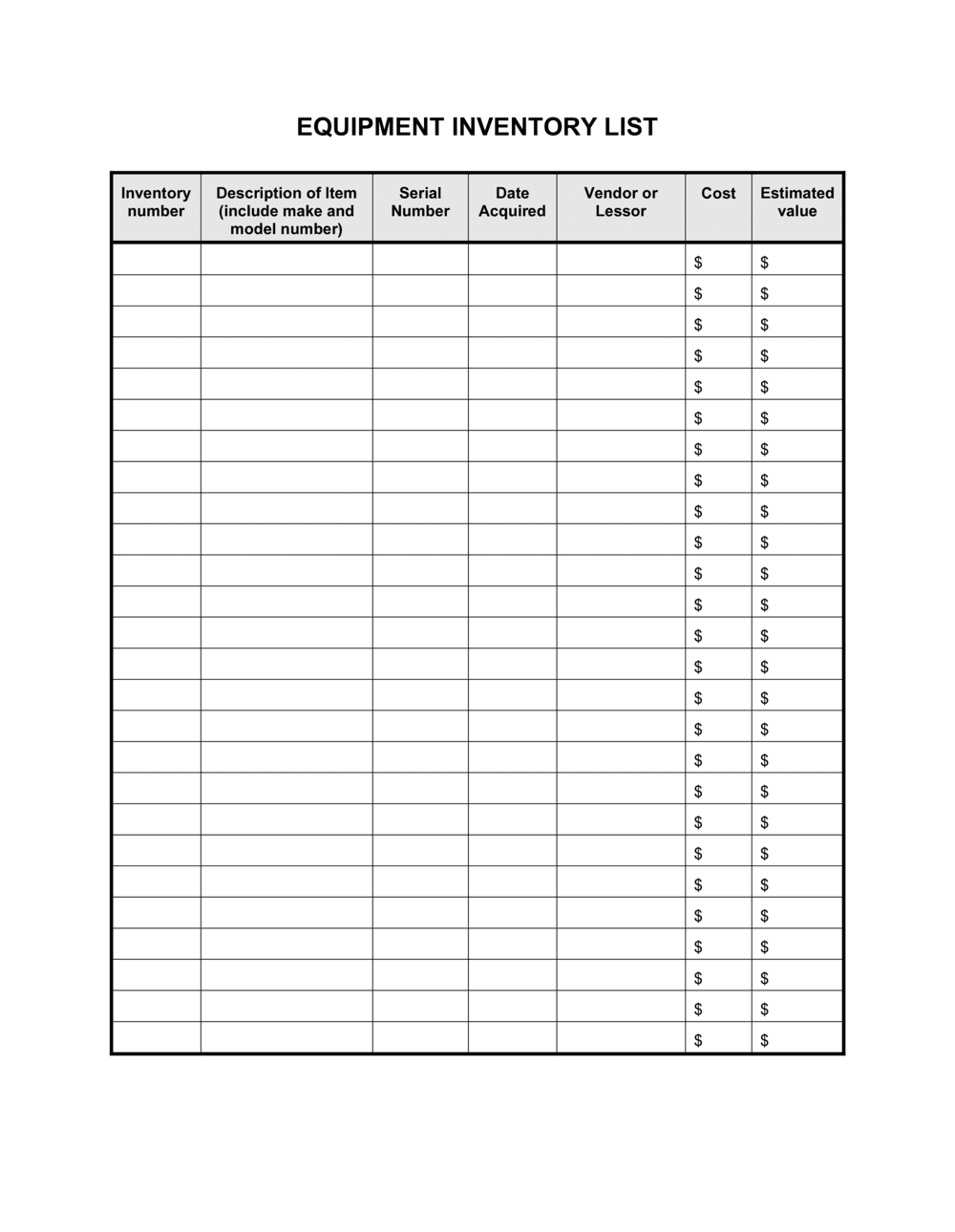
An Equipment Inventory Checklist is a structured record-keeping document that captures every piece of equipment a business owns β€” including serial numbers, purchase dates, current condition, physical location, and the employee assigned to each item. This free Word download gives operations and finance teams a ready-to-use register they can edit online and export as PDF for audits, insurance filings, or depreciation schedules.
When you need it
Use it when onboarding new equipment, preparing for an insurance review, conducting an annual asset audit, or setting up a depreciation schedule for tax purposes. It is also the first document an auditor or insurer requests when a claim or discrepancy arises.
What's inside
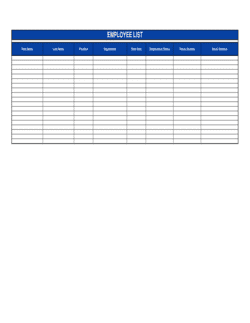
Item descriptions and serial numbers, acquisition dates and purchase costs, condition ratings, physical location and assigned user, warranty expiration dates, and disposal or retirement records β€” all organized into a single scannable register.

What is an Equipment Inventory Checklist?

An Equipment Inventory Checklist is a structured record-keeping document that catalogues every piece of equipment a business owns β€” capturing the asset tag, serial number, purchase date, purchase cost, current condition, physical location, and assigned user in a single register. Finance teams use it to feed depreciation schedules; operations teams use it to confirm custody and track equipment across sites; and insurance coordinators use it to establish accurate replacement values and process claims. This free Word download gives you a ready-to-use template you can edit online and export as PDF for audits, policy renewals, or year-end accounting in minutes.

Why You Need This Document

Without a written equipment inventory, insurance claims stall because adjusters have no verified list of assets to reference, and auditors flag missing serial numbers as unreconciled discrepancies. Depreciation schedules become estimates rather than precise calculations, creating tax risk. Equipment assigned informally goes missing with no clear owner accountable for the loss. A complete, up-to-date checklist closes all of these gaps β€” it gives your insurer the documentation needed to settle a claim at full replacement value, gives your accountant the acquisition dates needed to begin depreciation in the correct fiscal year, and gives your team a single source of truth for where every asset is and who is responsible for it. This template structures all required fields in one document so you can complete an initial audit in an afternoon and maintain it with minimal ongoing effort.

Which variant fits your situation?

If your situation is…Use this template
Tracking IT hardware and software licenses assigned to employeesIT Asset Inventory
Recording furniture, fixtures, and office fittingsOffice Furniture Inventory
Managing a fleet of vehicles with mileage and service recordsVehicle Fleet Inventory
Logging tools and equipment checked out by field crewsTool Checkout Log
Tracking raw materials and finished goods in a warehouseInventory Management Template
Recording equipment sent out for repair or calibrationEquipment Maintenance Log
Conducting a full fixed-asset audit with reconciliation to the ledgerFixed Asset Register

Common mistakes to avoid

❌ Excluding low-cost items from the register

Why it matters: A missing laptop or power tool rarely triggers a budget conversation β€” but a missing serial number makes a theft claim nearly impossible to process with an insurer.

Fix: Set a consistent dollar threshold and apply it uniformly. Any item above that threshold gets an asset tag and a record, regardless of how routine it seems.

❌ Recording original purchase price as replacement value

Why it matters: Insuring a five-year-old laptop fleet at its 2020 purchase price means a total-loss claim pays out at outdated costs, leaving a real funding gap.

Fix: Update replacement values at every annual insurance renewal using current market pricing, not historical cost.

❌ Assigning equipment to a department instead of a named individual

Why it matters: Department-level assignment creates no accountability β€” equipment quietly goes missing with no clear owner to question or to sign off on a loss.

Fix: Assign every item to a specific named employee and record the date. Require a signature or acknowledgment when custody changes hands.

❌ Never updating location after the initial entry

Why it matters: A physical audit that finds 15% of items 'missing' is usually a location-data problem, not a theft problem β€” but explaining that to an insurer wastes significant time.

Fix: Update location whenever equipment moves between rooms, floors, or sites. A brief relocation form or a field in your IT ticketing system keeps the register current with minimal effort.

The 10 key fields, explained

Asset ID / Tag Number

Item Description and Category

Serial Number

Purchase Date and Cost

Current Condition

Location

Assigned User or Department

Warranty Expiration Date

Replacement Value

Disposal Date and Method

How to fill it out

  1. 1

    List every piece of equipment in scope

    Walk each physical location and list every item you intend to track β€” IT hardware, machinery, vehicles, furniture, and tools. Decide up front which asset categories are in scope so the register is complete.

    πŸ’‘ Set a minimum dollar threshold (e.g., items costing over $200) to keep the register focused on assets that matter for depreciation and insurance.

  2. 2

    Assign and affix asset tags

    Print or purchase sequential barcode or QR code labels and affix one to each item. Enter the tag number as the primary identifier in the Asset ID column.

    πŸ’‘ Photograph each tag in place on the equipment before closing the row β€” the photo becomes your proof of possession if an insurance claim is ever disputed.

  3. 3

    Record manufacturer details and serial numbers

    Enter the make, model, and serial number for each item exactly as printed on the device label. Cross-check serial numbers against purchase receipts or invoices.

    πŸ’‘ For items with no visible serial number (furniture, custom fabrications), record the supplier's item code or a unique internal description instead.

  4. 4

    Enter acquisition date, cost, and useful life

    Record the invoice date and total purchase cost including tax and freight. Assign an estimated useful life in years β€” reference IRS Publication 946 or your accountant's asset class schedule for standard lifespans.

    πŸ’‘ Link the purchase invoice reference number in the checklist so the physical record and accounting system stay reconcilable.

  5. 5

    Assign a condition rating and a responsible user

    Rate each item using your standard scale (Excellent / Good / Fair / Poor) and assign it to a named individual or department. Record the assignment date.

    πŸ’‘ Have the assigned employee sign or initial the row at handoff β€” this one step dramatically reduces disputes over damage or loss.

  6. 6

    Confirm location and update replacement values

    Verify the current physical location of each item and enter the current market replacement cost β€” not the original price. Update replacement values at every insurance renewal cycle.

    πŸ’‘ Check manufacturer or reseller sites for current pricing on common IT equipment; use insurance valuation guides for specialized machinery.

  7. 7

    Review and archive disposed items

    For any item sold, scrapped, or donated, enter the disposal date and method, record any proceeds, and move the row to a 'Retired Assets' tab rather than deleting it.

    πŸ’‘ Keeping a retired-assets tab gives your accountant the data needed to record gains, losses, and write-offs at year-end without requesting the original invoices.

Frequently asked questions

What is an equipment inventory checklist?

An equipment inventory checklist is a structured record listing every piece of equipment a business owns β€” capturing serial numbers, purchase dates, purchase costs, condition, physical location, and assigned user in a single document. It supports insurance coverage, annual audits, depreciation tracking, and employee accountability for company assets.

Why do businesses need an equipment inventory?

Without an inventory register, businesses cannot accurately insure their assets, process theft or damage claims, calculate depreciation for tax purposes, or pass an external audit. Insurance adjusters and auditors both request an equipment list as a first step; having one ready prevents delays and protects against underinsurance.

How often should an equipment inventory be updated?

The register should be updated immediately whenever equipment is purchased, relocated, reassigned, or disposed of. A full physical reconciliation β€” comparing the register to items on hand β€” should be performed at least once per year, typically aligned to the fiscal year-end or the insurance renewal date.

What is the difference between an equipment inventory and a fixed asset register?

An equipment inventory checklist is an operational document focused on physical tracking β€” where each item is, who has it, and what condition it is in. A fixed asset register is an accounting document focused on financial values β€” cost, accumulated depreciation, book value, and disposal proceeds. Many businesses maintain both, and the serial numbers on the inventory checklist serve as the link between the two.

Does an equipment inventory help with taxes?

Yes. The purchase dates and costs recorded on an equipment inventory feed directly into depreciation schedules. Accurate acquisition dates determine which fiscal year depreciation begins, and detailed asset descriptions support Section 179 deduction elections and bonus depreciation claims in the US. Your accountant will typically request the inventory list as part of year-end tax preparation.

What condition rating scale should I use?

A five-point scale works for most businesses: Excellent (like new), Good (fully functional, minor cosmetic wear), Fair (functional but needs maintenance), Poor (limited functionality, repair pending), and Decommissioned (out of service). The key is consistency β€” use the same definitions every audit cycle so condition trends are meaningful.

Can I use this template for IT asset tracking?

Yes, with minor additions. The core fields β€” serial number, assigned user, location, and condition β€” apply directly to IT hardware. For software and licenses, add columns for license key, license count, and renewal date. Many IT teams maintain a parallel software license register and link it to the hardware inventory by asset tag number.

What happens if equipment is missing during an audit?

First check whether the location field is outdated β€” most apparent discrepancies are relocation errors rather than losses. If the item is genuinely missing, document the discovery date, the last known location, and the assigned user, then notify your insurer if the value exceeds your policy's single-item deductible. A complete, up-to-date inventory record is essential to support any insurance claim.

How this compares to alternatives

vs Inventory Management Template

An inventory management template tracks stock quantities of goods held for sale or production β€” purchase orders, reorder points, and stock levels. An equipment inventory checklist tracks fixed assets the business uses to operate, not goods it sells. The distinction matters for accounting: one drives cost of goods sold, the other drives depreciation.

vs Fixed Asset Register

A fixed asset register is an accounting document focused on book value, accumulated depreciation, and disposal gains or losses. An equipment inventory checklist is an operational document focused on physical location, condition, and assigned users. Both reference the same assets but serve different audiences β€” finance uses the register, operations uses the checklist.

vs Equipment Maintenance Log

A maintenance log records the service history of individual equipment items β€” repair dates, technician notes, parts replaced, and next service due. An equipment inventory checklist records what you own and where it is. Use the checklist as the master register and the maintenance log as a linked service record for each item.

vs Employee Equipment Agreement

An employee equipment agreement is a signed acknowledgment that an employee has received specific company equipment and accepts responsibility for its care and return. The inventory checklist is the internal master record of all equipment; the agreement is the document that governs the individual employee's accountability for their assigned items.

Industry-specific considerations

Technology / IT

Tracks laptops, monitors, servers, and peripherals assigned to specific employees, with warranty expiration and refresh-cycle planning built into the register.

Construction and Trades

Records heavy equipment, power tools, and site machinery with condition ratings updated after each project, supporting maintenance scheduling and contractor accountability.

Healthcare

Documents medical devices and diagnostic equipment alongside calibration dates and regulatory inspection records, which are required by accreditation bodies.

Manufacturing

Covers production machinery, tooling, and safety equipment with purchase cost and useful-life data feeding directly into depreciation schedules and capital expenditure planning.

Template vs pro β€” what fits your needs?

PathBest forCostTime
Use the templateSmall to mid-size businesses tracking equipment for insurance, audits, or basic depreciationFree1–4 hours for initial setup; 15 minutes per update
Template + professional reviewBusinesses integrating the checklist with accounting software or preparing for a formal audit$100–$300 for an accountant to align asset categories with the depreciation scheduleHalf a day
Custom draftedEnterprise operations with hundreds of assets, barcode scanning systems, or ERP integration requirements$500–$3,000+ for custom database or CMMS (computerized maintenance management system) setup1–4 weeks

Glossary

Asset Tag
A unique identifier β€” typically a barcode or QR code label β€” affixed to each piece of equipment to link the physical item to its inventory record.
Serial Number
The manufacturer-assigned identifier unique to a specific unit, used to verify ownership, register warranties, and process insurance claims.
Depreciation
The systematic allocation of an asset's cost over its useful life, reducing taxable income each year until the book value reaches zero or a residual amount.
Book Value
An asset's original purchase cost minus accumulated depreciation β€” the value carried on the balance sheet at a given date.
Useful Life
The estimated period over which an asset is expected to generate economic benefit, used to calculate annual depreciation charges.
Condition Rating
A standardized assessment of an asset's physical state β€” commonly: Excellent, Good, Fair, Poor, or Decommissioned β€” recorded at acquisition and updated at each audit.
Assigned User
The employee or department responsible for the day-to-day custody and care of a specific piece of equipment.
Warranty Expiration Date
The date after which the manufacturer's guarantee of repair or replacement no longer applies, signaling when maintenance costs shift fully to the business.
Disposal Date
The date on which an asset is retired, sold, donated, or scrapped β€” required for removing it from the active asset register and recording any gain or loss.
Replacement Value
The current market cost to replace an asset with a like-for-like item, used by insurers to calculate coverage limits and claims payouts.

Part of your Business Operating System

This document is one of 3,000+ business & legal templates included in Business in a Box.

  • Fill-in-the-blanks β€” ready in minutes
  • 100% customizable Word document
  • Compatible with all office suites
  • Export to PDF and share electronically

Create your document in 3 simple steps.

From template to signed document β€” all inside one Business Operating System.
1
Download or open template

Access over 3,000+ business and legal templates for any business task, project or initiative.

2
Edit and fill in the blanks with AI

Customize your ready-made business document template and save it in the cloud.

3
Save, Share, Send, Sign

Share your files and folders with your team. Create a space of seamless collaboration.

Save time, save money, and create top-quality documents.

β˜…β˜…β˜…β˜…β˜…

"Fantastic value! I'm not sure how I'd do without it. It's worth its weight in gold and paid back for itself many times."

Managing Director Β· Mall Farm
Robert Whalley
Managing Director, Mall Farm Proprietary Limited
β˜…β˜…β˜…β˜…β˜…

"I have been using Business in a Box for years. It has been the most useful source of templates I have encountered. I recommend it to anyone."

Business Owner Β· 4+ years
Dr Michael John Freestone
Business Owner
β˜…β˜…β˜…β˜…β˜…

"It has been a life saver so many times I have lost count. Business in a Box has saved me so much time and as you know, time is money."

Owner Β· Upstate Web
David G. Moore Jr.
Owner, Upstate Web

Run your business with a system β€” not scattered tools

Stop downloading documents. Start operating with clarity. Business in a Box gives you the Business Operating System used by over 250,000 companies worldwide to structure, run, and grow their business.

Start freeΒ Β·Β No credit card required