Small Business Expense Report Template

Free Excel download β€’ Edit online β€’ Save & share with Drive β€’ Export to PDF

1 pageβ€’15–25 min to fillβ€’Difficulty: Standard
Learn more ↓
FreeXLSSmall Business Expense Report Template

At a glance

What it is
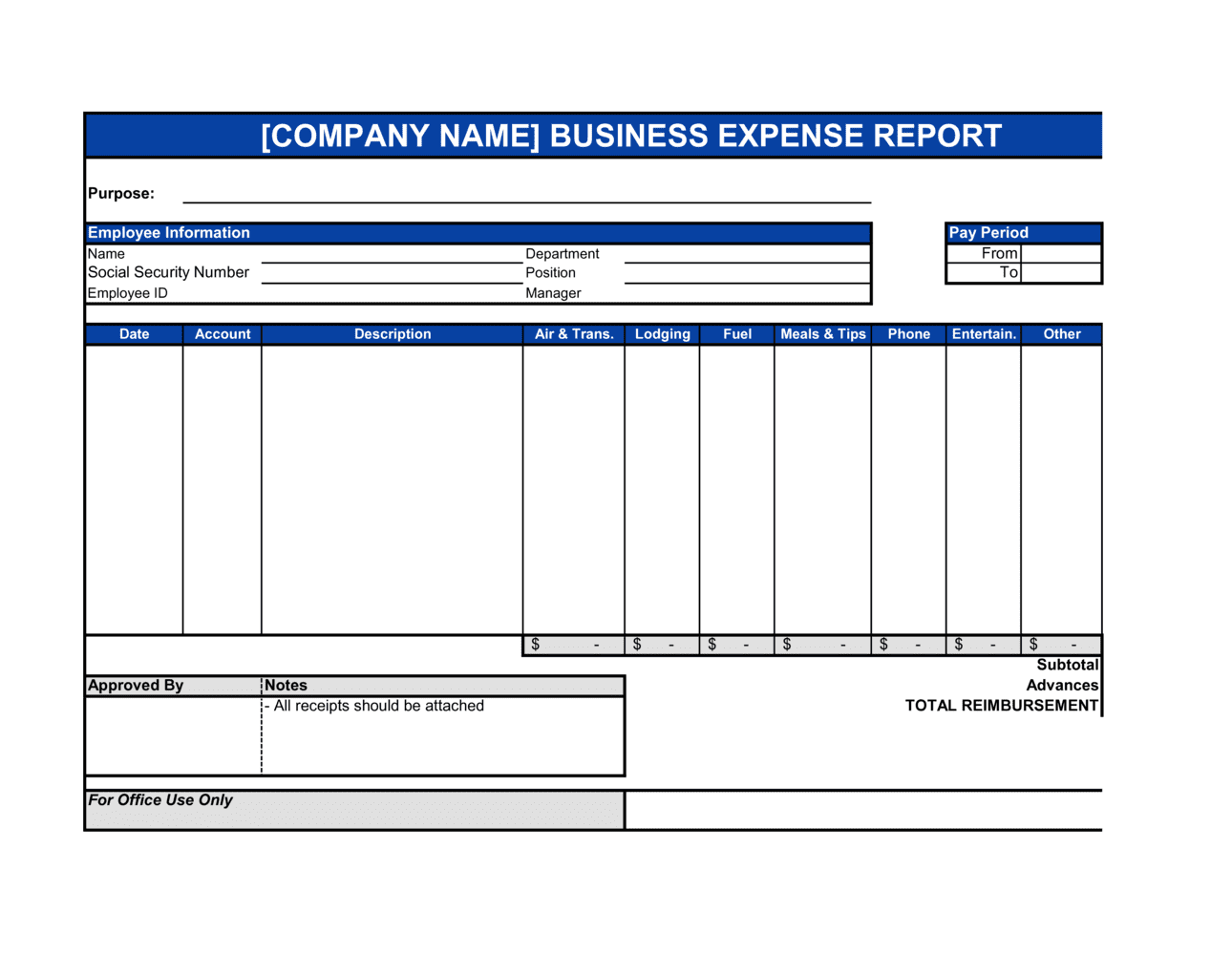
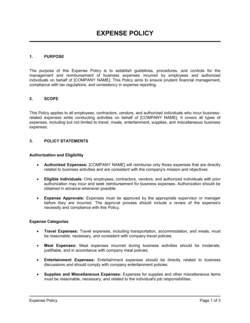
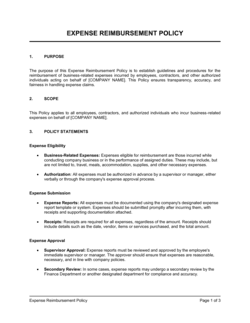
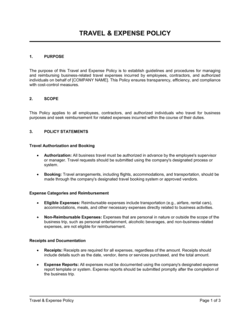
A Small Business Expense Report is a structured document employees and owners use to record, categorize, and submit business-related expenditures for reimbursement or tax reporting. This free Word download gives you a ready-to-use form you can edit online and export as PDF, covering everything from travel and meals to supplies and client entertainment.
When you need it
Use it whenever an employee or owner pays out-of-pocket for a business expense that needs to be reimbursed, recorded on the books, or claimed as a tax deduction. It is also the supporting document auditors and accountants request when reviewing discretionary operating costs.
What's inside
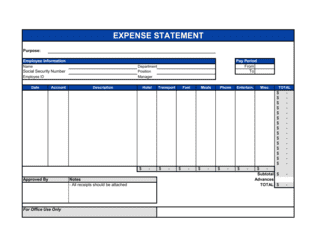
Submitter details, reporting period, itemized expense lines with dates and categories, receipt attachment log, subtotals by category, tax deductibility notes, manager approval signature block, and a reimbursement payment summary.

What is a Small Business Expense Report?

A Small Business Expense Report is a structured form used to record, categorize, and submit business-related expenditures for reimbursement, bookkeeping, and tax reporting. It captures each purchase with the date, vendor, expense category, amount, and a documented business purpose β€” along with attached receipts β€” and routes the completed submission through a manager approval workflow before accounts payable processes the reimbursement. Beyond paying employees back, the report creates the paper trail that substantiates tax deductions and satisfies IRS receipt-substantiation requirements under an accountable plan.

Why You Need This Document

Without a standardized expense report, out-of-pocket business costs go unrecorded, reimbursements are paid inconsistently, and tax deductions are lost or overstated. Employees submitting informal email requests create reconciliation gaps that take bookkeepers hours to untangle at month end. The IRS requires documented business purpose, attendee names, and receipts to allow deductions for meals, travel, and entertainment β€” missing documentation is the single most common reason these deductions are disallowed on audit. A consistent expense report process also exposes out-of-policy spending early, before it compounds into a budget variance that only surfaces at quarter close. This template gives you a complete, policy-ready form that employees can fill out in under 30 minutes and finance can approve and post without chasing missing information.

Which variant fits your situation?

If your situation is…Use this template
Tracking monthly expenses for a single employee or ownerMonthly Expense Report
Reporting costs for a specific business tripTravel Expense Report
Tracking project-specific costs billed back to a clientClient Billable Expense Report
Recording weekly petty cash disbursementsPetty Cash Log
Summarizing departmental spending for a budget reviewDepartment Budget vs. Actual Report
Submitting a single reimbursement request without a full reportExpense Reimbursement Form
Tracking annual business expenses for tax filingAnnual Business Expense Summary

Common mistakes to avoid

❌ Vague business purpose descriptions

Why it matters: The IRS requires expenses to have a documented business purpose to be deductible. 'Lunch' or 'client meeting' is not sufficient β€” disallowed deductions can result in additional tax and penalties.

Fix: Write a description specific enough to stand on its own: who attended, what was discussed, and which client, project, or business objective it relates to.

❌ Submitting without receipts or receipt references

Why it matters: An expense report with no receipt attachments is unsubstantiated β€” finance cannot approve it, and any resulting deduction is indefensible in an audit.

Fix: Attach a receipt for every line item over $25 and number each one to match the corresponding report line. For missing receipts, provide a signed written explanation.

❌ Claiming 100% deductibility on meals and entertainment

Why it matters: The Tax Cuts and Jobs Act of 2017 reduced most business meal deductions to 50% of the actual cost. Claiming the full amount overstates deductions and increases audit risk.

Fix: Flag all meals and entertainment lines as 50% deductible in the tax notes section and verify with your accountant whether any exceptions β€” such as meals for the convenience of the employer β€” apply.

❌ Bypassing manager approval before sending to accounts payable

Why it matters: Skipping the approval step removes the primary internal control against unauthorized or out-of-policy spending, and increases the risk of duplicate payments or fraudulent claims.

Fix: Enforce a written approval workflow: manager reviews and signs before the report reaches finance. Document denied items with a reason rather than simply reducing the total.

The 8 key sections, explained

Submitter and reporting period

Expense line items

Receipt attachment log

Mileage log

Expense subtotals by category

Tax deductibility notes

Manager approval block

Reimbursement payment summary

How to fill it out

  1. 1

    Complete the submitter details and reporting period

    Enter your full legal name, department, employee ID if applicable, and the exact start and end dates of the period covered. This anchors the report to the correct accounting and payroll cycle.

    πŸ’‘ Align your reporting period to the company's accounting month-end β€” submitting mid-cycle reports creates reconciliation headaches for your bookkeeper.

  2. 2

    List each expense on its own line

    Enter the date, vendor name, expense category, amount paid, and a specific business purpose for every individual charge. Do not combine multiple purchases from different vendors on a single line.

    πŸ’‘ If you paid for a group meal, name every attendee and their business relationship in the purpose field β€” the IRS requires it for entertainment deductions.

  3. 3

    Attach and number receipts in order

    Number each receipt to match its corresponding line item on the form. Attach digital copies (PDF or clear photo) in the same order. Flag any missing receipt with a written explanation.

    πŸ’‘ Use a receipt-scanning app immediately after purchase rather than collecting paper receipts β€” faded thermal paper is not acceptable documentation in an audit.

  4. 4

    Complete the mileage log section

    For each business trip by personal vehicle, record the origin address, destination address, odometer or map-measured miles, and multiply by the current IRS standard mileage rate.

    πŸ’‘ Check the IRS website each January β€” the standard mileage rate is updated annually, and using the previous year's rate under-reimburses you or creates a tax discrepancy.

  5. 5

    Total each expense category and calculate the grand total

    Sum each category row independently, then add the category subtotals to produce the total claimed amount. Verify arithmetic before submission β€” a calculation error is the most common reason reports are returned.

    πŸ’‘ Use the template's built-in formula fields rather than entering manual totals; a single typo in a manually keyed total can delay your reimbursement by a full pay cycle.

  6. 6

    Note tax deductibility for each category

    Mark whether each category is fully deductible, 50% deductible (meals and entertainment), or non-deductible, and remove any personal-use portion from the claim before submission.

    πŸ’‘ When in doubt about deductibility, note it in the comments field and let your accountant make the final call rather than guessing β€” incorrect claims create IRS exposure for the business.

  7. 7

    Submit to your manager for approval

    Route the completed report to your direct manager before sending it to accounts payable. Attach all receipts, the mileage log, and any supporting documentation such as event invitations or client emails.

    πŸ’‘ Submit within five business days of the period end β€” many companies have a 30-day submission policy, after which reimbursements may be denied.

  8. 8

    File the approved copy for your records

    Once the manager-approved report is returned, save a copy in your personal records and a second copy in the shared finance folder. The IRS recommends retaining expense documentation for at least three years.

    πŸ’‘ Store approved expense reports in a cloud folder organized by year and period β€” if your company is audited, producing organized records immediately signals good faith and shortens the audit.

Frequently asked questions

What is a small business expense report?

A small business expense report is a structured form used to record, categorize, and submit business-related expenditures for reimbursement or accounting purposes. It lists each expense with the date, vendor, amount, category, and business purpose, and includes an approval workflow before payment is processed. It also serves as the primary supporting document for tax deductions on business operating costs.

What expenses should be included in a business expense report?

Any ordinary and necessary business cost paid out-of-pocket belongs on an expense report: travel (airfare, hotel, ground transport), meals with clients or team members, business mileage, office supplies, software subscriptions, conference registration fees, and client entertainment. Personal expenses β€” even incurred during a business trip β€” should be excluded or identified and deducted from the claim.

How often should employees submit expense reports?

Most small businesses require monthly submissions aligned to the accounting period close. High-volume travelers or sales staff often submit bi-weekly. Submitting too infrequently creates large reimbursement backlogs and makes it harder to remember business purposes for older receipts. Many companies set a 30-day submission deadline after which reimbursement may be denied.

Do I need receipts for every expense on the report?

The IRS generally requires receipts for any single business expense of $75 or more. Most company policies set a lower threshold β€” commonly $25. For expenses below the receipt threshold, a written record of the amount, date, vendor, and business purpose is still required. Mileage claims require a mileage log rather than receipts.

What is the IRS standard mileage rate for business travel?

The IRS sets a standard mileage rate each January for business use of personal vehicles β€” 70 cents per mile for 2025. Multiply total business miles driven by the current rate to calculate the reimbursable amount. Keep a log of each trip showing origin, destination, and miles driven; a general monthly total without trip details does not meet IRS substantiation requirements.

What is an accountable plan and why does it matter?

An accountable plan is an IRS-defined reimbursement arrangement that requires employees to document a business purpose for expenses, submit receipts, and return any cash advance not spent on business costs. Reimbursements made under an accountable plan are not taxable income to the employee. Without one, reimbursements may be treated as additional wages subject to payroll tax β€” a significant cost to both the employer and employee.

How long should expense reports be kept on file?

The IRS recommends retaining expense documentation for at least three years from the date the tax return was filed β€” the standard audit window. If your return understates income by more than 25%, the IRS has six years to audit. Best practice for small businesses is to keep all expense reports and receipts for six years, stored in an organized digital archive.

Can expense reports be used to track client-billable costs?

Yes. Many businesses use a modified expense report with a billable column or client code field to flag costs that will be passed through to a specific client invoice. The approved report then feeds directly into the invoicing process. This approach creates a clear audit trail showing the client exactly what they are being charged for and why.

What is the difference between an expense report and a petty cash log?

An expense report records out-of-pocket costs submitted by an employee or owner for reimbursement after the fact. A petty cash log tracks small cash disbursements made from a physical on-site fund β€” typically for incidental purchases under $50. Both require receipts and categorization, but they flow through different accounting processes: expense reports create accounts-payable entries; petty cash logs reduce the petty cash asset balance.

How this compares to alternatives

vs Invoice

An invoice is sent by a vendor to a client requesting payment for goods or services delivered. An expense report is an internal document an employee or owner submits to their own company to request reimbursement for out-of-pocket costs. Invoices create accounts-receivable entries; expense reports create accounts-payable entries. For client-billable expenses, an approved expense report typically becomes the source data for the outbound invoice.

vs Petty Cash Log

A petty cash log tracks small cash disbursements made from a physical on-site fund maintained by the business. An expense report tracks costs the employee personally paid and wants reimbursed. Both require receipts and GL coding, but they flow through different accounting entries and serve different control purposes. Petty cash is suitable for purchases under $50; expense reports handle any amount.

vs Budget vs. Actual Report

A budget vs. actual report compares planned spending against recorded expenditures at the department or company level over a period. An expense report is an individual submission documenting specific purchases and requesting reimbursement. Expense reports feed data into the budget vs. actual report after they are posted to the general ledger β€” they operate at different levels of aggregation.

vs Travel Expense Report

A travel expense report is a specialized variant focused exclusively on trip-related costs β€” airfare, hotel, ground transport, meals, and per diem. A small business expense report is broader and covers all business expense categories in a single form. Use the travel-specific version when the entire submission relates to a single trip; use the general expense report for mixed monthly submissions.

Industry-specific considerations

Professional Services

Client-billable travel and research costs require a separate billable column on each line so charges flow directly into client invoices without manual re-entry.

Construction and Trades

Materials purchased on-site, fuel for equipment, and tool purchases need job-code allocation so costs are attributed to the correct project budget and billed to the client accurately.

Retail and E-commerce

Trade show travel, product samples, and packaging materials are common recurring expense categories that need consistent GL coding to support accurate gross margin analysis.

Creative and Marketing Agencies

Software subscriptions, stock media purchases, and client entertainment expenses often span multiple client accounts and must be split or tagged by client code at the line-item level.

Template vs pro β€” what fits your needs?

PathBest forCostTime
Use the templateSmall businesses, freelancers, and owner-operators tracking routine monthly expenses for reimbursement and tax recordsFree15–30 minutes per report
Template + professional reviewGrowing teams that need a standardized policy reviewed by an accountant to confirm IRS accountable plan compliance$150–$400 for an accountant review1–3 days
Custom draftedCompanies with complex multi-department, multi-currency, or client-billable workflows requiring integration with accounting software$500–$2,000 for a bookkeeper or finance consultant to design and implement1–3 weeks

Glossary

Reimbursable Expense
A business cost paid out-of-pocket by an employee or owner that the company agrees to pay back, typically within a set number of days after submission.
Expense Category
A standardized label β€” such as travel, meals, office supplies, or client entertainment β€” used to group and report spending by type.
Per Diem
A fixed daily allowance for meals and incidental expenses while traveling for business, set either by company policy or the IRS standard rate.
Accountable Plan
An IRS-defined reimbursement arrangement requiring employees to have a business purpose for expenses, submit receipts, and return any excess advance β€” ensuring reimbursements are not treated as taxable income.
Non-Accountable Plan
A reimbursement approach that does not require substantiation or return of excess funds, meaning payments are treated as taxable compensation to the employee.
Receipt Substantiation
The requirement to attach original or digital receipts documenting the amount, date, vendor, and business purpose of each expense.
Cost Center
A department, project code, or team identifier used to allocate expenses to the correct budget line during accounting reconciliation.
Mileage Rate
The IRS standard rate β€” updated annually β€” used to calculate the deductible cost of using a personal vehicle for business travel, expressed in cents per mile.
General Ledger (GL) Code
A numeric or alphanumeric account code from the company's chart of accounts used to post each expense to the correct accounting category.
Approval Workflow
The defined chain of reviewers β€” typically direct manager, then finance β€” who must authorize an expense report before reimbursement is processed.

Part of your Business Operating System

This document is one of 3,000+ business & legal templates included in Business in a Box.

  • Fill-in-the-blanks β€” ready in minutes
  • 100% customizable Word document
  • Compatible with all office suites
  • Export to PDF and share electronically

Create your document in 3 simple steps.

From template to signed document β€” all inside one Business Operating System.
1
Download or open template

Access over 3,000+ business and legal templates for any business task, project or initiative.

2
Edit and fill in the blanks with AI

Customize your ready-made business document template and save it in the cloud.

3
Save, Share, Send, Sign

Share your files and folders with your team. Create a space of seamless collaboration.

Save time, save money, and create top-quality documents.

β˜…β˜…β˜…β˜…β˜…

"Fantastic value! I'm not sure how I'd do without it. It's worth its weight in gold and paid back for itself many times."

Managing Director Β· Mall Farm
Robert Whalley
Managing Director, Mall Farm Proprietary Limited
β˜…β˜…β˜…β˜…β˜…

"I have been using Business in a Box for years. It has been the most useful source of templates I have encountered. I recommend it to anyone."

Business Owner Β· 4+ years
Dr Michael John Freestone
Business Owner
β˜…β˜…β˜…β˜…β˜…

"It has been a life saver so many times I have lost count. Business in a Box has saved me so much time and as you know, time is money."

Owner Β· Upstate Web
David G. Moore Jr.
Owner, Upstate Web

Run your business with a system β€” not scattered tools

Stop downloading documents. Start operating with clarity. Business in a Box gives you the Business Operating System used by over 250,000 companies worldwide to structure, run, and grow their business.

Start freeΒ Β·Β No credit card required