9 Ecommerce Marketing Strategies

Free Word download β€’ Edit online β€’ Save & share with Drive β€’ Export to PDF

3 pagesβ€’20–30 min to fillβ€’Difficulty: Standard
Learn more ↓
Free9 Ecommerce Marketing Strategies Template

At a glance

What it is
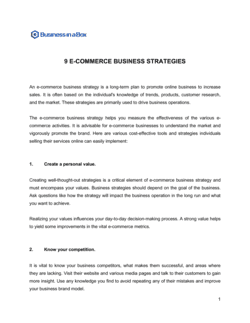
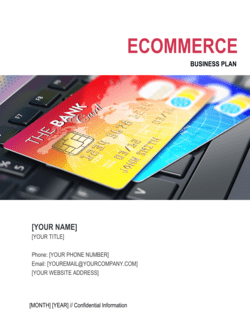
The 9 Ecommerce Marketing Strategies template is a structured Word document that organizes the nine highest-impact acquisition and retention channels for online stores into a single, actionable marketing plan. It is a free download you can edit online and export as PDF to share with your team, agency, or investors.
When you need it
Use it when launching a new online store, entering a new product category, or auditing an existing store's channel mix to identify gaps and prioritize budget. It is also useful when briefing a marketing agency or onboarding a new marketing hire.
What's inside
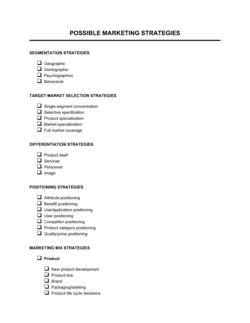
Nine strategy sections covering SEO, email marketing, paid search and social advertising, content marketing, influencer partnerships, affiliate programs, social commerce, conversion rate optimization, and customer retention β€” each with goals, tactics, KPIs, and a budget placeholder.

What is a 9 Ecommerce Marketing Strategies document?

A 9 Ecommerce Marketing Strategies document is a structured operational plan that organizes the nine highest-impact digital marketing channels for online stores β€” SEO, email automation, paid search, paid social, content marketing, influencer partnerships, affiliate programs, social commerce, and conversion rate optimization β€” into a single, prioritized framework. Each strategy section defines specific tactics, target KPIs, budget allocation, and ownership, giving store operators a clear picture of how every channel contributes to revenue. Rather than a generic marketing plan, this document is built around ecommerce-specific metrics like ROAS, CAC payback period, average order value, and customer lifetime value.

Why You Need This Document

Running an online store without a documented channel strategy means budget gets allocated reactively β€” chasing whichever platform had a good month β€” rather than according to a tested prioritization logic. The result is a store that is chronically over-invested in one channel and blind to gaps in others: email flows never get built because paid ads are consuming all attention, or influencer spend continues despite no attribution data. A completed 9 Ecommerce Marketing Strategies document forces you to set baselines, assign ownership, and define success criteria for every channel before spending begins. It also functions as a briefing document for agencies, a onboarding reference for new marketing hires, and a performance review framework that makes it immediately visible when a channel is underperforming its allocation. This template gives you the structure to complete that document in hours rather than weeks.

Which variant fits your situation?

If your situation is…Use this template
Planning a full 12-month ecommerce marketing calendarMarketing Plan
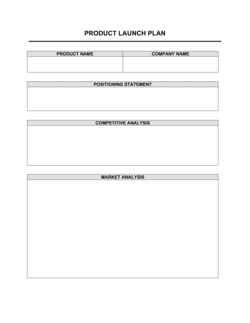
Launching a single new product and need a focused go-to-market planProduct Launch Plan
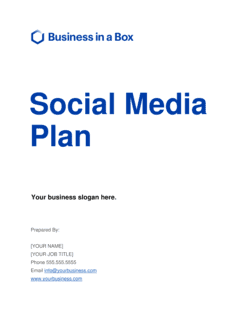
Focusing exclusively on social media channelsSocial Media Marketing Plan
Building a content marketing and SEO strategy onlyContent Marketing Plan
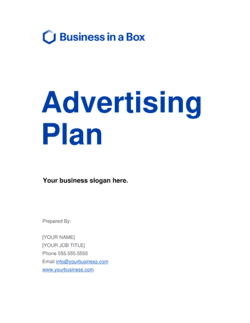
Planning a paid advertising campaign with a defined budgetAdvertising Plan
Mapping customer lifecycle and retention programsCustomer Retention Plan
Presenting strategy to investors alongside financial projectionsBusiness Plan

Common mistakes to avoid

❌ Activating all nine strategies simultaneously

Why it matters: Spreading a limited budget and team across nine channels simultaneously means none receives enough investment to produce measurable results, and performance data is too thin to act on.

Fix: Rank channels by expected ROI and stage fit, then activate two to three primary channels first. Add channels only after the leading ones show positive ROAS and are operationally stable.

❌ Setting KPIs without baseline data

Why it matters: A target of '3Γ— ROAS' is meaningless if you don't know your current blended ROAS. Without a baseline, you cannot tell whether performance is improving or deteriorating.

Fix: Pull 90 days of historical data for every active channel before setting targets. If a channel is new, use industry benchmarks as a starting point and update after 30 days of live data.

❌ Treating email as a broadcast channel only

Why it matters: Stores that send only promotional campaigns and skip automated flows leave the highest-ROI ecommerce channel chronically underperforming β€” welcome and cart-abandonment flows alone average 20–30Γ— ROAS.

Fix: Build the three core flows β€” welcome, cart abandonment, and post-purchase β€” before scheduling any broadcast campaigns. Flows generate revenue passively; campaigns require ongoing production.

❌ Selecting influencers by follower count alone

Why it matters: Follower count has almost no correlation with sales conversion. An influencer with 200K followers in the wrong niche or with 0.4% engagement will generate fewer orders than one with 15K highly engaged followers in your exact category.

Fix: Filter influencer candidates first by niche relevance, then by engagement rate (target β‰₯ 3% for micro-influencers), and only then by reach. Request past campaign performance data before committing budget.

❌ Running CRO tests without sufficient traffic

Why it matters: A test on a page with 200 sessions per week cannot reach statistical significance in a reasonable timeframe β€” results are noise, not signal, and acting on them can actively hurt conversion rate.

Fix: Calculate the minimum detectable effect and required sample size before launching any test. On low-traffic pages, focus on qualitative methods β€” session recordings, heatmaps, and user surveys β€” before A/B testing.

❌ No owner assigned to each strategy

Why it matters: A marketing strategy document with no named owner for each channel becomes a reference document rather than an operating plan β€” accountability evaporates and launch dates slip indefinitely.

Fix: Assign a single owner (not a team) and a specific launch date to every strategy section before sharing the document. Review ownership at every monthly check-in.

The 9 key sections, explained

Strategy overview and goals

Search engine optimization (SEO)

Email marketing and automation

Paid search advertising (Google/Bing)

Paid social advertising (Meta/TikTok/Pinterest)

Content marketing and SEO blog

Influencer and creator partnerships

Affiliate and referral program

Conversion rate optimization (CRO) and retention

How to fill it out

  1. 1

    Define the revenue goal and budget envelope

    Enter your current monthly revenue baseline, your 90-day or 12-month revenue target, and the total monthly marketing budget available to reach it. Every subsequent section's allocations must sum to this budget.

    πŸ’‘ If you don't know your budget yet, work backward from target revenue: estimate the blended CAC needed and multiply by the number of new customers required per month.

  2. 2

    Audit your existing channel performance

    Before filling in targets, pull 90 days of data from Google Analytics, your ad platforms, and your email tool. Note which channels already generate revenue and which are untested β€” this determines whether you're activating a new strategy or optimizing an existing one.

    πŸ’‘ A channel generating less than 5% of revenue with 20%+ of budget is a reallocation candidate before you add any new channels.

  3. 3

    Prioritize channels by stage and category fit

    Not all nine strategies are equally relevant for every store. A consumables brand prioritizes email flows and retention; a high-ticket, low-frequency product prioritizes SEO and paid search. Mark each strategy as primary, secondary, or deferred before writing any tactics.

    πŸ’‘ Start with the two channels that already show positive ROAS or organic traction β€” optimize those before funding new experiments.

  4. 4

    Complete the SEO and content sections with keyword data

    Use a keyword research tool (Ahrefs, Semrush, or Google Search Console) to populate the target keyword list, monthly search volume, and current ranking position for each priority page.

    πŸ’‘ Focus on keywords with a difficulty score under 40 and commercial intent β€” 'buy [product]' and '[product] review' convert at 3–5Γ— the rate of informational queries.

  5. 5

    Set up the email flow schedule

    List each automated flow, the trigger event, the number of emails in the sequence, and the send delays. Include the subject line approach and the primary CTA for each email in the series.

    πŸ’‘ The cart abandonment flow alone typically recovers 5–15% of abandoned carts β€” if it is not yet active, make it the first thing you build regardless of other priorities.

  6. 6

    Define paid channel structure and creative cadence

    For each paid platform, specify the campaign objective, audience targeting logic, monthly budget, and how often you will refresh creative. Note the creative formats required (static image, video, carousel) and who produces them.

    πŸ’‘ Ad fatigue on Meta typically sets in after 7–14 days for a small audience. Build a creative production schedule into the template so you're never running stale ads.

  7. 7

    Populate KPIs and review checkpoints

    For every strategy section, enter at least one leading KPI (CTR, CVR, ROAS) and one lagging KPI (revenue attributed, CAC). Set a review date β€” weekly for paid channels, monthly for SEO and content.

    πŸ’‘ Use the same attribution model (last-click or data-driven) across all channels so KPIs are comparable and budget shifts are based on consistent data.

  8. 8

    Assign ownership and launch dates

    For each strategy, add the team member or agency responsible, the launch date, and the first review date. A strategy with no owner and no deadline is a wish, not a plan.

    πŸ’‘ If a strategy is deferred, write the condition that would trigger activation β€” e.g., 'launch affiliate program when monthly revenue exceeds $[X]' β€” so the decision is documented.
Frequently asked questions

What are the most effective ecommerce marketing strategies?

The highest-ROI ecommerce marketing strategies for most online stores are email automation flows, SEO for product and category pages, and Google Shopping ads β€” in that order for cost-efficiency. Paid social (Meta and TikTok) and influencer partnerships add scale but require more creative investment. The right mix depends on your product category, average order value, and purchase frequency.

How many marketing strategies should an ecommerce store use at once?

Most stores produce better results by executing two to three channels well than by spreading budget across all nine simultaneously. Activate your highest-confidence channel first β€” typically email flows or Google Shopping β€” prove positive ROAS, then add a second channel. Add channels only when the previous one is operationally stable and generating consistent returns.

What is a realistic ROAS target for ecommerce paid advertising?

A healthy blended ROAS benchmark is 3–5Γ— for most ecommerce categories on Google Shopping and 2–4Γ— on Meta. High-ticket products (AOV above $200) can sustain lower ROAS because the absolute margin per order is larger. Consumables with high repeat-purchase rates can justify a sub-2Γ— ROAS on the first order if LTV is strong. Always calculate break-even ROAS using your gross margin before setting targets.

How long does SEO take to generate revenue for an ecommerce store?

New ecommerce stores typically see measurable organic traffic growth from SEO in 3–6 months, with meaningful revenue contribution in 6–12 months. Established stores targeting lower-competition keywords can see ranking improvements in 4–8 weeks. Technical fixes β€” page speed, crawlability, structured data β€” often produce faster gains than new content for stores with existing domain authority.

What email flows should every ecommerce store have?

The three essential automated flows are the welcome series (2–4 emails introducing the brand and incentivizing first purchase), the cart abandonment sequence (2–3 emails triggered 1 hour, 24 hours, and 72 hours after abandonment), and the post-purchase series (review request, cross-sell, and replenishment reminder). These three flows alone typically account for 15–25% of total email revenue with no ongoing production effort.

What is the difference between affiliate marketing and influencer marketing?

Affiliate marketing is performance-based β€” publishers earn a commission only when a sale is completed, making it low-risk for the store. Influencer marketing typically involves upfront fees (flat rate, gifting, or hybrid) in exchange for content creation and audience exposure, regardless of whether a sale results. Affiliates optimize for conversions; influencers optimize for reach and brand association. Most mature ecommerce brands run both programs simultaneously.

How do I measure the success of an ecommerce marketing plan?

Track one leading KPI and one lagging KPI per channel: for paid ads, CTR (leading) and ROAS (lagging); for SEO, organic sessions (leading) and organic revenue (lagging); for email, open rate or click rate (leading) and email-attributed revenue (lagging). Review paid channels weekly and organic/content channels monthly. A blended view β€” total marketing spend divided by total new customer revenue β€” gives the clearest picture of overall efficiency.

What budget does an ecommerce store need to execute these strategies?

A new store with a $2,000–$5,000/month marketing budget should focus on email automation (near-zero cost beyond the platform fee), SEO (content and technical work), and a modest Google Shopping campaign. Paid social requires at least $1,500–$2,000/month per platform to generate enough data to optimize. Influencer and affiliate programs can be started on product gifting alone at any budget level.

Should I handle ecommerce marketing in-house or hire an agency?

In-house execution makes sense when you have a dedicated marketer with channel-specific expertise and the store generates enough revenue to fund a full-time hire. Agencies are cost-effective for paid search and paid social when monthly ad spend exceeds $5,000, since management fees (typically 10–15% of spend) are offset by optimization gains. A hybrid model β€” in-house ownership of SEO, email, and content; agency for paid channels β€” is the most common structure for stores between $500K and $5M in annual revenue.

How this compares to alternatives

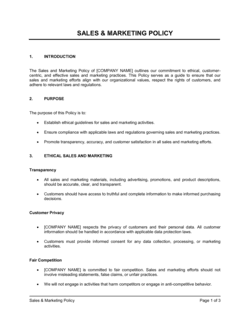
vs Marketing Plan

A marketing plan covers all marketing activity across all channels and audiences for a business over a defined period. The 9 Ecommerce Marketing Strategies template is narrower β€” it focuses specifically on the nine digital channels most relevant to online retail, with ecommerce-specific KPIs like ROAS, CVR, and AOV. Use the marketing plan for a full-business view; use this template when the primary revenue channel is an online store.

vs Social Media Marketing Plan

A social media marketing plan goes deep on a single channel cluster β€” platform selection, content calendar, community management, and organic post strategy. The ecommerce strategies template treats paid social as one of nine channels and emphasizes conversion and ROAS rather than organic reach or brand building. Use the social media plan when social is your dominant channel; use this template for a multi-channel ecommerce view.

vs Product Launch Plan

A product launch plan is time-bounded β€” it maps the tactical sequence for bringing one specific product to market. The ecommerce marketing strategies template is an evergreen operating framework for the whole store, not a single SKU. Use the launch plan for a new product introduction; use this template to define the ongoing channel strategy that the launch plan feeds into.

vs Advertising Plan

An advertising plan focuses exclusively on paid media β€” budgets, creative briefs, campaign calendars, and media buying. The ecommerce strategies template includes paid advertising as two of its nine sections alongside organic, owned, and earned channels. Use the advertising plan when you need a detailed paid-only document; use this template when you need the full acquisition and retention picture.

Industry-specific considerations

Fashion and apparel

Visual-first channels (Instagram, Pinterest, TikTok) dominate acquisition; high return rates make post-purchase email flows and size-fit content critical for retention.

Health, beauty, and wellness

Influencer and UGC-driven trust signals are essential; subscription and replenishment flows drive LTV for consumables with 30–90 day usage cycles.

Home goods and furniture

Long purchase consideration cycles favor SEO and email nurture sequences; high AOV justifies aggressive retargeting spend and personalized product recommendation flows.

Consumer electronics and technology

Google Shopping and comparison-site affiliate channels are the primary purchase drivers; detailed product content and review volume are the main conversion levers.

Food, beverage, and grocery

Subscription and auto-replenishment programs are the highest-LTV strategy; sampling campaigns and bundle offers reduce first-purchase friction for consumables.

Sports, fitness, and outdoor

Community-driven influencer programs and seasonal paid social campaigns align with purchase cycles; loyalty programs with tiered rewards drive repeat purchase rates above category average.

Template vs pro β€” what fits your needs?

PathBest forCostTime
Use the templateEcommerce store owners and in-house marketers building or auditing a multi-channel strategyFree4–8 hours to complete with real data
Template + professional reviewStores preparing to scale past $500K/year who want a specialist to stress-test channel prioritization and budget allocation$500–$2,000 for a fractional CMO or ecommerce consultant review1–2 weeks
Custom draftedFunded brands or enterprise retailers needing a fully researched, agency-built strategy with competitive analysis and financial modeling$5,000–$25,000 for a full-service agency engagement4–8 weeks

Glossary

CAC (Customer Acquisition Cost)
Total marketing and sales spend divided by the number of new customers acquired in the same period.
LTV (Customer Lifetime Value)
The total gross profit expected from a single customer across their entire relationship with the store.
ROAS (Return on Ad Spend)
Revenue generated divided by the amount spent on advertising β€” a direct measure of paid channel efficiency.
Conversion Rate
The percentage of store visitors who complete a purchase, calculated as orders divided by sessions.
AOV (Average Order Value)
Total revenue divided by total number of orders in a given period β€” a key lever for improving revenue without increasing traffic.
Affiliate Marketing
A performance-based channel where external publishers earn a commission for each sale they refer to the store.
Social Commerce
Selling products directly through social media platforms β€” such as Instagram Shops or TikTok Shop β€” without requiring the customer to leave the app.
CRO (Conversion Rate Optimization)
A systematic process of testing and improving store pages, checkout flow, and product listings to increase the percentage of visitors who buy.
Email Flows
Automated email sequences triggered by customer behavior β€” such as cart abandonment, post-purchase, or win-back β€” that run without manual intervention.
Retargeting
Paid advertising that serves ads specifically to users who have previously visited the store or viewed a product but did not purchase.
Click-Through Rate (CTR)
The percentage of people who click on a link or ad after seeing it β€” used to measure the relevance and appeal of ad creative and email subject lines.

Part of your Business Operating System

This document is one of 3,000+ business & legal templates included in Business in a Box.

  • Fill-in-the-blanks β€” ready in minutes
  • 100% customizable Word document
  • Compatible with all office suites
  • Export to PDF and share electronically

Create your document in 3 simple steps.

From template to signed document β€” all inside one Business Operating System.
1
Download or open template

Access over 3,000+ business and legal templates for any business task, project or initiative.

2
Edit and fill in the blanks with AI

Customize your ready-made business document template and save it in the cloud.

3
Save, Share, Send, Sign

Share your files and folders with your team. Create a space of seamless collaboration.

Save time, save money, and create top-quality documents.

β˜…β˜…β˜…β˜…β˜…

"Fantastic value! I'm not sure how I'd do without it. It's worth its weight in gold and paid back for itself many times."

Managing Director Β· Mall Farm
Robert Whalley
Managing Director, Mall Farm Proprietary Limited
β˜…β˜…β˜…β˜…β˜…

"I have been using Business in a Box for years. It has been the most useful source of templates I have encountered. I recommend it to anyone."

Business Owner Β· 4+ years
Dr Michael John Freestone
Business Owner
β˜…β˜…β˜…β˜…β˜…

"It has been a life saver so many times I have lost count. Business in a Box has saved me so much time and as you know, time is money."

Owner Β· Upstate Web
David G. Moore Jr.
Owner, Upstate Web

Run your business with a system β€” not scattered tools

Stop downloading documents. Start operating with clarity. Business in a Box gives you the Business Operating System used by over 250,000 companies worldwide to structure, run, and grow their business.

Free Forever PlanΒ Β·Β No credit card required