10000 Chat GPT Prompts Template

Free to read β€’ Save or share with one click

Free10000 Chat GPT Prompts Template

At a glance

What it is
The 10,000 ChatGPT Prompts library is a curated Word document containing 10,000 ready-to-use prompts organized by business function β€” sales, marketing, HR, operations, finance, customer service, product development, and personal productivity. It is a free download you can edit online, search by category, and paste directly into ChatGPT or any large-language-model interface without writing prompts from scratch.
When you need it
Use it whenever you or your team sits down to use an AI assistant and spends more time crafting the prompt than doing the actual work. It is especially useful when onboarding employees to AI tools, building a shared team prompt library, or systematizing AI-assisted workflows across departments.
What's inside
Prompts are organized into named functional categories β€” each with dozens to hundreds of specific, action-oriented entries covering common tasks such as drafting emails, writing job descriptions, analyzing financial data, generating ad copy, summarizing reports, and coaching direct reports. Every prompt is written in plain English with [PLACEHOLDER] fields you customize before pasting.

What is the 10,000 ChatGPT Prompts library?

The 10,000 ChatGPT Prompts library is a curated reference document containing 10,000 ready-to-use prompts organized by business function β€” sales, marketing, HR, operations, finance, customer service, product development, and personal productivity. Each prompt is written in plain English with [PLACEHOLDER] fields for your specific variables, structured to produce a useful output on the first or second attempt without any prompt-engineering expertise. It is a free Word download you can search, customize, and share across your team or organization.

Why You Need This Document

The single biggest friction point in AI-assisted work is not the AI itself β€” it is the time spent figuring out how to ask for what you need. Poorly structured prompts produce generic, unusable outputs that require more editing than starting from scratch. Teams without a shared library reinvent the same prompts independently, accumulating wasted effort across every department. This library eliminates that friction: instead of spending 10 minutes crafting a prompt for a job description, a cold email, or a board update, you select the relevant prompt, fill in your specifics, and have a strong first draft in under two minutes. For teams doing AI-assisted work daily, that compounds into hours recovered per person per week β€” and consistent output quality across everyone who uses it.

Which variant fits your situation?

If your situation is…Use this template
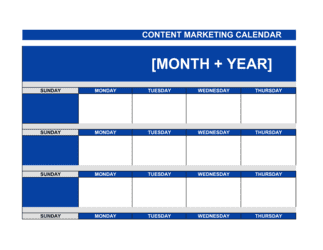
Need prompts specifically for writing and editing long-form contentContent Marketing Plan
Building a repeatable sales outreach process using AISales Plan
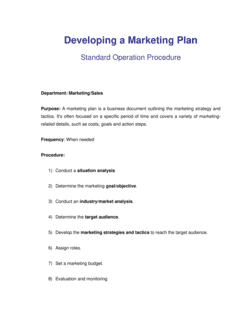
Using AI to support a structured marketing strategyMarketing Plan
Applying AI prompts within a formal HR onboarding workflowEmployee Onboarding Checklist
Using prompts to draft or refine internal SOPsStandard Operating Procedure Template
Structuring AI-assisted competitive or market researchMarket Analysis
Generating financial narratives and commentary from model outputsFinancial Projections (12 Months)

Common mistakes to avoid

❌ Leaving [PLACEHOLDER] fields blank before submitting

Why it matters: An unfilled placeholder tells the AI nothing about your specific situation, producing a generic output that requires full rewriting and defeats the purpose of using the library.

Fix: Do a final scan for bracket characters before pasting any prompt. Replace every [PLACEHOLDER] with your specific information, even if it is just a rough draft value.

❌ Using the output as a final deliverable without review

Why it matters: AI outputs can contain plausible-sounding errors, outdated information, or tone mismatches that embarrass the sender or mislead the reader.

Fix: Treat every AI output as a first draft. Check factual claims, adjust to your brand voice, and have a second person review anything customer-facing or high-stakes before it goes out.

❌ Picking the nearest prompt rather than the best-fit prompt

Why it matters: A prompt written for a cold email performs poorly when repurposed for a follow-up sequence β€” the structural assumptions are different and the output reflects that.

Fix: Spend 60 seconds scanning the full subsection before selecting. The prompt that matches both your task type and output format will require significantly less editing.

❌ Submitting a single long prompt when the task needs multiple steps

Why it matters: Combining five distinct tasks in one prompt (e.g., 'write a job description, score candidates, draft an offer letter, and build an onboarding plan') produces shallow outputs for each.

Fix: Break multi-step workflows into sequential prompts β€” complete step one, review the output, then use it as context for step two. The library includes chained prompt sequences for common multi-step tasks.

The 9 key sections, explained

Sales prompts

Marketing prompts

HR and people operations prompts

Operations and productivity prompts

Finance and reporting prompts

Customer service prompts

Product and strategy prompts

Personal productivity prompts

Executive communications prompts

How to fill it out

  1. 1

    Download and open the Word file

    Download the template in Word format. The document is organized by functional category with a table of contents. Use Ctrl+F (or Cmd+F on Mac) to search for a keyword matching your task.

    πŸ’‘ Bookmark the table of contents page β€” returning to it is faster than scrolling through 10,000 entries.

  2. 2

    Identify the function and task type you need

    Navigate to the relevant section β€” for example, 'Sales' for outreach, or 'HR' for a job description. Scan the subsection headers to find the task type that matches your immediate need.

    πŸ’‘ If you are unsure which section applies, search for the output you want (e.g., 'cold email' or 'onboarding checklist') rather than the function name.

  3. 3

    Select a prompt and copy it

    Choose the prompt that most closely matches your specific task. Copy the full prompt text, including any [PLACEHOLDER] fields, into your clipboard.

    πŸ’‘ Read the prompt all the way through before copying β€” some prompts have optional instruction blocks at the end that you may want to remove or activate.

  4. 4

    Fill in all [PLACEHOLDER] fields

    Replace every bracketed placeholder with your specific information β€” company name, job title, audience, product, tone, or any other variable. Do not leave any placeholders blank before submitting.

    πŸ’‘ The more specific your placeholder values, the better the output. '[B2B SaaS CFO at a 50-person company]' outperforms '[target audience]' every time.

  5. 5

    Paste the completed prompt into ChatGPT or your preferred LLM

    Open your AI tool of choice, start a new session, and paste the completed prompt. For best results, use a model with a large context window β€” GPT-4o or equivalent β€” for longer prompts.

    πŸ’‘ If the output misses the mark, add a follow-up instruction rather than restarting: 'Make it shorter,' 'Use a more conversational tone,' or 'Add two more examples.'

  6. 6

    Review, edit, and apply the output

    Treat the AI output as a strong first draft, not a final deliverable. Review for factual accuracy, brand voice, and any details only you would know. Edit before publishing, sending, or sharing internally.

    πŸ’‘ For customer-facing outputs β€” emails, social posts, press releases β€” always have a second person review the final copy before it goes out.

  7. 7

    Save your best customized prompts for reuse

    When you modify a prompt and get a particularly strong result, save the customized version in a separate team document. Over time this builds your company's own bespoke prompt library.

    πŸ’‘ Tag saved prompts with the output type and date so team members can find and update them as your products, personas, and tone of voice evolve.

Frequently asked questions

What is a ChatGPT prompt library?

A ChatGPT prompt library is a curated collection of pre-written instructions designed to produce specific, useful outputs from an AI language model. Rather than writing a new prompt from scratch each time, users select a relevant prompt, fill in their specific details, and paste it into ChatGPT or a similar tool. A large library organized by business function β€” like this 10,000-prompt collection β€” eliminates the prompt-engineering learning curve for everyday work tasks.

Do these prompts work with AI tools other than ChatGPT?

Yes. The prompts in this library are written in plain English and work with any major large language model, including Claude (Anthropic), Gemini (Google), Copilot (Microsoft), and Llama-based tools. The output quality may vary slightly across models, but the prompt structure is model-agnostic. For best results on longer or more complex prompts, use a model with a large context window such as GPT-4o or Claude 3.5 Sonnet.

How are the 10,000 prompts organized?

Prompts are organized into functional business categories β€” sales, marketing, HR and people operations, operations and productivity, finance and reporting, customer service, product and strategy, personal productivity, and executive communications. Within each category, prompts are grouped by specific task type. A table of contents and keyword search make it straightforward to find the right prompt in under a minute.

Can I customize the prompts for my specific business?

Yes β€” every prompt includes [PLACEHOLDER] fields for variables like company name, target audience, product description, and tone. Replacing those placeholders with your specific information is the primary form of customization. For recurring use cases, you can save your customized versions in a separate document to build a company-specific prompt library over time.

Are these prompts suitable for non-technical users?

The library is specifically designed for business professionals with no background in prompt engineering. The prompts are written in plain English, structured for clear outputs, and annotated with guidance on what to fill in. The only technical requirement is access to a ChatGPT account or equivalent AI tool β€” no coding, API access, or AI expertise is needed.

What business functions have the most prompts?

Marketing, sales, and HR have the largest prompt sets given the breadth of tasks in those functions β€” from ad copy and content calendars to job descriptions and performance reviews. Operations, finance, and customer service have deep functional coverage as well. Personal productivity and executive communications round out the library with prompts for individual contributors and leadership alike.

How do I get better outputs from the prompts?

The single highest-impact improvement is filling in [PLACEHOLDER] fields with specific, detailed values rather than generic labels. Beyond that, adding a tone instruction ('direct and concise' or 'warm and empathetic') and specifying the desired output format ('a 5-row table' or 'a 3-paragraph email') consistently improves results. If the first output is close but not quite right, use a follow-up instruction in the same session rather than restarting from scratch.

Can teams share this prompt library across an organization?

Yes. Because the library is a Word document, it can be uploaded to any shared drive β€” Google Drive, SharePoint, OneDrive, or Notion β€” and accessed by the entire team. Organizations often create a copy per department with customized placeholders pre-filled for their specific products, personas, and brand voice, reducing individual setup time for each use.

How often is the prompt library updated?

Business in a Box reviews and updates templates on a rolling basis as AI model capabilities and best practices evolve. Check the template's updated_at date in your Business in a Box account for the most recent version. Major updates β€” such as new functional categories or prompt techniques β€” are announced in the platform's changelog.

How this compares to alternatives

vs Writing prompts from scratch

Writing prompts from scratch requires trial and error on structure, specificity, and output format β€” typically 5–15 minutes per prompt before it produces usable output. A curated library provides tested prompt structures for hundreds of specific tasks, reducing that to under a minute. For teams doing AI-assisted work daily, the cumulative time saving is significant within the first week.

vs Generic AI prompt guides online

Free prompt guides found online typically contain 20–100 examples with no consistent structure, no placeholder system, and no organization by business function. This library provides 10,000 prompts in a single searchable Word document structured for business use, with [PLACEHOLDER] fields that make customization immediate rather than requiring you to reverse-engineer the prompt's logic.

vs AI-native tools with built-in prompt templates

AI platforms like Jasper, Copy.ai, or Notion AI offer built-in prompt templates, but lock them inside a proprietary interface that requires a separate subscription and limits portability. This library works with any LLM tool you already use β€” ChatGPT, Claude, Copilot, or others β€” and is yours to customize and share without additional platform costs.

vs Hiring a prompt engineer or AI consultant

A prompt engineer or AI consultant can build custom workflows for complex, high-value use cases β€” typically at $100–$250 per hour. For standard business functions like email drafting, job descriptions, and report summaries, a comprehensive prompt library delivers equivalent output quality at a fraction of the cost and is immediately available to every team member.

Industry-specific considerations

SaaS / Technology

Product managers use prompts to write user stories and PRDs; growth teams use them for lifecycle email sequences and A/B test copy; support teams use them to draft knowledge base articles at scale.

Professional Services

Consultants and agencies use prompts to accelerate deliverable drafts β€” proposals, reports, and client presentations β€” reducing production time per engagement by 30–50%.

Retail / E-commerce

Teams use prompts for product description writing, seasonal campaign copy, customer service response templates, and post-purchase email sequences across large SKU catalogs.

Healthcare

Administrative and operations teams use prompts for patient communication drafts, staff training materials, and internal policy documentation β€” always subject to compliance review before use.

Template vs pro β€” what fits your needs?

PathBest forCostTime
Use the templateIndividuals and teams using ChatGPT or equivalent tools for everyday business tasks across any functionFreeUnder 5 minutes per task after initial setup
Template + professional reviewOrganizations building a shared AI workflow and standardizing prompt usage across departments$0–$500 for an internal AI champion or ops manager to customize and distribute1–2 days to customize placeholders and organize by team
Custom draftedEnterprises needing prompts integrated into proprietary tools, fine-tuned models, or regulated workflows$2,000–$20,000+ for a prompt engineer or AI implementation consultant2–8 weeks depending on scope and integration complexity

Glossary

Prompt
A written instruction or question submitted to an AI language model to produce a specific output such as text, a list, a summary, or a plan.
Prompt Engineering
The practice of structuring and phrasing prompts to reliably get high-quality, relevant outputs from AI models.
Large Language Model (LLM)
An AI system trained on large text datasets β€” such as ChatGPT, Claude, or Gemini β€” that generates human-like text responses based on a given prompt.
Placeholder
A bracketed variable inside a prompt β€” such as [COMPANY NAME] or [TARGET AUDIENCE] β€” that the user replaces with specific information before submitting.
System Prompt
An instruction given to the AI at the start of a session that sets its role, tone, or constraints β€” for example, 'You are a senior marketing strategist.'
Few-Shot Prompting
A technique that includes one or more examples inside the prompt to show the AI the format or style of the desired output.
Chain-of-Thought Prompting
A prompting approach that asks the AI to reason step by step before delivering a final answer, improving accuracy on complex tasks.
Temperature
A setting in AI models that controls output randomness β€” lower values produce more predictable results; higher values produce more creative, varied outputs.
Context Window
The maximum amount of text (prompt plus prior conversation) an AI model can process in a single session β€” typically measured in tokens.
Token
The basic unit of text processed by an AI model β€” roughly 0.75 words in English β€” used to measure input and output length and API costs.

Part of your Business Operating System

This document is one of 3,000+ business & legal templates included in Business in a Box.

  • Fill-in-the-blanks β€” ready in minutes
  • Compatible with all office suites
  • Export to PDF and share electronically

Create your document in 3 simple steps.

From template to signed document β€” all inside one Business Operating System.
1
Download or open template

Access over 3,000+ business and legal templates for any business task, project or initiative.

2
Edit and fill in the blanks with AI

Customize your ready-made business document template and save it in the cloud.

3
Save, Share, Send, Sign

Share your files and folders with your team. Create a space of seamless collaboration.

Save time, save money, and create top-quality documents.

β˜…β˜…β˜…β˜…β˜…

"Fantastic value! I'm not sure how I'd do without it. It's worth its weight in gold and paid back for itself many times."

Managing Director Β· Mall Farm
Robert Whalley
Managing Director, Mall Farm Proprietary Limited
β˜…β˜…β˜…β˜…β˜…

"I have been using Business in a Box for years. It has been the most useful source of templates I have encountered. I recommend it to anyone."

Business Owner Β· 4+ years
Dr Michael John Freestone
Business Owner
β˜…β˜…β˜…β˜…β˜…

"It has been a life saver so many times I have lost count. Business in a Box has saved me so much time and as you know, time is money."

Owner Β· Upstate Web
David G. Moore Jr.
Owner, Upstate Web

Run your business with a system β€” not scattered tools

Stop downloading documents. Start operating with clarity. Business in a Box gives you the Business Operating System used by over 250,000 companies worldwide to structure, run, and grow their business.

Free Forever PlanΒ Β·Β No credit card required