Digital Marketing Campaign Plan Template

Free Excel download β€’ Edit online β€’ Save & share with Drive β€’ Export to PDF

6 pagesβ€’25–30 min to fillβ€’Difficulty: Complex
Learn more ↓
FreeXLSDigital Marketing Campaign Plan Template

At a glance

What it is
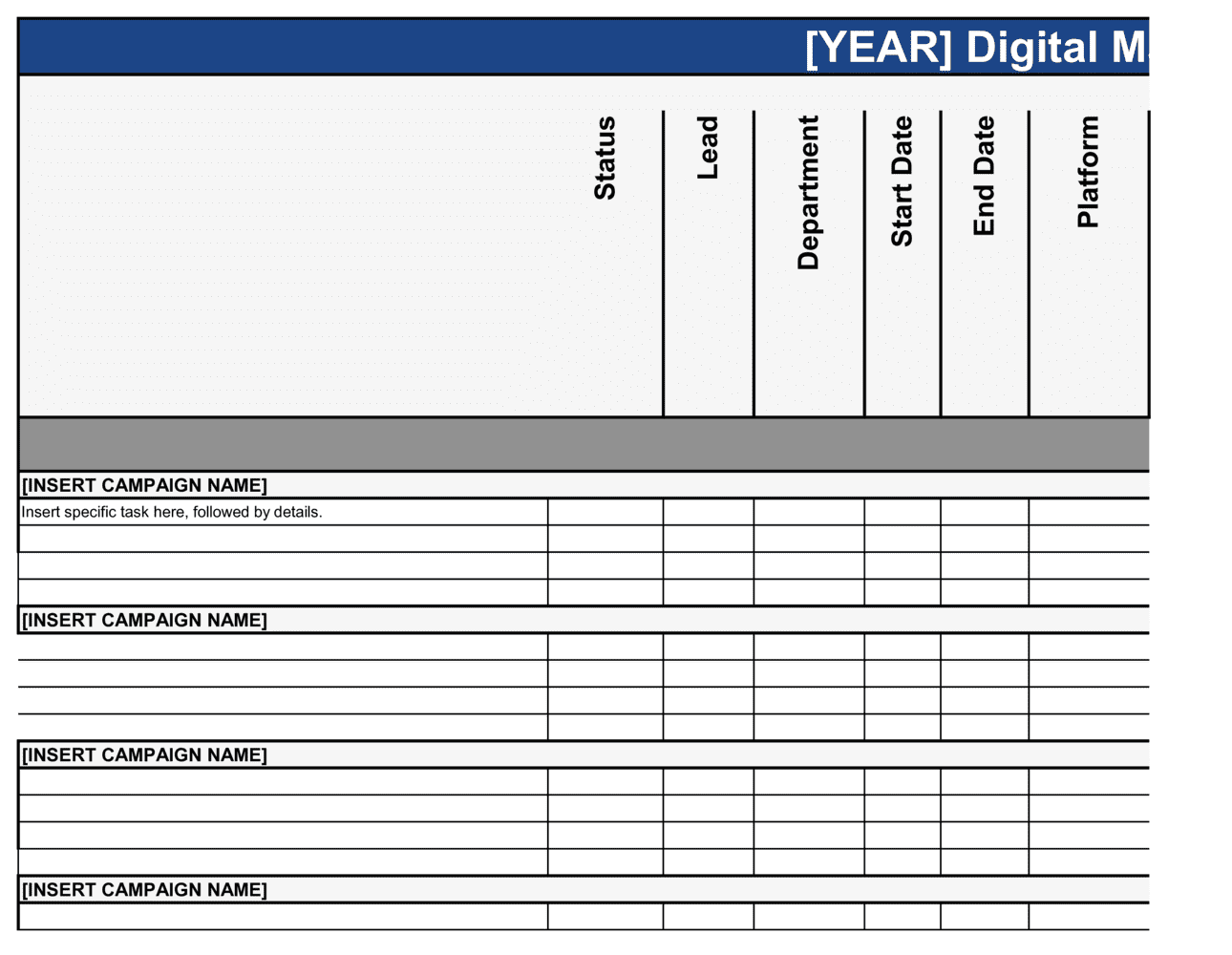
A Digital Marketing Campaign Plan is a structured operational document that maps every element of a time-bound online marketing effort β€” from campaign goals and target audience to channel selection, content calendar, budget allocation, and success metrics. This free Word download gives you an editable, team-ready starting point you can export as PDF and share with stakeholders, agencies, or internal teams in minutes.
When you need it
Use it before launching any paid, organic, or mixed-channel digital campaign β€” product launches, seasonal promotions, lead-generation pushes, or brand awareness drives. It is equally useful when briefing an external agency or aligning an internal marketing team around a single execution plan.
What's inside
Campaign overview and objectives, audience personas and segmentation, channel and tactic selection, content and creative brief, budget breakdown by channel, campaign timeline and milestones, KPIs and measurement framework, and post-campaign review criteria.

What is a Digital Marketing Campaign Plan?

A Digital Marketing Campaign Plan is a structured operational document that defines every element of a time-bound online marketing effort before a single dollar is spent or a single asset is produced. It captures the campaign's business objective, the specific audience segments being targeted, the channels and tactics selected to reach them, the content and creative requirements, the budget broken down by channel, a milestone timeline with named owners, and the KPIs that will determine whether the campaign succeeded. Rather than a loose collection of channel-level to-do lists, a campaign plan creates a single source of truth that aligns paid media buyers, content creators, designers, and external agencies around the same goal and the same definition of success.

Why You Need This Document

Campaigns that launch without a written plan consistently spend more and convert less. Without documented objectives tied to numbers, teams default to optimizing for activity β€” impressions, posts, clicks β€” rather than the business outcome the campaign was meant to drive. Without a channel selection rationale, budget spreads across every available platform and produces no channel with enough spend to exit the learning phase and generate reliable data. Without a pre-launch tracking checklist, the first week of spend goes unattributed and optimization decisions become guesswork. The post-campaign debrief never happens, so the same mistakes repeat in the next campaign at the same cost. This template gives you the structure to close all four gaps in two to four hours of focused planning β€” before your budget is live and your options are limited.

Which variant fits your situation?

If your situation is…Use this template
Running a paid search and display campaign with a defined ad budgetPaid Advertising Campaign Plan
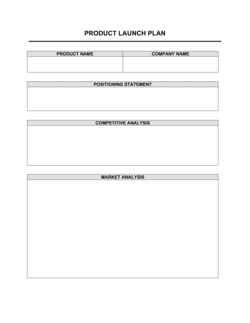
Planning a product or feature launch across all digital channelsProduct Launch Plan
Mapping out 12 months of content and campaign activityAnnual Marketing Plan
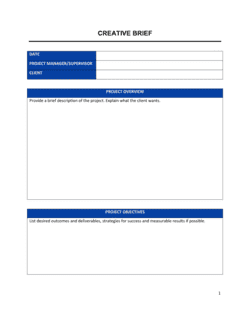
Briefing a creative team on campaign assets and messagingCreative Brief
Tracking social media post scheduling and content typesSocial Media Content Calendar
Documenting email nurture sequence logic and segmentationEmail Marketing Plan
Reviewing campaign results and recording lessons learnedMarketing Campaign Report

Common mistakes to avoid

❌ Setting objectives without measurable targets

Why it matters: Vague goals like 'grow brand awareness' give the team no way to make real-time budget or targeting decisions during the campaign. The result is spend against activity metrics rather than business outcomes.

Fix: Attach a specific number and deadline to every objective β€” 'generate 300 MQLs at a CPL of $45 or below by June 30' β€” before allocating a single dollar of budget.

❌ Skipping UTM setup and conversion tracking before launch

Why it matters: Without accurate tracking, the first week or more of spend cannot be attributed to specific channels or creatives, making optimization decisions guesswork.

Fix: Build UTM parameter conventions and verify all conversion events in a staging environment before the campaign goes live. Treat tracking as a launch prerequisite, not a post-launch task.

❌ Spreading budget across too many channels simultaneously

Why it matters: Running six channels with $5,000 total gives each channel less than $1,000 β€” too little to generate statistically meaningful data or exit the platform's learning phase.

Fix: Concentrate budget on two to three channels with the strongest audience-fit evidence. Add channels in subsequent campaigns once you have proven CPL benchmarks to guide allocation.

❌ Producing a single creative variant with no A/B test plan

Why it matters: A single headline or image gives you no way to improve performance mid-campaign. If it underperforms, you have nothing to test against and no data to inform the next campaign.

Fix: Require a minimum of two creative variants per channel at brief stage. Define the test hypothesis and the sample size needed to declare a winner before the campaign launches.

❌ Building the timeline forward from today instead of backward from launch

Why it matters: Forward planning consistently underestimates upstream dependencies β€” asset revisions, brand approvals, and platform review queues β€” and results in rushed creative or a missed launch date.

Fix: Start with the go-live date and work backward, assigning a specific owner and deadline to every dependency. Add two buffer days before each approval gate.

❌ No post-campaign review scheduled or conducted

Why it matters: Without a structured debrief, the same channel mix, audience assumptions, and budget allocation errors repeat in the next campaign, compounding waste over time.

Fix: Schedule the post-campaign review at campaign kickoff, not after results come in. Produce a one-page summary of what worked, what missed, and the three changes to make next time.

The 9 key sections, explained

Campaign overview and background

Campaign objectives and success criteria

Target audience and segmentation

Channel and tactic selection

Content and creative brief

Budget allocation by channel

Campaign timeline and milestones

KPI dashboard and measurement framework

Post-campaign review criteria

How to fill it out

  1. 1

    Define the campaign objective before anything else

    Write 2–4 SMART objectives tied to a business outcome β€” a revenue target, a lead volume, or a specific conversion rate. Every channel and budget decision that follows should be traceable back to one of these objectives.

    πŸ’‘ If you cannot express the objective as a number and a date, it is not specific enough to plan against.

  2. 2

    Build audience segments with behavioral detail

    Go beyond demographics and describe how each segment behaves online β€” which platforms they use, what content they engage with, and what objection typically prevents them from converting.

    πŸ’‘ Pull actual data from your CRM or analytics tool to profile your best existing customers before building hypothetical personas.

  3. 3

    Select channels based on audience match and funnel stage

    Map each channel to the funnel stage it serves. Paid search captures decision-stage intent; display and social build awareness at the top of the funnel. Only include channels where you have evidence your audience is reachable.

    πŸ’‘ Limit first-run campaigns to three channels maximum β€” breadth without execution quality wastes budget.

  4. 4

    Write the content and creative brief

    Document the core campaign message, the specific value proposition for each audience segment, tone guidelines, and the exact asset specifications needed for each channel. Attach approved brand guidelines.

    πŸ’‘ Include at least two creative concept options in the brief so the team can A/B test from day one rather than retrofitting a test mid-campaign.

  5. 5

    Allocate budget using historical efficiency data

    Start with your best-performing channels from previous campaigns. Assign spend proportional to expected ROAS or CPL, not evenly across channels. Set a contingency of 10–15% of total budget for mid-campaign reallocation.

    πŸ’‘ If you have no historical data, start with a 2-week test budget split equally across your top two channels and reallocate after the first performance review.

  6. 6

    Build the timeline backward from the go-live date

    Work back from launch to identify every upstream dependency: asset production, legal or brand review, platform ad approval (allow 3–5 business days for Google and Meta), and tracking setup.

    πŸ’‘ Platform ad reviews are the single most common cause of delayed launches β€” submit creative at least 5 business days before go-live.

  7. 7

    Set up tracking before the campaign goes live

    Confirm UTM parameters are applied to all URLs, conversion events are firing correctly in your analytics platform, and the reporting dashboard is populated with the target KPIs.

    πŸ’‘ Run a test click through every paid ad before launch to confirm the full tracking chain β€” from ad impression to thank-you page β€” is recording accurately.

  8. 8

    Schedule the post-campaign review at kickoff

    Put the post-campaign debrief on the calendar the same day the campaign launches. Define in advance which questions it must answer and who owns each section of the debrief report.

    πŸ’‘ Scheduling the review at kickoff makes it a commitment rather than an optional wrap-up β€” and ensures the right people attend.

Frequently asked questions

What is a digital marketing campaign plan?

A digital marketing campaign plan is a structured document that defines every element of a time-bound online marketing effort before execution begins. It covers campaign objectives, target audience segments, channel and tactic selection, creative requirements, budget allocation by channel, timeline, KPIs, and post-campaign review criteria. It functions as the single source of truth for everyone involved in running the campaign β€” from paid media buyers to content creators and agency partners.

What should a digital marketing campaign plan include?

At minimum it should cover: a campaign overview tied to a business objective, 2–4 SMART goals with numeric targets, defined audience segments with behavioral detail, channel selection with rationale, a content and creative brief, a budget breakdown by channel, a milestone timeline with owner names, a KPI dashboard and measurement framework, and post-campaign review criteria. Missing the measurement framework or the creative brief are the two most common gaps that cause campaigns to underperform.

How is a digital marketing campaign plan different from a marketing plan?

A marketing plan covers an entire year or planning period across all marketing activities β€” brand, content, events, product, and campaigns. A digital marketing campaign plan is scoped to a single, time-bound campaign with a specific objective. The annual marketing plan sets strategy and budget envelopes; the campaign plan is the execution document for one initiative within that strategy.

How long should a digital marketing campaign plan be?

For most campaigns, 8–12 pages plus a budget spreadsheet is the appropriate length. Shorter plans lack the audience and channel detail needed to brief creative teams and media buyers accurately. Longer plans often contain analysis that belongs in a strategy document rather than an execution plan. The goal is a document that a new team member could pick up and begin executing from without a verbal briefing.

Which KPIs should I include in a digital marketing campaign plan?

Choose KPIs that map directly to your campaign objective. For lead-generation campaigns: CPL, MQL volume, and landing-page conversion rate. For e-commerce campaigns: ROAS, cost per acquisition, and revenue attributed to the campaign. For awareness campaigns: reach, impression share, and branded search volume lift. Limit primary KPIs to three to five β€” more than that dilutes focus and makes optimization decisions harder to reach during the campaign.

How far in advance should a digital marketing campaign plan be completed?

The plan should be finalized and approved at least three to four weeks before the campaign go-live date for most paid digital campaigns. This allows one week for asset production, one week for internal review and revisions, and five business days for platform ad approvals β€” which Google, Meta, and LinkedIn all require. Campaigns with significant content production requirements or third-party agency involvement need six to eight weeks of lead time.

Can a small business use this template without a dedicated marketing team?

Yes. Small businesses with no dedicated marketing staff can use this template to structure their own campaign before working with a freelance media buyer or agency. Completing the objectives, audience, and budget sections before any agency conversation ensures the business owner retains strategic control and gives the agency a clear brief rather than an open mandate. The template is designed to be completed in two to four hours for a straightforward single-channel campaign.

How do I allocate budget across channels in the plan?

Start with historical CPL or ROAS data from previous campaigns and allocate proportionally to channel efficiency. If no historical data exists, begin with a two-week split test between your top two channels using equal budget, review the results, and reallocate the remaining budget to the better-performing channel. Always reserve 10–15% of total budget as a contingency for mid-campaign reallocation once performance data starts coming in.

What is the difference between a campaign plan and a creative brief?

A campaign plan covers the full strategic and operational scope of a campaign β€” audience, channels, budget, timeline, and measurement. A creative brief is one section within the campaign plan, focused specifically on the message, tone, format, and asset specifications needed to produce the campaign's creative materials. The campaign plan cannot be executed without a completed creative brief, but the creative brief alone is not sufficient to run the campaign.

How this compares to alternatives

vs Annual Marketing Plan

An annual marketing plan sets strategy, budget envelopes, and priorities for all marketing activity across a full year. A digital marketing campaign plan is a single-campaign execution document scoped to a specific objective and time window. The annual plan determines which campaigns to run; the campaign plan determines how to run each one.

vs Creative Brief

A creative brief focuses exclusively on the message, tone, format, and asset specifications needed to produce campaign creative. A digital marketing campaign plan includes the creative brief as one section but also covers audience research, channel selection, budget, timeline, and measurement. You need both documents β€” the campaign plan drives the brief, not the other way around.

vs Product Launch Plan

A product launch plan coordinates all cross-functional activities required to bring a product to market β€” engineering, sales enablement, support readiness, and marketing. A digital marketing campaign plan covers only the paid and organic digital marketing execution within a launch. A launch plan typically contains one or more campaign plans as sub-components.

vs Marketing Campaign Report

A campaign report documents what happened after a campaign ends β€” actual performance against KPIs, spend vs. budget, and lessons learned. A campaign plan documents what will happen before it begins. The plan sets the benchmarks the report measures against; producing both creates a closed-loop improvement cycle across campaigns.

Industry-specific considerations

SaaS / Technology

Free-trial conversion campaigns with MQL-to-SQL pipeline targets, retargeting sequences based on product-page behavior, and LinkedIn account-based marketing for enterprise segments.

Retail / E-commerce

Seasonal promotion planning with ROAS targets by channel, dynamic product ad setup, email win-back sequences, and cart-abandonment retargeting with time-limited offers.

Professional Services

Lead-generation campaigns targeting specific job titles via LinkedIn, gated content offers with CPL benchmarks, and nurture sequences mapped to a 60–90 day sales cycle.

Healthcare / MedTech

Patient or practitioner acquisition campaigns with platform-specific ad policy compliance (Google Healthcare Ads, Meta health restrictions), and tightly scoped audience targeting to meet regulatory requirements.

Food & Beverage

Geotargeted paid social campaigns tied to store locations or delivery zones, influencer partnership briefs, and seasonal campaign calendars aligned to major consumption occasions.

Education / EdTech

Enrollment campaign planning with application-deadline milestones, paid search for high-intent course queries, and email nurture sequences for prospects in a multi-month decision cycle.

Template vs pro β€” what fits your needs?

PathBest forCostTime
Use the templateMarketing managers, small business owners, and in-house teams running focused single-channel or two-channel campaignsFree2–4 hours to complete
Template + professional reviewTeams launching multi-channel campaigns above $10,000 in spend, or first-time campaign planners working with an external agency$300–$1,000 for a marketing consultant review session1–2 days
Custom draftedEnterprise campaign launches, agency retainer briefs, or multi-market campaigns requiring localized strategy per region$2,000–$8,000 for a full-service strategy and planning engagement2–4 weeks

Glossary

Campaign Objective
A specific, measurable outcome the campaign is designed to achieve β€” such as generating 500 qualified leads or reaching a 3Γ— return on ad spend within 60 days.
Target Audience
The defined group of people the campaign is intended to reach, described by demographics, psychographics, behavior, or job role.
KPI (Key Performance Indicator)
A quantitative metric used to measure whether the campaign is on track to meet its objective β€” examples include cost per click, conversion rate, or email open rate.
ROAS (Return on Ad Spend)
Total revenue generated by a campaign divided by total ad spend β€” a $4 return for every $1 spent equals a 4Γ— ROAS.
Conversion Rate
The percentage of users who complete a desired action β€” clicking an ad, filling out a form, or purchasing β€” out of the total who saw the campaign.
Funnel Stage
The position of a prospect in the buying journey β€” awareness, consideration, or decision β€” which determines the appropriate channel, message, and offer.
UTM Parameter
A tracking tag appended to a URL that identifies the source, medium, and campaign name in analytics tools, allowing attribution of traffic and conversions to specific campaign elements.
CPL (Cost Per Lead)
Total campaign spend divided by the number of leads generated β€” used to evaluate efficiency in lead-generation campaigns.
A/B Test
A controlled experiment running two versions of a creative, headline, or landing page simultaneously to determine which produces a better result.
Attribution Model
The rule or algorithm used to assign conversion credit across the multiple touchpoints a prospect encountered before converting β€” first-touch, last-touch, or linear are common models.

Part of your Business Operating System

This document is one of 3,000+ business & legal templates included in Business in a Box.

  • Fill-in-the-blanks β€” ready in minutes
  • 100% customizable Word document
  • Compatible with all office suites
  • Export to PDF and share electronically

Create your document in 3 simple steps.

From template to signed document β€” all inside one Business Operating System.
1
Download or open template

Access over 3,000+ business and legal templates for any business task, project or initiative.

2
Edit and fill in the blanks with AI

Customize your ready-made business document template and save it in the cloud.

3
Save, Share, Send, Sign

Share your files and folders with your team. Create a space of seamless collaboration.

Save time, save money, and create top-quality documents.

β˜…β˜…β˜…β˜…β˜…

"Fantastic value! I'm not sure how I'd do without it. It's worth its weight in gold and paid back for itself many times."

Managing Director Β· Mall Farm
Robert Whalley
Managing Director, Mall Farm Proprietary Limited
β˜…β˜…β˜…β˜…β˜…

"I have been using Business in a Box for years. It has been the most useful source of templates I have encountered. I recommend it to anyone."

Business Owner Β· 4+ years
Dr Michael John Freestone
Business Owner
β˜…β˜…β˜…β˜…β˜…

"It has been a life saver so many times I have lost count. Business in a Box has saved me so much time and as you know, time is money."

Owner Β· Upstate Web
David G. Moore Jr.
Owner, Upstate Web

Run your business with a system β€” not scattered tools

Stop downloading documents. Start operating with clarity. Business in a Box gives you the Business Operating System used by over 250,000 companies worldwide to structure, run, and grow their business.

Start freeΒ Β·Β No credit card required