Worksheet_Demographic Comparison

Free download • Use as a template • Print or share

1 page20–30 min to useDifficulty: StandardSignature requiredLegal review recommended
Learn more ↓
FreeWorksheet_Demographic Comparison Template

At a glance

What it is
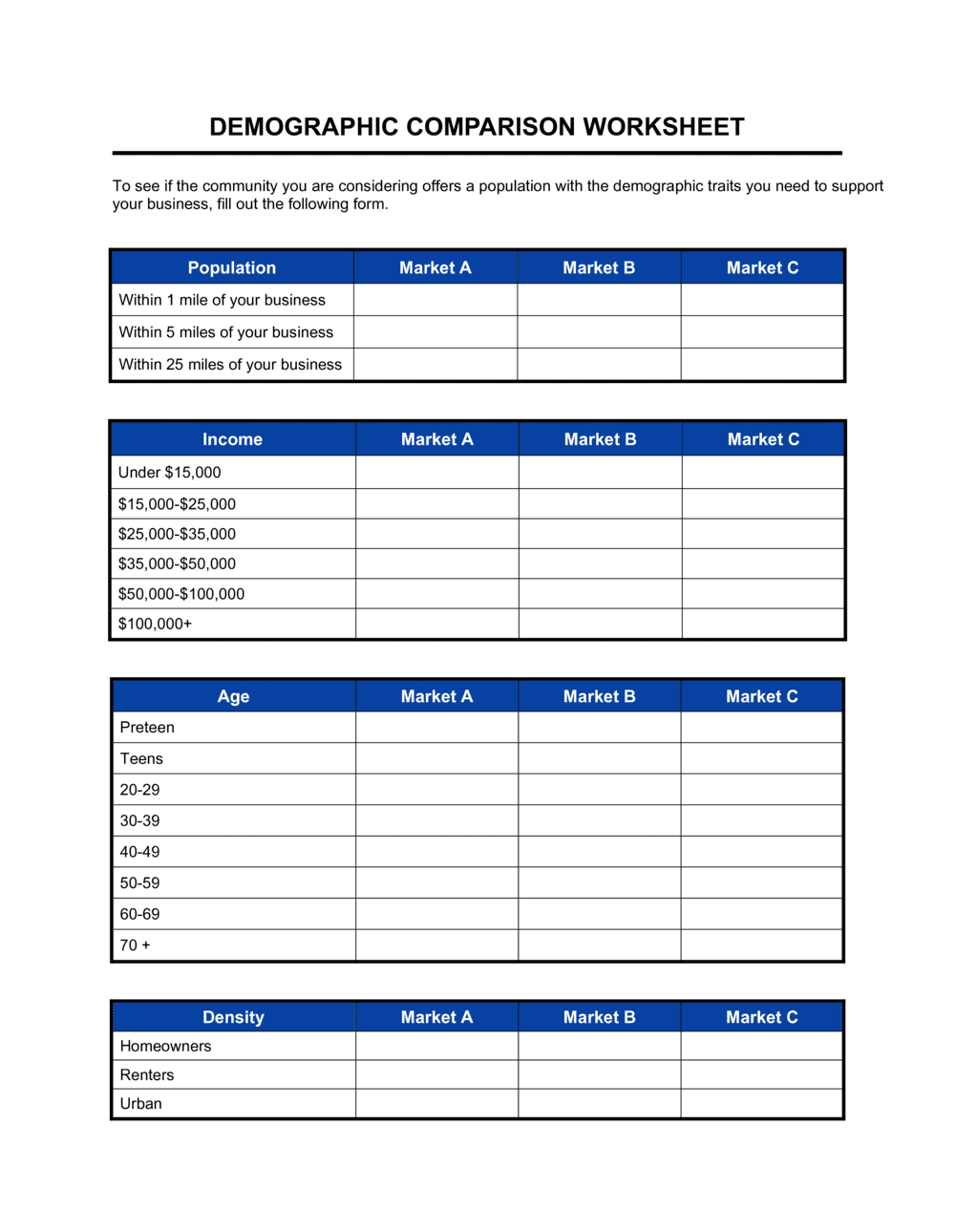
A Worksheet Demographic Comparison is a structured legal document used to systematically record, compare, and analyze demographic data across defined workforce groups, candidate pools, or market segments. This free Word download gives you a ready-to-edit framework for capturing protected-class breakdowns, calculating representation ratios, and documenting findings for compliance, litigation support, or strategic planning purposes.
When you need it
Use it when conducting adverse impact analyses, preparing EEO-1 filings, responding to regulatory audits, evaluating hiring or promotion disparities, or benchmarking internal workforce composition against external labor market data.
What's inside
Identification fields for the employer and reporting period, defined demographic categories aligned to EEOC and equivalent standards, group comparison tables with headcount and percentage calculations, adverse impact ratio calculations, narrative findings, certification signatures, and a confidentiality designation block.

What is a Worksheet Demographic Comparison?

A Worksheet Demographic Comparison is a structured legal and compliance document used to systematically record, compare, and analyze the demographic composition of a workforce, applicant pool, or other defined employment group across protected-class categories — including race, ethnicity, sex, age, disability status, and veteran status. It captures headcount by demographic group, calculates selection or representation rates, applies the EEOC four-fifths rule to identify adverse impact, benchmarks internal representation against external labor market availability, and documents findings in a signed, certifiable record. Organizations use it as the quantitative backbone of affirmative action plans, EEO-1 filings, pay equity reviews, and regulatory audit responses, and — when prepared under attorney direction — as privileged litigation-support documentation.

Why You Need This Document

Without a current, properly executed demographic comparison worksheet, an employer responding to an EEOC charge or OFCCP compliance review has no organized paper trail to demonstrate good-faith analysis of its employment decisions — and regulators draw adverse inferences from the absence of documentation. Federal contractors who fail to maintain required utilization analyses risk debarment from federal contracting. Beyond mandatory compliance, an employer that conducts a reduction in force or runs a promotion cycle without a demographic analysis is flying blind: disparities that could have been identified and corrected in advance become costly settlements or consent decrees afterward. A structured worksheet forces the analysis to happen before decisions are final, creates a defensible record of methodology, and provides the specific, dated evidence that distinguishes a good-faith compliance program from a paper exercise. This template gives you the framework to run that analysis correctly the first time.

Which variant fits your situation?

If your situation is…Use this template
Analyzing hiring selection rates across demographic groups for adverse impactAdverse Impact Analysis Worksheet
Completing a formal EEO-1 Component 1 workforce snapshotEEO-1 Report Form
Comparing compensation across demographic groups for pay equity reviewPay Equity Analysis Worksheet
Documenting workforce diversity metrics for an annual sustainability or ESG reportWorkforce Diversity Report
Analyzing demographic composition of a promotion or reduction-in-force decisionRIF Demographic Impact Worksheet
Comparing applicant pool demographics to hire rates by protected classApplicant Flow Log
Tracking demographic participation in training programs over timeTraining Participation Demographic Log

Common mistakes to avoid

❌ Comparing groups to the average rate instead of the highest-selected group

Why it matters: The four-fifths rule requires comparison to the best-performing group — using the average rate systematically understates adverse impact and can produce a false clean result that won't survive regulatory scrutiny.

Fix: Identify the group with the highest selection rate first and use that figure as the denominator for all adverse impact ratio calculations.

❌ Mixing permanent employees with contractors and temps in the same headcount

Why it matters: Different employment classifications have different legal protections and availability benchmarks; combining them distorts both the selection rate and the utilization gap calculation.

Fix: Segment headcount by employment classification in separate rows or separate worksheets, and note the classification scope in the employer identification block.

❌ Distributing the worksheet broadly before applying a privilege designation

Why it matters: An adverse impact worksheet circulated to managers, recruiters, or business partners without a privilege header can be deemed discoverable in litigation, turning a compliance tool into evidence of known disparities.

Fix: Determine at the outset whether the analysis is being prepared under attorney direction. If it is, apply the privilege designation before any distribution and restrict access to named recipients only.

❌ Using an outdated or geographically mismatched availability benchmark

Why it matters: A benchmark that is five years old or drawn from the national census for a role that realistically hires from a single metro area will produce utilization gap figures that are either too alarming or too favorable to be defensible.

Fix: Update availability benchmarks at least every three years or when the relevant labor market changes materially, and document the source, geographic scope, and data year directly in the worksheet.

❌ Leaving the narrative findings section blank or boilerplate

Why it matters: A worksheet with completed tables but a blank or generic narrative suggests the calculations were run but not actually reviewed, which undermines the document's value as a compliance record and signals a lack of good-faith effort to regulators.

Fix: Write at least two substantive sentences per job group in the findings section: one stating the ratio and whether adverse impact was indicated, and one noting the recommended action or explaining any mitigating factor.

❌ Treating placement goals as hard hiring quotas in plan documentation

Why it matters: Documenting placement goals as minimums or quotas creates liability under Title VII, Section 703(j) of the Civil Rights Act, and equivalent statutes — the very laws the worksheet is meant to help comply with.

Fix: Label all placement goals as good-faith aspirational targets tied to availability data, and include a note confirming they do not constitute quotas or constitute preference for protected-class members.

The 10 key clauses, explained

Employer Identification and Reporting Period

In plain language: Records the employer's legal name, address, EIN or contractor ID, the establishment or division being analyzed, and the specific date range the data covers.

Sample language
Employer: [LEGAL ENTITY NAME] | EIN: [XX-XXXXXXX] | Establishment: [LOCATION / DIVISION] | Reporting Period: [START DATE] through [END DATE].

Common mistake: Using a trade name instead of the registered legal entity name. Mismatches between the worksheet and official filings create reconciliation problems during audits and can invalidate the document as supporting evidence.

Demographic Category Definitions

In plain language: Defines each protected-class category being tracked — race, ethnicity, sex, age band, disability status, veteran status — with reference to the applicable regulatory standard (EEOC, OFCCP, or equivalent).

Sample language
Demographic categories used in this worksheet align with EEOC EEO-1 Component 1 definitions: Hispanic or Latino; White (non-Hispanic); Black or African American (non-Hispanic); Asian (non-Hispanic); Native Hawaiian or Other Pacific Islander (non-Hispanic); American Indian or Alaska Native (non-Hispanic); Two or More Races (non-Hispanic); Male; Female.

Common mistake: Creating custom category definitions that do not map to the applicable regulatory standard. Non-standard categories make it impossible to compare internal data against EEOC benchmarks or use the worksheet as evidence in a regulatory proceeding.

Workforce Snapshot — Headcount by Group

In plain language: Captures the total headcount in each job group or decision pool, broken down by each demographic category, for the selected reporting period.

Sample language
Job Group: [JOB GROUP NAME] | Total Employees: [N] | White (M): [N] | White (F): [N] | Black or African American (M): [N] | Black or African American (F): [N] | [ALL REMAINING CATEGORIES]: [N EACH].

Common mistake: Including employees who were on leave, temporary staff, or contractors in the same headcount as permanent employees without a separate notation. Mixing populations distorts the comparison and can produce misleading adverse impact ratios.

Selection or Decision Rate Calculation

In plain language: Calculates the rate at which each demographic group was selected, promoted, terminated, or otherwise affected by the employment decision under analysis, expressed as a percentage.

Sample language
Selection Rate = [NUMBER SELECTED FROM GROUP] ÷ [TOTAL APPLICANTS / ELIGIBLE EMPLOYEES IN GROUP] × 100. White Male: [X]%. Black or African American Male: [X]%. [ALL GROUPS]: [X]%.

Common mistake: Rounding percentages before calculating the adverse impact ratio. Premature rounding causes small population groups to produce artificially clean ratios, masking real disparities that would otherwise meet the four-fifths threshold.

Adverse Impact Ratio Analysis

In plain language: Compares each group's selection rate to the highest selection rate using the four-fifths rule, and flags whether the ratio indicates adverse impact for each demographic category.

Sample language
Adverse Impact Ratio = [GROUP SELECTION RATE] ÷ [HIGHEST GROUP SELECTION RATE]. A ratio below 0.80 indicates adverse impact. [GROUP]: [RATIO] — [ADVERSE IMPACT: YES / NO].

Common mistake: Comparing all groups to the overall average rate rather than to the highest-selected group's rate. The four-fifths rule requires comparison to the highest-selected group — using the average systematically understates adverse impact.

Labor Market Availability Benchmark

In plain language: States the external benchmark data source — census, EEO-1 national aggregates, or O*NET labor market data — and the availability percentage for each demographic group in the relevant labor market.

Sample language
Availability data source: [U.S. Census ACS / EEO-1 Aggregate Data / STATE WORKFORCE COMMISSION] for [GEOGRAPHIC AREA], [YEAR]. Availability — [GROUP]: [X]% of qualified labor market.

Common mistake: Using a national availability figure for a role that realistically draws from a local or regional labor pool. A national benchmark for a warehouse supervisor role in a rural county will systematically misrepresent underutilization.

Utilization Gap and Placement Goals

In plain language: Compares current internal representation to external availability and identifies any utilization gap — where a group is underrepresented relative to their labor market availability — and documents any placement goals set to address the gap.

Sample language
Group: [PROTECTED CLASS] | Internal Representation: [X]% | Labor Market Availability: [X]% | Utilization Gap: [+/- X percentage points] | Placement Goal: [X]% by [DATE], if applicable.

Common mistake: Treating a placement goal as a quota. Placement goals are aspirational targets — labeling them as quotas or hard minimums creates legal exposure under Title VII and equivalent statutes in most jurisdictions.

Narrative Findings and Explanatory Notes

In plain language: A written section where the preparer documents the conclusions drawn from the quantitative analysis, notes any mitigating or explanatory factors, and records recommended corrective actions.

Sample language
Summary of Findings: The analysis identified an adverse impact ratio of [X] for [GROUP] in the [JOB TITLE / DECISION TYPE] category for the period [DATE RANGE]. [EXPLANATORY FACTOR, IF ANY]. Recommended action: [CORRECTIVE ACTION / NO ACTION REQUIRED].

Common mistake: Leaving the narrative section blank or inserting a boilerplate 'no issues found' statement without running the underlying calculations. A blank or cursory narrative undermines the document's value as a compliance record and may suggest the analysis was not actually performed.

Confidentiality and Privilege Designation

In plain language: States the confidentiality classification of the worksheet — typically attorney-client privileged or work-product protected when prepared in anticipation of litigation — and restricts access to named recipients.

Sample language
CONFIDENTIAL — ATTORNEY-CLIENT PRIVILEGE / WORK PRODUCT. This document was prepared at the direction of [ATTORNEY NAME / LAW FIRM] in anticipation of litigation or legal advice. Distribution is restricted to: [LIST OF RECIPIENTS].

Common mistake: Circulating the worksheet to business managers or HR generalists without a privilege header when it was prepared under legal direction. Broad distribution can waive attorney-client privilege, making the document and its findings discoverable in litigation.

Preparer Certification and Signature Block

In plain language: A signed attestation by the preparer confirming the accuracy and completeness of the data, the methodology used, and compliance with the applicable regulatory standard.

Sample language
I certify that the data and calculations contained in this worksheet are accurate and complete to the best of my knowledge and were prepared in accordance with [EEOC UNIFORM GUIDELINES / OFCCP AAP REQUIREMENTS / APPLICABLE STANDARD]. Prepared by: [NAME] | Title: [TITLE] | Date: [DATE] | Signature: _______________.

Common mistake: Having a junior HR analyst sign the certification without managerial review. If the data is later found to contain errors, an unsigned or improperly authorized certification removes a layer of accountability and can expose the preparer personally.

How to fill it out

  1. 1

    Identify the scope and purpose of the analysis

    Determine whether the worksheet covers hiring, promotion, termination, compensation, or another HR decision. Define the job group, reporting period, and the regulatory standard you are complying with — EEOC, OFCCP, or a state-level equivalent.

    💡 Document the purpose before entering any data. If the worksheet is prepared at an attorney's direction in anticipation of litigation, note that in the privilege designation block before sharing it with anyone.

  2. 2

    Enter employer identification and reporting period

    Fill in the legal entity name, EIN or contractor registration number, the specific establishment or division, and the exact start and end dates of the reporting period.

    💡 Match the entity name and EIN exactly to your EEOC or OFCCP registration to prevent reconciliation issues during an audit.

  3. 3

    Define demographic categories using the applicable regulatory standard

    Select the demographic categories that match the regulatory framework you are working under. For EEOC filings, use the seven EEO-1 race/ethnicity categories and binary sex categories. For OFCCP AAPs, add disability and protected veteran status.

    💡 If your workforce data was collected using older category labels, document the mapping between your internal codes and the current regulatory standard in a footnote.

  4. 4

    Enter headcount data by job group and demographic category

    For each job group in scope, enter the total population and the breakdown by each demographic category. Keep permanent employees, temporary staff, and contractors in separate rows unless the analysis specifically includes all populations.

    💡 Pull headcount from a single authoritative source — typically your HRIS as of the snapshot date — and record the data source and extraction date in the notes column.

  5. 5

    Calculate selection rates and adverse impact ratios

    For each demographic group, divide the number selected by the total eligible population to get the selection rate. Then divide each group's rate by the highest group's rate to produce the adverse impact ratio. Flag any ratio below 0.80.

    💡 Carry selection rates to at least four decimal places before calculating ratios to avoid rounding errors that mask real disparities in small-population job groups.

  6. 6

    Insert labor market availability benchmarks

    Record the external availability data source, the geographic scope, the data year, and the availability percentage for each demographic group. Calculate the utilization gap by subtracting internal representation from external availability.

    💡 Use the most granular geographic and occupational benchmark available — a county-level O*NET estimate is more defensible than a national census figure for most roles.

  7. 7

    Write the narrative findings section

    Summarize what the quantitative analysis found for each demographic group, note any mitigating factors — small sample size, pipeline constraints — and document recommended actions. Be specific about job group, ratio, and date range.

    💡 Write the narrative as if an auditor who has never seen the data will read it in two years. Specificity now prevents ambiguity in litigation or regulatory review later.

  8. 8

    Obtain preparer certification and authorized signatures

    Have the analysis reviewed by a senior HR leader or employment counsel before certification. The preparer should sign and date the certification block, and an authorized manager or attorney should co-sign if the document is intended for regulatory submission or litigation support.

    💡 Store the signed original in a secure, access-controlled location and retain it for at least five years — or longer if litigation is pending or reasonably anticipated.

Frequently asked questions

What is a Worksheet Demographic Comparison?

A Worksheet Demographic Comparison is a structured document used to record and compare the demographic composition of a workforce, candidate pool, or other employment group across protected-class categories such as race, sex, age, and disability status. It supports adverse impact analyses, affirmative action plan preparation, EEO-1 filings, pay equity reviews, and regulatory audit responses. The document is typically treated as a legal compliance record and, when prepared under attorney direction, may qualify for attorney-client privilege protection.

Who is required to complete a demographic comparison worksheet?

Federal contractors with 50 or more employees and contracts of $50,000 or more are required to maintain affirmative action plans that include demographic utilization analyses under OFCCP regulations. Employers with 100 or more employees must file EEO-1 reports annually. Beyond mandatory filers, any employer facing an EEOC charge, preparing for litigation, or conducting a proactive pay equity or hiring audit should maintain a current demographic comparison worksheet as part of their compliance documentation.

What is the four-fifths rule and how does this worksheet apply it?

The four-fifths rule is the EEOC's practical guideline for identifying adverse impact: if the selection rate for a protected group is less than 80% of the rate for the highest-selected group, adverse impact is indicated. The worksheet calculates each group's selection rate, identifies the highest-selected group, and divides all other rates by that figure to produce an adverse impact ratio. Any ratio below 0.80 is flagged for further review and documented in the narrative findings section.

Is a demographic comparison worksheet privileged and confidential?

It can be, depending on how it was created and distributed. When prepared at the express direction of outside or in-house counsel in anticipation of litigation or to obtain legal advice, the worksheet may qualify for attorney-client privilege or work-product protection. However, privilege is easily waived by distributing the document to parties outside the legal team — such as HR generalists or business managers — without a clear privilege designation and access restriction. Consult employment counsel before circulating any completed demographic analysis.

How often should a demographic comparison worksheet be updated?

Federal contractors subject to OFCCP requirements must update their affirmative action plan — including utilization analyses — annually. Employers not subject to OFCCP should update the worksheet any time a significant employment decision is made (a large hiring cohort, a reduction in force, a promotion cycle), and at least annually as part of an EEO compliance calendar. The availability benchmark data should be refreshed at least every three years or after a material change in the relevant labor market.

What is the difference between adverse impact and disparate treatment?

Adverse impact refers to a facially neutral employment practice — a selection test, a degree requirement, a physical standard — that produces a statistically significant disparity in outcomes for a protected group, regardless of intent. Disparate treatment is intentional discrimination: treating a member of a protected class differently from similarly situated employees because of their protected characteristic. A demographic comparison worksheet primarily measures adverse impact using selection rate ratios; evidence of disparate treatment typically requires additional investigation into individual employment decisions.

Can small employers use this worksheet, or is it only for large companies?

Small employers can and should use a demographic comparison worksheet, though their legal obligations differ. Employers with fewer than 15 employees are generally not covered by Title VII, the ADA, or the ADEA at the federal level, but state and local laws often apply at lower thresholds. Any employer conducting a reduction in force, facing an EEOC charge, or evaluating pay equity should complete a demographic analysis regardless of size. The four-fifths rule has limited statistical power with very small populations, so small employers should note sample-size limitations in the narrative findings section.

What data sources should I use for labor market availability benchmarks?

The most widely accepted sources in US affirmative action practice are the US Census Bureau's American Community Survey occupation and industry tables, EEO-1 national or metro aggregate data published by the EEOC, and O*NET labor market information. For the UK and EU, national statistics office labor force surveys and the relevant national equality body data are standard. Choose the most geographically specific source available for the realistic recruiting area of each job group, and document the source name, geographic scope, and data year directly on the worksheet.

How this compares to alternatives

vs EEO-1 Report Form

The EEO-1 Report is a mandatory federal filing submitted annually to the EEOC that records workforce composition by race, ethnicity, sex, and job category. The Worksheet Demographic Comparison is the internal analytical tool used to prepare, verify, and interpret that data before submission. The EEO-1 is the regulatory output; the worksheet is the working document behind it.

vs Adverse Impact Analysis Worksheet

An Adverse Impact Analysis Worksheet focuses specifically on selection rate ratios for a single employment decision — such as one hiring cycle or one promotion cohort. The Demographic Comparison Worksheet is broader, covering overall workforce composition, labor market benchmarking, utilization gaps, and placement goals across multiple job groups and time periods. Use the adverse impact worksheet for a single-decision audit; use the demographic comparison worksheet for ongoing compliance documentation.

vs Pay Equity Analysis Template

A Pay Equity Analysis examines whether compensation differs statistically across demographic groups for employees in comparable roles, controlling for legitimate pay factors. The Demographic Comparison Worksheet examines representation and selection rates — who gets hired, promoted, or terminated. Both are required components of a comprehensive OFCCP affirmative action plan, but they answer different compliance questions.

vs Workforce Diversity Report

A Workforce Diversity Report is typically a narrative document presenting demographic trends for public or board-level audiences — often published as part of an ESG or CSR disclosure. The Demographic Comparison Worksheet is an internal compliance and legal record with precise calculations, regulatory category definitions, and a certification signature. The report communicates progress; the worksheet documents the legal analysis behind it.

Industry-specific considerations

Technology / SaaS

Technical hiring pipelines often show documented demographic disparities at the screening and offer stages — the worksheet captures funnel-stage selection rates by group to identify where drop-off occurs.

Financial Services

FINRA-regulated firms and federal contractor banks use demographic comparison worksheets as the quantitative backbone of annual AAP submissions and to defend against CFPB or EEOC lending-related discrimination inquiries.

Healthcare

Hospital systems and large healthcare employers use the worksheet to analyze promotion and pay-band disparities across clinical and administrative job groups, often in response to state pay transparency mandates.

Manufacturing

Federal contractor manufacturers under OFCCP jurisdiction are required to run annual utilization analyses by job group — the worksheet structures this analysis and provides the paper trail for on-site compliance reviews.

Jurisdictional notes

United States

Title VII of the Civil Rights Act, the ADA, the ADEA, and Executive Order 11246 collectively govern demographic analysis obligations for US employers. OFCCP requires federal contractors with 50+ employees to maintain written AAPs including utilization analyses. The EEOC's Uniform Guidelines on Employee Selection Procedures formalize the four-fifths rule as the primary adverse impact standard. California, Illinois, New York, and Colorado have enacted additional pay transparency and demographic reporting requirements that may mandate more frequent or detailed analyses.

Canada

The Employment Equity Act requires federally regulated employers with 100 or more employees to conduct annual workforce analyses and file employment equity reports comparing internal representation against external availability for four designated groups: women, Indigenous peoples, persons with disabilities, and members of visible minorities. Provincially regulated employers in Ontario, Quebec, and British Columbia face parallel requirements under provincial human rights codes. The Canadian Human Rights Commission publishes standardized availability data and analysis methodology for employers subject to the Act.

United Kingdom

The Equality Act 2010 prohibits employment discrimination across nine protected characteristics. Employers with 250 or more employees must publish gender pay gap data annually under the Gender Pay Gap Regulations 2017. While ethnicity pay gap reporting is not yet mandatory, the Government Equalities Office has issued guidance strongly encouraging it. Demographic comparison worksheets prepared in connection with grievance or tribunal proceedings may be protected as litigation-privilege documents under English law, provided they were created for the dominant purpose of litigation.

European Union

The EU Pay Transparency Directive (2023/970), which member states must transpose by June 2026, requires employers with 100 or more employees to report pay gaps by sex and, where a gap of 5% or more exists, to conduct a joint pay assessment that includes demographic comparison analysis. GDPR strictly governs the collection and processing of demographic data including race, ethnic origin, and health status as special-category data under Article 9 — explicit consent or a specific legal basis is required. Member state implementations vary: France, Germany, and the Netherlands have additional national equality reporting obligations.

Template vs lawyer — what fits your deal?

PathBest forCostTime
Use the templateHR managers running routine annual adverse impact analyses or preparing EEO-1 data for employers not subject to OFCCPFree2–4 hours per job group
Template + legal reviewFederal contractors preparing OFCCP affirmative action plans, employers responding to an EEOC charge, or any organization where adverse impact has been identified$500–$2,500 for employment counsel review1–3 business days
Custom draftedEmployers in active litigation, those undergoing an OFCCP compliance review, or organizations with complex multi-establishment or multi-country workforce structures$3,000–$15,000+ depending on scope and legal complexity2–6 weeks

Glossary

Adverse Impact
A substantially different selection, rejection, or treatment rate for a protected group that disadvantages members of that group — typically identified using the four-fifths rule.
Four-Fifths Rule
A practical test established by the EEOC: if the selection rate for a protected group is less than 80% of the rate for the highest-selected group, adverse impact is indicated.
Protected Class
A group of people shielded from employment discrimination by law based on characteristics such as race, sex, age, national origin, religion, or disability.
EEO-1 Report
An annual federal compliance report filed with the EEOC that categorizes a workforce by race, ethnicity, sex, and job category for employers with 100 or more employees.
OFCCP
The Office of Federal Contract Compliance Programs — the US agency that enforces affirmative action and non-discrimination obligations for federal contractors.
Labor Market Availability
The percentage of qualified individuals in a relevant geographic area who belong to a specific demographic group, used as a benchmark for internal workforce comparison.
Utilization Analysis
A comparison of the actual percentage of a protected group in a job group against their availability in the relevant labor market, used to identify underutilization.
Disparate Treatment
Intentional discrimination in which an employer treats a member of a protected class differently from similarly situated employees outside that class.
Disparate Impact
A facially neutral employment practice that has a disproportionately adverse effect on a protected class, regardless of intent.
Certification Block
A signed statement at the end of a compliance document in which the preparer attests that the data is accurate and complete to the best of their knowledge.
Affirmative Action Plan (AAP)
A written compliance program required of federal contractors that analyzes workforce demographics, identifies underutilization, and sets placement goals for protected groups.
Job Group
A collection of job titles with similar content, wage rates, and opportunities grouped together for the purpose of utilization and adverse impact analysis.

Part of your Business Operating System

This document is one of 3,000+ business & legal templates included in Business in a Box.

  • Fill-in-the-blanks — ready in minutes
  • 100% customizable Word document
  • Compatible with all office suites
  • Export to PDF and share electronically

Create your document in 3 simple steps.

From template to signed document — all inside one Business Operating System.
1
Download or open template

Access over 3,000+ business and legal templates for any business task, project or initiative.

2
Edit and fill in the blanks with AI

Customize your ready-made business document template and save it in the cloud.

3
Save, Share, Send, Sign

Share your files and folders with your team. Create a space of seamless collaboration.

Save time, save money, and create top-quality documents.

★★★★★

"Fantastic value! I'm not sure how I'd do without it. It's worth its weight in gold and paid back for itself many times."

Managing Director · Mall Farm
Robert Whalley
Managing Director, Mall Farm Proprietary Limited
★★★★★

"I have been using Business in a Box for years. It has been the most useful source of templates I have encountered. I recommend it to anyone."

Business Owner · 4+ years
Dr Michael John Freestone
Business Owner
★★★★★

"It has been a life saver so many times I have lost count. Business in a Box has saved me so much time and as you know, time is money."

Owner · Upstate Web
David G. Moore Jr.
Owner, Upstate Web

Run your business with a system — not scattered tools

Stop downloading documents. Start operating with clarity. Business in a Box gives you the Business Operating System used by over 250,000 companies worldwide to structure, run, and grow their business.

Start free · No credit card required