Workplace Technology Upgrade and Replacement Policy Template

Free Word download β€’ Edit online β€’ Save & share with Drive β€’ Export to PDF

3 pagesβ€’20–25 min to fillβ€’Difficulty: Standard
Learn more ↓
FreeWorkplace Technology Upgrade and Replacement Policy Template

At a glance

What it is
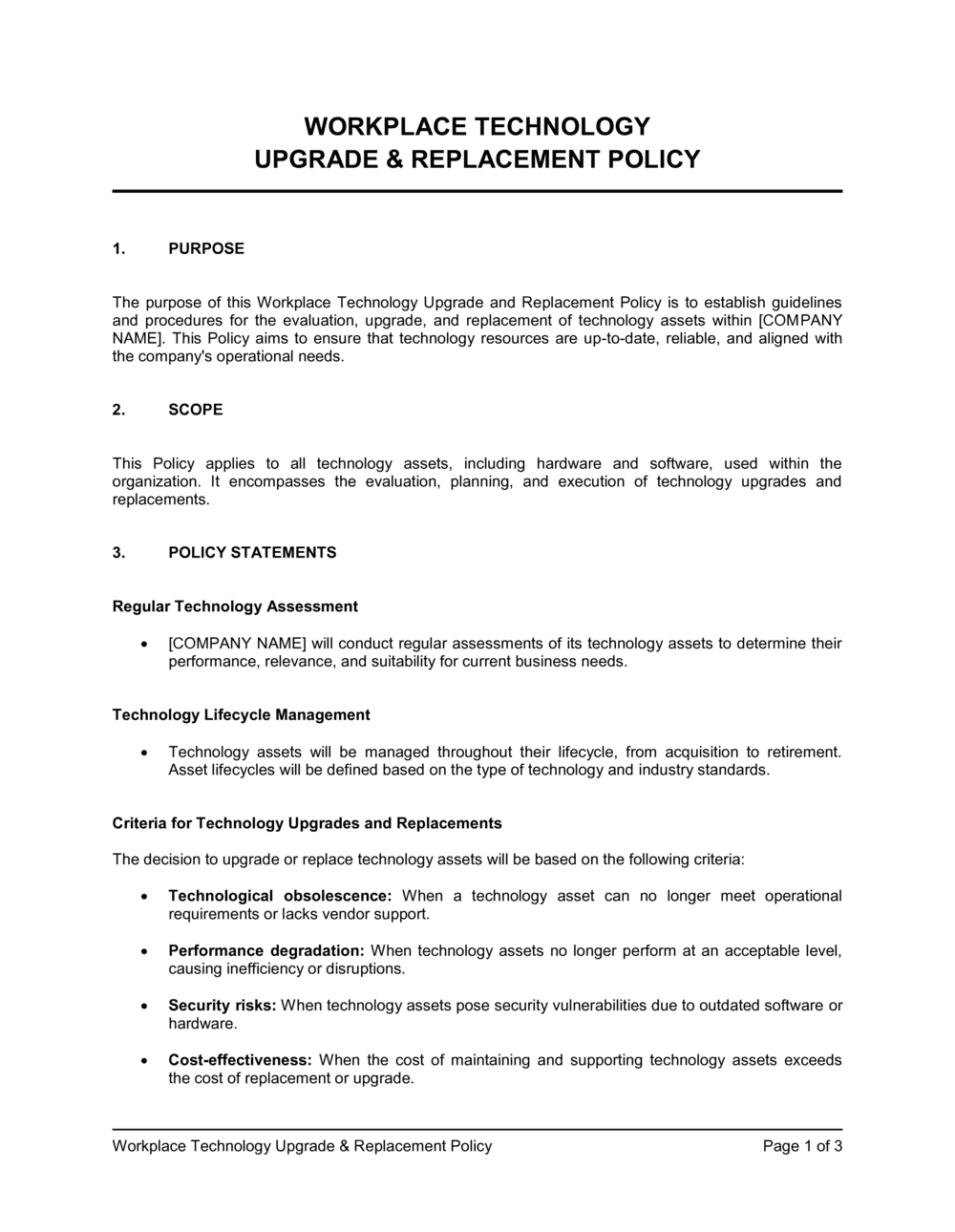
A Workplace Technology Upgrade and Replacement Policy is an operational document that defines how an organization evaluates, approves, funds, and executes the upgrade or replacement of workplace technology β€” including computers, mobile devices, software, and peripheral equipment. This free Word download gives you a structured, editable starting point you can adapt to your organization's size and IT environment, then export as PDF and distribute to staff and managers.
When you need it
Use it when formalizing how hardware and software refresh decisions are made, when preparing an annual IT budget, or when employees are requesting new equipment without a consistent approval process in place.
What's inside
Policy scope and objectives, technology lifecycle standards by device type, criteria for upgrade and replacement requests, approval and procurement workflows, budget and cost controls, data migration and security requirements, asset disposal and data destruction procedures, and employee responsibilities.

What is a Workplace Technology Upgrade and Replacement Policy?

A Workplace Technology Upgrade and Replacement Policy is an operational document that defines how an organization evaluates, approves, funds, and executes the upgrade or replacement of workplace technology assets β€” including laptops, desktops, mobile devices, monitors, printers, and business software. It establishes lifecycle intervals by device category, sets eligibility criteria for early replacement, specifies tiered approval and procurement workflows, and governs the data security steps required before any device is retired or redeployed. Rather than leaving technology refresh decisions to individual managers or reactive IT tickets, the policy creates a consistent, auditable process that applies across the entire organization.

Why You Need This Document

Without a written technology replacement policy, organizations face four compounding problems: unplanned capital spend when employees request upgrades outside any budget cycle, security exposure from EOL devices that remain in production because no one has authority to replace them, data breach risk from retired devices that were reformatted rather than properly wiped, and disputes over who owns the cost when equipment is damaged or lost. A documented policy closes each of these gaps by giving IT, finance, and operations a shared set of rules before a replacement request lands on anyone's desk. It also makes annual IT budgeting predictable β€” when you know how many devices hit their lifecycle threshold each year, you can reserve capital in advance rather than absorbing replacements as unplanned variance. This template gives you a complete, editable starting point that you can adapt to your organization's size, industry requirements, and existing approval structure in a few hours.

Which variant fits your situation?

If your situation is…Use this template
Defining the full lifecycle of IT assets from procurement to disposalIT Asset Management Policy
Setting rules for employee use of company-owned devicesAcceptable Use Policy
Managing employee-owned devices used for workBYOD (Bring Your Own Device) Policy
Governing software licensing and installation approvalsSoftware License Management Policy
Planning department-level IT spending for the upcoming yearIT Budget Plan
Responding to a specific hardware failure or emergency replacementIT Incident Response Plan
Specifying minimum technology standards for remote workersRemote Work Technology Policy

Common mistakes to avoid

❌ No repair-cost threshold in the eligibility criteria

Why it matters: Without one, managers approve costly repairs on old devices to avoid the procurement paperwork required for a new purchase, often spending more on repairs than a replacement would cost.

Fix: Set an explicit rule β€” for example, 'repair cost exceeding 50% of current replacement value triggers automatic replacement eligibility' β€” and reference it in the approval workflow.

❌ A single approval tier regardless of purchase value

Why it matters: Routing a $150 keyboard replacement through the same CFO approval as a $8,000 server causes delays and trains employees to bypass the process for small purchases.

Fix: Build at least three cost-tiered approval levels and publish them in the workflow section so employees know upfront what is required for their request.

❌ Reformatting drives instead of certified data wiping before disposal

Why it matters: Basic reformatting leaves data fully recoverable with standard forensic tools, exposing the organization to data breach liability under GDPR, HIPAA, or state privacy laws.

Fix: Mandate a certified wipe standard (NIST 800-88 or equivalent), log every wipe with date and technician, and retain certificates for regulated data for at least 7 years.

❌ Omitting an employee acknowledgment requirement

Why it matters: Without a signed acknowledgment, employees routinely claim they were unaware of device return timelines, making it difficult to recover assets or charge departments for unreturned equipment.

Fix: Add an acknowledgment block that employees sign at onboarding and at each annual policy review, stored in a retrievable system of record.

❌ Scoping the policy to IT-managed devices only

Why it matters: Monitors, printers, docking stations, and software subscriptions purchased outside IT represent a material share of technology spend and often have no lifecycle controls at all.

Fix: Explicitly list every covered asset category in the scope section, including peripherals and SaaS subscriptions above a defined annual value threshold.

❌ Setting lifecycle intervals without checking manufacturer EOL dates

Why it matters: A 5-year laptop refresh cycle sounds reasonable until the OS vendor drops support at year 3, leaving your fleet running unpatched software for two years β€” a common cyber insurance violation.

Fix: Cross-reference your lifecycle intervals with the manufacturer's published EOL schedule annually and update the policy if support windows shrink.

The 9 key sections, explained

Purpose and scope

Technology lifecycle standards

Eligibility criteria for upgrade or replacement

Request and approval workflow

Procurement standards and vendor selection

Budget controls and cost allocation

Data migration and security requirements

Asset disposal and data destruction

Employee responsibilities and acknowledgment

How to fill it out

  1. 1

    Define the scope and covered asset categories

    List every device and software category this policy governs β€” laptops, desktops, phones, tablets, monitors, printers, and relevant software subscriptions. Name the departments, locations, and employee types covered.

    πŸ’‘ If your organization has contractors or temp workers using company equipment, explicitly state whether they are in or out of scope β€” ambiguity creates disputes.

  2. 2

    Set lifecycle intervals for each device category

    Enter the standard replacement age in years for each device type based on manufacturer recommendations, your historical failure rates, and your IT security requirements.

    πŸ’‘ Check your cyber insurance policy β€” some policies require workstations running EOL operating systems to be replaced or they void coverage for related incidents.

  3. 3

    Define the eligibility criteria for early replacement

    Write out the specific conditions that trigger early replacement eligibility: EOL status, repair cost threshold (e.g., >50% of replacement cost), documented security risk, or role-based performance deficiency.

    πŸ’‘ Tie the repair-cost threshold to your asset's book value, not its purchase price β€” a 4-year-old laptop worth $200 shouldn't justify a $300 repair under any scenario.

  4. 4

    Build the tiered approval workflow

    Create approval tiers based on dollar value β€” for example, manager + IT for under $1,500, department head for $1,500–$5,000, and CFO for above $5,000. Name the specific roles, not individuals.

    πŸ’‘ Use role titles, not employee names, in the workflow so the policy doesn't require amendment every time someone changes jobs.

  5. 5

    List approved vendors and configuration standards

    Attach or reference an Appendix A with approved vendors, minimum hardware specs by role type (standard user, power user, developer), and any prohibited purchase categories.

    πŸ’‘ Review the approved vendor list every 12 months β€” preferred pricing, product lines, and lead times change, and an outdated list creates exceptions that bypass the whole process.

  6. 6

    Specify budget allocation and cost responsibility

    State clearly which cost center funds each replacement scenario β€” scheduled refresh from IT capital, accidental damage from department budget, and out-of-cycle upgrades from the requesting department.

    πŸ’‘ Presenting these rules to department heads at budget time, not at the moment of a purchase request, eliminates the most common friction points.

  7. 7

    Document data migration and disposal requirements

    Enter the specific backup verification steps, MDM enrollment requirements, and data wiping standard (e.g., NIST 800-88) used in your environment. Reference your certified ITAD partner or destruction service.

    πŸ’‘ Require employees to sign a data confirmation checklist before their old device is wiped β€” this single step prevents the majority of post-replacement data-loss complaints.

  8. 8

    Add the acknowledgment and review schedule

    Include an acknowledgment signature block and specify how often the policy is reviewed β€” annually is standard. Add a version number and effective date to the header.

    πŸ’‘ Store signed acknowledgments in your HRIS or document management system, not as loose files β€” they need to be retrievable on short notice for audits or disputes.

Frequently asked questions

What is a workplace technology upgrade and replacement policy?

A workplace technology upgrade and replacement policy is an operational document that defines how an organization decides when to upgrade or replace workplace technology β€” including computers, mobile devices, software, and peripherals. It sets lifecycle intervals by device type, establishes approval and procurement workflows, governs data security requirements during device handover, and defines how retired assets are disposed of safely. It gives IT, finance, and operations teams a shared process for managing technology spend predictably.

Why do organizations need a formal technology replacement policy?

Without a written policy, technology replacement decisions are made ad hoc β€” often driven by individual requests rather than lifecycle criteria or budget planning. This leads to inconsistent equipment standards, unplanned capital spend, security exposure from EOL devices still in active use, and data loss risks when retired devices are not properly wiped. A formal policy gives managers clear eligibility rules, reduces dispute over approval decisions, and makes IT budgeting predictable from year to year.

How often should workplace technology be replaced?

Standard industry intervals are 3–4 years for laptops, 4–5 years for desktops, 2–3 years for smartphones, and 5 years for monitors. However, the right interval for your organization depends on the manufacturer's EOL timeline, your cyber insurance requirements, and the performance demands of each role. Developer and design workstations typically justify shorter cycles than administrative desktops. Review lifecycle intervals annually against updated vendor EOL schedules.

Who should approve technology replacement requests?

Approval authority should scale with the cost of the request. A practical tiered structure routes low-cost replacements (under $1,500) through the direct manager and IT, mid-range purchases ($1,500–$5,000) through the department head, and larger purchases above $5,000 through the CFO or COO. The IT team should review every request regardless of cost to confirm compatibility, security compliance, and alignment with approved configuration standards.

What are the data security requirements when retiring a device?

Before disposal or redeployment, every storage device must be wiped using a certified data destruction method β€” typically NIST 800-88 compliant software or physical destruction for drives containing regulated data. Basic deletion or reformatting is insufficient and leaves data recoverable. Organizations subject to HIPAA, PCI-DSS, or GDPR should retain a written certificate of destruction for each regulated device for at least 7 years.

What happens to replaced devices after they are retired?

Functional retired devices can be redeployed to lower-demand roles, donated to approved charities, resold, or recycled through a certified ITAD partner. Non-functional or high-security devices should be physically destroyed. The policy should require that every disposal method is logged in the asset register with the date, method, and responsible technician so the organization can demonstrate compliance in an audit.

How does this policy relate to the IT asset management policy?

A technology upgrade and replacement policy governs the decision to retire or upgrade an asset and the workflow for doing so. An IT asset management policy covers the full lifecycle β€” procurement, tracking, assignment, maintenance, and disposal. The replacement policy is typically a subset of the broader asset management framework; in smaller organizations, a single combined policy may cover both.

Should employees be required to sign this policy?

Yes. Requiring employees to sign an acknowledgment at onboarding and at each annual review creates a documented record that they understand their obligations β€” particularly device return timelines and data backup responsibilities. Without a signed acknowledgment, enforcing compliance when an employee delays returning a replaced device or disputes a charge for unreturned equipment becomes significantly harder.

How should unplanned replacements caused by accidental damage be handled?

The policy should distinguish between scheduled replacements (funded from the IT capital budget) and unplanned replacements caused by accidental damage or loss (charged to the employee's department budget or covered by equipment insurance). Treating all replacements as IT budget items removes accountability from departments with high damage rates and inflates IT spend over time.

How this compares to alternatives

vs IT Asset Management Policy

An IT asset management policy covers the entire asset lifecycle from procurement through decommissioning, including tracking, assignment, and maintenance records. A technology upgrade and replacement policy focuses specifically on the decision criteria, approval workflow, and security requirements for retiring or upgrading an asset. Organizations that need both can use the replacement policy as a standalone supplement or integrate it as a section of the broader asset management framework.

vs Acceptable Use Policy

An acceptable use policy governs how employees are permitted to use company technology β€” acceptable websites, personal use limits, and prohibited activities. A technology upgrade and replacement policy governs when and how technology is refreshed, approved, and disposed of. Both are typically required; one controls usage behavior, the other controls asset lifecycle decisions.

vs BYOD Policy

A BYOD policy sets rules for employees using personal devices to access company systems β€” security requirements, MDM enrollment, and data handling on personal hardware. A technology upgrade and replacement policy applies to company-owned devices and defines when they are replaced at organizational expense. Organizations with mixed fleets need both documents to cover all device ownership scenarios.

vs IT Disaster Recovery Plan

An IT disaster recovery plan defines how the organization responds to technology failures, outages, or data loss events β€” including emergency hardware replacement. A technology upgrade and replacement policy governs planned, routine lifecycle decisions under normal operating conditions. The recovery plan handles crisis replacements; the upgrade policy handles everything else.

Industry-specific considerations

Technology / SaaS

Short laptop and development workstation cycles (2–3 years) driven by performance demands and frequent OS security updates affecting developer toolchains.

Financial Services

Strict EOL compliance requirements driven by SOC 2, PCI-DSS, and regulatory exam scrutiny; certified data destruction documentation is a near-universal audit requirement.

Healthcare

HIPAA-mandated data destruction certification for all devices that stored PHI; medical device integration requirements may extend or shorten workstation refresh cycles.

Professional Services

Client confidentiality obligations require documented data wiping before any device is redeployed or disposed of, and audit trails are frequently requested during client due diligence.

Manufacturing

Ruggedized and specialized industrial hardware often has longer viable lifecycles but requires separate standards from office equipment; OT and IT asset categories should be scoped separately.

Retail / E-commerce

High-volume POS terminal and handheld scanner fleets require standardized replacement triggers based on failure rates and PCI-DSS compliance deadlines rather than calendar cycles.

Template vs pro β€” what fits your needs?

PathBest forCostTime
Use the templateSMBs and growing teams that need a documented process for IT purchases and device retirement without a dedicated IT policy teamFree2–4 hours to customize and distribute
Template + professional reviewOrganizations subject to SOC 2, HIPAA, or PCI-DSS audits where the disposal and data destruction sections require compliance validation$300–$800 for an IT compliance consultant review1–3 days
Custom draftedEnterprises with complex multi-site fleets, regulated data environments, or ITAD vendor contracts requiring policy-level alignment$1,500–$5,000 for a managed IT services provider or IT governance consultant2–4 weeks

Glossary

Technology Lifecycle
The defined period from initial deployment to planned retirement for a category of technology asset, after which performance, security, or supportability typically declines below acceptable thresholds.
Refresh Cycle
The scheduled interval at which a category of device or software is systematically evaluated and replaced β€” commonly 3–5 years for laptops and desktops.
End of Life (EOL)
The date after which a hardware manufacturer or software vendor no longer provides security patches, updates, or technical support for a product.
Asset Disposal
The process of retiring a technology asset, including physical destruction, resale, donation, or recycling β€” governed by data security and environmental regulations.
Data Wiping
The secure overwriting of all data on a storage device before disposal or redeployment, rendering previously stored information unrecoverable.
Capital Expenditure (CapEx)
A one-time purchase of a long-term technology asset that is depreciated over its useful life on the balance sheet, as opposed to an operating expense.
Total Cost of Ownership (TCO)
The full cost of a technology asset over its lifetime, including purchase price, maintenance, support, energy consumption, and disposal costs.
Procurement Threshold
The dollar value above which a technology purchase requires additional levels of approval β€” for example, a CFO sign-off for purchases exceeding $2,500.
Redeployment
Reassigning a functional but older device to a lower-demand role or user rather than replacing it outright, extending useful life and reducing costs.
ITAD (IT Asset Disposition)
The formal practice of disposing of obsolete or unwanted IT equipment in a safe, environmentally responsible, and data-secure manner.

Part of your Business Operating System

This document is one of 3,000+ business & legal templates included in Business in a Box.

  • Fill-in-the-blanks β€” ready in minutes
  • 100% customizable Word document
  • Compatible with all office suites
  • Export to PDF and share electronically

Create your document in 3 simple steps.

From template to signed document β€” all inside one Business Operating System.
1
Download or open template

Access over 3,000+ business and legal templates for any business task, project or initiative.

2
Edit and fill in the blanks with AI

Customize your ready-made business document template and save it in the cloud.

3
Save, Share, Send, Sign

Share your files and folders with your team. Create a space of seamless collaboration.

Save time, save money, and create top-quality documents.

β˜…β˜…β˜…β˜…β˜…

"Fantastic value! I'm not sure how I'd do without it. It's worth its weight in gold and paid back for itself many times."

Managing Director Β· Mall Farm
Robert Whalley
Managing Director, Mall Farm Proprietary Limited
β˜…β˜…β˜…β˜…β˜…

"I have been using Business in a Box for years. It has been the most useful source of templates I have encountered. I recommend it to anyone."

Business Owner Β· 4+ years
Dr Michael John Freestone
Business Owner
β˜…β˜…β˜…β˜…β˜…

"It has been a life saver so many times I have lost count. Business in a Box has saved me so much time and as you know, time is money."

Owner Β· Upstate Web
David G. Moore Jr.
Owner, Upstate Web

Run your business with a system β€” not scattered tools

Stop downloading documents. Start operating with clarity. Business in a Box gives you the Business Operating System used by over 250,000 companies worldwide to structure, run, and grow their business.

Start freeΒ Β·Β No credit card required