Weekly Report Template

Free Word download β€’ Edit online β€’ Save & share with Drive β€’ Export to PDF

2 pagesβ€’15–25 min to fillβ€’Difficulty: Standard
Learn more ↓
FreeWeekly Report Template

At a glance

What it is
A Weekly Report is a recurring status document that captures the prior week's accomplishments, active blockers, key metrics, and priorities for the coming week in a single structured format. This free Word download is ready to edit online and export as PDF β€” giving managers, teams, and consultants a consistent cadence for tracking progress and surfacing issues before they compound.
When you need it
Use it every Friday afternoon or Monday morning whenever you need to keep stakeholders informed, create an accountability trail across a team or project, or give a client a transparent view of weekly progress.
What's inside
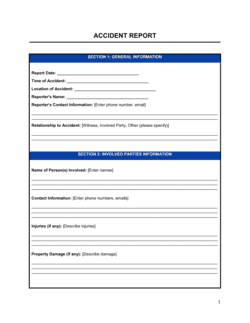
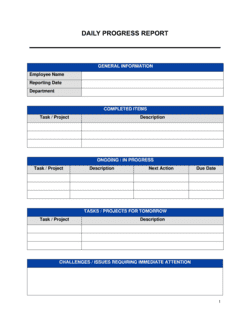
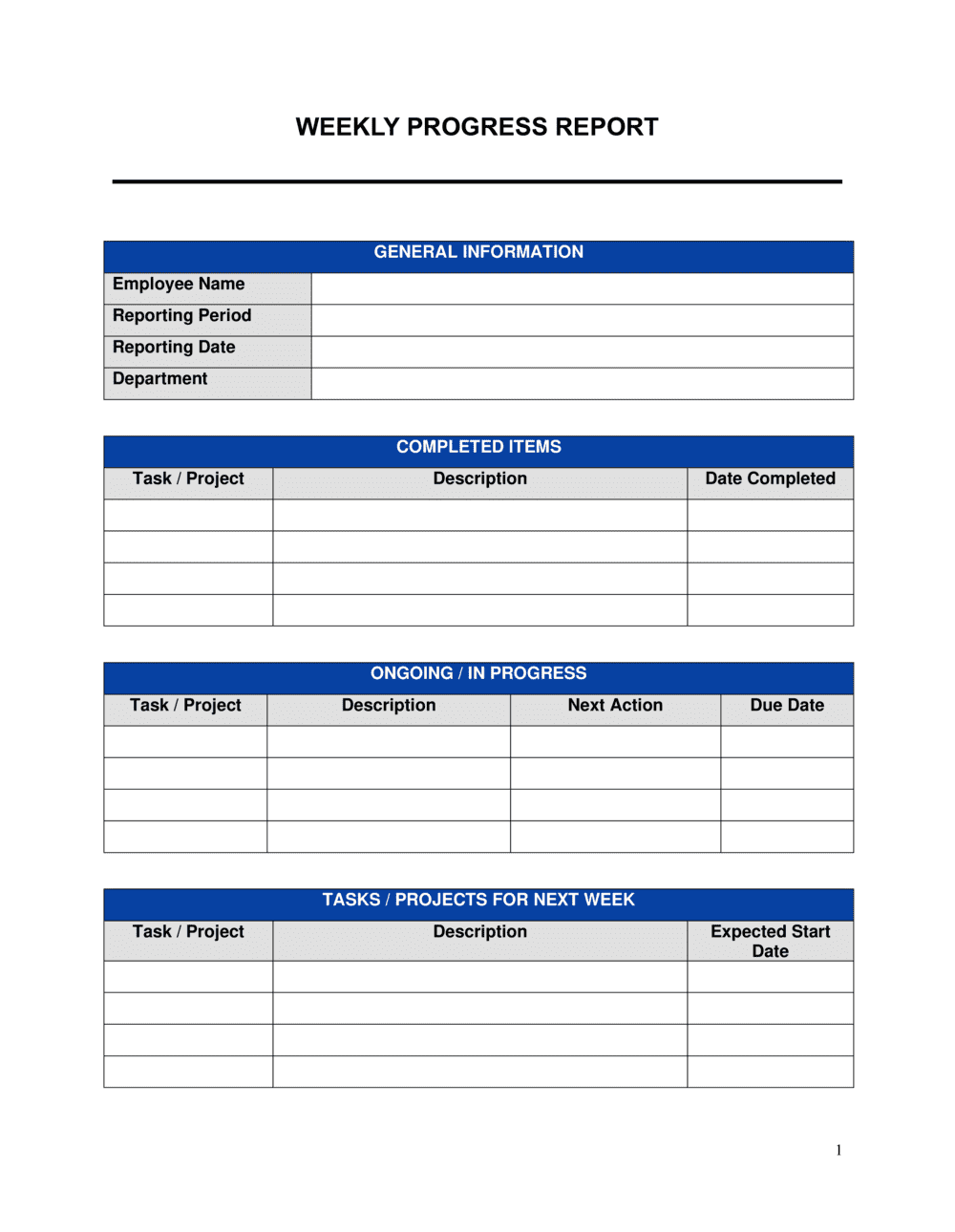
Reporting period header, accomplishments summary, blockers and risks, key metrics dashboard, project status updates, next-week priorities, resource and support needs, and a notes or commentary section.

What is a Weekly Report?

A Weekly Report is a recurring status document that captures a team's or individual's accomplishments, active blockers, key metrics, and priorities in a single structured format, covering one defined seven-day period. It replaces informal status emails and ad-hoc Slack threads with a consistent template that managers, stakeholders, and clients can read in under three minutes and file for future reference. Used on a reliable cadence β€” typically every Friday or Monday β€” it creates a running record of progress, decisions, and resource requests that is invaluable during performance reviews, project post-mortems, and client billing disputes.

Why You Need This Document

Teams that skip a structured weekly report format spend the time anyway β€” in status meetings, repeated check-in messages, and reactive escalations that could have been prevented if blockers had been surfaced earlier. Without a consistent format, managers piece together status from multiple sources, critical issues get softened in casual conversation, and the organization loses the paper trail it needs to diagnose why a project slipped. A weekly report filed on schedule means blockers reach the right people with enough time to act, KPI trends become visible before they become crises, and every team member has a clear, prioritized list of what matters most for the coming week. This template gives you the structure to start immediately β€” no blank page, no format debates, just a repeatable system that takes 20 minutes to complete and pays back hours of unnecessary meetings.

Which variant fits your situation?

If your situation is…Use this template
Reporting on a specific project rather than general team activityProject Status Report
Summarizing performance across a full month for executives or clientsMonthly Report
Providing a consultant or contractor deliverable summary to a clientConsultant Progress Report
Tracking sales pipeline and rep activity on a weekly basisSales Report
Reporting on employee performance and goals during a review cycleEmployee Performance Report
Capturing end-of-day activities for high-accountability rolesDaily Activity Report
Presenting a formal summary to a board or executive committeeExecutive Summary Report

Common mistakes to avoid

❌ Reporting activities instead of outcomes

Why it matters: A report full of 'attended,' 'reviewed,' and 'worked on' entries gives managers no signal on whether anything actually moved forward.

Fix: Reframe every bullet as a result: what was delivered, to whom, and what it unblocked or enabled.
❌ Softening or omitting blockers

Why it matters: Blockers that are mentioned vaguely or buried in commentary rarely get resolved β€” they silently delay projects until the slippage becomes impossible to hide.

Fix: Give every blocker its own line with a named dependency owner and the date resolution is needed to avoid a milestone slip.

❌ Inconsistent KPI selection week to week

Why it matters: Changing which metrics you report makes trend analysis impossible and signals to readers that you are choosing numbers that look favorable.

Fix: Lock a fixed set of three to seven KPIs at the start of a project or quarter and report them in the same order every week, even when the numbers are bad.

❌ Over-long priority lists

Why it matters: Listing eight or more next-week priorities tells stakeholders that nothing has been prioritized β€” and tells your team that everything is equally urgent.

Fix: Cap the list at five items maximum. If you genuinely have more, move lower-priority items to the notes section flagged as 'stretch goals.'

The 8 key sections, explained

Reporting period and header

Accomplishments

Blockers and risks

Key metrics

Project status updates

Next-week priorities

Resource and support needs

Notes and commentary

How to fill it out

  1. 1

    Fill in the header with exact dates

    Enter your name, team or project name, and the precise Monday-to-Friday date range. If the report covers multiple projects, list each one.

    πŸ’‘ Set a recurring calendar reminder for Friday at 3 PM so the report is always filed before the business day ends.

  2. 2

    List accomplishments as outcomes, not activities

    For each item completed, write what was delivered and what it enabled β€” not just that a meeting was held or a task was started. Aim for three to seven bullet points.

    πŸ’‘ Scan your task manager or calendar for the week and pick only the items that moved a project or metric forward.

  3. 3

    Name every blocker explicitly

    For each blocker, state the task it affects, the specific dependency holding it up, who owns that dependency, and the date you need it resolved by.

    πŸ’‘ If you have no blockers, write 'None this week' rather than leaving the section blank β€” blank sections look like they were skipped.

  4. 4

    Pull key metrics from your tracking system

    Copy the three to seven KPIs most relevant to your role or project directly from your dashboard or spreadsheet. Include last week's value and the target alongside each current figure.

    πŸ’‘ Keep the same KPIs every week so trends are visible over time. Changing the metrics you report makes it impossible to spot patterns.

  5. 5

    Update each project's status and next actions

    For every active project, assign a status label (On Track, At Risk, or Off Track), write one sentence explaining why, and list the immediate next action with its owner and due date.

    πŸ’‘ If a project has been 'At Risk' for two consecutive weeks with the same root cause, escalate it in the Blockers section rather than just updating the label.

  6. 6

    Set next-week priorities in ranked order

    List your top three to five priorities for the coming week. Number them in order of importance and assign an owner and target date to each.

    πŸ’‘ Carry-over items from this week belong at the top of next week's list unless their priority has genuinely dropped.

  7. 7

    Add resource requests and distribute

    Log any approvals or support you need before the coming week begins, then send or share the report with the relevant stakeholders within your organization's standard window.

    πŸ’‘ Send the report to a predictable distribution list β€” not just your direct manager β€” so cross-functional stakeholders can self-serve on status without asking.

Frequently asked questions

What is a weekly report?

A weekly report is a recurring status document that summarizes a team's or individual's accomplishments, blockers, key metrics, and priorities over a defined seven-day period. It replaces ad-hoc status emails with a consistent, structured format that stakeholders can scan quickly and archive reliably for future reference.

What should a weekly report include?

A complete weekly report covers eight elements: the reporting period and author details, a list of accomplishments framed as outcomes, explicit blocker flags with named owners, a key metrics snapshot compared against targets, project status updates with On Track / At Risk / Off Track labels, ranked next-week priorities, resource or support requests, and a brief notes section for qualitative context.

How long should a weekly report be?

For most roles and teams, one to two pages is the right length. A report short enough to read in three minutes gets read; a report that runs four pages gets skimmed or ignored. Use bullet points and a consistent structure so readers can find the sections they care about without reading top to bottom.

How is a weekly report different from a project status report?

A weekly report covers the full scope of a person's or team's work across all active projects and responsibilities during a single week. A project status report focuses on one specific project β€” its timeline, milestones, budget, and risks β€” and is typically shared with a project- specific audience rather than a line manager. Both use a recurring cadence but serve different audiences and scopes.

When should a weekly report be submitted?

Friday afternoon before end-of-business is the most common standard, giving managers the information they need before the weekend and before Monday planning meetings. Some teams prefer Monday morning submission to include a reflection on the full prior week. Either works β€” consistency matters more than the specific day.

How do I make a weekly report more useful for my manager?

Lead with outcomes, not activities. Flag blockers explicitly with named owners and deadlines rather than softening them. Keep KPIs consistent week to week so trends are visible. Limit next-week priorities to five or fewer so the list actually guides decision-making. Reports that make a manager's job easier β€” by reducing the questions they need to ask β€” are the ones that get read and acted on.

Can a weekly report template be used for consulting clients?

Yes β€” consultants and agencies commonly use a weekly report to give clients a transparent view of work completed, time spent, and upcoming deliverables. For client-facing reports, add a section for hours logged against retainer budget and a clear statement of what decisions or inputs are needed from the client in the coming week to keep the engagement on track.

How do I track carry-over items across weekly reports?

List any incomplete item from the prior week at the top of the next-week priorities section, marked clearly as a carry-over. If the same item appears as a carry-over for two consecutive weeks, move it to the blockers section and identify the root cause. Persistent carry-overs are a signal of either under-resourcing or unclear ownership, not just slow execution.

Should weekly reports include metrics even when the numbers are bad?

Yes β€” always. A report that omits unfavorable metrics or changes which KPIs it tracks to avoid bad news undermines the entire purpose of a status reporting cadence. Report the number, add one sentence of context explaining the variance, and include the corrective action you are taking. Stakeholders who see bad news with a clear explanation trust the reporter more, not less.

How this compares to alternatives

vs Monthly report

A monthly report aggregates performance over a full four-week period and is suited for executive audiences who do not need week-by-week detail. A weekly report surfaces blockers and risks in near-real time, when there is still enough runway to act on them. Use both together β€” weekly for operational visibility, monthly for strategic review.

vs Project status report

A project status report focuses on a single project's timeline, budget, milestones, and risks, often shared with a project-specific stakeholder group. A weekly report covers a person's or team's full workload across all active projects. When a project has its own steering committee, run both in parallel.

vs Daily activity report

A daily activity report logs tasks and hours at a granular day-by-day level β€” appropriate for highly accountable roles like field sales reps or contractors billing by the day. A weekly report is less granular and less burdensome, making it the right default for most knowledge-worker and management contexts.

vs Employee performance report

An employee performance report is a periodic evaluation of an individual's progress against goals, competencies, and development targets β€” typically completed quarterly or annually by a manager. A weekly report is self-authored and operational, not evaluative. The weekly report feeds the evidence base that makes a performance review more accurate.

Industry-specific considerations

Technology / SaaS

Engineering sprint velocity, bug backlog, deployment frequency, and cross-functional dependency tracking across product, design, and QA.

Marketing and Creative Agencies

Campaign performance metrics by channel, deliverable status against client deadlines, and retainer hours consumed versus budget.

Professional Services

Billable hours logged per client, project milestone progress, and client-action items needed to keep engagements on schedule.

Construction and Project Management

Site progress by trade, safety incidents, material delivery status, subcontractor performance, and schedule variance against the baseline Gantt.

Template vs pro β€” what fits your needs?

PathBest forCostTime
Use the templateTeams, managers, consultants, and freelancers who need a consistent weekly reporting structureFree15–30 minutes per report once the template is set up
Template + professional reviewOrganizations standardizing reporting across multiple teams or adapting the format to a specific project management methodology$100–$500 for an operations consultant to tailor the template and KPI framework1–3 days for customization
Custom draftedEnterprise teams integrating weekly reports into a formal project management or business intelligence system with automated data pulls$1,000–$5,000+ for system integration and custom report design2–6 weeks

Glossary

Reporting Period
The specific date range the report covers β€” typically Monday through Friday of the prior week.
Key Performance Indicator (KPI)
A measurable value that shows how effectively a team or individual is hitting a defined objective during the reporting period.
Blocker
Any issue, dependency, or constraint that is preventing progress on a task or project and requires escalation or support to resolve.
Action Item
A specific task assigned to a named person with a due date, tracked from one weekly report to the next until resolved.
Status Indicator
A quick signal β€” typically On Track, At Risk, or Off Track β€” attached to each project or workstream to communicate health at a glance.
Workstream
A distinct category of work within a project or role, grouped together in the report so stakeholders can assess each area independently.
Carry-over Item
A task or priority from the previous week's report that was not completed and rolls into the current week's priorities.
Variance
The difference between a planned metric or milestone and the actual result, explained in the commentary section of the report.
Escalation
The act of formally flagging a blocker or risk in a report so that a manager or stakeholder with more authority can intervene.
Cadence
The fixed rhythm at which a recurring report is produced and distributed β€” weekly in this case β€” so that readers know exactly when to expect it.

Part of your Business Operating System

This document is one of 3,000+ business & legal templates included in Business in a Box.

  • Fill-in-the-blanks β€” ready in minutes
  • 100% customizable Word document
  • Compatible with all office suites
  • Export to PDF and share electronically

Create your document in 3 simple steps.

From template to signed document β€” all inside one Business Operating System.
1
Download or open template

Access over 3,000+ business and legal templates for any business task, project or initiative.

2
Edit and fill in the blanks with AI

Customize your ready-made business document template and save it in the cloud.

3
Save, Share, Send, Sign

Share your files and folders with your team. Create a space of seamless collaboration.

Save time, save money, and create top-quality documents.

β˜…β˜…β˜…β˜…β˜…

"Fantastic value! I'm not sure how I'd do without it. It's worth its weight in gold and paid back for itself many times."

Managing Director Β· Mall Farm
Robert Whalley
Managing Director, Mall Farm Proprietary Limited
β˜…β˜…β˜…β˜…β˜…

"I have been using Business in a Box for years. It has been the most useful source of templates I have encountered. I recommend it to anyone."

Business Owner Β· 4+ years
Dr Michael John Freestone
Business Owner
β˜…β˜…β˜…β˜…β˜…

"It has been a life saver so many times I have lost count. Business in a Box has saved me so much time and as you know, time is money."

Owner Β· Upstate Web
David G. Moore Jr.
Owner, Upstate Web

Run your business with a system β€” not scattered tools

Stop downloading documents. Start operating with clarity. Business in a Box gives you the Business Operating System used by over 250,000 companies worldwide to structure, run, and grow their business.

Free Forever PlanΒ Β·Β No credit card required