Daily Report Template

Free Word download • Edit online • Save & share with Drive • Export to PDF

2 pages15–25 min to fillDifficulty: Standard
Learn more ↓
FreeDaily Report Template

At a glance

What it is
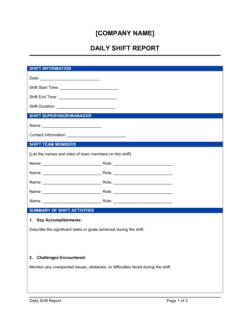
A Daily Report is a recurring end-of-day document that captures what was accomplished, what remains in progress, any blockers encountered, hours worked, and top priorities for the following day. This free Word download gives you a structured, fillable template you can edit online and share with managers, clients, or teammates in minutes.
When you need it
Use it at the close of every working day whenever a manager, client, or project stakeholder needs a written record of progress, resource use, and handoff status — especially on multi-person projects where work continues the next morning without a live handoff meeting.
What's inside
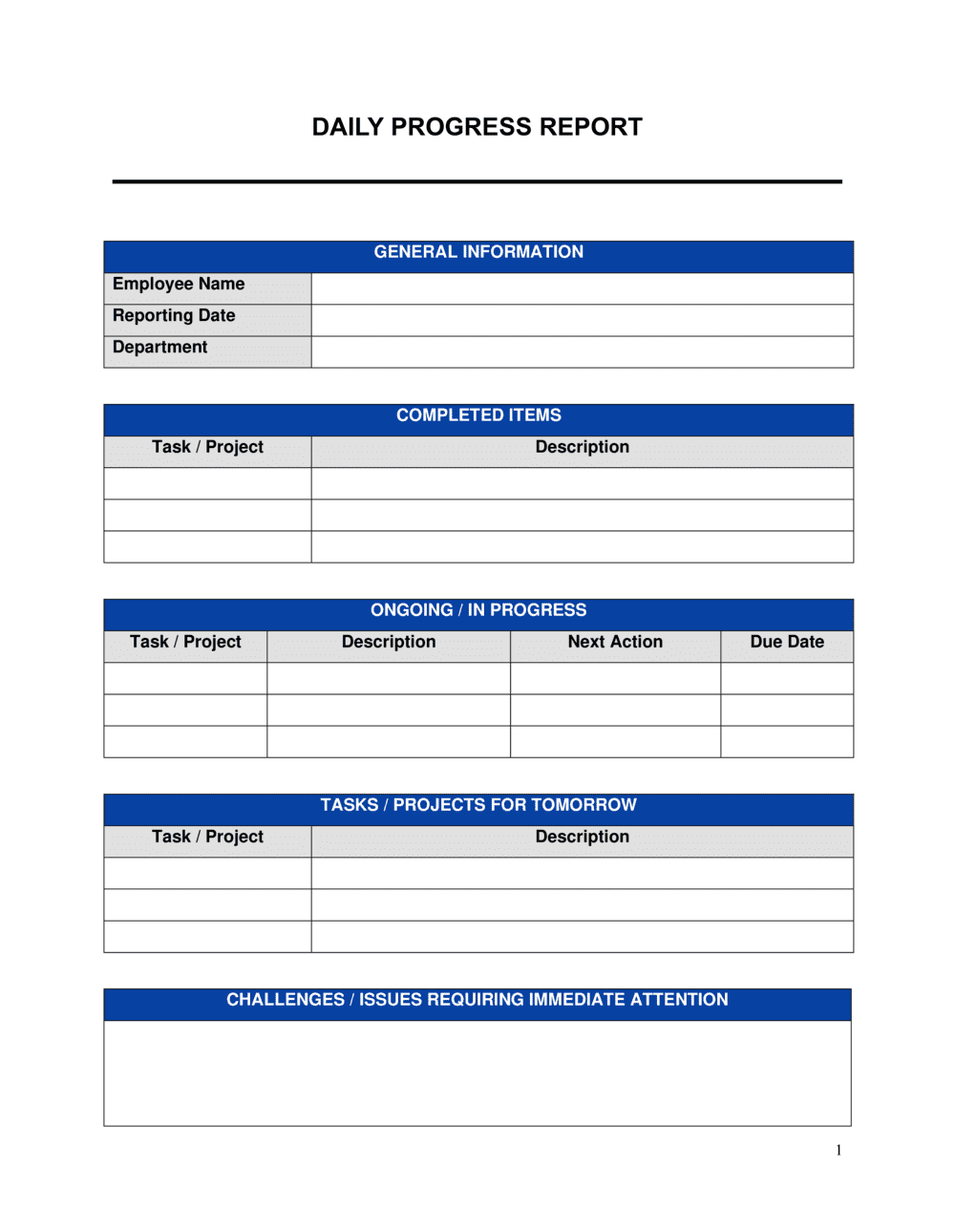
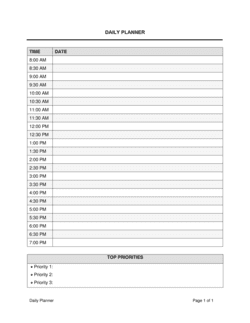
Reporting date and team member details, tasks completed with time logged, tasks in progress and their current status, blockers and escalation flags, hours summary, and prioritized action items for the next day.

What is a Daily Report?

A Daily Report is a recurring end-of-day document that records what a team member or site supervisor accomplished during the working day, what tasks are still in progress, any blockers preventing forward movement, hours worked by project, and the ranked priorities for the following day. Used by project managers, field teams, sales representatives, and consultants alike, it replaces or supplements live standup meetings with a structured written record that can be reviewed asynchronously by managers and clients across time zones and schedules.

Why You Need This Document

Without a daily report, blockers go unnoticed until they have already delayed a deadline, hours worked are reconstructed from memory at month-end with predictable inaccuracy, and managers have no visibility into whether today's planned work was actually completed. For client-facing roles, the absence of a written daily record makes billing disputes harder to resolve and erodes confidence in project delivery. A consistent daily report creates the paper trail that supports accurate invoicing, protects both the worker and the organization during project reviews, and turns the daily handoff from a fragile verbal exchange into a reliable, searchable record. This template gives you a ready-to-use format that takes under 15 minutes to complete and is immediately useful to everyone who receives it.

Which variant fits your situation?

If your situation is…Use this template
Summarizing progress across an entire week instead of a single dayWeekly Status Report
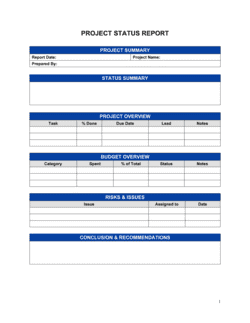
Reporting on a specific project milestone or deliverableProject Status Report
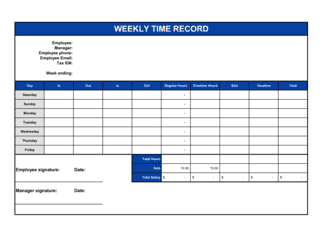
Tracking hours and tasks for client billing purposesTimesheet
Documenting a construction or field site inspectionDaily Construction Report
Reporting sales activity and pipeline movementSales Activity Report
Conducting a formal end-of-project debrief or lessons-learned reviewProject Completion Report

Common mistakes to avoid

❌ Vague task descriptions

Why it matters: Entries like 'worked on report' or 'emails' give managers no visibility into what was actually accomplished or whether the day's plan was met.

Fix: Write task entries specific enough that someone who was not present can understand what was done and what output was produced.
❌ Burying blockers at the end

Why it matters: A blocker hidden on page two of a long report often goes unread until the next morning, turning a same-day fix into a full-day delay.

Fix: Place blockers requiring escalation in a bold, clearly labelled section near the top — or call them out explicitly in the email subject line.

❌ Listing too many priorities for the next day

Why it matters: A next-day list of ten items signals no real prioritization has occurred and gives no guidance to a manager reviewing workload or coverage.

Fix: Cap the list at five items, ranked in order, with a one-line reason for each ranking.

❌ Skipping the report on low-activity days

Why it matters: Gaps in the daily report log create the impression of absence or disengagement, and missing days eliminate the paper trail needed to reconstruct project timelines later.

Fix: Submit a brief report on every working day — even a slow day warrants a three-line update confirming status and tomorrow's plan.

The 8 key sections, explained

Report header

Tasks completed today

Tasks in progress

Blockers and issues

Hours summary

Priorities for tomorrow

Resources used and materials consumed

Notes and observations

How to fill it out

  1. 1

    Complete the report header first

    Enter your full name, today's date in YYYY-MM-DD format, the project or team name, and the name of the person or distribution list receiving the report.

    💡 Create a saved version with your name and manager's email pre-filled so you only need to update the date each day.

  2. 2

    List completed tasks with hours and outputs

    Go through your calendar and task list and record every item you finished today. For each, note the time spent and what was produced — a document, a decision, a call outcome.

    💡 Work from your timer or calendar blocking data, not memory — recollections of time spent are typically 20–30% less accurate than recorded time.

  3. 3

    Update in-progress tasks with current status

    For every task that is started but not done, update the completion percentage and write the specific next action needed to advance it tomorrow.

    💡 If a task has been 'in progress' for three or more days without moving past 50%, flag it as a potential blocker in the next section.

  4. 4

    Identify and flag blockers clearly

    List every issue preventing forward progress. For each, name the specific person or system holding things up, describe the consequence of delay, and mark whether you need manager escalation.

    💡 Move the blockers section to the top of your email when sending the report — managers scan for escalations first.

  5. 5

    Fill in the hours summary by project or code

    Break your total hours into project or client categories. Cross-check that the sum of your task hours in sections two and three equals the total in this summary.

    💡 A discrepancy of more than 30 minutes between task-level hours and the summary total is a sign that something was not recorded.

  6. 6

    Set tomorrow's priorities in ranked order

    Choose no more than five tasks for tomorrow's list and rank them by deadline or dependency. The number one item should be the one where a delay causes the most downstream impact.

    💡 If you have more than five items that feel urgent, apply the rule: which three tasks, if done tomorrow, would make all others easier or unnecessary?

  7. 7

    Add any notes and send before end of business

    Record any informal decisions, client feedback, safety observations, or scope changes in the notes section. Send the completed report at least 30 minutes before your workday ends.

    💡 Reports sent after business hours are read the next morning with the same urgency as same-day issues — send early enough for your manager to act on blockers today.

Frequently asked questions

What is a daily report?

A daily report is a short end-of-day document that records what a team member or supervisor accomplished, what is still in progress, any blockers encountered, hours worked, and priorities for the following day. It creates a written accountability record that replaces or supplements daily standup meetings, especially on distributed or field-based teams.

Who should submit a daily report?

Anyone whose work needs to be tracked by a manager, client, or project stakeholder on a day-by-day basis benefits from a daily report. This includes site supervisors, project managers, sales representatives, consultants billing by the hour, and remote team members who cannot attend live standups. The format applies equally to office and field roles.

How long should a daily report be?

One to two pages is the right target for most roles. The completed report should take 10–15 minutes to fill in and 5 minutes to read. Longer reports typically contain padding — vague task descriptions or narrative prose that should be replaced with concise, structured entries.

What is the difference between a daily report and a timesheet?

A timesheet records hours worked against project or billing codes for payroll and invoicing purposes. A daily report captures what was done, what is blocked, and what comes next — it gives narrative context that a timesheet alone does not provide. Many roles benefit from submitting both, with the daily report's hours summary cross-referencing the timesheet.

Should a daily report be submitted on days with no significant progress?

Yes. A brief report confirming that a day was low-activity, explaining why, and restating tomorrow's priorities maintains the continuity of the record. Gaps in daily reporting are indistinguishable from non-reporting, and missing entries make it harder to reconstruct timelines during project reviews or billing disputes.

How should blockers be communicated in a daily report?

Each blocker should name the specific dependency or person causing the delay, describe the consequence if it is not resolved by a stated date, and flag whether manager escalation is required. Blocker entries that say only 'waiting on feedback' are not actionable — specify whose feedback, on which item, and by when you need it.

Can a daily report replace a standup meeting?

For asynchronous or distributed teams, a well-structured daily report covers most of what a standup achieves — status, blockers, and next steps — without requiring calendar coordination. However, standups allow real-time discussion of blockers and team dynamics that a written report cannot replicate. Many teams use daily reports to reduce standup frequency rather than eliminate meetings entirely.

What format works best for daily reports — email, document, or a tool?

A Word or PDF template submitted by email works well for teams of up to ten people or for client-facing reporting. Project management tools (Asana, Jira, Monday.com) offer structured daily update features that aggregate across team members. The right format is whichever one gets completed consistently — a simple Word template filled in daily beats a sophisticated tool that gets skipped.

How this compares to alternatives

vs Weekly status report

A weekly status report summarizes progress across five days and is typically shared with broader stakeholders or clients. A daily report captures granular day-level detail — hours, specific tasks, and same-day blockers — that is lost in a weekly rollup. Use daily reports for active projects with fast-moving tasks and weekly reports for higher-level stakeholder communication.

vs Project status report

A project status report covers milestone progress, budget variance, risk status, and schedule adherence at the project level, typically on a weekly or biweekly cadence. A daily report is narrower in scope — it captures one person's or one site's activity on a single day. Daily reports feed the data that project status reports summarize.

vs Timesheet

A timesheet is a billing and payroll record focused exclusively on hours worked against codes or cost centers. A daily report gives narrative context — what was done, what is blocked, what comes next — that a timesheet cannot provide. Both serve different audiences: timesheets go to finance; daily reports go to managers and clients.

vs Meeting minutes

Meeting minutes capture decisions, action items, and discussion points from a specific meeting. A daily report captures the full day's work, not just one event. Where meeting minutes record what was agreed, a daily report records what was executed — including work done outside of meetings.

Industry-specific considerations

Construction and trades

Tracks crew hours, materials consumed, equipment operated, weather delays, and safety incidents alongside task progress.

Professional services

Documents billable hours by client code, deliverable status, and client communications to support accurate invoicing.

Sales and business development

Records calls made, meetings held, deals advanced, and follow-up actions due the next day to keep pipeline visibility current.

Technology and software

Captures sprint task completion, pull request status, technical blockers, and cross-team dependencies on a day-by-day basis.

Template vs pro — what fits your needs?

PathBest forCostTime
Use the templateAny individual contributor, supervisor, or team lead who needs a consistent daily accountability formatFree10–15 minutes to complete each day
Template + professional reviewTeams or organizations that want to standardize daily reporting across multiple roles or departments$0–$200 for a brief operations consultant review of the format1–2 hours to adapt and align across the team
Custom draftedEnterprise teams integrating daily reporting into a project management system or client portal with automated aggregation$500–$3,000 for custom workflow configuration or tool integration1–3 weeks

Glossary

Blocker
Any dependency, missing resource, or unresolved decision that prevents a task from moving forward until it is addressed.
Action item
A specific, assigned task with a clear owner and expected completion date, captured as a follow-up from the day's work.
Carry-forward
A task that was planned for today but not completed, which rolls over to the next day's priority list.
Hours logged
The total time recorded against a project, task, or client engagement during the reporting period.
Priority ranking
An ordered list indicating which tasks must be addressed first the following day, based on deadline, dependency, or business impact.
Escalation flag
A marker on a blocker or issue indicating it needs attention from a manager or stakeholder above the daily reporter.
Async update
A written status report that replaces a live meeting, allowing distributed teams to stay aligned without scheduling overlap.
Utilization rate
The percentage of available working hours that were spent on billable or productive tasks, calculated from the hours summary.

Part of your Business Operating System

This document is one of 3,000+ business & legal templates included in Business in a Box.

  • Fill-in-the-blanks — ready in minutes
  • 100% customizable Word document
  • Compatible with all office suites
  • Export to PDF and share electronically

Create your document in 3 simple steps.

From template to signed document — all inside one Business Operating System.
1
Download or open template

Access over 3,000+ business and legal templates for any business task, project or initiative.

2
Edit and fill in the blanks with AI

Customize your ready-made business document template and save it in the cloud.

3
Save, Share, Send, Sign

Share your files and folders with your team. Create a space of seamless collaboration.

Save time, save money, and create top-quality documents.

★★★★★

"Fantastic value! I'm not sure how I'd do without it. It's worth its weight in gold and paid back for itself many times."

Managing Director · Mall Farm
Robert Whalley
Managing Director, Mall Farm Proprietary Limited
★★★★★

"I have been using Business in a Box for years. It has been the most useful source of templates I have encountered. I recommend it to anyone."

Business Owner · 4+ years
Dr Michael John Freestone
Business Owner
★★★★★

"It has been a life saver so many times I have lost count. Business in a Box has saved me so much time and as you know, time is money."

Owner · Upstate Web
David G. Moore Jr.
Owner, Upstate Web

Run your business with a system — not scattered tools

Stop downloading documents. Start operating with clarity. Business in a Box gives you the Business Operating System used by over 250,000 companies worldwide to structure, run, and grow their business.

Start free · No credit card required