Collection Report Template

Free Word download β€’ Edit online β€’ Save & share with Drive β€’ Export to PDF

1 pageβ€’20–25 min to fillβ€’Difficulty: Standard
Learn more ↓
FreeCollection Report Template

At a glance

What it is
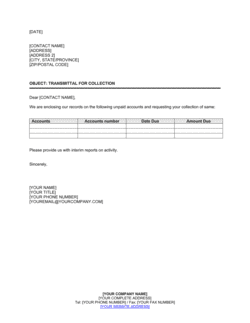
A Collection Report is an operational document that summarizes the status of outstanding receivables, overdue accounts, and recovery actions taken over a defined reporting period. This free Word download gives finance and credit teams a structured template to compile aging data, document collection activity, and present recovery progress to management β€” all in one exportable PDF.
When you need it
Use it at the close of each reporting cycle β€” weekly, monthly, or quarterly β€” whenever finance leadership, the CFO, or board needs a clear picture of overdue balances and the steps being taken to recover them. It is also essential before escalating accounts to a collection agency or initiating legal recovery proceedings.
What's inside
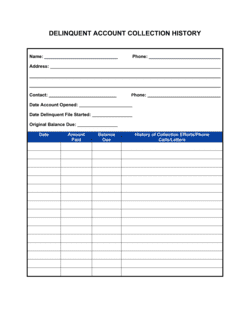
Reporting period summary, aging schedule by customer and bucket, individual account status notes, collection actions taken and planned, disputed accounts section, write-off recommendations, and an executive summary with key recovery metrics.

What is a Collection Report?

A Collection Report is an operational finance document that consolidates the status of all outstanding receivables, overdue accounts, and recovery activity across a business for a defined reporting period. It goes beyond a simple aging snapshot by combining aging schedule data with a chronological activity log, disputed invoice tracking, payment arrangement records, escalation recommendations, and write-off proposals β€” all interpreted through a management commentary that tells the story behind the numbers. Finance teams use it to hold collection activity accountable, management uses it to make credit and escalation decisions, and auditors use it as evidence that reasonable recovery efforts were made before bad-debt expenses were recognized.

Why You Need This Document

Without a structured collection report, overdue accounts age silently while individual collectors work from disconnected call logs, spreadsheet notes, and memory. The CFO has no consolidated view of DSO trends, write-off exposure, or whether escalation recommendations are being actioned. Disputes get lumped into aging totals, inflating the apparent overdue balance and distorting recovery metrics. A collection report closes these gaps by forcing a complete picture into a single document on a regular cadence β€” making it harder for high-risk accounts to fall through the cracks and easier to justify write-offs to auditors when recovery truly is exhausted. This template gives your team a consistent format to build that picture every reporting period, with every section they need already in place.

Which variant fits your situation?

If your situation is…Use this template
Weekly snapshot of newly overdue accounts for a collections teamWeekly Collection Report
Month-end summary of all outstanding receivables for the CFOMonthly Collection Report
Detailed aging schedule broken down by customer and invoiceAccounts Receivable Aging Report
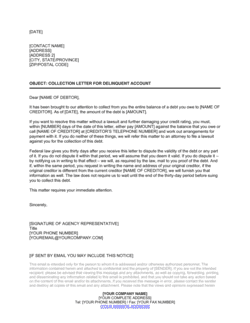
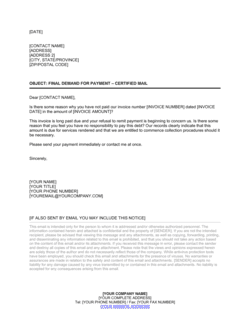
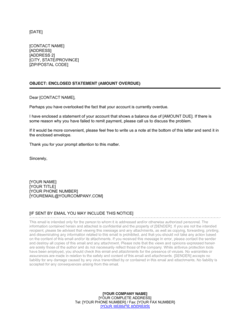
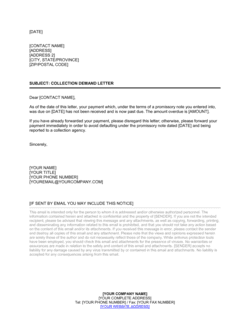
Tracking a specific delinquent customer through escalation stagesDebt Collection Letter
Recording write-off decisions approved at period endBad Debt Write-Off Report
Presenting AR performance metrics to the board or investorsFinancial Report
Summarizing collection outcomes after outsourcing to an agencyCollection Agency Status Report

Common mistakes to avoid

❌ Mixing disputed and undisputed invoices in the aging totals

Why it matters: Disputed invoices cannot be collected through standard follow-up, so including them overstates the collectible overdue balance and distorts DSO calculations.

Fix: Create a separate disputes section in the report and exclude disputed balances from the aging schedule until each dispute is resolved.

❌ Recording promises to pay as recovered amounts

Why it matters: A promise to pay is a commitment, not cash β€” counting it as recovered inflates the collection rate and gives management a falsely optimistic picture of actual cash inflow.

Fix: Track PTPs in a separate section with their promised dates. Move the balance to recovered only when the payment clears your bank account.

❌ No prior-period comparison for key metrics

Why it matters: A DSO of 48 days or a collection rate of 72% means nothing in isolation β€” without a prior-period benchmark, management cannot tell whether performance is improving or deteriorating.

Fix: Include prior-period figures for every metric in the summary table, and add a brief commentary explaining any movement greater than 10%.

❌ Escalation recommendations without an assigned owner and deadline

Why it matters: Unassigned recommendations sit in the report indefinitely β€” the account ages further while everyone assumes someone else is acting on it.

Fix: For every escalation or write-off recommendation, name the responsible person and state the date by which the action must be approved or executed.

❌ Placing the executive summary at the end of the document

Why it matters: Senior readers scan the first page and decide whether to read further β€” a summary buried on page 8 after detailed aging tables is routinely skipped.

Fix: Move the executive summary to page one, immediately after the report header, so the key findings and risks are visible before any data tables.

❌ Logging only successful collection contacts

Why it matters: Incomplete activity logs make it impossible to demonstrate reasonable collection effort if an account proceeds to legal recovery or requires an audit-supported write-off.

Fix: Record every contact attempt β€” including unanswered calls, unopened emails, and bounced correspondence β€” with the date and method used.

The 10 key sections, explained

Report header and period summary

Aging schedule summary

Top overdue accounts detail

Collection activity log

Disputed accounts section

Payment arrangements and promises to pay

Escalation and next-step recommendations

Write-off recommendations

Key metrics and period-over-period comparison

Executive summary and management commentary

How to fill it out

  1. 1

    Set the reporting period and pull the AR data

    Define the exact start and end dates for the report. Export your accounts receivable aging data from your accounting system for that period, including all open invoices, due dates, and customer details.

    πŸ’‘ Run the aging report as of the last business day of the period β€” mid-period snapshots can misrepresent balances due to timing of payments processed.

  2. 2

    Populate the aging schedule with current balances

    Group all open invoices into the four standard buckets β€” 0–30, 31–60, 61–90, and 90+ days overdue β€” and total each bucket by dollar amount and invoice count.

    πŸ’‘ If your system uses a different aging structure, standardize to these four buckets in the report for comparability with prior periods.

  3. 3

    Identify and prioritize overdue accounts

    Sort overdue accounts by balance descending to build the top accounts detail section. Flag any accounts that have moved into a higher aging bucket since the last report.

    πŸ’‘ Accounts that jump from 31–60 to 61–90 days in a single period are higher risk than long-standing 90+ day balances β€” annotate bucket migrations explicitly.

  4. 4

    Log all collection activity for the period

    Record every contact attempt for each overdue account β€” date, method (call, email, letter), person reached, and outcome. Include promises to pay with the committed amount and date.

    πŸ’‘ Use a consistent format for activity entries so any team member can pick up an account and understand its full history without asking the original collector.

  5. 5

    Separate and document disputed invoices

    Move any formally disputed invoice into the disputes section, note the reason for the dispute, and assign a resolution owner with a target date.

    πŸ’‘ Remove disputed balances from your collection rate calculation β€” including unresolvable disputes inflates overdue totals and distorts team performance metrics.

  6. 6

    Draft escalation and write-off recommendations

    For each account that has exhausted standard collection steps, write a one-line recommendation β€” credit hold, agency referral, or write-off β€” with the supporting rationale and a proposed action date.

    πŸ’‘ Include the total dollar value of all write-off recommendations in the executive summary so the approving manager can assess the P&L impact before signing off.

  7. 7

    Calculate key metrics and compare to prior period

    Compute DSO, collection rate, and total recovered. Compare each metric to the prior reporting period and flag any metric that has moved more than 10% in either direction.

    πŸ’‘ DSO = (Closing AR balance Γ· Revenue for the period) Γ— Number of days in the period. Confirm this matches your accounting system's calculated figure before publishing.

  8. 8

    Write the executive summary last

    Summarize the top three findings, the highest-risk accounts, the key metric movements, and what management action is needed. Place this section at the beginning of the document.

    πŸ’‘ Limit the executive summary to half a page β€” if it runs longer, it is repeating detail already in the body rather than synthesizing it.

Frequently asked questions

What is a collection report?

A collection report is an operational finance document that summarizes the status of outstanding receivables, overdue accounts, and recovery actions taken during a defined reporting period. It gives finance teams and management a consolidated view of how much money is owed, how long it has been outstanding, what steps have been taken to recover it, and what actions are recommended next.

Who prepares a collection report?

Collection reports are typically prepared by accounts receivable staff, credit and collections specialists, or finance managers. In smaller businesses, the owner or bookkeeper prepares the report. Outsourced accounting firms often deliver standardized collection reports to multiple clients on a monthly or quarterly basis.

How often should a collection report be prepared?

Most businesses prepare collection reports monthly, aligned with their accounting close cycle. High-volume businesses or those with tight cash flow may run weekly reports focused on newly overdue accounts. A quarterly summary is sufficient for businesses with low invoice volume and reliable payers. The frequency should match how actively the team works overdue accounts.

What is the difference between a collection report and an accounts receivable aging report?

An accounts receivable aging report is a data output from your accounting system showing open invoices bucketed by days overdue β€” it is a static snapshot. A collection report uses that aging data as its foundation but adds collection activity logs, disputed account detail, escalation recommendations, write-off proposals, and management commentary. The aging report tells you what is owed; the collection report tells you what is being done about it.

What metrics should a collection report include?

The four most important metrics are Days Sales Outstanding (DSO), collection rate for the period, total amount recovered, and the change in 90-plus day balances versus the prior period. Secondary metrics include the number of accounts with active promises to pay, the dollar value of disputes under review, and the total value of write-off recommendations pending approval.

How is DSO calculated in a collection report?

DSO is calculated by dividing the closing accounts receivable balance by total revenue for the period, then multiplying by the number of days in the period. For example, a closing AR of $120,000, monthly revenue of $200,000, and a 30-day period gives a DSO of 18 days. A rising DSO signals that customers are taking longer to pay, which can indicate credit policy issues or deteriorating customer financial health.

When should overdue accounts be escalated or written off?

Accounts typically move to external collection or legal escalation after 90 or more days without a payment or credible payment arrangement. Write-off recommendations are appropriate when the debtor is insolvent, unresponsive after multiple documented attempts, or when the outstanding balance is below the cost of further pursuit. Both decisions should be documented in the collection report with supporting rationale to satisfy audit requirements.

What software can I use to generate a collection report?

Most accounting platforms β€” QuickBooks, Xero, Sage, and NetSuite β€” can export aging data that feeds into a collection report. The report itself is typically compiled in Word or Excel using a structured template, since it includes narrative commentary, activity logs, and recommendations that automated exports do not generate. Business in a Box's Word template gives you a formatted structure you can populate directly from your AR system exports.

How this compares to alternatives

vs Accounts Receivable Aging Report

An AR aging report is a data table exported from your accounting system showing open invoice balances bucketed by days overdue. A collection report uses that data as its starting point but adds activity logs, dispute tracking, escalation recommendations, and management narrative. Use the aging report for real-time balance visibility; use the collection report for period-end management review and audit documentation.

vs Debt Collection Letter

A debt collection letter is a formal written demand sent to a specific overdue customer. A collection report is an internal management document summarizing all overdue accounts across the business. The letter is customer-facing and action-triggering; the report is management-facing and performance-tracking. They serve complementary roles β€” the report identifies which accounts need a letter.

vs Financial Report

A financial report covers the full profit-and-loss, balance sheet, and cash flow position of the business. A collection report focuses exclusively on the receivables component β€” who owes money, how long it has been outstanding, and what is being done to recover it. Financial reports are prepared for board or investor audiences; collection reports are working documents for finance and operations teams.

vs Credit Application

A credit application is completed before extending credit to a customer, capturing financial references and terms agreed. A collection report comes into play after credit has been extended and invoices have gone unpaid. Together they form the bookends of the credit cycle: the application sets the terms; the collection report tracks whether those terms are being honored.

Industry-specific considerations

Wholesale and Distribution

High invoice volumes and thin margins make DSO management critical; collection reports track dozens of customer accounts across multiple payment terms simultaneously.

Professional Services

Disputed invoices are common when deliverables are subjective; the disputes section of the collection report is essential for separating contested balances from genuinely overdue ones.

Healthcare

Insurance claim delays and patient billing complexity create large 60-plus day AR buckets that require specialized collection activity logging distinct from standard commercial collections.

Construction

Progress billing and retainage create multi-stage receivables; collection reports must track each billing milestone separately and flag retention balances approaching release dates.

Template vs pro β€” what fits your needs?

PathBest forCostTime
Use the templateFinance teams and small business owners preparing standard monthly or quarterly AR recovery reportsFree1–2 hours per reporting cycle once the template is set up
Template + professional reviewBusinesses preparing reports for board review, external auditors, or lender covenant compliance$200–$600 for a controller or CPA reviewHalf a day
Custom draftedLarge businesses with complex multi-entity AR structures, regulated industries, or litigation-ready collection documentation$1,000–$3,000 for a custom AR management system or outsourced collections firm setup1–3 weeks

Glossary

Accounts Receivable (AR)
Money owed to a business by customers for goods or services delivered but not yet paid for.
Aging Schedule
A table that groups outstanding invoices by how long they have been unpaid β€” typically 0–30, 31–60, 61–90, and 90+ days.
Days Sales Outstanding (DSO)
The average number of days it takes a business to collect payment after a sale is made; a lower DSO indicates faster collection.
Overdue Account
A customer account where one or more invoices have passed their contractual due date without full payment.
Promise to Pay (PTP)
A verbal or written commitment from a debtor to remit payment by a specific date, recorded as a collection activity note.
Write-Off
The accounting action of removing an uncollectable receivable from the books and recognizing it as a bad-debt expense.
Disputed Invoice
An invoice a customer has formally contested, requiring resolution before collection action can continue.
Collection Rate
The percentage of total overdue balances recovered within a given reporting period.
Bad Debt Reserve
An estimated amount set aside on the balance sheet to cover receivables that are expected to become uncollectable.
Escalation
The process of moving an overdue account to a more intensive recovery stage β€” from reminder calls to demand letters to external collection agencies or legal action.

Part of your Business Operating System

This document is one of 3,000+ business & legal templates included in Business in a Box.

  • Fill-in-the-blanks β€” ready in minutes
  • 100% customizable Word document
  • Compatible with all office suites
  • Export to PDF and share electronically

Create your document in 3 simple steps.

From template to signed document β€” all inside one Business Operating System.
1
Download or open template

Access over 3,000+ business and legal templates for any business task, project or initiative.

2
Edit and fill in the blanks with AI

Customize your ready-made business document template and save it in the cloud.

3
Save, Share, Send, Sign

Share your files and folders with your team. Create a space of seamless collaboration.

Save time, save money, and create top-quality documents.

β˜…β˜…β˜…β˜…β˜…

"Fantastic value! I'm not sure how I'd do without it. It's worth its weight in gold and paid back for itself many times."

Managing Director Β· Mall Farm
Robert Whalley
Managing Director, Mall Farm Proprietary Limited
β˜…β˜…β˜…β˜…β˜…

"I have been using Business in a Box for years. It has been the most useful source of templates I have encountered. I recommend it to anyone."

Business Owner Β· 4+ years
Dr Michael John Freestone
Business Owner
β˜…β˜…β˜…β˜…β˜…

"It has been a life saver so many times I have lost count. Business in a Box has saved me so much time and as you know, time is money."

Owner Β· Upstate Web
David G. Moore Jr.
Owner, Upstate Web

Run your business with a system β€” not scattered tools

Stop downloading documents. Start operating with clarity. Business in a Box gives you the Business Operating System used by over 250,000 companies worldwide to structure, run, and grow their business.

Start freeΒ Β·Β No credit card required