Status Report Template

Free Word download β€’ Edit online β€’ Save & share with Drive β€’ Export to PDF

1 pageβ€’15–25 min to fillβ€’Difficulty: Standard
Learn more ↓
FreeStatus Report Template

At a glance

What it is
A Status Report is a structured periodic document that communicates the current state of a project, initiative, or team to stakeholders β€” covering what has been completed, what is in progress, upcoming milestones, risks, and blockers. This free Word download gives you a ready-to-use format you can edit online and export as PDF to share with managers, clients, or executive sponsors on a weekly, bi-weekly, or monthly cadence.
When you need it
Use it whenever a project, program, or ongoing work stream requires regular progress updates β€” particularly when multiple stakeholders need a consistent view of health, timeline, and risk without attending a full meeting. It is also used when a manager, client, or board requests formal documentation of activity against a plan.
What's inside
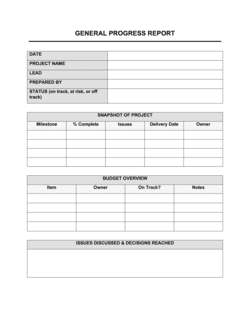
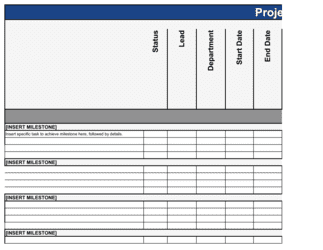
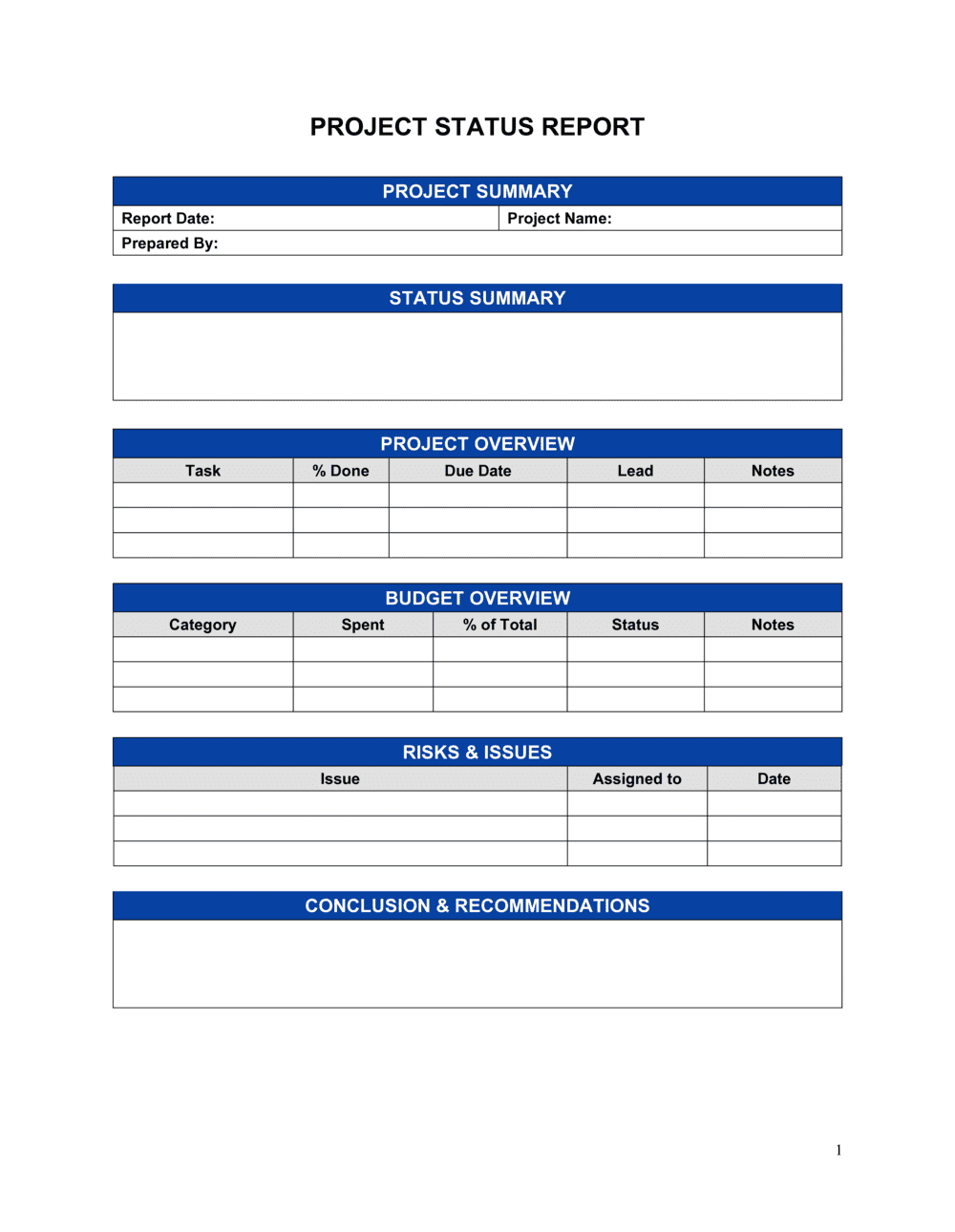
Report header with period, project name, and owner; overall status indicator; summary of accomplishments; milestone and schedule tracking; budget and resource status; risks and issues log; decisions required; and planned activities for the next reporting period.

What is a Status Report?

A Status Report is a structured periodic document that communicates the current state of a project, program, or ongoing work stream to the stakeholders responsible for decisions, resources, and oversight. It captures what was accomplished during the reporting period, how the project stands against its schedule and budget, what risks and issues are active, what decisions stakeholders need to make, and what the team plans to deliver next. Unlike a one-time report that documents a single event, a status report is produced on a recurring cadence β€” weekly, bi-weekly, or monthly β€” creating a consistent, comparable record of project health that accumulates into a timeline of decisions and variances over the project's full duration.

Why You Need This Document

Without a regular status report, stakeholders operate on incomplete or conflicting information β€” leading to decisions made on assumptions rather than facts. Schedule slippage accumulates invisibly until it becomes a missed deadline. Budget overruns go unescalated until the project is already over budget. Risk items sit unaddressed because no one with authority knew they existed. A well-structured status report solves all of these problems by creating a single, authoritative source of truth that reaches every stakeholder on a predictable schedule. It also protects the project manager: when a sponsor later asks why a milestone was missed, a documented series of Amber-status reports with escalated risks and unanswered decision requests tells a clear story of what was flagged and when. This template gives you the structure to produce that record consistently, from the first reporting period to the last.

Which variant fits your situation?

If your situation is…Use this template
Weekly project update for a single project teamWeekly Status Report
Monthly executive or board-level program summaryMonthly Status Report
Client-facing progress update for a consulting engagementClient Status Report
End-of-project formal closure and lessons learnedProject Completion Report
Broad initiative tracking across multiple projectsProgram Status Report
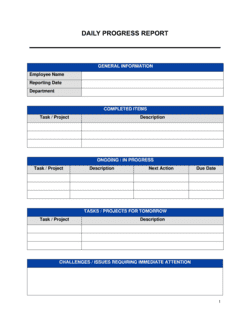
Construction or field-site daily progress documentationDaily Progress Report
Performance-focused team update tied to KPIs and OKRsKPI Dashboard Report

Common mistakes to avoid

❌ Reporting activities instead of outcomes

Why it matters: Stakeholders need to know what was delivered, not what the team was doing. Activity-based updates make it impossible to assess true progress against the plan.

Fix: Rewrite each accomplishment as a completed deliverable or decision. Replace 'Worked on integration testing' with 'Completed integration testing for Module 2 β€” 47 of 47 test cases passed.'

❌ Keeping overall status Green when the project is at risk

Why it matters: An inaccurate RAG status delays escalation and stakeholder intervention until problems are severe enough to cause missed deadlines or budget overruns.

Fix: Set status to Amber the moment a risk has a credible path to impacting the project. Amber is not a failure β€” it is a signal that management attention may be needed.

❌ Adjusting baseline dates to eliminate variance

Why it matters: Revising the original plan to match actuals destroys the ability to track schedule slippage over time and removes the accountability that status reports are designed to create.

Fix: Lock the original baseline dates at project kickoff and report variance in every subsequent status report. Use a separate 'revised forecast' column to show the current expected completion date.

❌ Burying decision requests in the narrative

Why it matters: Executives and clients who skim status reports miss embedded decision asks, creating avoidable delays and making the project team appear disorganized.

Fix: Create a dedicated 'Decisions Required' section with a named requestor, a deadline, and clearly stated options. Flag any overdue decisions with a RAG indicator.

❌ Stale risk and issue entries

Why it matters: Carrying identical risk descriptions across multiple reporting periods without updating mitigation progress signals that the team is not actively managing risk β€” and causes sponsors to stop reading the log.

Fix: Update every open risk entry each period with a one-line mitigation progress note. If nothing has changed, that itself is worth stating explicitly β€” and is a signal the mitigation plan needs reassessment.

❌ Omitting budget forecast-at-completion

Why it matters: Reporting spend to date without a completion forecast tells stakeholders nothing about whether the project will land within budget. A project 40% spent could be ahead of or behind schedule.

Fix: Always pair spend-to-date with a forecast-at-completion figure. If the forecast exceeds the original budget, state the variance and the reason in the same line.

The 8 key sections, explained

Report header

Overall status indicator

Accomplishments this period

Milestone and schedule tracking

Budget and resource status

Risks and issues log

Decisions required

Planned activities for next period

How to fill it out

  1. 1

    Complete the report header

    Enter the project name, reporting period (start and end dates), your name and title, and the submission date. Confirm the audience β€” who receives this report β€” before writing anything else.

    πŸ’‘ If the report goes to multiple audiences (e.g., a client and an internal executive), decide upfront whether you need separate versions or a single document with clearly labeled sections.

  2. 2

    Set the overall status indicator

    Choose Red, Amber, or Green based on the most constrained dimension of the project β€” schedule, budget, or scope. If any one of these is at risk, the overall status should reflect that honestly.

    πŸ’‘ Write one sentence justifying the indicator immediately below the RAG rating. 'GREEN β€” all milestones on track and budget within 3% of plan' removes ambiguity and sets the tone for the rest of the report.

  3. 3

    Document accomplishments as outcomes

    List 3–7 items completed this period, written as past-tense outcomes rather than activity descriptions. Focus on deliverables, decisions, and milestones β€” not meeting attendance or email exchanges.

    πŸ’‘ If you struggle to identify concrete accomplishments, that is itself useful information β€” it signals that the team's output needs better milestone definition, not more activity.

  4. 4

    Update milestone and schedule tracking

    Compare each milestone's planned date to the current forecast. Record any variance in days and document the root cause in a brief note. Do not adjust the original baseline dates β€” preserve them for trend analysis.

    πŸ’‘ Color-code the milestone table with the same RAG logic as the overall status to make schedule health scannable in under 30 seconds.

  5. 5

    Report budget and resource status

    Enter spend to date, percentage of budget consumed, and your forecast-at-completion figure. Note any open headcount or resource gaps that could affect upcoming milestones.

    πŸ’‘ If your forecast at completion exceeds budget by more than 10%, flag it in the overall status indicator and add it to the decisions-required section.

  6. 6

    Update the risks and issues log

    Review each open risk and issue from the prior period. Update probability, impact, mitigation progress, and owner. Add any new risks identified this period. Close items that have been fully resolved.

    πŸ’‘ Limit the active log to risks and issues that require stakeholder awareness. Move fully mitigated items to a closed log appendix rather than cluttering the main report.

  7. 7

    State decisions required clearly

    List any decisions the report audience must make to unblock the project. For each, state the decision context, the options available, the deadline, and who is requesting it.

    πŸ’‘ Frame decisions as specific choices, not open questions. 'Do you want to approve the budget increase?' is weaker than 'Approve Option A ($15K increase) or Option B (reduce scope by two features).'

  8. 8

    Set next-period planned activities

    List 3–7 specific tasks or milestones the team commits to completing in the next reporting period. Tie each item to a named owner and a target date where possible.

    πŸ’‘ Cross-check this list against the milestone schedule before submitting β€” planned activities that do not connect to any milestone are a sign the report and the plan have drifted apart.

Frequently asked questions

What is a status report?

A status report is a structured periodic document that communicates the current state of a project, program, or work stream to its stakeholders. It covers what has been completed, the health of the schedule and budget, active risks and issues, decisions needed from the audience, and what the team plans to deliver in the next reporting period. It replaces ad-hoc updates with a consistent, comparable record of project health over time.

How often should a status report be submitted?

Weekly reports are standard for active projects with frequent milestones or high stakeholder visibility. Bi-weekly works well for mid-complexity programs where weekly cadence would create overhead without additional insight. Monthly reports suit executive or board-level audiences who need a summary view rather than tactical detail. The cadence should match the pace at which meaningful progress occurs and decisions are needed.

What is the difference between a status report and a progress report?

The terms are often used interchangeably. In formal project management, a progress report focuses specifically on work completed against a plan β€” percentage complete, milestones hit, tasks finished. A status report is broader, adding risk, budget, resource, and decision-required dimensions alongside progress. For most business purposes, a well-structured status report subsumes the progress report entirely.

What should a project status report include?

A complete project status report includes a report header identifying the project and period, an overall RAG status indicator, a list of accomplishments for the period, milestone and schedule tracking with variance, budget and resource status, an active risks and issues log, decisions required from stakeholders, and planned activities for the next period. Each section answers a specific question a stakeholder would ask in a review meeting.

What does RAG status mean in a status report?

RAG stands for Red, Amber, Green β€” a traffic-light system used to signal overall project health at a glance. Green means the project is on track against its plan. Amber means there is a risk or issue that could affect schedule, budget, or scope if not addressed. Red means the project is currently off track in at least one dimension and requires immediate management attention or intervention. Each RAG rating should be supported by a brief written justification in the report.

How long should a status report be?

For most projects, one to two pages is the right length for a weekly or bi-weekly report. Monthly executive summaries can run two to three pages with supporting appendices. Reports that exceed three pages for a single project typically contain too much tactical detail for stakeholders and should be condensed. Detailed supporting data β€” full risk registers, financial breakdowns β€” belong in appendices, not the main report body.

Who should receive a status report?

The distribution list typically includes the project sponsor, key stakeholders with decision-making authority, the client or customer (for external engagements), functional managers whose resources are on the project, and the core project team. Avoid over-distributing β€” recipients who are not accountable for any aspect of the project will stop reading them, reducing the report's effectiveness as a communication tool.

What is the difference between a risk and an issue in a status report?

A risk is a potential future event that has not yet occurred but could negatively affect the project if it does. An issue is a risk that has already materialized and is actively affecting the project right now. Both belong in the status report, but they require different responses β€” risks need monitoring and mitigation planning; issues need active resolution and often escalation.

Can I use one status report template for all my projects?

A standard template works well across most projects with minor customization β€” adjusting the milestone table structure, adding client-specific fields, or modifying the budget section for the project's financial model. Highly complex programs may benefit from a separate program-level template that aggregates multiple project statuses. The key is consistency within a program so stakeholders can compare reports across periods without relearning the format.

How this compares to alternatives

vs Project Plan

A project plan is a forward-looking document that defines scope, tasks, timeline, resources, and budget before work begins. A status report is a periodic backward-and-forward-looking document that measures actual progress against that plan. You need both β€” the plan sets the baseline; the status report tracks variance against it.

vs Progress Report

A progress report focuses narrowly on work completed versus work planned β€” percentage-complete metrics, milestones hit, and tasks finished. A status report is broader, adding budget health, resource status, active risks and issues, and stakeholder decision requests. For most business contexts, a status report replaces the need for a standalone progress report.

vs Project Completion Report

A project completion report is a one-time document issued at the end of a project, capturing final outcomes, lessons learned, budget actuals versus plan, and formal sign-off. A status report is a recurring document produced throughout the project lifecycle. The completion report draws on the accumulated status reports as its primary source of historical data.

vs Executive Summary

An executive summary distills a larger document β€” proposal, plan, or report β€” into a one- to two-page overview for senior audiences. A status report is a standalone operational document with its own defined structure covering health, risk, and decisions. An executive-level status report may include a brief executive summary section, but the two serve different purposes and cannot substitute for each other.

Industry-specific considerations

Technology / Software

Sprint-aligned weekly reports tracking story points completed, open defects, release readiness, and deployment blockers against a go-live date.

Construction

Progress tied to physical completion percentages, safety incident logging, weather-related schedule variance, and subcontractor milestone tracking.

Professional Services

Client-facing reports covering billable hours consumed versus budget, deliverable status, and scope-change requests requiring approval.

Healthcare / Pharmaceuticals

Regulatory submission timelines, clinical trial phase milestones, IRB or FDA review status, and compliance checkpoint tracking.

Marketing and Advertising

Campaign launch readiness, creative approval stage, media spend versus budget, and performance KPIs against target benchmarks.

Manufacturing

Production run progress, equipment downtime incidents, quality defect rates, and supply chain delivery variance affecting the production schedule.

Template vs pro β€” what fits your needs?

PathBest forCostTime
Use the templateProject managers, team leads, and consultants running single projects who need a consistent, professional reporting formatFree15–30 minutes per report
Template + professional reviewProgram managers consolidating multiple projects or organizations establishing a reporting standard across departments$200–$800 for a PMO consultant or process designer to tailor the template1–3 days for customization
Custom draftedEnterprise PMOs requiring integration with project management software, automated data pulls, or regulatory reporting formats$1,000–$5,000+ for custom tooling or consulting2–6 weeks

Glossary

RAG Status
A traffic-light indicator β€” Red, Amber, Green β€” used to signal whether a project is on track (Green), at risk (Amber), or off track (Red).
Milestone
A specific, dated checkpoint in a project plan that marks the completion of a significant deliverable or phase.
Blocker
An issue or dependency preventing a team from progressing on a task or deliverable until it is resolved.
Scope Creep
The gradual expansion of a project's requirements beyond the original agreed boundaries, often without a corresponding increase in budget or timeline.
Reporting Period
The defined time window the status report covers β€” typically one week, two weeks, or one month.
Risk
A potential future event that could negatively affect the project's timeline, budget, or quality if it occurs.
Issue
A risk that has already materialized and is currently affecting the project β€” requiring active management rather than monitoring.
Variance
The difference between a planned value β€” schedule, budget, or scope β€” and the actual value recorded at the time of reporting.
Action Item
A specific task assigned to a named owner with a due date, arising from a status review or decision-making session.
Escalation
The act of raising an unresolved issue or decision to a higher level of authority when the project team cannot resolve it independently.

Part of your Business Operating System

This document is one of 3,000+ business & legal templates included in Business in a Box.

  • Fill-in-the-blanks β€” ready in minutes
  • 100% customizable Word document
  • Compatible with all office suites
  • Export to PDF and share electronically

Create your document in 3 simple steps.

From template to signed document β€” all inside one Business Operating System.
1
Download or open template

Access over 3,000+ business and legal templates for any business task, project or initiative.

2
Edit and fill in the blanks with AI

Customize your ready-made business document template and save it in the cloud.

3
Save, Share, Send, Sign

Share your files and folders with your team. Create a space of seamless collaboration.

Save time, save money, and create top-quality documents.

β˜…β˜…β˜…β˜…β˜…

"Fantastic value! I'm not sure how I'd do without it. It's worth its weight in gold and paid back for itself many times."

Managing Director Β· Mall Farm
Robert Whalley
Managing Director, Mall Farm Proprietary Limited
β˜…β˜…β˜…β˜…β˜…

"I have been using Business in a Box for years. It has been the most useful source of templates I have encountered. I recommend it to anyone."

Business Owner Β· 4+ years
Dr Michael John Freestone
Business Owner
β˜…β˜…β˜…β˜…β˜…

"It has been a life saver so many times I have lost count. Business in a Box has saved me so much time and as you know, time is money."

Owner Β· Upstate Web
David G. Moore Jr.
Owner, Upstate Web

Run your business with a system β€” not scattered tools

Stop downloading documents. Start operating with clarity. Business in a Box gives you the Business Operating System used by over 250,000 companies worldwide to structure, run, and grow their business.

Start freeΒ Β·Β No credit card required