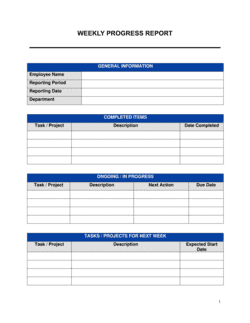
Progress Report Template

Free Word download β€’ Edit online β€’ Save & share with Drive β€’ Export to PDF

2 pagesβ€’20–25 min to fillβ€’Difficulty: Standard
Learn more ↓
FreeProgress Report Template

At a glance

What it is
A Progress Report is a structured operational document that communicates the current status of a project, initiative, or goal to stakeholders, managers, or clients. This free Word download gives you a repeatable reporting format covering accomplishments, metrics, risks, and next steps β€” editable online and exportable as PDF.
When you need it
Use it whenever a project, program, or ongoing workstream requires regular updates to supervisors, clients, or leadership β€” typically weekly, bi-weekly, or monthly. It is especially critical when budgets, timelines, or cross-functional dependencies are in play.
What's inside
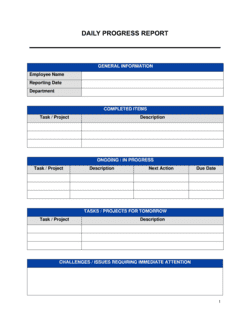
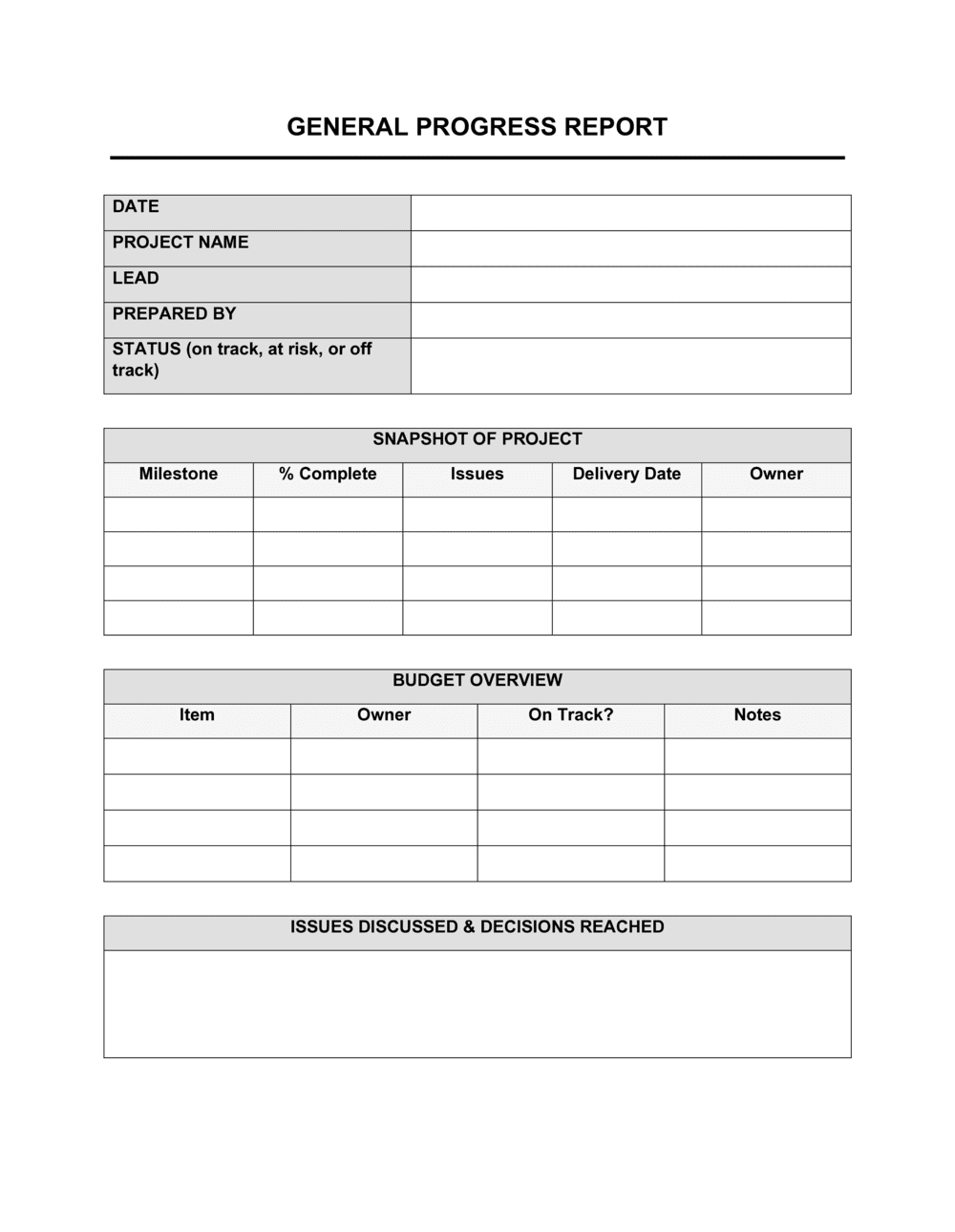
Reporting period, project overview, accomplishments since the last report, key performance metrics, issues and risks, budget status, upcoming milestones, and a clear next-steps action plan.

What is a Progress Report?

A Progress Report is a structured operational document used to communicate the current status of a project, initiative, or ongoing program to stakeholders, clients, or leadership. It covers what was accomplished during the reporting period, how key metrics compare against planned targets, what risks and issues are active, where the budget stands, and what actions are required next. Unlike a one-off briefing or an informal email update, a progress report creates a consistent, auditable record of project health that stakeholders can track across periods and use to make informed decisions.

Why You Need This Document

Projects that rely on verbal updates and ad hoc emails consistently suffer from the same problems: stakeholders operate on conflicting information, issues surface too late to course-correct, and budget overruns accumulate invisibly until they cannot be fixed. A structured progress report eliminates all three failure modes by forcing the project team to measure actual performance against the plan at regular intervals and put the gap in writing. For client-facing work, a missing or inconsistently formatted report is often the first signal of delivery risk β€” clients who cannot see what is happening assume the worst. For internal programs, progress reports create the documentation trail needed to justify scope changes, request additional resources, and demonstrate results when the project closes. This template gives you a repeatable format that takes under an hour to complete per period and delivers the visibility every stakeholder needs to stay aligned.

Which variant fits your situation?

If your situation is…Use this template
Recurring weekly team status updates for internal managementWeekly Status Report
Monthly executive summary of departmental goals and KPIsMonthly Report
End-of-project summary with outcomes and lessons learnedProject Completion Report
Client-facing account review covering campaign or retainer performanceClient Status Report
Ongoing tracking of employee goals and development activitiesEmployee Performance Review
Annual reporting on organizational performance for board or fundersAnnual Report
Tracking construction or capital project phases against scheduleConstruction Progress Report

Common mistakes to avoid

❌ Reporting activities instead of completions

Why it matters: Statements like 'worked on the integration' give stakeholders no basis for assessing whether the project is on track. They create a false sense of progress without confirming delivery.

Fix: Rewrite every accomplishment bullet as a completed deliverable with a date β€” 'Completed API integration and deployed to staging on May 1' β€” so there is no ambiguity about what was actually finished.

❌ Omitting the budget vs. plan comparison

Why it matters: Reporting total spend without comparing it to planned spend at this point in the schedule hides cost overruns until they become unrecoverable. A project 70% through its budget at 40% of its timeline is in serious trouble.

Fix: Always pair cumulative spend with the planned spend curve for the same date. State the variance in dollars and percentage, and provide a one-sentence explanation for any variance above 5%.

❌ Listing risks without owners or mitigation plans

Why it matters: An unowned risk signals to stakeholders that the project team has identified a problem but has no plan to address it, which erodes confidence and can trigger unnecessary escalation.

Fix: Every risk entry must include a named owner, a likelihood and impact rating, and at least one specific mitigation action with a target date.

❌ Using the same report format for every audience

Why it matters: A technical status report filled with system error codes and sprint velocity metrics is useless to an executive sponsor who needs a 90-second RAG-status read. Mismatched depth loses the audience.

Fix: Maintain one detailed internal report and derive a condensed executive summary from it β€” same data, different depth. The executive version should fit on one page with RAG indicators prominent.

The 9 key sections, explained

Report header and reporting period

Project overview and objectives

Accomplishments this period

Key metrics and performance indicators

Issues and risks

Budget status

Upcoming milestones and activities

Decisions required

Next steps and action items

How to fill it out

  1. 1

    Complete the header with the exact reporting period

    Enter the project name, your name and title, submission date, and the specific start and end date of the period the report covers. Include an overall RAG status in the header for at-a-glance reading.

    πŸ’‘ Set a recurring calendar reminder to complete the header fields before you start writing β€” it anchors the report to a specific timeframe and prevents the 'when does this cover?' question.

  2. 2

    Summarize accomplishments using completions, not activities

    List only items that were fully completed during the period. For each, state what was delivered, by whom, and against which planned milestone. Include any items completed ahead of schedule.

    πŸ’‘ Pull directly from your project schedule or task tracker β€” completed tasks with checked-off dates are your source of truth, not memory.

  3. 3

    Populate key metrics with baselines and targets

    For each metric, enter the planned value, the actual value, and the variance. Include schedule, budget, quality, and any output-specific KPIs. Explain variances greater than 10% in one sentence.

    πŸ’‘ A simple table with columns for Metric, Target, Actual, and Variance makes this section scannable in under 30 seconds.

  4. 4

    Log every open issue and risk with an owner

    For each issue, enter a description, the assigned owner, current status, and target resolution date. For each risk, rate likelihood and impact (high/medium/low) and describe the mitigation plan.

    πŸ’‘ Copy open items from the previous report's issues log first β€” close resolved ones and update status on ongoing ones before adding new entries.

  5. 5

    Enter budget actuals and explain variances

    Record approved budget, cumulative spend to date, remaining balance, and planned spend at this point in the timeline. Calculate and state the variance, and explain any figure more than 5% over or under plan.

    πŸ’‘ If your project uses earned value management, include the SPI and CPI alongside raw dollar figures β€” finance-literate stakeholders will look for them.

  6. 6

    List upcoming milestones with owners and due dates

    Enter every deliverable or checkpoint due in the next reporting period. Assign a named owner and a specific due date to each item β€” not a range.

    πŸ’‘ Limit this section to the top 5–7 items; listing every task in the schedule makes the section unreadable and buries the items that actually matter.

  7. 7

    Flag decisions required before the next period

    If any open decision is blocking progress or will cause a delay if unresolved, list it explicitly with the decision-maker's name, the deadline, and the consequence of delay.

    πŸ’‘ Frame decision requests as binary choices where possible β€” 'Approve Option A (extend timeline 5 days) or Option B (add contractor resource)' β€” rather than open-ended questions.

  8. 8

    Close with a numbered action-item list

    List every open action arising from this report with a specific owner and due date. Number them sequentially so they can be referenced in follow-up communications.

    πŸ’‘ Keep this list to 7 items or fewer β€” a report with 20 action items signals poor prioritization and rarely results in all 20 being completed.

Frequently asked questions

What is a progress report?

A progress report is a structured document that communicates the current status of a project, program, or initiative to stakeholders, managers, or clients. It covers what was accomplished during the reporting period, key metrics against targets, active risks and issues, budget status, and the next steps required to keep the project on track. Progress reports replace ad hoc verbal updates with a consistent, auditable record.

What should a progress report include?

A complete progress report covers: reporting period and project overview, accomplishments since the last report, key performance metrics with targets and actuals, issues and risks with owners and mitigation plans, budget status with variance explanation, upcoming milestones, decisions required from stakeholders, and a numbered action-item list. Missing any of these sections typically generates follow-up questions that defeat the purpose of the report.

How often should a progress report be submitted?

Frequency should match the pace of change in the project and the information needs of the audience. Weekly reports suit fast-moving projects with active stakeholders. Bi-weekly works for steady-state projects. Monthly is appropriate for longer-horizon programs where weekly changes are too granular to be meaningful. Grant funders often specify the cadence contractually β€” check reporting requirements before setting your schedule.

What is the difference between a progress report and a status report?

The terms are often used interchangeably, but a status report typically provides a point-in-time snapshot β€” where things stand today β€” while a progress report emphasizes movement: what changed since the last period, what was accomplished, and what comes next. A progress report is inherently comparative; a status report can stand alone. For most business purposes, the distinction is minor and both terms describe the same document type.

How long should a progress report be?

For most projects, one to two pages is the target for a stakeholder-facing progress report. Internal team reports used for operational management can run three to five pages when detailed risk logs and budget tables are included. Anything longer should be restructured into a main summary with appendices. A report that requires 20 minutes to read will not be read consistently.

How do I report bad news in a progress report?

Report problems directly in the issues section with a clear description, the impact on schedule or budget, the named owner, and the mitigation plan already underway. Stakeholders who discover a problem in a report that also contains the mitigation plan respond far better than those who hear about it first in a meeting. Burying bad news in passive language or footnotes damages trust far more than the problem itself.

Can I use a progress report for grant reporting?

Yes, with modifications. Most grantors specify the required reporting format and cadence in the grant agreement β€” check those requirements first. A standard progress report template covers the core elements most funders require: objectives, activities completed, outputs and outcomes against targets, budget expenditure, and next-period plans. Add any funder-specific fields (e.g., beneficiary count, geographic coverage) to the metrics section.

What is RAG status and should I use it?

RAG status β€” Red, Amber, Green β€” is a traffic-light rating applied to project health indicators. Green means on track, Amber means at risk but manageable, Red means a problem requiring immediate attention or escalation. It is highly recommended for any report going to executives or clients because it allows a 5-second assessment before reading the detail. Apply RAG to the overall project and to individual elements such as schedule, budget, scope, and quality separately.

How is a progress report different from a project completion report?

A progress report is issued during the project at regular intervals to track ongoing status. A project completion report β€” sometimes called a post-implementation review or closeout report β€” is issued once after the project ends to document final outcomes, actual vs. planned performance, lessons learned, and recommendations for future projects. Progress reports feed the completion report: the final one should summarize the trajectory documented across all prior periods.

How this compares to alternatives

vs Weekly status report

A weekly status report is a shorter, higher-frequency snapshot β€” typically one page β€” focused on what happened this week and what is planned next week. A progress report covers a broader period, includes budget and risk analysis, and is structured for stakeholders who need enough context to make decisions. Use a weekly status report for team-level cadence and a progress report for client or executive audiences.

vs Project plan

A project plan defines what will be done, by whom, by when, and at what cost β€” it is the baseline document. A progress report measures actual performance against that baseline and communicates the gap. The two documents work together: you cannot write a meaningful progress report without a project plan to compare against.

vs Monthly report

A monthly report typically covers departmental or organizational performance across multiple workstreams, often including financial results, HR metrics, and strategic goal tracking. A progress report is scoped to a single project or initiative and goes deeper on milestone-level detail, risks, and action items. Use the monthly report for leadership dashboards; use the progress report for project-specific accountability.

vs Annual report

An annual report summarizes a full year of organizational performance for boards, funders, or the public β€” it is retrospective, high-level, and often externally published. A progress report is operational, forward-looking, and internal or client-facing. Annual reports draw on the data accumulated in progress and status reports throughout the year.

Industry-specific considerations

Professional Services

Client-facing reports tied to billing milestones where deliverable completion directly triggers invoice approval and payment.

Construction and Engineering

Phase-gate progress tied to inspection sign-offs, subcontractor schedules, materials procurement status, and safety incident tracking.

Technology / SaaS

Sprint-level reporting integrated with agile velocity metrics, bug counts, deployment frequency, and feature completion against product roadmap.

Nonprofit and Grant-Funded Organizations

Funder-mandated reporting tied to grant disbursement schedules, with output and outcome metrics aligned to program logic models.

Template vs pro β€” what fits your needs?

PathBest forCostTime
Use the templateProject managers, team leads, and consultants issuing recurring reports to internal or client stakeholdersFree30–60 minutes per report once the template is set up
Template + professional reviewClient-facing agency reports or grant reports where format and tone must meet external requirements$100–$300 for a communications or PMO advisor reviewHalf a day for initial setup and format alignment
Custom draftedLarge capital programs, regulated industries, or enterprise PMOs requiring integrated reporting tied to project management systems$500–$3,000 for PMO consulting or custom template development1–2 weeks

Glossary

Reporting Period
The specific date range covered by the progress report β€” for example, April 28 through May 2, 2026.
Milestone
A defined checkpoint in a project schedule that marks the completion of a significant deliverable or phase.
KPI (Key Performance Indicator)
A quantifiable metric used to evaluate whether a project or initiative is on track toward its stated objectives.
RAG Status
A traffic-light rating β€” Red, Amber, Green β€” used to quickly signal whether a project element is on track, at risk, or in trouble.
Deliverable
A specific, tangible output produced within a project, such as a completed report, a launched feature, or an approved document.
Risk
An identified condition or event that, if it occurs, would negatively affect the project's schedule, cost, scope, or quality.
Issue
A risk that has already materialized and requires active management or escalation to resolve.
Baseline
The originally approved schedule, budget, and scope against which current project performance is measured.
Variance
The difference between a planned value and an actual value β€” for example, a schedule variance of minus 3 days means the project is 3 days behind plan.
Action Item
A specific task assigned to a named owner with a due date, arising from progress report findings or stakeholder feedback.
Stakeholder
Any individual or group with an interest in the project's outcome, including sponsors, clients, team members, and affected departments.

Part of your Business Operating System

This document is one of 3,000+ business & legal templates included in Business in a Box.

  • Fill-in-the-blanks β€” ready in minutes
  • 100% customizable Word document
  • Compatible with all office suites
  • Export to PDF and share electronically

Create your document in 3 simple steps.

From template to signed document β€” all inside one Business Operating System.
1
Download or open template

Access over 3,000+ business and legal templates for any business task, project or initiative.

2
Edit and fill in the blanks with AI

Customize your ready-made business document template and save it in the cloud.

3
Save, Share, Send, Sign

Share your files and folders with your team. Create a space of seamless collaboration.

Save time, save money, and create top-quality documents.

β˜…β˜…β˜…β˜…β˜…

"Fantastic value! I'm not sure how I'd do without it. It's worth its weight in gold and paid back for itself many times."

Managing Director Β· Mall Farm
Robert Whalley
Managing Director, Mall Farm Proprietary Limited
β˜…β˜…β˜…β˜…β˜…

"I have been using Business in a Box for years. It has been the most useful source of templates I have encountered. I recommend it to anyone."

Business Owner Β· 4+ years
Dr Michael John Freestone
Business Owner
β˜…β˜…β˜…β˜…β˜…

"It has been a life saver so many times I have lost count. Business in a Box has saved me so much time and as you know, time is money."

Owner Β· Upstate Web
David G. Moore Jr.
Owner, Upstate Web

Run your business with a system β€” not scattered tools

Stop downloading documents. Start operating with clarity. Business in a Box gives you the Business Operating System used by over 250,000 companies worldwide to structure, run, and grow their business.

Start freeΒ Β·Β No credit card required