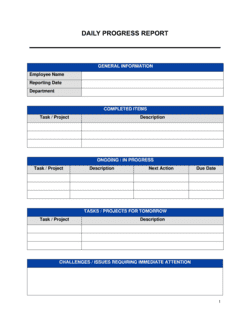
Sales Report Template

Free Word download β€’ Edit online β€’ Save & share with Drive β€’ Export to PDF

14 pagesβ€’30–40 min to fillβ€’Difficulty: Complex
Learn more ↓
FreeSales Report Template

At a glance

What it is
A Sales Report is a structured operational document that summarizes revenue results, pipeline activity, and team performance over a defined period β€” typically weekly, monthly, or quarterly. This free Word download gives sales managers and business owners a consistent, editable framework they can complete in under an hour and export as PDF to share with leadership, investors, or board members.
When you need it
Use it at the close of any reporting period to document actual sales results against targets, identify trends, flag risks in the pipeline, and set priorities for the next period. It is also the standard deliverable when a CEO, board, or investor requests a performance update.
What's inside
The template covers a reporting period summary, revenue actuals vs. targets, pipeline breakdown by stage, individual rep performance, key wins and losses, activity metrics, forecast for the next period, and recommended actions.

What is a Sales Report?

A Sales Report is a structured operational document that summarizes a sales team's revenue results, pipeline activity, and performance metrics over a defined period β€” weekly, monthly, or quarterly. It compares what was actually booked against the revenue target, breaks down performance by rep and product line, shows pipeline health by stage, and projects expected revenue for the period ahead. Rather than a simple data export, a well-constructed sales report interprets the numbers: it identifies what drove results, what is at risk, and what actions will protect the next period's forecast.

Why You Need This Document

Without a consistent sales report, leadership makes resourcing and strategy decisions based on anecdote rather than data β€” and problems that are visible in the numbers stay hidden until they become revenue misses. A sales rep who is 40% below quota in month two needs a coaching conversation, not a surprise at year-end review. A pipeline that looks healthy in total but is 75% concentrated in early stages signals a near-term coverage problem that can still be addressed if it is surfaced three weeks before period close. A standardized sales report creates that visibility on a predictable cadence, gives executives the context they need to make informed decisions, and creates an auditable record of performance trends over time. This template gives sales teams a proven, immediately usable format β€” so the time spent in each reporting cycle goes into analysis and action, not reformatting a blank document from scratch.

Which variant fits your situation?

If your situation is…Use this template
Summarizing sales performance over a 7-day period for a team stand-upWeekly Sales Report
Reporting monthly revenue, pipeline, and rep metrics to leadershipMonthly Sales Report
Presenting quarterly results and full-year forecast to the boardQuarterly Sales Report
Tracking daily call volume, emails sent, and meetings bookedSales Activity Report
Forecasting expected revenue for the next 30, 60, or 90 daysSales Forecast Report
Analyzing performance of a single product line or territorySales Analysis Report
Reporting individual rep quota attainment and activity metricsSales Performance Report

Common mistakes to avoid

❌ Reporting revenue without breaking it down by segment

Why it matters: A single top-line number passes or fails against target but tells you nothing about which product lines, regions, or channels are driving or dragging performance.

Fix: Always split revenue by at least one dimension β€” product line, region, or channel β€” so readers can immediately see where variance is originating.

❌ Presenting pipeline value without stage distribution

Why it matters: A $2M pipeline is meaningless if $1.8M of it is in Stage 1 prospecting. The coverage ratio looks healthy while the near-term forecast is actually underfunded.

Fix: Include a stage-by-stage breakdown and calculate what percentage of pipeline sits in the two stages closest to close β€” that is your real coverage.

❌ Omitting loss analysis from the wins and losses section

Why it matters: Teams that only document wins miss the feedback loop that loss analysis provides. Competitive intelligence, pricing gaps, and product deficiencies show up most clearly in lost deals.

Fix: Require a brief loss reason for every deal above a defined threshold β€” for example, all opportunities over $10,000 that close lost.

❌ Assigning recommended actions to a role rather than a named person

Why it matters: 'Sales leadership to address pipeline gap' has no accountability. When the next report arrives and the action is incomplete, there is no clear owner to follow up with.

Fix: Write every action item with a specific person's name, a concrete deliverable, and a due date β€” 'Maria to schedule pipeline review with West region reps by May 9.'

❌ Using inconsistent reporting period pull times

Why it matters: Pipeline and revenue figures can shift significantly within a single week. Reports pulled on different days or at different times create artificial variance that obscures real trends.

Fix: Set a standard data pull time β€” for example, every Friday at 5 PM β€” and document it in the report header so recipients know what snapshot they are reading.

❌ Skipping the risks and blockers section when the forecast looks strong

Why it matters: A clean forecast with no documented risks gives leadership a false sense of security. Deals that look certain frequently slip, and undocumented blockers become surprises at quarter end.

Fix: Always complete the risks section, even in strong periods. Note which large deals are sole-sourced, which are stuck in procurement, and which have competitor activity β€” regardless of current probability.

The 9 key sections, explained

Reporting period and summary

Revenue actuals vs. targets

Pipeline summary by stage

Individual rep performance

Key wins and losses

Sales activity metrics

Revenue forecast for next period

Risks and blockers

Recommended actions

How to fill it out

  1. 1

    Define the reporting period and pull actuals from your CRM

    Enter the exact start and end dates for the period. Export closed-won revenue from your CRM or accounting system β€” do not rely on estimates for the actuals row.

    πŸ’‘ Lock the data pull date and note it in the report header. Mid-period deals that close after you export will create discrepancies if the same report is referenced later.

  2. 2

    Complete the revenue actuals vs. targets table

    Enter the revenue target for each product line, region, or channel, then paste in the actual booked revenue. The template calculates variance automatically.

    πŸ’‘ If you track both new business and expansion revenue separately, report them on separate rows β€” blending them masks your true new-logo acquisition rate.

  3. 3

    Build the pipeline snapshot by stage

    Pull an open-pipeline report from your CRM filtered to the reporting date. Count opportunities and sum their values at each stage. Enter the totals and calculate pipeline coverage ratio against your next-period target.

    πŸ’‘ Run the pipeline pull at the same time on the same day each period β€” pipeline value fluctuates intra-week and inconsistent pull times make trend comparisons unreliable.

  4. 4

    Fill in individual rep performance

    Enter each rep's quota, booked revenue, and deal count for the period. The template calculates attainment percentage. Flag anyone below 50% attainment for a separate coaching conversation.

    πŸ’‘ Include reps who are on ramp separately from fully ramped reps so their performance doesn't distort team averages.

  5. 5

    Document key wins and losses with deal context

    Select the top three to five closed-won deals and the top two to three closed-lost deals. For each, note the company name, deal value, and the primary factor that determined the outcome.

    πŸ’‘ For losses, record the competitor or alternative the buyer chose and the stated reason. Aggregate these over six months to identify patterns that should inform product roadmap or pricing decisions.

  6. 6

    Enter activity metrics and compare to prior period

    Pull call, email, meeting, and demo counts from your CRM or sales engagement platform. Enter this period's figures alongside last period's to surface activity trends.

    πŸ’‘ If activity is up but revenue is down, the issue is likely conversion quality β€” a different problem than if both are down simultaneously.

  7. 7

    Build the forecast and flag risks

    Apply probability weights to your pipeline by stage (e.g., Stage 4 at 75%, Stage 3 at 40%) to produce a weighted forecast. Then list any specific deals or conditions that could cause the number to miss.

    πŸ’‘ Build two scenarios: base case (using historical win rates) and commit case (deals the rep has directly confirmed will close). The gap between them is your risk exposure.

  8. 8

    Write recommended actions with owners and due dates

    Turn each identified risk or opportunity into a specific action item. Assign an owner by name β€” not by title β€” and a completion date before the next reporting period.

    πŸ’‘ Limit recommendations to five or fewer. A list of ten action items means none of them are truly priorities.


Frequently asked questions

What is a sales report?

A sales report is a structured operational document that summarizes a sales team's revenue results, pipeline activity, and performance metrics over a defined period β€” typically weekly, monthly, or quarterly. It compares actuals against targets, tracks individual and team performance, forecasts future revenue, and surfaces risks and recommended actions. Sales leaders use it to manage their teams and communicate results to executives, boards, and investors.

What should a sales report include?

A complete sales report covers the reporting period and an executive summary, revenue actuals vs. targets broken down by segment, a pipeline snapshot by stage, individual rep performance and quota attainment, key wins and losses with deal context, leading-indicator activity metrics, a probability-weighted revenue forecast for the next period, identified risks and blockers, and recommended actions with named owners and due dates.

How often should a sales report be produced?

Most B2B sales organizations produce a weekly activity report for the team, a monthly performance report for management, and a quarterly report for the board or investors. The cadence should match your sales cycle length β€” a team with a 7-day average sales cycle needs weekly reporting; a team with a 90-day cycle gets more value from monthly and quarterly cadences.

What is pipeline coverage ratio and why does it matter?

Pipeline coverage ratio is the total value of open pipeline divided by the revenue target for the same period. A ratio of 3:1 is the widely accepted benchmark for most B2B sales teams β€” meaning you need $3 in pipeline for every $1 of target to reliably hit the number, accounting for average win rates and deal slippage. A ratio below 2:1 typically signals a near-term miss risk even before the period begins.

What is the difference between a sales report and a sales forecast?

A sales report documents what has already happened β€” revenue booked, deals won and lost, activity completed β€” for a period that has ended or is in progress. A sales forecast projects what is expected to happen in a future period based on current pipeline and historical win rates. A complete sales report includes a forecast section, but a standalone forecast is a narrower, forward-looking document without the historical performance context.

How do I calculate a weighted pipeline forecast?

Assign a close probability percentage to each pipeline stage based on your historical win rate at that stage β€” for example, Stage 2 at 20%, Stage 3 at 40%, Stage 4 at 75%. Multiply each opportunity's value by its stage probability and sum the results. This weighted total is your base-case forecast. Compare it to your revenue target to assess coverage before the period begins.

Can a sales report template replace a CRM?

A sales report template and a CRM serve different purposes. A CRM is the system of record where deal data is captured in real time. A sales report template structures that data into a periodic summary for review and decision-making. Small teams without a CRM can use a sales report template as a lightweight tracking tool, but as deal volume grows past 10–15 active opportunities, a CRM becomes necessary to manage the underlying data accurately.

Who should receive a sales report?

Distribution depends on the report's cadence and depth. Weekly activity reports typically go to the sales team and the direct manager. Monthly performance reports go to the VP of Sales, the CEO, and department heads with revenue dependencies such as finance and marketing. Quarterly reports are typically shared with the full leadership team and, in funded companies, with board members and investors.

What metrics matter most in a sales report?

The highest-signal metrics are quota attainment by rep, pipeline coverage ratio, win rate, average deal size, and sales cycle length. These five together tell you whether the team is hitting targets, whether the pipeline will sustain future targets, and whether deal quality and velocity are improving or deteriorating. Activity metrics such as calls and meetings are important leading indicators but should be secondary to outcome metrics in any report shared above the team level.

How this compares to alternatives

vs Sales Forecast

A sales forecast is a forward-looking projection of expected revenue based on current pipeline and win-rate assumptions. A sales report documents historical performance β€” what was actually achieved β€” alongside a forecast section. Use the forecast template when you need a standalone projection to share with finance or investors; use the sales report when you need the full performance narrative.

vs Marketing Report

A marketing report tracks lead generation, campaign performance, and channel attribution β€” the inputs that feed the sales pipeline. A sales report tracks what happens to those leads once they enter the sales process. Both are needed for end-to-end revenue visibility, but they answer different questions: marketing explains where pipeline comes from; the sales report explains how much of it closes.

vs KPI Dashboard

A KPI dashboard is a real-time or near-real-time visual display of key metrics, typically maintained in a BI tool or spreadsheet. A sales report is a periodic narrative document that contextualizes those metrics with analysis, deal-level detail, and forward-looking recommendations. Dashboards show the numbers; sales reports explain what they mean and what to do about them.

vs Business Review Presentation

A business review presentation packages quarterly performance data into a slide-based format for a board or executive audience. A sales report is the underlying operational document that feeds that presentation. Write the sales report first, then distill its key findings into the presentation β€” the two documents serve the same data but different audiences and formats.

Industry-specific considerations

SaaS / Technology

MRR and ARR by cohort, net revenue retention, churn, and pipeline broken into new business vs. expansion revenue.

Professional Services

Billable project pipeline, proposal win rate, average engagement value, and revenue by practice area or partner.

Retail / E-commerce

Same-store sales growth, average order value, conversion rate by channel, and seasonal variance vs. prior-year comparisons.

Manufacturing and Distribution

Order backlog value, units sold by product line, distributor performance by region, and repeat purchase rate from key accounts.

Financial Services

Assets under management added, policy or product conversion rates, advisor production metrics, and compliance-required activity documentation.

Healthcare / MedTech

Capital equipment pipeline by account, procedure adoption rates, contract renewals vs. competitive displacement, and regional rep territory performance.

Template vs pro β€” what fits your needs?

PathBest forCostTime
Use the templateSales managers and business owners who need a consistent, professional report format without a dedicated BI or reporting toolFree30–60 minutes per reporting period
Template + professional reviewTeams adding custom KPIs, multi-region rollups, or integrating data from multiple CRM and finance sources$100–$500 for a RevOps analyst or business analyst session2–4 hours
Custom draftedEnterprise sales organizations requiring automated, CRM-connected reporting dashboards with drill-down capability$2,000–$15,000+ for a BI implementation or custom CRM reporting build2–8 weeks

Glossary

Quota Attainment
The percentage of an assigned revenue target a salesperson or team has achieved within a given period.
Pipeline
The total value of all active sales opportunities at various stages of the buying process, from initial contact to closed deal.
Pipeline Coverage Ratio
The ratio of total pipeline value to the revenue target for the same period β€” typically a 3:1 ratio is considered healthy for most B2B sales.
Win Rate
The percentage of qualified opportunities that result in a closed-won deal over a defined period.
Average Deal Size
Total closed revenue divided by the number of deals closed in the same period.
Sales Cycle Length
The average number of days from an opportunity's creation date to its close date.
MRR / ARR
Monthly Recurring Revenue and Annual Recurring Revenue β€” the predictable, subscription-based revenue recognized each month or year.
Churn
Revenue or customers lost during a period due to cancellations, downgrades, or non-renewals.
Forecast
A projection of expected revenue for a future period, typically based on weighted pipeline value and historical win rates.
Lead-to-Close Conversion Rate
The percentage of total leads generated in a period that ultimately result in a closed-won deal.

Part of your Business Operating System

This document is one of 3,000+ business & legal templates included in Business in a Box.

  • Fill-in-the-blanks β€” ready in minutes
  • 100% customizable Word document
  • Compatible with all office suites
  • Export to PDF and share electronically

Create your document in 3 simple steps.

From template to signed document β€” all inside one Business Operating System.
1
Download or open template

Access over 3,000+ business and legal templates for any business task, project or initiative.

2
Edit and fill in the blanks with AI

Customize your ready-made business document template and save it in the cloud.

3
Save, Share, Send, Sign

Share your files and folders with your team. Create a space of seamless collaboration.

Save time, save money, and create top-quality documents.

β˜…β˜…β˜…β˜…β˜…

"Fantastic value! I'm not sure how I'd do without it. It's worth its weight in gold and paid back for itself many times."

Managing Director Β· Mall Farm
Robert Whalley
Managing Director, Mall Farm Proprietary Limited
β˜…β˜…β˜…β˜…β˜…

"I have been using Business in a Box for years. It has been the most useful source of templates I have encountered. I recommend it to anyone."

Business Owner Β· 4+ years
Dr Michael John Freestone
Business Owner
β˜…β˜…β˜…β˜…β˜…

"It has been a life saver so many times I have lost count. Business in a Box has saved me so much time and as you know, time is money."

Owner Β· Upstate Web
David G. Moore Jr.
Owner, Upstate Web

Run your business with a system β€” not scattered tools

Stop downloading documents. Start operating with clarity. Business in a Box gives you the Business Operating System used by over 250,000 companies worldwide to structure, run, and grow their business.

Start freeΒ Β·Β No credit card required