Quarterly Report Template

Free Word download β€’ Edit online β€’ Save & share with Drive β€’ Export to PDF

18 pagesβ€’30–40 min to fillβ€’Difficulty: Complex
Learn more ↓
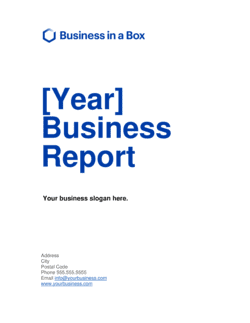
FreeQuarterly Report Template

At a glance

What it is
A Quarterly Report is a structured document that summarizes a company's financial performance, operational results, and strategic progress over a single fiscal quarter. This free Word download gives you a ready-made framework you can edit online and export as PDF to share with your board, investors, lenders, or leadership team within days of quarter-end.
When you need it
Use it at the close of each fiscal quarter β€” Q1 through Q4 β€” to deliver a consistent, comparable update to stakeholders who rely on trend data between annual reports. It is also required by many institutional lenders and investors as a condition of funding agreements.
What's inside
Executive summary, financial highlights with variance analysis, key operational metrics, progress against strategic objectives, departmental updates, risks and mitigation actions, and an outlook for the coming quarter.

What is a Quarterly Report?

A Quarterly Report is a structured business document that summarizes a company's financial performance, operational results, and strategic progress over a single three-month period. It presents actuals against budget and prior-period comparisons, tracks key performance indicators, updates the status of strategic initiatives, and provides forward guidance for the coming quarter. Unlike an annual report β€” which delivers a definitive year-end view with audited financials β€” a quarterly report is designed for ongoing trend monitoring and stakeholder accountability, using management accounts and a consistent format that makes quarter-over-quarter analysis straightforward.

Why You Need This Document

Without a regular quarterly report, boards and investors make decisions on incomplete or stale information β€” and gaps in reporting are consistently interpreted as performance problems, even when they are not. Companies with investor or lender agreements typically have a contractual obligation to produce quarterly updates; failing to deliver on schedule triggers covenant reviews and damages the relationship with capital partners. Internally, the discipline of closing the books and producing a structured report within 15–20 days of quarter-end forces management to reconcile actuals, confront variances early, and reset priorities before the next 90 days begin. This template gives you a repeatable framework that covers every section stakeholders expect β€” financial highlights, KPI scorecard, risk register, and outlook β€” so each quarterly cycle takes hours to complete rather than days to build from scratch.

Which variant fits your situation?

If your situation is…Use this template
Reporting to a board of directors with governance oversightBoard of Directors Report
Summarizing full-year results for external stakeholdersAnnual Report
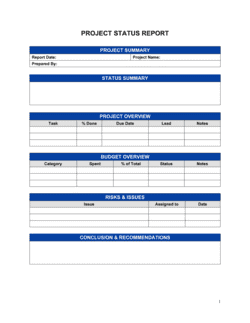
Tracking progress against a specific project each quarterProject Status Report
Delivering a brief monthly update between quarterly reportsMonthly Business Report
Reporting financial performance only, without operational narrativeFinancial Report
Summarizing sales pipeline and revenue results for a sales teamSales Report
Presenting KPIs and dashboards to an executive leadership teamManagement Report

Common mistakes to avoid

❌ Presenting actuals without budget or prior-period comparisons

Why it matters: A standalone revenue figure of $1.1M tells a stakeholder nothing about whether the quarter was good or bad. Without a benchmark, trend analysis and accountability are impossible.

Fix: Always include at least two comparison columns β€” budget variance and QoQ change β€” for every financial metric in the report.

❌ Changing the KPI set between quarters

Why it matters: Stakeholders use operational metrics to spot trends over 4–8 quarters. Swapping out metrics β€” especially after a poor quarter β€” destroys comparability and signals cherry-picking.

Fix: Lock the KPI set at the start of each fiscal year. Add new metrics only at year-end with a clear rationale, and back-fill one or two prior periods for context.

❌ Omitting red and amber strategic initiative statuses

Why it matters: Reporting only positive progress gives the board a false picture of execution risk. When problems surface unexpectedly at the annual review, trust erodes sharply.

Fix: Report every active initiative with its true RAG status. Include a one-sentence explanation of the blocker and the action being taken to resolve it.

❌ Skipping the risk register update

Why it matters: A risk register copied unchanged from the prior quarter signals it is not being actively managed β€” lenders and institutional investors notice, and it can trigger additional scrutiny.

Fix: Assign a named owner to each risk and require them to confirm the current status in writing before the report is finalized. Close risks that are no longer active and document why.

The 8 key sections, explained

Executive Summary

Financial Highlights

Operational Metrics

Strategic Initiatives Update

Departmental Updates

Risk Register Update

Covenant and Compliance Summary

Outlook and Guidance

How to fill it out

  1. 1

    Lock the reporting period and fiscal calendar

    Confirm the exact start and end dates of the quarter being reported and verify they align with your fiscal year definition. Label every table and chart consistently β€” 'Q2 FY2026 (April 1 – June 30, 2026)' β€” so recipients cannot misread the period.

    πŸ’‘ If your fiscal year does not follow the calendar year, add a one-line note in the header clarifying the fiscal calendar to avoid confusion for external readers.

  2. 2

    Pull actuals from your accounting system

    Export revenue, gross profit, operating expenses, EBITDA, and cash position as of the last day of the quarter. Confirm the figures are final and reconciled β€” not draft management accounts β€” before populating the financial highlights section.

    πŸ’‘ Set a hard close date for the accounting period β€” typically 10 business days after quarter-end β€” so the report is based on final numbers, not estimates.

  3. 3

    Populate the financial highlights table with variances

    For each financial metric, enter the actual figure, the approved budget figure, and the prior-quarter actual. Calculate the variance in both dollar and percentage terms. Add a one-sentence explanation for any variance greater than 10%.

    πŸ’‘ Use consistent sign conventions β€” negative variances in red, positive in black β€” and keep them the same every quarter so readers can scan instantly.

  4. 4

    Update the operational KPI scorecard

    Enter the actual result for each KPI alongside the quarter's target. Flag any metric that missed target by more than 15% for a brief explanation in the departmental updates section.

    πŸ’‘ Resist the urge to add new KPIs when existing ones underperform. Consistency across quarters is worth more than optimizing the scorecard for a single period.

  5. 5

    Collect and standardize departmental updates

    Send each department head a two-field prompt: (1) top result from the quarter with one supporting metric, and (2) top priority for next quarter. Edit responses to a consistent length and format before inserting them into the report.

    πŸ’‘ Cap each departmental entry at 100 words. Anything longer belongs in a separate departmental report, not the quarterly summary.

  6. 6

    Refresh the risk register and strategic initiative statuses

    Review each risk and initiative from the prior quarter's report. Update the RAG status, add a one-sentence progress note, and confirm the next milestone date. Add any new risks that emerged during the quarter.

    πŸ’‘ If a risk has been green for three consecutive quarters with no change, either close it formally or explain why it remains open β€” stale entries undermine the section's credibility.

  7. 7

    Write the outlook section with a range, not a point estimate

    State next-quarter revenue guidance as a range (e.g., '$1.2M–$1.4M') with the two or three key assumptions driving it. List 2–3 watch items β€” risks or opportunities that could move results outside the range.

    πŸ’‘ Include the date of the data cut underpinning the guidance. Pipeline and backlog change daily; anchoring the estimate to a specific date manages expectations if circumstances shift before you present.

  8. 8

    Write the executive summary last

    Pull the single most important data point from each section and compress them into one cohesive half-page. The summary should be complete enough that a time-pressed board member gets the full picture without reading further.

    πŸ’‘ If you cannot summarize the quarter in under 250 words, the underlying sections contain too much detail β€” edit the body, not the summary.
Frequently asked questions

What is a quarterly report?

A quarterly report is a structured business document that summarizes financial performance, operational results, and strategic progress for a single three-month period. Companies use it to keep boards, investors, and lenders informed on a regular cadence between annual reports. Publicly traded companies are required to file quarterly reports with regulators; private companies produce them voluntarily or as a condition of their funding agreements.

What should a quarterly report include?

A complete quarterly report covers eight areas: an executive summary, financial highlights with variance analysis, an operational KPI scorecard, a strategic initiatives update, departmental summaries, a risk register update, a covenant and compliance confirmation, and an outlook with guidance for the coming quarter. The exact depth of each section depends on the audience β€” investor reports need more financial detail; internal management reports emphasize operational metrics.

How long should a quarterly report be?

For most private companies, 8–15 pages is the right range β€” long enough to be substantive, short enough to be read before a board meeting. A two-page executive summary plus a 4–6 page body and a financial appendix is a common structure. Reports that exceed 20 pages without an appendix are typically too detailed for a quarterly summary and should be condensed.

How is a quarterly report different from an annual report?

An annual report covers the full fiscal year and typically includes audited financial statements, a letter from the CEO, and a comprehensive review of strategy and market context. A quarterly report is lighter, focuses on a single 90-day period, uses unaudited management accounts, and is designed for trend monitoring rather than a definitive year-end statement. Quarterly reports feed into and set up the annual report narrative.

Who reads a quarterly report?

Boards of directors use quarterly reports to exercise governance oversight and track progress against annual targets. Investors and venture capital firms use them to monitor portfolio companies and fulfill their own reporting obligations to limited partners. Banks and institutional lenders use them to verify covenant compliance. Internally, leadership teams use quarterly reports to align on priorities and hold departments accountable.

When should a quarterly report be distributed?

Best practice is to distribute the report within 15–20 business days of the quarter-end close β€” typically by the third week of January, April, July, and October for calendar-year companies. This requires closing the accounting period within 10 business days of quarter-end. Reports distributed more than 30 days after quarter-end lose relevance for decision-making and signal weak financial operations to external stakeholders.

Do private companies need to produce quarterly reports?

Private companies are not legally required to produce quarterly reports in most jurisdictions, but many do so as a condition of investor agreements, loan covenants, or board governance policies. Companies that have raised institutional capital β€” venture, private equity, or growth debt β€” almost always have a contractual reporting obligation. Even without external obligations, quarterly reporting disciplines internal planning and improves decision-making quality.

How is a quarterly report different from a monthly report?

A monthly report is a shorter, faster operational check-in β€” typically 2–5 pages focused on revenue, key metrics, and immediate issues. A quarterly report is more comprehensive, adds strategic context, includes a risk register, covers covenant compliance, and provides forward guidance. Monthly reports are primarily internal management tools; quarterly reports are typically shared with boards and external stakeholders as well.

What financial statements belong in a quarterly report?

At minimum, a quarterly report should include an income statement (P&L) for the quarter and year-to-date, a cash flow summary, and ending cash and key balance sheet items such as accounts receivable and total debt. Full audited financials are not required for quarterly reporting β€” management accounts are standard. For investor-facing reports, include a comparison of actuals versus the annual budget and the same period in the prior year.

How this compares to alternatives

vs Annual Report

An annual report covers the full fiscal year with audited financials, a CEO letter, and comprehensive strategic narrative β€” it is a definitive year-end document. A quarterly report covers 90 days using unaudited management accounts and is designed for ongoing trend monitoring. Quarterly reports feed directly into the annual report's narrative arc.

vs Monthly Report

A monthly report is a shorter, faster operational check-in β€” typically 2–5 pages focused on revenue, KPIs, and immediate issues. A quarterly report adds strategic context, risk register updates, covenant compliance, and forward guidance. Monthly reports are primarily internal; quarterly reports are typically shared with boards and investors.

vs Board of Directors Report

A board report is specifically formatted for a board meeting β€” it includes governance items, resolutions, and a formal agenda alongside performance data. A quarterly report is a performance summary that may be attached as a board pack exhibit but does not contain governance mechanics. Many companies distribute the quarterly report as the primary exhibit within a board report.

vs Financial Report

A financial report presents financial statements β€” P&L, cash flow, balance sheet β€” in detail, typically without operational narrative or strategic context. A quarterly report wraps the financial data in operational KPIs, strategic initiative updates, and a risk register. Use a financial report when the audience needs numbers only; use a quarterly report when they need the full business picture.

Industry-specific considerations

SaaS / Technology

MRR/ARR, net revenue retention, churn rate, CAC payback period, and product release milestones are the core operational metrics alongside financial results.

Retail / E-commerce

Same-store sales growth, average order value, inventory turnover, and return rate are tracked quarterly alongside gross margin and fulfillment cost per order.

Professional Services

Billable utilization rate, revenue per employee, client concentration, and pipeline value are the key operational metrics, with fee revenue and realization rate as financial anchors.

Manufacturing

Capacity utilization, on-time delivery rate, defect rate, and raw material cost variance are tracked alongside revenue, gross margin, and working capital metrics.

Template vs pro β€” what fits your needs?

PathBest forCostTime
Use the templateFounders, CEOs, and finance leads producing board or investor quarterly updates for private companiesFree4–8 hours per quarter once the template is set up
Template + professional reviewCompanies with institutional investors or lenders who have specific reporting format requirements$300–$800 for a CFO advisor or fractional CFO review1–2 days
Custom draftedPre-IPO companies, private equity-backed businesses, or regulated industries with mandatory reporting standards$2,000–$8,000 for a financial reporting consultant or outsourced CFO engagement1–2 weeks per quarter

Glossary

Quarter (Q1–Q4)
A three-month reporting period within a fiscal year; Q1–Q4 together cover all 12 months, though the start month varies by company fiscal calendar.
Variance Analysis
A comparison of actual results against budgeted or prior-period figures, expressed as a dollar amount and a percentage, to explain performance gaps.
KPI (Key Performance Indicator)
A quantifiable metric tied to a specific business objective β€” for example, monthly recurring revenue, customer churn rate, or units shipped.
Run Rate
An annualized estimate of a financial metric calculated by multiplying a single quarter's result by four.
QoQ (Quarter-over-Quarter)
A comparison of results in the current quarter against the immediately preceding quarter, used to identify short-term trends.
YoY (Year-over-Year)
A comparison of results in the current quarter against the same quarter in the prior fiscal year, used to control for seasonality.
Covenant
A condition in a loan or investment agreement β€” such as maintaining a minimum cash balance or debt-to-equity ratio β€” that requires periodic reporting to verify compliance.
EBITDA
Earnings Before Interest, Taxes, Depreciation, and Amortization β€” a measure of operating profitability used to compare performance across periods.
Burn Rate
Monthly net cash outflow for companies that are not yet profitable, indicating how quickly available capital is being consumed.
Strategic Initiative
A defined, time-bound project or program designed to advance a company's long-term goals, distinct from ongoing business operations.

Part of your Business Operating System

This document is one of 3,000+ business & legal templates included in Business in a Box.

  • Fill-in-the-blanks β€” ready in minutes
  • 100% customizable Word document
  • Compatible with all office suites
  • Export to PDF and share electronically

Create your document in 3 simple steps.

From template to signed document β€” all inside one Business Operating System.
1
Download or open template

Access over 3,000+ business and legal templates for any business task, project or initiative.

2
Edit and fill in the blanks with AI

Customize your ready-made business document template and save it in the cloud.

3
Save, Share, Send, Sign

Share your files and folders with your team. Create a space of seamless collaboration.

Save time, save money, and create top-quality documents.

β˜…β˜…β˜…β˜…β˜…

"Fantastic value! I'm not sure how I'd do without it. It's worth its weight in gold and paid back for itself many times."

Managing Director Β· Mall Farm
Robert Whalley
Managing Director, Mall Farm Proprietary Limited
β˜…β˜…β˜…β˜…β˜…

"I have been using Business in a Box for years. It has been the most useful source of templates I have encountered. I recommend it to anyone."

Business Owner Β· 4+ years
Dr Michael John Freestone
Business Owner
β˜…β˜…β˜…β˜…β˜…

"It has been a life saver so many times I have lost count. Business in a Box has saved me so much time and as you know, time is money."

Owner Β· Upstate Web
David G. Moore Jr.
Owner, Upstate Web

Run your business with a system β€” not scattered tools

Stop downloading documents. Start operating with clarity. Business in a Box gives you the Business Operating System used by over 250,000 companies worldwide to structure, run, and grow their business.

Start freeΒ Β·Β No credit card required