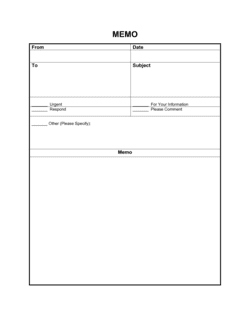
Policy Memo Template

Free Word download • Edit online • Save & share with Drive • Export to PDF

2 pages20–25 min to fillDifficulty: Standard
Learn more ↓
FreePolicy Memo Template

At a glance

What it is
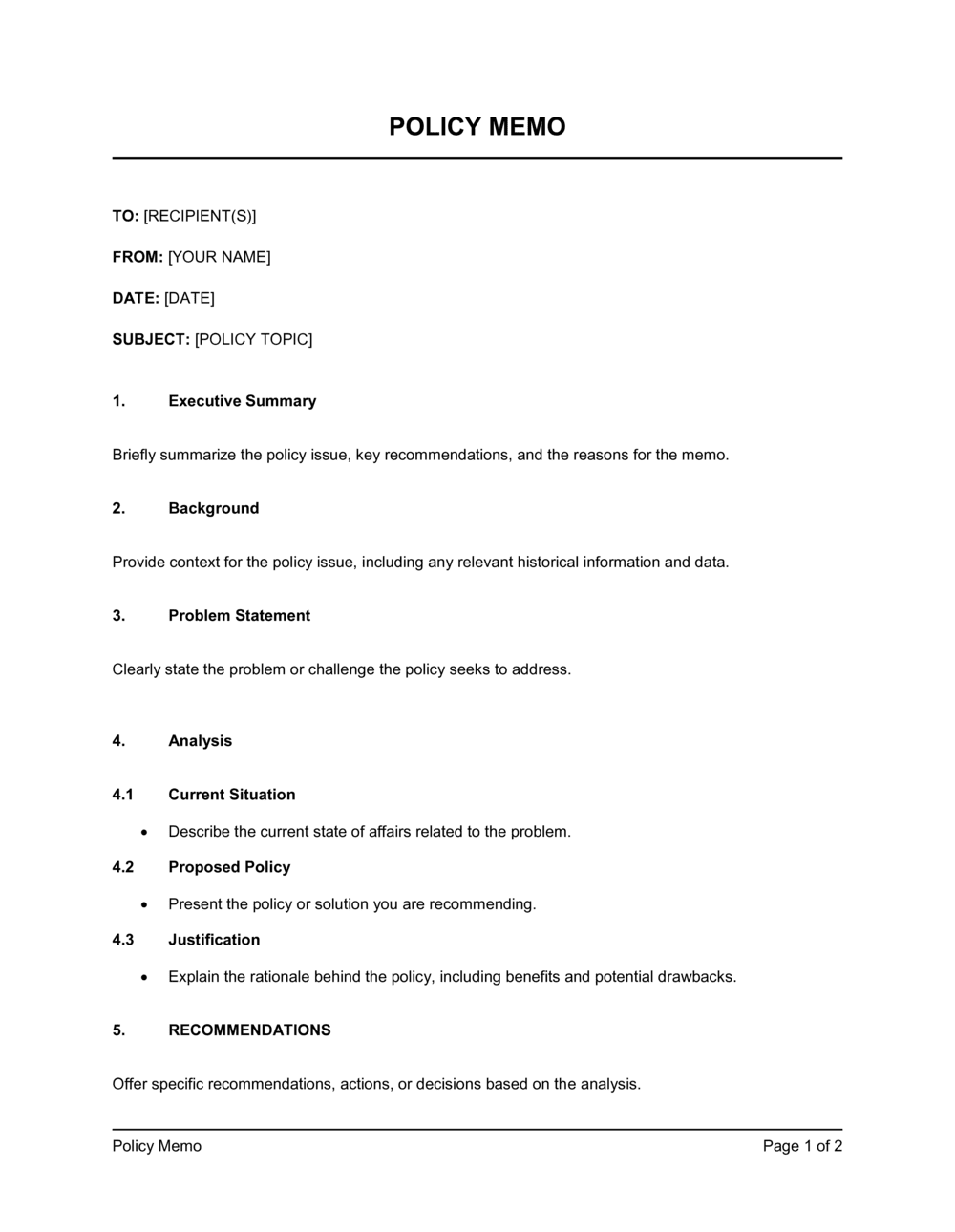
A Policy Memo is a formal internal document used to announce a new or updated workplace policy to employees. This free Word download gives you a structured, professional starting point — covering the policy name, effective date, rationale, key changes, and where to find the full policy document — that you can edit online and distribute as a PDF or email attachment.
When you need it
Use it any time you introduce a new policy or amend an existing one and need employees to be formally notified — from a revised remote-work policy to a new expense reimbursement procedure.
What's inside
A header block with routing information, a purpose statement, a clear description of the policy change and its effective date, the rationale behind the decision, employee action steps, and a reference to the full policy document.

What is a Policy Memo?

A Policy Memo is a formal internal document used to announce a new or updated workplace policy to employees. It identifies who issued the communication, states which policy is affected, explains what has changed and why, sets the exact effective date, tells employees what they need to do next, and directs them to the full policy document for reference. Unlike a casual email, a properly formatted policy memo creates a timestamped, archivable record that a specific rule was communicated to a defined audience on a defined date — the foundation of any defensible compliance program.

Why You Need This Document

Announcing a policy change without a formal memo creates two concrete risks. First, employees who were never formally notified cannot fairly be held to a rule — which undercuts disciplinary action and exposes the organization in employment disputes. Second, verbal announcements and informal emails disappear: they cannot be retrieved, timestamped, or produced as evidence that communication occurred. A policy memo closes both gaps. It gives employees a clear, actionable notice of exactly what is changing and when, and it gives HR and management a retrievable record to fall back on when compliance questions arise. This template structures that communication in under 30 minutes so you can focus on the policy itself rather than the formatting.

Which variant fits your situation?

If your situation is…Use this template
Announcing a brand-new policy for the first timePolicy Memo (New Policy)
Notifying employees of a change to an existing policyPolicy Change Memo
Communicating a company-wide directive from leadershipExecutive Memo
Issuing a formal warning or disciplinary notice tied to a policy breachEmployee Warning Letter
Distributing a comprehensive set of workplace rules to new hiresEmployee Handbook
Documenting a recurring operational procedure for a teamStandard Operating Procedure
Confirming that an employee has read and accepted a specific policyPolicy Acknowledgment Form

Common mistakes to avoid

❌ Using 'immediately' instead of a specific date

Why it matters: Employees who read the memo 48 hours after distribution have no way to know when 'immediately' was, making the effective date genuinely ambiguous.

Fix: Always enter a fixed calendar date. Even if the policy is urgent, state 'Effective [DATE], distributed [DATE]' to remove ambiguity.

❌ Omitting what the old policy said when issuing an update

Why it matters: Employees following the prior rule in good faith appear non-compliant when the memo never explains what changed. This creates confusion and unfair disciplinary exposure.

Fix: Add one sentence in the change summary block: 'This replaces the [PRIOR POLICY NAME] dated [DATE], which required [OLD RULE].'

❌ Burying action items in a paragraph

Why it matters: Prose instructions are scanned, not read. Steps buried in a paragraph are missed — compliance rates drop and follow-up reminders multiply.

Fix: Convert every required action into a numbered list item with an explicit deadline. If there is no action required, state that explicitly.

❌ Distributing the memo without notifying named contacts

Why it matters: Employees who contact the named person find them unaware of the policy, which undermines trust in both the memo and the policy itself.

Fix: Confirm with every named contact — primary and escalation — at least one business day before the memo is distributed.

The 9 key clauses, explained

Memo header

In plain language: Identifies who the memo is to and from, the date it was issued, and a clear subject line describing the policy being announced.

Sample language
TO: [ALL EMPLOYEES / DEPARTMENT NAME] | FROM: [SENDER NAME], [TITLE] | DATE: [DATE] | RE: Policy Update — [POLICY NAME]

Common mistake: Using a vague subject line like 'Important Update.' Employees prioritize reading based on subject lines; a specific policy name and effective date improve open rates and compliance.

Purpose statement

In plain language: A single short paragraph explaining why the memo is being issued and what policy it addresses.

Sample language
The purpose of this memo is to inform all employees of [COMPANY NAME]'s updated [POLICY NAME], effective [DATE]. This policy applies to [SCOPE — e.g., all full-time and part-time employees in the [DEPARTMENT] department].

Common mistake: Writing two or three separate introductory paragraphs before getting to the point. Readers skip to the policy details anyway; a single focused sentence is clearer.

Policy change summary

In plain language: A concise description of what is new or different — what the old rule was (if applicable), what the new rule is, and how they differ.

Sample language
Effective [DATE], [COMPANY NAME] will [DESCRIPTION OF CHANGE]. This replaces the previous policy dated [PRIOR DATE], which [DESCRIPTION OF PRIOR RULE].

Common mistake: Omitting the prior policy entirely when amending an existing one. Employees who follow the old rule unknowingly are not non-compliant by bad faith — they simply weren't told what changed.

Effective date

In plain language: States the exact date the policy takes effect and, where applicable, any transition or grace period before enforcement begins.

Sample language
This policy is effective as of [DATE]. A transition period of [X] business days will apply, during which [DESCRIPTION OF TRANSITIONAL ARRANGEMENT].

Common mistake: Using 'immediately' without a specific date. 'Immediately' is ambiguous for employees who read the memo days after distribution — a fixed date eliminates confusion.

Rationale

In plain language: Explains the business, legal, or operational reason behind the policy change so employees understand the intent rather than just the rule.

Sample language
This change is being made in response to [REASON — e.g., updated legislation / audit findings / operational feedback] and is intended to [DESIRED OUTCOME — e.g., ensure compliance with / improve consistency across / reduce risk from].

Common mistake: Omitting the rationale entirely and only stating the rule. Employees who understand why a policy exists are more likely to follow it and less likely to seek workarounds.

Employee action items

In plain language: Tells employees exactly what they need to do — and by when — in response to the memo, such as reading the full policy, completing a training module, or signing an acknowledgment form.

Sample language
All employees are required to: (1) review the full [POLICY NAME] at [LOCATION / LINK] by [DATE]; (2) complete the associated training module in [SYSTEM] by [DATE]; (3) direct questions to [CONTACT / EMAIL].

Common mistake: Listing action items in paragraph form with no numbered list or deadline. Employees miss steps buried in prose; a numbered list with explicit dates produces higher completion rates.

Escalation and contact information

In plain language: Identifies who employees should contact if they have questions, need a clarification, or believe the policy affects them in an unusual way.

Sample language
Questions regarding this policy should be directed to [CONTACT NAME / DEPARTMENT] at [EMAIL] or [PHONE]. For concerns requiring escalation, contact [ESCALATION CONTACT] at [EMAIL].

Common mistake: Listing a generic shared inbox like 'hr@company.com' without a named contact. Named contacts produce faster resolution and signal accountability.

Reference to full policy document

In plain language: Directs employees to the location of the complete policy — intranet link, shared drive path, or physical binder — so the memo does not need to reproduce every detail.

Sample language
The complete [POLICY NAME] is available at [INTRANET LINK / SHARED DRIVE PATH / LOCATION]. Printed copies are available from [DEPARTMENT / LOCATION] upon request.

Common mistake: Including the full policy text in the body of the memo. Long memos reduce readability and compliance; the memo announces the policy, the linked document governs it.

Supersession clause

In plain language: States that this memo and the referenced policy replace any prior versions, preventing old rules from remaining in informal use.

Sample language
This memo and the accompanying [POLICY NAME] supersede all prior policies, guidelines, and informal arrangements relating to [SUBJECT MATTER] as of [DATE].

Common mistake: Omitting the supersession clause when updating a policy. Employees — and managers — frequently continue following older rules when no explicit replacement statement is made.

How to fill it out

  1. 1

    Complete the memo header

    Fill in the To, From, Date, and RE fields. The subject line should name the policy and include the effective date — for example, 'RE: Updated Remote Work Policy — Effective June 1, 2026.'

    💡 Use the employee's full department name or role group in the To field, not just 'all staff,' so the distribution list is precise and auditable.

  2. 2

    Write a one-sentence purpose statement

    State in a single sentence what policy is being announced, the effective date, and who it applies to. Resist the urge to add background before this statement.

    💡 If you can't summarize the purpose in one sentence, the memo is covering too many policy changes at once — split it.

  3. 3

    Summarize what is changing and why

    Describe the new rule in plain language and, if this is an update, briefly state what the old rule was. Follow immediately with the rationale in two to three sentences.

    💡 Write the change description before the rationale — readers need to know what changed before they can appreciate why.

  4. 4

    Enter the exact effective date and any transition period

    Replace any instance of 'immediately' or 'as soon as possible' with a specific calendar date. If there is a grace period before enforcement, state its end date explicitly.

    💡 For policies with significant behavioral changes, a 5–10 business day transition period reduces resistance and gives managers time to brief their teams.

  5. 5

    List employee action items in numbered order

    Write out every step employees must take — reading the policy, completing training, signing an acknowledgment — as a numbered list with a deadline next to each item.

    💡 Keep the list to three to five items maximum. If compliance requires more than five steps, create a separate checklist document and reference it here.

  6. 6

    Add the contact and escalation information

    Enter a named contact person with an email address for day-to-day questions, and a secondary escalation contact for concerns that cannot be resolved at the first level.

    💡 Confirm with both contacts that they are aware they are named in the memo before you distribute it.

  7. 7

    Insert the link or path to the full policy document

    Add the exact intranet URL, shared drive path, or physical location of the complete policy document. Test the link before distributing.

    💡 If your intranet URLs change frequently, link to a folder or page title rather than a direct URL to avoid broken links in archived memos.

  8. 8

    Review, approve, and distribute

    Have the policy owner and, for sensitive topics, an HR or legal reviewer read the memo before it goes out. Send as a PDF attachment or post to your intranet with a read-receipt or acknowledgment request.

    💡 Archive the final signed memo and all acknowledgment records together in the same folder as the policy document for audit readiness.

Frequently asked questions

What is a policy memo?

A policy memo is a formal internal document used to announce a new or updated workplace policy to employees. It summarizes the change, states the effective date, explains the rationale, tells employees what action is required, and directs them to the full policy document. Unlike an informal email, a policy memo creates a documented record that a specific policy was communicated on a specific date.

When should I use a policy memo instead of an email?

Use a policy memo any time the communication needs to be archived as a formal record — for example, when a policy change affects compliance obligations, employment terms, or safety requirements. A standard email can disappear in inboxes; a memo distributed as a PDF attachment or posted to an intranet creates a timestamped, retrievable record useful in audits and disputes.

Does a policy memo need to be signed?

The memo itself typically does not require a signature from the issuing party beyond the From line. However, many organizations collect a separate signed acknowledgment from each employee confirming they have received and read the policy. This acknowledgment — not the memo — is the document that carries legal weight in an employment dispute.

How long should a policy memo be?

One page is ideal; two pages is the practical maximum for most policies. The memo announces and summarizes the policy — it is not the policy itself. If you find the memo running longer than a page, move the detail into the referenced policy document and keep the memo focused on the what, when, why, and what-to-do-next.

What is the difference between a policy memo and an employee handbook entry?

A policy memo is a point-in-time communication announcing a specific change to a specific audience. An employee handbook is a standing reference document that compiles all current policies in one place. The memo drives awareness of the change; the handbook records the authoritative current version of the policy. Every policy memo should prompt an update to the corresponding handbook section.

How do I communicate a sensitive policy change — such as a pay or benefits reduction?

Lead with the rationale before the change description. Employees who understand the business context behind a difficult decision are more likely to accept it and less likely to escalate. Pair the memo with a manager briefing so team leads can answer questions in person before the memo is distributed. For legally significant changes, have HR or employment counsel review the memo language before it goes out.

What records should I keep after distributing a policy memo?

Retain the final signed memo, the distribution list with timestamps, all employee acknowledgment records, and any returned questions or escalations with their resolutions. Store these together with the corresponding version of the full policy document. This package is what HR and legal will request first in any employment dispute involving the policy.

Can I use the same policy memo template for department-specific policies?

Yes. Adjust the To field to name the relevant department or role group rather than all employees, and update the scope language in the purpose statement accordingly. Department-specific memos should still be archived centrally so HR has a complete record of all policy communications, not just company-wide ones.

How this compares to alternatives

vs Employee Handbook

An employee handbook is a standing reference document that compiles all current policies for ongoing use. A policy memo is a point-in-time communication announcing a specific change. The memo drives immediate awareness; the handbook records the authoritative version. Every policy memo should trigger an update to the relevant handbook section.

vs Standard Operating Procedure

A standard operating procedure documents step-by-step instructions for completing a recurring task. A policy memo announces rules, expectations, and consequences — not task steps. If a policy change requires new procedures, the memo references the updated SOP rather than reproducing it.

vs Employee Warning Letter

An employee warning letter addresses a specific individual's non-compliance with an existing policy. A policy memo communicates the policy itself to a group before any violation occurs. The memo is a prerequisite to the warning letter — you cannot fairly enforce a policy employees were never notified of.

vs Business Memo

A general business memo communicates any internal information — meeting decisions, project updates, or announcements. A policy memo is a specific subtype with a structured format that includes an effective date, required employee actions, and a reference to a governing policy document. Use a general memo for informal communication and a policy memo when creating a compliance record.

Industry-specific considerations

Professional Services

Policy memos commonly address billing time-recording requirements, client confidentiality obligations, and conflict-of-interest disclosure procedures.

Healthcare

HIPAA-related policy updates, infection-control procedure changes, and credentialing requirement notices require carefully worded memos with mandatory acknowledgment tracking.

Retail / Hospitality

High staff turnover means policy memos must be simple enough for new employees to act on quickly, covering shift rules, tip handling, and customer interaction standards.

Technology / SaaS

Remote-work, data-security, and acceptable-use policy memos are frequent in distributed teams and often require a linked acknowledgment form for SOC 2 or ISO 27001 compliance.

Template vs pro — what fits your needs?

PathBest forCostTime
Use the templateHR managers, operations leads, and business owners announcing standard policy updates to their teamsFree15–30 minutes per memo
Template + professional reviewSensitive policy changes involving pay, benefits, disciplinary procedures, or privacy obligations$100–$300 for an HR advisor or employment counsel review1–2 business days
Custom draftedRegulated industries where policy communications carry legal compliance obligations, or organizations with union agreements$300–$800+ for employment counsel drafting3–5 business days

Glossary

Policy Memo
A formal internal document used to announce, explain, or update a workplace policy and direct employees on what action is required.
Effective Date
The specific calendar date on which a policy takes force and employees are expected to comply with it.
Distribution List
The defined group of employees — by name, role, or department — who are designated recipients of the memo.
Policy Rationale
A brief explanation of why the policy was introduced or changed, such as a legal requirement, audit finding, or operational need.
Action Required
The specific steps employees must take in response to the memo — acknowledging receipt, completing training, or updating their behavior by a deadline.
Policy Owner
The person or department responsible for maintaining the policy, answering questions about it, and updating it when circumstances change.
Acknowledgment
A written or digital confirmation from an employee that they have received and understood the policy memo — used as a compliance record.
Superseding Policy
Language stating that the new memo and its referenced policy replace any prior version of the same policy, preventing conflicting rules from coexisting.
Escalation Path
The designated contact or process employees should follow if they have questions, concerns, or believe the policy conflicts with their role.

Part of your Business Operating System

This document is one of 3,000+ business & legal templates included in Business in a Box.

  • Fill-in-the-blanks — ready in minutes
  • 100% customizable Word document
  • Compatible with all office suites
  • Export to PDF and share electronically

Create your document in 3 simple steps.

From template to signed document — all inside one Business Operating System.
1
Download or open template

Access over 3,000+ business and legal templates for any business task, project or initiative.

2
Edit and fill in the blanks with AI

Customize your ready-made business document template and save it in the cloud.

3
Save, Share, Send, Sign

Share your files and folders with your team. Create a space of seamless collaboration.

Save time, save money, and create top-quality documents.

★★★★★

"Fantastic value! I'm not sure how I'd do without it. It's worth its weight in gold and paid back for itself many times."

Managing Director · Mall Farm
Robert Whalley
Managing Director, Mall Farm Proprietary Limited
★★★★★

"I have been using Business in a Box for years. It has been the most useful source of templates I have encountered. I recommend it to anyone."

Business Owner · 4+ years
Dr Michael John Freestone
Business Owner
★★★★★

"It has been a life saver so many times I have lost count. Business in a Box has saved me so much time and as you know, time is money."

Owner · Upstate Web
David G. Moore Jr.
Owner, Upstate Web

Run your business with a system — not scattered tools

Stop downloading documents. Start operating with clarity. Business in a Box gives you the Business Operating System used by over 250,000 companies worldwide to structure, run, and grow their business.

Start free · No credit card required