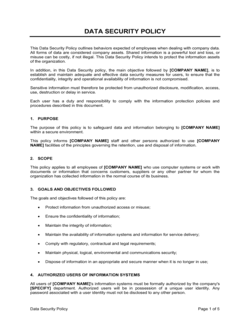
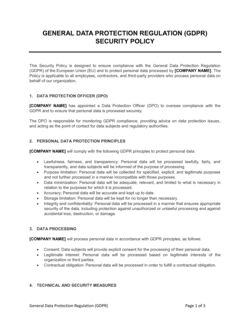
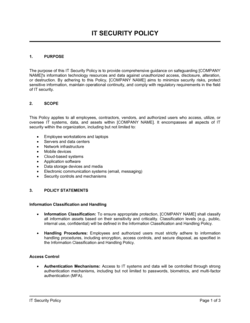
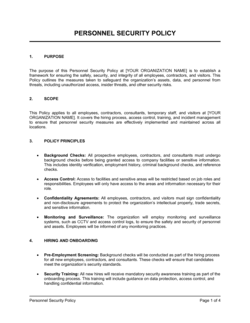
Organizational Security Policy Template

Free Word download β€’ Edit online β€’ Save & share with Drive β€’ Export to PDF

4 pagesβ€’20–30 min to fillβ€’Difficulty: Standard
Learn more ↓
FreeOrganizational Security Policy Template

At a glance

What it is
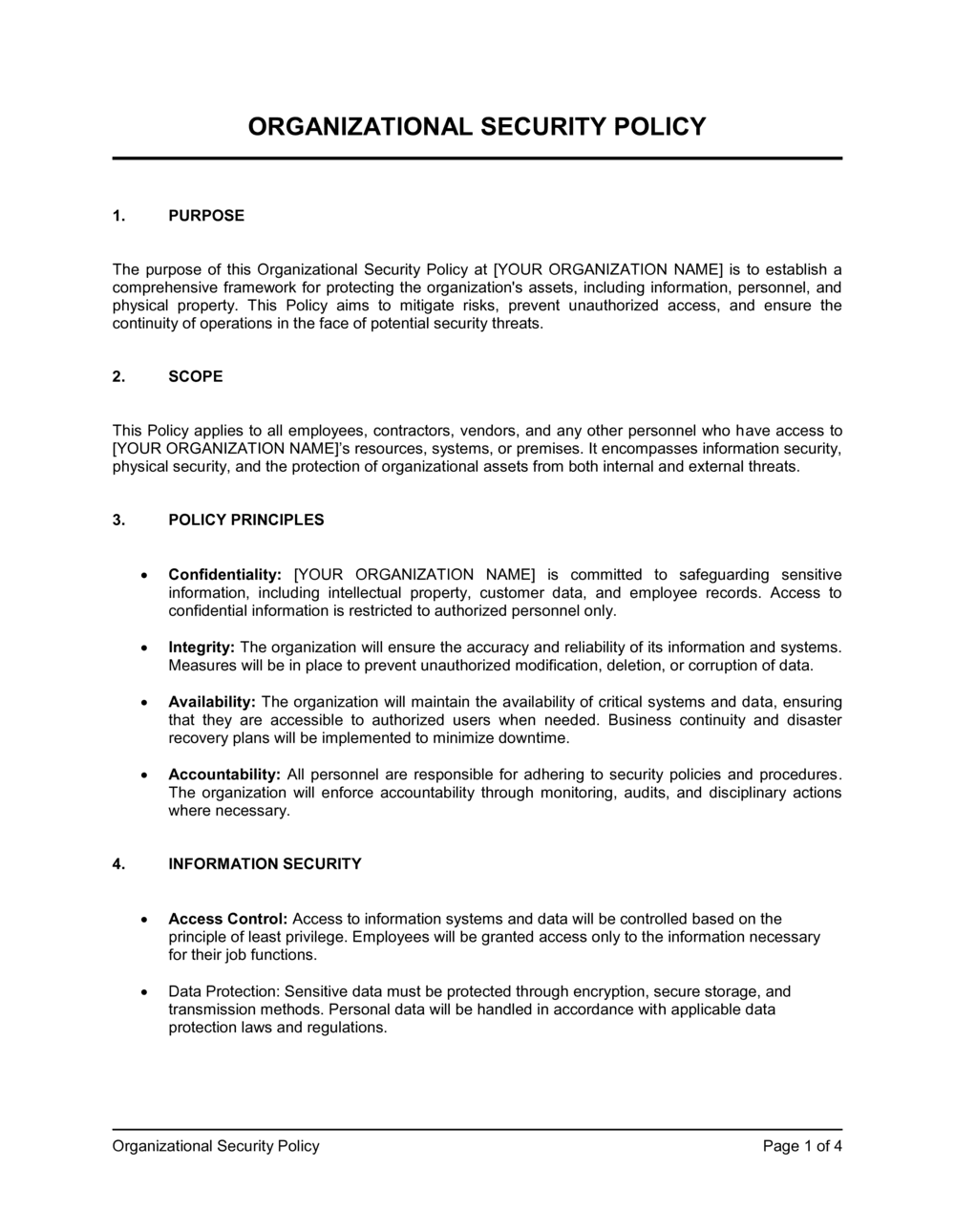
An Organizational Security Policy is a formal document that defines how a company protects its information assets, systems, and physical infrastructure. This free Word download gives you a structured, editable starting point covering access control, data classification, acceptable use, incident response, and employee responsibilities β€” ready to customize and distribute to your team.
When you need it
Use it when onboarding new employees who need written security guidelines, when a client, auditor, or insurer requests evidence of a formal security posture, or when preparing for a compliance certification such as SOC 2, ISO 27001, or HIPAA.
What's inside
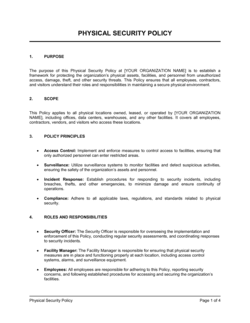
Purpose and scope, information classification tiers, access control rules, acceptable use of systems and devices, data handling and retention requirements, incident response procedures, physical security standards, and employee training obligations.

What is an Organizational Security Policy?

An Organizational Security Policy is a formal governing document that defines the rules, responsibilities, and minimum standards a company uses to protect its information assets, systems, and physical environment. It establishes the authority for all security decisions made within the organization β€” covering who can access which data, how incidents are reported and handled, what employees may and may not do on company devices, and how the policy itself is maintained over time. Unlike a technical runbook or a one-off procedure, the organizational security policy functions as the master framework from which more specific sub-policies, plans, and controls are derived.

Why You Need This Document

Operating without a written security policy leaves your organization exposed on multiple fronts simultaneously. Employees make ad hoc access decisions because no classification standard exists; former staff retain active credentials because no deprovisioning rule is enforced; incidents go unreported for hours because nobody knows the escalation path. The downstream costs are concrete: the average cost of a data breach exceeded $4.4 million in 2023, and regulators under HIPAA, GDPR, and PCI DSS treat the absence of a formal written policy as an aggravating factor when assessing fines. Beyond regulatory exposure, enterprise clients and cyber insurers now routinely require a current written security policy before signing contracts or issuing coverage β€” without one, deals stall and premiums rise. This template gives you a complete, audit-ready structure you can customize in hours rather than weeks, so your organization can meet compliance requirements, satisfy client security questionnaires, and give employees the clear guidance they need to protect your business.

Which variant fits your situation?

If your situation is…Use this template
Covering only employee device and internet usage rulesAcceptable Use Policy
Documenting how personal data is collected and processedPrivacy Policy
Defining steps to take after a security breach or cyberattackIncident Response Plan
Controlling how third-party vendors access your systemsVendor Security Policy
Meeting ISO 27001 information security management requirementsInformation Security Management Policy (ISMS)
Addressing remote worker device and network security expectationsRemote Work Security Policy
Establishing rules for password creation and credential managementPassword Policy

Common mistakes to avoid

❌ Excluding contractors and vendors from scope

Why it matters: Third-party access is one of the most common breach vectors. A policy that covers only full-time employees leaves a significant portion of system access ungoverned.

Fix: Add contractors, vendors, and any third party with system or data access to the scope section. Reference your vendor security requirements in the same document or link to a companion vendor policy.

❌ Publishing the policy without employee acknowledgment

Why it matters: A policy employees have not formally read and acknowledged is difficult to enforce. Disciplinary action for violations is weakened when there is no record that the employee knew the rules.

Fix: Build a signed or electronically confirmed acknowledgment step into every distribution and re-issue process. Store acknowledgment records in HR or your document management system.

❌ Setting no review date or version number

Why it matters: A policy with no version history may be months or years out of date β€” employees following it may be non-compliant with current regulations, and auditors will flag the absence of a review cycle.

Fix: Add a version number, effective date, and next-review date to the document header. Assign a named role (not a person) as policy owner responsible for initiating each review.

❌ Defining consequences as 'appropriate disciplinary action' without specifics

Why it matters: Vague enforcement language reduces deterrence. Employees and managers cannot calibrate expected consequences, and HR cannot apply discipline consistently across similar violations.

Fix: Describe the range of outcomes for negligent and deliberate violations separately β€” for example, a first-offense negligent breach may result in mandatory retraining, while deliberate data theft triggers termination and legal referral.

The 10 key sections, explained

Purpose, scope, and objectives

Information classification framework

Access control and identity management

Acceptable use of systems and devices

Data handling, storage, and retention

Incident detection and response

Physical and environmental security

Employee training and awareness

Policy violations and enforcement

Policy review and version control

How to fill it out

  1. 1

    Define the scope and owner

    Identify every group the policy applies to β€” full-time employees, part-time staff, contractors, and any third parties with system access. Name a specific policy owner (by title, not personal name) who is accountable for keeping it current.

    πŸ’‘ Using a title rather than a person's name in the owner field means the policy does not need updating every time the role changes hands.

  2. 2

    Adopt a data classification scheme

    Choose three or four classification tiers, give each a plain-English label, and list five to ten concrete examples of data that belongs in each tier. Avoid invented jargon β€” labels like Public, Internal, Confidential, and Restricted are widely understood.

    πŸ’‘ Walk one non-technical employee through the classification examples before finalizing β€” if they cannot categorize their own day-to-day data, the labels need revision.

  3. 3

    Map access controls to classification tiers

    For each classification tier, specify approved storage platforms, required authentication methods (password only vs. MFA), and who can authorize access. Tie access provisioning to a formal approval step β€” email from a manager is the minimum.

    πŸ’‘ Document the deprovisioning process as carefully as provisioning β€” the access that persists after someone leaves is far more dangerous than the access you forget to grant.

  4. 4

    Write the acceptable use rules in plain language

    List specific prohibited behaviors β€” installing unapproved software, connecting to public Wi-Fi without a VPN, forwarding company email to personal accounts β€” rather than vague prohibitions like 'misuse of systems.'

    πŸ’‘ Include at least two examples of permitted personal use (e.g., brief personal browsing on a lunch break) to set realistic expectations and reduce confusion.

  5. 5

    Build the incident response chain

    Name the role employees contact first, the escalation path, the containment timeline, and the external notification obligations. Use a table or numbered list so the steps are scannable under pressure.

    πŸ’‘ Add a direct phone number and email alias for security reporting β€” friction in the reporting process is the main reason incidents go unreported for hours.

  6. 6

    Set training requirements with deadlines

    Specify the training program name, the completion window for new hires (typically 14 days), the annual recurrence date, and who tracks completion. If you run phishing simulations, state the frequency and the remediation step for employees who fail.

    πŸ’‘ Tie training completion to a systems access milestone β€” for example, access to Confidential systems requires proof of completed security training.

  7. 7

    Assign version numbers and a review cycle

    Add a version number, an effective date, and a next-review date to the document header. A 12-month review cycle is the industry standard; also trigger a review after any significant incident or regulatory change.

    πŸ’‘ Store the signed, approved version in a document management system with access logs β€” auditors will ask for both the document and evidence of management approval.

  8. 8

    Distribute and obtain employee acknowledgment

    Send the policy to all in-scope employees with a required read-and-acknowledge step. A dated acknowledgment signature or electronic confirmation creates a record that employees were informed of their obligations.

    πŸ’‘ Reissue an acknowledgment request every time you publish a new version β€” acknowledgment of the previous version does not cover material changes.

Frequently asked questions

What is an organizational security policy?

An organizational security policy is a formal document that defines the rules, responsibilities, and procedures an organization uses to protect its information assets, systems, and physical environment. It covers topics such as data classification, access control, acceptable use, incident response, and employee training obligations. It functions as the governing framework from which more specific sub-policies β€” such as a password policy or an acceptable use policy β€” are derived.

Who needs an organizational security policy?

Any organization that stores customer data, uses cloud services, employs remote workers, or operates under a compliance obligation needs a written security policy. This includes SaaS companies, healthcare providers, financial services firms, professional service firms, and small businesses that handle payment card data. Enterprise clients and cyber insurers increasingly require a formal policy before signing contracts or issuing coverage.

What is the difference between a security policy and a security plan?

A security policy sets the rules β€” what must be done, by whom, and to what standard. A security plan describes how the organization will implement those rules, including specific tools, timelines, and responsibilities. Most organizations write the policy first to establish authority and scope, then develop supporting plans and procedures that describe implementation in operational detail.

How long should an organizational security policy be?

A complete organizational security policy typically runs 8–20 pages, depending on the organization's size and complexity. Smaller businesses can cover the core sections β€” scope, classification, access control, acceptable use, incident response, and training β€” in 10 pages or fewer. Larger or regulated organizations often maintain a shorter master policy supplemented by detailed sub-policies on specific topics.

How often should a security policy be reviewed and updated?

The standard review cycle is annually, aligned to the start of each fiscal year. Additionally, the policy should be reviewed and potentially updated after any significant security incident, a material change in technology or business operations, or a new regulatory requirement. Each update should increment the version number and trigger a new employee acknowledgment cycle.

Does an organizational security policy need to be signed by employees?

Yes β€” employee acknowledgment is a critical control. A signed or electronically confirmed acknowledgment creates a record that each employee was informed of their security obligations, which supports disciplinary action for violations and satisfies auditor expectations under frameworks such as SOC 2 and ISO 27001. Acknowledgment should be collected for every new version, not just the initial release.

What compliance frameworks require a formal security policy?

SOC 2 Type II, ISO 27001, HIPAA, PCI DSS, NIST CSF, and GDPR all require or strongly recommend a documented information security policy as a foundational control. Specific requirements vary β€” ISO 27001 mandates a policy approved by top management and communicated to all employees, while PCI DSS requires that the policy address all twelve of its requirements. Most cyber insurance applications also require evidence of a current written policy.

Can a small business use the same security policy as a large enterprise?

A small business should use a simplified version that covers the same core topics β€” classification, access control, acceptable use, incident response β€” but with fewer sub-sections and less technical depth. The critical elements are completeness and clarity, not length. A 10-page policy that employees actually read and follow is more effective than a 40-page document that sits unread in a shared drive.

What is the difference between an organizational security policy and a privacy policy?

An organizational security policy is an internal document governing how employees protect company and customer data. A privacy policy is an external-facing document that informs customers and users how their personal data is collected, used, and stored. Both are required for most businesses, but they serve different audiences β€” the security policy governs employee behavior, while the privacy policy satisfies regulatory disclosure obligations to the public.

How this compares to alternatives

vs Acceptable Use Policy

An acceptable use policy is a focused sub-policy covering only employee behavior on company devices and networks. An organizational security policy is the master governing document from which the AUP β€” along with incident response, classification, and access control policies β€” derives its authority. Organizations typically need both, with the AUP referenced from the master policy.

vs IT Security Policy

An IT security policy focuses on technical controls β€” network architecture, patch management, endpoint configuration, and system hardening. An organizational security policy is broader, covering physical security, employee behavior, training obligations, and governance alongside technical controls. Use the IT security policy for technical teams and the organizational policy as the enterprise-wide governing document.

vs Incident Response Plan

An incident response plan is an operational document that describes in step-by-step detail what to do during and after a security breach. The organizational security policy establishes the obligation to have a response capability and sets the notification timelines and escalation chain. The policy creates the rule; the incident response plan is the playbook for executing it.

vs Privacy Policy

A privacy policy is an external-facing disclosure document informing customers how their personal data is handled β€” it satisfies regulatory obligations under GDPR, CCPA, and similar laws. An organizational security policy is an internal governance document that governs employee behavior. Both are needed: the privacy policy tells the public what you do; the security policy ensures your employees actually do it.

Industry-specific considerations

SaaS / Technology

Covers source code repository access controls, cloud infrastructure permissions, API key management, and SOC 2 trust service criteria alignment.

Healthcare

HIPAA Security Rule compliance requires documented policies for ePHI access, audit logging, transmission security, and workforce training β€” all of which map directly to this template's sections.

Financial Services

PCI DSS and SOX requirements drive stricter access control, encryption, and audit trail sections; change management and segregation of duties are additional required topics.

Professional Services

Client confidentiality obligations make data classification and acceptable use sections critical; enterprise client security questionnaires frequently require a copy of the formal policy.

Template vs pro β€” what fits your needs?

PathBest forCostTime
Use the templateSmall to mid-size businesses establishing a security baseline or responding to a client questionnaireFree3–6 hours to customize and distribute
Template + professional reviewOrganizations pursuing SOC 2, ISO 27001, or HIPAA compliance where auditors will scrutinize the policy$500–$2,000 for a security consultant or vCISO review1–2 weeks
Custom draftedEnterprises in regulated industries, organizations with complex multi-cloud environments, or those following NIST or FedRAMP frameworks$3,000–$10,000+ for a full security policy program4–8 weeks

Glossary

Information Asset
Any data, system, or device that holds value to the organization and must be protected β€” including customer records, source code, and financial reports.
Data Classification
A tiered labeling system β€” such as Public, Internal, Confidential, and Restricted β€” that determines how each category of information may be stored, shared, and disposed of.
Access Control
Rules and technical mechanisms that limit who can view or modify specific systems and data based on their role and business need.
Least Privilege
The principle that users should have access only to the systems and data they need to perform their specific job function β€” no more.
Multi-Factor Authentication (MFA)
A login method requiring two or more verification factors β€” such as a password plus a one-time code β€” to confirm a user's identity.
Incident Response
The documented process for detecting, containing, investigating, and recovering from a security breach or cyberattack.
Acceptable Use Policy (AUP)
A subset policy defining the permitted and prohibited uses of company-owned or company-managed devices, networks, and software.
Data Retention
The rules governing how long specific types of data must be kept before they can be securely deleted or archived.
Encryption
The process of encoding data so it can only be read by authorized parties who possess the correct decryption key.
Social Engineering
Manipulation tactics β€” such as phishing emails or impersonation calls β€” used by attackers to trick employees into revealing credentials or granting system access.

Part of your Business Operating System

This document is one of 3,000+ business & legal templates included in Business in a Box.

  • Fill-in-the-blanks β€” ready in minutes
  • 100% customizable Word document
  • Compatible with all office suites
  • Export to PDF and share electronically

Create your document in 3 simple steps.

From template to signed document β€” all inside one Business Operating System.
1
Download or open template

Access over 3,000+ business and legal templates for any business task, project or initiative.

2
Edit and fill in the blanks with AI

Customize your ready-made business document template and save it in the cloud.

3
Save, Share, Send, Sign

Share your files and folders with your team. Create a space of seamless collaboration.

Save time, save money, and create top-quality documents.

β˜…β˜…β˜…β˜…β˜…

"Fantastic value! I'm not sure how I'd do without it. It's worth its weight in gold and paid back for itself many times."

Managing Director Β· Mall Farm
Robert Whalley
Managing Director, Mall Farm Proprietary Limited
β˜…β˜…β˜…β˜…β˜…

"I have been using Business in a Box for years. It has been the most useful source of templates I have encountered. I recommend it to anyone."

Business Owner Β· 4+ years
Dr Michael John Freestone
Business Owner
β˜…β˜…β˜…β˜…β˜…

"It has been a life saver so many times I have lost count. Business in a Box has saved me so much time and as you know, time is money."

Owner Β· Upstate Web
David G. Moore Jr.
Owner, Upstate Web

Run your business with a system β€” not scattered tools

Stop downloading documents. Start operating with clarity. Business in a Box gives you the Business Operating System used by over 250,000 companies worldwide to structure, run, and grow their business.

Start freeΒ Β·Β No credit card required