It Equipment Email And Internet Usage Policy Template

Free Word download β€’ Edit online β€’ Save & share with Drive β€’ Export to PDF

4 pagesβ€’20–30 min to fillβ€’Difficulty: Standard
Learn more ↓
FreeIt Equipment Email And Internet Usage Policy Template

At a glance

What it is
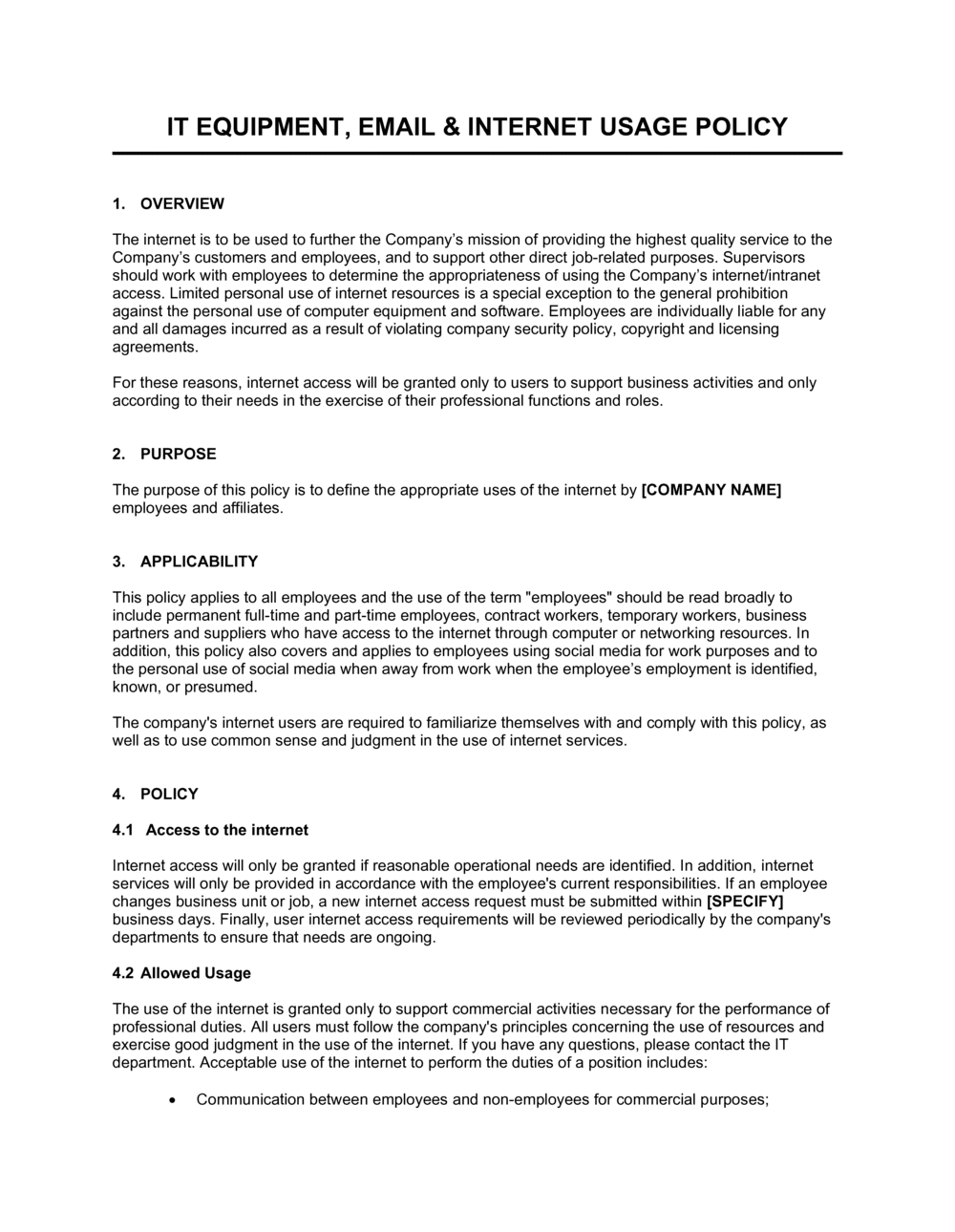
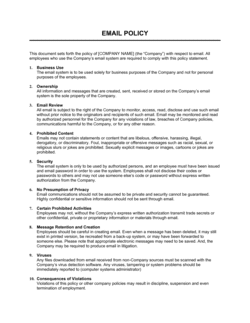
An IT Equipment, Email and Internet Usage Policy is a written workplace document that defines how employees are permitted to use company-owned technology β€” computers, mobile devices, email accounts, and internet connections β€” and what is expressly prohibited. This free Word download gives you a structured, ready-to-customize policy you can edit online and distribute as PDF or via your HR onboarding system.
When you need it
Use it when onboarding new employees, updating your employee handbook, responding to a security incident, or establishing a formal IT governance framework for the first time. Any organization that issues devices or provides network access to staff needs this document in place before a problem occurs, not after.
What's inside
Acceptable use rules for hardware, software, email, and internet access; prohibited activities and content categories; personal use boundaries; monitoring and privacy disclosures; security responsibilities such as password management and software updates; bring-your-own-device (BYOD) guidelines; consequences for policy violations; and an employee acknowledgment section.

What is an IT Equipment, Email and Internet Usage Policy?

An IT Equipment, Email and Internet Usage Policy is a written workplace document that establishes the rules governing how employees, contractors, and other authorized personnel may use company-owned technology β€” including computers, mobile devices, email accounts, and internet connections. It defines acceptable and prohibited activities, sets minimum security requirements such as password standards and device encryption, discloses that company systems are subject to monitoring, and specifies the consequences for violations. By putting these rules in writing and requiring employee acknowledgment, the policy creates both a behavioral standard and a documented legal notice that company-provided technology is not a private resource.

Why You Need This Document

Without a written IT usage policy, you have no enforceable baseline for disciplining employees who misuse company systems, no documented disclosure to defend monitoring activity against privacy claims, and no clear security requirements that employees are contractually obligated to follow. When a security incident occurs β€” a malware infection from a personal download, a data leak via personal email forwarding, or a phishing attack that succeeded because an employee clicked an unverified link β€” the absence of a policy removes your ability to take consistent disciplinary action and weakens your position with insurers, regulators, and legal counsel. Cyber-insurance underwriters increasingly require a signed acceptable use policy as a condition of coverage, and regulated industries including healthcare and financial services face compliance exposure without one. This template gives you a complete, customizable policy you can distribute and enforce from day one.

Which variant fits your situation?

If your situation is…Use this template
Employees using personal devices to access company systemsBYOD Policy
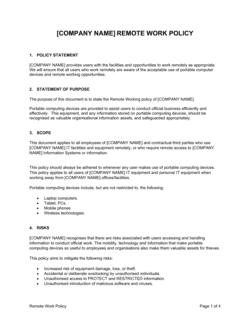
Remote or hybrid workforce with home network access to company resourcesRemote Work Policy
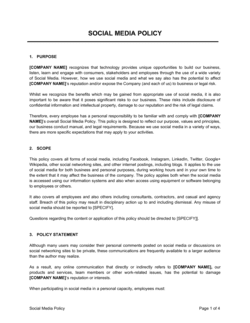
Governing social media activity on behalf of the companySocial Media Policy
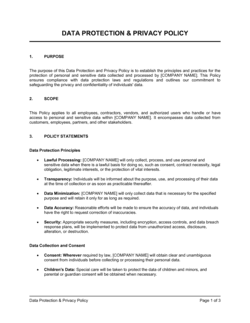
Protecting sensitive business and customer data specificallyData Protection and Privacy Policy
Responding to a confirmed security breach or data incidentIncident Response Plan
Governing software licensing and approved application listsSoftware Asset Management Policy
Issuing a standalone email communication conduct policyEmail Communication Policy

Common mistakes to avoid

❌ No monitoring disclosure

Why it matters: Monitoring employees without prior notice can expose the company to privacy claims or regulatory penalties, particularly in Canada, the EU, and California. Employees who are not informed they have no privacy expectation may successfully challenge disciplinary action based on monitored activity.

Fix: Include a clear, standalone monitoring and privacy section near the beginning of the policy. Use plain language: state what is monitored, that no privacy is expected, and that monitoring may occur without prior notice.

❌ Omitting contractors and temporary staff from scope

Why it matters: Contractors frequently have the same or broader system access as permanent employees and represent a significant but often unaddressed security surface. A breach caused by a contractor with no policy coverage is difficult to address through disciplinary or legal channels.

Fix: Explicitly name all categories of covered personnel in the scope section, and require acknowledgment from contractors at onboarding, not only permanent employees.

❌ No acknowledgment collection process

Why it matters: A policy that employees have not formally acknowledged cannot be reliably enforced. In termination disputes, an employer who cannot prove the employee received and accepted the policy is in a materially weaker position.

Fix: Add a signed acknowledgment page and build the collection step into new-hire onboarding. Store completed acknowledgments in HR files and re-collect after any material policy update.

❌ Failing to update the policy after a security incident or technology change

Why it matters: An IT policy written in 2019 that does not address cloud collaboration tools, AI assistants, or remote work is functionally obsolete and leaves real exposure undocumented. Employees interpret gaps as implicit permission.

Fix: Schedule an annual policy review tied to your fiscal year start. Assign a named owner β€” typically the IT manager or HR director β€” responsible for triggering the review and distributing updates.

The 10 key sections, explained

Purpose and scope

Acceptable use of IT equipment

Email usage rules

Internet access and browsing

Monitoring and privacy

Password and access security

Software installation and device security

BYOD guidelines

Violations and consequences

Policy acknowledgment

How to fill it out

  1. 1

    Insert company name and effective date

    Replace all [COMPANY NAME] placeholders throughout the document and set the effective date. Ensure the header and footer both reflect the same version date so distributed copies are identifiable.

    πŸ’‘ Add a version number (e.g., v1.0, v2.1) alongside the date β€” it makes tracking future revisions and communicating updates to staff significantly easier.

  2. 2

    Define the scope of covered personnel and systems

    Explicitly list all categories of personnel the policy covers β€” full-time employees, part-time staff, contractors, interns, and third-party vendors β€” and name the systems and device types in scope.

    πŸ’‘ If you engage contractors through a staffing agency, confirm in your vendor agreement that they are bound by your IT policies β€” the policy document alone may not be sufficient.

  3. 3

    Set personal use boundaries

    Decide on a specific personal use rule β€” for example, incidental use is permitted outside core hours β€” and write it into the acceptable use section. Vague rules invite inconsistent enforcement.

    πŸ’‘ Align the personal use rule with your remote work policy if you have one; contradictions between documents create employee relations problems.

  4. 4

    Configure the password and 2FA requirements

    Enter your minimum password length, complexity rules, rotation frequency, and which specific systems require two-factor authentication. Coordinate with your IT team to confirm the technical controls match what is written.

    πŸ’‘ State the 2FA requirement for email, VPN, and any cloud platform handling customer or financial data β€” these are the three systems most frequently targeted in small-business breaches.

  5. 5

    Add the monitoring disclosure prominently

    Place the monitoring and privacy section early in the document β€” not in an appendix β€” and use plain language. Employees must understand they have no expectation of privacy on company systems before they use them.

    πŸ’‘ In the EU and Canada, the monitoring disclosure may need to be more specific about what is logged and for how long. Flag this section for a brief legal review if you have employees in those jurisdictions.

  6. 6

    Complete the BYOD and remote access section

    If employees use personal devices or work remotely, fill in the MDM enrollment requirement, minimum PIN length, encryption requirement, and the remote-wipe clause. If BYOD is not permitted, state it explicitly.

    πŸ’‘ A blanket 'no personal devices' policy is the simplest approach β€” but if you can't enforce it in practice, a documented BYOD framework is safer than an ignored prohibition.

  7. 7

    State violations and consequences clearly

    Name the disciplinary steps β€” verbal warning, written warning, suspension, termination β€” and specify which violations bypass the progressive ladder and result in immediate termination or law enforcement referral.

    πŸ’‘ Cross-reference your employee handbook's disciplinary procedure so both documents are consistent. Contradiction between the IT policy and the handbook is a common HR dispute trigger.

  8. 8

    Distribute and collect signed acknowledgments

    Send the policy to all in-scope personnel, set a deadline for signed acknowledgment, and store completed acknowledgments in each employee's HR file. Repeat this process whenever the policy is materially updated.

    πŸ’‘ For remote teams, use an e-signature or HR platform acknowledgment flow β€” chasing PDF signatures from distributed staff results in incomplete records.

Frequently asked questions

What is an IT equipment, email and internet usage policy?

An IT equipment, email and internet usage policy is a written workplace document that defines how employees may use company-owned computers, mobile devices, email accounts, and network connections β€” and what is prohibited. It sets security responsibilities, personal use boundaries, and monitoring disclosures, and establishes the consequences for violations. It functions as both a conduct rule and a legal notice to employees that company systems are not private.

Is an IT acceptable use policy legally required?

No single law universally mandates a written acceptable use policy, but several regulatory frameworks make one effectively necessary. HIPAA requires covered healthcare entities to document workforce IT access controls. PCI DSS requires documented security policies for any business processing card payments. Cyber-insurance underwriters increasingly require a signed AUP as a condition of coverage. Even where not legally required, the policy is essential for enforcing disciplinary action and defending against data breach liability claims.

Can an employer monitor employee email and internet usage?

In most jurisdictions, yes β€” provided employees have been given clear prior notice that monitoring may occur and that they have no expectation of privacy on company systems. The monitoring disclosure in the policy serves this notice function. In the EU under GDPR and in Canada, more specific notice and proportionality requirements apply. Monitoring without disclosure creates significant legal exposure regardless of jurisdiction.

Should personal use of company devices be completely prohibited?

A blanket prohibition is the simplest rule to write but the hardest to enforce consistently. Most employment law practitioners recommend permitting incidental personal use β€” defined by time, type of activity, and business-hours limits β€” rather than an absolute ban. A reasonable personal use allowance reduces the risk that minor violations are treated inconsistently and gives the employer a clear, defensible standard to apply when a genuine violation occurs.

What should a BYOD section of an IT policy cover?

A BYOD section should require enrollment in the company's mobile device management (MDM) system, specify minimum security settings (encryption, lock-screen PIN length, and OS update requirements), address what happens to company data on the device when employment ends, and reserve the company's right to remotely wipe company data. It should also state clearly whether the company will reimburse any portion of data or device costs for personal devices used for work.

How often should an IT usage policy be updated?

At minimum, annually β€” timed to your fiscal year or HR policy review cycle. Additionally, update it after any material security incident, whenever a significant new technology is deployed (e.g., a cloud collaboration platform, AI tools, or a new MDM system), and whenever relevant employment or privacy law changes in your operating jurisdiction. Assign a named policy owner and build the review into their annual calendar.

What are the consequences for violating an IT usage policy?

Consequences should follow the company's standard disciplinary ladder β€” typically verbal warning, written warning, suspension, and termination β€” with specific violations (intentional data theft, accessing illegal content, sabotage) triggering immediate termination and potential law enforcement referral. The policy should state these consequences explicitly rather than deferring generically to 'appropriate action,' which is difficult to enforce and signals the policy is not taken seriously.

Does every employee need to sign the IT policy?

Yes. Every person in scope β€” employees, contractors, and temporary staff β€” should sign or digitally acknowledge the policy at onboarding and after any material update. The acknowledgment creates a documented record that the individual received, read, and agreed to comply with the rules. Without it, enforcing disciplinary action or pursuing legal remedies after a violation is significantly harder.

What is the difference between an IT usage policy and a data protection policy?

An IT usage policy governs employee behavior β€” how devices, email, and the internet may be used and what conduct is prohibited. A data protection policy governs how the organization collects, stores, processes, and protects personal or sensitive data, typically in response to laws like GDPR or CCPA. The two documents are complementary: the IT policy sets behavioral rules that help enforce the data protection obligations established in the separate privacy document.

How this compares to alternatives

vs Data Protection and Privacy Policy

A data protection policy governs how the organization handles personal and sensitive data β€” collection, storage, retention, and disclosure β€” in compliance with laws like GDPR or CCPA. An IT usage policy governs employee behavior on company systems. The two are complementary: the IT policy sets the conduct rules that operationalize the data protection obligations. Both are typically required; neither replaces the other.

vs Remote Work Policy

A remote work policy governs where and when employees work, ergonomics, availability expectations, and expense reimbursement for home office setups. An IT usage policy governs how company technology is used regardless of location. Remote workers need to comply with both; the IT policy's BYOD and VPN sections are particularly relevant for distributed teams.

vs Social Media Policy

A social media policy governs how employees represent the company online β€” what they may or may not post, on which platforms, and in what capacity. An IT usage policy governs the use of company systems and devices. The two overlap on internet access rules, but a social media policy goes further in addressing off-hours personal posts and brand representation, which fall outside the IT policy's scope.

vs Employee Handbook

An employee handbook is an umbrella document covering all workplace conduct policies β€” attendance, leave, compensation, and conduct β€” of which the IT usage policy is typically one chapter. For organizations past roughly 20 employees, a standalone IT policy is more practical than embedding the rules inside a handbook, because IT policies need to be updated more frequently and distributed to contractors who do not receive the full handbook.

Industry-specific considerations

Professional Services

Client confidentiality obligations make email forwarding restrictions and data exfiltration controls especially critical for law firms, accounting practices, and consultancies.

Healthcare

HIPAA requires documented workforce IT access policies; the acceptable use policy must explicitly prohibit transmitting protected health information over unsecured email or personal devices.

Financial Services

Regulators including the SEC, FINRA, and PCI DSS require documented IT security policies; email archiving requirements and prohibited-platform rules for trading communication need explicit coverage.

Retail and E-commerce

PCI DSS compliance for card-processing environments requires a formal acceptable use policy covering devices that connect to the payment network, including point-of-sale terminals.

Template vs pro β€” what fits your needs?

PathBest forCostTime
Use the templateSmall and mid-size businesses establishing IT conduct rules for the first time or updating an outdated policyFree1–2 hours to customize and distribute
Template + professional reviewOrganizations with employees in the EU or Canada, those subject to HIPAA or PCI DSS, or any company implementing active network monitoring$200–$600 for a one-hour employment lawyer or IT compliance consultant review2–5 business days
Custom draftedRegulated industries (healthcare, financial services) requiring jurisdiction-specific privacy law alignment, or enterprises deploying MDM and DLP tools across 500+ endpoints$1,000–$4,000 for a fully customized policy drafted by an employment or technology lawyer1–3 weeks

Glossary

Acceptable Use Policy (AUP)
A set of rules governing how employees or users may use an organization's technology systems, networks, and devices.
Bring Your Own Device (BYOD)
A practice allowing employees to use personally owned devices β€” phones, laptops, tablets β€” to access company systems and data.
Network Monitoring
The practice of observing and logging traffic on a company's network to detect security threats, policy violations, or unauthorized access.
Phishing
A cyberattack method where fraudulent emails or messages impersonate trusted sources to trick recipients into revealing credentials or installing malware.
Malware
Malicious software β€” including viruses, ransomware, and spyware β€” designed to damage, disrupt, or gain unauthorized access to computer systems.
Two-Factor Authentication (2FA)
A login security method requiring two forms of verification β€” typically a password plus a one-time code β€” before granting system access.
VPN (Virtual Private Network)
An encrypted connection that routes internet traffic through a secure server, protecting data when employees access company resources remotely.
Data Exfiltration
The unauthorized transfer of company data to an external destination β€” through email, USB drives, cloud storage, or other channels.
Policy Acknowledgment
A signed or digitally confirmed statement by an employee confirming they have read, understood, and agree to comply with a policy.
Privileged Access
Elevated system permissions granted to IT staff or administrators that allow actions β€” such as installing software or accessing all files β€” unavailable to standard users.

Part of your Business Operating System

This document is one of 3,000+ business & legal templates included in Business in a Box.

  • Fill-in-the-blanks β€” ready in minutes
  • 100% customizable Word document
  • Compatible with all office suites
  • Export to PDF and share electronically

Create your document in 3 simple steps.

From template to signed document β€” all inside one Business Operating System.
1
Download or open template

Access over 3,000+ business and legal templates for any business task, project or initiative.

2
Edit and fill in the blanks with AI

Customize your ready-made business document template and save it in the cloud.

3
Save, Share, Send, Sign

Share your files and folders with your team. Create a space of seamless collaboration.

Save time, save money, and create top-quality documents.

β˜…β˜…β˜…β˜…β˜…

"Fantastic value! I'm not sure how I'd do without it. It's worth its weight in gold and paid back for itself many times."

Managing Director Β· Mall Farm
Robert Whalley
Managing Director, Mall Farm Proprietary Limited
β˜…β˜…β˜…β˜…β˜…

"I have been using Business in a Box for years. It has been the most useful source of templates I have encountered. I recommend it to anyone."

Business Owner Β· 4+ years
Dr Michael John Freestone
Business Owner
β˜…β˜…β˜…β˜…β˜…

"It has been a life saver so many times I have lost count. Business in a Box has saved me so much time and as you know, time is money."

Owner Β· Upstate Web
David G. Moore Jr.
Owner, Upstate Web

Run your business with a system β€” not scattered tools

Stop downloading documents. Start operating with clarity. Business in a Box gives you the Business Operating System used by over 250,000 companies worldwide to structure, run, and grow their business.

Free Forever PlanΒ Β·Β No credit card required