1
Define purpose, scope, and covered incident types
Write a one-paragraph scope statement naming every system, data type, and incident category the plan covers. Be specific — 'all cloud-hosted systems processing customer PII' is actionable; 'all company systems' is not.
💡 Align your incident types to the threat categories in your most recent risk assessment so the plan addresses real, prioritized risks.
2
Build the incident classification matrix
Define four severity levels (P1–P4) with concrete examples, maximum response time targets for each level, and the notification chain that each level triggers.
💡 Use past incidents or near-misses as calibration examples — they make the severity definitions credible and immediately understood by the team.
3
Assign roles with named individuals and backups
List every IRT role, the primary person filling it, their contact details, and a named backup. Include external contacts — legal counsel, cyber insurer hotline, forensics vendor — in the same table.
💡 Store this contact sheet separately from the main document and keep a printed copy in a physically accessible location in case systems are unavailable.
4
Document detection and reporting channels
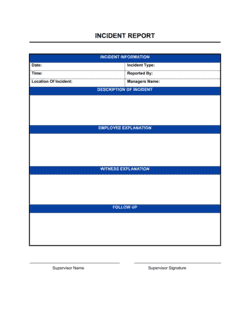
Specify at least two reporting channels (e.g., email and a phone hotline), the incident report form location, and the acknowledgment SLA the IT Lead must meet.
💡 Test the reporting channels quarterly — a broken email alias or unmonitored inbox is the most common reason incidents go unreported for hours.
5
Write containment and eradication procedures for your top three threat scenarios
Draft specific step-by-step procedures for your most likely incident types — ransomware, phishing-triggered account compromise, and accidental data exposure cover most organizations. Generic procedures are better than none but scenario-specific playbooks cut response time significantly.
💡 Reference your actual tools by name (e.g., 'disable the host in CrowdStrike' rather than 'isolate the system') so on-call staff can execute without interpretation.
6
Prepare communication templates in advance
Draft customer notification emails, internal status update templates, and a holding statement for media inquiries before an incident occurs. Have Legal pre-approve the templates so approval time during an active incident drops to near zero.
💡 Regulatory notification deadlines — 72 hours under GDPR, as soon as practicable under many US state laws — start from when you become aware of the incident, not when you finish your investigation.
7
Define the post-incident review cadence and outputs
Specify who chairs the review, the deadline (5–10 business days after closure), the required outputs (Post-Incident Report, corrective action list), and where these are stored.
💡 Track corrective actions in your project management tool with due dates and owners — items logged only in a PDF report are almost never completed.
8
Schedule a tabletop exercise within 30 days of finalizing the plan
Run a 90-minute facilitated walkthrough of a realistic scenario with all IRT members. Document gaps identified and update the plan before filing it as active.
💡 Use an external facilitator for the first tabletop exercise — they ask questions the internal team has normalized and will not think to raise.